Search the Community
Showing results for tags 'ping'.
Found 5 results
-
Version 1.0.1
12 downloads
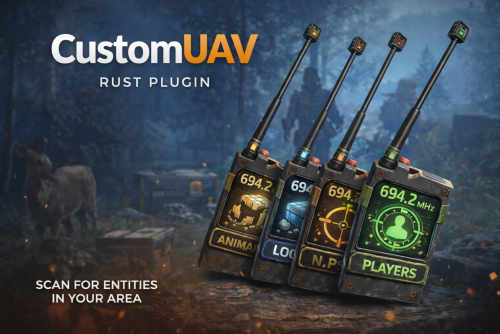
CustomUAV allows you to turn specific RF Transmitters into configurable scanning UAV. By applying a specific Skin ID to an RF Transmitter, it becomes a specialized scanner that can detect players, NPCs, ores, or loot. Features Custom Scanners: Create unlimited unique UAVs defined by their Skin ID. Visual Feedback: Optional F15 jet flyovers and UI ping markers (Crosshair, Loot box, etc.). Configurable Targets: Scan for any entity by its "Short Prefab Name" (e.g., player, boar, sulfur-ore, item_drop). Cooldowns & Limits: Set usage cooldowns or make items "consumable" (destroy after use). Commands /giveuav - Prints a list of all available UAVs defined in your config. /giveuav <player> <uav name> - Gives the target player the specific RF Transmitter item required to trigger that UAV. Permissions customuav.give — Required to use the admin give command. customuav.use — Required to use any UAV. Custom Permissions: You can define specific permissions for each UAV in the config (e.g., customuav.vip). Configuration The configuration is handled in CustomUAV.json. Each entry in the Transmitters list creates a new UAV. The plugin identifies them using the SkinId. Global Settings: Debug: Enables console logs to see what the UAV is detecting. ChatFeedback: Toggles chat messages for the user. UAV Settings: SkinId: The Workshop Skin ID of the RF Transmitter item. EntityPrefabs: A list of short prefab names to scan for. PingType: The icon style (Hostile, Loot, Dollar, GoTo). SpawnJet: Toggle the visual jet flyover. Configuration Example { "Debug": false, "ChatFeedback": true, "Broadcasters": [ { "Name": "Loot UAV", "SkinId": 3635869496, "Description": "Scans for dropped loot", "Permission": "customuav.loot", "SpawnJet": false, "PingType": "Loot", "DestroyAfterUse": false, "ScanRadius": 300.0, "PingDuration": 8.0, "CooldownSeconds": 30.0, "EntityPrefabs": [ "item_drop", "player_backpack", "corpse" ] } ] }$11.99 -
Version 1.0.3
68 downloads
Marks enemies firing near the player with permission. All pings are combined in the team. Useful for easier detection of enemies for a player with advantages (donators) or all players on a pve server. Features: Customizable reaction radius around the player Filter on players, npc, other (turrets, etc.) Refreshable after each shot Ping disappears over time Ping disappears after a kill Permission: autopingenemy.use Default config: { "Trigger only when hitting a player": false, "The radius of the collection of players at the point of impact of the bullet": 5.0 } Screenshots: In the scope, the marks become semi-transparent and do not interfere with killing$3.00 -

Version 1.1.4
152 downloads
PlayerPings is a convenient plugin that enhances communication and tactical gameplay for your players in Rust. It features a user-friendly interface and dynamic object type detection—whether it's ore, a building, or loot objects, each will have a unique marker. Players can choose their own marker color and toggle automatic object type detection on/off. The plugin has an adaptive interface and supports localization in multiple languages. Markers can be set through several options: Binding via console command - playerping.set Aiming + key use (E) Clicking mouse wheel To open the settings menu, use: /pingmenu To access usage, the playerpings.use permission needs to be granted. You can grant it via console command: oxide.grant <user or group> <name or steam id> playerpings.use Config Example { "Basic setup": { "Color(0-yellow,1-blue,2-green,3-red,4-purple,5-blue)": 3, "Maximum number of pings per player": 5, "Maximum distance": 300.0, "Ping display time": 3.0, "Enable ping metod Aiming + key use (E)": true, "Enable ping metod Center mouse wheel": true, "Delay between pings (seconds): 0.2 seconds as standard": 0.2, "Command to set ping": "playerping.set", "Menu Open Command": "pingmenu" }, }$9.99 -

Version 1.0.2
42 downloads
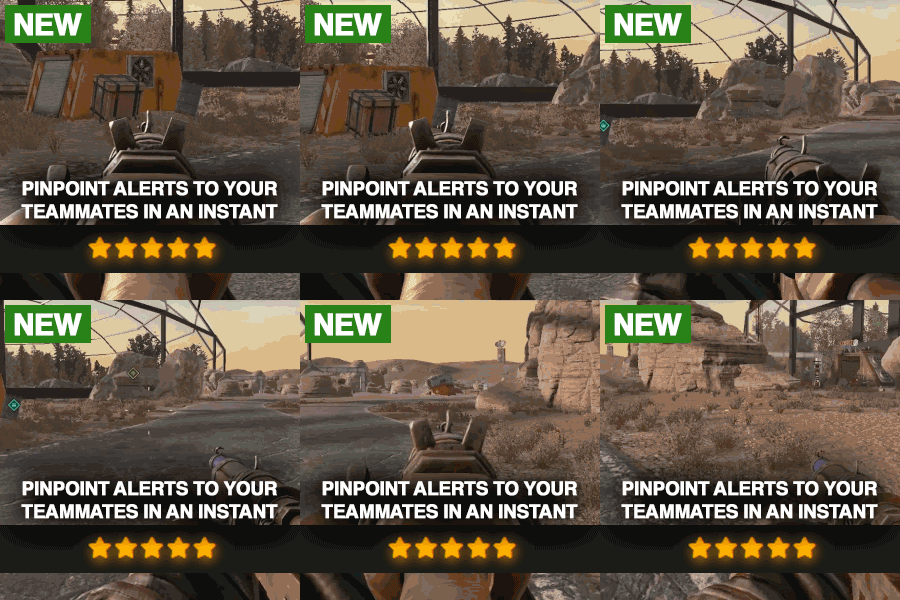
Description Elevate your Rust server with PVP Ping, the ultimate plugin for strategic combat and advanced map tracking between teams! This plugin empowers players to mark key locations on the map, allowing for enhanced coordination and tactical planning. Whether you're organizing an ambush or tracking enemy movements, PVP Ping ensures your players stay one step ahead. With customizable ping types, you can tailor the plugin to fit your server's needs. Players can set markers with unique icons, colors, and areas of effect, making it easy to strategize in real time. Use the native UI to view and manage active pings. Add a dynamic layer of strategy to your server and let players experience the thrill of precision combat. Watch as they adapt to new tactics and utilize pings during raids. Instead of yelling at which box the meds are in, they can now just ping it. PVP Ping is designed to integrate seamlessly with a players Rust experience. All you have to do is aim and press the use key to send the ping. It feels so good it should be native to Rust. Config Options You can change the icon colors and icons within the config. Also you can change the min/max distance, ping cooldowns, durations, and sound effect of ping. The available colors are: Green, Teal, Red, Purple, Blue, Yellow The available icons are: Default, Dollar, House, AirDrop, Hostile, Shield, Death, Bed, Sleep, Gun, Node, Loot, Tool Here is an example: "prefab-shortname": { "Icon": "Loot", "Color": "Teal" } Watch Video$9.99 -
Version 1.0.0
411 downloads
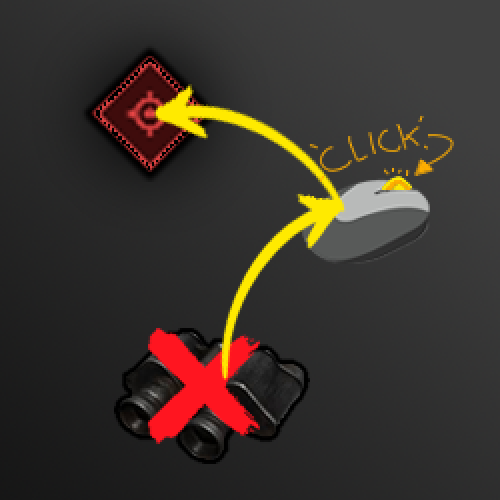
Allows you to ping location using the middle mouse button like you would in other battle royal games. Permissions pinglocation.use - Allow player to ping Configuration { "Use perms": "pinglocation.use", "Ping duration": 2.0, "Max ping distance": 300.0 }Free

.thumb.png.ccf8a947948c9eb1445ad21a7931247b.png)