Search the Community
Showing results for tags 'feed'.
Found 5 results
-
Version 5.0.1
92 downloads
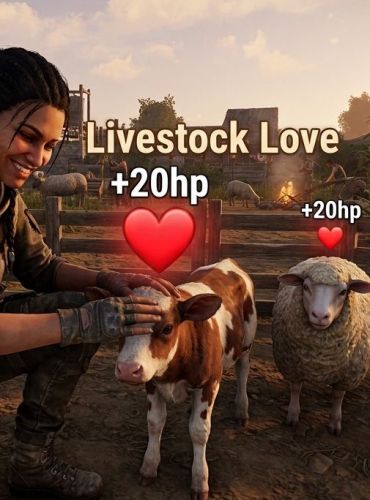
Livestock Love Livestock Love is a fully customizable Rust plugin that lets players safely interact with, pet, and feed farm animals! Bring a little warmth to your base's ranch or farm while helping your livestock recover from damage. When a player approaches an animal and presses their Reload key (R), their character plays a friendly wave animation, and the animal momentarily pauses to accept the love—instantly healing them and displaying a happy chat notification. Features Simple Interaction: Just look at any target livestock and press R to pet and feed them. Synchronized Healing: Instantly restores health (configurable, defaults to +20 HP) to hurt animals. Smart Interventions: Temporarily pauses the animal's movement so they don't wander off mid-interaction. Per-Animal Cooldowns: Built-in anti-spam cooldown protection per player and animal. Custom UI Chat Alerts: Integration with ImageLibrary to show a cute calf avatar right next to the plugin's chat messages. Fully Customizable: Easily tweak heal amounts, cooldown timers, max petting distance, and chat colors directly inside your JSON config. Commands & Interaction Unlike traditional plugins that clutter the chat bar, Livestock Love keeps gameplay seamless with an intuitive hotkey control: Press [R] (Reload Key): Look at a piece of livestock within petting range (3.5 meters by default) and press your reload key to pet, calm, and heal them. Permissions To prevent unauthorized players or stowaways from interacting with your farm animals, ensure you assign the correct permission: livestocklove.use — Required for non-admin players to use the petting and feeding system. (Note: Server Administrators bypass this permission check automatically). Supported Animals The plugin automatically detects and interacts with the following short prefab types: Cows & Bulls Calves & Lambs Sheep & Rams Horses Chickens Configuration File (/oxide/config/LivestockPetting.json) When the plugin is loaded for the first time, a configuration file will be generated automatically. You can modify these values to customize the experience to fit your server's style or economy. Default ConfigurationFree -
Version 2.2.3
533 downloads
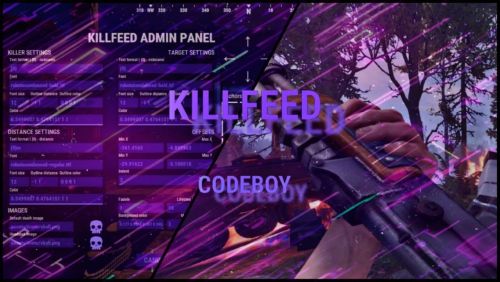
A kill feed your players actually notice. Built in the game, not in a config. Show who killed whom, with what, from how far, with both Steam avatars. Build the whole thing in a live in-game editor instead of opening a JSON file. /kf.edit Open the full in-game editor with a preview that updates as you work. 01 - Built in the game, not in a config Edit against a live preview. No JSON, no reload cycle. Move elements with steppers and an arrow pad, recolour them, reposition the feed and switch themes in the same editor. Every change updates while you type. Position with intent Place the feed where it belongs using steppers and an arrow pad, then tune its direction and speed. Motion you can control New entries slide in. Expiring entries slide out and fade. Turn animation off entirely when you need a static feed. 02 - Steam avatars, zero dependencies Show the people behind the kill. Without another service to run. KillFeed draws the killer's and victim's actual Steam avatars through the game UI. There is no ImageLibrary requirement, no Steam API key and nothing extra to install. Icons for every encounter Bots, animals, Bradley and the patrol helicopter receive their own icons. Any entity can be mapped to a custom image. Private kills mode With one switch, each kill appears only to the killer and victim. Ideal for arenas, duels and private encounters. 03 - New: Discord live killfeed Bring the action to Discord. Without turning your channel into spam. The optional companion bot plugin relays kills through the Discord Webhooks. Kills are grouped into one message on an interval you set from 1 to 60 seconds, which keeps the webhook inside Discord's rate limits on a busy server instead of being throttled into silence. Embed or plain text Choose the output format, then set an embed title and colour. Configure it from the Discord section in the same in-game editor. Only the events you want Toggle PvP, NPC and animal kills, and deaths with no killer separately. Player names are escaped before sending. Line template placeholders {killer} {target} {weapon} {distance} {headshot} {killerid} {targetid} {reason} Use {reason} in the separate template for deaths with no killer. The companion plugin is optional, and the in-game feed works exactly as before without it. 04 - Three distinct themes Match your server's atmosphere. Keep the feed readable. Start with Rust, Midnight or Neon. Each theme keeps the feed crisp while letting you configure colours and outlines to fit your server. Rust Warm, grounded and familiar. Midnight Cool cyan for late-night servers. Neon Violet contrast with a sharper feel. 05 - Built for real servers Keep the feed where it belongs. Give players control. Control which kills reach the feed, exclude sensitive areas and let players decide what they see or share. Zones and monuments Use ZoneManager flags to hide kills involving players inside a chosen zone. Blacklist MonumentFinder monuments for arenas and event areas. Both filters are optional. Reliable and translatable One plugin file and bundled image pack. Use FileManager or ImageLibrary image loading, whichever you already run. Image references are validated on boot. English, Russian and German language files are included. 06 - Commands and permissions Simple to operate. Clear control for staff and players. Use the editor to shape the feed, then expose only the controls each player needs. Commands /kf.edit Open the in-game editor. Requires killfeed.admin. /killfeed Toggle your own feed on or off. Requires killfeed.use. Permissions killfeed.use See the feed and toggle it. killfeed.admin Open the in-game editor. killfeed.hidekillsfromfeed Hide this player's kills from everyone. killfeed.hidedeathsfromfeed Hide this player's deaths from everyone.$25.00 -
Version 1.0.0
1 download
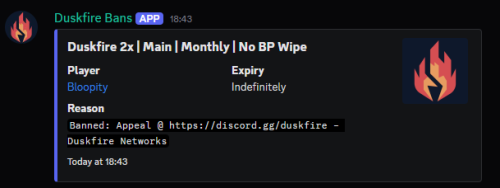
Howdy! I'm introducing a nice and affordable Discord bot that'll simply log bans from Battlemetrics to Discord. It offers an easy configuration file and if you know just a little bit about programming, you can tinker with the embeds as well. It'll send out a public ban feed message and a staff version of it for your Discord audit logs, if you need it. If cost is a problem for your server, feel free to reach out and I'll provide you with the product for free. The bot works by polling Battlemetrics via the API and locally storing a copy of your bans. If there is a change, it'll send messages accordingly. If you need help, don't be afraid to ask. This was provided courtesy of Duskfire Networks.$2.00 -

Version 1.2.5
1,271 downloads
SimpleKillMessages displays death and kill information in the chat upon death, with some additional features. The plugin has a config file where the prefix, chat icon, and other settings can be modified. It also includes the option to prevent NPC interactions from being processed/counted and to keep a player's held item in their hotbar upon death. Additionally, the plugin has the option to reward kills with points from the "Economics" plugin, with the number of points per kill being adjustable in the config file. The plugin also includes default messages for various death scenarios, such as death by wounds, suicide, burning, melee, and more. Configuration The SimpleKillMessages plugin has a config file where the following options can be modified: Prefix: This is a string that will be displayed before each death/kill message in chat. By default, it is set to "<color=#42f566>SERVER:</color> ". Chat Icon: This is an ID that corresponds to a Steam account. By default this option is set to 0. Prevent NPC: This is a boolean value (true or false) that determines whether NPC interactions should be processed/counted. If set to false, NPCs kills will show in chat and give economy points. By default, this option is set to true. Prevent Drop On Death: This is a boolean value (true or false) that determines whether a player's held item should be kept in their hotbar upon death. If set to true, the player's held item will not be dropped upon death. By default, this option is set to true. Economics Rewards Enabled: This is a boolean value (true or false) that determines whether kills should be rewarded with points from the "Economics" plugin. If set to true, kills will be rewarded with points. By default, this option is set to false. Economics Points Reward: This is a double (decimal) value that determines the number of points to be rewarded for each kill when Economics Rewards Enabled is set to true. By default, this option is set to 2. Show Messages Global?: This is a boolean value (true or false) that determines whether kills should be announced globally to other players aside from those involved. By default, this option is set to false. Global Radius/Distance?: This is a float value (number) that determines how the radius/distance you have to be within of the player who died to receive their death message. By default this is 0 so everyone on the server will see it. Use Radius?: This is a boolean (true or false) that determines if you use a radius to determine who gets the messages. If false you will use the distance between a player rather than a radius of the player who died to calculate who we should send the message to. The only difference here can be performance Features Display death/kill information in chat upon death: Upon death, a message will be displayed in chat with information about the player's death or the player they killed. The message will include the prefix and chat icon set in the config file. Keeping held item in hotbar upon death: When the Prevent Drop On Death option is set to true, a player's held item will not be dropped upon death. This can be useful for servers where the admins want to prevent players from losing valuable items upon death. Reward kills with points: When the Economics Rewards Enabled option is set to true, players will be rewarded with points for each kill they make. The number of points rewarded can be set with the Economics Points Reward option. This feature requires the "Economics" plugin to be installed on the server. Default messages for various death scenarios: The SimpleKillMessages plugin includes default messages for various death scenarios, such as death by wounds, suicide, burning, melee, and more. These messages can be customized in the plugin's code if desired. Display death messages globally or within a radius of the player who died.Free -
Version 1.0.1
508 downloads
Notify Addon that will popup the notification when killing animals. Features : works with both the Notify versions. lightweight Simple config Animal naming can be changed through language file. Permission system Option through config to use any Notify profile (can create profiles) Supported Animals : Bear Polarbear Boar Chicken Horse (Wld horse) Stag Wolf Zombie (minecraft) Simpleshark (Shark) Permissions : notifyanimalfeed.use : Grant user permission to see the feed Configuration : { "Notify profile ID": 0 } Localisation : {Killer} : Player name will be displayed on this location {Victim} : Animal name will be displayed on this location (can be customised in language file) {Weapon} : Weapon/explosives/traps/fire will be displayed on this location {_Distance} : Distance between animal and player will be displayed here Make sure to use all 4 when changing the language file text including brackets. { "FeedAnimal": "<color=orange>{Killer}</color> killed a <color=yellow>{Victim}</color> with a <color=yellow>{Weapon}</color> from <color=yellow>{_Distance}</color>m", "Bear": "Bear", "PolarBear": "Polar Bear", "Boar": "Pig", "Chicken": "Chicken", "Horse": "Wild Horse", "Stag": "Stag", "Wolf": "Wolf", "SimpleShark": "Shark" }Free