Search the Community
Showing results for tags 'killfeed'.
Found 7 results
-
Version 2.2.3
533 downloads
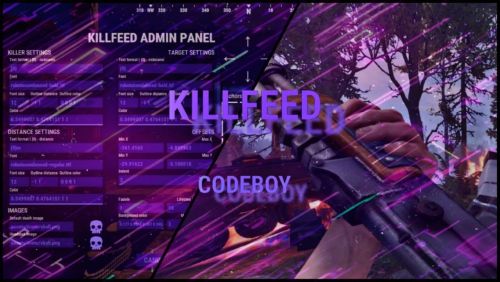
A kill feed your players actually notice. Built in the game, not in a config. Show who killed whom, with what, from how far, with both Steam avatars. Build the whole thing in a live in-game editor instead of opening a JSON file. /kf.edit Open the full in-game editor with a preview that updates as you work. 01 - Built in the game, not in a config Edit against a live preview. No JSON, no reload cycle. Move elements with steppers and an arrow pad, recolour them, reposition the feed and switch themes in the same editor. Every change updates while you type. Position with intent Place the feed where it belongs using steppers and an arrow pad, then tune its direction and speed. Motion you can control New entries slide in. Expiring entries slide out and fade. Turn animation off entirely when you need a static feed. 02 - Steam avatars, zero dependencies Show the people behind the kill. Without another service to run. KillFeed draws the killer's and victim's actual Steam avatars through the game UI. There is no ImageLibrary requirement, no Steam API key and nothing extra to install. Icons for every encounter Bots, animals, Bradley and the patrol helicopter receive their own icons. Any entity can be mapped to a custom image. Private kills mode With one switch, each kill appears only to the killer and victim. Ideal for arenas, duels and private encounters. 03 - New: Discord live killfeed Bring the action to Discord. Without turning your channel into spam. The optional companion bot plugin relays kills through the Discord Webhooks. Kills are grouped into one message on an interval you set from 1 to 60 seconds, which keeps the webhook inside Discord's rate limits on a busy server instead of being throttled into silence. Embed or plain text Choose the output format, then set an embed title and colour. Configure it from the Discord section in the same in-game editor. Only the events you want Toggle PvP, NPC and animal kills, and deaths with no killer separately. Player names are escaped before sending. Line template placeholders {killer} {target} {weapon} {distance} {headshot} {killerid} {targetid} {reason} Use {reason} in the separate template for deaths with no killer. The companion plugin is optional, and the in-game feed works exactly as before without it. 04 - Three distinct themes Match your server's atmosphere. Keep the feed readable. Start with Rust, Midnight or Neon. Each theme keeps the feed crisp while letting you configure colours and outlines to fit your server. Rust Warm, grounded and familiar. Midnight Cool cyan for late-night servers. Neon Violet contrast with a sharper feel. 05 - Built for real servers Keep the feed where it belongs. Give players control. Control which kills reach the feed, exclude sensitive areas and let players decide what they see or share. Zones and monuments Use ZoneManager flags to hide kills involving players inside a chosen zone. Blacklist MonumentFinder monuments for arenas and event areas. Both filters are optional. Reliable and translatable One plugin file and bundled image pack. Use FileManager or ImageLibrary image loading, whichever you already run. Image references are validated on boot. English, Russian and German language files are included. 06 - Commands and permissions Simple to operate. Clear control for staff and players. Use the editor to shape the feed, then expose only the controls each player needs. Commands /kf.edit Open the in-game editor. Requires killfeed.admin. /killfeed Toggle your own feed on or off. Requires killfeed.use. Permissions killfeed.use See the feed and toggle it. killfeed.admin Open the in-game editor. killfeed.hidekillsfromfeed Hide this player's kills from everyone. killfeed.hidedeathsfromfeed Hide this player's deaths from everyone.$25.00 -

Version 2.0.0
91 downloads
KillStreak.cs Description : - This plugin allows you to display players killstreak on all players screen, you can also configure the number of kills to display. Settings : - KillStreak multiplier (2) - HUD duration (5s) - HUD colors WuyZar's Discord : https://discord.gg/NVwRcQwGwh$5.50 -

Version 1.0.0
159 downloads
Death Feed Free adds AI-powered death commentary to your Rust server using Hugging Face Inference Providers. When a player dies, the plugin sends the death message to an AI model and broadcasts a short, witty comment in chat—no paid API required. It hooks into DeathNotes and optionally uses BetterChat for a polished chat experience. Full Documentation (README) Features Free AI commentary via Hugging Face Configurable model & provider (auto/groq/together/cerebras) Custom system prompt (sports commentator, pirate, etc.) Cooldown, max tokens, temperature Optional sound on comment Config Response prefix & color (hex) Bot name & Steam ID Chat channel (global/team) Debug mode Requirements DeathNotes (required) BetterChat (optional) Hugging Face token (free) Commands deathfeed.status — status & config deathfeed.test — test API (admin) Quick setup: Install DeathNotes, add DeathFeedFree.cs to oxide/plugins, add your Hugging Face API token in oxide/config/DeathFeedFree.json (get one at hf.co/settings/tokens with "Make calls to Inference Providers"), then reload. Default model is meta-llama/Llama-3.3-70B-Instruct with provider auto; adjust the system prompt to change the commentator style. Author: Goo_ · Version: 1.0.0Free -
Version 1.0.5
10 downloads
Features: A lightweight configurable kill feed plugin that displays kill feed data styled in toasts, which disappear after a set time (default 8 secs). Admins can configure everything about the styling, including size, screen position, font and colour. Players can toggle the toasts on/off with a chat command. Incredibly easy config file. Permissions toastykills.view: allows players to view kill toasts. toastykills.commands: allows players to use chat commands. toastykills.admin: allows players to admin plugin. Chat Commands /tko - disables kill feed /tk - enables kill feed Localization { "ToastyKillsOn": "Toasty Kills On", "ToastyKillsOff": "Toasty Kills Off", "NoPerms": "You don't have the {0} permission to use this command" } Configuration { "Max Simultaneous Toasts": 10, "Toast Display Settings": { "Toast Base Y": 0.98, "Toast Base X": 0.8, "Toast Height": 0.03, "Toast Font Height": 12, "Toast Width": 0.198, "Toast Gap": 0.002, "Toast Manual Color Override (if you know what you are doing)": false, "Toast Manual Background Color": ".1 0.1 0.1", "Toast Manual Font Color": "1 1 1", "Is Active (true/false)": true, "Toast Cooldown (seconds)": 8.0 }, "Players Settings": null, "Version": { "Major": 1, "Minor": 0, "Patch": 3 } }$8.99 -
Version 1.0.0
191 downloads
When killing players, a message is displayed in the chat about the one who killed and the one who was killed. You can also optionally enable the distance in the prefix (other players within the radius of the specified action will see how far the murder occurred from them), if the distance in the prefix is not enabled, then the usual prefix will be displayed, which you can set in the config. You can also customize the display of weapons as text and customize their color in the language file. Permissions You can customize the colors of the killers and the colors of the victims in the config of the pragine by privileges: "Nick color by privileges (Descending)": { "killfeedchat.king": { "Nick color if the player was killed (hex)": "#ef1b70", "Nick color if the player killed (hex)": "#ef1b70" }, "killfeedchat.ultra": { "Nick color if the player was killed (hex)": "#cf1bef", "Nick color if the player killed (hex)": "#cf1bef" }, "killfeedchat.premium": { "Nick color if the player was killed (hex)": "#2adaf5", "Nick color if the player killed (hex)": "#2adaf5" }, "killfeedchat.vip": { "Nick color if the player was killed (hex)": "#ffff99", "Nick color if the player killed (hex)": "#ffff99" }, "killfeedchat.default": { "Nick color if the player was killed (hex)": "#aee6e6", "Nick color if the player killed (hex)": "#aee6e6" } } Chat Commands To disable the display of kills, you can set up a command in the pragin configuration. By default, it is /kills "Command to toggle kill display on and off": "kills", Configuration { "Plugin setup": { "Command to toggle kill display on and off": "kills", "Kill radius to display in chat for other players": 200.0, "Setting up display in chat": { "Show weapon icons in chat? (If false, names will be shown)": true, "Whether to display distance in prefix?": true, "Prefix": "<color=#fc3e3e>[KillFeedChat]</color>", "Custom chat avatar(Steam ID)": 0 }, "Nick color by privileges (Descending)": { "killfeedchat.king": { "Nick color if the player was killed (hex)": "#ef1b70", "Nick color if the player killed (hex)": "#ef1b70" }, "killfeedchat.ultra": { "Nick color if the player was killed (hex)": "#cf1bef", "Nick color if the player killed (hex)": "#cf1bef" }, "killfeedchat.premium": { "Nick color if the player was killed (hex)": "#2adaf5", "Nick color if the player killed (hex)": "#2adaf5" }, "killfeedchat.vip": { "Nick color if the player was killed (hex)": "#ffff99", "Nick color if the player killed (hex)": "#ffff99" }, "killfeedchat.default": { "Nick color if the player was killed (hex)": "#aee6e6", "Nick color if the player killed (hex)": "#aee6e6" } } } } Configuration Settings Explained Command to toggle kill display on and off: Setting up a command to enable or disable showing kills in chat Kill radius to display in chat for other players: At what distance will players see the murder that has occurred. Let's say if the setting was 200 meters, then a player who was 250 meters away will no longer see the message. Show weapon icons in chat? (If false, names will be shown): You can customize how the weapon will be displayed, it will be displayed as an emoji if it is true or as an inscription if it is false Whether to display distance in prefix?: This setting determines whether the distance will be shown in the prefix. For example, a murder occurred and everyone within a radius of 200 meters will see the distance to the murder committed. Prefix: Here you define the plugin prefix that will be displayed in the chat. Custom chat avatar(Steam ID): Setting up an avatar for the plugin Nick color by privileges (Descending): Here you can customize the colors of nicknames by privileges Caveats and Disclaimers This plugin displays weapon emojis in the chat, so it does not create a load on the server. ATTENTION if the player has emojis disabled in the game settings, then instead of emojis he will see something like :weapon: Localization You can enable Russian config for the plugin by going to the .cs files and changing the LanguageEn parameter to false private const bool LanguageEn = true; The plugin has 2 localizations. English and Russian: en: { "ON_MESSAGE_DEATHS": " Kill messages in chat are now <color=#008000>enabled</color>!", "OFF_MESSAGE_DEATHS": " Kill messages in chat are now <color=#FF0000>disabled</color>!", "DISTANCE_PREFIX": "<color=#77f754>[{3} m from you]</color>", "KILL_MESSAGE": " {0} killed {1} with {2} from <color=#ffff00>{3} m</color>", "FOR_ATTAKER": " You killed {1} with {2} from <color=#ffff00>{3} m</color>", "FOR_VICTIM": " You were killed by {0} with {2} from <color=#ffff00>{3} m</color>" } ru: { "ON_MESSAGE_DEATHS": " Сообщения об убийствах в чате теперь <color=#008000>включены</color>!", "OFF_MESSAGE_DEATHS": " Сообщения об убийствах в чате теперь <color=#FF0000>выключены</color>!", "DISTANCE_PREFIX": "<color=#77f754>[{3} м от вас]</color>", "KILL_MESSAGE": " {0} убил {1} с помощью {2} с расстояния <color=#ffff00>{3} м</color>", "FOR_ATTAKER": " Вы убили {1} с помощью {2} с расстояния <color=#ffff00>{3} м</color>", "FOR_VICTIM": " Вас убил {0} с помощью {2} с расстояния <color=#ffff00>{3} м</color>" }Free -
Version 1.0.1
507 downloads
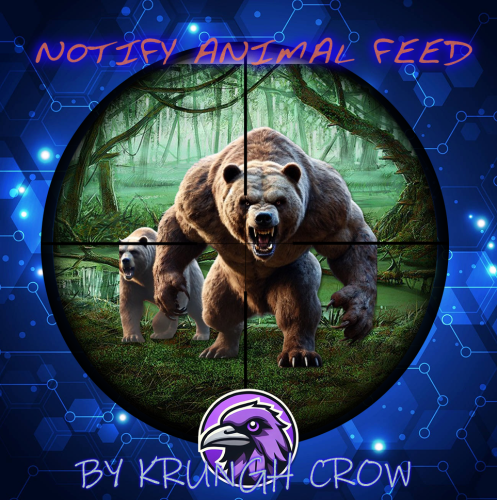
Notify Addon that will popup the notification when killing animals. Features : works with both the Notify versions. lightweight Simple config Animal naming can be changed through language file. Permission system Option through config to use any Notify profile (can create profiles) Supported Animals : Bear Polarbear Boar Chicken Horse (Wld horse) Stag Wolf Zombie (minecraft) Simpleshark (Shark) Permissions : notifyanimalfeed.use : Grant user permission to see the feed Configuration : { "Notify profile ID": 0 } Localisation : {Killer} : Player name will be displayed on this location {Victim} : Animal name will be displayed on this location (can be customised in language file) {Weapon} : Weapon/explosives/traps/fire will be displayed on this location {_Distance} : Distance between animal and player will be displayed here Make sure to use all 4 when changing the language file text including brackets. { "FeedAnimal": "<color=orange>{Killer}</color> killed a <color=yellow>{Victim}</color> with a <color=yellow>{Weapon}</color> from <color=yellow>{_Distance}</color>m", "Bear": "Bear", "PolarBear": "Polar Bear", "Boar": "Pig", "Chicken": "Chicken", "Horse": "Wild Horse", "Stag": "Stag", "Wolf": "Wolf", "SimpleShark": "Shark" }Free -
Hello everyone, I am looking for a clean killfeed. At the moment I am using the SimpleKillFeed from uMod. Unfortunately, I don't like the display at all. Do you know a better plugin, or can you help me to change the display from the current one? The formatting should be like this: [Player][Weapon] killed [Player][Head][5M] This is how it looks at the moment: [img]https://i.imgur.com/ZrajIIO.png[/img] Code: { "Show Traps and Entitys in Kill Feed": true, "Show Animals kills (default true)": false, "Show Npcs kills (Default true)": false, "Show suicides (Default: true)": true, "Show Deaths by Animals (Default: true)": false, "Show Deaths by Cold (Default: true)": false, "Show deaths by Drowning (Default: true)": true, "Show Deaths by Fall (Default: true)": true, "Show Deaths by Hunger (Default: true)": true, "Show Deaths by Electricution (Default: true)": true, "Show Deaths by Radiation (Default: true)": true, "Chat Icon Id (Steam profile ID)": 76561197960839785, "Max messages in feed (Default: 5)": 5, "Max player name length in feed (Default: 18)": 18, "Feed message TTL in seconds (Default: 7)": 7, "Allow kill messages in chat along with kill feed": true, "Log PvP Kill events": false, "Height ident (space between messages). Default: 0.0185": 0.0185, "Feed Position - Anchor Max. (Default: 0.995 0.986": "0.995 0.986", "Feed Position - Anchor Min. (Default: 0.723 0.964": "0.723 0.964", "Font size of kill feed (Default: 12)": 12, "Outline Text Size (Default: 0.5 0.5)": "0.5 0.5", "Default color for distance (if too far from any from the list). Default: #FF8000": "#FF8000", "Distance Colors List (Certain color will apply if distance is <= than specified)": [ { "DistanceThreshold": 50, "Color": "#FFFFFF" }, { "DistanceThreshold": 100, "Color": "#91D6FF" }, { "DistanceThreshold": 150, "Color": "#FFFF00" } ], "Custom Entity Names, you can remove or add more!": { "autoturret_deployed": "Auto Turret", "flameturret.deployed": "Flame Turret", "guntrap.deployed": "Gun Trap", "landmine": "Landmine", "beartrap": "Bear Trap", "sam_site_turret_deployed": "Sam Site Turret", "patrolhelicopter": "Helicopter", "bradleyapc": "Bradley APC" }, "Custom Animal Names, you can remove or add more!": { "bear": "Bear", "polarbear": "PolarBear", "wolf": "Wolf", "stag": "Stag", "boar": "Boar", "chicken": "Chicken", "horse": "Horse", "simpleshark": "Shark" }, "Custom Weapon Names, you can add more!": { "Assault Rifle": "Ak-47", "LR-300 Assault Rifle": "LR-300", "L96 Rifle": "L96", "Bolt Action Rifle": "Bolt", "Semi-Automatic Rifle": "Semi-AR", "Semi-Automatic Pistol": "Semi-AP", "Spas-12 Shotgun": "Spas-12", "M92 Pistol": "M92" }, "Custom Npc Names, you can add more!": { "scientist": "Scientist Npc" } }