Search the Community
Showing results for tags 'rain'.
Found 1 result
-
Version 3.2.1
3,338 downloads
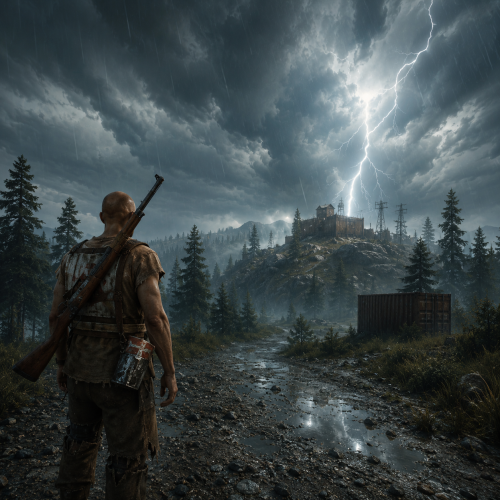
Weather & time control Own the sky: from a GUI, not a config file Vanilla weather is a coin flip you don't get to influence. This plugin shuts it off and hands you the whole sky: build your own presets, tune every value with plain-English names, chain them on a schedule, or mirror the real weather of any city on Earth. Edit presets in-game and set up night-skip votes with an automatic popup for players. 33 Tunable parameters 24 Schedulable hours 6 Presets preloaded 0 Dependencies ✓Every parameter named in plain English: no cryptic engine values ✓Real lightning strikes: not just thunder sounds ✓Live weather synced from any real location on Earth ✓Separate day and night length: plus a popup UI for night-skip votes ✓Personal weather: let chosen players pick their own sky while the server weather stays for everyone else Video See it in action 01: Presets Weather presets you actually control All six vanilla presets are imported automatically on first load, so you start from a working base instead of a blank slate. From there, nothing is off limits. Everything is a dial Rain, wind, thunder, rainbow and ocean wave height · cloud coverage, size, opacity and scattering · fog density · atmosphere brightness and contrast, day and night separately · full volumetric cloud control Named in plain English "Waves in the sea" instead of "OceanScale" · "Fog density" · "Sun glow size". No guessing what a value does before you drag it. Real lightning, not a sound effect Any preset with Thunder above 0.05 fires actual strike effects for every online player, across three intensity tiers, with frequency scaling off the Thunder value. ✓Smooth transitions: set a transition time per preset and weather eases in over seconds or minutes instead of snapping ✓Weighted random: make Storm rare and Clear common with a single number ✓Duration per preset: when one ends, the next rolls automatically 02: Time Time and nights on your terms Set long days, short nights, or no nights at all. You can also let players decide through a scheduled vote. Day and night length, separately A 45-minute day with a 10-minute night is one number each. Sunrise and sunset hours are configurable, and /setday and /setnight change time instantly. Skip nights automatically One toggle and nights are skipped the moment they start. Ideal for PvP servers and low-population wipes. Skip-night voting UI A panel appears in the top-right corner when a scheduled vote starts. It shows the required percentage and a Vote to Skip button. Players can press Tab to click it, use /nskip or your configured chat command, or close the panel without voting. Your voting rules Set the vote time, duration, required percentage and maximum consecutive skipped nights. The panel closes after a player votes or when the poll ends. Players who wake up during an active poll see it too. Start and result chat messages and the notification sound are configurable. 03: Automation Automation that runs the sky for you Set it once and never touch it again: either on a schedule you design, or synced to the real world. Rust-time schedule Assign presets to any of the 24 in-game hours. A preset holds until the next scheduled one, so filling three slots already covers a whole day. No two days alike Put several presets in one slot: "Storm,Dust": and one is picked at random by weight every time that hour comes around. Real-world weather sync Give it coordinates and an OpenWeatherMap key and your server mirrors the live weather of that location, rechecked every in-game hour. Map each real condition: Clear, Rain, Snow, Thunderstorm, Fog: to whichever preset you like. 04: Personal weather Personal weather for the players you choose Give a group its own sky. Anyone with the permission sets weather for themselves alone, while everyone else keeps whatever the server is running. A natural VIP perk that costs the rest of your players nothing. Their own sky, on command /myweather opens a small menu. The player picks a preset and it applies to them alone, instantly, on top of whatever the server weather is. You pick what they can choose Limit the menu to a handful of presets in the config, or leave it open to all of them. Only the presets you allow ever show up. One click back to normal A Server Weather button drops them back to the shared sky at any time, and their choice is remembered across reconnects and restarts. Reliability Built to be left alone ✓Weather survives restarts: the active preset and how long it has been running are saved, so a reboot doesn't reset the sky to a random state ✓Active preset is highlighted in the UI: you always know what's running ✓Optional console announcement whenever a new preset starts ✓Clean unload: vanilla weather chances are restored exactly as they were Commands Three admin commands, two for players Admin commands require the weather.use permission. Personal weather requires weather.personal. /wsetupOpen the setup UI /setdaySet time to day /setnightSet time to night /nskipVote to skip the night: configurable, open to all players /myweatherOpen the personal weather menu: needs weather.personal Hooks & API For plugin developers string API_GetCurrentWeatherPreset() Returns the name of the active preset void OnNewPresetStart(string presetName) Called when a new preset begins Questions Before you buy I scheduled a preset at hour 3, but hours 4–9 are empty. What happens?A preset runs until the next scheduled one. Set Rain at 4 and Dust at 9 and you get rain from 4 to 9, then dust from 9 until hour 4 comes back around. Can I put more than one preset on the same hour?Yes: comma-separated, like "Storm,Dust". One is chosen at random each time, weighted by each preset's chance. How do I know which preset is currently active?Open the UI: every preset is listed and the active one is highlighted. A preset you've only selected to edit is not. What happens when the current preset ends?A new one starts at random, weighted by the chance value you gave each preset. Does the weather reset when the server restarts?No. The active preset and its elapsed time are saved, so the sky picks up where it left off. Can players set their own weather?Yes, if you grant them the weather.personal permission. They open /myweather and pick from the presets you allow, and it applies to them alone while everyone else keeps the server weather. How do I enable the voting panel?Set Enable in SkipNight Setup to true and keep Use time control enabled. The panel opens automatically with each scheduled poll. Voting is open to all players and needs no extra permission. Do I need an API key?Only for real-world weather sync. Everything else works out of the box, and a free OpenWeatherMap key is enough.$14.99