Image

Car’s Camera Footage Backed Up To NAS

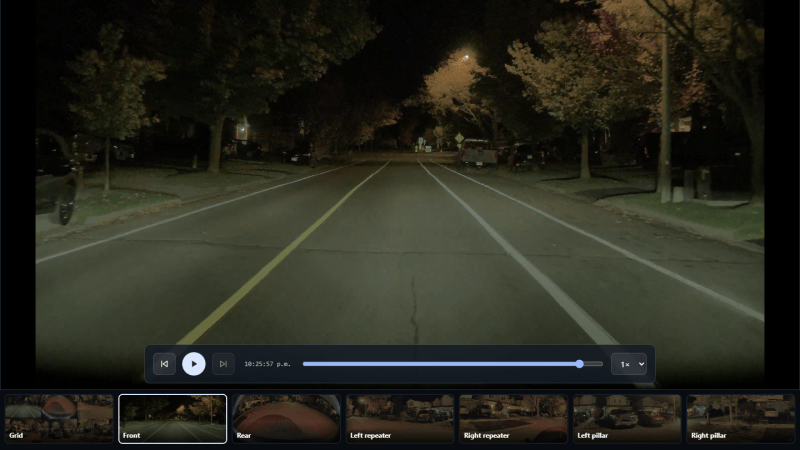
For as many sensors, cameras, and computers as there are on modern cars, they ought to be a dream to poke around in and customize to one’s liking. Unfortunately they’re generally plagued by the same locked-down, proprietary software that most consumer electronics ship with, making it very difficult to interact with these systems in ways the manufacturer doesn’t approve of. There are a few exceptions to this rule, though, and [Sasha] built this system which backs up the footage from their electric car’s on-board cameras automatically to a NAS.

The system is built around a Raspberry Pi Zero 2 W which plugs directly into a USB port in the car’s glovebox. To set it up, the software only needs to be flashed onto the Pi and then it can be controlled from a smartphone. It can connect to any NAS over a variety of protocols and keeps track of what footage has been backed up, and can even automatically restart a backup if the car drives away before it has completed. It also automatically frees up space on the car’s internal drives by deleting any files that have already been synced to the NAS. All of the data is kept in the user’s control as well, and nothing leaves the LAN unless the user sets up backups to a cloud service on their own.

If you have the correct electric car and a Pi other than a Zero 2 W, [Sasha] also has a package for other Raspberry Pis that should work. Unfortunately this was designed for a specific electric car; other makes and models won’t work with this out of the box, but we hope that won’t stop others from checking out the GitHub page anyway trying to figure out what’s going on under the hoods of their car’s electrical and computer systems. Sometimes this leads to things you might not expect, like using the car itself as a video game controller.
Image

Network Scanner Finds Every Raspberry Pi

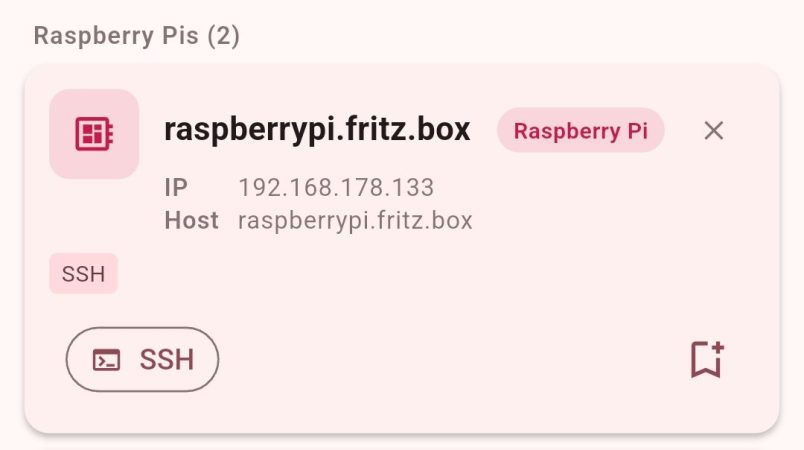
DHCP is great for getting machines on the network with a minimum of fuss. However, it can also make remote administration a pain because you never know which IP you’re supposed to be SSHing into. [Philipp] ran into this problem quite often, so decided to whip up an app to make things easier. 

At it’s heart, the app is a simple network scanner—of which many already exist. However, [Philipp] had found that many options on Android were peppered with ads that made them highly undesirable to use. Thus, he whipped up his own, with a particular eye to working with the Raspberry Pi. It’s not uncommon for a hacker to have a few scattered around the home network, and it can be a real chore keeping track of where they all end up in IP land. The scanner can specifically single out the Raspberry Pi boards on the network via MAC-OUI and mDNS detection. Plus, just in case you need it, [Philipp] threw in some GPIO pinouts and electronics calculators just to make the app more useful.

If you’ve been looking for an open-source network scanner without all the ugly junk, this project might just be for you. You can also check out the source over on Github if that’s relevant to your interests. We’ve seen some interesting custom network scanners before, too. If you’re whipping up some fun packet-flinging software of your own, don’t hesitate to notify the tipsline!

Image

Build A Pocket-Sized Wi-Fi Analyzer

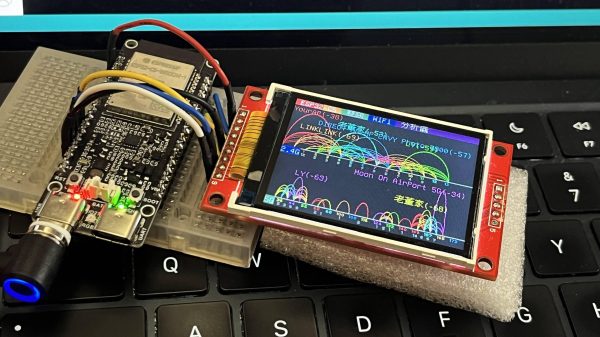
Wi-Fi! It’s everywhere, and yet you can’t really see it, by virtue of the technology relying on the transmission of electromagnetic waves outside the visual spectrum. Never mind, though, because you can always build yourself a Wi-Fi analyzer to get some insight into your radio surroundings, as demonstrated by [moononournation].

The core of the build is the ESP32-C5. The popular microcontroller is well-equipped for this task with its onboard dual-band Wi-Fi hardware, even if the stock antenna on most devboards is a little underwhelming. [moononournation] has paired this with a small rectangular LCD screen running the ILI9341 controller. The graphical interface is drawn with the aid of the Arduino_GFX library. It shows a graph of access points detected in the immediate area, as well as which channels they’re using and their apparent signal strength.

If you’re just trying to get a basic read on the Wi-Fi environment in a given locale, a tool like this can prove pretty useful. If your desires are more advanced, you might leap up to tinkering in the world of software defined radio. Video after the break.

Continue reading “Build A Pocket-Sized Wi-Fi Analyzer” →

Image

Get Into Meshtastic On The Cheap With This Tiny Node Kit

There’s been a lot of buzz about Meshtastic lately, and with good reason. The low-power LoRa-based network has a ton of interesting use cases, and as with any mesh network, the more nodes there are, the better it works for everyone. That’s why we’re excited by this super-affordable Meshtastic kit that lets you get a node on the air for about ten bucks.

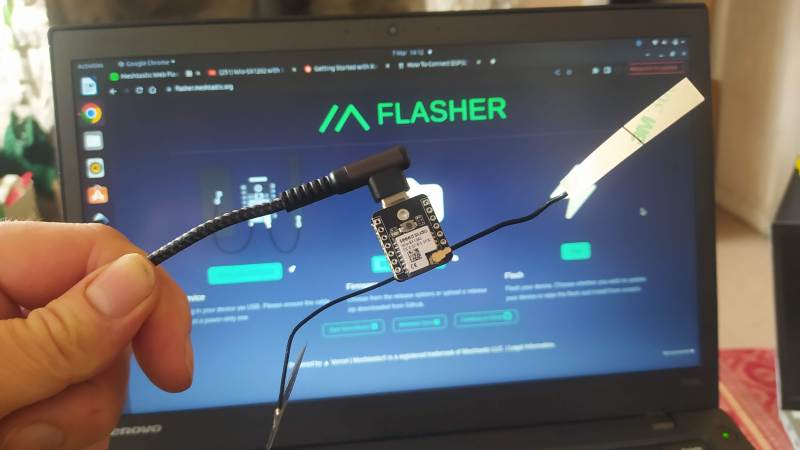
The diminutive kit, which consists of a microcontroller and a LoRa module, has actually been available from the usual outlets for a while. But [concretedog] has been deep in the Meshtastic weeds lately, and decided to review its pros and cons. Setup starts with flashing Meshtastic to the XIAO ESP32-S3 microcontroller and connecting the included BLE antenna. After that, the Wio-SX1262 LoRa module is snapped to the microcontroller board via surface-mount connectors, and a separate LoRa antenna is connected. Flash the firmware (this combo is supported by the official web flasher), and you’re good to go.

What do you do with your new node? That’s largely up to you, of course. Most Meshtastic users seem content to send encrypted text messages back and forth, but as our own [Jonathan Bennett] notes, a Meshtastic network could be extremely useful for emergency preparedness. Build a few of these nodes, slap them in a 3D printed box, distribute them to willing neighbors, and suddenly you’ve got a way to keep connected in an emergency, no license required.

Bits of GRUB syntax on pink background

Wake, Boot, Repeat: Remote OS Selection With GRUB And ESP

What do you do when you need to choose an OS at boot but aren’t physically near your machine? [Dakhnod]’s inventive solution is a mix of GRUB, Wake-on-LAN (WOL), and a lightweight ESP8266 running a simple HTTP server. In the past, [dakhnod] already enlightened us with another smart ESP hack. This one’s a clever combination of network booting and remote control that opens up possibilities beyond the usual dual-boot selector.

At its core, the hack modifies GRUB to fetch its boot configuration over HTTP. The ESP8266 (or any low-power device) serves up a config file defining which OS should launch. The trick lies in adding a custom script that tells GRUB to source an external config:

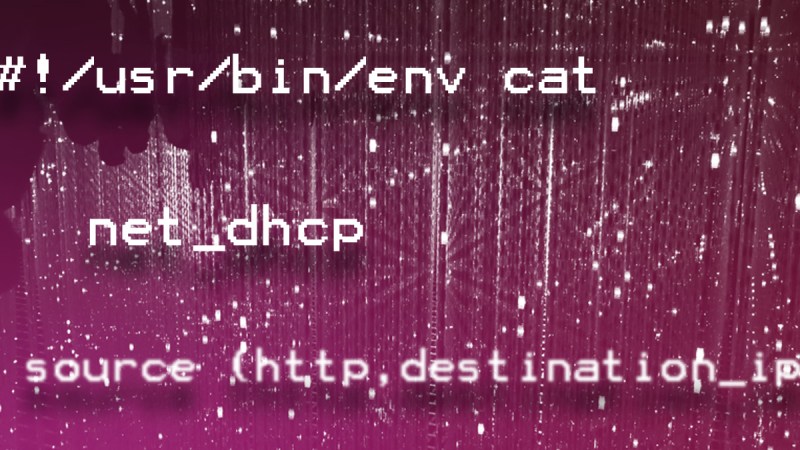
#!/usr/bin/env cat 
net_dhcp 
source (http,destination_ip_or_host:destination_port)/grub/config

Since GRUB itself makes the HTTP request, the system needs a running web server. That could be a Raspberry Pi, another machine, or the ESP itself. From there, a WOL-enabled ESP button can wake the PC and set the boot parameters remotely.

Is it secure? Well, that depends on your network. An open, unauthenticated web server dishing out GRUB configs is risky, but within a controlled LAN or a VLAN-segmented environment, it’s an intriguing option. Automation possibilities are everywhere — imagine remotely booting test rigs, toggling between OS environments for debugging, or even setting up kiosk machines that reconfigure themselves based on external triggers.

For those looking to take it further, using configfile instead of source allows for more dynamic menu entries, although it won’t persist environment variables. You could even combine it with this RasPi hack to control the uptime of the HTTP server. The balance between convenience and security is yours to strike.

If you’ve got your own wild GRUB customisation, let’s hear it!

Image

It’s IP, Over TOSLINK!

At the recent 38C3 conference in Germany, someone gave a talk about sending TOSLINK digital audio over fiber optic networks rather than the very low-end short distance fibre you’ll find behind your CD player. This gave [Manawyrm] some ideas, so of course the IP-over TOSLINK network was born.

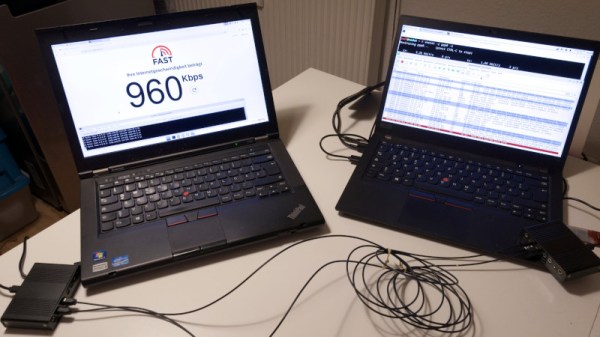
TOSLINK is in effect I2S digital audio as light, so it carries two 44.1 kilosamples per second 16-bit data streams over a synchronous serial connection. At 1544 Kbps, this is coincidentally about the same as a T1 leased line. The synchronous serial link of a TOSLINK connection is close enough to the High-Level Data Link Control, or HDLC, protocol used in some networking applications, and as luck would have it she had some experience in using PPP over HDLC. She could configure her software from that to use a pair of cheap USB sound cards with TOSLINK ports, and achieve a surprisingly respectable 1.47 Mbit/s.

We like this hack, though we can see it’s not entirely useful and we think few applications will be found for it. But she did it because it was there, and that’s the essence of this game. Now all that needs to happen is for someone to use it in conjunction with the original TOSLINK-over network fiber, for a network-over-TOSLINK-over-network abomination.

Image

WiFi Status Indicator Keeps Eye On The Network

These days, most of us take the instant availability of a high-speed link to the Internet for granted. But despite all of the latest technology, things still occasionally go pear-shaped — meaning that blistering fiber optic connection you’ve got to the world’s collected knowledge (not to mention, memes) can still go down when you need it the most.

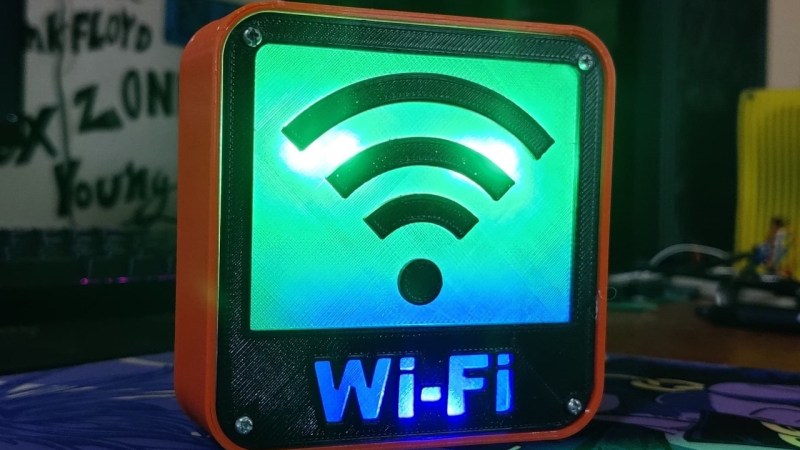
After suffering some connectivity issues, [Arnov Sharma] decided to put together a little box that could alert everyone in visual range to the status of the local router. It won’t fix the problem, of course, but there’s a certain value to getting timely status updates. Using a 3D printed enclosure and a couple of custom PCBs, the build is fairly comprehensive, and could certainly be pressed into more advanced usage if given the appropriate firmware. If you’ve been thinking of a Internet-connected status indicator, this is certainly a project worth copying studying closely.

Continue reading “WiFi Status Indicator Keeps Eye On The Network” →