
Image

Your Computer Memory Is A Lie

When you first learn to program, memory seems pretty straightforward. You have a bunch of bytes, each with an address. If you want to read or write something, you specify the address, and the computer goes to that place and does your bidding. Sure, some addresses might be reserved for hardware or the operating system, but the general idea is simple: memory is a big array of bytes.

Just like we pretend that a wire is a perfect conductor, the big array of memory model used to be a slight twisting of the truth. On a modern computer, however, it is almost entirely a lie. The address you use probably isn’t a physical address. The data you read might not come from RAM at all. Even if it does, it might be sitting in one of several caches. And if you follow the rabbit hole far enough, you discover that your SSD is arguably just another level in the memory hierarchy.

The Need For Speed

The fundamental problem is that processors have gotten much faster than memory. A modern processor can execute several instructions per clock cycle, but accessing ordinary DRAM can take hundreds of cycles. If the processor had to wait for RAM every time it needed data, much of that impressive computing power would go to waste.

The solution is caching. Keep copies of frequently used data in smaller, faster memories closer to the processor. Most modern desktop processors have at least three levels of cache. The L1 cache is tiny but extremely fast, and often split between instructions and data. L2 is larger and somewhat slower, while L3 is even larger and usually slower as well.
Continue reading “Your Computer Memory Is A Lie” →

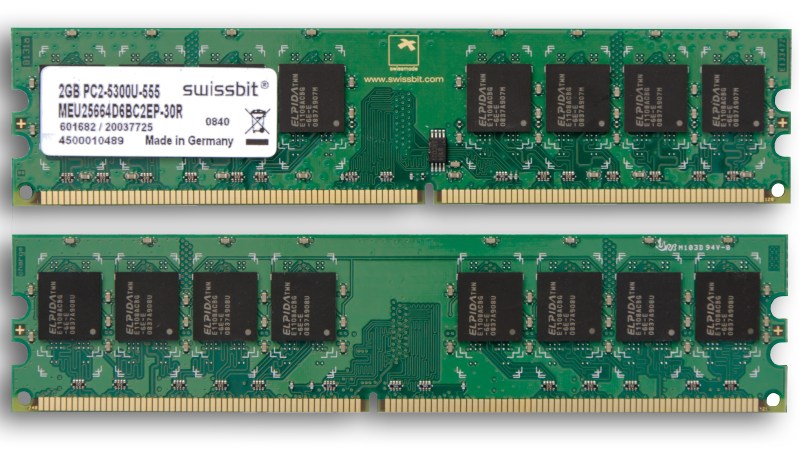
Swissbit 2GB PC2-5300U-555

Surviving The RAM Price Squeeze With Linux In-Kernel Memory Compression

You’ve probably heard — we’re currently experiencing very high RAM prices due mostly to increased demand from AI data centers.

RAM prices gone up four times

If you’ve been priced out of new RAM you are going to want to get as much value out of the RAM you already have as possible, and that’s where today’s hack comes in: if you’re on a Debian system read about ZRam for how to install and configure zram-tools to enable and manage the Linux kernel facilities that enable compressed RAM by integrating with the swap-enabled virtual memory system. We’ve seen it done with the Raspberry Pi, and the concept is the same.

Ubuntu users should check out systemd-zram-generator instead, and be aware that zram might already be installed and configured by default on your Ubuntu Desktop system.

If you’re interested in the history of in-kernel memory compression LWN.net has an old article covering the technology as it was gestating back in 2013: In-kernel Memory Compression. For those trying to get a grip on what has happened with RAM prices in recent history, a good place to track memory prices is memory.net and if you swing by you can see that a lot of RAM has gone up as much as four times in the last three or four months.

If you have any tips or hacks for memory compression on other platforms we would love to hear from you in the comments section!

Image

ZRAM Boosts Raspberry Pi Performance

Linux is a two-edged sword. On the one hand, there’s so much you can configure. On the other hand, there’s so much you can configure. It is sometimes hard to know just what you should do to get the best performance, especially on a small platform like the Raspberry Pi. [Hayden James] has a suggestion: enable ZRAM and tweak the kernel to match.

Although the post focuses on the Raspberry Pi 4, it applies to any Linux system that has limited memory including older Pi boards. The idea is to use a portion of main memory as a swap file. At first, that might seem like a waste since you could use that memory to, you know, actually run programs. However, the swap devices are compressed, so you get more swap space and transfers from these compressed swap devices and main memory are lightning-fast compared to a hard drive or solid state disk drive.

Continue reading “ZRAM Boosts Raspberry Pi Performance” →