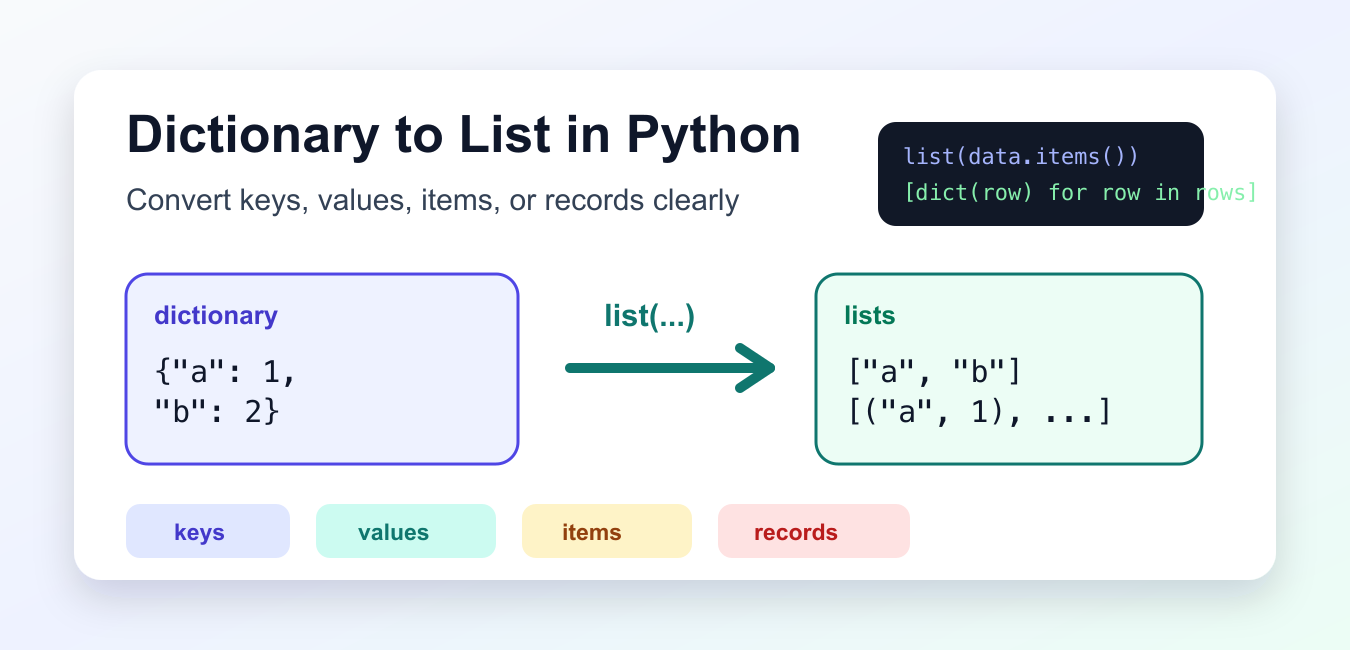
Quick answer: Choose list(mapping) or list(mapping.keys()) for keys, list(mapping.values()) for values, and list(mapping.items()) for key-value tuples. Use a comprehension when the next API needs a transformed record rather than a raw view.
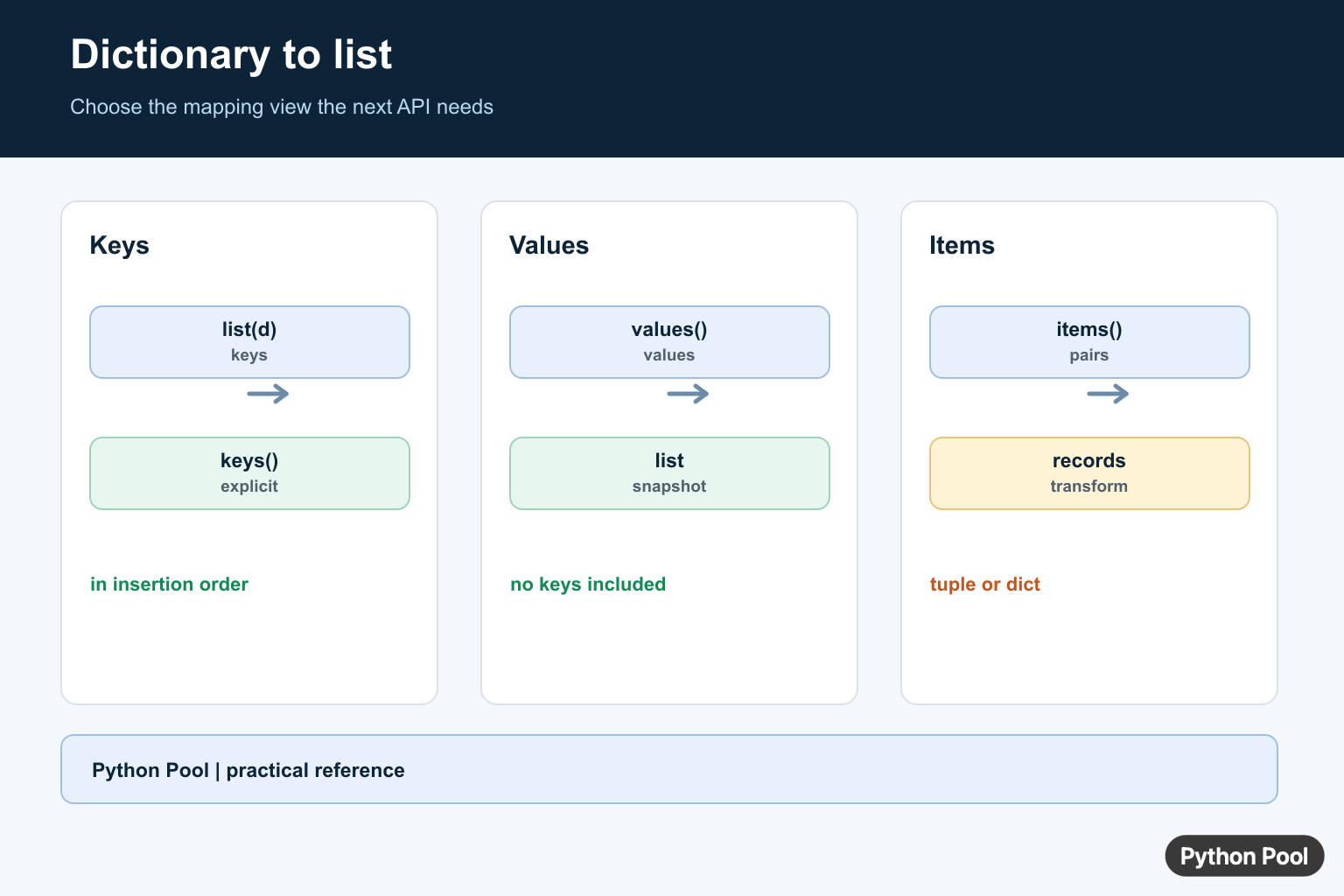
Converting a dictionary to a list in Python usually means choosing which part of the dictionary you want: keys, values, key-value pairs, or record-shaped dictionaries. Each choice creates a different list, so the first step is to decide what the caller should receive.
The official Python dictionary documentation explains mapping behavior, and the Python tutorial on dictionaries gives practical examples.
Dictionaries preserve insertion order in current Python, so list conversions keep the order in which keys were inserted. That makes conversions predictable for display, exports, tests, and simple transformations. If the order should be alphabetical or numeric, sort before or during the conversion.
Be careful with terminology. A list of keys is not the same as a list of values, and a list of tuples is not the same as a list of small dictionaries. Choose the shape that matches the next operation.
Convert Dictionary Keys To A List
Calling list() on a dictionary returns a list of its keys. You can also call list(data.keys()) when being explicit helps readability.
scores = {"Ada": 95, "Grace": 98, "Linus": 91}

names = list(scores)
same_names = list(scores.keys())

print(names)
print(same_names)
Both results contain the keys in insertion order. This form is useful when you need labels, field names, IDs, or any other key-only view.
Use the shorter list(data) in local code when the meaning is obvious. Use list(data.keys()) in teaching material or shared code where the explicit method avoids confusion.
Convert Dictionary Values To A List
Use values() when the keys are not needed in the result.
scores = {"Ada": 95, "Grace": 98, "Linus": 91}
points = list(scores.values())

print(points)
print(sum(points))
The values stay aligned with the dictionary insertion order. If the order was created by reading sorted input, the values follow that same order.
A values list is useful for totals, averages, chart data, and quick membership checks where the keys no longer matter.
Convert Items To A List Of Tuples
items() gives key-value pairs. Convert it to a list when you need a reusable list of two-item tuples.
scores = {"Ada": 95, "Grace": 98, "Linus": 91}
pairs = list(scores.items())

print(pairs)
print(pairs[0])
This is a good format for sorting, unpacking in loops, or passing simple pairs to another function. Each tuple contains the key first and the value second.
If you plan to rebuild a dictionary later, a list of pairs is also accepted by dict(), as long as every pair has exactly two items.
Sort While Converting
Use sorted() when the output list needs a stable sorted order instead of insertion order.
scores = {"Grace": 98, "Ada": 95, "Linus": 91}
by_name = sorted(scores.items())
by_score = sorted(scores.items(), key=lambda item: item[1], reverse=True)

print(by_name)
print(by_score)
The first sort orders by key because each item tuple starts with the key. The second sort uses the score and reverses the order so the highest score appears first.
Sorting during conversion is clearer than converting first and sorting later when the sorted result is the only thing you need.
Convert To A List Of Records
For exports or table-like data, a list of dictionaries can be easier to work with than a list of tuples.
scores = {"Ada": 95, "Grace": 98, "Linus": 91}
records = [{"name": name, "score": score} for name, score in scores.items()]

print(records)
This shape is useful for JSON output, CSV writing, API responses, and templates. Each list item has named fields, which can be clearer than relying on tuple positions.
Use field names that match the target format. That keeps the conversion step close to the output contract.
Flatten A Nested Dictionary One Level
Nested dictionaries often need a list of records before they can be displayed or exported.
grades = {
    "Ada": {"math": 95, "science": 97},
    "Grace": {"math": 98, "science": 99},
}

rows = []
for name, subjects in grades.items():
    row = {"name": name, **subjects}
    rows.append(row)

print(rows)
The unpacking expression **subjects copies the nested keys into each row. This works well for a known one-level structure.
For deeply nested data, write a dedicated conversion function or use a library that matches your export format. Flattening deeply nested data without a clear rule can create confusing field names.
The practical rule is simple: use list(data) for keys, list(data.values()) for values, list(data.items()) for pairs, and a comprehension when the result should have a custom shape. Add sorted() when insertion order is not the order you want.
Good tests should check the output shape, not only the length. A list of three keys, three values, and three pairs all have length three, but they are different results.
Also test an empty dictionary and a one-item dictionary. Those small cases confirm that the conversion does not depend on multiple entries or a particular ordering accident.
Convert Keys, Values, And Items
Dictionary views are iterable and preserve the mapping’s insertion order. Materialize a list only when a list is required by an API, when you need a snapshot, or when you plan to index the result. Keeping the view can avoid an unnecessary copy.
mapping = {"language": "Python", "year": 1991}

print(list(mapping))
print(list(mapping.keys()))
print(list(mapping.values()))
print(list(mapping.items()))
Create Records With A Comprehension
A list of tuples is compact, but a list of dictionaries can communicate a record schema more clearly to JSON or table-oriented code. Transform only the fields the next layer actually needs.
mapping = {"a": 10, "b": 20}
records = [
    {"key": key, "value": value}
    for key, value in mapping.items()
]
print(records)
Preserve Order And Avoid Accidental Mutation
Modern Python dictionaries preserve insertion order, and the resulting list follows that order. Converting to a list does not make later changes to the dictionary appear in the list; it creates a snapshot of the items at conversion time. Rebuild the list when the source changes.
mapping = {"first": 1}
items = list(mapping.items())
mapping["second"] = 2
print(items)
print(list(mapping.items()))
Python’s dictionary type and data-structures tutorial document keys, values, items, and insertion order.
For related mapping operations, compare key-value pairs, dictionary size, and sorting dictionary keys before materializing a list.
Frequently Asked Questions
How do I convert dictionary keys to a list?
Call list(mapping.keys()) or simply list(mapping) when the keys are the intended output.
How do I convert dictionary values to a list?
Call list(mapping.values()) to materialize the values in dictionary insertion order.
How do I convert dictionary items to a list?
Call list(mapping.items()) to get a list of key-value tuples.
How do I convert a dictionary to a list of records?
Use a list comprehension such as [{‘key’: key, ‘value’: value} for key, value in mapping.items()] when a structured record is clearer.
