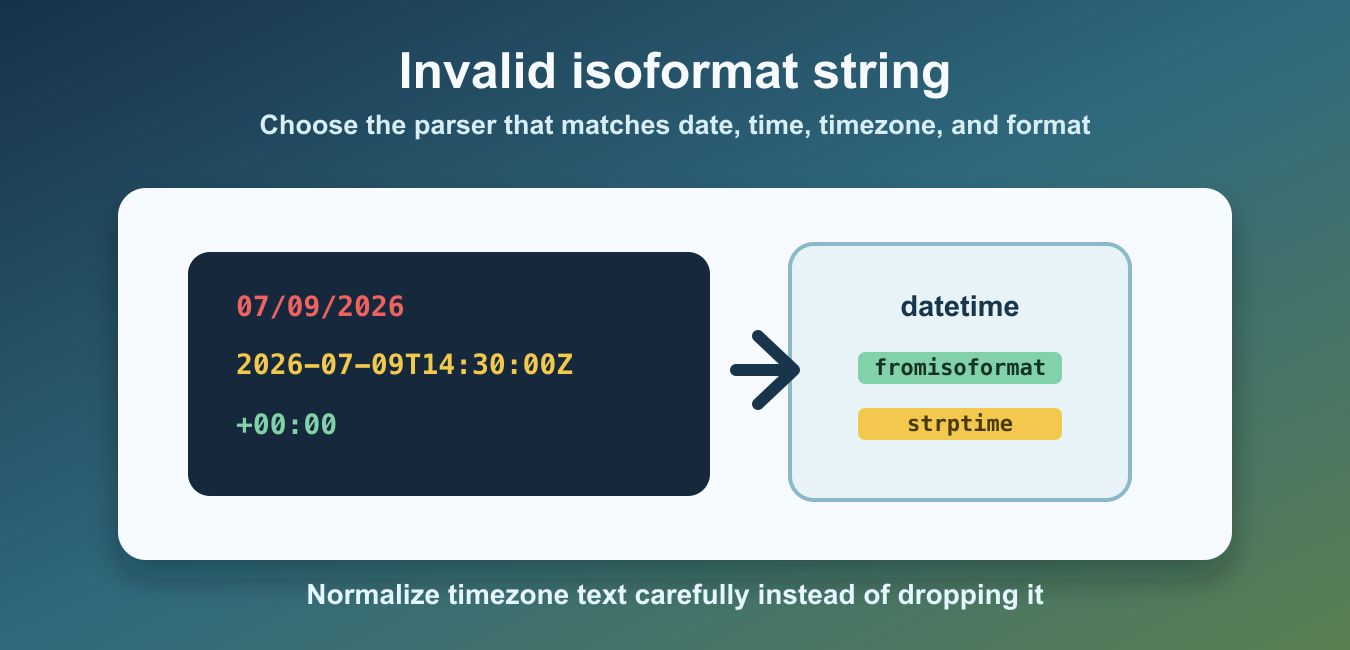
ValueError: Invalid isoformat string appears when a datetime parser receives text that does not match the ISO format accepted by the method you called. Common causes include slash-separated dates, missing time parts, extra text, hidden whitespace, or timezone text that has not been normalized.
Quick Answer
Print the exact input with repr(), choose the parser that matches the value type, strip only whitespace you know is incidental, and use strptime() when the source uses a non-ISO format. Do not silently reinterpret an ambiguous date.
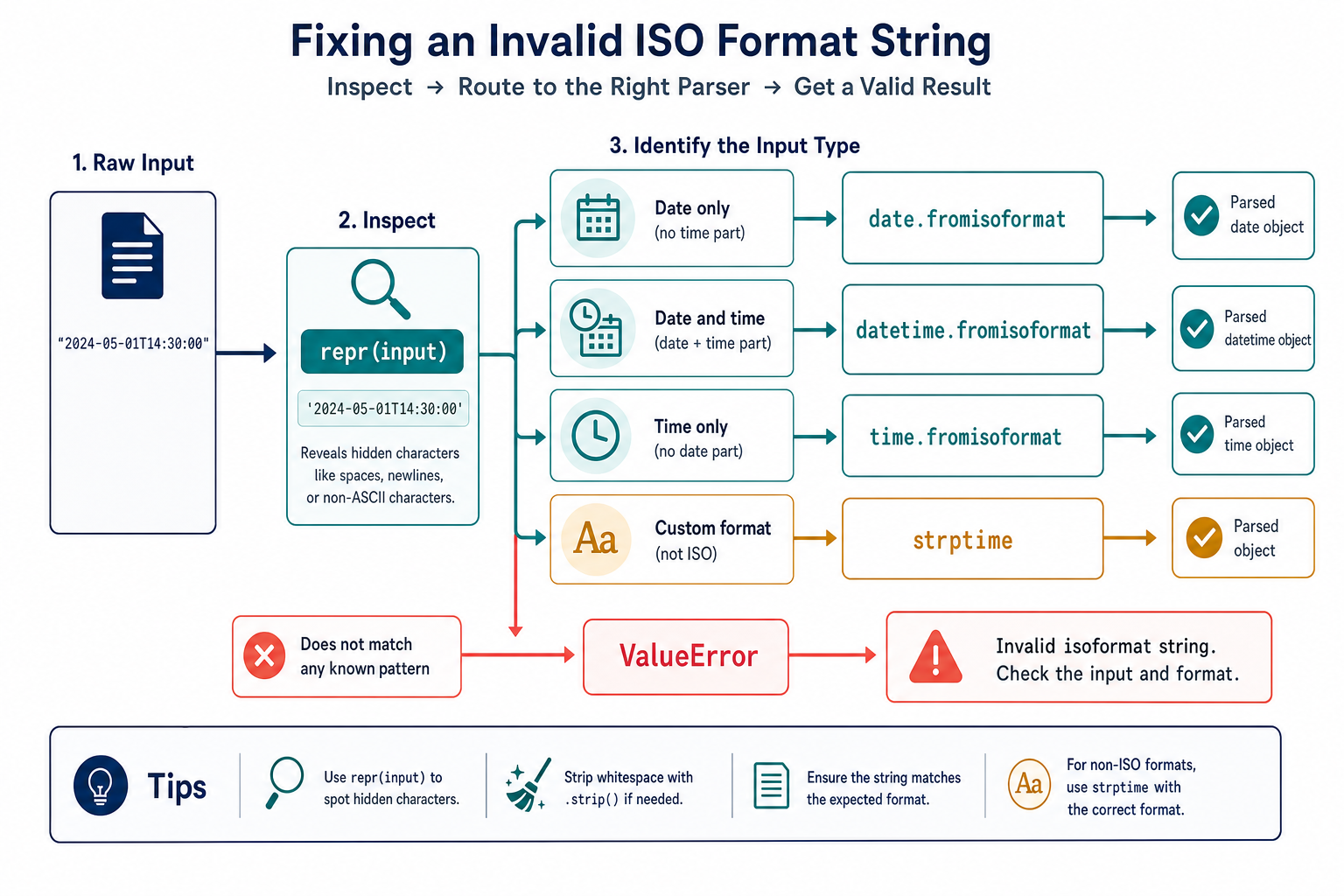
Python’s datetime documentation covers datetime.fromisoformat(), date.fromisoformat(), and time.fromisoformat(). These methods accept documented ISO forms; they are not arbitrary format detectors.
Inspect The Exact Input
Start with repr() so hidden spaces, newlines, and non-ASCII characters become visible.
value = '2024-05-01T14:30:00'

print(repr(value))
print(value.strip())
Do not call strip() blindly if leading or trailing whitespace is meaningful in your data contract. Normalize it only when the source specification says whitespace is incidental.
Parse A Date And Time
Use datetime.fromisoformat() when the input contains both a date and a time.
from datetime import datetime

value = '2024-05-01T14:30:00'
parsed = datetime.fromisoformat(value)
print(parsed)
The separator and timezone form must be supported by the Python version and method you run. If the source sends a format outside the documented accepted forms, normalize it deliberately or use strptime() with the exact format.
Use The Parser For The Value Type
A date-only string should be parsed as a date; a time-only string should be parsed as a time.
from datetime import date, time

day = date.fromisoformat('2024-05-01')
clock = time.fromisoformat('14:30:00')

print(day, clock)
Do not force a date-only value through a datetime parser just to obtain a result. Choosing the matching class makes missing time information explicit.
Use strptime For A Custom Format
Inputs such as 05/01/2024 are not the same representation as the common ISO date 2024-05-01. Parse a known custom format with strptime().
from datetime import datetime

value = '05/01/2024'
parsed = datetime.strptime(value, '%m/%d/%Y')
print(parsed.date())
Document whether the source uses month/day or day/month order. Silent guessing can turn a valid date into the wrong date.
Handle Timezone Text Carefully
Timezone information affects whether a datetime is aware or naive. Keep the offset when it identifies a real instant, and do not remove it merely to make a parser accept the string.
from datetime import datetime, timezone

value = '2024-05-01T14:30:00+00:00'
parsed = datetime.fromisoformat(value)

print(parsed.tzinfo is not None)
print(parsed.astimezone(timezone.utc))
If a source uses a non-standard timezone suffix, normalize it according to the source contract and test the result. Replacing text casually can change the meaning of the timestamp.
Normalize A Controlled Input
When an API is known to send one minor variation, normalize that variation before parsing and keep the transformation visible.
from datetime import datetime

def parse_timestamp(value):
    cleaned = value.strip()
    if cleaned.endswith('Z'):
        cleaned = cleaned[:-1] + '+00:00'
    return datetime.fromisoformat(cleaned)

print(parse_timestamp('2024-05-01T14:30:00Z'))
Only apply a replacement when the input contract guarantees what the suffix means. A trailing character that looks like UTC can be data corruption in another system.
Validate Multiple Known Formats
If a legacy source can send more than one documented format, try those formats explicitly and reject unknown forms.
from datetime import datetime

def parse_known(value):
    for pattern in ('%Y-%m-%d', '%m/%d/%Y'):
        try:
            return datetime.strptime(value, pattern)
        except ValueError:
            continue
    raise ValueError('unsupported date format: ' + repr(value))
A controlled list of formats is safer than a permissive parser that guesses. Include tests for every format and for malformed input.
Common Invalid isoformat Mistakes
- Passing slash-separated text to an ISO parser.
- Using datetime.fromisoformat for a time-only value without deciding how to supply a date.
- Dropping timezone information to hide a parsing error.
- Ignoring spaces or non-ASCII separators that are present in the input.
- Accepting multiple undocumented formats without tests.
The reliable fix is to inspect the input shape, select the matching parser, normalize only documented variations, and use strptime() for custom formats. That resolves the error without losing date or timezone meaning.
ISO Is A Shape, Not A Guessing Strategy
ISO 8601 has several valid representations, and support can vary by parser method and Python version. Treat the source format as a contract. Record whether the field contains a date, a time, an offset, a fractional second, or a week representation before choosing the parser.
If the producer can change its format, validate the contract at the boundary and return a useful error that includes a redacted example. Avoid logging secrets or complete user records merely to diagnose a date.
Naive And Aware Datetimes
A datetime with timezone information is aware; one without it is naive. Do not compare or combine them casually. Decide whether the application uses UTC, a local timezone, or an explicitly naive business date, then normalize consistently.
Parsing successfully is only the first step. A timestamp can be syntactically valid and still be semantically wrong for the business event. Keep timezone conversion separate from format validation so each rule can be tested.
Write Parser Tests
Include valid examples for every supported input form, whitespace behavior, timezone behavior, malformed separators, impossible dates, and unknown formats. Test the returned type and timezone state, not only the absence of an exception.
When the input contract changes, update the parser and its tests together. A clear rejection is safer than silently accepting a new format with the wrong month/day interpretation.
Read The Exception As A Shape Clue
The invalid value in the error message is a clue about the parser boundary, not a suggestion to add random separators until parsing succeeds. Compare the value with the documented grammar, then decide whether to clean, reject, or route it to a custom parser.
Keep the original value available for diagnostics while returning a normalized datetime only after validation. In user-facing errors, show a safe example and the expected format rather than exposing a full private payload.
For adjacent datetime issues, compare Unix timestamp conversion with normalizing datetime and date values. Read python fromtimestamp and fixed typeerror cant compare datetime datetime to datetime date for the related workflow.
Frequently Asked Questions
Why do I get Invalid isoformat string in Python?
The input does not match a valid ISO form accepted by the parser, often because of slashes, extra text, hidden whitespace, missing parts, or an unsupported timezone representation.
How do I debug an invalid isoformat string?
Print the exact value with repr(), inspect its separators and whitespace, and compare the input with the parser’s documented accepted forms.
When should I use strptime() instead of fromisoformat()?
Use strptime() when the input follows a known custom format such as month/day/year or includes a legacy layout that is not ISO.
Should I remove timezone information to fix parsing?
No. Preserve timezone meaning when it identifies an instant. Normalize only a documented suffix or format variation before parsing.
