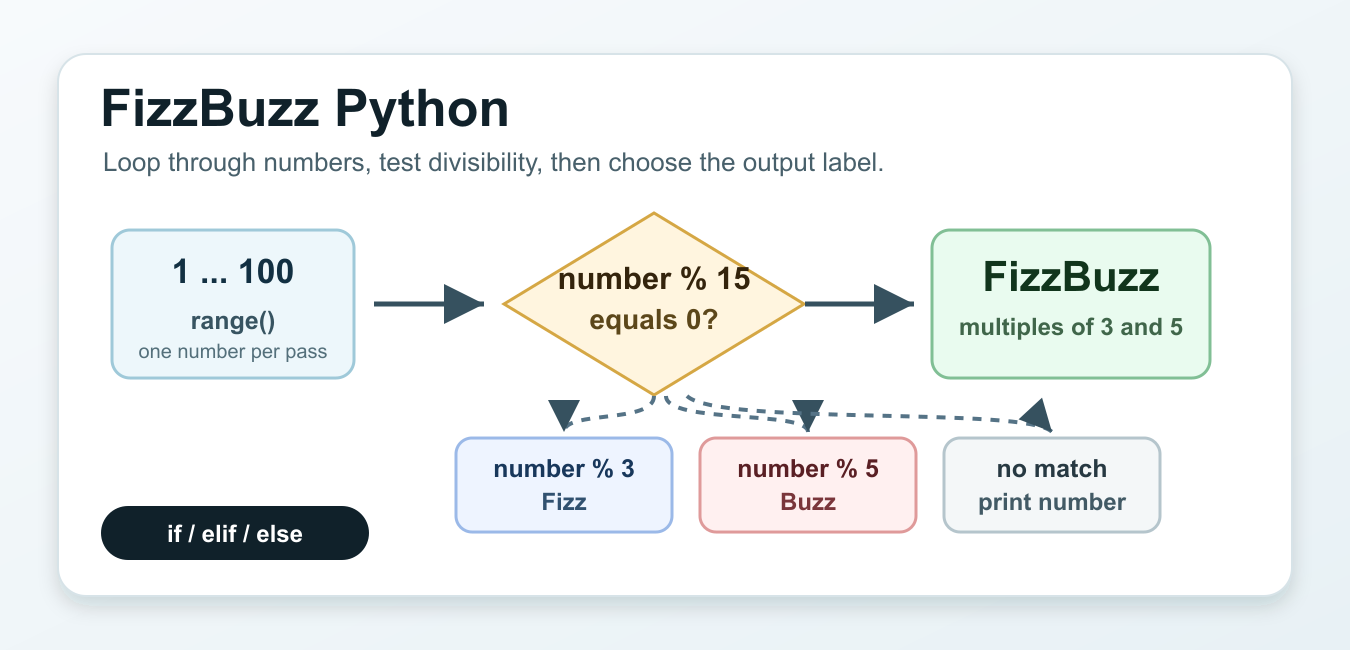
Quick answer: A clear FizzBuzz solution checks divisibility by both numbers before either individual rule, then prints the number when no rule matches. Keep range boundaries and output generation explicit so the exercise is easy to test and adapt.
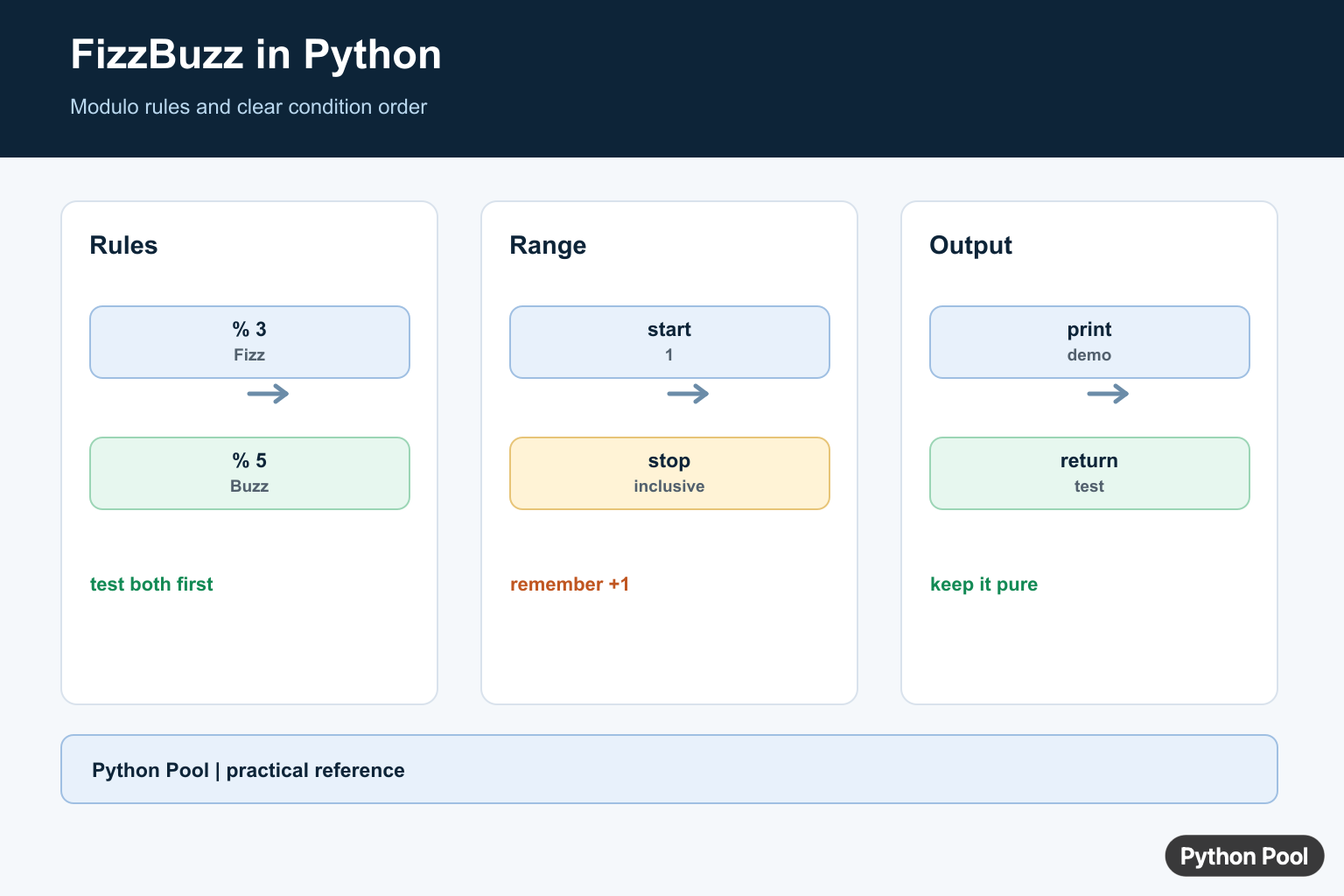
A FizzBuzz Python solution prints numbers in order, but replaces some numbers with words. If a number is divisible by 3, print Fizz. If it is divisible by 5, print Buzz. If it is divisible by both 3 and 5, print FizzBuzz. Otherwise, print the number itself.
The exercise is small, but it checks several useful Python habits at once: writing a for loop, using range(), testing divisibility with the modulo operator, ordering if and elif branches, and keeping repeated logic in a function when the same rule is needed more than once.
The official Python control flow tutorial covers if, for, and related flow tools. The Python range documentation explains the sequence of integers produced by range().
The main detail is the order of the checks. Test divisibility by both numbers first, usually with number % 15 == 0. If the code checks 3 first, then 15 will match that branch and the combined FizzBuzz case will never run.
Use direct output when the task asks you to print the sequence. Use a function when another part of a program needs the label for one number. Use a list when the result should be returned, tested, displayed later, or passed into another step.
Basic FizzBuzz Loop
The classic version loops from 1 through 100. Because range() excludes its stop value, the stop value must be 101 to include 100.
for number in range(1, 101):
    if number % 15 == 0:
        print("FizzBuzz")
    elif number % 3 == 0:
        print("Fizz")
    elif number % 5 == 0:
        print("Buzz")
    else:
        print(number)
This is the most direct answer for a FizzBuzz prompt that asks for printed output. The first branch handles numbers such as 15, 30, 45, and 60. The next two branches handle numbers that match only one divisor. The final else branch keeps ordinary numbers unchanged.
For interviews and quick practice, this version is enough. It is short, readable, and avoids clever tricks that hide the rule.
Return One FizzBuzz Value
A function is better when the decision needs to be reused. Give the function one number and return the correct label.
def fizzbuzz_value(number):
    if number % 15 == 0:
        return "FizzBuzz"
    if number % 3 == 0:
        return "Fizz"
    if number % 5 == 0:
        return "Buzz"
    return str(number)

for number in range(1, 16):
    print(fizzbuzz_value(number))
This uses early returns instead of elif. Once a branch returns, the rest of the function is skipped. That keeps the code flat and makes each condition easy to scan.
The function returns strings for every case, including the normal number. That gives callers a consistent type, which is helpful when the output will be joined, placed in a list, or compared in a test.
Build A FizzBuzz List
If the result should be stored instead of printed, build a list. The next example returns labels from a start number through an inclusive end number.
def fizzbuzz_value(number):
    if number % 15 == 0:
        return "FizzBuzz"
    if number % 3 == 0:
        return "Fizz"
    if number % 5 == 0:
        return "Buzz"
    return str(number)

def fizzbuzz_list(start, end):
    return [fizzbuzz_value(number) for number in range(start, end + 1)]

print(fizzbuzz_list(1, 15))
The list comprehension reads one number at a time and calls the helper for each one. This keeps the range logic separate from the labeling logic.
An inclusive end argument is friendly for this exercise because people usually say “from 1 to 100” and expect 100 to be included. The end + 1 adjustment is the part that adapts that wording to Python’s range behavior.
Use Custom Rules
FizzBuzz can also be written from a small rules list. This is useful when the words or divisors may change, or when the same style is needed for more than two rules.
rules = [(3, "Fizz"), (5, "Buzz")]

for number in range(1, 21):
    label = "".join(
        word for divisor, word in rules
        if number % divisor == 0
    )
    print(label or number)
For 15, both rules match, so the joined label becomes FizzBuzz. For 3, only Fizz appears. For 5, only Buzz appears. If no rule matches, the expression after or prints the number.
This version is compact, but it asks the reader to understand a generator expression and string joining. Use it when the rules need to be data-driven. For a beginner explanation or a simple interview answer, the plain if version is usually clearer.
Handle A Limit Cleanly
Production-style code should define what happens for limits below 1. Returning an empty list is one simple choice because there are no positive numbers to process.
def fizzbuzz_value(number):
    if number % 15 == 0:
        return "FizzBuzz"
    if number % 3 == 0:
        return "Fizz"
    if number % 5 == 0:
        return "Buzz"
    return str(number)

def run_fizzbuzz(limit):
    if limit < 1:
        return []
    return [fizzbuzz_value(number) for number in range(1, limit + 1)]

print(run_fizzbuzz(0))
print(run_fizzbuzz(15))
This helper keeps input handling close to the public function. The single-number function can stay focused on one job: mapping a number to its FizzBuzz label.
You could raise ValueError instead of returning an empty list if a bad limit should be treated as an error. The right choice depends on the calling code. The important point is to make the rule deliberate rather than letting an edge case decide itself.
Test The Expected Output
Small exercises are good places to practice tests. A short expected list catches the most common mistakes: checking 3 before 15, forgetting the 5 branch, or returning numbers as integers when the rest of the output is text.
def fizzbuzz_value(number):
    if number % 15 == 0:
        return "FizzBuzz"
    if number % 3 == 0:
        return "Fizz"
    if number % 5 == 0:
        return "Buzz"
    return str(number)

expected = [
    "1", "2", "Fizz", "4", "Buzz",
    "Fizz", "7", "8", "Fizz", "Buzz",
    "11", "Fizz", "13", "14", "FizzBuzz",
]
actual = [fizzbuzz_value(number) for number in range(1, 16)]

assert actual == expected
print("checks passed")
The test uses the first 15 numbers because that range includes every important case: ordinary numbers, multiples of 3, multiples of 5, and the combined case. It is enough to catch the logic error most people make on the first attempt.
For a clear FizzBuzz Python answer, prefer readable branch order over clever one-liners. Check the combined case first, keep range() endpoints explicit, return a consistent type from helpers, and add a small test when the code will be reused. Those habits matter more than the size of the exercise.
Write The Basic Loop
The modulo operator returns a remainder, so n % 3 == 0 tests divisibility by three. Check the combined case first because every number divisible by both three and five also matches each individual test.
for number in range(1, 16):
    if number % 15 == 0:
        result = "FizzBuzz"
    elif number % 3 == 0:
        result = "Fizz"
    elif number % 5 == 0:
        result = "Buzz"
    else:
        result = str(number)
    print(result)
Make The Range Explicit
range() excludes its stop value. For an inclusive upper bound, pass stop + 1, and document the start value when the sequence is part of a public function or test.
def fizzbuzz(limit):
    output = []
    for number in range(1, limit + 1):
        if number % 15 == 0:
            output.append("FizzBuzz")
        elif number % 3 == 0:
            output.append("Fizz")
        elif number % 5 == 0:
            output.append("Buzz")
        else:
            output.append(str(number))
    return output

print(fizzbuzz(15))
Return Values For Testing
Printing is convenient for a demonstration but makes assertions awkward. Return a list or yield one string at a time, then test exact positions including the combined rule and the endpoint.
def fizzbuzz_value(number):
    if number % 15 == 0:
        return "FizzBuzz"
    if number % 3 == 0:
        return "Fizz"
    if number % 5 == 0:
        return "Buzz"
    return str(number)

assert fizzbuzz_value(3) == "Fizz"
assert fizzbuzz_value(5) == "Buzz"
assert fizzbuzz_value(15) == "FizzBuzz"
Add Rules Without Nested Branches
For a configurable version, collect matching words and join them. Preserve a number fallback when no rule matches, and keep the rule order or configuration documented because it determines the output.
def apply_rules(number, rules):
    words = [word for divisor, word in rules if number % divisor == 0]
    return "".join(words) or str(number)

rules = [(3, "Fizz"), (5, "Buzz")]
print([apply_rules(number, rules) for number in range(1, 16)])
FizzBuzz is small, but it exercises Python’s range() boundaries and remainder operator. Keep the combined rule explicit so the behavior is obvious to readers and tests.
For related control-flow and arithmetic practice, compare for and while loops, integer division, and divmod() when the rules grow beyond the basic exercise.
Frequently Asked Questions
How do I write FizzBuzz in Python?
Loop over the required range, test divisibility by both numbers first, then test each individual rule before printing the number.
Why must the divisible-by-both condition come first?
A number divisible by both rules would otherwise match the first individual condition and never produce FizzBuzz.
Does Python range include the endpoint?
No. range(start, stop) includes start and stops before stop, so use stop + 1 for an inclusive upper bound.
How can I test FizzBuzz without printing?
Return a string for each number from a function, then assert the returned values in focused tests.

for x in range(1, 101):
output=””
if x % 3 == 0:
output+=”Fizz”
if x % 5 == 0:
output+=”Buzz”
print(output) if output!=”” else print(x)
Yes, This is also one of the possible solutions. But keep in mind that using String Concatenation ( O(n+m) ) can decrease your execution time.
The most efficient code when i timed it in python was:
def fizzbuzz_solution3(num_limit: int) -> None:
    return_list = [1, "buzz", "fizz", "fizzbuzz"]
    for i in range(1, num_limit):
        return_list[0] = i
        print(return_list[2 * (i % 3 == 0) + (i % 5 == 0)])
because the return list is allocated only once, instead of again and again for every number in the range.
Great approach!
This is what I used for mine (goes up infinitely and doesn’t stop at 100):
import time num = 1 while num == num: if num % 15 == 0: print("FizzBuzz") num = num + 1 time.sleep(1) elif num % 3 == 0: print("Fizz") num = num + 1 time.sleep(1) elif num % 5 == 0: print("Buzz") num = num + 1 time.sleep(1) else: print(num) num = num + 1 time.sleep(1)You have incorrect while condition
num == num.