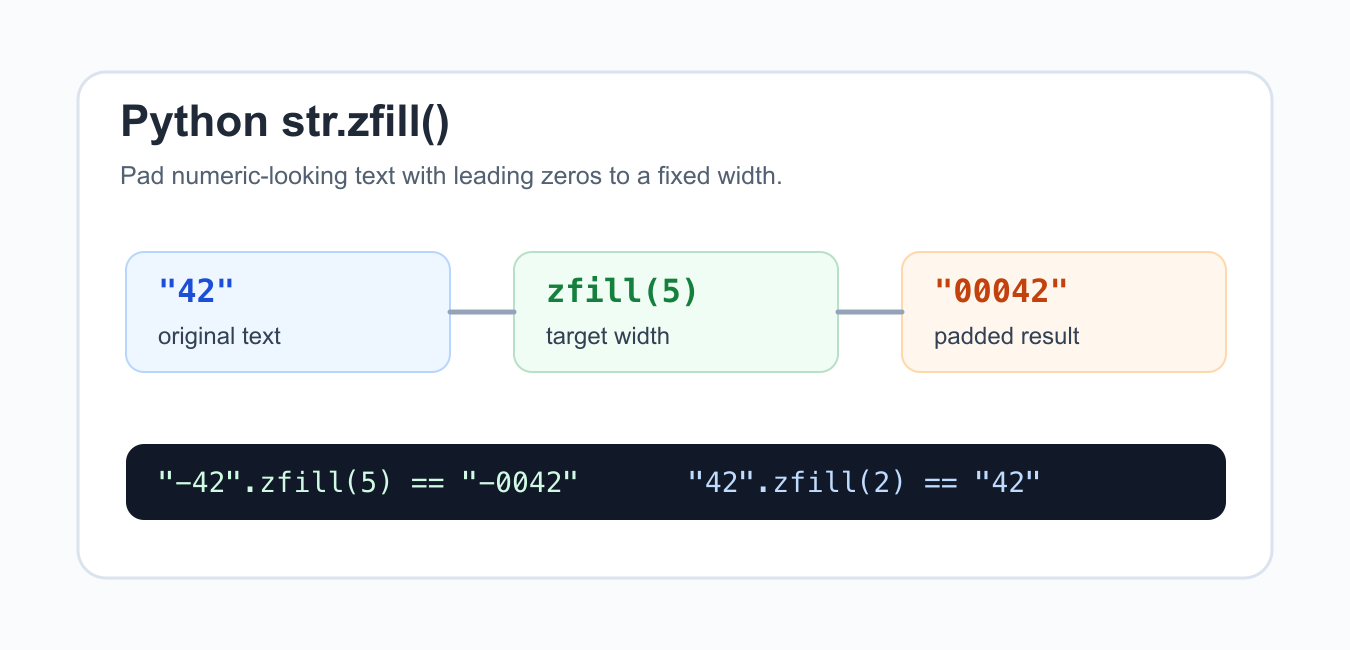
Quick answer: zfill(width) returns a new string padded with zeros on the left. If the string begins with + or -, Python places the zeros after the sign. Use numeric format specs when the source value is still numeric.
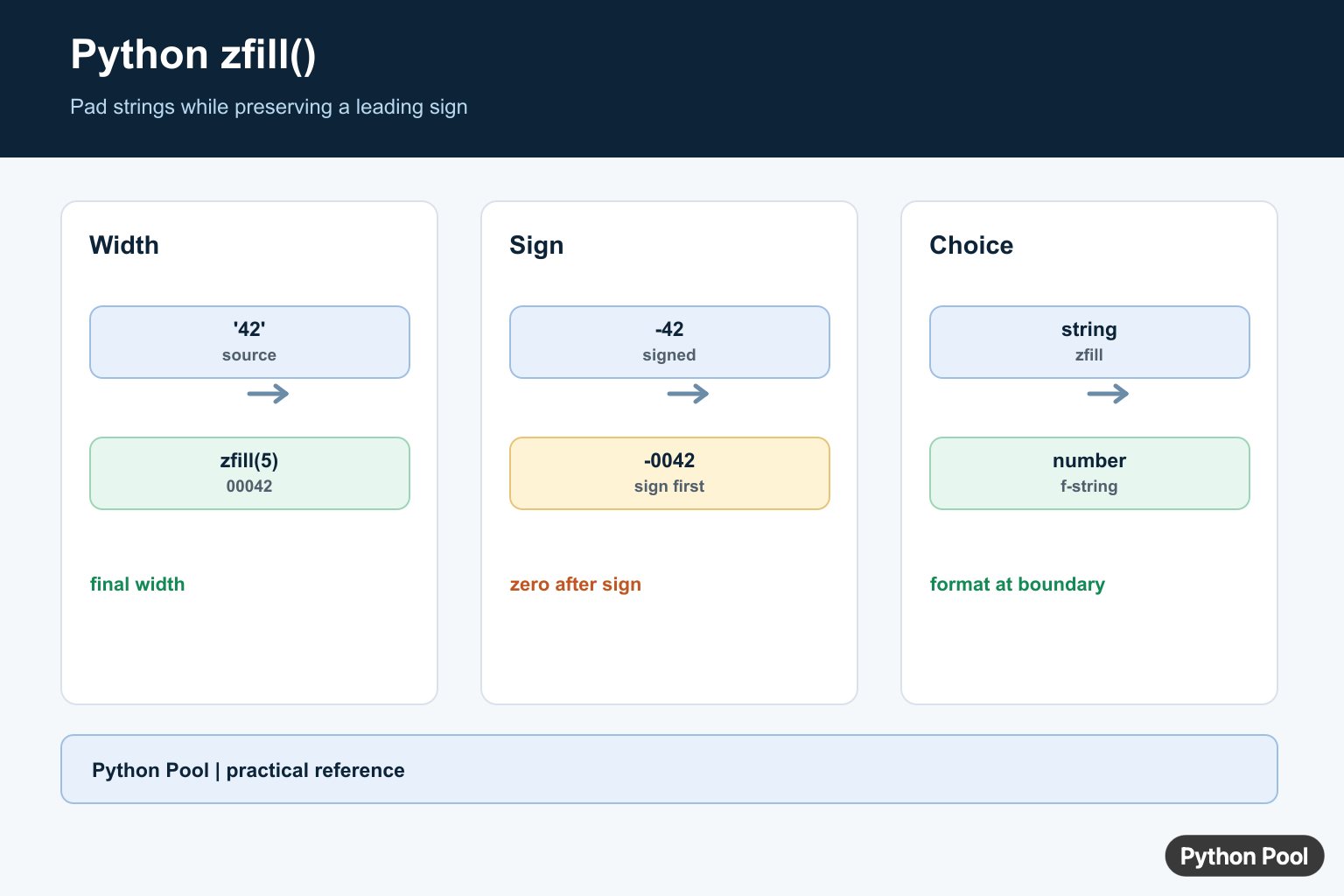
str.zfill() returns a copy of a string padded on the left with zeros until it reaches a requested width. It is mainly useful for numeric-looking text such as invoice numbers, run IDs, day numbers, or short codes that need a fixed display length.
The official Python documentation for str.zfill() defines the method and explains its sign handling. The broader string methods documentation is useful for comparing zfill() with methods such as rjust(), and the format specification mini-language covers formatting alternatives for numbers.
zfill() does not convert a string into a number. It treats the object as text, counts its current length, and adds zeros only when the requested width is larger than the existing length. If the text is already long enough, the result is unchanged.
The method also handles a leading plus or minus sign specially. The sign stays at the front, and zeros are inserted after the sign. That makes -42 become -0042 for a width of five instead of 00-42.
Choose the width from the output format you need, not from the first example in a data set. If order IDs can grow to six digits, use six from the start so older and newer records keep the same shape. Changing width later can break file names, reports, and string-based sorting rules.
Also decide whether the padded value is only for display or whether it should be stored. Databases and spreadsheets sometimes strip leading zeros from numeric columns. Store padded identifiers as text when the zeros are meaningful, such as postal codes, product codes, or external reference numbers.
Basic zfill Usage
Call zfill(width) on a string and pass the final width you want.
text = "42"

print(text.zfill(5))
print(text.zfill(2))
print(text.zfill(1))
The first call adds three zeros because "42" has length two and the target width is five. The other calls return the original text because the requested width is not larger than the string length.
This is ideal when output must line up lexically, such as item-0001, item-0002, and item-0010. The fixed width keeps names readable and sortable.
For short scripts, hard-coding a width can be fine. For larger applications, define the width in one place near the report, export, or naming rule so all generated labels stay consistent.
Pad Numbers After Converting To Text
If you start with integers, convert them to strings before calling zfill().
numbers = [1, 12, 300]

for number in numbers:
    code_text = str(number).zfill(4)
    print(f"order-{code_text}")
Do this for identifiers and labels, not for arithmetic. Keep numbers as numbers while calculating, then convert to text only when preparing output.
Leading zeros are formatting. If you later call int("0012"), Python returns the integer 12, and the display padding is gone.
That distinction prevents a common bug: padding a number, converting it back to an integer, and wondering why the zeros disappeared. Keep the padded result as a string until it is written, printed, or sent to the next system.
Understand Sign Handling
zfill() keeps a leading sign before the zeros.
samples = ["42", "-42", "+42"]

for sample in samples:
    print(sample.zfill(5))
This behavior is different from blindly adding zeros to the left. It keeps signed numeric strings readable and matches what most people expect in reports.
If the string contains spaces before the sign, the spaces count as normal characters. Strip unwanted whitespace before padding when input comes from forms, CSV files, or scraped text.
Clean Input Before Padding
When text comes from outside your program, remove surrounding whitespace before applying a fixed width.
raw_codes = [" 7", "08 ", "  19  "]

for raw in raw_codes:
    clean = raw.strip()
    print(clean.zfill(3))
Without strip(), spaces are included in the length and the result may not have the visual width you expect. Clean first, then pad.
Keep internal spaces if they are meaningful. strip() only removes leading and trailing whitespace, so it is usually safe for simple input cleanup.
If input may contain non-digit characters, validate it before padding. zfill() will pad any string, including "A7" or "7A", so the method should not be treated as numeric validation.
Compare zfill With rjust
rjust(width, "0") can also add leading zeros, but it does not treat signs the same way.
value = "-42"

print(value.zfill(5))
print(value.rjust(5, "0"))
Use zfill() for signed numeric-looking strings. Use rjust() when you want generic left padding with a chosen fill character and sign handling is not special.
Both methods return new strings. The original string is unchanged because Python strings are immutable.
Use Formatting For Numeric Output
For actual numbers, format strings can be clearer than converting first and calling zfill().
amounts = [7, 42, 105]

for amount in amounts:
    print(f"{amount:04d}")
The format expression above means a decimal integer with width four, padded with zeros. It keeps formatting close to the numeric output expression.
In short, use zfill() when you already have text and need left zero padding. Use numeric formatting when you are displaying numbers directly, and always check sign handling and whitespace before using padded strings as file names, IDs, or report labels.
Pad An Existing String
zfill counts the final width, including a sign when one exists. If the string is already at least the requested width, it is returned unchanged. This makes it useful for identifiers and serialized fields that already have string semantics.
values = ["7", "42", "1000"]

for value in values:
    print(value.zfill(5))
Signs Stay At The Front
A leading plus or minus sign is treated as a sign, not as ordinary content. zfill inserts zeros between the sign and the digits, which produces a conventional fixed-width signed representation.
print("-42".zfill(5))
print("+42".zfill(5))
print("42".zfill(5))
Choose zfill Or Numeric Formatting
When the source is an integer, f-strings and format specs express the numeric width directly. Use zfill after converting to text or when the input is an identifier whose characters should not be arithmetically interpreted.
number = 42

print(f"{number:05d}")
print(str(number).zfill(5))

account = "0042"
print(account.zfill(6))
Python’s str.zfill() reference documents width handling and sign-aware zero insertion.
For nearby formatting decisions, compare binary formatting, string length, and decimal display before choosing a fixed-width representation.
Frequently Asked Questions
How do I add leading zeros in Python?
Convert the value to a string and call value.zfill(width), or use a numeric format such as f'{number:05d}’ when formatting a number.
Does zfill preserve a plus or minus sign?
Yes. zfill inserts zeros after a leading plus or minus sign, so ‘-42’.zfill(5) becomes ‘-0042’.
Does zfill change the original string?
No. Strings are immutable, so zfill returns a new padded string.
Should I use zfill or an f-string?
Use zfill for an existing string and sign-aware text padding; use an f-string when the source is numeric and the complete output format is known.
