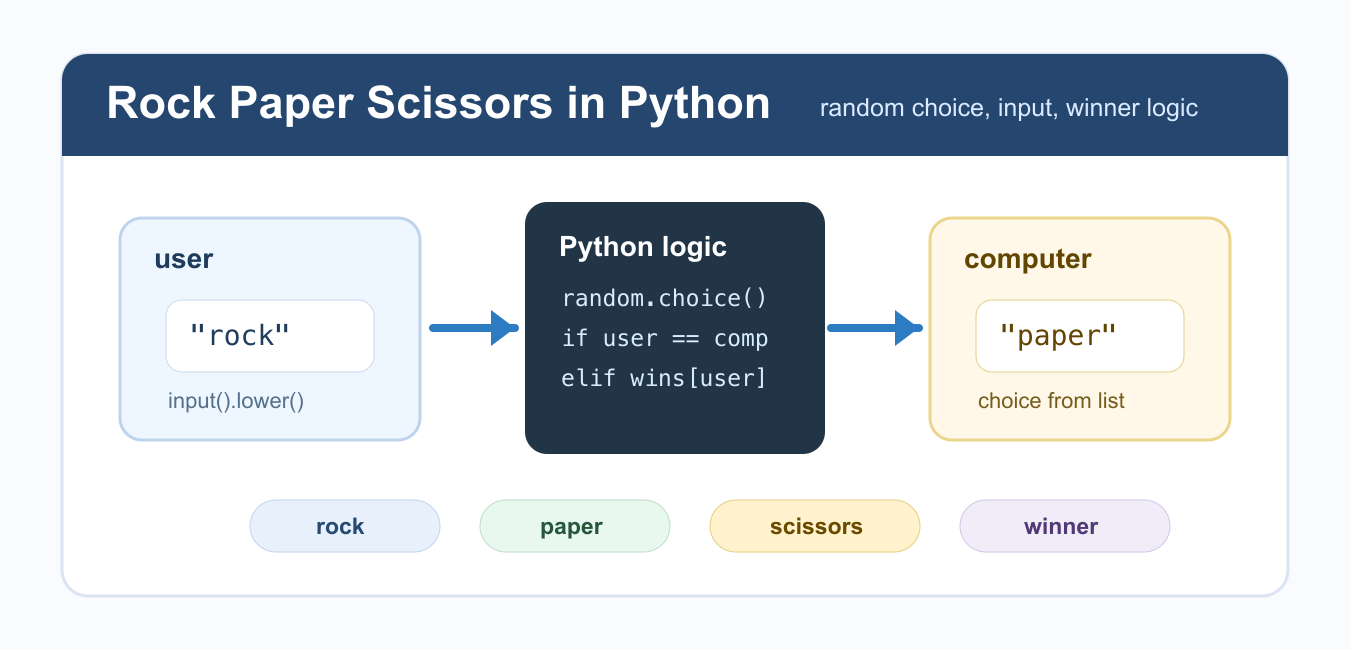
Quick answer: A clean Rock Paper Scissors implementation normalizes input, validates a move, chooses or injects the computer move, evaluates a small rule mapping, and handles draws without mixing interaction code into game logic.
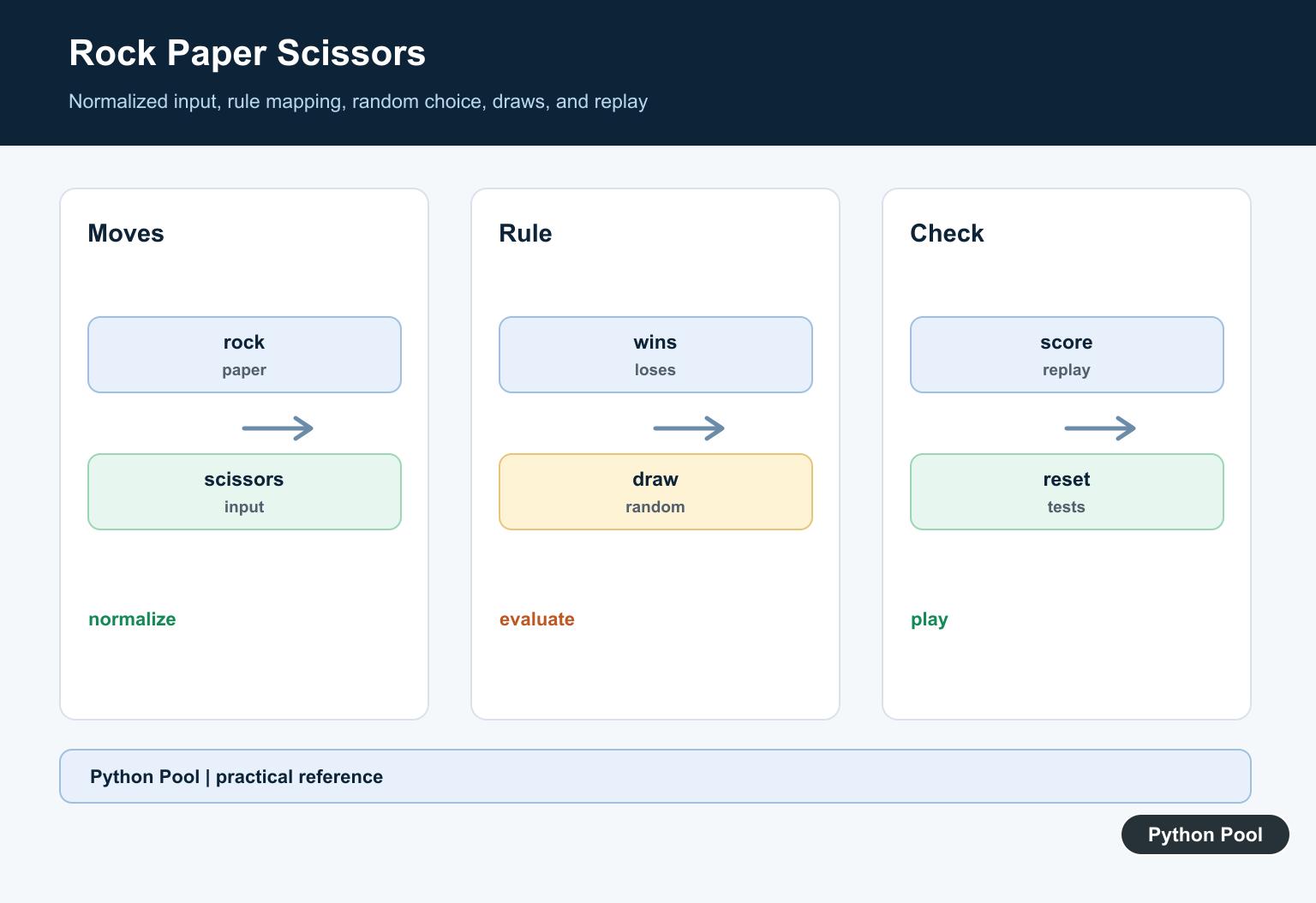
A rock paper scissors game in Python is a useful beginner project because it combines user input, random choices, conditional logic, functions, and a small game loop. The rules are simple: rock beats scissors, scissors beats paper, and paper beats rock. If both players choose the same item, the round is a tie.
You do not need to install random or tkinter with pip. The random module is part of the Python standard library, and Tkinter is included with most desktop Python installs. Start with a console game first, then add a graphical interface after the game logic is correct.
Set Up the Choices
The computer can choose one item from a tuple or list using random.choice(). Keeping valid choices in one place makes validation and winner logic easier to maintain.
import random

CHOICES = ("rock", "paper", "scissors")

computer_choice = random.choice(CHOICES)
print(computer_choice)
A tuple works well here because the valid choices do not need to change while the program runs. For random arrays and numeric examples, PythonPool also has a guide to NumPy random functions, but the standard random module is enough for this game.
Read and Normalize User Input
Use the built-in input() function to read the player's choice. Normalize the text with strip() and lower() so that values such as Rock, rock , and ROCK are handled consistently.
CHOICES = ("rock", "paper", "scissors")


def normalize_choice(text):
    choice = text.strip().lower()
    if choice not in CHOICES:
        raise ValueError("Choose rock, paper, or scissors")
    return choice


print(normalize_choice(" Rock "))
This validation keeps the rest of the program simple because later functions can assume they receive a valid choice. If you want a deeper input primer, see the guide to Python user input. The lowercase cleanup is also related to Python lowercase string handling.
Write the Winner Logic
The cleanest winner logic is a dictionary that maps each choice to the item it beats. This avoids a long chain of repeated conditions and makes the rules easy to read.
BEATS = {
    "rock": "scissors",
    "paper": "rock",
    "scissors": "paper",
}


def decide_winner(player, computer):
    if player == computer:
        return "tie"
    if BEATS[player] == computer:
        return "player"
    return "computer"


print(decide_winner("rock", "scissors"))
This function returns a small status value instead of printing directly. Returning a value makes the game easier to test and reuse in a console version, a Tkinter version, or a web version later.
Keeping the rule table separate also makes mistakes easier to spot. You can read the dictionary aloud: rock beats scissors, paper beats rock, and scissors beats paper. If you later add score tracking or a best-of-five mode, the winner function can stay unchanged.
Build a Console Round
Now combine input, a random computer choice, and the winner function into one playable round. Keep output formatting separate from the rule calculation so the game stays easy to change.
import random

CHOICES = ("rock", "paper", "scissors")
BEATS = {"rock": "scissors", "paper": "rock", "scissors": "paper"}


def decide_winner(player, computer):
    if player == computer:
        return "It is a tie."
    if BEATS[player] == computer:
        return "You win."
    return "Computer wins."


def play_round():
    player = input("Choose rock, paper, or scissors: ").strip().lower()
    if player not in CHOICES:
        print("Invalid choice.")
        return

    computer = random.choice(CHOICES)
    print(f"Computer chose {computer}.")
    print(decide_winner(player, computer))
This version handles invalid input without crashing. For a larger project, you could keep asking until the user enters a valid value, but a single-round function is easier to understand first.
Add a Replay Loop
A replay loop lets the player continue until they choose to stop. The loop should have a clear exit condition and should not depend on hidden global state.
def main():
    while True:
        play_round()
        again = input("Play again? y/n: ").strip().lower()
        if again != "y":
            break


if __name__ == "__main__":
    main()
If you expand the project to keep score, store wins and losses in variables near the loop. For list and state checks in larger beginner projects, this connects with patterns from checking if a Python list is empty.
Optional Tkinter Version
After the console logic works, you can add a small Tkinter interface. The Python Tkinter documentation covers the widgets in detail. The important design point is to reuse the same winner logic instead of writing separate rules for the GUI.
import random
import tkinter as tk

CHOICES = ("rock", "paper", "scissors")
BEATS = {"rock": "scissors", "paper": "rock", "scissors": "paper"}


def decide_winner(player, computer):
    if player == computer:
        return "Tie"
    if BEATS[player] == computer:
        return "Player wins"
    return "Computer wins"


def create_app():
    root = tk.Tk()
    root.title("Rock Paper Scissors")
    result = tk.StringVar(value="Choose an option")

    def choose(player):
        computer = random.choice(CHOICES)
        outcome = decide_winner(player, computer)
        result.set(f"Computer chose {computer}. {outcome}.")

    for choice in CHOICES:
        tk.Button(root, text=choice.title(), command=lambda item=choice: choose(item)).pack()
    tk.Label(root, textvariable=result).pack()
    return root
This GUI code returns the root window instead of starting it automatically, which makes the function easier to import and inspect. In a local script, you can run the app by calling create_app().mainloop().
Test the Outcomes
Before adding more interface features, test the winner function with known pairs. Check a tie, one player win, and one computer win. This catches rule mistakes faster than repeatedly playing the interactive game and hoping each combination appears.
Common Mistakes
Do not try to install standard-library modules before importing them; import random directly. Do not compare raw user input before cleaning it, because capitalization and spaces will cause false invalid choices. Avoid duplicating winner rules in several places. Put the rules in one function and call that function from the console or GUI layer.
Another common issue is mixing interface code with rule code. If every button contains its own winner calculation, the program becomes harder to debug. A small reusable function keeps the project readable and gives you a foundation for scoreboards, replay buttons, or unit tests.
Conclusion
To build rock paper scissors in Python, define valid choices, read and normalize user input, choose the computer's move with random.choice(), and compare both choices with a small winner function. Once the console version is reliable, you can reuse the same logic in a Tkinter interface without rewriting the rules.
Normalize Moves
Strip surrounding whitespace and normalize case before checking the allowed moves. Keep the canonical values in one set or tuple so display and validation agree.
Use A Winning-pair Rule
Represent the three winning pairs in a set or mapping. This avoids nested branches and makes it easy to verify every ordered player-versus-computer combination.
Inject The Computer Choice
A deterministic chooser or seeded random generator makes rule tests repeatable. The game loop can use real randomness while the evaluator remains a pure function.
Handle Draws First
If both canonical moves are equal, return a draw before checking winning pairs. Invalid input should not consume a turn or alter the score.
Keep Replay Separate
A replay prompt belongs to the interface layer. The state transition should accept moves and return a result without reading from stdin or printing to the terminal.
Test Every Outcome
Test all valid pairs, all case and whitespace variants, invalid moves, draws, computer-choice injection, score updates, replay termination, and reset behavior.
Use the official Python random documentation for injectable computer choices. Related Python Pool references include tests and rule mappings.
For related game design, compare outcome tests, rule mappings, and move sequences before adding replay behavior.
Frequently Asked Questions
How do I code Rock Paper Scissors in Python?
Validate a move, choose or inject the computer move, compare equal moves as a draw, and map the winning combinations to a result.
How do I check which move wins?
Use a small rule mapping or set of winning pairs rather than deeply nested conditionals, and test every ordered pair.
How do I test random computer choices?
Inject a deterministic choice function or seeded generator in tests; do not rely on a particular random sequence in the rule tests.
How do I handle invalid input?
Normalize case and whitespace, reject unknown moves without changing the turn, and keep input parsing separate from result calculation.

Hlo I am facing issue an issue
Tht the if I enter choice then click play then no result will appear whts the problem can u help me please
Check if you have implemented play() function. If not, then define it.
Regards,
Pratik