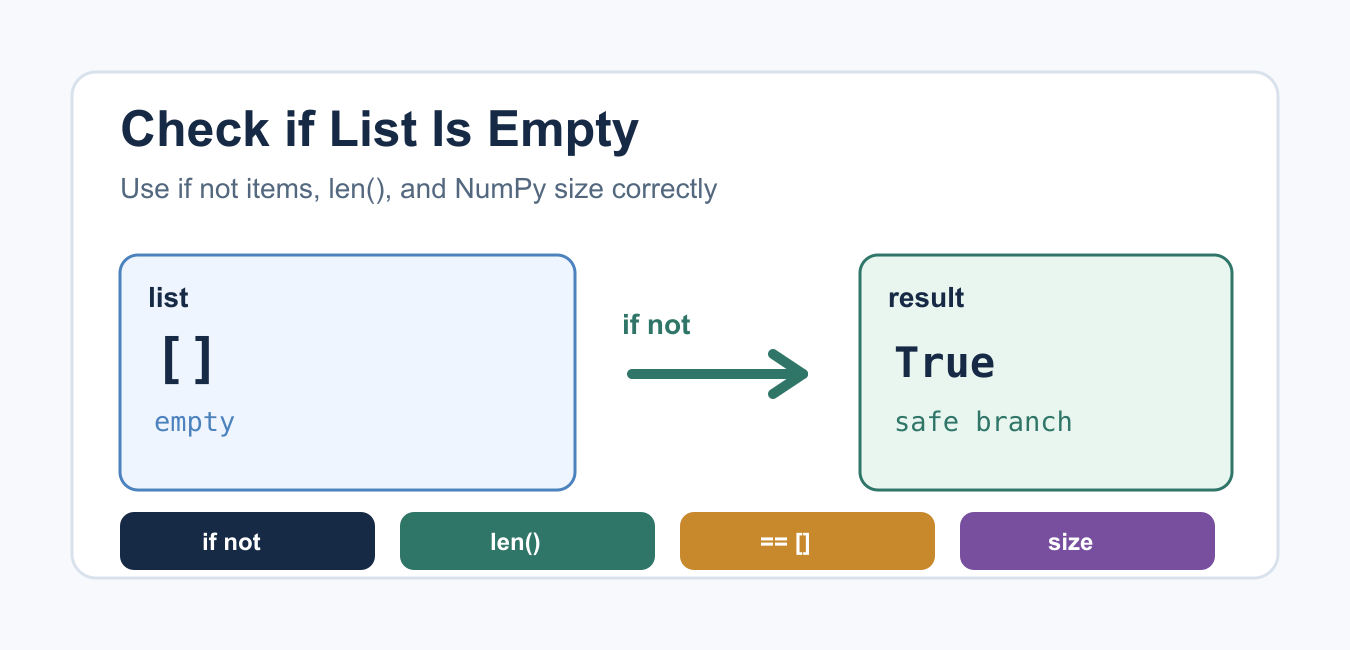
Quick answer: Use if not items: for an ordinary Python list. Use if items: for the non-empty case, len(items) == 0 when the count is part of the logic, and array.size == 0 for a NumPy array. Keep None as a separate input state.
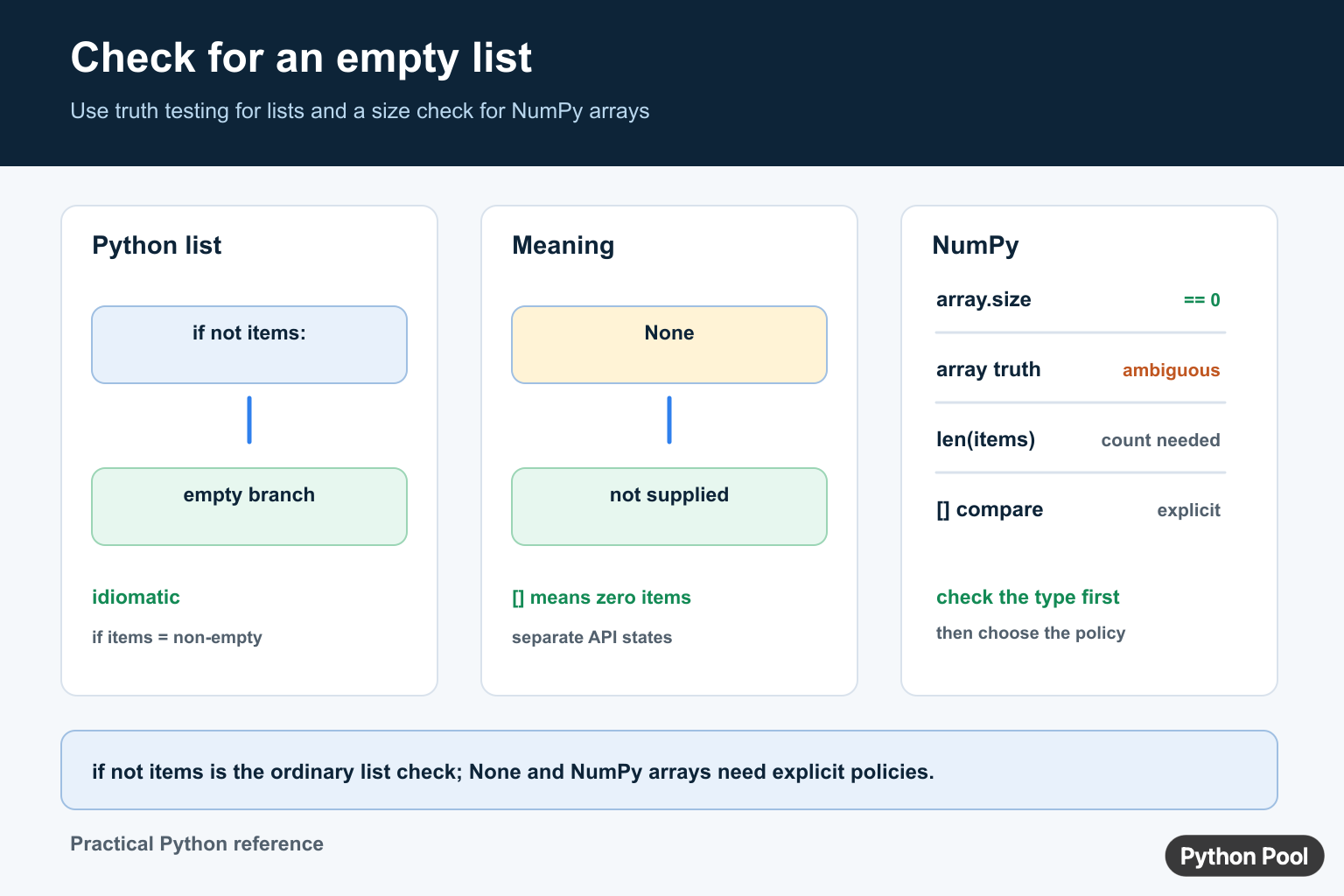
The Pythonic way to check if a list is empty is if not items:. Empty lists are false in Python truth-value testing, while non-empty lists are true. Use len(items) == 0 when you specifically need a count-based check, and use array.size == 0 for NumPy arrays.
Quick Answer: if not items
The official Python docs for truth value testing say empty sequences and collections are false. Lists are sequences, so an empty list behaves as False in an if condition.
items = []

if not items:
    print("The list is empty")
else:
    print("The list has values")
This is the shortest and clearest check for ordinary Python lists. It reads naturally and avoids unnecessary comparison syntax. It also works for other empty built-in containers such as tuples, dictionaries, and sets, but keep the variable name clear so readers know which type is expected.
Check if a List Is Not Empty
The opposite check is just if items:. Use this when your code should run only when at least one value exists.
items = ["Python", "NumPy"]

if items:
    print("First item:", items[0])
else:
    print("No items available")
This pattern also prevents errors from indexing an empty list. For more detail on indexing mistakes, see Python list index out of range.
Use len() When You Need the Count
The built-in len() function returns the number of items in an object. Use it when you need the count for logic, messages, limits, or validation.
items = []

if len(items) == 0:
    print("The list is empty")

print("Number of items:", len(items))
For a simple empty check, if not items is usually preferred. For reporting, thresholds, and user-facing messages, len() is the right tool because it gives you the number you need to display or compare.
Compare Directly With []
Direct comparison also works because two empty lists compare equal. This style is explicit, but it is more verbose than the truth-value check.
items = []

if items == []:
    print("The list is empty")
Do not use items is []. The is operator checks object identity, not whether two lists contain the same values. A freshly written [] creates a new list object, so identity comparison is the wrong test.
None Is Different From an Empty List
None means no value was provided. An empty list means a list exists but contains no items. Treat those states separately when both are possible.
def describe_items(items):
    if items is None:
        return "No list was provided"
    if not items:
        return "The list is empty"
    return f"The list has {len(items)} items"

print(describe_items(None))
print(describe_items([]))
print(describe_items([1, 2, 3]))
This matters when parsing optional user input or API payloads. For related input handling, see Python user input, and for object-type basics see Python data types.
Use Empty Checks in Functions
Empty-list checks are often guard clauses. Put them near the start of a function when later code assumes at least one item exists. This keeps the main path simple and prevents unclear errors deeper in the function.
For example, a function that calculates an average should check for an empty list before dividing, and a function that reads the first item should check before indexing. This makes the failure mode explicit and gives the caller a predictable return value or message.
Check Before Removing or Averaging Values
Many list operations need a non-empty list. For example, pop() raises an error on an empty list, and an average calculation cannot divide by zero.
items = []

if items:
    value = items.pop()
    print(value)
else:
    print("Nothing to remove")
See Python list pop for removal patterns and Python average of list for safe average calculations.
Check if a NumPy Array Is Empty
NumPy arrays should not be checked with plain if array:. Use the ndarray.size attribute, which gives the total number of elements in the array.
import numpy as np

array = np.array([])

if array.size == 0:
    print("The array is empty")
This is clearer and avoids ambiguous truth-value errors with arrays that contain more than one element.
Common Mistakes
The biggest mistake is mixing up empty and missing values. [], None, and a list containing false-looking values such as [0] are different states. Another mistake is checking emptiness only after performing an operation that already requires an item. Check first, then index, pop, or average.
Also avoid writing clever checks that hide the type of the object. If the code expects a list, name it like a list and use list-specific behavior. If the value may be a NumPy array, handle that branch with .size.
Which Method Should You Use?
| Situation | Use |
|---|---|
| Normal Python list | if not items: |
| Need the item count | len(items) == 0 |
| Compare contents explicitly | items == [] |
| Possible missing value | Check items is None first |
| NumPy array | array.size == 0 |
The official Python list documentation covers list behavior and methods. For callable mistakes involving lists, see TypeError: list object is not callable.
Summary
Use if not items: for the cleanest empty-list check in Python. Use len() when the count matters, keep None separate from an empty list, and use array.size for NumPy arrays.
Use Truth Testing For Lists
Python defines empty sequences as false in a Boolean context. That makes if not items: the clearest ordinary list check and keeps the branch focused on the behavior you need. The same shape works for other containers, but the variable’s type contract should remain clear.
def first_or_none(items):
    if not items:
        return None
    return items[0]

print(first_or_none([]))
print(first_or_none(["Python"]))
Do Not Confuse None With Empty
None often means that no value was supplied, while [] means that a list was supplied with zero elements. If those states have different meanings in your application, test them separately instead of using one broad falsy check. For example, reject None at an API boundary and then use if not items for the list itself.
Use The Right Check For NumPy
NumPy arrays can contain many elements, so asking for their truth value can raise an ambiguity error. Use array.size == 0 when the question is whether the array has zero elements. That is distinct from checking whether every element is zero, whether any element is true, or whether the array contains missing values.
Frequently Asked Questions
What is the Pythonic way to check if a list is empty?
Use if not items: because an empty list is false in a Boolean context and a non-empty list is true.
Should I use len(list) == 0?
len(items) == 0 is valid when the count is part of the logic, but if not items is usually clearer for a simple empty-list branch.
Is None the same as an empty list?
No. None often means no value was supplied, while [] means a list was supplied with zero elements; keep those states separate when they have different meanings.
How do I check whether a NumPy array is empty?
Use array.size == 0. Do not use a bare if array check when multiple elements could make the truth value ambiguous.
