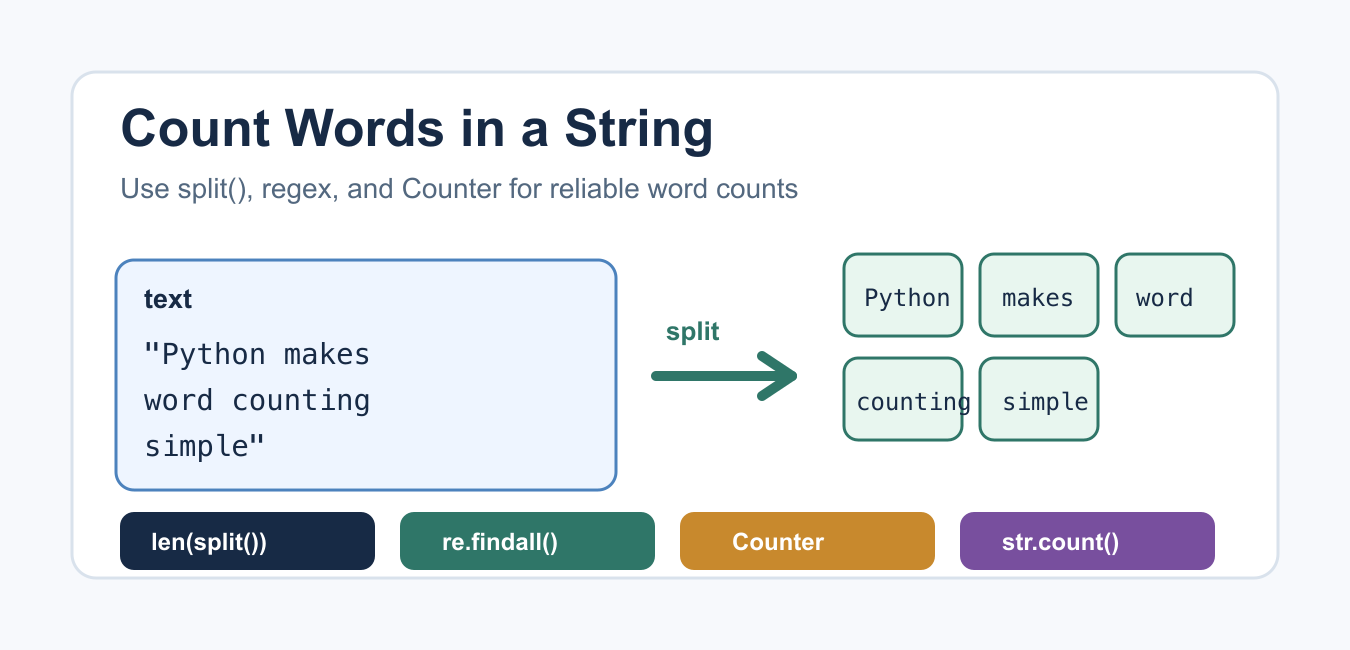
Quick answer: For ordinary whitespace-separated text, len(text.split()) is the simplest word count. Real text needs a word policy: punctuation, apostrophes, hyphens, Unicode, case, and numbers may change what counts as a word. Use regex tokenization or Counter only when that extra definition is required.
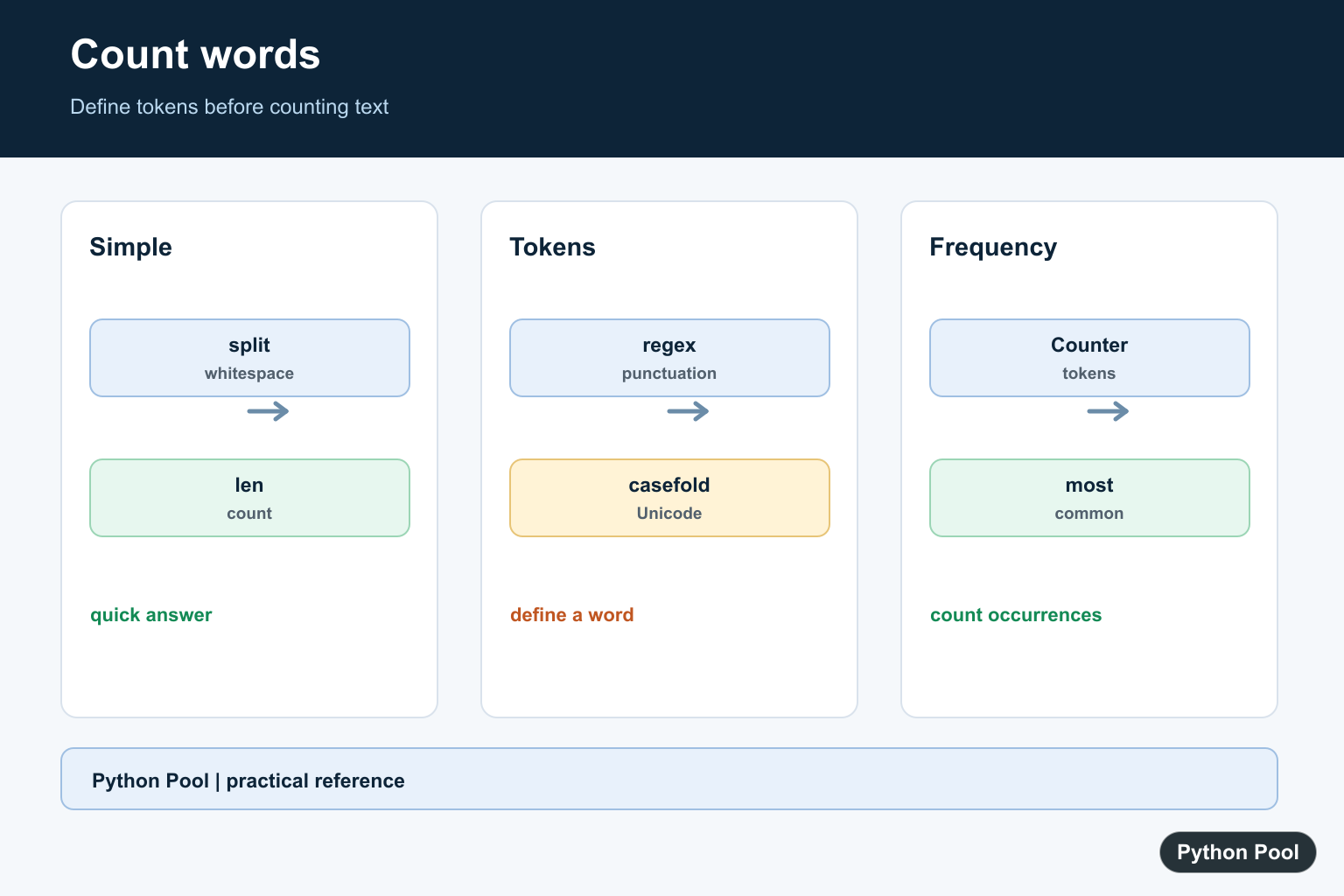
To count words in a string in Python, use len(text.split()) for simple whitespace-separated text. If punctuation, case, or word frequency matters, use a regular expression or collections.Counter.
The best method depends on what you mean by a word. A quick sentence count, a search phrase count, and a frequency table each need slightly different logic. Decide the rule first, then choose the shortest method that matches that rule.
Quick Answer
For ordinary text where words are separated by whitespace, split the string and count the resulting list. Python documents str.split() as the string method for splitting text into pieces.
text = "Python makes word counting simple"
word_count = len(text.split())

print(word_count)
This prints 5. With no argument, split() treats repeated spaces, tabs, and newlines as separators, which makes it a good default for simple word counts.
Count Words with Extra Spaces and Newlines
Text from files or user input often contains multiple spaces or newline characters. split() handles those cases well without extra cleanup.
text = "Python\ncounts   words\tacross whitespace"
words = text.split()

print(words)
print(len(words))
If you are reading text line by line, see PythonPool’s read file line by line guide. For cleaning line endings before counting, use the related remove newline from list article.
Count Words and Ignore Punctuation
For punctuation-heavy text, regex tokenization is usually better than plain split(). Python’s re.findall() documentation covers how to return all matching substrings.
import re

text = "Python, Python! Count words; count them well."
words = re.findall(r"\b\w+\b", text.lower())

print(words)
print(len(words))
This treats punctuation as separators and normalizes case with lower(). PythonPool’s lowercase string guide covers case conversion in more detail, and remove character from string is useful when punctuation must be cleaned manually.
Count Word Frequency with Counter
Use Counter when you need to know how many times each word appears. The official collections.Counter documentation describes it as a dictionary subclass for counting hashable items.
from collections import Counter
import re

text = "Python counts words. Python counts tokens."
words = re.findall(r"\b\w+\b", text.lower())
frequencies = Counter(words)

print(frequencies)
print(frequencies["python"])
This is the right pattern for reports, search summaries, logs, and simple text analysis. If you later loop through the results, PythonPool’s Python enumerate() article can help with index-value pairs.
Count a Specific Word or Phrase
str.count() counts non-overlapping occurrences of an exact substring. Python’s str.count() reference explains the optional start and end arguments.
text = "Python is fun. Python is readable."
count = text.count("Python")

print(count)
This is useful for exact phrase counts, but it does not understand word boundaries. Counting "he" would also match part of "the". Use regex when exact words matter.
Count an Exact Word with Regex
To count one word without matching it inside a longer word, use word boundaries. Normalize case first if the search should be case-insensitive.
import re

text = "He said hello to the helper."
matches = re.findall(r"\bhe\b", text.lower())

print(len(matches))
This returns 1, because the and helper are not exact matches for he. For output formatting around counts, see PythonPool’s print without newline guide.
Create a Reusable Word Counter
Wrap the logic in a function when the same rule will be reused. This version returns both the total number of words and the frequency table.
from collections import Counter
import re


def count_words(text):
    words = re.findall(r"\b\w+\b", text.lower())
    return len(words), Counter(words)


total, frequencies = count_words("Clean text, count text, report text.")
print(total)
print(frequencies.most_common(2))
This pattern is easier to test than a long block of inline code. If you want to transform every item in a list of strings before counting, PythonPool’s map function and capitalize first letter guides cover related string transformations.
Practical Notes for Real Text
For small scripts, split() is enough. For analytics, search, or user-generated text, write down the counting rules: should Python and python be the same word, should numbers count as words, and should apostrophes split contractions? Those choices affect the final count more than the Python syntax does.
Also avoid using str.count(" ") as a word counter. It counts space characters, not words, and breaks when the string has repeated spaces, tabs, or line breaks. Count tokens after splitting or matching instead.
Which Method Should You Use?
- Use
len(text.split())for fast whitespace-based counting. - Use
re.findall()when punctuation and word boundaries matter. - Use
Counterto count the frequency of every word. - Use
str.count()for exact substring or phrase counts. - Normalize with
lower()when case should not matter.
The standard library’s string.punctuation constant can also help with custom punctuation cleanup, but regex is usually shorter for word extraction.
FAQs
What is the easiest way to count words in a Python string?
Use len(text.split()). It works well when words are separated by normal whitespace.
How do I count repeated words?
Use Counter(re.findall(...)). Convert the text to lowercase first if uppercase and lowercase should count as the same word.
Is str.count() good for counting words?
It is good for exact substring counts, but it can match inside longer words. Use regex word boundaries when you need exact word matching.
Count Whitespace-Separated Words
str.split() with no argument collapses runs of whitespace and ignores leading or trailing whitespace. It leaves punctuation attached to tokens, which is often exactly right for a quick count but not for linguistic or search analysis.
text = "  Python   makes text processing practical.  "
words = text.split()
print(words)
print(len(words))
Define Punctuation And Token Rules
Use a regular expression when punctuation should separate words or when tokens must follow a specific pattern. Decide whether contractions, hyphenated terms, numbers, and Unicode letters are one token or several before writing the pattern.
import re

text = "Python's data-driven tools, in 2026, are useful."
tokens = re.findall(r"[A-Za-z]+(?:'[A-Za-z]+)?", text)
print(tokens)
print(len(tokens))
Count Frequencies With Counter
collections.Counter builds a frequency table from an iterable of tokens. Normalize case with casefold() when the analysis is case-insensitive, and normalize or strip punctuation before counting so equivalent words do not become separate keys.
from collections import Counter
import re

text = "Python python PYTHON data"
tokens = re.findall(r"[A-Za-z]+", text.casefold())
counts = Counter(tokens)
print(counts)
print(counts.most_common(2))
Handle Unicode And Empty Input
casefold() is stronger than lower() for case-insensitive Unicode comparisons. An empty or whitespace-only string should produce zero words, and a string containing punctuation alone may produce zero tokens under a letter-only policy. Add tests for the text your application actually receives.
samples = ["", "   ", "...", "naïve café", "Hello-world"]
for sample in samples:
    tokens = sample.casefold().split()
    print(repr(sample), len(tokens), tokens)
Python’s str.split(), regular expression, and Counter documentation cover the building blocks. The correct result depends on the application’s definition of a word.
For related text processing, compare split() behavior, tokenization rules, and whitespace normalization before deciding what counts as a word.
Frequently Asked Questions
How do I count words in a Python string?
Use len(text.split()) for whitespace-separated text, or use a regular expression when punctuation and token rules must be controlled.
How do I count each word’s frequency?
Normalize the text according to your policy, extract tokens, and pass them to collections.Counter.
Does split() remove punctuation?
No. split() separates on whitespace by default, so punctuation remains attached to tokens unless you strip or tokenize it separately.
How do I count words case-insensitively?
Normalize tokens with casefold() before counting, especially when processing Unicode text from users or documents.
