Search the Community
Showing results for tags 'timer'.
Found 16 results
-
Version 1.3.4
4,541 downloads
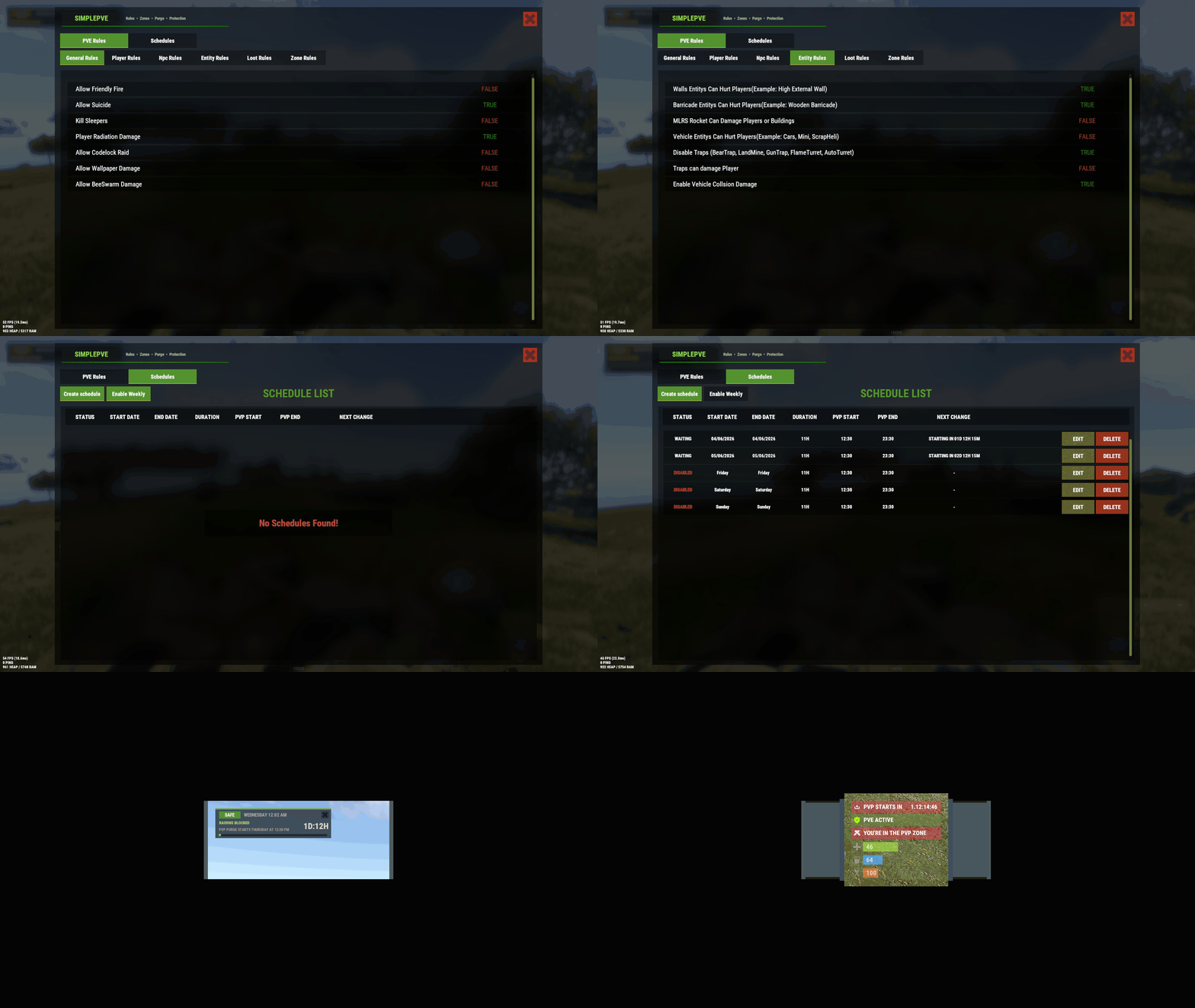
SimplePVE is exactly what the name suggests: a simple and easy-to-use PVE plugin for Rust servers. It allows server owners to control and customize PVE rules individually, either through the config or with a clean in-game CUI. You can also create, edit, and manage PVE/PVP schedules directly, making it easy to run full PVE servers, purge events, or hybrid PVE/PVP setups. Key Features Control PVE rules directly from in-game CUI or through the config Easy-to-understand rule system for managing damage, raiding, looting, and protection Enable or disable PVE/PVP manually with commands Create automatic PVP schedules for purge times Supports weekly schedules, such as Sunday to Friday or weekend-only PVP Supports date-specific schedules, such as January 1 to January 7, holiday events, wipe-weekend events, and custom purge periods Automatic PVE/PVP purge events based on your configured schedule Loot protection system to prevent unauthorized looting Zone Manager support for custom PVE/PVP zones Exclude specific zones from global PVE rules Supports many popular event plugins Works without using `server.pve true` In-game rule manager using `/sprules` Debug command to help check why damage is blocked or allowed Optional PVE/PVP status UI for players Customizable UI position, status text, icons, and colors Discord embed messages when PVP purge starts or ends Optional Discord warning messages before PVE/PVP schedule changes Run custom server commands when PVP purge starts or ends Admin bypass permissions for loot and damage control Supports PVP delay when leaving PVP zones Flexible config for server owners who want full control Designed for simple PVE servers, purge servers, hybrid PVE/PVP servers, and event-based servers NEW • CUSTOM STATUS NEW • PVE/PVP HUD FOR DISPLAYING PURGE EVENTS Commands /simplepve - Use to enable or disable pve toggle (Chat & Console command) /simplepve on or off - Use to enable disable pve (Chat & Console command) /sprules - Use to Open a Cui to control PVE Rules & Creating Schedules (Chat command) /spdebug - Use this for debuging rules /sp_change - Use this to change the SimplePVE hud from ingame (Chat command) Permissions simplepve.admin - Required to enable or disable SimplePVE simplepve.adminloot - Required to view Loots of other players simplepve.admindamage - Required for Admin damages to any entity Game hosting perfected, that's Physgun Join the thousands of server owners using Physgun to take their game server communities to the top. Video Showcase API & Hooks void OnSPVEPurgeStarted() void OnSPVEPurgeEnded() TimeSpan GetPVPStartTimeRemaining() TimeSpan GetPVPEndTimeRemaining() Configurations Rules Data file in Oxide/data/SimplePVE FAQ Question: Does SimplePVE require server.pve to be set to false? Yes, it requires server.pve set to false. Question: Where can I change the rules for my PVE server? You can use the `/sprules` command to open the in-game CUI rule manager. You must have the `simplepve.admin` permission assigned to use this command. Question: PVE/PVP schedules times are not working properly, why is that happening? You may need to adjust the `UTC Time Difference` value in the config. Make sure the UTC offset matches your server’s intended timezone. For more details, please check the Info tab below. Question: How do I enable or disable PVE manually? You can use `/simplepve on` to enable PVE and `/simplepve off` to disable it. You need the `simplepve.admin` permission to use these commands. Question: Can I create automatic PVP purge schedules? Yes. SimplePVE supports scheduled PVP/PVE times, allowing you to automatically enable PVP during purge events and return to PVE when the schedule ends. Question: Can I do Weekly schedules like Sunday To Friday or specific date to another date? Yes. SimplePVE supports both option and you can only use one of them at once. Question: Can admins damage players or entities while PVE is enabled? Yes, but only if the admin damage settings and permissions allow it. The permission `simplepve.admindamage` is used for admin damage access. Question: Why is damage still happening during PVE mode? This usually means one of your rules allows that damage type, or another plugin is modifying damage before or after SimplePVE. Use `/spdebug` to help debug which rule is being applied. Question: What does `/spdebug` do? The `/spdebug` command helps you debug damage rules. It can be useful when you are trying to understand why damage is blocked or allowed. Question: How does loot protection work? Loot protection prevents players from looting protected entities or containers, depending on your config settings. Admins can be allowed to bypass this using the `simplepve.adminloot` permission. Question: Can I exclude specific entities from loot protection? Yes. You can add entity shortnames to the `Loot Protection Excluded Entitys` list in the config. Question: Does SimplePVE support zones? Yes. SimplePVE supports Zone Manager, allowing you to create different PVE/PVP behavior inside specific zones. Question: Can I exclude specific zones from SimplePVE rules? Yes. You can add zone IDs to the `Exclude Zone IDs From Rules` config option. Question: Can SimplePVE send Discord notifications? Yes. SimplePVE can send Discord embed messages when PVP purge starts, ends, or when a scheduled event is approaching, depending on your Discord config settings. Question: Can I run server commands when PVP purge starts or ends? Yes. You can add commands to the config options for commands that run when PVP purge starts or ends. Schedules Settings for your own timezone For Developers Support Check Out My Other plugins as Well$19.99 -
Version 2.0.0
50 downloads
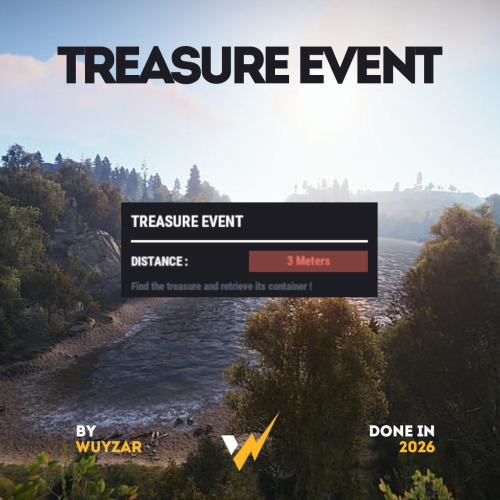
TreasureEvent.cs Description : - This plugin offers a complete treasure hunt event system for your Rust server, with real-time distance tracking and customizable loot rewards. Settings : - HUD colors - Event duration (in F1 commands) - Server message (true/false) - Items (customize everything you want in the treasure, even the skins of the items) Server message = true (you need the ServerMessage.cs plugin, https://codefling.com/plugins/server-message) Server message = false (these messages will appear in the global chat, replacing the UI) F1 Commands : - t.start <x> <z> <time> (the treasure appear in a specific location) - t.stop Permissions : - ownerid <steamID/user> WuyZar's Discord : https://discord.gg/NVwRcQwGwh$11.50 -
Version 1.0.0
48 downloads
ServerPeriods.cs Description : - This plugin offers a complete periodic event system for your Rust server, allowing you to create structured game phases with customizable restrictions. Each period can independently control PvP, raiding, gathering, and building permissions, providing a dynamic gameplay experience. It includes a persistent, real-time user interface displaying the current period name and remaining time, with an automatic "Next Period" indicator, and the execution of custom server commands for each period. Settings : - HUD colors - Custom periods (name/perms/time/commands) F1 Commands : - p.start (to start the periods) - p.stop (to stop the periods) - p.next (to move on to the next period) - p.prev (to move on to the previous period) Permissions : - ownerid <steamID/user> WuyZar's Discord : https://discord.gg/NVwRcQwGwh Chat messages : Game interface :$11.50- 4 comments
-
- 2
-

-

-
- #event
- #tournament
- (and 17 more)
-

Version 1.0.1
208 downloads
PlayerDuel.cs Description : - This plugin allows players to duel 1v1 in a dedicated arena. After the fight, you respawn with your original inventory and stats; the arena automatically regenerates between each duel. Settings : - HUD colors - Warmup Time - Fight Time - Request Time F1 Commands (ADMIN) : - pd.spawn1 (To set spawn player 1) - pd.spawn2 (To set spawn player 2) - pd.zone <radius> (To define the zone, arena's auto-clear. - pd.kit <name> (To crate kit) - pd.kits (To see kits list) - pd.deletekit <name> (To remove kit) - pd.test (To test the duel) - pd.stop (To stop a duel) Chat Commands : - /duel <name> <kit> - /duel accept - /duel refuse - /duel (To see kits and commands) Permissions : - ownerid <steamID/user> WuyZar's Discord : https://discord.gg/NVwRcQwGwh Test video : Rust 2026-03-28 18-03-26 - Trim.mp4 Game interface :$11.50 -
Version 2.4.0
297 downloads
Provides timed/manual/disabled unlocking of workbenches. Introduction This plugin will allows the server owner to lock out any or all workbenches from being crafted until specified amounts of time have elapsed since start of wipe, or indefinitely / until manually unlocked. Also optionally supports blocking research of locked workbenches so that players can't then replicate them via industrial crafters. Supports the following notification method(s) on craft/research failure: Chat (up to once every 5 seconds), sound, toast. Tutorial Island players are exempted from lockouts, as completing that requires crafting a Level 1 Workbench. Important This plugin is based on "Timed Workbench" by DizzasTeR, but is a significant overhaul. The two plugins cannot coexist in a single server installation. The plugin will detect map wipes and will automatically refresh the workbench locks. To facilitate other forms of wiping, the server owner/maintainer may manually invoke the `twwipe` command. Permissions * `timedworkbenchunlock.skiplock` — Enables bypass for all blocking checks * `timedworkbenchunlock.admin` — Gives access to **all** commands below * `timedworkbenchunlock.broadcast` — Gives access to the `twbroadcast` command * `timedworkbenchunlock.info` — Gives access to the `twinfo` command * `timedworkbenchunlock.modify` — Gives access to the `twmodify` command * `timedworkbenchunlock.reload` — Gives access to `twreload` command * `timedworkbenchunlock.reset` — Gives access to `twreset` command * `timedworkbenchunlock.wipe` — Gives access to `twwipe` command Note: No permissions are granted automatically. Commands * `twbroadcast <value>` — Configure global status broadcast period to the specified number of seconds, or specify a non-positive number to disable * `twinfo` — Prints elapsed time since wipe, and unlock status and times for each workbench tier * `twmodify <tier> <value>` — Configure lockout for the given workbench tier, where a negative value is indefinite lockout, zero is unlocked, and a positive value is the number of seconds to unlock after start of wipe * `twreload` — Reload the config file to pick up manual changes while the server is running * `twreset` — Resets config to the default settings (**be careful with this!**) * `twwipe` — Resets the last wipe timestamp to the current time, effectively restarting the lockout timers Configuration Example config file: { "Block crafting of locked workbench(es)": true, "Block deploying of locked workbench(es)": true, "Block researching of locked workbench(es)": true, "Report blocking via chat message": false, "Report blocking via sound effect": true, "Report blocking via toast message": true, "Global status broadcast interval in seconds (0 to disable)": 300, "Time that current wipe started (UTC)": "2026-08-07T19:59:52.1442827Z", "Workbench unlock times (seconds from start of wipe, or 0 for unlocked, or -1 for permanently locked)": [ 86400, 172800, 259200 ] } Except for detailed tweaks to wipe time, all of the config settings are modifiable via ingame comands. Credits * DizzasTeR for the original "Timed Workbench" plugin on which this is based * Umod.org documentation/forums/discord * Other plugins as examples of best practices and Oxide API usage * MrBlue for being patient with me lol * misticos for detailed feedbackFree -
.thumb.gif.d22002f88c2674634c6efe4f2f9f7806.gif)
Version 2.0.4
171 downloads
Turn player engagement into a clear, visual reward journey with configurable catalogues, secure claims, and administrator-controlled delivery. At a glance Create independent reward types with their own points, catalogue, commands, permission, language, and visual theme. Let players browse paginated rewards, see locked or claimed states, and claim eligible rewards from an in-game UI. Deliver items, server commands, permission grants, and group grants through one reviewed reward definition. Keep point ownership compatible with integrations such as Vote System while retaining administrator control. Recover safely from reloads and partial delivery without replaying completed actions. How it helps Custom Rewards gives server owners one reusable reward layer instead of a separate UI and claim implementation for every event. Each reward type can represent voting, playtime, seasonal progress, VIP benefits, or another server-owned points source. Key features Multiple reward catalogues, each stored in its own JSON file. Configurable show commands and dynamic customrewards.<type>.use access. Common, Rare, Epic, and Legendary presentation with configurable colours. Per-page browsing with visible available, locked, and claimed states. Server-side eligibility checks repeated when a reward is claimed. Item, command, permission, and group actions. Owner-scoped point APIs for integrations. Durable claim progress and administrator-visible reconciliation when an external action has an uncertain result. Safe migration of supported legacy player data. Player workflow An administrator enables a reviewed reward type and grants its use permission. The player runs one of that type's configured chat commands. The UI displays the current catalogue and the player's claim state. The player changes page if needed and selects an eligible reward. The server validates points, prerequisites, and claim state again before delivery. The visible screen distinguishes rewards that are available, already claimed, or unavailable. Administrators decide which commands display each catalogue and which groups can access it. How it works Each file in oxide/data/CustomRewards_rewards/ defines one reward type. Its filename is the exact type used by permissions and integrations. Player balances and claim progress are stored separately so an interrupted delivery can resume without repeating confirmed actions. customrewards_give VoteSystem 76561198000000000 5 The example grants five owner points to the VoteSystem reward type. Run administrator commands from the server console or with the administrative permission. Requirements and compatibility Rust server using Oxide or Carbon. The standalone CustomRewards.cs file from this product. No required plugin dependency. Optional integrations must use the documented compatibility APIs and the same reward-type name. Setup Back up existing oxide/data/CustomRewards_* files. Install CustomRewards.cs in the framework plugin directory. Let the plugin create oxide/data/CustomRewards_rewards/. Copy and rename the supplied example configuration for each reward type you need. Review every item name, server command, permission change, group change, image URL, and eligibility rule. Set Enabled to true only after that review. Grant customrewards.<type>.use and test the configured show command with a non-administrator account. Commands and permissions CommandPurposeAuthorization Reward-type show commandsOpen the configured catalogue UIAdministrator or customrewards.<type>.use customrewards_give <type> <player> <quantity>Add points to one playercustomrewards.admin customrewards_wipe_owner <type> <owner>Remove one owner's contribution from a balancecustomrewards.admin customrewards_wipe_all <type>Clear all balances for one reward typecustomrewards.admin customrewards_changepageInternal player paging actionPublic, arguments validated by the server customrewards_claimInternal player claim actionPublic, eligibility rechecked by the server The historical CustomRewards.Admin and CustomRewards.<Type>.Use forms remain accepted for existing installations. Configuration highlights New reward types are disabled by default. Start with a small catalogue and a test-only permission: { "Enabled": false, "Commands for show UI": ["vote_rewards"], "UI Settings": { "Max Reward By Page": 5, "Show Description": true }, "Rewards Settings": { "Rewards List": [ { "Rarity (Common - Rare - Epic - Legendary)": "Common", "Quantity": 100, "Item Shortname (optional)": "wood", "Server command (optional)": [], "Grant Permissions :": [], "Grant Groups :": {}, "Needed Permissions :": {}, "Needed Groups :": {} } ] } } Only %steamid% is accepted as a command placeholder. Keep reward configuration restricted to trusted administrators because configured commands and access changes are privileged actions. Practical tutorials Example: create a voting catalogue Create VoteSystem.json in oxide/data/CustomRewards_rewards/. Set a safe show command such as vote_rewards. Add one low-value test reward and leave the type disabled. Reload Custom Rewards and resolve every validation error. Grant customrewards.votesystem.use to a test group. Enable the type, add test points, open the UI, and claim the reward. Add the remaining catalogue only after the complete test succeeds. Example: integrate another points source Use the owner-points API with a stable owner name. Keep the reward type identical in both plugins, check that it is enabled, and open the UI through the structured UI method so a failure can be reported without exposing an incomplete screen. Troubleshooting The show command is unknown: confirm the reward type is enabled and its command is unique. The UI says access is denied: grant customrewards.<type>.use or test with an administrator. A catalogue does not load: review the first validation error for invalid actions, empty rewards, unsafe placeholders, or contradictory access rules. A claim is pending review: inspect the administrator diagnostic before retrying; do not edit player data to bypass an uncertain external action. Images do not appear: verify direct HTTPS image URLs and keep custom URLs under administrator control. FAQ Can two reward types use different themes? Yes. Each reward-type file owns its catalogue, UI settings, colours, commands, and access permission. Can a reward combine actions? Yes. One reward can contain an item plus reviewed commands, permission grants, or group grants. Each action is tracked separately during delivery. Does Custom Rewards require Vote System? No. Vote System is an optional points source. Custom Rewards can run with administrator grants or another compatible integration. Support Use the Codefling support section with the plugin version, framework, reward-type name, the first relevant error, and a redacted configuration excerpt. Never include API tokens or private player data.$5.99 -
Version 1.0.3
22 downloads
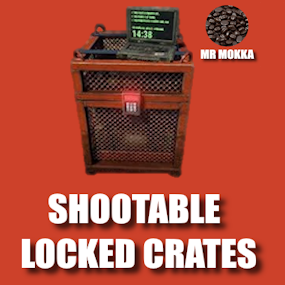
Want the locked crate timer to go faster but not for free? Trade bullets for time and shoot your timer down! Powerful and easy config to give you full control. Chat commands (only enabled with config): /slcspawn - Spawn a locked crate at your location /slcremove - Remove looked at crate Permissions Need permission to use commands: shootablelockedcrates.admin Config Default config includes most weapons, but it's highly recommended to at least look over and tweak it as needed. Note that DLC weapons count as a unique item and has to be added separately (look at rifle.ak as example) Default weapon damage - How many seconds to remove from timer when weapon not specified Weapon damage - {"weapon.short.name": seconds} How many seconds to remove from timer with specified weapon, overrides default weapon damage for this weapon Default bullet damage - How many seconds to remove from timer when bullet is not specified Bullet damage - {"bullet.short.name": seconds} How many seconds to remove from timer with specified bullet, overrides default bullet damage for this bullet Time removed from weapons and bullets are added together before the crate timer is changed, this gives some interesting options. Examples using default config: Using a rifle.ak (3.0) with ammo.rifle (1.0) will remove 4 (3.0 + 1.0) seconds from the timer each shot Using a rifle.ak (3.0) with ammo.rifle.hv (2.0) will remove 5 (3.0 + 2.0) seconds from the timer each shot Using a rifle.bolt (10.0) with ammo.rifle.hv (2.0) will remove 12 (10.0 + 2.0) seconds from the timer each shot Negative numbers also work. Using a pistol.nailgun (0.0 because of default weapon damage) with ammo.nailgun.nails (-1.0) will add 1 (0.0 - 1.0) second to the timer each shot { "Default weapon damage": 0.0, "Weapon damage": { "rifle.ak": 2.0, "rifle.ak.diver": 2.0, "rifle.ak.ice": 2.0, "rifle.lr300": 4.0, "rifle.m39": 7.0, "rifle.bolt": 10.0, "rifle.l96": 20.0, "rifle.semiauto": 3.0, "rifle.sks": 3.0, "shotgun.double": 0.5, "blunderbuss": 0.5, "shotgun.m4": 0.5, "shotgun.pump": 0.5, "shotgun.spas12": 0.5, "smg.2": 2.0, "smg.mp5": 0.5, "smg.thompson": 0.5, "pistol.m92": 2.0, "pistol.prototype17": 4.0, "pistol.python": 5.0, "pistol.revolver": 2.5, "pistol.semiauto": 2.0, "minigun": 0.5, "hmlmg": 1.0, "lmg.m249": 1.5 }, "Default bullet damage": 0.0, "Bullet damage": { "ammo.rifle": 1.0, "ammo.rifle.hv": 2.0, "ammo.rifle.explosive": 3.0, "ammo.pistol": 1.0, "ammo.pistol.hv": 2.0, "ammo.pistol.incendiary": 3.0, "ammo.shotgun": 0.2, "ammo.shotgun.fire": 0.3, "ammo.nailgun.nails": -1.0 } }$5.99-
- 1
-
-
- #locked
- #locked crate
- (and 3 more)
-
Version 0.1.1
143 downloads
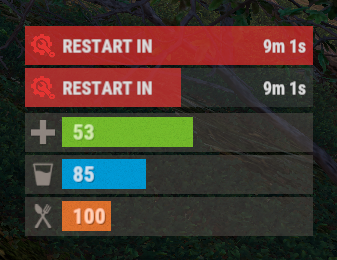
The plugin displays the time until restart in the status bar. Depends on AdvancedStatus plugin. The ability to to add and modify any restart plugins; The ability to automatically generate code for restart hooks; The ability to automatically generate language files for different languages(filled in English); The ability to choose between bar types(TimeCounter and TimeProgressCounter); The ability to specify the order of the bar; The ability to change the height of the bar; The abillity to customize the color and transparency of the background; The ability to set a material for the background; The ability to switch between CuiRawImageComponent and CuiImageComponent for the image; The ability to get images from the local folder(*SERVER*\oxide\data\AdvancedStatus\Images); The abillity to set own image and customize the color and transparency of the image; The abillity to set sprite instead of the image; The ability to customize the color, size, font and outline of the text. { "Is it worth generating restart hooks? 0 - disabled, 1 - one-time activation, 2 - always enabled": 2, "List of language keys for creating language files": [ "en" ], "The type of the bar(TimeProgressCounter or TimeCounter)": "TimeCounter", "The height of the bar": 26, "The display order of the bar": 10, "The background color of the bar(HEX or RGBA)": "#E5423F", "The background transparency of the bar": 0.7, "The background material of the bar, leave empty to disable": "", "The URL of the bar image": "https://i.imgur.com/rAiHloW.png", "The local image of the bar, leave empty to use URL": "RestartStatus_Default", "The sprite image of the bar, leave empty to use local or URL": "", "Is it worth using a raw image for the bar?": false, "The color of the bar image(HEX or RGBA)": "#E5423F", "The transparency of the bar image": 1.0, "The outline color of the bar image(HEX or RGBA)": "0.1 0.3 0.8 0.9", "The outline transparency of the bar image": 1.0, "The outline distance of the bar image, leave empty to disable. Example '0.75 0.75'": "", "The size of the bar text": 12, "The color of the bar text(HEX or RGBA)": "#FFFFFF", "The transparency of the bar text": 1.0, "The font of the bar text(https://umod.org/guides/rust/basic-concepts-of-gui#fonts)": "RobotoCondensed-Bold.ttf", "The horizontal offset of the bar text": 0, "The outline color of the bar text(HEX or RGBA)": "#000000", "The outline transparency of the bar text": 1.0, "The outline distance of the bar text, leave empty to disable": "", "The size of the bar subtext": 12, "The color of the bar subtext(HEX or RGBA)": "#FFFFFF", "The transparency of the bar subtext": 1.0, "The font of the bar subtext": "RobotoCondensed-Bold.ttf", "The outline color of the bar subtext(HEX or RGBA)": "0.5 0.6 0.7 0.5", "The outline transparency of the bar subtext": 1.0, "The outline distance of the bar subtext, leave empty to disable": "", "The background color of the progress bar(HEX or RGBA)": "1 1 1 0.15", "The background transparency of the progress bar": 0.15, "Is it worth making the progress reversible?": true, "The color of the bar progress(HEX or RGBA)": "#E5423F", "The transparency of the bar progress": 0.7, "The OffsetMin of the bar progress": "0 0", "The OffsetMax of the bar progress": "0 0", "The list of restart hooks. Note: After modifying hooks, do not forget to toggle hook generation": [ { "Hook triggered at the start of a restart": "OnSmoothRestartInit", "Argument position containing the number of seconds until restart(counting from 0)": 0, "Hook triggered at the cancellation of a restart": "OnSmoothRestartCancelled" }, { "Hook triggered at the start of a restart": "OnRestartScheduled", "Argument position containing the number of seconds until restart(counting from 0)": 0, "Hook triggered at the cancellation of a restart": "OnRestartCancelled" } ], "Version": { "Major": 0, "Minor": 1, "Patch": 1 } } EN: { "BarText": "RESTART IN" } RU: { "BarText": "РЕСТАРТ ЧЕРЕЗ" }$3.99 -

Version 1.0.3
131 downloads
Temp grants users VIP either randomly or by being one of the first X amount of people to join after wipe. A great incentive to get players to join right on wipe and a great way to reward players for joining and playing! FEATURES - Grant vip to random players on join based on a % chance - Grant vip to the first X amount of players to join after wipe - Options to remove the ranks on next wipe - Options to remove the ranks on a time basis - ETC* CONFIG { "VIP options on new wipe": { "Grant VIP on wipe to the first X amount of joiners (0 = disabled)": 10.0, "Oxide group to grant": "vip", "Remove rank after X minutes (0 = disabled)": 120.0, "Remove rank on new wipe": true, "Count as a free VIP rank if the user already has that VIP rank": false }, "Random VIP granter options": { "Random % chance of user getting a VIP rank on join (0 = disabled)": 5.0, "Oxide group to grant": "vip", "Max Random VIP's given per wipe (0 = inf)": 10.0, "Remove rank after X minutes (0 = disabled)": 120.0, "Remove rank on new wipe": true, "Allow user to randomly get VIP more than once a wipe": false } } Need support or want updates about what is coming to the plugin? Join the support discord here https://discord.gg/RVePam7pd7$4.99 -

Version 1.0.2
76 downloads
Introducing Parkour Pro, the ultimate tool to elevate your server experience! What's better than a heart-pounding challenge? Bragging rights, of course. Engage your players with a thrilling parkour adventure that not only tests their skills but also lets them flaunt their victories. With Parkour Pro, setting up a captivating parkour area on your server is a breeze. Define the starting point, the exhilarating path, and the sweet taste of victory at the end—all at your fingertips. This plugin empowers you to craft unique parkour courses tailored to your server's theme and vibe. Why should you consider adding a parkour element to your server? Because it's the perfect recipe for increased player engagement and server popularity. As players tackle these dynamic courses, your server's metrics will soar, creating an environment that's not only fun but also competitive. To kickstart your parkour revolution, Parkour Pro comes complete with a demo prefab. Brace yourself—this challenging yet conquerable course is ready to captivate your players. Take the first step in transforming your server into a realm of excitement, skill, and, most importantly, epic bragging rights. With Parkour Pro; the thrill is in your hands! Video Walkthrough Permissions parkourpro.admin parkourpro.use - Required to run any parkour courses Console Commands pk_close_ui - Close the UI pk_leaderboard - Show the leaderboard UI pk_courses - List all the courses [Admin Only] pk_clear_course_data - Clear the course data for the given course pk_clear_all_course_data - Clear all course data. pk_wipe_leaderboard "Course_1" → Wipes leaderboard for a single course pk_wipe_leaderboard all → Wipes all leaderboard data Chat Commands /pk_close_ui - Close the UI /pk_leaderboard - Show the leaderboard UI /pk_courses - List all the courses /pk_end - End your current Parkour Run [Admin Only] /pk_clear_course_data - Clear the course data for the given course /pk_clear_all_course_data - Clear all course data. /pk_wipe_leaderboard "Course_1" → Wipes leaderboard for a single course /pk_wipe_leaderboard all → Wipes all leaderboard data For any issues please Reach out to me on Discord: http://discordapp.com/users/233662340179034112$10.00 -

Version 1.1.2
30 downloads
Advanced Timed Permission Management System for Groups Timed Group Permissions allows you to assign permissions to any group for a limited amount of time! You can easily give, revoke, or extend timed permissions — all fully controlled by simple commands. Discord Integration - You can log all permission grants, revokes, and extensions directly to a Discord channel. - Simply add your Discord webhook URL to the config file, then run the command: - oxide.reload TimedGroupPermissions That’s it! Your actions will now be logged automatically to Discord. Data Storage To check which groups currently have timed permissions assigned, open the file: data/TimedGroupPermissions.json Commands Section Chat & Console Commands: 1. givegroupperm <group> <permission> <time> → Give a timed permission to a group. 2. extendgrouptimeperm <group> <permission> <time> → Extend the duration of an existing timed permission. 3. revokegroupperm <group> <permission> → Revoke a permission from a group. 4. viewgroupperm <group> → View all active timed permissions for that group. Example output: [Timed Group Permissions] Permissions for group 'admin': - kits.donadiscord (Expires in 23 hour(s) 59 minute(s) 39 second(s)) Examples givegroupperm admin minicopter.infinitefuel 10d → Gives the group “admin” the permission “minicopter.infinitefuel” for 10 days. extendgrouptimeperm admin minicopter.infinitefuel 10d → Extends the permission “minicopter.infinitefuel” for the group “admin” by an additional 10 days. revokegroupperm admin minicopter.infinitefuel → Removes the permission “minicopter.infinitefuel” from the group “admin”. ------------------------------------------------------------ Default Configuration { "Send messages to Discord Webhook? (Requires DiscordAPI plugin)": true, "Discord Webhook URL": "https://discord.com/api/webhooks/..." } Summary: Timed Group Permissions is the perfect solution for managing temporary permissions on your server. Reward VIP groups, event teams, or temporary staff roles — all with automatic expiration and Discord logging.$10.00- 8 comments
-
- 1
-

-
- #group
- #permissions
- (and 2 more)
-

Version 1.2.5
371 downloads
The plugin displays the time to wipe from the WipeTimer plugin Features: Shows the exact time before the wipe Ability to display the timer within the time specified in the config, after connecting the player Comprehensive setup of all aspects Option to tailor text for different languages to reach players from various countries Lang files for all languages are auto-generated, so you only need to write your text. Important! Time format for specifying the time to the second: "Time Format": "d\\d\\ hh\\h\\ mm\\m\\ ss\\s",$5.00 -

Version 1.1.1
252 downloads
SAVE 13% WHEN BUYING THE BUNDLE This plugin will allow you to run console commands at any given schedule. The syntax was inspired on the Unix's crontab format but ported to json for easy of use. Below you'll find some examples.. but sky is the limit. +------------- minute (0 - 59) | +------------- hour (0 - 23) | | +------------- day of the month (1 - 31) | | | +------------- month (1 - 12) | | | | +------------- day of the week (0 - 6) (Sunday to Saturday); | | | | | | | | | | | | | | | * * * * * <command to execute> { "Minute": "*", "Hour": "*", "Day": "*", "Month": "*", "DoW": "*", "Command": "ai.sleepwakestats" } New features "@forced" and "!forced" to be used on the Command field as conditionals: /* * > minute = 15, hour = 19, DoW = 4, command = @forced restart 60 * > minute = 15, hour = 12, DoW = 4, command = !forced restart 900 * > The special keys "@forced" and "!forced" will allow you to execute commands * > only of forced wipe days or only on non forced wipe days. This example will * > restart the server every thursday at 12:15 except forced wipe days were it * > will only execute at 19:15. */ New features "@wipe" and "!wipe" to be used on the Command field as conditionals: /* * > minute = @restart, command = @wipe my_command * > minute = @restart, command = !wipe my_other_command * > The special keys "@wipe" and "!wipe" will allow you to execute commands * > only if the map was wiped. This example will execute my_command on server * > restart if the map was wiped otherwise will execute my_other_command. */ Execute the command "ai.sleepwakestats" every 3m: { "Minute": "*/3", "Hour": "*", "Day": "*", "Month": "*", "DoW": "*", "Command": "ai.sleepwakestats" }, Execute the command "status" at 15m of every hour: { "Minute": "15", "Hour": "*", "Day": "*", "Month": "*", "DoW": "*", "Command": "status" }, Restart the server every day at 6:45: { "Minute": "45", "Hour": "6", "Day": "*", "Month": "*", "DoW": "4", "Command": "restart 60" }, Have a specific plugin running only during the weekends: { "Minute": "0", "Hour": "0", "Day": "*", "Month": "*", "DoW": "6", "Command": "oxide.load MyWeekEndPlugin" }, { "Minute": "0", "Hour": "0", "Day": "*", "Month": "*", "DoW": "1", "Command": "oxide.unload MyWeekEndPlugin" } Execute the command "oxide.version" every Tuesday between 10:15 to 10:25: { "Minute": "15-25", "Hour": "10", "Day": "*", "Month": "*", "DoW": "3", "Command": "oxide.version" } Sets the fps limit to 30 at every server restart: { "Minute": "@restart", "Hour": "*", "Day": "*", "Month": "*", "DoW": "*", "Command": "fps.limit 30" } Keeps the plugin MyWeekEndPlugin unloaded during weekend restarts: { "Minute": "@restart", "Hour": "*", "Day": "*", "Month": "*", "DoW": "1", "Command": "oxide.unload MyWeekEndPlugin" }, { "Minute": "@restart", "Hour": "*", "Day": "*", "Month": "*", "DoW": "6", "Command": "oxide.unload MyWeekEndPlugin" }$4.99 -
Version 0.0.2
401 downloads
SimpleEvents allows scheduling console commands for in-game events and separate timed commands. Features: - Schedule custom console commands. - Schedule console commands for in-game events. - Configure independent timed commands. - Choose between sequential or simultaneous execution of timed commands. - Define minimum and maximum intervals for timed commands. - Set minimum player count requirements for timed commands. - In-game events, such as Patrol Helicopter, CH47 Helicopter, Cargo Ship, Cargo Plane, Easter Egg Hunt, Santa's Sleigh, Halloween Hunt, and Bradley APC. Default Config: { "Custom Commands Execution Mode | 1 = Sequentially, 2 = Simultaneously, 3 = Disabled": 1, "Custom Commands": [ { "Commands": [ "", "" ], "Min Interval (s)": 60, "Max Interval (s)": 120, "Min Players": 0 }, { "Commands": [ "", "" ], "Min Interval (s)": 180, "Max Interval (s)": 300, "Min Players": 0 } ], "Patrol Helicopter": { "Commands": [ "", "" ], "Min Players": 0, "Prefab": "assets/prefabs/npc/patrol helicopter/patrolhelicopter.prefab" }, "CH47 Helicopter": { "Commands": [ "", "" ], "Min Players": 0, "Prefab": "assets/prefabs/npc/ch47/ch47scientists.entity.prefab" }, "Cargo Ship": { "Noninitial LootRound Min Players": [], "Commands": [ "", "" ], "Min Players": 0, "Prefab": "assets/content/vehicles/boats/cargoship/cargoshiptest.prefab" }, "Cargo Plane": { "Commands": [ "", "" ], "Min Players": 0, "Prefab": "assets/prefabs/npc/cargo plane/cargo_plane.prefab" }, "Easter Egg Hunt": { "Commands": [ "", "" ], "Min Players": 0, "Prefab": "assets/prefabs/misc/easter/egghunt.prefab" }, "Santa's Sleigh": { "Commands": [ "", "" ], "Min Players": 0, "Prefab": "assets/prefabs/misc/xmas/sleigh/santasleigh.prefab" }, "Halloween Hunt": { "Commands": [ "", "" ], "Min Players": 0, "Prefab": "assets/prefabs/misc/halloween/halloweenhunt.prefab" }, "Bradley APC": { "Commands": null, "Min Players": 0, "Prefab": null } }Free -
Version 1.0.0
530 downloads
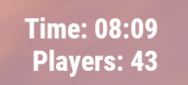
This plugin adds an extremely simple (non-invasive) ingame hud to the top right of your screen. /showhud - enable/disable the ingame hud (client-side, will only affect player that runs the command) I plan on updating and adding to this over time so feel free to make suggestions!Free -

Version 1.0.0
807 downloads
ComTimer is a plugin that runs console commands after an amount of time. Good for automating events quickly and easily Set the commands you want to run into the config list. Set a timer upper limit and a timer lower limit and the plugin will pick a number between and countdown... on completion it will run a command from the list and start the whole process over again. any command that you can run in rcon you can run with this. Configuration Default configuration is as follows: { "Command List": [], "Upper Time In Seconds": 500.0, "Lower Time In Seconds": 200.0 } Setting a single command: { "Command List": ["say Welcome to the server"], "Upper Time In Seconds": 500.0, "Lower Time In Seconds": 200.0 } Setting more then one command: { "Command List": ["say Welcome to the server","callheli","giveall scrap 1"], "Upper Time In Seconds": 500.0, "Lower Time In Seconds": 200.0 } Works well with plugins like CustomHeliTiers if the plugin doesn't have its own spawn timer: { "Command List": ["callheli 1","callheli 2","callheli 3","callheli 4","callheli 5","callheli 6"], "Upper Time In Seconds": 500.0, "Lower Time In Seconds": 200.0 }Free
.thumb.jpg.f2f378cbb4943d7036c8a674f8a23b40.jpg)







.thumb.png.ccf8a947948c9eb1445ad21a7931247b.png)