Search the Community
Showing results for tags 'fun'.
-
Version 1.0.12
2,522 downloads
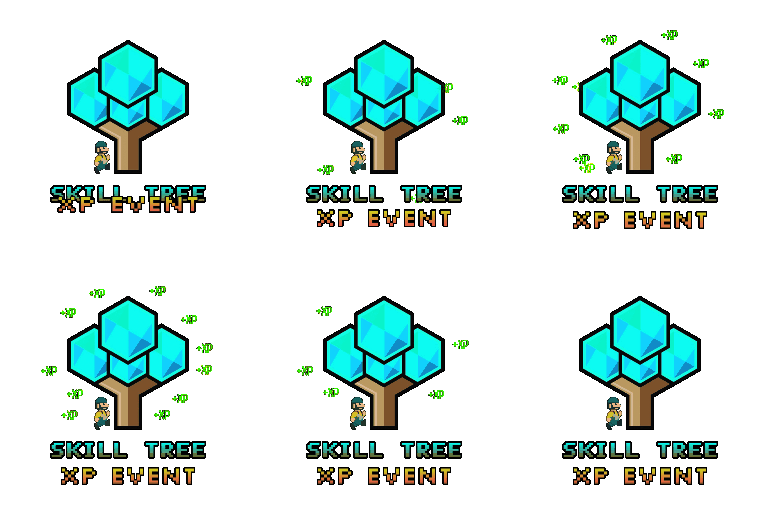
Skill Tree: XP Event is a plugin that creates an event that will randomly select a task, providing players with bonus XP for performing the task while the event is running. Events are started automatically on interval (default every 30 minutes), and will select 1 of 38 tasks for the event. This could be chopping down trees, skinning animals, killing scientists or looting crates. The plugin will also roll a random duration for the event to run for, and a random bonus to the XP (all of which is configurable). Additional XP gained with this plugin will stack with xp bonuses from Skill Tree. The stacking works in the following order: Default xp value is calculated. Skill Tree will check if Skill Tree: XP Event is loaded, and will ask for any bonuses if applicable Skill Tree continues on with its additional modifiers (other plugins, permission overrides, rested xp etc) This event will provide an incentive for players to engage with content on your server that they might otherwise avoid. SkillTreeXPEvent.use - required for players to participate in the events. SkillTreeXPEvent.admin - required to use the below commands if running them from player console. Console command: startxpevent <optional: task> Description: This command will manually start an XP event. If the task is not specified, it will roll the event randomly. Running this command resets the interval timer. Console command: stopxpevent Description: This command ends the current xp event. Chat command: stemoveui Description: Brings up an interface to reposition the UI. NodeHit NodeHitFinal TreeHit TreeHitFinal SkinHit SkinHitFinal CollectWildEntities CollectWildBerries CollectWildHemp CollectWildPumpkin CollectWildPotato CollectWildCorn CollectMushrooms CollectOreNodes CollectGrownEntities CollectGrownBerries CollectGrownHemp CollectGrownCorn CollectGrownPotato CollectGrownPumpkin SkinWolfFinal SkinBearFinal SkinChickenFinal SkinBoarFinal SkinStagFinal SkinPolarBearFinal SkinTigerFinal SkinPantherFinal SkinCrocodileFinal CatchAnyFish KillScientist KillTunnelDweller KillUnderwaterDweller KillAnyAnimal KillBear KillStag KillBoar KillChicken KillWolf KillPolarBear KillTiger KillPanther KillCrocodile LootCrate BreakBarrel BreakRoadSign SwipeCard All$11.99- 46 comments
- 4 reviews
-
- 2
-

-

-
- #skilltree
- #event
- (and 4 more)
-
Version 3.0.0
28 downloads
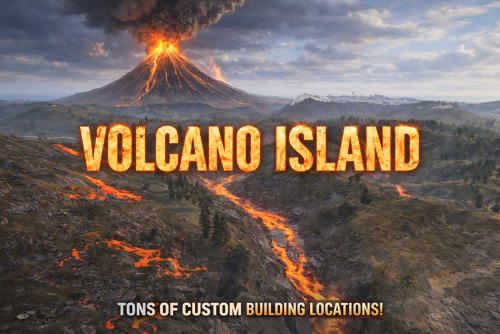
VOLCANO ISLAND – 4500K CREATIVE RUST MAP Volcano Island is a visually beautiful and fun to explore, builder-friendly 4500k Rust map loaded with every major monument and 50+ custom build spots marked with an "X". Designed for smooth performance, focusing on extreme low entity counts for a lag free experience, creative freedom, and competitive gameplay. Your players will NEVER run out of places to build on this Map! What Makes It Special 50+ Custom Build Zones marked with an "X" on the Map!!! The most buildable location for any Map of mine yet! Fully connected train tracks + underground rails for fast travel and tactical control Endless Custom Buildable areas/Caves/Rock Formations that players will love! Beautiful Volcano Mountains and Valleys players can Build on Diverse terrain: forests, deserts, coasts, cliffs, valleys & plateaus Perfect for solos, clans, builders, and high-pop servers. Low-prefab, FPS-friendly buildables: Custom caves Underwater Locations to build a base Hidden structures Unique build pockets Works with all Popular Events Plugins like Convoy, ArmoredTrain, Raidable Bases, Sputnik, Airfield Event and many more! All Facepunch Monuments Included Launch Site • Military Tunnels • Military Base • Silo • Airfield • Power Plant • Water Treatment • Trainyard • Harbors • Outpost • Excavator • Large Oil Rig • Small Oil Rig • Arctic Base • Junkyard • Sphere Tank • Satellite Dish • Ferry Terminal • Sewer Branch • Abandoned Supermarket • Oxum's Gas Station • Mining Outpost • Lighthouse • Bandit Camp • Fishing Village • Large Barn • Underwater Labs • Stone Quarry • Sulfur Quarry • HQM Quarry • Underwater Labs • Abandoned Cabins • Jungle Ziggurat • Jungle Ruins • Caves • Ranch — and more. Map Info Size: 4500k Prefabs: ~10,281 Support Discord: Dymize_$29.99- 4 comments
-
- 4
-
-
-
- #4500k
- #custom map
- (and 31 more)
-
Version 1.0.3
32 downloads
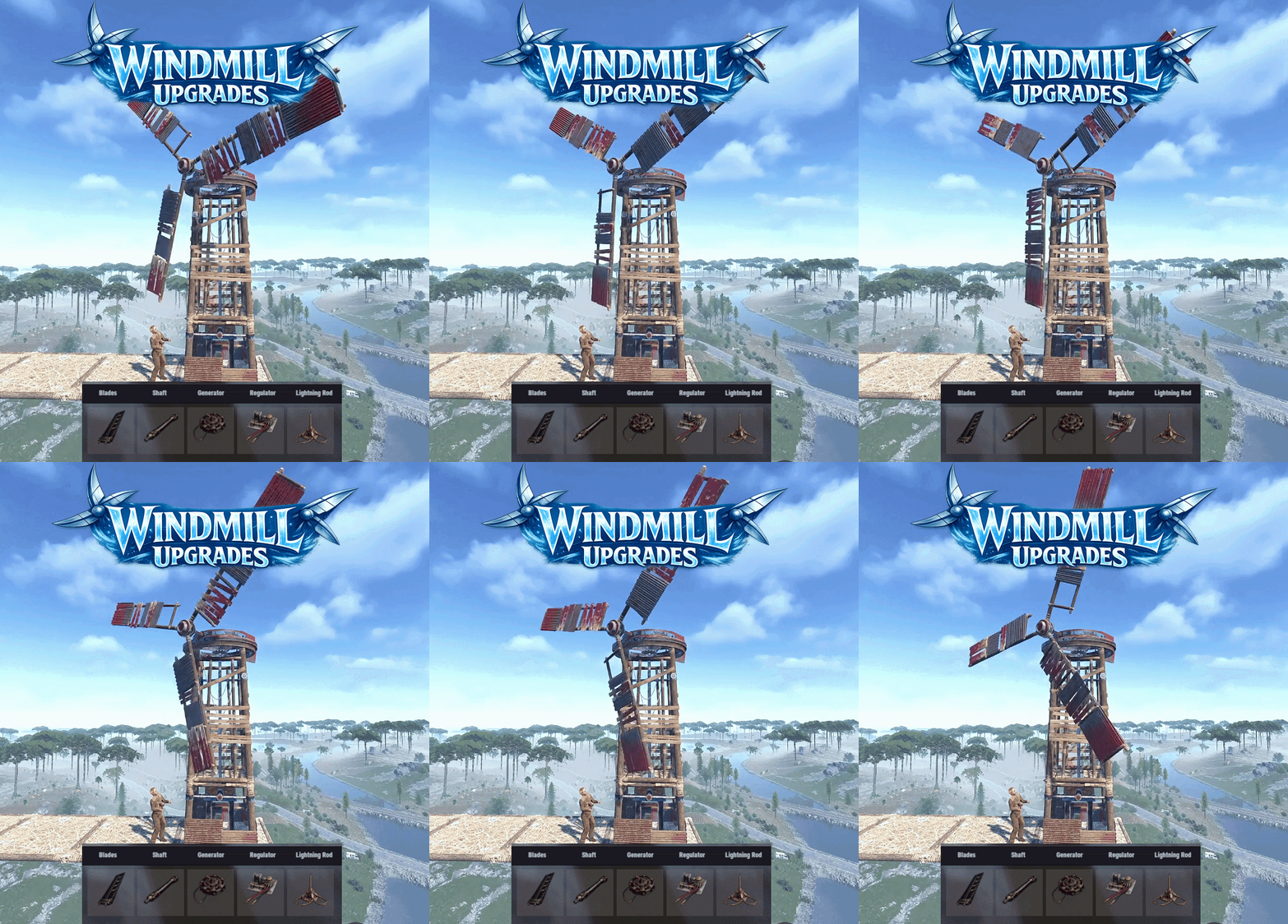
Windmill Upgrades adds a part based upgrade system to electrical windmills, allowing their performance to be improved. Each part type has 3 tiers. Players can open an upgrade interface while looking at a windmill and holding a hammer, then install custom parts by dragging them into specific slots. The menu input button is configurable, with support for RELOAD, USE, MIDDLE CLICK, and RIGHT CLICK. Each upgrade part affects the windmill’s stats, allowing you to tune max output, effective height, wind capture, power stability, and thunder performance through a simple interface. Parts are matched to their proper module slots, upgrades are saved per windmill, and all changes are applied directly to the entity in a lightweight, persistent system. The plugin also includes optional loot crate support, letting you control whether upgrade parts can appear in loot containers and set per-container drop chances for each tier. Alternatively, the parts can be added to any of your existing systems such as shops or crafting plugins. The upgrade parts are all configured in the config, with unique icons and stats, allowing you to quickly deploy this functionality to your server. As with most of my content, localization is possible, with a default English lang file included. The part shortnames and skins are all pre-configured but can be modified, or replaced with items from my Custom Item Manager. Permissions: windmillupgrades.use - Allows players to open and use the windmill upgrade interface. windmillupgrades.admin - Allows access to the admin part giving command. Commands: /wmpart - Admin chat command to give yourself all of the available parts for testing or adding to shops. Optionally can specify amount if you need more than one of each. Pre-Configured Parts: Blades: Shaft: Generator: Regulator: Lightning Rod: Default Config:$15.99 -
Version 1.6.6
10,505 downloads
BradleyGuards minigame will make more fun of the boring Bradley. Spawning bombs molotovs and a Tank Crew Features : Minigame with Scientist NPC spawning after Bradley gets destroyed and various events during its attack phase It will throw random Bombs and Molotov when attacked. Hardmode will throw the Bombs and Molotov towards player instead around the Bradley When destroyed the Bradley does a close range Last Ditch Effort if the Driver is still alive and gets a last air support As of version 1.1.1 napalm support will be set to target player instead of Bradley position Give the NPC the choice of using some predefined outfits or use the vanilla Scientist Outfits Predefined weapon or a different weapon through config if using outfits Crew will be Despawned upon plugin unload or reload Compatible with NPCKITS Support for BetterNpcNames (v1.0.2 and higher) Support for Kits Permission system Warnings : backup your configs before plugin updates This is not compatible with BradleyControl Plugin !!!!! (since version 1.0.5) Version 1.4.0 has new options for MLRS and Convoy Bradleys "External Plugins": { "Armored Train : Can trigger Events": false, "Convoy : Can trigger Events": false, "SatDish/Harbor Event : Can trigger Events": false, "BradleyDrops : Can trigger Events": false, "BetterNpcNames : Driver Title": "Pilot", "BetterNpcNames : Guard Title": "Commander", "BetterNpcNames : Gunner Title": "Grunt" }, "Last Ditch Effort MLRS rocket Amount": 15 Permissions : BradleyGuards.ShowMessages (to show interaction messages) BradleyGuards.ShowKillMessages (to show messages after bradley is destroyed) Commands : (new in V1.0.5) /bginfo : Shows the available commands/version/author Logfiles : Log files are found in the oxide.logs folder Will log the Player and info regarding the spawns after destroying the Bradley Configuration : Example config below : { "Global NPC dont target": true, "External Plugins": { "Armored Train : Can trigger Events": false, "Convoy : Can trigger Events": false, "SatDish/Harbor Event : Can trigger Events": false, "BradleyDrops : Can trigger Events": false, "BetterNpcNames : Driver Title": "Pilot", "BetterNpcNames : Guard Title": "Commander", "BetterNpcNames : Gunner Title": "Grunt" }, "Bradley Settings": { "Change Values": true, "Bradley Health": 2222, "Bradley Max Fire Range": 100, "Bradley Throttle Responce": 1.0 }, "Bradley Loot": { "Change Values": true, "Bradley Max crates after kill": 4 }, "Bradley Canon": { "Change Values": true, "Bradley Canon Fire delay": 0.3, "Bradley Canon Firerate": 0.25 }, "Bradley Machinegun": { "Change Values": true, "Bradley Machinegun Bullet Damage": 15, "Bradley Machinegun Firerate": 0.06667 }, "Event Settings": { "Bradley Crew Max Spawn Distance": 10, "Bradley Crew Max Roam Distance": 20, "Bradley Crew Body to Bags": true, "Max throwing range of a Grenade": 25.0, "Max Grenades per trigger": 1, "Max throwing range of a Molotov": 25.0, "Max Molotovs per trigger": 1, "Use Firerockets (instead of Molotovs)": false, "Hard Mode : Throws towards player (Grenades)": true, "Hard Mode : Max Grenades per trigger": 1, "Hard Mode : Max radius of a Grenade on player": 15.0, "Hard Mode : Throws towards player (Molotovs)": true, "Hard Mode : Max Molotovs per trigger": 1, "Hard Mode : Max radius of a Molotov on player": 15.0, "Napalm Support": true, "Napalm Support Area Radius": 25.0, "Napalm Support Rocket Amount": 3, "Napalm Support Rocket Height": 150, "Last Ditch Effort Rocket Amount": 0, "Last Ditch Effort Grenade Amount": 5, "Last Ditch Effort MLRS rocket Radius": 15, "Last Ditch Effort MLRS rocket Amount": 15, "Last Ditch Effort Hard Mode : targets player location": true }, "Tank Crew Driver": { "Tank Driver Health": 450.0, "Tank Driver Lifetime (minutes)": 1.0, "Tank Driver Damage multiplier": 1.0, "Tank Driver Spawn Chance 0-1": 1.0, "Tank Driver Spawn Amount": 5, "Tank Driver Use Outfit": true, "Tank Driver Use other gun with outfit": false, "Tank Driver gun short prefabname": "smg.mp5", "Tank Driver gun skin id": 0, "Tank Driver Use kit (clothing)": false, "Tank Driver Kit ID": "" }, "Tank Crew Guards": { "Tank Guards Health": 800.0, "Tank Guards Lifetime (minutes)": 1.0, "Tank Guards Damage multiplier": 1.0, "Tank Guards Spawn Chance 0-1": 1.0, "Tank Guards Spawn Amount": 3, "Tank Guards Use Outfit": true, "Tank Guards Use other gun with outfit": false, "Tank Guards gun short prefabname": "smg.mp5", "Tank Guards gun skin id": 0, "Tank Guards Use kit (clothing)": false, "Tank Guards Kit ID": "" }, "Tank Crew Gunners": { "Tank Gunners Health": 600.0, "Tank Gunners Lifetime (minutes)": 1.0, "Tank Gunners Damage multiplier": 1.0, "Tank Gunners Spawn Chance 0-1": 1.0, "Tank Gunners Spawn Amount": 3, "Tank Gunners Use Outfit": true, "Tank Gunners Use other gun with outfit": false, "Tank Gunners gun short prefabname": "smg.mp5", "Tank Gunners gun skin id": 0, "Tank Gunners Use kit (clothing)": false, "Tank Gunners Kit ID": "" } } Localization : English language file included to use a diffrent language just make a new file in the language folder. { "BradleyDriver": "<color=yellow>Bradley Driver : </color>Damnit i just washed it!", "BradleyGuards": "<color=yellow>Bradley Guard : </color>Stay away from our Bradley!", "BradleyGunner": "<color=yellow>Bradley Gunner : </color>Prepare to die!", "BradleyDriverBomb": "<color=yellow>Bradley Driver : </color>Catch this!", "BradleyGunnerFire": "<color=yellow>Bradley Gunner : </color>Fire in the hooole!", "BradleyNapalmSupport": "<color=yellow>Bradley Operator : </color>Support incomming!" } API : bool IsBradleyNpc(global::HumanNPC npc) OnBradleyNPCGotHit(global::HumanNPC npc, HitInfo info) OnBradleyNPCDeath(global::HumanNPC npc, HitInfo info) example call : object OnEntityDeath(global::HumanNPC npc, HitInfo info) { if (npc == null) return null; if (BradleyGuards.Call<bool>("IsBradleyNpc", npc)) { Puts($"Target : {npc} net.ID : [{npc.net.ID}] Event : BradleyGuards NPC"); } return null; } private void OnBradleyNPCGotHit(global::HumanNPC npc, HitInfo info) { Debugmsg("OnBradleyNPCGotHit works!"); BasePlayer player = info.InitiatorPlayer; if (npc.health < (npc._maxHealth * 0.8) && npc.health > (npc._maxHealth * 0.72)) { if (!Burned) Player.Message(player , npcmsg(MSG) , Chaticon); return; } } private void OnBradleyNPCDeath(global::HumanNPC npc, HitInfo info) { Debugmsg("OnBradleyNPCDeath works!"); BasePlayer player = info.InitiatorPlayer; Debugmsg($"{player.displayName} killed {npc.displayName}"); } Changes made in 1.0.5 !!! Updated/Cleaned/Organized the Documentation. Added lifetime for each individual Crew Added use of kits + checks (if incorrect kit name Crew will spawn with default scientist or heavy scientist outfit). Changed the Npc Naming so they can be shown correctly with AdminRadar Added prefix and chaticon to chat messages (language file changed so delete it before updating to avoid weird chat messages). Added max roam range for the Bradley Crew Bradley Crew will now despawn when plugin gets unloaded/reloaded Removed the death sound when a npc dies. Fixed : Bradley will now ignore scientists from junkpiles added cfg : Tank Crew Lifetime (minutes) added cfg : Damage multiplier for each driver/guards/gunners added cfg : Napalm Support Rocket Height added cfg : Use kit (clothing) (for each driver/guards/gunners) added cfg : Kit ID (for each driver/guards/gunners) added cfg : Bradley Crew max roam rangeFree -
Version 1.0.0
5 downloads
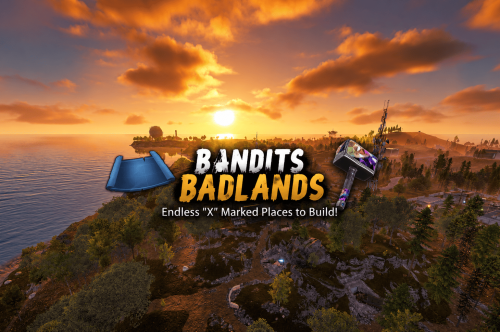
Bandits Badlands – 1650K A CREATIVE BUILDERS PARADISE RUST MAP MADE FOR BUILDERS AND EXPLORERS! Bandits Badlands is a Map that has its focus on extreme low prefab count performance! I have removed 1000s of unnecessary entities that slow server load times, by removing entities like Powerlines, certain rock types you can increase load times by 5x faster then a regular Map! A 1650K Rust map built for explorers, survivors, and creative builders alike. ACTION PACKED with tons of monuments for a One Grid Map and 15+ custom marked build locations strategically spaced and placed across fepic fields, and mysterious terrain. Designed with ultra low entity counts for buttery smooth performance, endless creativity, and nonstop gameplay. Your players will NEVER run out of new places to explore, conquer, and build on Bandits Badlands. What Makes It Special: 15+ Custom Build Zones marked with an "X" on the Map!!! Your players will NEVER run out of fun places to build their base! We use super shallow beach areas so there are always spots for players to build and endless spots for your Raidable Bases to spawn. These shallow beach waters go out very far allowing for spawning and building of all types! A beautifully designed Crystal Lake Swamp adds eye catching visual interest to the terrain! Above ground Train tracks + underground rails for fast travel and tactical control! Endless Custom Buildable areas/Caves/Rock Formations that players will love! Beautiful terrain of all biome types, mountains, swamps, icebergs and many flat areas players can Build on Diverse terrain: forests, deserts, coasts, cliffs, valleys & plateaus Perfect for solos, clans, builders, and high-pop servers. SUPER Low-prefab, FPS-friendly buildables: Custom caves Custom HUGE Bus Stop Bases! - Enjoy those nostalgic bus stop builds Underwater Locations to build a base Hidden structures Unique build pockets Works with 100% of all Popular Events Plugins like Convoy, ArmoredTrain, Raidable Bases, Sputnik and many more! Custom Monuments: Red Bunker Crystal Lake Swamp Many Facepunch Monuments Included: • Satellite Dish • Sewer Branch • Small Harbor • Radtown • Military Base • Missile Silo • Large Oil Rig • Small Oil Rig • Sphere Tank • SuperMarket • Warehouse • Gas Station • 2x Lighthouse • Underwater Labs • Mining outpost • HQM Quarry • Sulfur Quarry • Stone Quarry • Jungle Ruins • Jungle Zigguart • Fishing Village • Outpost/BanditCamp • Ranch Stables — and more. Map Info: Size: 1650k Prefabs: ~1212 Support: Discord: Dymize_$24.99 -

Version 1.0.4
42 downloads
Boost engagement on your Rust server with a fully customizable Prize Wheel at Outpost, inviting players to spin daily for exciting rewards and adding a unique touch to your server. Players spin by pressing a button, and you can configure the location of all signs, the button, and the wheel itself, plus add custom branding with ImageUrls. The highly configurable reward system supports item spawns with custom skin IDs and commands, which is ideal for special rewards like VIP access or grand prizes on lucky spins. Support If you have any questions before deciding to purchase, need help setting it up or want more features added, feel free to contact me here or here: Discord: mvrb Mvrb's Plugins (Fastest support): https://discord.gg/tSgCUW86kJ Default Plugin Config: LuckyWheel.mp4$9.99 -
Version 1.0.3
20 downloads
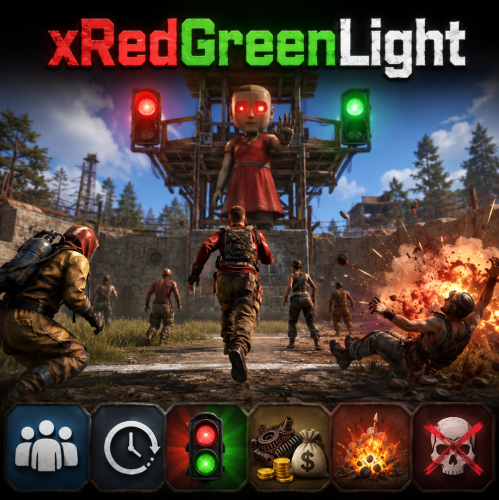
xRedGreenLight This plugin adds a “Red Light, Green Light” mini-game to your Rust server. Simple and easy to use, no other plugins required. Players can join rounds, try to survive without moving during RED LIGHT, and earn configurable rewards for each step they successfully take during GREEN LIGHT. Inspired by the Netflix Series "Squid Game. Supports automatic game starts on a schedule. Players can die if caught moving on RED. Rewards per step and item type are configurable. Comes with UI panels showing game state and participant roster. Starts anywhere (no exact location needed) Preview 🛠 Admin Commands Game Flow Configuration { "AutoStartEnabled": true, "AutoStartIntervalMinutes": 60.0, "RoundDurationSeconds": 60.0, "RewardItemShortName": "scrap", "RewardPerStep": 1, "ExplosionEffectOnFail": true, "UseEconomics": false, "OnlyEconomicsCashReward": false, "MinRewardCash": 10.0, "MaxRewardCash": 50.0, "CashRewardUseDecimals": false } AutoStartEnabled → Enable/disable automatic game starts. AutoStartIntervalMinutes → Interval between auto starts. (0.5 would be 30 minutes) RoundDurationSeconds → How long each round lasts. RewardItemShortName → The Rust shortname of the reward item (e.g. scrap, wood, metal.fragments). RewardPerStep → How many of the reward item per step. (Default is 1 scrap per step, only rewarded if game has been won) Economics Configs$12.99 -
Version 3.0.0
77 downloads
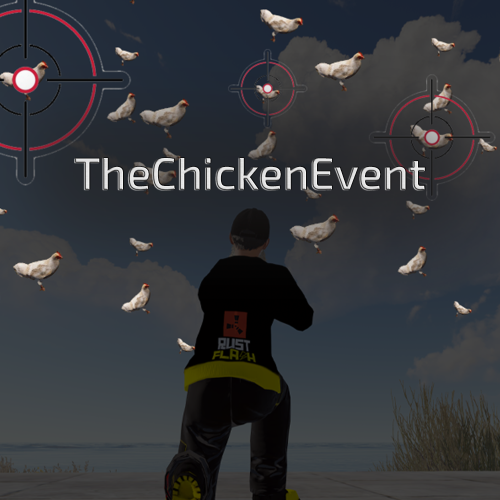
Features This plugin enables players to trigger an entertaining event in Rust - the so-called "Chicken Event". If a player has the required authorisation, they can start the event. During the event, chickens are spawned near the player and the goal is to shoot as many chickens as possible. After a set time, the event ends and the players with the most chicken kills receive rewards. The plugin tracks the performance of the players and determines the winners based on their kills. The main functions of the plugin are: Launching of the Chicken Event by eligible players. Randomly spawning chickens near the player. Tracking the number of chickens shot down by each player. Announcement of winners and their rewards at the end of the event. This plugin adds a fun activity to the game of Rust and rewards players who are successful in this event. It's a great way to encourage player interaction on your server and have fun. Functions You can start the ChickenEvent command: /flashchickenevent You can start the ChickenEvent Console: flashchickenevent Config { "EventDuration": 60, "ChickenSpawnRadius": 20.0, "EnableChickenMovement": true, "WinItemShortname": "rock", "WinItemCount": 3, "WinItemSkinId": 2843316584, "VipDuration": 7, ## Set to 0 to disregard this win "RemoveDeadChickensAfterEvent": true } load, run, enjoy$12.99 -
Version 1.3.1
198 downloads
The Metabolism plugin will add 3 new parameters to the player, which will diversify the game on your server. Mentality: increase after taking damage recovery during sleep or taking pills event when the limit is reached. The appearance of 3 immortal boars around the player that are visible only to him. Sleep: magnification occurs every second recovery during sleep event when the limit is reached. The player falls asleep for a while without being able to wake up on his own Relieve yourself: increase after eating recovery after the player poops event when the limit is reached. The player squats down and poops until he empties his stomach API: ChangeStamina(string userID, int value, string param); (kidns of param: psyche/sleep/poop); Config: { "Offset from below": 0, "Offset to the right": 0, "Sleep chat command(The "sleep” button in UI is also clickable and sends the player to sleep)": "sleep", "Poop chat command(The "Poop” button in UI is also clickable)": "poop", "List of parameters (the bypass permission is needed to ignore the plugin [useful for admins])": { "additionalmetabolism.player": { "PSYCHE": { "Background color of psyche bar": "0.45 0.55 0.91 1.00", "Psyche per unit of take damage": 0.8, "Psyche bar limit": 100, "Psyche recovery during sleep": 0.15, "Comfort for psyche recovery (0-1)": 0.4, "Psyche recovery for custom item": 15.0, "Psyche recovery item shortname": "antiradpills", "Psyche recovery item skinid (0 = any)": 0, "Psyche value for disable event (less than limit)": 90.0, "Boar damage (Default 20)": 20.0, "Icon for the psyho bar": "https://i.imgur.com/ucB5j76.png", "The value after which the player's damage scale": 60.0, "Scale damage": 0.6 }, "SLEEP": { "Background color of sleep bar": "0.65 0.29 0.40 1.00", "Sleep bar limit": 350, "Go to sleep upon reaching the limit in seconds": 30, "Sleep per unit of time": 0.095, "Sleep recovery by N units per second": 0.5, "Icon for the sleeping bar": "https://i.imgur.com/vz0dts6.png", "Values after which the player will not be able to run": 250 }, "POOP": { "Background color of poop bar": "0.49 0.39 0.42 1.00", "Poop bar limit": 250, "Poop recovery per unit of poop": 20.0, "Food digestion time in seconds": 360, "Poop minimum value for start sleep": 40.0, "Poop delete time in seconds": 15, "Icon for the poop bar": "https://i.imgur.com/c9qDgq1.png", "List of items that are broken after the player gets diarrhea (shortname)": [ "pants", "pants.shorts", "wood.armor.pants", "heavy.plate.pants", "burlap.trousers", "attire.hide.pants" ] } }, "additionalmetabolism.vip": { "PSYCHE": { "Background color of psyche bar": "0.45 0.55 0.91 1.00", "Psyche per unit of take damage": 0.4, "Psyche bar limit": 100, "Psyche recovery during sleep": 0.25, "Comfort for psyche recovery (0-1)": 0.4, "Psyche recovery for custom item": 25.0, "Psyche recovery item shortname": "antiradpills", "Psyche recovery item skinid (0 = any)": 0, "Psyche value for disable event (less than limit)": 95.0, "Boar damage (Default 20)": 10.0, "Icon for the psyho bar": "https://i.imgur.com/ucB5j76.png", "The value after which the player's damage scale": 80.0, "Scale damage": 0.8 }, "SLEEP": { "Background color of sleep bar": "0.65 0.29 0.40 1.00", "Sleep bar limit": 350, "Go to sleep upon reaching the limit in seconds": 10, "Sleep per unit of time": 0.055, "Sleep recovery by N units per second": 1.5, "Icon for the sleeping bar": "https://i.imgur.com/vz0dts6.png", "Values after which the player will not be able to run": 300 }, "POOP": { "Background color of poop bar": "0.49 0.39 0.42 1.00", "Poop bar limit": 250, "Poop recovery per unit of poop": 40.0, "Food digestion time in seconds": 360, "Poop minimum value for start sleep": 40.0, "Poop delete time in seconds": 15, "Icon for the poop bar": "https://i.imgur.com/c9qDgq1.png", "List of items that are broken after the player gets diarrhea (shortname)": [ "pants", "pants.shorts", "wood.armor.pants", "heavy.plate.pants", "burlap.trousers", "attire.hide.pants" ] } }, "additionalmetabolism.bypass": { "PSYCHE": { "Background color of psyche bar": null, "Psyche per unit of take damage": 0.0, "Psyche bar limit": 0, "Psyche recovery during sleep": 0.0, "Comfort for psyche recovery (0-1)": 0.0, "Psyche recovery for custom item": 0.0, "Psyche recovery item shortname": "antiradpills", "Psyche recovery item skinid (0 = any)": 0, "Psyche value for disable event (less than limit)": 0.0, "Boar damage (Default 20)": 0.0, "Icon for the psyho bar": null, "The value after which the player's damage scale": 0.0, "Scale damage": 0.0 }, "SLEEP": { "Background color of sleep bar": null, "Sleep bar limit": 0, "Go to sleep upon reaching the limit in seconds": 0, "Sleep per unit of time": 0.0, "Sleep recovery by N units per second": 0.0, "Icon for the sleeping bar": null, "Values after which the player will not be able to run": 0 }, "POOP": { "Background color of poop bar": null, "Poop bar limit": 0, "Poop recovery per unit of poop": 0.0, "Food digestion time in seconds": 0, "Poop minimum value for start sleep": 0.0, "Poop delete time in seconds": 0, "Icon for the poop bar": null, "List of items that are broken after the player gets diarrhea (shortname)": null } } } } Lang: { "CM_UI_STATE": "You are tired", "CM_UI_SLEEP": "SLEEP", "CM_UI_POOP": "POOP", "CM_UI_INFO": "INFO", "CM_UI_ADDITIONALMETA": "ADDITIONAL METABOLISM", "CM_UI_CHANGES": "CHANGES:", "CM_UI_DESCRIPTION": "This modification adds 3 additional metabolism stats for you, which will complicate your survival process in this wonderful game!", "CM_UI_CHANGE_LIST": "• Mind - status that reflects your mental state. Increases when you take damage. When you reach the maximum value, you begin to hallucinate, from which you can die. Can be reduced if you go to bed or use pills\n• Sleep - status indicating your desire to sleep. If the maximum reaches you, you will immediately fall to the ground and fall asleep, and you will not be able to wake up until you get enough sleep. You can reduce it with sleep (it decreases gradually). Click on the Sleep button to go to bed\n• Digestion - status displaying the fullness of your intestines. At the maximum setting, you will immediately start defecating, which takes some time. You can empty your bowels in advance by pressing the POOP button." }$5.49- 17 comments
- 2 reviews
-
- 7
-
-
-
- #ahigao
- #metabolism
- (and 4 more)
-
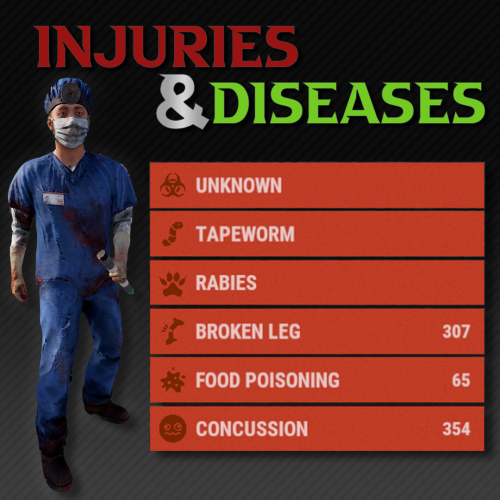
Version 1.3.3
688 downloads
What kind of survival game doesn't let you break your leg? With this plugin, players can sustain injuries and become infected with diseases. Currently there are 6 status conditions, each fully customizable through the plugin's configuration file. Status Conditions /inflict <player> concussion /cure <player> concussion Periodically blurs the player's vision. Chance to occur when a player is headshot. More likely to occur with more powerful weapons. /inflict <player> foodpoisoning /cure <player> foodpoisoning Forces the player to vomit occasionally which damages their food and thirst levels. Caused by eating spoiled meat. Can be cured by drinking healing tea. /inflict <player> brokenleg /cure <player> brokenleg Prevents sprinting and causes damage when moving. Can happen when taking fall damage, chance increases the greater the height. Can also occur when being shot in the leg, this is more likely to happen the more powerful the weapon is. /inflict <player> rabies /cure <player> rabies Periodically deals damage to the victim and flashes their screen red. Can be rarely contracted from the bites of wild animals. There is no cure, it's best to put the victim out of their misery. /inflict <player> tapeworm /cure <player> tapeworm The effect of food and water consumption is greatly reduced. Can occur from consuming raw or uncooked meat. Easily treatable with anti-biotics (anti-rad pills). /inflict <player> z13virus /cure <player> z13virus Not much is known about this disease, however it is often mistaken for rabies. Something terrible occurs when the victim dies... Seems to occur when a player is bitten by a zombie (scarecrow). Customization Each status condition has properties that can be customized through the plugin config. Here is a quick description of each of the properties. Enabled - Set to false to disable this condition. Likeliness - The chance (0 - 1.0) of this condition occurring through any means. For some conditions, like concussion or broken leg, this will be the MINIMUM chance for this to occur, and it will become more likely depending on how much damage is taken. This is only relevant for some conditions, other conditions may use items/entities to inflict players. Icon - The url of the icon for this condition. From Legshots - (Broken Leg Only) Set to false to disable this from occurring when a player is shot in the leg. From Falling - (Broken Leg Only) Set to false to disable this from occurring when a player takes fall damage. Damage Scale - The damage effect multiplier for the status condition. This will modify the damage taken for all types (hunger, thirst, ect.) not just health. For example, a value of 0.5 will do half damage while a value of 2.0 will do double damage. Show Duration - Set to false if you do not want player's to see how many seconds are remaining for this condition. There is a slight performance cost for this being set to true. Show Indicator - Set to false if you do not want a custom status framework indicator to show up for this condition. Cure Items - Item short names with corresponding chances from 0-1.0. The items listed will have a chance to cure the condition when consumed/used by the player. An item skin can optionally be specified, see Item Skins section. Interval Min Seconds - The minimum amount of time in seconds between a condition's symptom from occurring. Only relevant for some conditions. Interval Max Seconds - The maximum amount of time in seconds between a condition's symptom from occurring. Only relevant for some conditions. Duration Min Seconds - The minimum number of seconds a condition will last for. Duration Max Seconds - The maximum number of seconds a condition will last for. Move Items to Zombie - (Z13 Virus Only) Set to false to disable moving items from a corpse to the newly spawned zombie. The items will instead be left in a backpack. Reanimation Seconds - (Z13 Virus Only) The number of seconds before an infected player's corpse is reanimated into a zombie. Infliction Entities - Entity short names with corresponding chance of inflictions from 0-1.0. The entities listed will have a chance to inflict the condition when dealing damage to a player. Infliction Items - Item short names with corresponding chance from 0-1.0. The items that are listed will have a chance to inflict the condition when consumed/used by the player. An item skin can optionally be specified, see Item Skins section. Infliction Damage Action - Determined the way that an infliction entity must deal damage in order to inflict a condition. The allowed values are "melee", "ranged" or "any". Item Skins You can optionally specify that only an item with a certain skin will count for Cure and Infliction items. To do so just append #<skin id here> to the end of the item shortname. If both a skinned item and a non skinned item definition are specified, then the skinned definition will take priority if applicable. For example if your config looks like this then... If Anti-Rad Pills with the Skin 12345 are consumed, then it has a 100% cure chance. Anti-Rad Pills with any other skin (including default) only have a 50% cure chance. Only Apples with the 67890 skin have a 100% cure chance. All other Apples have 0% cure chance (because they are not listed). "Cure Items": { "antiradpills": 0.5, "antiradpills#12345": 1.0, "apple#67890": 1.0 }, Creating Your Own Custom Status Conditions Please note, this is a WIP feature, there may be some bugs, please report them if you find them! As of v1.2.0 you can use the API method "CreateCondition" to create your own plugin that can register custom status conditions through Injuries and Diseases. But what if you're not a developer? No problem! I have created a plugin for you with a ton of configurable options for you to create your own status conditions. In either case, here are some guides for what you need to do to create your own status conditions. For Non-Developers If you are not a plugin developer and you would like to create your own custom status conditions then you can download this plugin file and edit the config that it generates to customize the status conditions how you like. Currently there is a limited amount of things you can do for a status condition. If there is a specific condition, trigger, or effect you would like included, please open a support ticket and make a suggestion! Or, if you want full freedom, you can see the developer section to create your own status condition plugin exactly how you would like. For Developers If you are a plugin developer and would like to create a plugin that adds some custom status conditions, then you can make use of the "CreateCondition" API method (see API section) to register any custom conditions you would like to add. To see a code example of how this will work you can refer to the plugin file download like mentioned in the "For Non-Developers" section above. That plugin contains some hints on how the plugin must operate to work with Injuries and Diseases. When creating a custom condition, there are certain aspects that Injuries and Diseases will handle, and others that your plugin will need to take care of. Here is a breakdown of some of those things: Injuries and Diseases will handle... Showing status indicators Status duration and countdowns Showing infliction, cure and diagnosis messages (they need to be in YOUR plugin's localization file though) The effect that occurs on intervals and when the condition is first inflicted (you pass these methods into the CreateCondition method) Whether your conditions duration/indicator is shown (pass this into the CreateCondition method) Your plugin should handle... Registering conditions using the API Means of inflicting your condition (entity attack, item consumed, ect) Means of curing your condition Localization (Injuries and Diseases will reference some of these) Adding images to image library Any configuration options pertaining to your custom conditions Permissions injuriesanddiseases.admin Required for admin commands injuriesanddiseases.doctor Designates a player as a doctor Required for doctor commands injuriesanddiseases.immune Player cannot be affected by any conditions Will also cure the player of any current conditions when granted Admin Commands /inflict <player> <condition> <revealed?> Inflicts the player with the specified condition (see status conditions section). Optionally, you can set if the status will be revealed or not. Default value is set in the config. /cure <player> <condition?> Cures the player from all conditions. If the condition is specified, the player will be cured of just that condition. /conditions <player> Returns a list of all the conditions a player is suffering from and includes the remaining duration. /reveal <player> <condition> Reveals the condition to the player if it has no already been revealed. Doctors (Optional) As an optional feature, you can assign a player as a doctor. Doctors can diagnose players, which will reveal to the player the condition that their are afflicted with. By default, this isn’t necessary, as players will automatically be notified of what their condition is. However, in the config, you can set it so that conditions are unknown to players until they get a doctor to diagnose them. Once they have diagnosed a player, the doctor will also be informed of how to cure the condition. Doctors can be assigned with the doctor perm, and have access to the following command: /diagnose Will diagnose any undiagnosed conditions of the player they are looking at. Will also recommend treatment if available. Supported Plugins Injuries and Diseases has built in support for the following plugins: ZombieHorde The default config values contain support for ZombieHorde zombies to inflict the Z13 Virus The keyword in the config for zombie horde entities is "zombie" WalkingDead The default config values contain support for Walking Dead zombies to inflict the Z13 Virus The Walking Dead plugin uses the "scarecrow" entity for their zombies, which is already included BotReSpawn If you want BotReSpawn entities to inflict a condition, use the keyword "botrespawn" in the infliction entities section of the condition config. Configuration Death Removes Conditions - Set to false if you want conditions to persist even when a player dies. Pause on Disconnect - Set to false if you want the condition timer to continue even when a player is sleeping. Set to true if you want it to pause when they are sleeping. Require Diagnosis - Set to false if you want conditions to be automatically revealed to player's when they are inflicted. Set to true if you want them to appear as unknown until a doctor diagnoses them. Show Doctor Indicator - Set to true if you want an indicator to appear for player's with the doctor permission. Messages Enabled - Set to false if you do not want messages to appear in the chat for player's when their conditions status is updated. Message Icon ID - The steam ID of the player portrait you want to appear for all chat messages from this plugin. Images - A list of image urls for various images used in this plugin. Status Conditions - Configuration for status conditions (see customization section). Version - Keeps track of what version your configuration was generated for, do not edit manually. Developer API With these developer API tools you can extend the functionality of existing conditions through code. You can add additional effects by making use of the various hooks for each condition. /* * Returns a list of all enabled conditions. */ List<string> GetConditions(); /* * Returns a list of conditions a player is inflicted with. */ List<string> GetPlayerConditions(ulong userId); /* * Returns true if the player has the specified condition. */ bool HasCondition(ulong userId, string conditionNameId); /* * Inflicts the player with the specified condition. */ void SetCondition(ulong userId, string conditionNameId, bool revealed); /* * Removes the condition for the player. */ void RemoveCondition(ulong userId, string conditionNameId, bool cured); /* * Removes all conditions for the player. */ void RemoveAllConditions(ulong userId, bool cured); /* * Reveals the condition to the player if it is not already revealed. */ void RevealCondition(ulong userId, string conditionNameId); /* * Create a custom condition. BETA */ void CreateCondition(Plugin plugin, string conditionNameId, string imageLibraryIconName, int minIntervalSeconds, int maxIntervalSeconds, int minDurationSeconds, int maxDurationSeconds, bool showDuration, bool showIndicator, Action<BasePlayer> beginEffect = null, Action<BasePlayer> intervalEffect = null);$19.99 -
Version 1.0.0
42 downloads
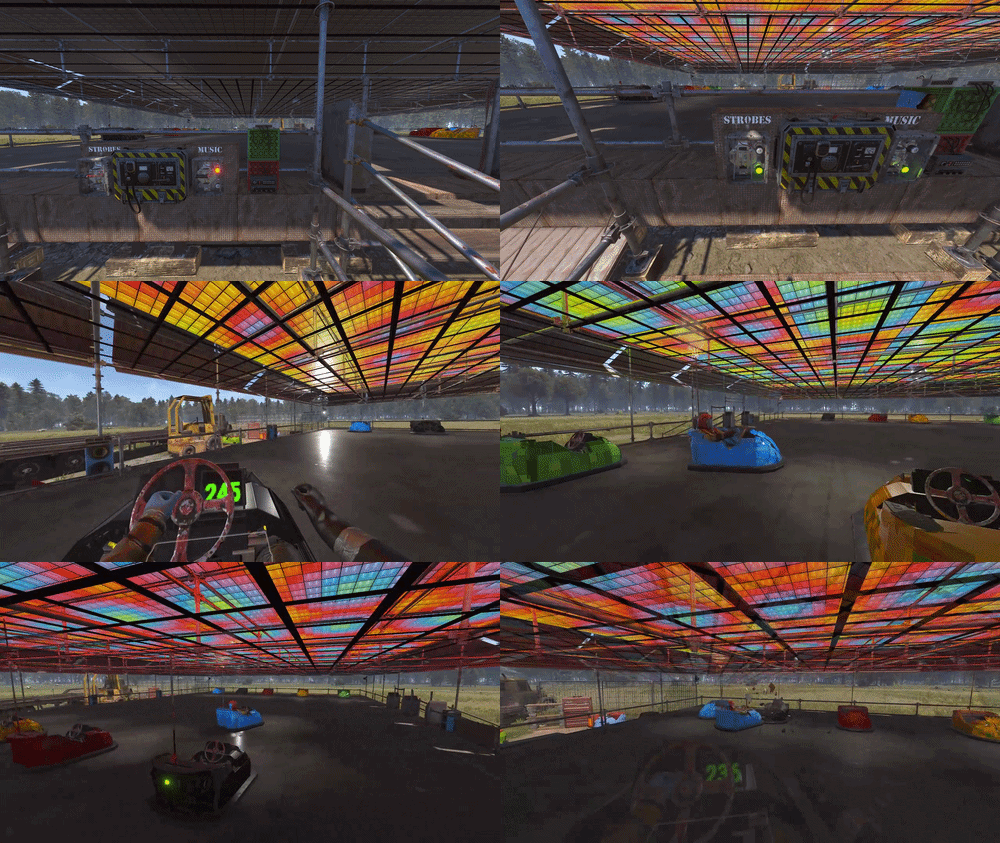
A Rust themed Bumper Car Track with some electrics and lots of small details. Built for Bumper Cars Custom Vehicles - this features a Overhead Power System with a mesh grid at the perfect height for realisic looking power delivery when using these custom vehicles! The build replicates a travelling carnival with the whole thing raised on wooden blocks and made out of temporary scaffolding, ready to be broken down and moved on to another location. Behind the track is a truck & trailer which it arrived on, and a small workshop area to maintain the static Bumper Car Prefabs. The eletronics at the front toggle the Boombox & Lights on one switch, and another switch toggles the Strobe Lights. The Boombox is connected to all the disco floors ceiling parts so they will flash in time with the music. The Stobe Lights can be configured for a faster flash rate, but they default on the slowest setting of 10Hz. Above the main entrance are 3 small Canvas Signs ready to paint or add images using Sign Artist or similar plugins. Has Height, Splat & Topology Masks included, but no prevent building volumes. ~1400 prefabsFree-
- 2
-
-
- #theme park
- #ride
- (and 12 more)
-
Version 6.0.0
154 downloads
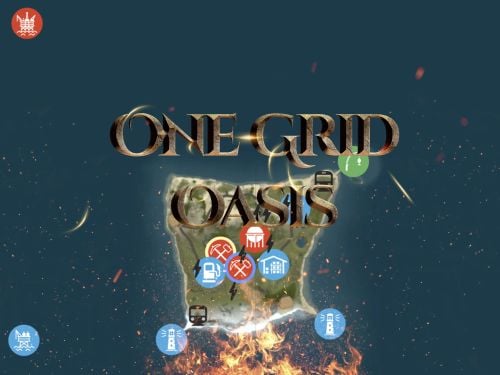
Discover the ULTIMATE RUST ONE GRID MAP, featuring a breathtaking landscape perfect for high-FPS and fast-paced PVP. The dynamic terrain utilizes many hills and valleys to minimizes sight lines making the Map feel much larger. While having custom underwater caves offers strategic building and hiding spots. At the center, the iconic Dome dominates, surrounded by HQM and Sulfur Quarries to entice players to the middle of the map to fight over loot and ore. NEW FLOATING ISLANDS expands buildable terrain, offering unparalleled fun and creativity for players who LOVE TO BUILD. Explore 12 unique buildable monuments marked with "X" on the map, each providing more unique base-building opportunities. This map promises thrilling PVP action and immersive gameplay, making it the BEST One Grid Rust Server Map ever created! FEATURES: • Size: 1000 • Prefab Count: 2285 • Map Optimized for Performance! • Map Password Included. • Vast array of 12 EPIC Custom Buildable Monuments! Caves, Underwater Bunkers, Floating Sky Platforms, Bus Stops, Warehouses and more! • Designated Building Zones (marked X on the minimap) • 3 Floating Islands in the sky to build on to add more buildable terrain for a small map. • 3 Majestic Underwater Buildable Cave Bunkers! • Monuments crafted for peak performance with minimal entities! • The terrain features varied elevations to reduce sight lines, making the smaller map feel much larger! • Everything crafted with One Grid players in mind to have lots of loot and many places to build! • Underground railway. • Custom Combined Outpost/Bandit Camp/Fishing Village Safe Zone! Gambling, Vending Machines, Vehicle Vendors and more! CUSTOM BUILDABLE MONUMENTS: • Amount: 12 Total! • 3 Buildable Underwater Bunkers • 3 Buildable Floating Islands • Custom Large Size Bus Stop Base • 2 EPIC Scale Rock Formation Caves • Medium Sized Glass Roof Cave • + MANY MORE! Facepunch Monuments: Dome 2x Lighthouse Supermarket Jungle Ziggurat Oxum's Gas Station Mining Outpost HQM Quarry Sulfur Quarry Bandit Town/Outpost/Fishing Village Combined Underwater Labs 5x Large Power Substations 4x Small Power Substations 4x Bus Stops To Enable the Travelling Vendor on Custom Maps its optional to use this Oxide Plugin: https://codefling.com/plugins/anymapvendor Help Discord: @DarkoRust$14.99- 8 comments
- 3 reviews
-
- 5
-
-

-
-
- #one grid
- #custom map
- (and 43 more)
-
Version 1.1.3
380 downloads
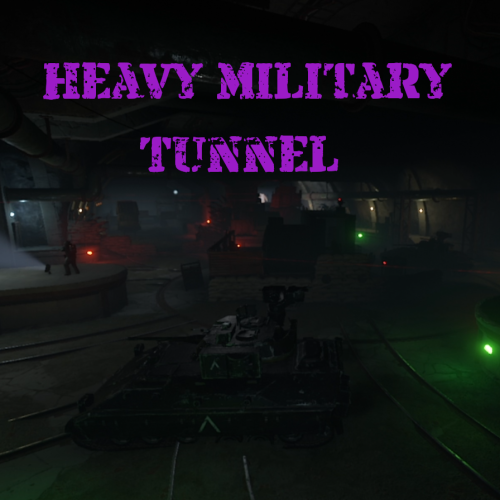
Heavy Military Tunnel Event is a configurable plugin that allows for a new type of random event. Randomly a message will appear letting players know that a heavy unit is now guarding Military Tunnel The Military Tunnel will then be equipped with extra scientists both light and heavy, auto turrets, and Bradleys. Players must try to clear the military tunnel and find the scientist who drops the code to disable the auto turrets OR destroy all the turrets. If the code is found, it can be entered into the code lock hidden in a room to disable the turrets. Once the turrets and scientists are dealt with, players must defeat the Bradleys that guard the hackable crates. Finally, once the Bradleys are defeated, players can collect all the loot. That's if someone else doesn't get to it first! This is a great event to add to your server to give it a little more variety. It can be a fun PVP zone or a PVE event for non PVP servers. EASY OPTIONAL SETUP - NO SETUP REQUIRED You can simply drop the plugin in as-is and it will start the random event every 1 to 2 hours OR you can modify the config to your specific needs. Configuration Example - en Admin Only Commands /HmtStart /HmtStop /HmtPos Hooks void HeavyMilitaryTunnelEventStarted() void HeavyMilitaryTunnelEventStopped() Customization Spawn locations as well as the total number turrets, scientists, hackable crates, & APCbradleys can be modified. Simply go to the location in game you want to place the new item and use the command /HmtPos. It will message you the location. You can the add that location to the config in the appropriate section for want you want to modify. Reload the plugin and you're good to go! Support Create a support ticket here or message me on discord: cahnu$19.99 -
Version 1.1.3
524 downloads
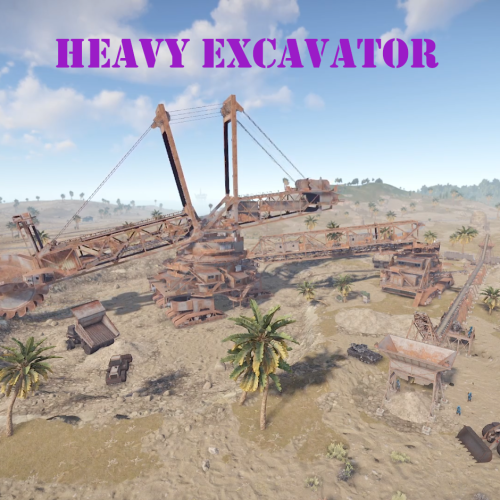
Heavy Excavator Event is a configurable plugin that allows for a new type of random event. Randomly a message will appear letting players know that there is a heavy excavator being formed. The excavator will then start mining resources. A heavy unit is stationed by each resource output pile. A heavy unit includes extra scientists, auto turrets, and a bradley. You must fight your way through the heavy units to get the resources that are mined by the Excavator. There's also two hackable crates positioned in the core of the Excavator, guarded by additional scientists and auto turrets. You must work to clear the heavy units and hold the Excavator until it finishes mining resources for maximum loot. That's if other players don't get to it first! This is a great event to add to your server to give it a little more variety. It can be a fun PVP zone or a PVE event for non PVP servers. EASY OPTIONAL SETUP - NO SETUP REQUIRED You can simple drop the plugin in as-is and it will start the random event every 1 to 2 hours OR you can modify the config to your specific needs. Configuration Example - en Admin Only Commands /HeavyExcavatorStart /HeavyExcavatorStop /HePOS Hooks void HeavyExcavatorEventStarted() void HeavyExcavatorEventStopped() Customization Spawn locations as well as the total number of turrets, scientists, hackable crates, & bradleys can be modified. Simply go to the location in game you want to place the new item and use the command /HePOS. It will message you the location. You can the add that location to the config in the appropriate section for want you want to modify. Reload the plugin and you're good to go! Discord: cahnu$19.99 -
Version 1.1.7
1,044 downloads
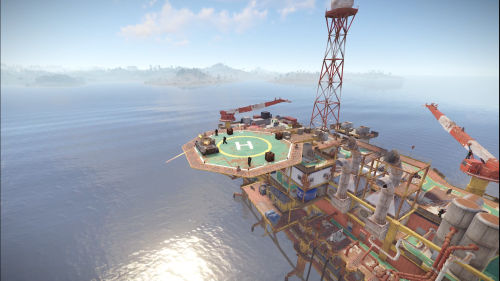
Heavy Oil Rig Event is a configurable plugin that allows for a new type of random event. Randomly a message will appear letting players know that there is a heavy oil rig being formed. The Oil Rig will then be equipped with extra scientists, auto turrets, and a Bradley. Players must try to clear the oil rig and find the scientist who drops the code to disable the auto turrets OR destroy all the turrets. If the code is found, it can be entered into the code lock on the second to highest floor to disable the turrets. Once the turrets and scientists are dealt with, players must defeat the Bradley which guards the hackable crates. Finally, once the Bradley is defeated, players can collect all the loot. That's if someone else doesn't get to it first! This is a great event to add to your server to give it a little more variety. It can be a fun PVP zone or a PVE event for non PVP servers. EASY OPTIONAL SETUP - NO SETUP REQUIRED You can simple drop the plugin in as-is and it will start the random event every 1 to 2 hours OR you can modify the config to your specific needs. Configuration Example - en Admin Only Commands /HeavyOilStart /HeavyOilStop Hooks void HeavyOilRigEventStarted() void HeavyOilRigEventStopped() Customization Spawn locations as well as the total number turrets, scientists, hackable crates, & APCbradleys can be modified. Simply go to the location in game you want to place the new item and use the command /HoPOS. It will message you the location. You can the add that location to the config in the appropriate section for want you want to modify. Reload the plugin and you're good to go! Discord: cahnu$19.99 -
Version 1.0.0
12 downloads
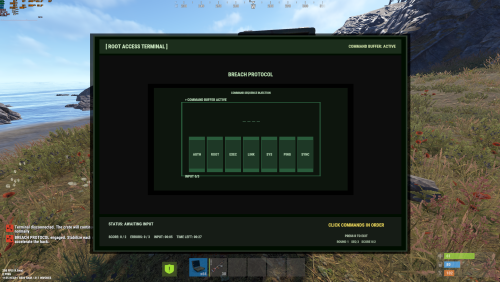
Root Access adds interactive hacking minigames to Hackable Locked Crates. Instead of just waiting the full timer, the player opens a laptop-style terminal and plays short hacking games to speed up the unlock (or slow it down on failures). Add fun to Oil Rig (and other monuments) RootAccess works on the Hackable Locked Crate event itself, so it’s perfect for: Large Oil Rig / Small Oil Rig Cargo Ship... Mini games Signal Alignment Time your inputs to lock rotating signal rings and stabilize the frequency. Memory Core Burn Memorize a flashing tile sequence and click the tiles back in order before time runs out. Command Sequence Injection Memorize a short command list, then click the commands back in the correct order before the buffer expires.$5.99- 5 comments
- 1 review
-
- 1
-
-
- #locked
- #locked crate
- (and 5 more)
-
Version 3.0.0
18 downloads
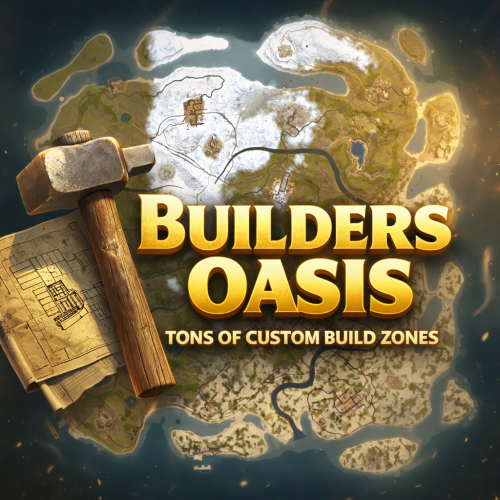
BUILDERS OASIS – 4250K CREATIVE RUST MAP Builders Oasis is a fast-paced, builder-friendly 4250k Rust map loaded with every major monument and a ton of custom build spots. Designed for smooth performance, creative freedom, and competitive gameplay. What Makes It Special Fully connected train tracks + underground rails for fast travel and tactical control Endless Custom Buildable areas that players will love! Diverse terrain: forests, deserts, coasts, cliffs, valleys & plateaus Perfect for solos, clans, builders, and high-pop servers. Custom Build Zones Low-prefab, FPS-friendly buildables: Custom caves Underwater bases Hidden structures Unique build pockets All Facepunch Monuments Included Launch Site • Military Tunnels • Military Base • Silo • Airfield • Power Plant • Water Treatment • Trainyard • Harbors • Outpost • Excavator • Oil Rigs • Arctic Base • Junkyard • Sphere Tank • Satellite Dish • Ferry Terminal • Sewer Branch — and more. Map Info Size: 4250k Prefabs: ~14607 Support Discord: DarkoRust$24.99 -
Version 3.0.0
31 downloads
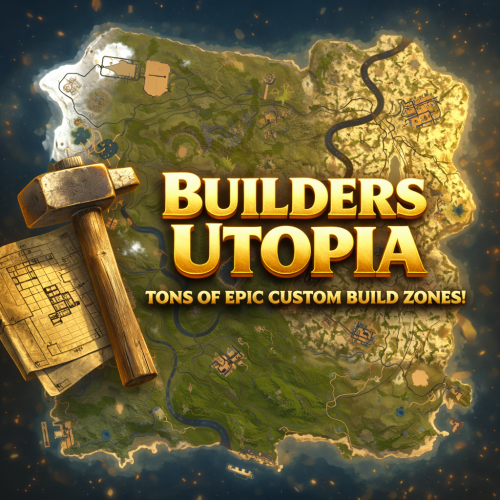
BUILDERS UTOPIA – 3500K HIGH PERFORMANCE CREATIVE RUST MAP Builders Utopia is a well balanced, great performance, builder-friendly 3500k Rust map loaded with All Facepunch Monuments included and 13 custom build spots. Designed for smooth performance, creative freedom, and competitive gameplay. Perfect if you have players who like to build and great for server owners because of its low entity count and map size, this is great for lower ram servers! What Makes It Special: Endless Custom Buildable areas that players will love! Diverse terrain: forests, deserts, coasts, cliffs, valleys & plateaus Perfect for solos, clans and builders! Custom Build Zones Low-prefab, FPS-friendly buildables: Custom caves Creative Structures Unique build pockets All Facepunch Monuments Included Launch Site • Military Base • Military Tunnels • Nuclear Missile Silo • Airfield • Large Harbor • Outpost • Excavator • Large Oil Rig • Small Oil Rig • Small Harbor • Dome Sphere Tank • Satellite Dish • Ferry Terminal • Sewer Branch • SuperMarket • TrainYard • PowerPlant • Gas Station • Warehouse • Arctic Research Base • Lighthouse • HQM Quarry • Sulfur Quarry • Stone Quarry • Fishing Village • RadTown • JunkYard Map Info Size: 3500 Prefabs: ~8835 Support Discord: DarkoRust$24.99-
- 1
-
-
- #cave
- #buildable monument
- (and 16 more)
-
Version 2.0.0
23 downloads
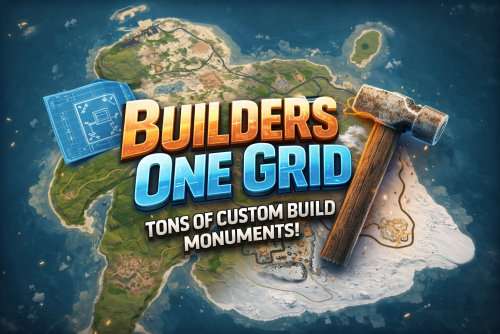
BUILDERS ONE GRID – 2000K CREATIVE SMALL RUST MAP Builders One Grid is a small fast-paced, builder-friendly 2000k Rust map loaded with Custom Buildable Monuments created by myself! The problem with most One Grid Maps is the lack of places for players to build. With my map your players will have tons of fun and unique spots to build a base from cool caves, military installations, bus stops, icebergs, houses, islands and much more! Many many monuments to loot as well! Designed for smooth performance, creative freedom, and competitive gameplay. What Makes It Special: Endless Custom Buildable areas that players will love! Marked with an "X". Diverse terrain: forests, jungles, deserts, coasts, cliffs, valleys & plateaus. Perfect for solos, clans, builders, and high-pop servers. Custom Build Zones Low-prefab, FPS-friendly buildables: Custom caves Military Installations Hidden structures Unique build pockets Arch Rocks Icebergs Bus Stops Many Facepunch Monuments Included Military Base • Missile Silo • Water Treatment • Harbor • Outpost • Large Oil Rig • Small Oil Rig • Arctic Base • Sphere Tank • Satellite Dish • SuperMarket • Gas Station • Lighthouse • HQM Quarry • Sulfur Quarry • Stone Quarry • Jungle Ziggurat • Fishing Village — and more. Map Info Size: 2000K Prefabs: ~2251 Support Discord: DarkoRust$19.99-
- 1
-
-
- #map
- #custommap
- (and 20 more)
-
Version 2.0.0
19 downloads
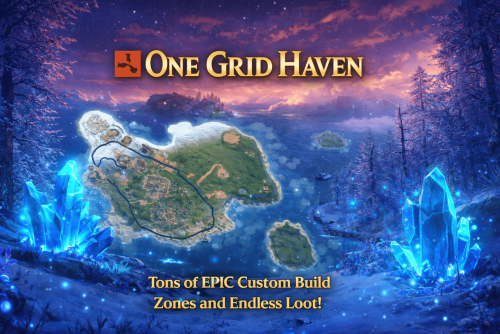
ONE GRID HAVEN – 1250K CREATIVE SMALL ONE GRID RUST MAP One Grid Haven is a small, fast-paced, 1250k fantasy Rust map infused with glowing blue crystals and magical atmosphere. Unlike most one-grid maps that suffer from cramped terrain and barely any spots to build, this handcrafted island is loaded with tons of massive flat build areas, giving players endless room to create bases of all shapes and sizes. The map features tons of custom “X” build zones, from enchanted clearings to hidden arch rocks, several increased size iceberg plateaus, crystal-lit forests, islands, houses, military-style installations, and more. One half of the island focuses heavily on monuments and rich loot, while the other half is dedicated to creative freedom with endless building locations. With vibrant fantasy visuals, unique glowing-crystal hotspots, and smooth performance, One Grid Haven delivers an exciting blend of exploration, creativity, and competitive gameplay on a compact scale. What Makes It Special: Endless Custom Buildable areas that players will love! Marked with an "X". Diverse terrain: forests, jungles, deserts, coasts, cliffs, valleys & plateaus. Perfect for solos, clans, builders, and high-pop servers that want top notch performance. Custom Build Zones: Low-prefab, FPS-friendly buildables: Several Increased size Icebergs to build Arch Rocks to build Hidden structures Unique build pockets Custom Buildings Custom Bus Stops Many Facepunch Monuments Included Military Base • Missile Silo • Outpost • Large Oil Rig • Small Oil Rig • Arctic Research Base • Sphere Tank • SuperMarket • Warehouse • Gas Station • Lighthouse • HQM Quarry • Sulfur Quarry • Stone Quarry • Jungle Ziggurat • Fishing Village/Outpost/BanditCamp/Ranch Combined — and more. Map Info: Size: 1250K Prefabs: ~712 Support: Discord: DarkoRust$24.99 -
Version 6.0.0
143 downloads
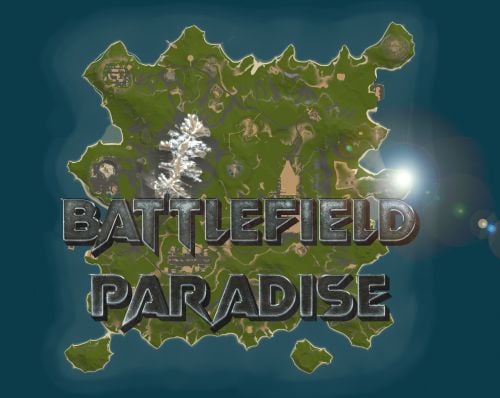
In the heart of this EPIC RUST BATTLEFIELD MAP lies a breathtaking landscape crafted for High-FPS and fast paced PVP Gameplay. Amidst towering mountains and sprawling valleys, players navigate custom buildable underwater caves that offer strategic advantages for building and hiding bases. At its center, a colossal mountain dominates the skyline with the iconic Large Oil Rig and a meticulously designed Buildable Dome, all optimized for peak performance with minimal entity counts. This will be the central area where your players gather to practice PVP in the Large Oil Rig and fend off enemies practicing Raid Defense and Offense in the EPIC scale Buildable Dome! NEW EXPERIENCE! Battle Towers Buildable Zone stands as a fortress of opportunity and conflict. Towering HUGE structures invite players to build bases on top of, defend against raids, and engage in intense PvP battles atop their formidable heights, giving one of the most FUN experiences any player can have in Rust! Scattered across the terrain are 22 bespoke buildable monuments, each marked with an X on the map, bringing in your players with a fresh take on base building locations. This masterpiece of design not only promises thrilling PvP encounters but also showcases a commitment to immersive gameplay and efficient server performance, making it the best released Map for Battlefield Rust servers to date! FEATURES • Size: 2800 • Prefab Count: 6352 • Map Optimized for Performance! • Map Password: Included. • Vast array of 22 EPIC Custom Buildable Monuments! • Designated building zones (marked X on the minimap) • Several Majestic Underwater Buildable Cave Bunkers! • Legendary Battle Towers Build Zone: An expansive custom-built zone featuring multiple towers for epic building, raiding, and intense PVP combat! • Monuments crafted for peak performance with minimal entities! • EPIC Scale PVP Mountain center of map with Large Oil Rig and Buildable Dome! • Everything crafted with Battlefield PVP Servers in mind for peak performance and EPIC scale FUN! • Monumental and realistic landscape! • Underground railway. CUSTOM BUILDABLE MONUMENTS: • Amount: 22 Total! • Buildable Dome • Custom Underwater Bunkers • Custom Large Size Bus Stop Base • EPIC Scale Rock Formation Cave • Medium Sized Glass Roof Cave • + MANY MORE! Facepunch Monuments: Launch Site Dome Giant Excavator Military Base 2X Large Oilrig Small Oilrig Nuclear Missile Silo Ferry Terminal Satellite Dish Small Harbor 2X Lighthouse 2X Gas Station 2X HQM Quarry Sulfur Quarry Stone Quarry Supermarket RadTown Power Substations Small and Large Jungle Ziggurat Cave Large Sewers Hard Cave Large Hard Cave Medium Medium Cave Large Medium Ranch Stables Fishing Village Bandit Town Outpost To Enable the Travelling Vendor on Custom Maps its optional to use this Oxide Plugin: https://codefling.com/plugins/anymapvendor Help Discord: @DarkoRust$24.99- 3 reviews
-
- 2
-
-
-
- #battlefield
- #custom map
- (and 25 more)
-

Version 3.0.0
28 downloads
Discover the ULTIMATE RUST ONE GRID MAP, featuring a breathtaking mountainous landscape perfect for high-FPS and fast-paced PVP. The dynamic terrain utilizes a large mountain for players to summit and winding roads to minimizes sight lines making the Map feel much larger. While having custom underwater caves offers strategic building and hiding spots. At the center, the iconic Dome dominates, surrounded by HQM and Sulfur Quarries to entice players to the middle of the map to fight over loot and ore. Map offering unparalleled fun and creativity for players who LOVE TO BUILD. Explore unique buildable monuments marked with "X" on the map, each providing more unique base-building opportunities. This map promises thrilling PVP action and immersive gameplay, making it the BEST One Grid Rust Server Map ever created! FEATURES: • Size: 1500 • Prefab Count: 1199 • Map Optimized for Performance! • Map Password Included. • EPIC Custom Buildable Monuments! • Designated Building Zones (marked X on the minimap) • Majestic Underwater Buildable Cave Bunkers! • Monuments crafted for peak performance with minimal entities! • The terrain features a massive mountain with a road leading to the top to reduce sight lines, making the smaller map feel much larger! • Everything crafted with One Grid players in mind to have lots of loot and many places to build! • Underground and Above Ground Railway. Not connected but accessible by Tunnel Entrances. • Full Outpost and Bandit Camp • Fishing Village CUSTOM BUILDABLE MONUMENTS: • 9 Total • 4 Buildable Underwater Bunkers • Large Custom Buildable Cave • Custom Large Size Bus Stop Base • Epic Buildable Sphere Tank players will love! • Buildable Bunker Building • Buildable Warehouse Facepunch Monuments: Dome Satellite Dish 1x Lighthouse Supermarket Oxum's Gas Station 2x Mining Outpost HQM Quarry Sulfur Quarry Bandit Town Outpost Fishing Village Ranch Stables Underwater Labs 5x Large Power Substations 4x Small Power Substations Help Discord: @DarkoRust$14.99- 3 comments
- 1 review
-
- 2
-
-
-
- #one grid
- #custom map
- (and 47 more)
-
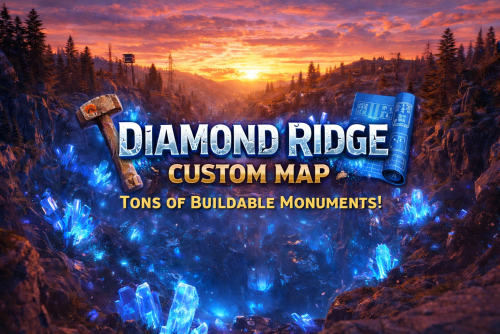
Version 4.0.0
50 downloads
DIAMOND RIDGE – 4096K CREATIVE RUST MAP Diamond Ridge is a well designed 4096k Rust map loaded with every major monument and a ton of custom build spots. Focused on beautifully crafted terrain, canyons, lakes, rivers and rock formations. Designed for smooth performance, creative freedom, and competitive gameplay. What Makes It Special: Diamond Canyon! A canyon filled with Crystal Diamonds, a glass roof and tons of space for creative building! Experience Truly Unique Buildable Cave Monuments Vanilla maps get stale fast! That’s why my custom maps go way beyond the basics. I hand-craft creative, build-friendly cave systems designed for players who want something fresh, fun, and full of possibilities. With over 30,000 hours in Rust, I know exactly what players love to build in, and every cave is shaped to deliver that perfect mix of strategy, creativity, and excitement. Fully connected train tracks + underground rails for fast travel and tactical control Endless Custom Buildable areas that players will love! Diverse terrain: forests, deserts, coasts, cliffs, valleys & plateaus Perfect for solos, clans, builders, and high-pop servers. Tons of Custom Build Zones Low-prefab, FPS-friendly buildables: Custom caves Hidden structures Unique build pockets All Facepunch Monuments Included: Launch Site • Military Tunnels • Military Base • Silo • Airfield • Power Plant • Water Treatment • Trainyard • Harbors • Outpost • Excavator • Oil Rigs • Arctic Base • Junkyard • Sphere Tank • Satellite Dish • Ferry Terminal • Sewer Branch — and more. Map Info: Size: 4096k Prefabs: ~6947 Support: Discord: DarkoRust$24.99- 3 reviews
-
- 2
-
-
-
- #builder
- #buildable monument
- (and 10 more)
-

Version 3.0.0
18 downloads
One Grid Airfield – 1250K AIRFIELD MONUMENT FOCUSED SMALL ONE GRID RUST MAP! One Grid Airfield is a small and fast-paced but tons of areas to loot and extra attention paid to Custom "X" Buildable Monuments! 1250k fantasy Rust map. Even at its small size it was important to me to make the beach waters extremely shallow with endless space to build! The problem with most other One Grid Maps is there is never anywhere flat or interesting to build a base for players. I feature huge, open, perfectly flat build zones that let players design bases of any size for a Solo or a Zerg. I even utilized the ocean areas by placing many Underwater Buildable Bunker Bases for players to hide from the chaos. The terrain also has many other unique “X” build areas and I even have brought back the classic Bus Stops you could build in with my own style of Giant Bus Stop bases to build a base inside, arch-rock hideaway caves, scattered flat peninsulas, custom homes, military-inspired structures, and much more. The center of the island is rich with monuments and loot routes where players can battle it out, while the ocean sides are built for pure creativity with base builders in mind, offering nonstop base-building potential. One Grid Airfield blends exploration, freedom, and intense Rust gameplay into one tightly crafted map. What Sets It Apart: • Creative selection of flat “X” building zones created for maximum freedom. • The Beach Ocean is extremely shallow and massively flat for endless base building! • The huge shallow beaches allow for spawning of all difficulties of Raidable Bases for the Raidable Bases plugin! • Built for smooth performance with a very low entity count whether you’re solo, in a team, or running high-pop servers. • Compatible with Convoy, ArmoredTrain and Raidable Bases Plugins. Custom Build Zones: Low-prefab, FPS-friendly buildables: Underwater Bunker Bases Floating Buildable Metal Water Platforms Underground Cave Bunkers to Build inside Crystal Sealed Caves to Build Inside Arch Rock Caves to build Buildable Custom SuperMarket Monument Radio Tower Build Monument Buildable Cube Monument Hidden structures Unique build pockets Custom Buildings Custom Bus Stops Many Facepunch Monuments Included • Airfield • Dome Sphere Tank • Missile Silo • Small Harbor • Large Oil Rig • Small Oil Rig • SuperMarket • RadTown • Warehouse • Gas Station • 2x Lighthouse • HQM Quarry • Sulfur Quarry • Stone Quarry • Jungle Ziggurat Ruins • Several Power SubStations • Several Waterwells • Fishing Village/Outpost/BanditCamp/Ranch Combined — and more. Map Info: Size: 1250K Prefabs: ~2353 Support: Discord: DarkoRust$19.99 -
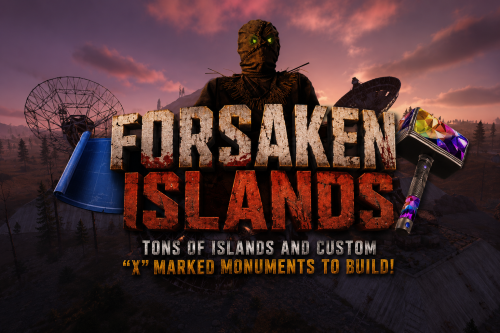
Version 2.0.0
7 downloads
FORSAKEN ISLANDS – 5000K CREATIVE RUST MAP MADE FOR BUILDERS AND EXPLORERS! Forsaken Islands is a hauntingly beautiful and dangerously fun 5000K Rust map built for explorers, survivors, and creative builders alike. Packed with every major monument and 40+ custom marked build locations hidden across eerie islands, forgotten coastlines, and mysterious terrain. Designed with ultra low entity counts for buttery smooth performance, endless creativity, and nonstop gameplay. Your players will NEVER run out of creepy new places to explore, conquer, and build on Forsaken Islands. Even though this is a 5000K Map performance is top notch! Land mass is more closer to a 4500 size Map because of all the islands and rivers. What Makes It Special 40+ Custom Build Zones marked with an "X" on the Map!!! Your players will NEVER run out of fun places to build their base! We use super shallow beach areas so there are always spots for players to build and endless spots for your Raidable Bases to spawn. These shallow beach waters go out very far allowing for spawning and building of all types! Fully connected train tracks + underground rails for fast travel and tactical control Endless Custom Buildable areas/Caves/Rock Formations that players will love! Beautiful Snowy Mountains, Rivers, Canyons and Valleys players can Build on Diverse terrain: forests, deserts, coasts, cliffs, valleys & plateaus Perfect for solos, clans, builders, and high-pop servers. SUPER Low-prefab, FPS-friendly buildables: Custom caves Floating Crystal Rock Islands with HeliPad Custom HUGE Bus Stop Bases! - Enjoy those nostalgic bus stop builds Underwater Locations to build a base Hidden structures Unique build pockets with glass roofs Works with 100% of all Popular Events Plugins like Convoy, ArmoredTrain, Raidable Bases, Sputnik, Airfield Event and many more! Custom Monuments: Stinky Man Joes Bridge Crystal Island All Facepunch Monuments Included: Launch Site • Military Tunnels • Military Base • Silo • Airfield • Power Plant • Water Treatment • Trainyard • Harbors • Outpost • Excavator • Large Oil Rig • Small Oil Rig • Arctic Base • Junkyard • Sphere Tank • Satellite Dish • Ferry Terminal • Sewer Branch • Abandoned Supermarket • Oxum's Gas Station • Mining Outpost • Lighthouse • Bandit Camp • Fishing Village • Large Barn • Underwater Labs • Stone Quarry • Sulfur Quarry • HQM Quarry • Underwater Labs • Abandoned Cabins • Jungle Ziggurat • Jungle Ruins • Caves • Ranch — and more. Map Info Size: 5000k Prefabs: ~8140 Support Discord: Dymize_$29.99-
- 1
-
-
- #custom map
- #5000k
- (and 42 more)




.thumb.png.f676fcb4237b0d630285499251bcf88e.png)