Search the Community
Showing results for tags 'quality'.
Found 20 results
-

Version 1.7.3
319 downloads
xSkillSystem xSkillSystem adds an RPG-style leveling experience to your gameplay. Whether you're chopping wood, mining for ores, or battling wildlife, every action earns you XP and helps you level up specialized skills. XP Table was testet properly and it should be fine. There are gather rates impact which are configurable and also a passive HP regen for skill "Vitality" depending on its level which is also configurable. Comes with an external config editor! » Discord « PLUG&PLAY PLUGIN, but configs are available to adjust it to your needs Built in image caching/reading (ImageLibrary is NOT needed) => Automatic skill icons download and placement. Skills: Each player starts at Level 1 in every skill and levels up through regular gameplay. Here's what you can master: Woodcutting – Chop trees. (Configurable Gather Rates depending on Level) Mining – Dig deep and extract valuable resources like stone, metal, and sulfur. (Configurable Gather Rates depending on Level) Gathering – Pick up natural items from the environment. (Configurable Gather Rates depending on Level) Slayer – Hunt animals, kill NPCs and fight players. (Configurable player speed boost 'Blood Rush' perk depending on Level) Skinning – Skin downed animals for XP. (Configurable Gather Rates depending on Level) Building - Gain XP by building, upgrading, deploying etc. Crafting – Gain XP as you build tools, weapons, and other items. (Configurable Craft Speed depening on Level) Vitality - Gain XP by using medical syringes & bandages (Configurable passive HP regen depending on Level) Looting - Gain XP by killing barrels or looting different type of crates. Cooking - Gain XP by cooking food. Custom Level Rewards Double XP Weekends Commands Plugin Preview ( *v1.2.7* ) > Clipchamp didn't allow me 60FPS export, sorry External Config Editor Config Permissions Language API$21.99- 12 comments
- 8 reviews
-
- 5
-

-

-
- #skill system
- #level system
- (and 27 more)
-

Version 1.0.2
13 downloads
xScrapBag xScrapBag adds a virtual scrap storage system to your Rust server, allowing players to automatically store, manage, and transfer scrap without clogging their inventory. Features Automatic Scrap Storage Scrap picked up by players is automatically stored in their Scrap Bag Optional player chat notification when scrap is stored Prevents scrap from filling inventory slots Manual Deposit & Withdraw Deposit scrap from inventory into the Scrap Bag Withdraw stored scrap back into inventory Player-to-Player Scrap Transfer Transfer stored scrap to other online players via UI Persistent Data Storage Scrap balances are saved automatically Death Handling Option to reset stored scrap on death Or keep scrap safe after death - your choice. Plugin Preview Chat Commands /scrapbag /xsb /* Both chat commands will open the scrapbag UI */ Permission xscrapbag.use Config { "PermissionUse": "xscrapbag.use", "ResetStoredScrapOnDeath": false, "StoreScrapAutomatically": true, "StoreScrapAutomaticallyPlayerMessage": true }$9.99 -
Version 1.3.2
162 downloads
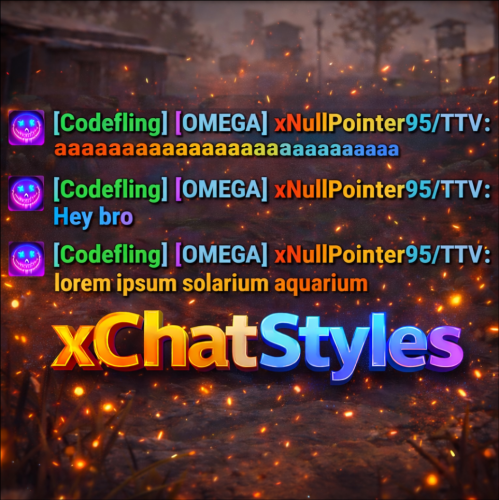
xChatStyles xChatStyles adds smooth gradient colors to player names, prefixes, and chat messages, giving your server a premium, modern look without clutter or spam. It’s clean, readable, and designed to enhance chat - not overpower it. It lets you customize how players appear in chat using animated-looking color gradients. Perfect for VIPs, staff, donators, or special roles. No flashy UI. No complicated setup. Just beautiful chat. Features Gradient Names & Messages Smooth color gradients instead of flat colors, but you can also use a solid color Player names Chat messages Prefixes (VIP, Admin, etc.) Looks great without hurting readability Styled Mentions (@PLAYERNAME) Multiple Prefix Support Players can have more than one prefix Each prefix can have its own color style Great for VIP & Donator Perks Instantly makes VIP ranks feel premium Visual reward without gameplay imbalance Easy to sell as a cosmetic perk Trade System for Prefixes (REQUIRES Economics if you want to use trade feature) Server Friendly No lag or spam Optimized to run smoothly on live servers Works quietly in the background Supports permission-based style, not just permanent chat style. xChatStyles Web Editor Plugin Preview Permissions (Custom Tab) xchatstyles.customtab - Ability to see the "Custom" Tab in /xcs xchatstyles.customprefix - Ability to see and select "Prefix" in "Custom" Tab xchatstyles.custommessagecolor - Ability to see and select "Message" in "Custom" Tab xchatstyles.customusernamecolor - Ability to see and select "Username" in "Custom" Tab Chat Commands (Player) /xcs - Opens the Ui /xcs <PLAYERNAME/STEMAID> - Opens the Ui with the view of the target player and you can remove owned styles from that user. Chat & Console Commands (Admin) /* Add chat styles without permission */ /addprefix <STEAMID> <PREFIXNAME> <#HEX> <#HEX> <#HEX>... /addmessagecolor <STEAMID> <#HEX> <#HEX> <#HEX>... /addusernamecolor <STEAMID> <#HEX> <#HEX> <#HEX>... /addall <STEAMID> <PREFIXNAME> <#HEX> <#HEX> <#HEX>... [This will add a prefix with provided color(s), message style with provided color(s) and username style with provided color(s) with just 1 command.] /* Add chat styles without permission */ /* Add chat styles WITH permission */ /addprefix <xchatstyles.PERMISSIONNAME> <PrefixName> <#HEX> <#HEX> <#HEX> ... /addall <xchatstyles.PERMISSIONNAME> <PrefixName> <#HEX> <#HEX> <#HEX> ... /addmessagecolor <xchatstyles.PERMISSIONNAME> <#HEX> <#HEX> <#HEX> ... /addusernamecolor <xchatstyles.PERMISSIONNAME> <#HEX> <#HEX> <#HEX> ... /* Add chat styles WITH permission */ ---> As long as the player has permission, they can select it with /xcs ---> Automatically removed when permission is revoked ---> Permission-Based ChatStyles has (Permission) indicator in /xcs ---> The permission must start with 'xchatstyles.*'. Example: /addall <xchatstyles.vip> VIP <#HEX> <#HEX> <#HEX> ... /*********************************************************************************************************/ /* Use 1 #HEX Color (Example: #fcba03) for a single color, use multiple #HEX Colors for a color gradient */ /* */ /* Example: /addprefix 76561198412496844 OMEGA #32a852 #71a67f */ /* */ /*********************************************************************************************************/ /removeprefix <steamid> <index|PrefixName> /removemessagecolor <steamid> <index> /removeusernamecolor <steamid> <index> Recommended Plugin for >TIMED< PERMISSION: Config { "MaxPrefixes": 3, "DefaultUsernameColor": "#55aaff", "DefaultMessageColor": "#ffffff", "DefaultSize": 15, "AllowSelectingDuplicatePrefixNames": true, "NotifyOnStyleReceived": true, "PrefixBrackets": "[]", "ShowPrefixBracketsWithSizeTag": true, "Trade": { "AllowTrading": false, "PlayerCanSellPermissionBasedPrefix": false, "UseCurrencySign": true, "CurrencySign": "$", "AnnounceNewPrefixSaleGlobally": true, "AnnouncePrefixPriceUpdateGlobally": true }, "PermissionStyles": {} }$24.99 -

Version 1.1.5
37 downloads
xStackSize xStackSize gives you full control over item stack sizes on your Rust server. Globally and permission-based. Fine-tune your economy, balance progression, or create VIP advantages with flexible and performance-friendly stack management. Whether you want larger stacksize for QoL, custom stacksizes for specific groups/permission, or complete control over your servers stacking system. INFO: xStackSize supports multiple permissions at the same time. If a player has more than one stack permission, the plugin automatically applies the highest stack size based on your configuration. The highest value always wins - whether it's global or permission-based. Example: If global is set to x3 and a permission gives x1, the player will use x3 since it’s higher. (If he has that permission) Features Global stack size control Permission-based StackSizes (VIP / ranks / groups) Custom StackSize per item Custom StackSize for CUSTOM ITEMS Force Split/Merge changed StackSize INSTANT instead of waiting for players to move items manually Blacklist items Easy to configure Performance friendly designed Additionally supports Quarries, Excavator, Furnaces and Conveyors Permission-based StackSizes: You can use any permission name in the config, as long as it starts with xstacksize. Examples: xstacksize.pro, xstacksize.vip, xstacksize.premium etc.. You can create multiple stack-size permissions. Simply copy and paste a new permission block in the config and give it a different permission name. Various Constellations (Examples, for better understanding) Console Command xstacksize.refresh (Useful if you have AutoApplyStackSizeChange set to 'false') Force-applies current stack rules to existing items immediately. It recalculates limits and retroactively normalizes/merges stacks in player inventories and storage containers without requiring item movement. Config (Use value '0' for UNLIMITED) { /* AutoApplyStackSizeChange force splits/merge items instantly instead of waiting for players to move items manually. */ "AutoApplyStackSizeChange": true, "StackSizeMultipliers": { "Weapon": 1.0, "Construction": 1.0, "Items": 1.0, "Resources": 1.0, "Attire": 1.0, "Tool": 1.0, "Medical": 1.0, "Food": 1.0, "Ammunition": 1.0, "Traps": 1.0, "Misc": 1.0, "Component": 1.0, "Electrical": 1.0, "Fun": 1.0, "CustomItems": 1.0 }, /* FixedItemStackSizes are fixed values, not multipliers (Example: 5000) */ "FixedItemStackSizes": { "wood": 0, "stones": 0 }, "PermissionStackSizeMultipliers": { "xstacksize.vip": { "Weapon": 1.0, "Construction": 1.0, "Items": 1.0, "Resources": 1.0, "Attire": 1.0, "Tool": 1.0, "Medical": 1.0, "Food": 1.0, "Ammunition": 1.0, "Traps": 1.0, "Misc": 1.0, "Component": 1.0, "Electrical": 1.0, "Fun": 1.0, "CustomItems": 1.0 } }, "BlacklistedItems": [ "pumpkin" ] }$15.99 -
Version 1.1.1
22 downloads
xAutoCodelock xAutoCodelock enhances the building experience by intelligently automating one of the most repetitive tasks in Rust - managing code locks. By automatically placing, configuring, and securing locks using each player’s personal PIN, the plugin removes friction without altering the core gameplay balance. Players can focus on building, defending, and progressing, while their base security is handled smoothly in the background. Features Automatic Code Lock Placement (Configurable) Automatically places a code lock when players build deployables with lock slots (Door etc.). Toggle if code lock item is required or not Personal Auto PIN System Players set a 4-digit PIN once - All future locks use it automatically. Auto Lock Newly Placed Locks (Configurable) Newly created locks are instantly locked for security. Tool Cupboard Requirement (Configurable) Can require building privilege before automation triggers. Team Access Control (Configurable) Option to allow or require team members to enter codes. Permission based usage (Configurable) Control who can use auto codelock via permissions. Admin Inspect Command Admins can check player PIN status and if player has permission to use xAutoCodelock. Persistent PIN Storage Player PINs saved across restarts. Optional Wipe Reset Automatically clears PIN data on map wipe if enabled. Plugin Preview Player Commands /xpin 1234 → Set your auto PIN /xpin remove → Remove saved PIN /xpin → Show current PIN Admin Command /xpin check <player name or steamid> Permissions xautocodelock.use - Required to use '/xpin' command xautocodelock.admin - Required for the '/xpin check' command Config { "CommandSetPin": "xpin", "RequirePermission": true, "PermissionUse": "xautocodelock.use", "PermissionAdminInspect": "xautocodelock.admin", "AutoLockNewCodeLocks": true, "AutoPlaceCodeLocks": true, "AutoGenerateCodeIfNotSet": true, "RequireCodelockItem": true, "RequireToolCupboard": true, "RequireCodeForTeamMembers": true, "ResetDataOnWipe": false } Language { "NoPermission": "You don't have permission to use this command.", "CommandUsage": "Usage: /{0} 1234 or /{0} remove\n» Current PIN: {1}", "PinNotSet": "NOT SET", "PinRemoved": "Auto PIN removed.\n» New code locks will no longer be configured automatically.", "NoSavedPin": "You don't have a saved auto PIN.", "NoSavedPinAutoGenerateDisabled": "You don't have a saved auto PIN.\n» Set one with /{0} 1234.", "InvalidPin": "PIN must be exactly 4 digits (0000 - 9999).", "PinSet": "Auto PIN set.\n» Newly placed code locks will be automatically locked with your PIN.", "PinAutoGenerated": "No auto PIN was set, so one was generated for you: {0}\n» Use /{1} <pin> to change it.", "InspectUsage": "Usage: /{0} check <player name or steamid>", "InspectPlayerNotFound": "Player not found: {0}", "InspectMultiplePlayers": "Multiple players matched: {0}. Use full name or SteamID.", "InspectSummary": "Inspect: {0} ({1})\nSaved PIN: {2}\nHasPermission: {3}" }$12.99 -

Version 1.0.0
3 downloads
xRespawnProtection gives players a short safe moment right after they got killed. They cannot be damaged by other players for a few seconds (depending on config) after coming back to life. The goal is to prevent instant spawn-kills and make respawning feel fairer. Permission xrespawnprotection.use - Players with this permission get the respawn protection timer. Config { "ProtectionSeconds": 5.0 }$5.00 -

Version 1.1.0
93 downloads
xPermissionManager A modern, intuitive, and powerful permission management tool for Rust servers. xPermissionManager provides a complete visual interface for managing user and group permissions directly ingame. No more console commands, guesswork, or digging through permission lists. Everything is organized, accessible, and easy to control through an straight forward UI. Whether you're adjusting a single permission, overseeing full group structures, or assigning temporary access, xPermissionManager gives server owners a fast and efficient possibility to do so. Plugin Preview (Video) Full Permission Control Grant or revoke any permission from groups or individual players. Timed Permission System Assign temporary permissions that automatically expire (e.g., 30m, 1h, 1d, 1w, custom durations). Timed Group Memberships Add players to groups for a limited time - Perfect for kits, VIP, special events or whatever. Comprehensive UI A clean and intuitive interface for browsing permissions, switching groups, managing users, and applying timed access. User & Group Browsing View all available groups, check individual player permissions, and toggle them instantly. Clear Feedback Every change is acknowledged with clear messages to help admins avoid mistakes. Permission xpermissionmanager.use // Allows a player to open and use the xPermissionManager UI Chat Commands /xpm /xpmuser <name or steamID> /xpmtimed /xpmgroups /xpm [Opens the Permission Manager UI] PERMISSION OR ADMIN REQUIRED /xpmuser <name or steamID> [Opens the UI for managing a specific player’s permissions/groups] PERMISSION OR ADMIN REQUIRED /xpmtimed [Shows all active timed permissions for a player. Includes remaining duration and whether they came from a group] /xpmgroups [Shows all active timed group memberships for a player] Console Commands </> API$11.99- 1 review
-
- 3
-

-
-
- #permission
- #manager
- (and 20 more)
-

Version 6.0.0
143 downloads
In the heart of this EPIC RUST BATTLEFIELD MAP lies a breathtaking landscape crafted for High-FPS and fast paced PVP Gameplay. Amidst towering mountains and sprawling valleys, players navigate custom buildable underwater caves that offer strategic advantages for building and hiding bases. At its center, a colossal mountain dominates the skyline with the iconic Large Oil Rig and a meticulously designed Buildable Dome, all optimized for peak performance with minimal entity counts. This will be the central area where your players gather to practice PVP in the Large Oil Rig and fend off enemies practicing Raid Defense and Offense in the EPIC scale Buildable Dome! NEW EXPERIENCE! Battle Towers Buildable Zone stands as a fortress of opportunity and conflict. Towering HUGE structures invite players to build bases on top of, defend against raids, and engage in intense PvP battles atop their formidable heights, giving one of the most FUN experiences any player can have in Rust! Scattered across the terrain are 22 bespoke buildable monuments, each marked with an X on the map, bringing in your players with a fresh take on base building locations. This masterpiece of design not only promises thrilling PvP encounters but also showcases a commitment to immersive gameplay and efficient server performance, making it the best released Map for Battlefield Rust servers to date! FEATURES • Size: 2800 • Prefab Count: 6352 • Map Optimized for Performance! • Map Password: Included. • Vast array of 22 EPIC Custom Buildable Monuments! • Designated building zones (marked X on the minimap) • Several Majestic Underwater Buildable Cave Bunkers! • Legendary Battle Towers Build Zone: An expansive custom-built zone featuring multiple towers for epic building, raiding, and intense PVP combat! • Monuments crafted for peak performance with minimal entities! • EPIC Scale PVP Mountain center of map with Large Oil Rig and Buildable Dome! • Everything crafted with Battlefield PVP Servers in mind for peak performance and EPIC scale FUN! • Monumental and realistic landscape! • Underground railway. CUSTOM BUILDABLE MONUMENTS: • Amount: 22 Total! • Buildable Dome • Custom Underwater Bunkers • Custom Large Size Bus Stop Base • EPIC Scale Rock Formation Cave • Medium Sized Glass Roof Cave • + MANY MORE! Facepunch Monuments: Launch Site Dome Giant Excavator Military Base 2X Large Oilrig Small Oilrig Nuclear Missile Silo Ferry Terminal Satellite Dish Small Harbor 2X Lighthouse 2X Gas Station 2X HQM Quarry Sulfur Quarry Stone Quarry Supermarket RadTown Power Substations Small and Large Jungle Ziggurat Cave Large Sewers Hard Cave Large Hard Cave Medium Medium Cave Large Medium Ranch Stables Fishing Village Bandit Town Outpost To Enable the Travelling Vendor on Custom Maps its optional to use this Oxide Plugin: https://codefling.com/plugins/anymapvendor Help Discord: @DarkoRust$24.99- 3 reviews
-
- 2
-
-
-
- #battlefield
- #custom map
- (and 25 more)
-

Version 1.0.0
1 download
xWipeRaidProtection Protect your players hard work with this simple and reliable raid protection plugin. This plugin is designed to prevent players from losing everything during wipe periods or unfair raid situations. It helps create a more balanced and enjoyable experience by giving players peace of mind that their bases and items are safer. With easy setup and automatic protection features, server owners dont need to worry about complicated configurations. Once installed, the plugin works quietly in the background to reduce frustration, encourage fair gameplay, and keep your community happy. No datafile - Countdown Time is depending on creation time of new save file (after wipe). Config { "ProtectionHours": 1.0, "AllowLadderPlacement": false, "ProtectionOverMessage": "<color=#55ff88>Global Raid protection is over, happy raiding!</color>", "BlockedDamageMessage": "<color=#ff6b6b>Global Raid protection is active\n</color>» You must wait <color=#ffd166>{0}</color> before damaging bases.", "BlockedLadderMessage": "<color=#ff6b6b>Global Raid protection is active\n</color>» You must wait <color=#ffd166>{0}</color> before placing ladders." }$15.99 -

Version 1.0.0
13 downloads
xFuelGenerator xFuelGenerator lets server owners easily customize Fuel Generator (Small Generator) behavior by adjusting its power output, fuel consumption, fuel tick rate, and whether generators should automatically turn on when they receive fuel - all via a simple config. Settings can be applied automatically to newly spawned generators and, optionally, to all existing generators. Features Customize generator power output Adjust fuel consumption amount Change fuel consumption tick rate Option to run generators without fuel Auto-turn on generators when fuel is added Automatically apply settings to newly spawned generators Optionally update all existing generators on the map Reload command to reapply settings instantly Console Command xfuelgenerator.reload - Reload config and update generators Config { "ApplyToExistingGenerators": true, "AutoTurnOnGenerator": false, "UseFuel": true, "FuelConsumption": 1.0, "FuelTickRateSeconds": 3.0, "OutputEnergy": 35 } ApplyToExistingGenerators - Apply settings to generators that already exist on the map. AutoTurnOnGenerator - Generator turns on automatically when fuel is added. UseFuel - If false, generators run without consuming fuel. (If false the config 'FuelConsumption' gets ignored) FuelConsumption - How much fuel is used per tick. FuelTickRateSeconds - How often fuel is consumed. OutputEnergy - How much power the generator produces.$8.99 -

Version 1.0.0
3 downloads
xQRCommands lets you automatically create and use custom QR code image links that can be mapped to custom chat commands, which players can use. With the /xqrcreate command, users with permission can generate a QR code image from any link (Discord, store, vote page, etc.), have it downloaded automatically, and register a new chat command right away. Players can then use that command to open a clean in-game QR code image UI. It also includes permission-based control for management commands and force-showing QR codes to players when needed. » Supports PNG, JPG, and JPEG formats » For QR code image generation, the GoQR API is being used. Features Automatic QR code image creation from links Automatic image download and local caching Custom command-to-QR mapping (e.g., /discord, /store, /vote) Automatic chat command registration after image is ready Force-Show QR UI to specific online player(s) Use config for custom image urls or ingame command to auto. generate simple QR Code Images. For fancy QR Codes as in the Video shown, i can recommend "QRCode Monkey" Plugin Preview Video Permissions / Commands xqrcommands.create Allows use of: /xqrcreate <COMMANDNAME> <LINK> » Example: /xqrcreate discord https://discord.gg/rGm7VS5ERc xqrcommands.forceshow Allows use of: /xqr <PLAYERNAME/STEAMID64> <imagename> » Example: /xqr Player123 discord Config { "CommandMappings": [ { "Command": "discord", "ImageUrl": "https://example.com/discord.png" }, { "Command": "store", "ImageUrl": "https://example.com/store.png" } ] }$14.99 -

Version 1.0.2
8 downloads
xMegaphone xMegaphone is a powerful megaphone broadcast system for Rust servers that allows players and/or admins to submit custom announcements through an intuitive UI. Messages can be displayed globally as either animated sliding text or clean static text, making it perfect for announcements, events, advertisements, community communication or even selling megaphones to your players for real money. The plugin is optimized for performance and designed to run smoothly on most servers. For maximum flexibility, you can choose between two display modes depending on your server’s needs: Type 0 - Sliding Text: Eye-catching animated ticker that scrolls across the screen. Type 1 - Static Text: Performance-friendly message displayed in the center without animation (recommended for very high population servers). This allows you to balance visual impact and performance with a simple configuration change. ■ Inspired by the classic megaphone system from the game "Combat Arms" (when it wasn't dead lol), bringing that nostalgic broadcast experience to your server. Plugin Preview Permission xmegaphone.use - Needed to use the /xmp command xmegaphone.admin - Needed to use admin commands </> Chat Commands (Players) /xmp - Opens the xMegaphone UI ⌨ Chat/Console Commands (Admins) /xmp - Opens the xMegaphone UI /xmp give <steamId|partialName> <amount> - Adds megaphone uses to a player. /xmp set <steamId|partialName> <amount> - Sets a player’s megaphone uses to an exact number. /xmp reset <steamId|partialName> - Resets a player’s uses back to your configured StartingMegaphoneUses value. Config { "Uses": { "StartingMegaphoneUses": 0 }, "Message": { "MaxLength": 80 }, "Ticker": { "MegaphoneType": 0, "DurationSecondsType0": 20.0, "DurationSecondsType1": 8.0, "FontSize": 18, "ShowSender": true, "PrefixText": "[MEGAPHONE]", "PrefixColor": "#cffc03", "SenderColor": "#75ff9a", "TextColor": "#ffffff" } } ^ "StartingMegaphoneUses" = How many megaphones a player receives when added to datafile for first time.$9.99- 2 comments
-
- 1
-
-
- #server
- #megaphone
- (and 21 more)
-

Version 1.0.4
18 downloads
xMarkToTeleport xMarkToTeleport is a quality-of-life plugin for Rust that allows players to instantly teleport to a map marker they place. Simple, intuitive, and server-friendly, this plugin adds fast travel without commands, UI spam, or complex setup. Just place a marker on the map and you’re there. Tipp: Double rightclick on the map to teleport and automatically remove the map marker at the same time. Features Automatically teleports the player when they place a map marker. Intelligent collision checks ensure players never teleport inside terrain, buildings, or deployables. (No glitchy teleports :)) Prevent abuse with a per-player cooldown (Configurable). Restrict usage to admins, VIPs, or specific groups. (Permission) Safely dismounts players before teleporting to avoid mount issues. (Configurable) Permission xmarktoteleport.use Chat Command /mtt - Toggle if mark to teleport is on/off Config { "RequirePermission": true, "CooldownSeconds": 1.5, "DismountBeforeTeleport": true } Preview$6.79 -

Version 1.0.4
35 downloads
xWirelessPower xWirelessPower transforms how players interact with electrical devices (IO Entities). Instead of running back to switches, rewiring circuits, or building complex control rooms, players can directly toggle supported powered entities simply by looking at them and using a command or even with doing a clap gesture - Creating a smoother, more responsive way to manage base systems. In short: You can simply use electrical item (IO Entities) like ceiling light, sprinkler, auto turret etc. without requireing any wire or power. Features Instant Wireless Control Turn configured devices (IO Entities) ON or OFF just by looking at them with using a command or even using the clap gesture - No switches or wiring changes needed. Optional Team Access Let teammates manage shared systems for easier group gameplay. Perfect for Base Management Quickly control turrets, lights, signs, sprinklers, and more without running around your base. Faster Reaction During Raids Activate defenses or adjust systems instantly when every second counts. Fully Customizable Server owners can choose which devices are controllable and how the system behaves through config or even with chatcommadn "whoami". ShortPrefabName gets printed and saves it automatically to the confing with default value "false". Permission Support Grant access to specific groups like VIPs, admins, or trusted players. Optional Auto Power On Devices can automatically turn on when placed for smoother setup. Performance Friendly Runs efficiently with minimal impact on server performance. Plugin Preview Chat Commands /power - Toggle the IOEntity you’re looking at. /powerall - Toggles all IO entities you’re looking at. For example, when powerall is turned on and you look at an auto turret, all auto turrets will be turned off. /whoami - Prints the looked-at entity’s ShortPrefabName and adds it to your IOEntities list in config (default value = true). Permission xwirelesspower.toggle - If 'UsePermission' is true, permission is needed. Config { "ToggleCommand": "power", "PowerAllCommand": "powerall", "GetItemNameCommand": "whoami", "UsePermission": false, "PermissionName": "xwirelesspower.toggle", "AllowTeamToggle": false, "RequireToolCupboard": false, "MaxDistanceToggle": 5.0, "AutoTurnOn": true, "TurnOnOffWithClappingGesture": true, "IOEntities": { "autoturret_deployed": true, "ceilinglight.deployed": true, "neonsigntr.deployed": true, "electric.sprinkler.deployed": true }, "PermissionBasedIOEntities": { "xwirelesspower.vip": [ "fridge.deployed" ], "xwirelesspower.vip2": [ "electricfurnace.deployed", "electricfurnace.io" ] } } - You can add as many IOEntities as you want, to get the correct name of it, just spawn/place it -> Look at it -> Use ChatCommand '/whoami' and add that shortname to your IOEntities list. ToggleCommand - Chat command players use to turn IO Entity on/off. PowerAllCommand - Chat command players can toggle to turn all IO Entities from same name on/off. GetItemNameCommand - Admin command to see the IO Entity internal name (ShortPrefabName), also saves that viewed at IOEntity automatically to config with default value "false". UsePermission - If ON, only players with permission has access to this wireless power system. PermissionName - The permission name. AllowTeamToggle - Lets teammates toggle each other’s IO Entities. RequireToolCupboard - Wirless Power does only work if within a tool cupboard. MaxDistanceToggle - How close you must be to toggle (in meters). AutoTurnOn - Devices turn on automatically when placed. TurnOnOffWithClappingGesture - As the config says, use any gesture to toggle IO Entity. IOEntities - List of devices that wireless power works with (true = enabled). Localization (If you want to disable a message just use empty value "") { "NotAllowed": "You are not allowed to use this command.", "LookAtEntity": "You're not looking at an entity.", "AddedConfigEntries": "Added to config with default value true: {0}", "DetectedShortnames": "Detected shortnames: {0}", "PowerAllNoEntity": "You're not looking at a valid wireless entity, or you lack the required permission.", "PowerAllNoMatches": "No matching IOEntities could be toggled.", "PowerAllResult": "{0}: {1} entities are now {2}.", "NoEnabledEntity": "No enabled wireless IO entity was found for that deployable, or you lack the required permission.", "NotOwner": "You can only toggle your own IOEntity.", "NoEntitiesToggled": "No IOEntities could be toggled.", "ToggleAllResult": "{0}: {1} entities are now {2}.", "ToggleSingleResult": "{0} is now {1}.", "DisabledInConfig": "{0} is disabled in config.", "CupboardRequired": "A nearby tool cupboard is required to use wireless power." }$11.99 -

Version 1.0.0
9 downloads
xDisablePlayerBoats + Timed Event for Player-made Boat Building/Editing xDisablePlayerBoats lets you block players from building/editing player made boats (Rust's NAVAL Update) either completely or only during a configurable ingame time window (perfect for “boat building events”). This plugin hooks into Rust’s build system and prevents placement of key boat-building items, including: Boat Building Station Boat Building Plan Steering Wheel Small Boat Engine Sail When blocked, players receive a clear chat message explaining whether boat building/editing is fully disabled or only allowed during event hours. Permission xdisableplayerboats.bypass - Players with this permission can build boats even when restrictions are active. Config { "EventEnabled": false, "StartHour": 18, "EndHour": 23, "EventStartMessageText": "» Boat building event is now active! You can build/edit boats now.", "EventEndMessageText": "» Boat building event is now over! Boat building/editing is disabled now." } EventEnabled = false → Boat building is always disabled (INGAME-TIME!) EventEnabled = true → Boat building is only allowed between StartHour–EndHour (INGAME-TIME!) Supports wrap-around hours (example: 22 → 06) Ideal for: Servers that want to reduce water/boat spam PvP servers that want controlled boat availability Running scheduled boat-building events Enforcing progression/economy balance$8.99 -
Version 1.0.15
1,756 downloads
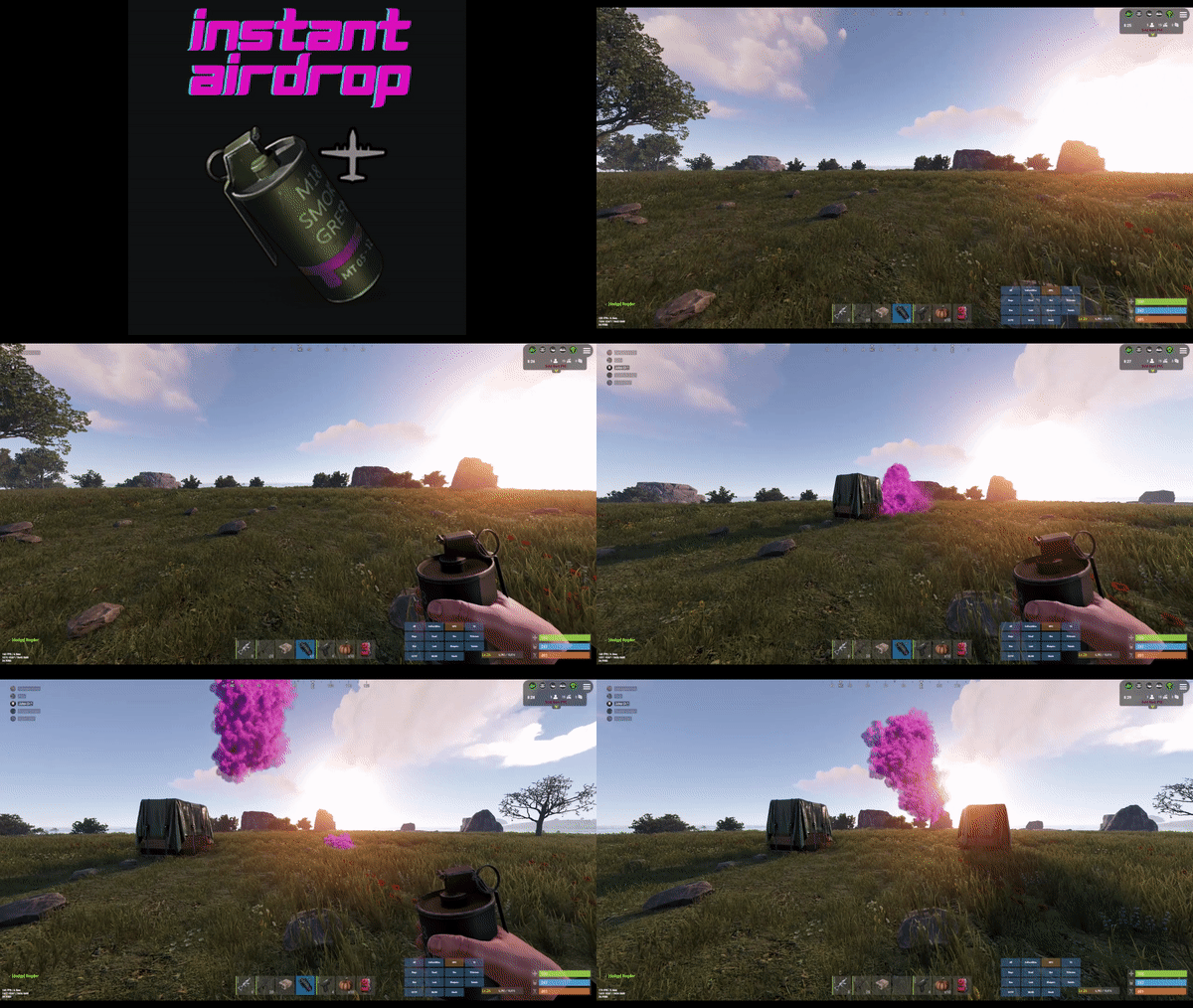
Are your players tired of waiting for Airdrops? This little plugin makes them appear almost instantly, no cargo plane, no parachutes. Airdrop will spawn wherever the supply signal lands. The delay can be modified in the config file. The default is 5 seconds to allow the supply signal to land and smoke briefly. Config File { "Delay Before Spawn": 5.0, "Use Permission": false, "Prevent Deploying Inside (Players will only be able to deploy supply signals outside)": false, "Skin IDs To Ignore": [] } if "Use Permission" is set true then permission to be set is instantairdrop.use If "Prevent Deploying Inside" the Airdrop will be cancelled, the supply signal will be refunded to the player and a message will inform the player that supply signals can only be deployed outside. This is to prevent instant airdrops spawning inside of bases and is optional. Developer Integration 1. IsInstantAirdrop(SupplyDrop supplyDrop) - Takes a SupplyDrop object and returns true if it's an instant airdrop 2. IsInstantAirdropByEntity(BaseEntity entity) - Takes any BaseEntity and returns true if it's an instant airdrop Usage Examples for Other Plugins: // Check if a supply drop is an instant airdrop var instantAirdrop = plugins.Find("InstantAirdrop"); if (instantAirdrop != null) { bool isInstant = (bool)instantAirdrop.Call("IsInstantAirdrop", supplyDrop); if (isInstant) { // Handle instant airdrop differently Puts("This is an instant airdrop!"); } } // Or using BaseEntity bool isInstantByEntity = (bool)instantAirdrop.Call("IsInstantAirdropByEntity", entity); This integration allows other plugins to: - Prevent their plugin from calling in more airdrops - Apply different loot rules to instant vs regular airdrops - Show different notifications for instant airdrops - Track instant airdrop statistics separately - Apply special effects only to instant airdrops - Modify damage/protection rules for instant drops Tested to work nicely along side other plugins such as: Heli Signals Bradley Drops Fancy Drop Loot Defender Signal Cooldown Helpful Supply Supply Lock Vehicle Airdrops (fix coming soon) Note: The plugin is designed to operate without causing issues when used with these plugins. However, it does not integrate or alter the functionality of these plugins.$3.99 -
Version 3.0.4
3,389 downloads
OVERVIEW: This plugin adds a crafting skill system and the ability to craft higher quality items that have special perks to enhance the item. IMPORTANT!!!: This plugin now requires the UiEngineFramework plugin. It has not been published yet, but is available temporarily right here: UiEngineFramework.cs HOW TO INSTALL: Download and install ImageLibrary Download and install UiEngineFramework (link posted above) If you have previously installed Quality Crafting, delete the config and lang files for the plugin before installing v3.0.0. If this is your first time installing this plugin you can skip this step! Download and install this plugin (Quality Crafting) Refer to the documentation for configuration options Enjoy the plugin DOCUMENTATION: Extensive documentation for this plugin can be found IN THIS GOOGLE DOC. I STRONGLY recommend reading it first before installing. LEGACY VERSION: If you don't want to use the latest version of quality crafting you can still download the old version (v2.1.4) here: Quality Crafting v2.1.4 The legacy version is available AS IS and will not receive additional updates.Free -
Version 1.9.5
238 downloads
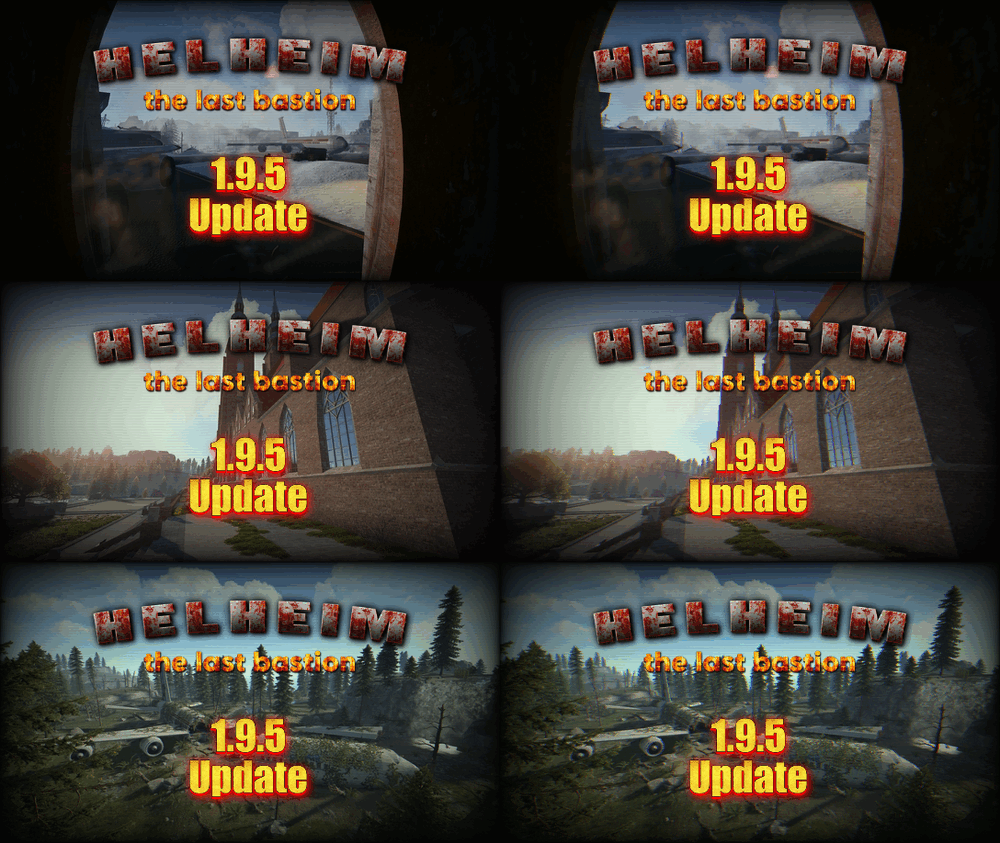
*** MAP IS NOW COMPATIBLE WITH WORLD 2.0 ! More update coming in next days/weeks to add more details and to add the new ending of the laboratory monument.*** Also for a limited time the price of the map is reduced for this new update ! Helheim Island: The Last Bastion is a 3800km map made by Keirox Custom Maps, one of the first map makers of Rust's history. Vanilla by default, moddable as you wish. The map is being worked on actively and getting updates regulary. Here is a video that will be very helpfull to know everything about the map ! *** 04/07/2024 UPDATE : THE LABORATORY EXPANSION IS HERE ! *** This update bring something that many was waiting for : the continuation of the Laboratory, the end game of Helheim Island. Not everything has been implemented, but you can already see the start of the real challenge coming up. Players will be able to go deeper in the laboratory in a next gen design, fresh area, and very dangerous one. You'll find a lot of heavy scientists in there. You can also see the environment interacting with your actions (electricity wise). At the end of it, you'll find a portal ! But the portal is not working yet. The portal is meant to be working (yes) and bring the player into a spaceship themed area, to discover what really happened to Helheim (where the virus came from) Patience, it's coming. This is just the beginning ! The map is optimized for performance. Prefabs count: 41500 Monuments list : CUSTOM : Helheim Airport, Helheim Powerplant, Hospital, Cathedral, Catacombs, Airbus Crashsite, The Refuge, Mines, Mines B, Laboratory FACEPUNCH : Missile Silo, Sewer Branch, Ferry Terminal, Small Harbor, Train Yard, Abandoned Supermarket, Oxium Gas Station, Mining Outpost, Artic Research Base, Stone/Sulfur/HQM Quarry, Underwater Lab, Bandit Camp, Fishing Villages This map is protected by a provided plugin. You can still edit the map with the provided files. The goal is that this map goes right into Facepunch's official servers in the future! My website: https://rust-keiroxcustommaps.com Discord (with over 2000 members): https://discord.gg/Yec8RP6$79.00 -
Version 2.1.1
12 downloads
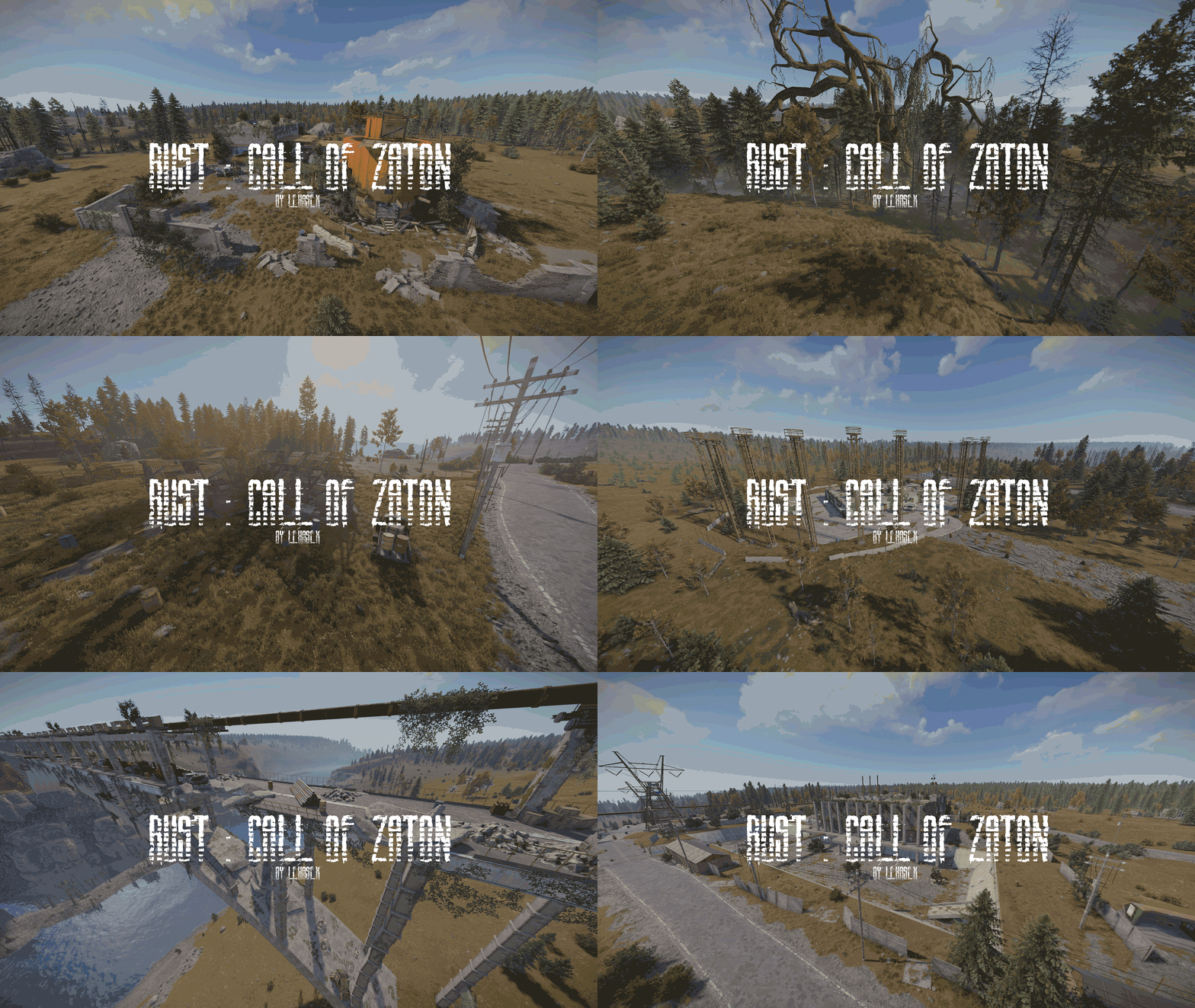
Ten years have passed since the stalkers and the military left the Zaton. Now this once dangerous but lively location has turned into a gloomy, desolate place, absorbed by nature and time. Nature is slowly but surely taking its toll. Vegetation enriched with mutations caused by radiation has completely captured the Zaton. Trees and shrubs have sprouted even through asphalt and concrete, turning once industrial areas into a real jungle. The Zaton has become a haven for all kinds of animals. Without human presence, they feel like they own the territory. The old camps and bases now serve as the lairs of these creatures. The gloomy silence is interrupted only by the occasional footsteps of unseen creatures that wander among the ruins. Now a Zaton is a place that draws in like a trap. And everyone who comes here knows that only a few can come back. But those who return may find answers to the darkest secrets of the Zone — or disappear forever. Map Features Map size: 4000; Prefabs count: ≈42000; Optimized monuments to reduce the load on the client; Adapted to the classic/RP servers; Caches of useful loot are hidden all over the map; Chinook drop zones on custom monuments; Custom APC path; Custom safezone; Ziplines; Underground sctructures; A large number of small locations; Custom puzzles on monuments; Vertical gameplay is implemented; The gameplay is adapted to RUST; Custom camera codes; The enigmatic and slightly mystical atmosphere of the zone. List of Monuments Sawmill; Swamp; Burnt Farmstead; «Izumrudnoye »; Krug Antenna Complex; Oakpine Anomaly; Iron Forest Anomaly; Fuelling Station; Substation Workshops; Circus Anomaly; Waste Processing Station; Scar Anomaly; Old Barge; Preobrazhensky Bridge; Ranger Station; Dock Cranes; Shevchenko; Skadovsk; Dredge Station; Boiler Anomaly; Testing Workshop of Item №62; Bloodsucker Lair; Radtown; Overpass "Jupiter 5" The Oasis. In the future, the map will be updated based on reviews.$60.00- 7 comments
-
- 2
-

-
-
- #stalker
- #stalker laboratory rust
- (and 12 more)
-
Version 1.0.0
8 downloads
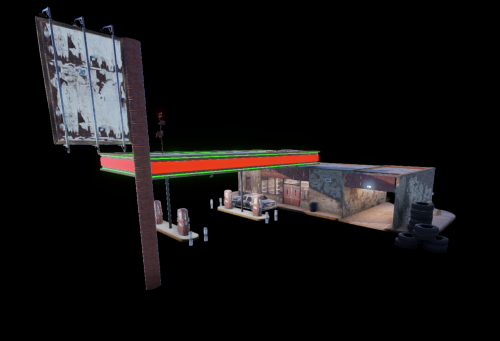
Don't miss out! Come grab this bundle of all my available prefabs listed for a cheaper, limited price for only one month! In this bundle you will receive : RP - Two New York Plaza RP - Itzthatkyguy Skytower RP - Supermarket RP - Bookstore RP - Police Station RP - Fire Station RP - Modern Apartment Unit RP - Modern Mansion RP - Gas Station Note : These are standalone prefabs. For further detail and screenshots, see my individual prefabs listed under my profile!$50.00
.thumb.png.f676fcb4237b0d630285499251bcf88e.png)