Search the Community
Showing results for tags 'ui'.
-
Version 1.0.2
23 downloads
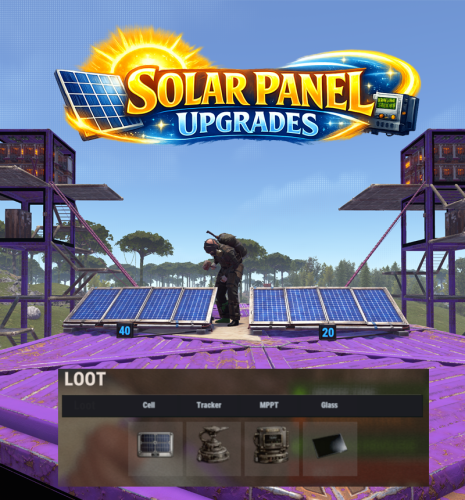
Solar Panel Upgrades adds a part-based upgrade system to electrical solar panels, allowing their performance to be enhanced through modular components. Each part type includes 3 tiers of progression. Players can open an upgrade interface while looking at a solar panel and holding a hammer, then install custom parts by dragging them into specific slots. The menu input button is fully configurable, supporting RELOAD, USE, MIDDLE CLICK, and RIGHT CLICK. Each upgrade part modifies the panel’s behavior, letting you fine-tune max output, sun angle efficiency, low-light performance, and damage power retention through a simple and intuitive interface. Upgrades are saved per panel, and all changes are applied directly to the entity in a lightweight and persistent system. The plugin also includes optional loot crate support, allowing you to control whether upgrade parts spawn in containers and define per-container drop chances for each tier. Alternatively, parts can be integrated into your existing systems such as shops or crafting plugins. All upgrade parts are fully configurable, including their stats and visuals, making it easy to adapt the system to your server’s balance and progression. A default English localization file is included, with full support for custom translations. Part shortnames and skins are pre-configured but can be modified or replaced with items from systems like Custom Item Manager. Permissions: solarpanelupgrades.use – Allows players to open and use the solar panel upgrade interface solarpanelupgrades.admin – Allows access to the admin part-giving command Commands: /sppart – Admin chat command to give yourself all available parts for testing or shop setup. Optionally specify an amount. Pre-Configured Parts: Cells: Tracking Mount: MPPT Controller: Tempered Glass: Default Config:$13.99 -
Version 1.4.7
5,096 downloads
Manage your Rust server easier and more efficiently with the AdminMenu plugin. Track players, interact with them, edit their data and permissions, as well as change server convars and manage plugins. Features: Menu retains its state after closing, you won't lose everything you did before. Ability to fully translate the menu into any language. Large range of permissions for each action, will allow you to flexibly customize the admin menu for each group of administrators. Quick menu that allows you to perform quick actions Full list of players with the ability to filter by online, offline, admins and moderators. Also has a frame of different colors depending on the level of authorization. Wide range of information and actions for the selected player. Editing convars with search. Has a complete list of editable convars with descriptions for some of them. Extensive issue menu by category, with easy management of name, skin and amount (manual, +1, +100, +1000, +10000). Plugin management menu. It is possible to reload, unload or load a plugin easily and quickly. Updates occur in real time. Ability to create your own custom buttons that execute several commands Quick Start: You install the plugin in the plugins folder. Give yourself the adminmenu.fullaccess permission. Commands, use one of your choice, one for the player and one for the admin group: o.grant user [name or steamid] adminmenu.fullaccess o.grant group admin adminmenu.fullaccess Press the X button (swap seat button) or type adminmenu in the console. Enjoy Useful stuff: You can quickly open a player in the admin menu. To do this, point at the player and press X. You don't have to hover over the player exactly, you will be able to open players within a certain radius of the place you are looking at. CUSTOM BUTTONS Custom buttons are buttons that when pressed will execute commands on behalf of the administrator, commands can be several, below will be the details. At the moment, custom buttons can be created in two places: in the quick menu and in the menu when selecting a player. These places are separated in the config. Button Fields: "Execution as server" - Call the command on behalf of the server, not the administrator "Label" - Text that will be on the button, for each such inscription creates a field in the lang file, accordingly you can translate this text into several languages. "Commands" - Array of commands that will be executed on behalf of the administrator. Chat commands require a special entry, see examples. "Permission"- permission to display and use the button. You need to write the permission that will be after "adminmenu.". Example: if you enter the permission "test" the permission will be adminmenu.test "Position" - The location for the button, the first number is responsible for the row number, the second for the position within the row, starts from 0.There are limits of locations, if you have gone beyond the limit - the button will not be displayed. Common Tags: {adminUID} - administrator's id. {position} - administrator coordinates (underfoot) {view_position} - the position where the administrator is looking (can be used for spawning or something similar) {view_direction_forward} - forward view direction of the administrator {view_direction_backward} - the direction the administrator is looking backwards {view_direction_left} - direction of the administrator’s view to the left {view_direction_right} - administrator’s view direction to the right Tags for target only: {steamid}, {steamID}, {userID}, {STEAMID}, {USERID} - mean the same thing, namely the id of the selected player. {target_position} - target coordinates (underfoot) Example of commands: chat.say \"/{chat command}\" vanish ban {steamID} teleport {steamID} {adminUID} More information about the grant menu: The grant menu includes the full list of items including hidden items as well as custom items created by the CustomItemDefinitions library. The menu can be accessed from the navigation or from the menu of the selected player. When issuing itself has categories. Search works in any registry by any part of the name or short name. Has a page system at any stage. More information about the buttons in the Quick Menu: [Teleport to 0 0 0] - Teleport to coordinates 0 0 0. Requires adminmenu.quickmenu.teleportto000 permission [Teleport to Deathpoint] - Teleport to your deathpoint. Requires adminmenu.quickmenu.teleporttodeath permission [Teleport to Spawn point] - Teleport to a random spawn point. Requires adminmenu.quickmenu.teleporttospawnpoint permission [Kill Self] - Kill Self, kills even when immortal. Does not require permission. [Heal Self] - Fully heal yourself. Requires adminmenu.quickmenu.healself permission [Call Heli] - Call Helicopter to yourself (arrives in time). Requires adminmenu.quickmenu.helicall permission [Spawn Bradley] - Spawn bradley on yourself. Requires adminmenu.quickmenu.spawnbradley permission More information about the buttons in the menu of the selected player: [Teleport Self To] - Teleport yourself to the selected player. Requires adminmenu.userinfo.teleportselfto permission [Teleport To Self] - Teleport the selected player to yourself. Requires adminmenu.userinfo.teleporttoself permission [Teleport To Auth] - Teleportation to random authorization (TC). Requires adminmenu.userinfo.teleporttoauth permission [Teleport to Deathpoint] - Teleportation to a player's deathpoint. Requires adminmenu.userinfo.teleporttodeath permission [Heal] - Full healing, including metabolism. Requires adminmenu.userinfo.fullheal permission [Heal 50%] - Half healing. Requires adminmenu.userinfo.halfheal permission. [View Inventory] - View and edit player's inventory. Requires adminmenu.userinfo.viewinv permission [Strip Inventory] - Clear player's inventory. Requires adminmenu.userinfo.stripinventory permission [Unlock Blueprints] - Unlock all Blueprints. Requires adminmenu.userinfo.unlockblueprints permission [Revoke Blueprints] - Reset all Blueprints. Requires adminmenu.userinfo.revokeblueprints permission. [Kill] - Kill a player. Requires adminmenu.userinfo.kill permission [Kick] - Kick a player. Requires adminmenu.userinfo.kick permission [Ban] - Ban a player. Requires adminmenu.userinfo.ban permission More information about the buttons in the menu of the selected group: [Remove Group] - Remove group, has confirmation. Requires adminmenu.groupinfo.removegroup permission [Clone Group] - Clone group with the ability to copy users. Requires adminmenu.groupinfo.clonegroup permission Permissions: adminmenu.use - Ability to use admin menu with basic set. Open tab quick menu (each button has its own permission, without permissions is present only kill yourself button) and the list of players. adminmenu.fullaccess - Full access to all functions without the need for each permission, includes also adminmenu.use. It is recommended to give only to the main administrators. adminmenu.quickmenu.teleportto000 - Access to the button in the quick menu, teleportation to coordinates 0 0 0 0. adminmenu.quickmenu.teleporttodeath - Access to the button in the quick menu, teleportation to the point of your death. adminmenu.quickmenu.teleporttospawnpoint - Access to the button in the quick menu, teleportation to a random spawn point. adminmenu.quickmenu.healself - Access button in quickmenu, heal yourself completely. adminmenu.quickmenu.helicall - Access to the button in the quick menu, call a helicopter to yourself (arrives in time). adminmenu.quickmenu.spawnbradley - Access button in quickmenu, spawn bradley. adminmenu.userinfo.teleportselfto - Access to the button in the menu of the selected player, teleportation to the selected player. adminmenu.userinfo.teleporttoself - Access to the button in the menu of the selected player, teleport the selected player to himself. adminmenu.userinfo.teleporttoauth - Access to the button in the menu of the selected player, teleportation to random authorization (TC). adminmenu.userinfo.teleporttodeath - Access to the button in the menu of the selected player, teleportation to the place of death of the player. adminmenu.userinfo.fullheal - Access to the button in the menu of the selected player, full healing, including metabolism. adminmenu.userinfo.halfheal - Access to the button in the menu of the selected player, half healing. adminmenu.userinfo.viewinv - Access to the button in the selected player's menu, view and edit the player's inventory. adminmenu.userinfo.stripinventory - Access to the button in the menu of the selected player, clear the player's inventory. adminmenu.userinfo.unlockblueprints - Access the button in the menu of the selected player, unlock all drafts. adminmenu.userinfo.revokeblueprints - Access to the button in the menu of the selected player, reset all drafts. adminmenu.userinfo.kill - Access the button in the selected player's menu to kill the player. adminmenu.userinfo.kick - Access the button in the selected player's menu to kick the player. adminmenu.userinfo.ban - Access to the button in the menu of the selected player, ban the player. adminmenu.groupinfo.removegroup - Access to the button in the menu of the selected group, the ability to remove the group. adminmenu.groupinfo.clonegroup - Access to the button in the menu of the selected group, the ability to clone the group. adminmenu.convars - View and edit convars. adminmenu.permissionmanager - View and edit permissions in groups, player groups, create, delete and clone groups (requires additional permissions from these buttons). adminmenu.pluginmanager - Access to plugin management, reloading, unloading, loading plugins. adminmenu.give - Access to give resources, as well as yourself and the selected player.$30.00 -

Version 2.0.14
7,729 downloads
ServerPanel adds a player information menu to your server, where you can both share important and useful information with your players and integrate your plugins into it! Features User-Friendly Interface: Intuitive GUI for easy navigation and interaction. Economy Integration: Supports various economy plugins for seamless financial management. Dynamic Menu Categories: Organize functionalities into customizable categories for better user experience. Extensive Configuration Options: Almost every aspect of the plugin can be customized, including messages, colors, sizes, fonts, tion. Auto-Open Menu: Automatically displays the menu upon player connection, configurable per server settings. Block Settings: Control access to the menu during building, raiding, or combat situations to enhance gameplay balance. Multiple Economy Head Fields: Display various economic metrics such as balance, server rewards, and bank information. Permission Management: Fine-tune permissions for different user roles to control access to features. Localization Support: Easily translate and customize all messages for different languages. Performance Optimized: Designed to minimize server lag while providing rich functionality. Customizable Hooks: Integrate with existing economy systems using customizable hooks for adding, removing, and displaying balances. Editor Position Change: Admins can now change editor positions with a simple click, choosing between left, center, or right alignments. Command Enhancements: Commands are now processed with multiple arguments separated by "|", enabling bulk command processing. Commands /info – open menu /sp.install (or) /welcome.install – open installer menu sp.migrations – console command for updating plugin data structure when upgrading to new versions. Automatically creates backups before making changes. sp.migrations list – shows available migrations and whether they need to run sp.migrations run <version> – runs specific migration (e.g., "1.3.0") sp.migrations run <version> force – forces migration even if not detected as needed Permissions serverpanel.edit – allows players to edit the plugin settings and open the edit menu serverpanelinstaller.admin - required to access the plugin installation functions Video Showcase Templates Template V1 Template V2 Template V3 Template V5 Editor Installer TEST SERVER Join our test server to view and experience all our unique features yourself! Copy the IP Address below to start playing! connect 194.147.90.239:28015 Update Fields ServerPanel supports dynamic update fields that can be used in your templates to display real-time information. These fields are automatically updated and can be used in text components, headers, and other interface elements. Player Information {online_players} – Number of currently online players {sleeping_players} – Number of sleeping players {all_players} – Total number of players (online + sleeping) {max_players} – Maximum server capacity {player_kills} – Player's kill count (requires KillRecords, Statistics, or UltimateLeaderboard) {player_deaths} – Player's death count (requires KillRecords, Statistics, or UltimateLeaderboard) {player_username} – Player's display name {player_avatar} – Player's Steam ID for avatar display Economy {economy_economics} – Economics plugin balance {economy_server_rewards} – ServerRewards points {economy_bank_system} – BankSystem balance Note: Economy fields are fully customizable in "oxide/config/ServerPanel.json" under "Economy Header Fields". You can add support for any economy plugin by configuring the appropriate hooks (Add, Balance, Remove). Custom keys can be created and used in templates just like the default ones. Server Information {server_name} – Server hostname {server_description} – Server description {server_url} – Server website URL {server_headerimage} – Server header image URL {server_fps} – Current server FPS {server_entities} – Number of entities on server {seed} – World seed {worldsize} – World size {ip} – Server IP address {port} – Server port {server_time} – Current server time (YYYY-MM-DD HH:MM:SS) {tod_time} – Time of day (24-hour format) {realtime} – Server uptime in seconds {map_size} – Map size in meters {map_url} – Custom map URL {save_interval} – Auto-save interval {pve} – PvE mode status (true/false) Player Stats {player_health} – Current health {player_maxhealth} – Maximum health {player_calories} – Calorie level {player_hydration} – Hydration level {player_radiation} – Radiation poisoning level {player_comfort} – Comfort level {player_bleeding} – Bleeding amount {player_temperature} – Body temperature {player_wetness} – Wetness level {player_oxygen} – Oxygen level {player_poison} – Poison level {player_heartrate} – Heart rate Player Position {player_position_x} – X coordinate {player_position_y} – Y coordinate (height) {player_position_z} – Z coordinate {player_rotation} – Player rotation (degrees) Player Connection {player_ping} – Connection time in seconds {player_ip} – Player's IP address {player_auth_level} – Authorization level (0=Player, 1=Moderator, 2=Admin) {player_steam_id} – Steam ID {player_connected_time} – Connection start time {player_idle_time} – Idle time (HH:MM:SS) Player States {player_sleeping} – Is sleeping (true/false) {player_wounded} – Is wounded (true/false) {player_dead} – Is dead (true/false) {player_building_blocked} – Is building blocked (true/false) {player_safe_zone} – Is in safe zone (true/false) {player_swimming} – Is swimming (true/false) {player_on_ground} – Is on ground (true/false) {player_flying} – Is flying (true/false) {player_admin} – Is admin (true/false) {player_developer} – Is developer (true/false) Network & Performance {network_in} – Network input (currently shows 0) {network_out} – Network output (currently shows 0) {fps} – Server FPS {memory} – Memory allocations {collections} – Garbage collections count Usage Example: You can use these fields in any text component like: "Welcome {player_username}! Server has {online_players}/{max_players} players online." API Documentation for Developers ServerPanel provides an API for plugin developers to integrate their plugins into the menu system. Required Methods API_OpenPlugin(BasePlayer player) - Main integration method that returns CuiElementContainer OnServerPanelClosed(BasePlayer player) - Called when panel closes (cleanup) OnServerPanelCategoryPage(BasePlayer player, int category, int page) - Called when category changes (cleanup) OnReceiveCategoryInfo(int categoryID) - Receives your category ID Integration Example [PluginReference] private Plugin ServerPanel; private int _serverPanelCategoryID = -1; private void OnServerInitialized() { ServerPanel?.Call("API_OnServerPanelProcessCategory", Name); } private void OnReceiveCategoryInfo(int categoryID) { _serverPanelCategoryID = categoryID; } private void OnServerPanelCategoryPage(BasePlayer player, int category, int page) { // Cleanup when player switches categories } private CuiElementContainer API_OpenPlugin(BasePlayer player) { var container = new CuiElementContainer(); // Create base panels (required structure) container.Add(new CuiPanel() { RectTransform = {AnchorMin = "0 0", AnchorMax = "1 1"}, Image = {Color = "0 0 0 0"} }, "UI.Server.Panel.Content", "UI.Server.Panel.Content.Plugin", "UI.Server.Panel.Content.Plugin"); container.Add(new CuiPanel() { RectTransform = {AnchorMin = "0 0", AnchorMax = "1 1"}, Image = {Color = "0 0 0 0"} }, "UI.Server.Panel.Content.Plugin", "YourPlugin.Background", "YourPlugin.Background"); // Add your plugin's UI elements here container.Add(new CuiLabel { RectTransform = {AnchorMin = "0.1 0.8", AnchorMax = "0.9 0.9"}, Text = {Text = "Your Plugin Interface", FontSize = 16, Align = TextAnchor.MiddleCenter, Color = "1 1 1 1"} }, "YourPlugin.Background", "YourPlugin.Title"); // Add buttons, panels, etc. using "YourPlugin.Background" as parent return container; } private void OnServerPanelClosed(BasePlayer player) { // Cleanup when panel closes } Header Update Fields API_OnServerPanelAddHeaderUpdateField(Plugin plugin, string updateKey, Func<BasePlayer, string> updateFunction) - Registers a per-player string provider for a header placeholder. Returns true on success. API_OnServerPanelRemoveHeaderUpdateField(Plugin plugin, string updateKey = null) - Unregisters a specific updateKey for your plugin, or all keys for your plugin when updateKey is null. Returns true on success. Usage Example [PluginReference] private Plugin ServerPanel; private void OnServerInitialized() { // Register a dynamic header field for each player ServerPanel?.Call("API_OnServerPanelAddHeaderUpdateField", this, "{player_kdr}", (Func<BasePlayer, string>)(player => GetKdr(player))); } private string GetKdr(BasePlayer player) { // Compute and return the value to display in the header for this player return "1.23"; } Using in UI: Place your key (e.g., {player_kdr}) directly in Header Field texts. The value will be updated per player using your function. FAQ Q: Why can't I open the menu? A: Make sure that the plugin is installed and activated on your server. If the problem persists, contact the server administrator. Q: How do I enable Expert Mode? (disables automatic template updates) A: In the data file "Template.json", turn on the "Use an expert mod?" option: "Use an expert mod?": true, P.S. "Template.json” is located in the "oxide/data/ServerPanel" directory (if you use Oxide) or in the "carbon/data/ServerPanel" directory (if you use Carbon) Q: I see black images with Rust logo or get error 429 when loading images. What should I do? A: These issues occur when there are problems downloading images from the internet. To fix this, enable Offline Image Mode which will use local images instead: Enable the mode in config: Open "oxide/config/ServerPanel.json" (or "carbon/config/ServerPanel.json" for Carbon) Set "Enable Offline Image Mode": true Set up the images: Create folder "TheMevent" in "oxide/data" (or "carbon/data" for Carbon) Download PluginsStorage (click "CODE" → "Download ZIP") Extract the ZIP and copy all contents to the "TheMevent" folder Reload the plugin: Type o.reload ServerPanel (Oxide) or c.reload ServerPanel (Carbon) Note: If using a hosting service, you may need to use their file manager or FTP to upload the files. Q: Does ServerPanel work only with Mevent's plugins? A: Currently, ServerPanel integrates seamlessly with Mevent's plugins (Shop, Kits, Daily Rewards, etc.). However, other developers can use the provided API to integrate their plugins into the menu system. The plugin system is designed to be extensible for third-party integrations. Q: Why do integrated plugins (Shop, Kits) have different window sizes? A: Different plugins may use different templates for integration. Make sure all your integrated plugins use the same template version (V1, V2, etc.) that matches your ServerPanel template. Update the template in each plugin to ensure consistent sizing. Q: The panel displays differently for different players. How can I make it show the same on everyone's screen? A: This issue occurs when players have different UI scale settings. To fix this and ensure consistent display for all players: Open the "Template.json" file located in "oxide/data/ServerPanel" (or "carbon/data/ServerPanel" for Carbon) Find the "Parent (Overlay/Hud)" setting in the "Background" section Change the value from "Overlay" to "OverlayNonScaled" Save the file and restart your server or reload the plugin Q: How can I change the video displayed in the ServerPanel interface to my own custom video? A: Yes, you can replace the default video with your own! You need to find and modify the command: serverpanel_broadcastvideo [your_video_url] Replace [your_video_url] with the direct link to your video. For best compatibility, we recommend hosting your video on imgur.com. Q: My custom images are not loading or show as blank/question marks. What image hosting should I use? A: For custom images, we recommend using imgbb.com for image hosting. Avoid Imgur and services without direct access to the image. For the most reliable experience, use Offline Image Mode with local images instead. Q: How can I make plugin UIs open outside of the ServerPanel menu instead of inside categories? A: You can configure buttons to execute chat commands that open plugin UIs independently. To do this: In your button configuration, set "Chat Button": true Set the "Commands" field to "chat.say /command" (replace "command" with the actual plugin command) Example: To open the Cases plugin outside the menu: "Chat Button": true "Commands": "chat.say /cases" This will execute the command as if the player typed it in chat, opening the plugin's interface independently rather than within the ServerPanel menu. Q: Text in V4 template is shifting or sliding out of place. How can I fix this? A: This issue occurs when text width isn't properly configured. ServerPanel provides "TITLE LOCALIZATION" settings to control text width for categories and pages: Open the ServerPanel editor (click the "ADMIN MODE" button to open the edit menu) Select the category or page you want to edit (click to "EDIT CATEGORY" or "EDIT PAGE" button) In the editor, find the "TITLE LOCALIZATION" section For each language (en, ru, etc.), you'll see three columns: LANGUAGE - The language code TEXT - The localized text content WIDTH (px) - The width setting in pixels Adjust the "WIDTH (px)" value to match your text length. Longer text requires larger width values Save your changes and test in-game Tip: Start with a width value around 100-150 pixels for short text, and increase it for longer titles. You can adjust this value until the text displays correctly without shifting.$40.00- 153 comments
- 44 reviews
-
- 17
-

-

-

-
- #serverpanel
- #info
- (and 32 more)
-
Version 0.1.6
81 downloads
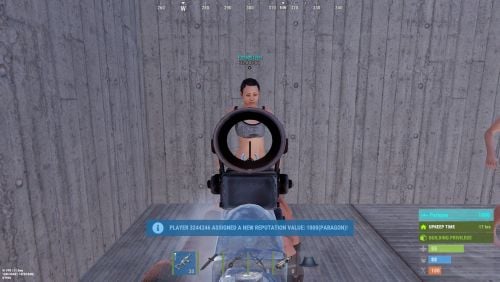
Adds a reputation system, similar to the well-known Infestation Survivor Stories(The WarZ). More information on how the plugin works can be found at the bottom in the "Principle of work" section. The ability to create an unlimited number of reputations. The only condition is that their value ranges must not overlap; The ability to flexibly customize the bar for each reputation; The ability to automatically reset reputations upon detecting a wipe; The ability to set a prefix for reputations; The ability to show your reputation by waving to players; The ability to see a player's reputation when aiming at them with scope items. Unfortunately, the reputation will also be displayed if a player is in certain bushes; The ability to see the reputation of all players in the bandit zone; The ability to prohibit players with a certain reputation from entering safe zones (except for the bandit zone). Also, notifying players about it; The ability to set fake reputations to confuse players. reputationmaster.vip - Provides the ability to set a fake rank value. reputationmaster.admin - Provides the ability to set or reset reputation value to other players. { "Chat command": "rep", "Is it worth enabling GameTips for messages?": true, "Is it worth using the AdvancedStatus plugin?": true, "List of language keys for creating language files": [ "en" ], "Is it worth using ddraw to display reputation? NOTE: To use, an administrator flag is required, which is granted before rendering and revoked immediately after issuing the command": true, "Is it worth displaying reputation when aiming at a player with a scope(ddraw should be enabled)? NOTE: The player's reputation may be displayed in certain bushes": true, "Is it worth resetting reputations upon detecting a wipe?": true, "Is it worth forbidding bandits from visiting safe zones(except for Banditcamp)?": true, "The time in seconds during which a bandit can stay in the safe zone(except for Banditcamp) before being killed, making their loot available to everyone": 10.0, "The prefab name for the effect when a bandit is killed in the safe zone. An empty string disables the effect": "assets/prefabs/misc/xmas/advent_calendar/effects/open_advent.prefab", "Assigning reputation for NPCs(Disabled, ForVanilla, ForAll)": "ForAll", "Minimum random reputation value for NPCs": -1000.0, "Maximum random reputation value for NPCs": 1000.0, "Is it worth enabling self-defense for NPCs?": false, "The time in seconds during which self-defense will be active for a lawman after being attacked by another lawman": 900, "The minimum value limit for fake reputation": -10000.0, "The maximum value limit for fake reputation": 10000.0, "UI. Position - Left to Right": true, "UI. Position - AnchorMin": "1 0.9", "UI. Position - AnchorMax": "1 0.9", "UI. Position - OffsetMin": "-208 -15", "UI. Position - OffsetMax": "-16 15", "UI. Reputation Positive Value Image - URL": "https://gitlab.com/IIIaKa/images/-/raw/main/ReputationMaster/ReputationMaster_Positive.png", "UI. Reputation Negative Value Image - URL": "https://gitlab.com/IIIaKa/images/-/raw/main/ReputationMaster/ReputationMaster_Negative.png", "UI. Added Value Sound - Prefab Name. An empty string disables the effect": "assets/bundled/prefabs/fx/notice/item.select.fx.prefab", "Wipe ID": null, "Version": { "Major": 0, "Minor": 1, "Patch": 6 } } Note: To use ddraw, an administrator flag is required, which is granted before rendering and revoked immediately after issuing the command. The player's reputation may be displayed in certain bushes. [ { "Name": "Assassin", "Prefix": "⁎✧⁎ ", "MinValue": -3.40282347E+38, "MaxValue": -1000.0, "Reward": 20.0, "LawmanPenalty": 0.0, "AllowSafeZone": false, "BarSettings": { "Text_Transparency": 1.0, "SubText_Transparency": 1.0, "Order": 20, "Height": 26, "Main_Color(Hex or RGBA)": "#FF341E", "Main_Transparency": 0.6, "Main_Material": "", "Image_Url": "https://gitlab.com/IIIaKa/images/-/raw/main/ReputationMaster/ReputationMaster_Assassin.png", "Image_Local(Leave empty to use Image_Url)": "ReputationMaster_Assassin", "Image_Sprite(Leave empty to use Image_Local or Image_Url)": "", "Image_IsRawImage": false, "Image_Color(Hex or RGBA)": "#FF341E", "Image_Transparency": 1.0, "Image_Outline_Color(Hex or RGBA)": "0.1 0.3 0.8 0.9", "Image_Outline_Transparency": 0.0, "Image_Outline_Distance(Leave empty to disable). Example '0.75 0.75'": null, "Text_Size": 14, "Text_Color(Hex or RGBA)": "#FF341E", "Text_Font(https://umod.org/guides/rust/basic-concepts-of-gui#fonts)": "RobotoCondensed-Bold.ttf", "Text_Offset_Horizontal": 0, "Text_Outline_Color(Hex or RGBA)": "#000000", "Text_Outline_Transparency": 1.0, "Text_Outline_Distance(Leave empty to disable)": null, "SubText_Size": 12, "SubText_Color(Hex or RGBA)": "#FF341E", "SubText_Font": "RobotoCondensed-Bold.ttf", "SubText_Outline_Color(Hex or RGBA)": "0.5 0.6 0.7 0.5", "SubText_Outline_Transparency": 0.0, "SubText_Outline_Distance(Leave empty to disable)": null } }, ... { "Name": "Civilian", "Prefix": "", "MinValue": -4.99, "MaxValue": 9.99, "Reward": 1.0, "LawmanPenalty": -1.0, "AllowSafeZone": true, "BarSettings": { "Text_Transparency": 1.0, "SubText_Transparency": 1.0, "Order": 20, "Height": 26, "Main_Color(Hex or RGBA)": "#5EC0CA", "Main_Transparency": 0.6, "Main_Material": "", "Image_Url": "https://gitlab.com/IIIaKa/images/-/raw/main/ReputationMaster/ReputationMaster_Civilian.png", "Image_Local(Leave empty to use Image_Url)": "ReputationMaster_Civilian", "Image_Sprite(Leave empty to use Image_Local or Image_Url)": "", "Image_IsRawImage": false, "Image_Color(Hex or RGBA)": "#5EC0CA", "Image_Transparency": 1.0, "Image_Outline_Color(Hex or RGBA)": "0.1 0.3 0.8 0.9", "Image_Outline_Transparency": 0.0, "Image_Outline_Distance(Leave empty to disable). Example '0.75 0.75'": null, "Text_Size": 14, "Text_Color(Hex or RGBA)": "#5EC0CA", "Text_Font(https://umod.org/guides/rust/basic-concepts-of-gui#fonts)": "RobotoCondensed-Bold.ttf", "Text_Offset_Horizontal": 0, "Text_Outline_Color(Hex or RGBA)": "#000000", "Text_Outline_Transparency": 1.0, "Text_Outline_Distance(Leave empty to disable)": null, "SubText_Size": 12, "SubText_Color(Hex or RGBA)": "#5EC0CA", "SubText_Font": "RobotoCondensed-Bold.ttf", "SubText_Outline_Color(Hex or RGBA)": "0.5 0.6 0.7 0.5", "SubText_Outline_Transparency": 0.0, "SubText_Outline_Distance(Leave empty to disable)": null } }, ... { "Name": "Paragon", "Prefix": "⋆☆⋆ ", "MinValue": 1000.0, "MaxValue": 3.40282347E+38, "Reward": 20.0, "LawmanPenalty": -125.0, "AllowSafeZone": true, "BarSettings": { "Text_Transparency": 1.0, "SubText_Transparency": 1.0, "Order": 20, "Height": 26, "Main_Color(Hex or RGBA)": "#0AFBFB", "Main_Transparency": 0.6, "Main_Material": "", "Image_Url": "https://gitlab.com/IIIaKa/images/-/raw/main/ReputationMaster/ReputationMaster_Paragon.png", "Image_Local(Leave empty to use Image_Url)": "ReputationMaster_Paragon", "Image_Sprite(Leave empty to use Image_Local or Image_Url)": "", "Image_IsRawImage": false, "Image_Color(Hex or RGBA)": "#0AFBFB", "Image_Transparency": 1.0, "Image_Outline_Color(Hex or RGBA)": "0.1 0.3 0.8 0.9", "Image_Outline_Transparency": 0.0, "Image_Outline_Distance(Leave empty to disable). Example '0.75 0.75'": null, "Text_Size": 14, "Text_Color(Hex or RGBA)": "#0AFBFB", "Text_Font(https://umod.org/guides/rust/basic-concepts-of-gui#fonts)": "RobotoCondensed-Bold.ttf", "Text_Offset_Horizontal": 0, "Text_Outline_Color(Hex or RGBA)": "#000000", "Text_Outline_Transparency": 1.0, "Text_Outline_Distance(Leave empty to disable)": null, "SubText_Size": 12, "SubText_Color(Hex or RGBA)": "#0AFBFB", "SubText_Font": "RobotoCondensed-Bold.ttf", "SubText_Outline_Color(Hex or RGBA)": "0.5 0.6 0.7 0.5", "SubText_Outline_Transparency": 0.0, "SubText_Outline_Distance(Leave empty to disable)": null } } ] MinRange, MaxRange - Range of values for the group rank; Name - Name of the rank; Reward - Reward for killing or reviving(divided by 2) a player in this rank. If the initiating player has IsLawman = true, the value will be positive, otherwise, it will be negative; LawmanPenalty - Penalty for a peaceful player of this rank, for killing another peaceful player. If the target did not initiate this pvp first; AllowSafeZone - Is this rank allowed to visit Safe Zones (except Bandit Camp)? The "Forbid bandits from visiting the SafeZone (except for Banditcamp)" config should be set to true. Path: *SERVER*\oxide\data\ReputationMaster\ReputationRanks.json EN: { "CmdNotAllowed": "You do not have permissions to use this command!", "CmdPlayerNotFound": "Player '{0}' not found! You must provide the player's name or Id.", "CmdNpcNotFound": "Npc '{0}' not found or has an invalid entity type! You must provide the npc's network Id.", "CmdEntityNotFound": "Entity not found! Try getting closer to the entity.", "CmdMultiplePlayers": "Multiple players found: {0}", "CmdAdmin": "Available admin commands:\n\n<color=#D1CBCB>/rep</color> <color=#D1AB9A>netId</color> - Get the netId of the entity you are looking at.\n<color=#D1CBCB>/rep</color> <color=#D1AB9A>set *floatValue* *nameOrId*</color> - Set reputation for the specified player.\n<color=#D1CBCB>/rep</color> <color=#D1AB9A>set *floatValue* self</color> - Set reputation for yourself.\n<color=#D1CBCB>/rep</color> <color=#D1AB9A>set *floatValue* npc *netId* force(optional)</color> - Set reputation for the specified npc. The last argument controls forced assignment.\n<color=#D1CBCB>/rep</color> <color=#D1AB9A>fake *floatValue* *nameOrId*</color> - Set fake reputation for the specified player.\n<color=#D1CBCB>/rep</color> <color=#D1AB9A>fake *floatValue* self</color> - Set fake reputation for yourself.\n<color=#D1CBCB>/rep</color> <color=#D1AB9A>fake *floatValue* npc *netId* force(optional)</color> - Set fake reputation for the specified npc. The last argument controls forced assignment.\n<color=#D1CBCB>/rep</color> <color=#D1AB9A>info *nameOrId*</color> - Show full reputation information for the specified player.\n<color=#D1CBCB>/rep</color> <color=#D1AB9A>info self</color> - Show full reputation information for yourself.\n<color=#D1CBCB>/rep</color> <color=#D1AB9A>reset *nameOrId*</color> - Reset reputation for the specified player.\n<color=#D1CBCB>/rep</color> <color=#D1AB9A>reset self</color> - Reset your reputation.\n<color=#D1CBCB>/rep</color> <color=#D1AB9A>reset all</color> - Reset reputation for all players.\n\n--------------------------------------------------", "CmdMain": "Available commands:\n\n<color=#D1CBCB>/rep</color> <color=#D1AB9A>fake *floatValue*</color> - Set fake reputation for yourself.\n\n--------------------------------------------------", "CmdSetNpcFailed": "Failed to set reputation for npc '{0}'! Try adding the 'force' argument for forced assignment.", "CmdSetNpc": "Npc '{0}' has received a new reputation value: {1}({2})!", "CmdSetPlayer": "Player '{0}' has received a new reputation value: {1}({2})!", "CmdFakeNpcFailed": "Failed to set fake reputation for npc '{0}'! Try adding the 'force' argument for forced assignment.", "CmdFakeNpc": "Npc '{0}' has received a new fake reputation value: {1}({2})!", "CmdFakeSelf": "A new fake reputation value has been successfully set: {0}({1})!", "CmdFakePlayer": "Player '{0}' has received a new fake reputation value: {1}({2})!", "CmdNetId": "The NetID of the entity you are looking at: '{0}'({1}).", "CmdInfoPlayer": "Player '{0}' reputation:\n<color=#D1AB9A>Reputation:</color> {1} ({2})\n<color=#D1AB9A>Fake Reputation:</color> {3} ({4})\n<color=#D1AB9A>Last Helper:</color> {5}\n\n--------------------------------------------------", "CmdInfoNPC": "NPC '{0}' reputation:\n<color=#D1AB9A>Reputation:</color> {1}({2})\n<color=#D1AB9A>Fake Reputation:</color> {3}({4})\n<color=#D1AB9A>Last Helper:</color> {5}\n\n--------------------------------------------------", "CmdResetTarget": "{0}'s reputation has been successfully reset!", "CmdResetSelf": "Your reputation has been successfully reset!", "CmdResetAll": "{0} reputations have been successfully reset!", "MsgReputation": "Reputation", "MsgShowPlayerReputation": "Player '{0}' reputation: {1}({2})", "MsgNewReputation": "Congratulations! You have received the reputation '{0}'!", "MsgSelfDefense": "You attacked a peaceful player '{0}'({1}) first. If they kill you within {2} minutes, they will not receive a penalty", "MsgSelfDefenseNoPenalty": "You killed a peaceful player '{0}'({1}). However, since they attacked you first, you will not be penalized", "MsgLawmanEnterBanditZone": "You have entered the Bandit Camp! Stay vigilant, this place is full of thugs!", "MsgLawmanLeaveBanditZone": "You have left the Bandit Camp! We recommend avoiding this area!", "MsgBanditEnterBanditZone": "Welcome to the Bandit Camp! We are glad to have you back!", "MsgBanditLeaveBanditZone": "You have left the Bandit Camp! We hope to see you again soon!", "MsgBanditEnterSafeZone": "You are not welcome here! If you do not leave this place, you will be killed in {0} seconds!", "MsgBanditLeaveSafeZone": "Do not come back here! People like you belong in the Bandit Camp!" } RU: { "CmdNotAllowed": "У вас недостаточно прав для использования этой команды!", "CmdPlayerNotFound": "Игрок '{0}' не найден! Вы должны указать имя или ID игрока.", "CmdNpcNotFound": "Нпц '{0}' не найден, либо не верный тип сущности! Вы должны указать Id нпц.", "CmdEntityNotFound": "Сущность не найдена! Попробуйте подойти ближе к объекту.", "CmdMultiplePlayers": "Найдено несколько игроков: {0}", "CmdAdmin": "Доступные админ команды:\n\n<color=#D1CBCB>/rep</color> <color=#D1AB9A>netId</color> - Получить netId сущности, на которую вы смотрите.\n<color=#D1CBCB>/rep</color> <color=#D1AB9A>set *дробноеЗначение* *имяИлиАйди*</color> - Установить репутацию указанному игроку.\n<color=#D1CBCB>/rep</color> <color=#D1AB9A>set *дробноеЗначение* self</color> - Установить репутацию себе.\n<color=#D1CBCB>/rep</color> <color=#D1AB9A>set *дробноеЗначение* npc *netId* force(опционально)</color> - Установить репутацию указанному npc. Последний аргумент принудительно задаёт значение.\n<color=#D1CBCB>/rep</color> <color=#D1AB9A>fake *дробноеЗначение* *имяИлиАйди*</color> - Установить ложную репутацию указанному игроку.\n<color=#D1CBCB>/rep</color> <color=#D1AB9A>fake *дробноеЗначение* self</color> - Установить себе ложную репутацию.\n<color=#D1CBCB>/rep</color> <color=#D1AB9A>fake *дробноеЗначение* npc *netId* force(опционально)</color> - Установить ложную репутацию указанному npc. Последний аргумент принудительно задаёт значение.\n<color=#D1CBCB>/rep</color> <color=#D1AB9A>info *имяИлиАйди*</color> - Показать полную информацию о репутации указанного игрока.\n<color=#D1CBCB>/rep</color> <color=#D1AB9A>info self</color> - Показать полную информацию о своей репутации.\n<color=#D1CBCB>/rep</color> <color=#D1AB9A>reset *имяИлиАйди*</color> - Сбросить репутацию указанному игроку.\n<color=#D1CBCB>/rep</color> <color=#D1AB9A>reset self</color> - Сбросить свою репутацию.\n<color=#D1CBCB>/rep</color> <color=#D1AB9A>reset all</color> - Сбросить репутацию всем игрокам.\n\n--------------------------------------------------", "CmdMain": "Доступные команды:\n\n<color=#D1CBCB>/rep</color> <color=#D1AB9A>fake *дробноеЗначение*</color> - Установить себе ложную репутацию.\n\n--------------------------------------------------", "CmdSetNpcFailed": "Не удалось установить репутацию нпц '{0}'! Попробуйте добавить аргумент 'force' для принудительной установки.", "CmdSetNpc": "Нпц '{0}' получил новое значение репутации: {1}({2})!", "CmdSetPlayer": "Игрок '{0}' получил новое значение репутации: {1}({2})!", "CmdFakeNpcFailed": "Не удалось установить ложную репутацию нпц '{0}'! Попробуйте добавить аргумент 'force' для принудительной установки.", "CmdFakeNpc": "Нпц '{0}' получил новое значение ложной репутации: {1}({2})!", "CmdFakeSelf": "Новое значение ложной репутации успешно установлено: {0}({1})!", "CmdFakePlayer": "Игрок '{0}' получил новое значение ложной репутации: {1}({2})!", "CmdNetId": "NetID сущности, на которую вы смотрите: '{0}'({1}).", "CmdInfoPlayer": "Репутация игрока '{0}':\n<color=#D1AB9A>Репутация:</color> {1}({2})\n<color=#D1AB9A>Ложная репутация:</color> {3}({4})\n<color=#D1AB9A>Последний помощник:</color> {5}\n\n--------------------------------------------------", "CmdInfoNPC": "Репутация нпц '{0}':\n<color=#D1AB9A>Репутация:</color> {1}({2})\n<color=#D1AB9A>Ложная репутация:</color> {3}({4})\n<color=#D1AB9A>Последний помощник:</color> {5}\n\n--------------------------------------------------", "CmdResetTarget": "Репутация '{0}' успешно сброшена!", "CmdResetSelf": "Ваша репутация успешно сброшена!", "CmdResetAll": "Успешно сброшено {0} репутаций!", "MsgReputation": "Репутация", "MsgShowPlayerReputation": "Репутация игрока '{0}': {1}({2})", "MsgNewReputation": "Поздравляем! Вы получили репутацию '{0}'!", "MsgSelfDefense": "Вы первым атаковали мирного игрока '{0}'({1}). Если он вас убьет в течении {2} минут, то не получит штрафа", "MsgSelfDefenseNoPenalty": "Вы убили мирного игрока '{0}'({1}). Но так как он первым вас атаковал, вас не накажут", "MsgLawmanEnterBanditZone": "Вы пришли в Лагерь Бандитов! Будьте бдительны, здесь полно разных отморозков!", "MsgLawmanLeaveBanditZone": "Вы покинули Лагерь Бандитов! Советуем обходить это место!", "MsgBanditEnterBanditZone": "Добро пожаловать в Лагерь Бандитов! Мы рады вашему возвращению!", "MsgBanditLeaveBanditZone": "Вы покинули Лагерь Бандитов! Надеемся на скорое ваше возвращение!", "MsgBanditEnterSafeZone": "Вам здесь не рады! Если вы не покинете это место, то вас убьет через {0} секунд!", "MsgBanditLeaveSafeZone": "Больше сюда не возвращайтесь! Таким как вы место в Лагере Бандитов!" } fake *floatValue* - Set a fake reputation. Permission "reputationmaster.vip" required; netId - Get the netId of the entity you are looking at. Permission "reputationmaster.admin" required; set *floatValue* *nameOrId* - Set reputation for the specified player. Permission "reputationmaster.admin" required; set *floatValue* self - Set reputation for yourself. Permission "reputationmaster.admin" required; set *floatValue* npc *netId* force(optional) - Set reputation for the specified npc. The last argument controls forced assignment. Permission "reputationmaster.admin" required; fake *floatValue* *nameOrId* - Set fake reputation for the specified player. Permission "reputationmaster.admin" required; fake *floatValue* self - Set fake reputation for yourself. Permission "reputationmaster.admin" required; fake *floatValue* npc *netId* force(optional) - Set fake reputation for the specified npc. The last argument controls forced assignment. Permission "reputationmaster.admin" required; info *nameOrId* - Show full reputation information for the specified player. Permission "reputationmaster.admin" required; info self - Show full reputation information for yourself. Permission "reputationmaster.admin" required; reset *nameOrId* - Reset reputation for the specified player. Permission "reputationmaster.admin" required; reset self - Reset your reputation. Permission "reputationmaster.admin" required; reset all - Reset reputation for all players. Permission "reputationmaster.admin" required. Example: /rep fake 150 /rep fake -40 iiiaka /rep set 23 iiiaka /rep set npc 64 4032 ReputationValueUpdated: Called after the player's reputation value has changed. Works only for players that are not NPCs. void ReputationValueUpdated(ulong userID, string repName, float repValue) { Puts($"{userID} updated a reputation value to {repValue}. Current reputation rank is {repName}."); } ReputationUpdated: Called after the player receives a new reputation rank. Works only for players that are not NPCs. void ReputationUpdated(ulong userID, string oldRep, string newRep, bool isLawman, bool allowSafeZone, float repValue) { Puts($"{userID} has updated their rank from {oldRep} to {newRep}. Is peaceful: {isLawman}\nSafe Zones: {allowSafeZone}\nReputation Value: {repValue}"); } [PluginReference] private Plugin ReputationMaster; There are 4 api methods: GetReputationValue: Used to retrieve the reputation value, real or fake. Returns null on failure. To call the GetReputationValue method, you need to pass 2 parameters: userID as a ulong; realRep as a bool. What reputation value to get, real or fake? This parameter is optional. (float)(ReputationMaster?.Call("GetReputationValue", player.userID, true) ?? 0f); GetReputationName: Used to retrieve the reputation name, real or fake. Returns an empty string on failure. To call the GetReputationName method, you need to pass 2 parameters: userID as a ulong; realRep as a bool. What reputation name to get, real or fake? This parameter is optional. (string)(ReputationMaster?.Call("GetReputationName", player.userID, true) ?? string.Empty); SetReputationValue: Used to retrieve the reputation name, real or fake. Returns a false on failure. To call the SetReputationValue method, you need to pass 3 parameters: Available options: userID as a ulong or a string; player as a BasePlayer. newValue as float; realRep as a bool. What reputation value to get, real or fake? This parameter is optional. (bool)(ReputationMaster?.Call("SetReputationValue", player.UserIDString, 150f, true) ?? false);//(string)userID (bool)(ReputationMaster?.Call("SetReputationValue", player.userID, 150f, true) ?? false);//(ulong)userID (bool)(ReputationMaster?.Call("SetReputationValue", player, 150f, true) ?? false);//(BasePlayer)player ***recommended option*** SetReputationValues: Used to retrieve the reputation name, real or fake. Returns a false on failure. To call the SetReputationValues method, you need to pass 3 parameters: Available options: userID as a ulong or a string; player as a BasePlayer. value as float; fakeValue as a float. (bool)(ReputationMaster?.Call("SetReputationValues", player.UserIDString, 150f, 50f) ?? false);//(string)userID (bool)(ReputationMaster?.Call("SetReputationValues", player.userID, 150f, 50f) ?? false);//(ulong)userID (bool)(ReputationMaster?.Call("SetReputationValues", player, 150f, 50f) ?? false);//(BasePlayer)player ***recommended option*** You can create as many reputation ranks as you want, but there are only two main groups: Lawmen(peaceful or civilians); Outlaws(bandits). Each kill has a different scores depending of the reputation rank of the victim and attacker. For exampe, if you are a Civilian, you will receive: Paragon: -20 Vigilant: -15 Guardian: -10 Lawman: -4 Deputy: -3 Constable: -2 Civillian: -1 Thug: +2 Outlaw: +3 Bandit: +4 Hitman: +10 Villain: +15 Assassin: +20 Reviving: For reviving a player, you will receive a reward divided by 2. If the target is a lawman, the reward will be positive, else if a target is a bandit, it will be negative. Also, this is the only way out of bandit rank for bandits. Outlaw: When you reach the outlaw reputation, you have no more back! Except for reviving a peaceful player. You can kill other bandits but still counting as negative reputation! So, after you reach the outlaw reputation rank, scores by killing a player of a certain reputation will be as follows(negative reward value) : Paragon: -20 Vigilant: -15 Guardian: -10 Lawman: -4 Deputy: -3 Constable: -2 Civillian: -1 Thug: -2 Outlaw: -3 Bandit: -4 Hitman: -10 Villain: -15 Assassin: -20 Lawman: The scores will be as follows for each kill a outlaw reputation ranks(positive reward value) : Assassin: +20 Villain: +15 Hitman: +10 Bandit: +4 Outlaw: +3 Thug: +2 But for killing a peaceful player, you will receive penalties based on your rank. A list of penalties for each reputation rank: Paragon: -125 Vigilante: -60 Guardian: -40 Lawman: -15 Deputy: -2 Constable: -1 Civilian: -1 There is also a self-defense system that works as follows: If a peaceful player initiates an attack on another peaceful player, a timer of 15 minutes(sets from config) is activated, during which the victim can kill the attacker without penalties. So, it's very hard to become a lawman, and it's very easy to get out from lawman.$4.99- 6 comments
-
- 1
-
-
- #rust
- #reputation
- (and 25 more)
-

Version 1.1.0
103 downloads
Black Market Rotating NPC Black Market Trader Bring a High Stake, black market trader to your server. A mysterious NPC trader spawns and broadcasts their arrival and vanishes after a configurable amount of time. Players interact with a modern CUI shop to buy limited Stock, and players can get top teir items by completing delivery style contracts to the Black market ai. Why should you buy this? Works on PVP, PVE, Vanilla+, Modded and RP Servers Fully Configurable Stock, Missions, Cooldowns, spawn settings, marker, warnings, bodyguards, messages and sounds. Clean UI with pagination, cooldown indicators, affordability states and a live balance display Features Trader System Random Spawns with configurable interval + lifetime of NPC Base Safe Spawning (avoids construction + deployed entities so it wont appear inside bases) Flat ground checking (extra slops checks to reduce awkward spawns) Trader is non-lootable and cannot be damaged Contracts/Missions Players accept jobs and turn in required items to unlock higher-tiered purchases Active contracts shown in a dedicated UI section Admins can reset players progress Map Marker + Countdown Warnings Optional map marker for trader location Optional departure warnings (configurable warning times) Bodyguards (Optional) Enable guards, set count/health/prefab/radius Hostile or passive behaviour toggle in config Permissions blackmarketai.use (optional gate, config controlled) blackmarketai.admin blackmarketai.vip (reduced cooldowns) blackmarketai.nocooldown (bypass all cooldowns) Commands player /bm info - trader status /bm missions - view active missions Admin (blackmarketai.admin) /bm spawn - force spawn trader /bm despawn - remove all black market traders /bm tp - teleport to trader /bm reset [Name] - reset a player (or all players if no name is included) /bm stats - Npc trader stats Developer Hooks (for integration) CanBlackMarketTrade(player, position) OnBlackMarketPurchase(player, itemShortname, quantity, costAmount) OnBlackMarketPurchaseComplete(player, itemShortname, quantity) OnBlackMarketMissionAccepted(player, missionId) OnBlackMarketMissionCompleted(player, missionId) OnBlackMarketTraderSpawned(position, grid) OnBlackMarketTraderDespawned(position)$6.99 -

Version 1.0.5
53 downloads
AdminWarn is designed for situations where players clearly violate server rules or require a direct and serious warning. With the latest update, an optional popup warning mode has been added alongside the mandatory acknowledgment GUI. This allows admins to send clean, non-intrusive messages displayed at the top of the screen. News: To avoid disrupting gameplay (such as PvP), you can use: /warnpopup <SteamID> <message> /warnpopupall <message> The core purpose of AdminWarn remains unchanged: forcing players to acknowledge warnings. Each mandatory warning includes a single confirmation button, ensuring the player has read and accepted it. Acknowledgment events are tracked via Discord webhook logs, including whether the warning was confirmed while the player was online or after reconnecting. AdminWarn is built for manual use only. It is not an automated warning system. All warnings are intentionally sent by admins using commands. At the same time, the system works intelligently in the background: - Warnings sent to offline players are stored and automatically shown when they next join, even days later. - For online players, warnings remain active until acknowledged, then are automatically cleared. - All data is fully wipe-aware and automatically cleaned on server wipes. Each warning includes built-in in-game sound effects. No external or custom audio files are used. This is not a chat message. Warnings are delivered as visual UI elements that require acknowledgment or appear as optional popup notifications. Even if a player closes the game, mandatory warnings will reappear on the next login until confirmed. No movement restrictions are applied. Warnings can be sent via: - RCON - Server console - In-game admin console (F1) Performance: AdminWarn is built with an optimized and efficient code structure, making its presence virtually unnoticeable on the server. It runs smoothly during long uptimes and maintains stable hook memory and performance values under normal server conditions. Wipe Behavior: - Restarts: Data preserved (approved warnings are auto-deleted for data optimization) - Server wipe: All warning data automatically cleared - No manual cleanup needed (Most of the time, it is not necessary) Commands Chat & Rcon: Note: Player names are not unique and may include different alphabets or special characters. To avoid ambiguity, using Steam64ID is strongly recommended when sending warnings. warn <SteamID> <message> warn <PlayerName> <message> warn <SteamID1>,<SteamID2>,<SteamID3> <message> warn <Name1>,<Name2>,<Name3> <message> warnall <message> warnpopup <SteamID> <message> warnpopup <PlayerName> <message> warnpopup <SteamID1>,<SteamID2>,<SteamID3> <message> warnpopup <Name1>,<Name2>,<Name3> <message> warnpopupall <message> Permissions Oxide/Carbon oxide.grant group admin adminwarn.admin c.grant group admin adminwarn.admin Discord Webhook Logging - Player name/steamid and SteamURL - Warning message / Timestamp - Read status (online/after reconnect) - Logs warning sending - Logs individual warning acknowledgements AdminWarnLangEn.jsonAdminWarnDefaultConfig.json$17.99- 8 comments
- 1 review
-
- 1
-

-
- #admin
- #admin tools
- (and 47 more)
-
Version 2.10.24
1,696 downloads
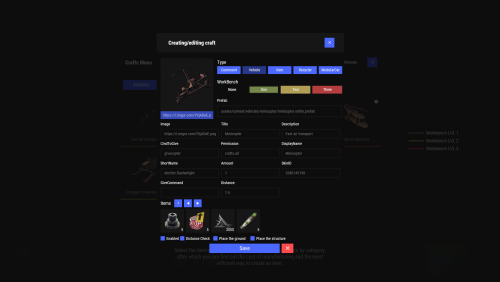
Crafting system that allows you to create items, cars, vehicles, recyclers, etc! Commands craft open interface crafts.setwb [categories: cat1 cat2 ...] set new custom workbench Permissions You can set permission in config, for example: "Permission (ex: crafts.use)": "crafts.use", crafts.setworkbench - allows you to use the "crafts.setwb" command (set custom workbenches) Craft Types Command Vehicle Item Recycler ModularCar How to install a custom workbench 1. Spawn the workbench (for example, in RustEdit or a plugin) 2. In the game, go to him and use the command "crafts.setwb" and specify the necessary categories. Example: /crafts.setwb Misc 3. Go to config (oxide/config/Crafts.json) and configure this workbench (use SafeZone, workbench level, etc.) VIDEO FAQ Q: Where can I see an example of a config? A: Config$19.95 -
Version 1.0.1
18 downloads
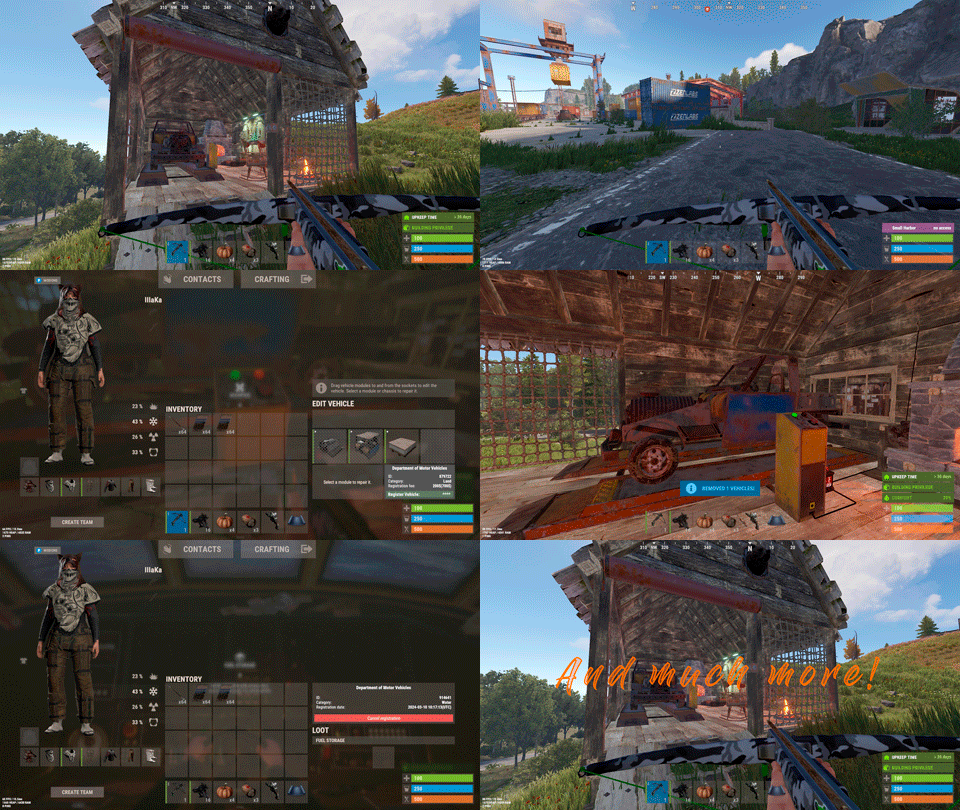
Description : - This plugin allows you to assign personalized advantages to players via a permissions system, each of which can be individually enabled or disabled from a CUI menu. Regeneration : Automatically restores a small amount of health every few seconds when out of combat. Strength : Instantly kills any NPC with a single hit. Resistance : Reduces all incoming damage from players by a configurable percentage. Fire Resistance : Grants complete immunity to fire. Fall Resistance : Grants complete immunity to fall damage. Cold Resistance : Grants complete immunity to cold damage. Breathing : Grants complete immunity to drowning damage. Ammo Refund : Gives a chance to refund one ammo round each time the player fires. Durability : Prevents all item condition loss, making gear last forever. Metabolism : Passively restores food and water over time. Settings : - HUD colors - Footer Text - Regeneration - Resistance - Metabolism - Ammo Refund Chat Commands : - /perks - /perk Permissions : - oxide.grant user <steamID/user> <perm> playerperks.regeneration playerperks.strength playerperks.resistance playerperks.fireresistance playerperks.fallresistance playerperks.coldresistance playerperks.breathing playerperks.ammorefund playerperks.durability playerperks.metabolism WuyZar's Discord : https://discord.gg/NVwRcQwGwh Game interface :$5.50- 5 comments
-
- 1
-
-
- #adventage
- #perks
- (and 23 more)
-

Version 1.3.7
1,121 downloads
Enhances team gameplay by offering features like a team HUD, automatic authorization, team-specific skins, easy markers, and a dedicated team voice chat, with customizable permissions for monetization and performance optimization. Features: This plugin will give your players a better experience when playing in a team. Team Hud - shows the health, condition(wounded, sleep, offline, etc), active item and square (player location on the map) of your allies Automatic authorization - adds automatic authorization in turrets, tc's, code locks and sam sites. The team leader can enable/disable authorization for each allie, so that the team can safely accept new players! Team skins - ability to choose skins for the team, when an item goes into inventory, it is automatically reskin into the team skin Easy team marker - allow players to use the marker without binoculars Team voice chat - allows players to switch voice chat to team voice chat. When enabled, the player will only be heard by his allies, works on any distance. A good way to playe with new allies that you don't want to add in discord. Any function in the plugin can be disabled in the config, so you will not lose performance from unnecessary functions. Any of the listed functions can be bound to permission in the config, so you can easily monitize, for example, skins. Commands: /bt - open better team menu or Click open team menu button in team Hud Config: { "Team Setting Command": "bt", "Enabled functions": { "Enable Team Hud": true, "Enable global team voice chat": true, "Enable team skins": true, "Enable easy team markers": true, "Enable team auto authorization": { "TC Authorization": true, "Codelocks authorization": true, "AutoTurrets authorization": true, "SAMSite authorization": true }, "Easy team markers": { "Max distance": 50.0, "Search radius": 1.0, "Duration [seconds]": 5, "Cooldown [seconds]": 10 } }, "Permissions": { "Need permission for Team Hud?(true - will work only for players with permission / false - work for all players)": true, "Need permission for Team Voice?(true - will work only for players with permission / false - work for all players)": true, "Need permission for Team Skins?(Need at least one player with this permission in team to set skins in menu)(true - will work only for players with permission / false - work for all players)": true, "Need permission for Team marker?(true - will work only for players with permission / false - work for all players)": true, "Team hud using permission": "betterteams.hud", "Team Voice using permission": "betterteams.voice", "Team Skins using permission(only for setting skins. it's mean that only team leader will need this permission)": "betterteams.skins", "Team marker using permission": "betterteams.marker" }, "Hud Settings": { "UI Scale": 1.0, "Left Offset": 5, "Top Offset": 200, "Player grid refresh rate": 5, "Lines margin": 5, "Collums margin": 5, "Max amount of player displays in line": 8 } } Lang File: { "UI_CHANGE": "Change", "UI_CHOOSE": "Select", "UI_BETTERTEAMS": "BETTER TEAMS", "UI_BETTERTEAMSDESCRIPTION": "This modification will allow you to get a better experience playing with friends. Some things have been changed, and new ones have been added, so that you get the better experience playing with your friends!", "UI_CHANGES": "CHANGES:", "UI_CHANGEHUD": "• Team Hud - allows you to see status of your mates", "UI_CHANGETeamVoice": "• Team Voice - allows you to use in-game voice chat to communicate only with your mates(works at any distance). Other players will not hear you. Can be enable in settings", "UI_CHANGESkins": "• Team Skins - allows you to choose skins for your team. Items you pick up will automatically receive your team's skin", "UI_CHANGEEasyTeamMabrkers": "• Easy Team Marker - allows you to use fast marker to your team without using binoculars", "UI_CHANGEAutoAuthTC": "• AutoAuthorization TC - adds automatic authorization of allies in TC", "UI_CHANGEAutoAuthCodeLocks": "• AutoAuthorization CodeLocks - adds automatic authorization of allies in Code Locks", "UI_CHANGEAutoAuthTurrets": "• AutoAuthorization Auto Turrets - adds automatic authorization of allies in Auto Turrets", "UI_CHANGESamSiteAuthorization": "• AutoAuthorization SamSite - adds automatic authorization of allies in Sam Sites", "UI_CHANGEAuthorizationManager": "• Team Managment - allows the team leader to manage auto authorization for allies.", "UI_SETTINGSNAME": "PERSONAL SETTINGS", "UI_S_ENABLE_TEAM_VOICE": "USE TEAM VOICE CHAT ", "UI_S_ENABLE_TEAM_VOICE_DES": "Yes - Replace vanilla voice to to team chat. Only your allies will hear you. Works at any distance (on the entire map)", "UI_S_ENABLE_TEAM_SKINS": "USE TEAM SKINS", "UI_S_ENABLE_TEAM_SKIN_DES": "Yes - all items you pick up will automatically receive your team's skin.", "UI_S_ENABLE_MARKERS": "USE EASY TEAM MARKERS", "UI_S_ENABLE_MARKERS_DES": "Yes - will give you the ability to place quick time markers in the world at the location you are looking at. Markers are placed using a key combination and do not require binoculars.", "UI_S_MARKER_BUTTON": "EASY TEAM MARKER BIND", "UI_S_MARKER_BUTTON_DES": "Bind your easy team marker command. Just copy command, replace BUTTON to the button you need and enter in console!\nExample: bind BUTTON ftmark -> binb v ftmark", "UI_S_YES": "YES", "UI_S_NO": "NO", "UI_M_MEMBERS": "TEAM MANAGMENT", "UI_M_ONLY_LEADER": "Available only to the team leader", "UI_M_AA_H1": "AUTO AUTHORIZATION", "UI_M_AA_INFO_DES": "All authorization places (tcs, codelocks, auto turrets, etc) add up to a single authorization list for the entire team. If you block any ally from accessing the authorization list, he will lose access to all authorization places, except for those that he installed personally (set codelock or tc himself), while your team will not lose access to his authorization places. Good if you accept new random player in your team.", "UI_M_SELECT_MATE": "Select one of your allies", "UI_M_AA_TC": "Tool Cupboard Auto Authorization", "UI_M_AA_CL": "CodeLocks Auto Authorization", "UI_M_AA_AT": "Auto Turrets Auto Authorization", "UI_M_AA_SAMSITE": "Sam Sites Auto Authorization", "UI_M_KICK": "Kick from team", "UI_M_KICK_B": "KICK", "UI_S_TEAM_SKINS": "TEAM SKINS", "CM_MARKER_COOLDOWN": "Your team ping is on cooldown: {0} seconds left", "UI_H_INFO_TEXT": "OPEN TEAM MENU", "UI_S_PERM": "Your team must have at least 1 player with privilege that have access to skins", "CM_DONT_HAVE_PERM": "You do not have permission to use this command", "UI_IS_DISABLED": "This function is disabled by admin" }$14.99 -

Version 1.2.19
1,406 downloads
Displays data about the players in the team: Togglable UI Show Teammates Health Show Teammates Active Item Show Teammates Square Position Show if teammate is dead/wounded Not loading players icons Check your file ImageLibrary.json, you must enter your steam api key and set "Avatars - Store player avatars": true Try reload ImageLibrary How to make the plugin work for all players Use the command - o.grant group default teaminfo.use At what angle are offsets considered Offsets are counted from the left bottom angel Permission for use: teaminfo.use Commands: /teaminfo - open/close the TeamInfo UI. Config: { "Offset from left angle": 5, "Offset from bottom": 150, "Enable visible player position": true, "Name permission": "teaminfo.use" } ✵ In this plugin will appear: The player's ability to put a label in the world Displaying the compass value of a player in a team$5.99 -
Version 0.1.25
1,784 downloads
Plugin for Real PvE servers, featuring damage prevention, anti-griefing measures, customizable PvP zones, an automatic loot queue in radtowns and raid zones, and much more. The ability to set "server.pve" to "true", which allows the server to have a "PvE" flag; Damage from NPC's are enabled when server.pve is true; The ability to inflict damage to one's own structures with "server.pve true"; The ability to destroy(including external walls) or rotate one's structures without any time constraints; The ability to toggle the gather resource restriction in someone else's Building Privileges; No one, except the owner or their friends, will be able to open their loot containers (chests, storages, bodies, etc.); Administrators can bypass loot restrictions; The ability to schedule the killing of players if they disconnect within someone else's Building Privilege; Disabling backpack and active item drop upon death, even if backpack is full; The ability to modify the items given at spawn on the beach; The ability to create an unlimited number of custom permissions; The ability to allow players to bypass the queue; The ability to set limits on sleeping bags, shelters and auto turrets for each permission; The ability to set a multiplier for the prices of monuments and events for each permission; The ability to customize the price and amount of vehicles for each of your custom permissions; The ability to assign vehicles to each player; The ability to customize the assigned price and available amount of vehicles for each of your custom permissions; An assigned vehicle can't be damaged, looted or pushed by other players, but it can be pushed if it is within someone else's Building Privilege; The ability to loot monuments through a queue system; The ability to configure monuments, setting their looting price and time, and adjusting status bars for each monument; The ability to acquire the privilege to loot events (helicopters, bradleys, and raidable bases) through a purchase; The ability to customize the price of each event types and loot attempts (lives); NPCs only aggress against players who are looting monuments, events or raidable bases; Only players who are looting monuments, events or raidable bases can inflict damage to NPCs; RaidableBases are protected from griefing(no damage, no loot and etc). Only the owner can interact with the raid; Neutral RaidableBases can be purchased; Prices for purchasing neutral raids are configurable for each difficulty level; Configurable raid limits (currently available) along with discount multipliers for purchases, for each permission. File location: *SERVER*\oxide\data\RealPVE\PermissionConfig.json Default: https://pastebin.com/5VtWZZVr All permissions are created and configured in the config file under the "List of permissions" section. You can create as many permissions as needed and customize them flexibly. It is recommended to use the prefix "realpve" in the permission's name, for example: "realpve.vip". NOTE: The first permission will serve as the default permission for those who do not have any permissions. { "List of permissions. NOTE: The first permission will be used by default for those who do not have any permissions.": [ { "Permission Name": "realpve.default", "Bypass Queue": false, "Limit of beds": 15, "Limit of shelters": 1, "Limit of auto turrets": 12, "Seconds that will be skipped when opening HackableLockedCrate": 0.0, "Monuments price multiplier": 1.0, "Events price multiplier": 1.0, "Limit of RaidableBases(at the time)": 1, "RaidableBases price multiplier": 1.0, "Vehicles settings": { "Horse": { "Limit": 1, "Price": 10.0 }, "Bike": { "Limit": 1, "Price": 5.0 }, "MotorBike": { "Limit": 1, "Price": 20.0 }, "Car": { "Limit": 1, "Price": 25.0 }, ... } }, { "Permission Name": "realpve.vip", "Bypass Queue": true, "Limit of beds": 20, "Limit of shelters": 2, "Limit of auto turrets": 15, "Seconds that will be skipped when opening HackableLockedCrate": 450.0, "Monuments price multiplier": 0.9, "Events price multiplier": 0.9, "Limit of RaidableBases(at the time)": 2, "RaidableBases price multiplier": 0.9, "Vehicles settings": { "Horse": { "Limit": 5, "Price": 9.0 }, "Bike": { "Limit": 5, "Price": 4.5 }, "MotorBike": { "Limit": 5, "Price": 18.0 }, "Car": { "Limit": 5, "Price": 22.5 }, ... } } ], "Version": { "Major": 0, "Minor": 1, "Patch": 1 } } An example of a monument/event/rb multipliers using default permissions. For example, if you set the price for the Harbor at $1000, a player with the default permission(1.0) will pay $1000 * 1 = $1000. Meanwhile, a player with a VIP permission(0.9) will pay $1000 * 0.9 = $900. However, if a player possesses a misbehaving permission with a value of 1.1, they will need to pay $1000 * 1.1 = $1100. { "Chat command": "realpve", "Chat admin command": "adminpve", "Is it worth enabling GameTips for messages?": true, "Is it worth using Notify plugins for messages instead of the vanilla UI?": false, "Is it worth forcibly implementing PvE for a server?": true, "Is it worth forcing the tutorial mode support?": true, "Is it worth rechecking the limits when removing permissions?": true, "Is it worth preventing death on logout in safe zones?": true, "Entities spawned by the server allowed to be looted in someone else's building privilege zone(None, Wood, Ore, Flesh, Collectible, All)": "All", "Is it worth forcibly blocking damage from the patrol helicopter to building blocks and deployables?": false, "Is it worth preventing players from handcuffing others?": true, "Is it worth assigning portals(Halloween and Christmas) to the first player?": true, "Is it worth preventing a backpack from dropping upon player death?": true, "Is it worth preventing damage to the laptop of the Hackable Crate?": true, "Is it worth removing the penalties for recyclers in safe zones?": true, "Is it worth allowing all players to pick up items dropped by others? If enabled, personal settings will be ignored": false, "Is it worth protecting sleeping players from animals?": true, "Is it worth allowing players to loot banned players items?": false, "Specify the regular message type for notify": 0, "Specify the warning message type for notify": 1, "The format that will be used for prices": "${0}", "Vehicles - Time in seconds to display the marker when searching for a vehicle. A value of 0 disables the marker": 15.0, "Anti-Sleeper - Time in seconds after which a player will be killed if they disconnect while inside someone else's Building Privilege. Set to 0 to disable": 1200.0, "Is it worth enabling support for the 'Npc Random Raids' plugin?": true, "List of language keys for creating language files(excluding ru)": [ "en" ], "Settings id for the admin loot status bar": "admin_loot", "Is friendly fire enabled by default when creating a new team?": false, "PvP - Is it worth adding map markers for PvP zones?": true, "PvP - Name of the map maker": "PvP Zone!", "PvP - Settings id for the status bar": "pvp", "PvP - Settings id for the progress status bar": "pvp", "Wipe ID": null, "Version": { "Major": 0, "Minor": 1, "Patch": 24 } } ENG: https://pastebin.com/ZMUL6pYL RUS: https://pastebin.com/Mx8cbMts Main commands(/realpve) : autobuy - Toggle autobuy for monuments, vanilla events and raid bases with a total price greater than 0; pickup - Toggle access to pick up your items from the ground for all players; share - Manage access to looting your entities by other players(outside of the team): status *entityID*(optional) - Display information about the settings of the entity you are looking at or the one you specified; add *nameOrID* *entityID*(optional) - Add the specified player to the entity list you are looking at or the one you specified; remove *nameOrID* *entityID*(optional) - Remove the specified player from the entity list you are looking at or the one you specified; toggle *entityID*(optional) - Toggle the entity list you are looking at or the one you specified; delete *entityID*(optional) - Delete the settings for the entity you are looking at or the one you specified; clear - Delete the settings for all your entities. team - Manage your team: ff - Toggle the ability to damage your teammates. vehicle - Manage your vehicles: list - List of IDs for all your vehicles; find *vehicleID*(optional) - Help finding the vehicle you are looking at or the one you specified; unlink *vehicleID*(optional) - Unlink the vehicle you are looking at or the one you specified; clear - Unlink all your vehicles. Admin commands(/adminpve). Permission "realpve.admin" required: autobuy - Manage autobuy for monuments, vanilla events and raid bases: *nameOrId* - Toggle autobuy for the specified player; force monument/event/rb - Toggle forced autobuy. If enabled, player settings will be ignored; clear - Disable autobuy for everyone. config - Manage settings for values in the configuration file: forcepve *boolValue*(optional) - Is it worth forcibly implementing PvE for a server? forcetutorial *boolValue*(optional) - Is it worth forcing the tutorial mode support? gametips *boolValue*(optional) - Is it worth enabling GameTips for messages? perm_limits *boolValue*(optional) - Is it worth rechecking the limits when removing permissions? safe_death *boolValue*(optional) - Is it worth preventing death on logout in safe zones? heli_damage *boolValue*(optional) - Is it worth forcibly blocking damage from the patrol helicopter to building blocks and deployables? handcuffs *boolValue*(optional) - Is it worth assigning portals(Halloween and Christmas) to the first player? portals *boolValue*(optional) - Is it worth preventing players from handcuffing others? backpack_drop *boolValue*(optional) - Is it worth preventing a backpack from dropping upon player death? laptop_damage *boolValue*(optional) - Is it worth preventing damage to the laptop of the Hackable Crate? recycler_safezone *boolValue*(optional) - Is it worth removing the penalties for recyclers in safe zones? item_pickup *boolValue*(optional) - Is it worth allowing all players to pick up items dropped by others? If enabled, personal settings will be ignored; safe_sleep *boolValue*(optional) - Is it worth protecting sleeping players from animals? loot_privilege *stringValues* - Entities spawned by the server allowed to be looted in someone else's building privilege zone(None, Wood, Ore, Flesh, Collectible, All) ; priceformat *stringValue* - The format that will be used for prices; vehicle_marker_time *floatValue* - Vehicles - Time in seconds to display the marker when searching for a vehicle. A value of 0 disables the marker; antisleeper *floatValue* - Anti-Sleeper - Time in seconds after which a player will be killed if they disconnect while inside someone else's Building Privilege. Set to 0 to disable; randomraids *boolValue*(optional) - Is it worth enabling support for the 'Npc Random Raids' plugin? teamff *boolValue*(optional) - Is friendly fire enabled by default when creating a new team? pvpmarkers *boolValue*(optional) - PvP - Is it worth adding map markers for PvP zones? pvpmarkersname *stringValue* - PvP - Name of the map maker. loot - Manage player access to entities without restrictions: *nameOrId* - Toggle unrestricted access for the specified player; self - Toggle unrestricted access for yourself; clear - Revoke unrestricted access for all players. monument - Manage monuments: list - List of available monuments; ignore *nameOrID* *boolValue* - Add or remove a player from the monument entry ignore list; *monumentID*/this - Instead of the monumentID, you can use the word "this", but you must be inside the monument: suffix *boolValue*(optional) - Toggle the suffix display in the monument's name; broadcast *boolValue*(optional) - Toggle notifications about monument occupancy/release; time *intValue* - Set the looting time limit for the monument in seconds; price *floatValue* - Set the cost for looting rights. A value of 0 makes the monument free; offer *floatValue* - Set the offer duration for purchasing the monument in seconds; map_mode *intValue* - Set the marker display mode on the map. 0 - disabled, 1 - enabled, 2 - enabled during PvP mode; map_circle *boolValue*(optional) - Toggle the display of the monument's circle marker on the map; pvp *boolValue*(optional) - Toggle PvP mode for the monument; pvp_delay *floatValue* - Set the PvP mode duration in seconds for players after leaving the PvP monument; bar_progress *boolValue*(optional) - Toggle between TimeProgressCounter and TimeCounter bars for the monument. perm - Manage permissions: add *permName* - Adds a new permission to the list by copying values from the first(default) permission in the list. If the permission name starts with 'realpve', it will also register a new permission; add *permName* *sourcePermName* - Adds a new permission to the list by copying values from an existing permission in the list; remove *permName* - Removes an existing permission from the list; edit *permName* - Edits a permission: queue - Toggle the permission to bypass the server queue; unlockRespawn - Toggle the availability of the Outpost respawn point; beds *intValue* - Restriction on the number of available beds; shelters *intValue* - Restriction on the number of available shelters; turrets *intValue* - Restriction on the number of available turrets; hackable *floatValue* - Number of seconds(0-900) to skip when opening a hackable crate; monuments *floatValue* - Price multiplier for monuments; events *floatValue* - Price multiplier for vanilla events; rb_limit *intValue* - Restriction on the number of raid bases available simultaneously; rb_mult *floatValue* - Price multiplier for raid bases; vehicles *vehType* - Vehicles settings: limit *intValue* - Limit on the number of available vehicles by type; price *floatValue* - Price for registering a vehicle by type. clear - Removes all permissions from the list except the first one. pickup - Manage access to picking up another player's items from the ground: *nameOrId* - Toggle access to picking up a specific player's items from the ground; clear - Revoke access for all players to pick up items from the ground. share - Manage access to looting entities by other players(outside of the team): status *entityID*(optional) - Display information about the settings of the entity you are looking at or the one you specified; add *nameOrID* *entityID*(optional) - Add the specified player to the entity list you are looking at or the one you specified; remove *nameOrID* *entityID*(optional) - Remove the specified player from the entity list you are looking at or the one you specified; toggle *entityID*(optional) - Toggle the entity list you are looking at or the one you specified; delete *entityID*(optional) - Delete the settings for the entity you are looking at or the one you specified; clear *nameOrID*(optional) - Delete the settings for all entities or all entities of the specified player. tc - Manage building privilege: add self/*entityID* *nameOrID*(optional) - Add yourself or a specified player to the building privilege of the area you or the specified entity are in; remove self/*entityID* *nameOrID*(optional) - Remove yourself or a specified player from the building privilege of the area you or the specified entity are in; clear self/*entityID* - Clear the list of authorized players in the building privilege of the area you or the specified entity are in; info self/*entityID* - Get information about the building privilege of the area you or the specified entity are in. vehicle - List of all available vehicle types: types - List of available vehicle types. Example: /realpve pickup /realpve vehicle find *netID* /realpve team ff /adminpve config loot_privilege wood, ore /adminpve perm add realpve.vip2 /adminpve perm add realpve.vip2 realpve.vip /adminpve perm edit realpve.vip2 queue true /adminpve perm edit realpve.vip2 vehicles horse limit 5 /adminpve monument list /adminpve monument *monumentID* pvp /adminpve monument *monumentID* price 7.5 /adminpve loot iiiaka /adminpve pickup iiiaka /adminpve tc info self /adminpve tc info 6959689 /adminpve vehicle types This plugin provides the ability to claim vehicles, thereby preventing theft and griefing from other players. In permissions, you can set the price and quantity restrictions for each type of vehicle, ensuring flexible customization according to your preferences. An assigned vehicle can't be damaged, looted or pushed by other players, but it can be pushed if it is within someone else's Building Privilege. File location: *SERVER*\oxide\data\RealPVE\MonumentConfig.json Default: https://pastebin.com/XY1d9YaM This plugin introduces queue system and loot purchases for monuments. You can customize the price and time for looting for each monument. Within monuments, only the "Looter" and his friends have the ability to loot, pick up items or damage entities. Additionally and NPCs within monuments do not aggress against other players and do not receive damage from them. If a player dies within the monument, they will have a grace period to return. This allows players to safely loot monuments without fear of griefing. Example of monument configuration: "ferry_terminal_1": { "Type(This parameter is just a hint. Changes won’t have any effect)": "RadTown", "Is it worth displaying the suffix(if any) in the monument's name?": true, "Is it worth notifying all players about the occupation/release of the monument?": true, "The cost for the right to loot the monument. A value of 0 makes the monument free": 15.0, "The time in seconds(1-3600) given for looting the monument": 900, "The time in seconds(1-15) given to make a decision to purchase the monument": 5.0, "Map marker display mode: 0 - disabled, 1 - enabled, 2 - enabled during PvP mode": 1, "Is it worth creating a circle in the map marker?": true, "PvP - Is PvP enabled at this monument? If so, players will be able to kill each other and loot will be publicly accessible": false, "PvP - The time in seconds(0-60) during which the player retains PvP mode after leaving the PvP monument": 10.0, "Is it worth using a progress bar for bars with a counter?": true, "Settings for the status bar": { "Order": 10, "Height": 26, "Main_Color(Hex or RGBA)": "#FFBF99", "Main_Transparency": 0.8, "Main_Material": "", "Image_Url": "https://i.imgur.com/awUrIwA.png", "Image_Local(Leave empty to use Image_Url)": "RealPVE_ferry_terminal_1", "Image_Sprite(Leave empty to use Image_Local or Image_Url)": "", "Image_IsRawImage": false, "Image_Color(Hex or RGBA)": "#FFDCB6", "Image_Transparency": 1.0, "Is it worth enabling an outline for the image?": false, "Image_Outline_Color(Hex or RGBA)": "0.1 0.3 0.8 0.9", "Image_Outline_Transparency": 0.0, "Image_Outline_Distance": "0.75 0.75", "Text_Size": 12, "Text_Color(Hex or RGBA)": "1 1 1 1", "Text_Font(https://umod.org/guides/rust/basic-concepts-of-gui#fonts)": "RobotoCondensed-Bold.ttf", "Is it worth enabling an outline for the text?": false, "Text_Outline_Color(Hex or RGBA)": "#000000", "Text_Outline_Transparency": 1.0, "Text_Outline_Distance": "0.75 0.75", "SubText_Size": 12, "SubText_Color(Hex or RGBA)": "1 1 1 1", "SubText_Font": "RobotoCondensed-Bold.ttf", "Is it worth enabling an outline for the sub text?": false, "SubText_Outline_Color(Hex or RGBA)": "0.5 0.6 0.7 0.5", "SubText_Outline_Transparency": 0.0, "SubText_Outline_Distance": "0.75 0.75" }, "Settings for the progress status bar": { "Main_Color(Hex or RGBA)": "1 1 1 0.15", "Main_Transparency": 0.15, "Progress_Reverse": true, "Progress_Color": "#FFBF99", "Progress_Transparency": 0.7, "Progress_OffsetMin": "0 0", "Progress_OffsetMax": "0 0" } } Type - This field serves only as an indicator for you. The changes won't have any impact; ShowSuffix - Suffix display. Some monuments (for example Warehouses) have suffixes in the name, like "Warehouse #12"; Broadcast - Enabling or disabling broadcasts when a monument is occupied or vacated; LootingTime - Time allocated for looting the monument; Price - The price for which you can start looting the monument. 0 means looting is free; BarSettings - Settings for the Advanced Status Bar. You can also choose the types of monuments by specifying them under the "List of tracked types of monuments" section. A list of all available types can be viewed on the MonumentsWatcher's page in the "Developer API" section. "List of tracked types of monuments": [ "RadTown", "RadTownWater", "RadTownSmall", "TunnelStation", "Custom" ] Events, similar to monuments, offer the opportunity to claim events. All events are configured in the config file under the "Settings for the events" section. You can customize the price of looting and looting attempts(deaths, including friends). Just like in monuments, only the "Looter" and his friends have the ability to loot and damage entities. Additionally, in events, NPCs do not aggress against other players. If a player(including friends) exceeds the death limit, the event became free, thereby providing other players with the opportunity to claim the event. Example of event configuration: { "Is it worth enabling forced auto-buy for vanilla events where the final price is greater than 0?": false, "Settings for the PatrolHelicopter events": { "IsEnabled": true, "Time in seconds (1-15) given to respond for purchasing this event. Note: This is shown to everyone who deals damage, and the first person to buy it will claim it": 5.0, "Is it worth removing fire from crates?": true, "The price to claim the event. A value of 0 means it's free": 50.0, "The number of deaths after which the event becomes public. A value of 0 disables the limit": 5, "The time in seconds for which the event is locked to the player. A value of 0 disables the time limit": 1800.0 }, "Settings for the BradleyAPC events": { "IsEnabled": true, "Time in seconds (1-15) given to respond for purchasing this event. Note: This is shown to everyone who deals damage, and the first person to buy it will claim it": 5.0, "Is it worth removing fire from crates?": true, "The price to claim the event. A value of 0 means it's free": 50.0, "The number of deaths after which the event becomes public. A value of 0 disables the limit": 5, "The time in seconds for which the event is locked to the player. A value of 0 disables the time limit": 1800.0 }, "Version": { "Major": 0, "Minor": 1, "Patch": 0 } } Price - The price to claim the event. 0 means looting is free; DeathLimit - Limit of deaths after which the event becomes free. File location: *SERVER*\oxide\data\RealPVE\NewbieConfig.json Default: https://pastebin.com/QHZCqpji An example of an item list given for the main inventory: "List of items for the main inventory": [ { "ShortName": "note", "Slot": 0, "Amount": 1, "SkinID": 0, "Text": "MsgNoteText" } ] P.S. In the Text field, you need to specify the language key. Or, you can just write any text, but there won't be a translation of the text. File location: *SERVER*\oxide\data\RealPVE\RaidableBasesConfig.json Default: https://pastebin.com/rpDng7Fd Integration with the RaidableBases plugin does not restrict its functionality in any way. On the contrary, it adds an anti-grief system that protects bases from malicious players. In raid bases, NPCs and other entities can only receive damage from the raid owner or their friends; Turrets and traps do not aggress against outsiders; You can customize the price of claiming to each difficulty and set individual discounts for each permission. You can still purchase raid bases using the /buyraid command. Raid bases without owners(buyable, maintained, manual and scheduled) can be bought for a price set in the configuration file or assigned to the first player who enters its radius, if the final price(price * discount) less or equals to 0. Additionally, as a bonus, upon buying this plugin, you receive 5 free bases for 3 difficulty levels, along with configured loot for them. [PluginReference] private Plugin RealPVE; There are 6 universal hooks that the plugin is subscribed to, the use of which allows interaction with PVP in various PVE plugins: OnPlayerEnterPVP OnPlayerExitPVP OnEntityEnterPVP OnEntityExitPVP CreatePVPMapMarker DeletePVPMapMarker OnPlayerEnterPVP: Used to add a player to PVP mode/zone. To call the OnPlayerEnterPVP hook, you need to pass 2 parameters: <BasePlayer>player - The player to add to PVP; <string>zoneID - A unique identifier for your PVP zone. This parameter is very important because a player can be in multiple PVP zones at the same time and passing the zoneID in this case allows for correct processing of the player's location within them. Interface.CallHook("OnPlayerEnterPVP", player, "*Your unique zone identifier*");//Calling the OnPlayerEnterPVP hook to tell PVE plugins that the player needs to be added to the specified PVP zone. OnPlayerExitPVP: Used to remove a player from PVP mode/zone. Calling this hook guarantees the player’s removal from the specified PVP zone, but does not guarantee the removal from PVP mode, as there may be other zones in addition to yours. Also, when a player dies, they are automatically removed from all PVP zones. To call the OnPlayerExitPVP hook, you need to pass 3 parameters, 1 of which is optional: <BasePlayer>player - The player to remove from PVP; <string>zoneID - A unique identifier for your PVP zone; <float>pvpDelay - Optional. When the player exits your PVP zone, you can also pass the PVP delay time. However, if the player still has other active PVP zones, your PVP delay will not take effect. Interface.CallHook("OnPlayerExitPVP", player, "*Your unique zone identifier*", 10f);//Calling the OnPlayerExitPVP hook to tell PVE plugins that the player needs to be removed from the specified PVP zone, with the pvpDelay(10 seconds) specified if the player no longer has any active PVP zones. OnEntityEnterPVP: Used to add an entity to PVP mode/zone. In the case of RealPVE, this hook is only necessary to add entities with an owner(player) to a PVP, allowing other players to interact with them, such as a player's corpse after death(PlayerCorpse) or a backpack after the corpse disappears(DroppedItemContainer). To call the OnEntityEnterPVP hook, you need to pass 2 parameters: <BaseEntity>entity - The entity to add to PVP; <string>zoneID - A unique identifier for your PVP zone. Interface.CallHook("OnEntityEnterPVP", entity, "*Your unique zone identifier*");//Calling the OnEntityEnterPVP hook to tell PVE plugins that the entity needs to be added to the specified PVP zone. OnEntityExitPVP: Used to remove an entity from PVP mode/zone. When an entity dies, it is automatically removed from all PVP zones. To call the OnEntityExitPVP hook, you need to pass 3 parameters, 1 of which is optional: <BaseEntity>entity - The entity to remove from PVP; <string>zoneID - A unique identifier for your PVP zone; <float>pvpDelay - Optional. When the entity exits your PVP zone, you can also pass the PVP delay time. However, if the entity still has other active PVP zones, your PVP delay will not take effect. Interface.CallHook("OnEntityExitPVP", entity, "*Your unique zone identifier*", 10f);//Calling the OnEntityExitPVP hook to tell PVE plugins that the entity needs to be removed from the specified PVP zone, with the pvpDelay(10 seconds) specified if the entity no longer has any active PVP zones. CreatePVPMapMarker: Used to create a map marker for the PVP zone. To call the CreatePVPMapMarker hook, you need to pass 5 parameters, 2 of which is optional: <string>zoneID - A unique identifier for your PVP zone; <Vector3>pos - The position of your PVP zone; <float>radius - The radius of the circle for your PVP zone; <string>displayName - Optional. The display name for the map marker; <BaseEntity>entity - Optional. The entity to which the map marker should be attached. Interface.CallHook("CreatePVPMapMarker", "*Your unique zone identifier*", pos, 25f, "ATTENTION! This is a PVP zone!");//Calling the CreatePVPMapMarker hook to tell PVE plugins to create a map marker for the specified zone, at the specified position with the given radius, but without specifying a parent entity. DeletePVPMapMarker: Used to delete a map marker for the PVP zone. To call the DeletePVPMapMarker hook, you need to pass only 1 parameter: <string>zoneID - A unique identifier for your PVP zone. Interface.CallHook("DeletePVPMapMarker", "*Your unique zone identifier*");//Calling the DeletePVPMapMarker hook to tell PVE plugins to delete a map marker for the specified zone. There are 5 hooks that the plugin calls: OnPlayerPVPDelay OnPlayerPVPDelayed OnPlayerPVPDelayRemoved OnZoneStatusText CanRedeemKit OnPlayerPVPDelay: Called when a player exits the last active PVP zone, allowing other plugins to overwrite the value for pvpDelay. Returning a float value allows changing the pvpDelay for the player. A value less than zero disables the pvpDelay. When calling the OnPlayerPVPDelay hook, 3 parameters are passed: <BasePlayer>player - The player to whom the pvpDelay is applied; <float>pvpDelay - The initial value of pvpDelay; <string>zoneID - A unique identifier of PVP zone. object OnPlayerPVPDelay(BasePlayer player, float pvpDelay, string zoneID) { Puts($"Attempting to set a PvP delay of {pvpDelay} seconds for player {player.displayName} in zone {zoneID}!"); if (zoneID == "*Your unique zone identifier*") { return 15f;//Overriding the values for pvpDelay } return null;//Leave unchanged } OnPlayerPVPDelayed: Called after the PVP delay has been set for the player. When calling the OnPlayerPVPDelayed hook, 3 parameters are passed: <BasePlayer>player - The player to whom the pvpDelay is applied; <float>pvpDelay - The value of pvpDelay; <string>zoneID - A unique identifier of PVP zone. void OnPlayerPVPDelayed(BasePlayer player, float pvpDelay, string zoneID) { Puts($"A PvP delay of {pvpDelay} seconds has been set for player {player.displayName} in zone {zoneID}!"); } OnPlayerPVPDelayRemoved: Called when the PVP delay is removed from the player after they enter a PVP zone with an active PVP delay. When calling the OnPlayerPVPDelayRemoved hook, only 1 parameter is passed: <BasePlayer>player - The player from whom the PVP delay has been removed. void OnPlayerPVPDelayRemoved(BasePlayer player) { Puts($"PVP delay has been removed for player {player.displayName} as they entered a PVP zone!"); } OnZoneStatusText: Called when the text with the nice name for the specified zone is needed, to be displayed in the status bar. When calling the OnZoneStatusText hook, 2 parameters are passed: <BasePlayer>player - The player for whom the nice name for the zone is being requested; <string>zoneID - A unique identifier of PVP zone. object OnZoneStatusText(BasePlayer player, string zoneID) { Puts($"Text for the status bar is required for zone {zoneID}"); if (zoneID == "*Your unique zone identifier*") { return lang.GetMessage("*langKey*", this, player.UserIDString);//<string>Overriding the value for the status bar text } return null;//Leave unchanged } CanRedeemKit: Called before giving the starter kit, in the OnDefaultItemsReceive hook. A non-zero value cancels this action. When calling the CanRedeemKit hook, only 1 parameter is passed: <BasePlayer>player - The player to whom the kit is being attempted to be given. object CanRedeemKit(BasePlayer player) { Puts($"Attempting to give the kit to player {player.displayName}!"); if (player.IsAdmin) { return false;//Cancel the action } return null;//Leave unchanged }$39.99 -
.thumb.gif.bea1a5fe62a2b074f24158fd7aafd595.gif)
Version 1.4.0
451 downloads
NCP is a highly optimized and professional notification system designed specifically for Rust servers. Built with performance in mind, it provides server administrators with a powerful yet lightweight solution for displaying custom notifications to players using authentic Rust UI elements and color schemes. The plugin features extensive customization options, multiple positioning presets, and seamless integration with other plugins through a comprehensive API system. All notifications use genuine Rust game assets and follow the official UI design patterns for a native gaming experience. Main Features Authentic Rust UI: Uses genuine Rust game assets, icons, and color palette for native look and feel High Performance: Optimized for minimal server impact Fully Customizable: Configure colors, gradients, materials, sprites, icons, and positioning for each notification type Flexible Positioning: Support for TopLeft, TopRight, BottomLeft and BottomRight screen positioning Easy Integration: Comprehensive API for seamless integration with other plugins Smart Management: Automatic notification queuing, duration control, and fade effects Sound Effects: Optional sound effects for each notification type Multiple Types: Pre-configured Info, Warning, Error, and Success notifications with unlimited custom types Visual Effects: Gradient overlays, borders, shadows, and material effects using Rust's UI system Lightweight: Minimal memory footprint with automatic cleanup and resource management Permissions ncp.see: Allows players to see notifications (required for visibility) ncp.notify: Grants permission to use the show command for testing ncp.player: Allows sending notifications to specific players ncp.allplayers: Permits broadcasting notifications to all online players Chat Commands /ncp.show <type> <message>: Display notification to yourself (testing purposes) /ncp.player <player> <type> <message>: Send notification to specific player /ncp.allplayers <type> <message>: Broadcast notification to all online players /ncp.edit <type>: Opens the configurator UI Console Commands ncp.show <type> <message>: Display notification from server console ncp.player <player> <type> <message>: Send notification to player from console ncp.allplayers <type> <message>: Broadcast to all players from console Notification Types: 0 (Info), 1 (Warning), 2 (Error), 3 (Success), or any custom type configured Note: Most commands require appropriate permissions except for viewing notifications API Methods SendNotify(BasePlayer player, int type, string message) SendNotify(string userId, int type, string message) SendNotify(ulong userId, int type, string message) SendNotifyAllPlayers(int type, string message) Usage Examples // Send notification to specific player NCP?.Call("SendNotify", player, type, message); // BasePlayer NCP?.Call("SendNotify", "76561198000000000", type, message); // String UserID NCP?.Call("SendNotify", 76561198000000000L, type, message); // uLong UserID // Send notification to all online players NCP?.Call("SendNotifyAllPlayers", type, message); Example Integration [PluginReference] private Plugin NCP; private void ShowPlayerNotification(BasePlayer player) { NCP?.Call("SendNotify", player, 0, "Welcome to our server!"); // Info NCP?.Call("SendNotify", player, 1, "Low health detected!"); // Warning NCP?.Call("SendNotify", player, 2, "Access denied!"); // Error NCP?.Call("SendNotify", player, 3, "Item crafted successfully!"); // Success // Global broadcast NCP?.Call("SendNotifyAllPlayers", 1, "Server event starting in 5 minutes!"); } Config { "Permission (empty = no permission required)": "", "UI Settings": { "Anchor Position (TopLeft, TopRight, BottomLeft, BottomRight)": "TopRight", "Width": 240.0, "Height": 50.0, "X Offset": -15.0, "Y Offset": -15.0, "Spacing": 5.0, "Max Visible": 5 }, "Notification Types": { "0": { "Enabled": true, "Title": "Information", "Icon Asset": "assets/icons/info.png", "Background Color": { "HEX": "#1a1a1a", "Opacity (0 - 100)": 92.0 }, "Enable Gradient": true, "Gradient Color": { "HEX": "#4A90E2", "Opacity (0 - 100)": 20.0 }, "Sprite": "assets/content/ui/ui.background.transparent.linearltr.tga", "Material": "Assets/Icons/IconMaterial.mat", "Icon Background Color": { "HEX": "#4A90E2", "Opacity (0 - 100)": 80.0 }, "Border Color": { "HEX": "#4A90E2", "Opacity (0 - 100)": 50.0 }, "Title Color": { "HEX": "#FFFFFF", "Opacity (0 - 100)": 80.0 }, "Text Color": { "HEX": "#CCCCCC", "Opacity (0 - 100)": 85.0 }, "Title Font Size": 12, "Message Font Size": 8, "Duration": 5.0, "Fade In": 0.3, "Fade Out": 1.2, "Sound Effect": "assets/bundled/prefabs/fx/notice/item.select.fx.prefab" }, "1": { "Enabled": true, "Title": "Warning", "Icon Asset": "assets/icons/warning.png", "Background Color": { "HEX": "#1a1a1a", "Opacity (0 - 100)": 92.0 }, "Enable Gradient": true, "Gradient Color": { "HEX": "#E2A04A", "Opacity (0 - 100)": 20.0 }, "Sprite": "assets/content/ui/ui.background.transparent.linearltr.tga", "Material": "Assets/Icons/IconMaterial.mat", "Icon Background Color": { "HEX": "#E2A04A", "Opacity (0 - 100)": 80.0 }, "Border Color": { "HEX": "#E2A04A", "Opacity (0 - 100)": 50.0 }, "Title Color": { "HEX": "#FFFFFF", "Opacity (0 - 100)": 80.0 }, "Text Color": { "HEX": "#CCCCCC", "Opacity (0 - 100)": 85.0 }, "Title Font Size": 12, "Message Font Size": 8, "Duration": 7.0, "Fade In": 0.3, "Fade Out": 1.2, "Sound Effect": "assets/bundled/prefabs/fx/notice/item.select.fx.prefab" }, "2": { "Enabled": true, "Title": "Error", "Icon Asset": "assets/icons/close.png", "Background Color": { "HEX": "#1a1a1a", "Opacity (0 - 100)": 92.0 }, "Enable Gradient": true, "Gradient Color": { "HEX": "#CE422B", "Opacity (0 - 100)": 25.0 }, "Sprite": "assets/content/ui/ui.background.transparent.linearltr.tga", "Material": "Assets/Icons/IconMaterial.mat", "Icon Background Color": { "HEX": "#CE422B", "Opacity (0 - 100)": 85.0 }, "Border Color": { "HEX": "#CE422B", "Opacity (0 - 100)": 60.0 }, "Title Color": { "HEX": "#FFFFFF", "Opacity (0 - 100)": 80.0 }, "Text Color": { "HEX": "#CCCCCC", "Opacity (0 - 100)": 85.0 }, "Title Font Size": 12, "Message Font Size": 8, "Duration": 8.0, "Fade In": 0.3, "Fade Out": 1.2, "Sound Effect": "assets/bundled/prefabs/fx/notice/item.select.fx.prefab" }, "3": { "Enabled": true, "Title": "Success", "Icon Asset": "assets/icons/thumbsup.png", "Background Color": { "HEX": "#1a1a1a", "Opacity (0 - 100)": 92.0 }, "Enable Gradient": true, "Gradient Color": { "HEX": "#7ED321", "Opacity (0 - 100)": 20.0 }, "Sprite": "assets/content/ui/ui.background.transparent.linearltr.tga", "Material": "Assets/Icons/IconMaterial.mat", "Icon Background Color": { "HEX": "#7ED321", "Opacity (0 - 100)": 80.0 }, "Border Color": { "HEX": "#7ED321", "Opacity (0 - 100)": 50.0 }, "Title Color": { "HEX": "#FFFFFF", "Opacity (0 - 100)": 80.0 }, "Text Color": { "HEX": "#CCCCCC", "Opacity (0 - 100)": 85.0 }, "Title Font Size": 12, "Message Font Size": 8, "Duration": 5.0, "Fade In": 0.3, "Fade Out": 1.2, "Sound Effect": "assets/bundled/prefabs/fx/notice/item.select.fx.prefab" } } }Free -
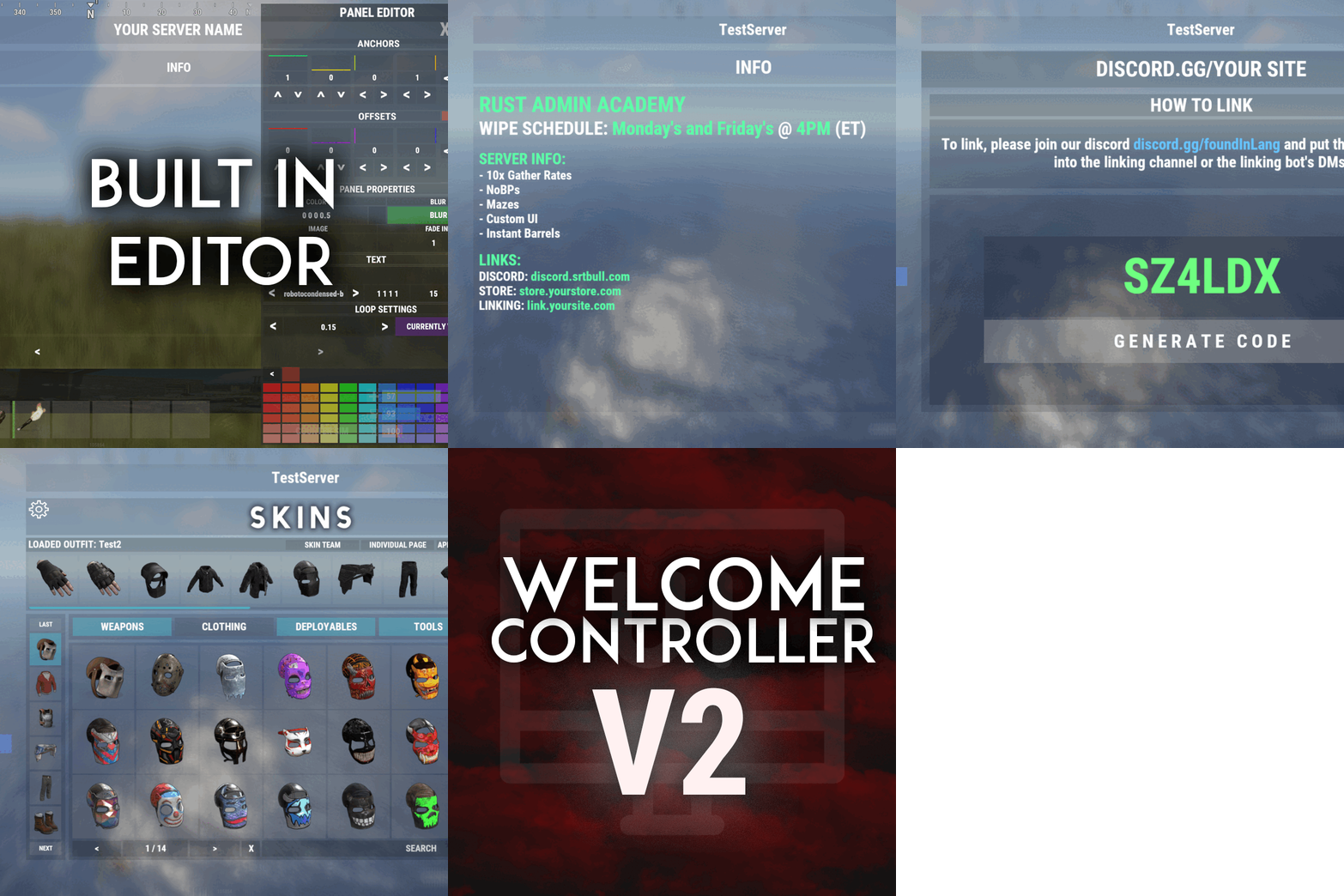
Version 2.1.5
2,338 downloads
Welcome "UI" controller is a multi-function info panel! - Supports multiple plugins to be directly integrated. Linked in the optional dependencies! - Add permissions to access different pages - Optionally, you can set a page that has a permission to not show on the button list at all or you can set it to show a no permission page (You can make it say whatever you want) - Change the layout of the buttons - Add images to each button - Add multiple commands to access each page - Edit, add, and delete your info panels and or integrated plugins directly from the editor UI. - Apply a color theme INSTANTLY to ALL your integrated plugins with one simple click! - Running a command auto loads you into the correct page on the info panel, even if it's an addon. - Create infinite tabs for different pages. - You can do really anything you can think of! - In game editor for all your UI needs. - Add new panels - Clone panels - Change load orders of panels - Change the look in every way of a panel - Add an image and or text to ANY panel you want to - Easily move the UI with buttons or input numbers within the UI - When you're reading this, there might be even more themes available! - Images are pictures of the "Original" theme and show some of the optional addons and built in editor. ADMIN PERMISSION: welcomecontroller.admin Editor page: /welcomeedit Theme Selector: /welcomethemes Support? Questions? Comments? Concerns? Message me in my Discord! https://discord.gg/ZsRgCUNv2x DEVELOPER API's AND HOOKS API -> bool IsUsingPlugin(string pluginName) HOOKS -> void OnWCRequestedUIPanel(BasePlayer player, string panelName, string neededPlugin) - This is called when an addon is trying to be accessed for WelcomeController. - Make sure you do a simple check that the needed plugin is the plugin you're working in. - I recommend making the plugin name that you check for, the name of the CS file. - If neededPlugin == yourPlugin, open your UI, attach it to "panelName".$29.99 -
Version 1.0.6
106 downloads
The AdditionalBelt plugin is a useful tool for players who want to get the most out of their game experience. By providing an extra slot in your inventory to carry needed items, this plugin can make gameplay more enjoyable and rewarding. One of the main benefits of using this plugin is that it allows players to carry more items without losing valuable inventory space. This can be especially useful in gameplay moments where inventory management is a key gameplay element, as it allows players to be more efficient and effective in exploration and combat. Feathures: Doesn't stress the server. The whole plugin is made on the mechanics of the game and does not stress the server in any way, no data files, no containers with the creation of new items. Convenient bind switch through "E then R", which allows you to freely switch between belts even in the most intense PvP. Nice UI button next to belt slots for switching inside inventory. It's possible to protect a dropped belt, after which a codelock will be installed on the crate. Video Plugin Demo: Permissions: additionalbelt.enabled - Permission to receive/wear an additional belt additionalbelt.loot.protection - protect a dropped belt from being looted by other players additionalbelt.nodrop - Disable the belt dropout additionalbelt.keep - Saving the belt, returns after respawning Key combination for switching: E then R Default Command: belt (Configurable in the config) Default Config: { "Cooldown between belt switches in seconds": 0.0, "Notify the player in the chat after switching belts?": true, "Command": "belt" } Default Lang: { "NoPermission": "You do not have permission to use this command.", "LootProtection": "This crate is protected, it cannot be looted.", "Title": "Belt of {0}", "Switch": "You switched to an additional belt.", "Cooldown": "You switch between belts too often, you can switch again after {0} seconds.", "Grant": "You have been added an additional belt. Usage: E then R, console command - {0}, chat command - /{0}.", "Revoke": "You have been revoked for an extra belt.", "RevokeWithDrop": "You have been revoked for an extra belt. The belt is dropped next to you, remember to pick up your items." } API: bool HasBelt(ulong playerId) // Find out if a player has an additional belt or not (includes sleepers) List<Item> GetItems(ulong playerId) // Get a list of additional belt items (includes sleepers)$18.00- 19 comments
- 2 reviews
-
- 2
-
-
- #additional
- #belt
- (and 2 more)
-
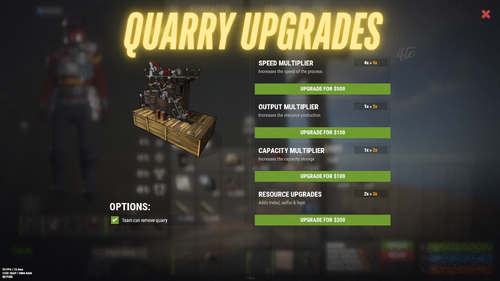
Version 1.0.0
39 downloads
Upgrades the player placed mining quarry, turning them useful on your server. Upgrade mining quarry speed, storage capacity, output multiplier & resources upgrades Get stones, metal ore, sulfur ore, HQM ore all from single quarry You can set a default value for the mining quarry from config You can enable/disable any features you want You can also remove and place it in another location with the attributes Option to keep attributes when removing the quarry Team options for individual quarry NOT SUPPORTED WITH PUMPJACK QUARRY quarryupgrades.admin - Requires for admin to interact with the quarry quarryupgrades.use - Quarry upgrade permission quarryupgrades.upgradebutton - Upgrade button permission (Enable from config) quarryupgrades.statusui - Status UI permission (Enable from config) quarryupgrades.removequarry - Requires to remove the placed quarry quarryupgrades.surveycheck - Survey charge permission shows if quarry placeable in that area (Right click with a survey charge item in active hand)$12.99- 4 comments
-
- 1
-
-
- #quarry
- #mining quarry
- (and 7 more)
-
Version 1.0.4
18 downloads
Ever loaded into a server and wondered... where is everyone? Those first few moments can make or break a new player's experience. MapMap turns that empty map into a vibrant, growing civilization MapMap adds beautiful, configurable map markers for 22 entity types, encouraging organic social interaction- all with minimal performance impact • New players see activity and stay longer • Organic towns and communities form • You control every aspect Supports Tool Cupboard Legacy Shelter Boat Building Station Player Boat Tugboat PT Boat RHIB Rowboat Kayak Submarine Hot Air Balloon (New!) Minicopter Attack Helicopter Scrap Transport Helicopter Car Bike Snowmobile (New!) Horse Train Engine Train Car Supply Drop (New!) Locked Crate (New!) Performance You Can Trust • Dynamic entities (boats, tugboats, vehicles) update in real-time with an incredibly efficient system, no unnecessary processing • Static entities (cupboards, shelters, stations) are updated only when created or destroyed, zero ongoing overhead • Adjustable update interval lets you fine-tune performance vs real-time accuracy Simple, Clean Configuration Match your server's theme or make each entity type instantly recognizable with 12 vibrant colors, alongside adjustable size and transparency- each individually configurable. Example: "UpdateInterval": 1.0, "ToolCupboard": { "Enabled": true, "Radius": 0.1, "Alpha": 0.3, "Color": "green" }, "LegacyShelter": { "Enabled": true, ... Colors • Red • Orange • Yellow • Lime • Green • Blue • Indigo • Purple • Magenta • Pink • White • Gray Ready to watch your server come alive? Get MapMap today and turn your next wipe into a story your players will talk about. Drop the file in your carbon/plugins folder, load the plugin c.load MapMap), and configure carbon/configs/MapMap.json to your liking if you adjust the config, save it, then run c.reload MapMap in the console I provide long-term support and am always open to bug reports and constructive feedback$19.99 -
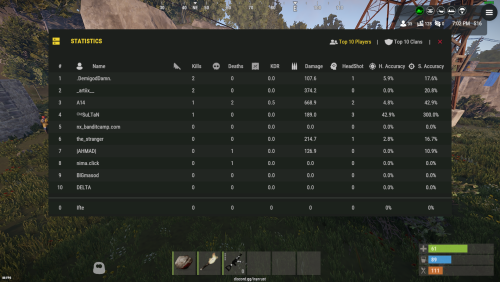
Version 1.0.7
406 downloads
SimpleStatsUI is a sleek and user-friendly statistics interface designed to enhance the gaming experience by providing comprehensive insights into player and clan performance. Beautiful User-Interface Shows leaderboards of TOP 10 Players in the server & TOP 10 Clans Counts Player Kills, Deaths, KDR, HeadShots, HeadShot.Accuracy, Shooting Accuracy /stats - Opens UI interface Leaderboard (For Players) /show_kdr - Enable or disable KDR UI (For Players) /enable_kdr - Enable or disable KDR UI for the server (For Admin) /reset_players - Reset all player stats (For Admin) /reset_clans - Reset all clan stats (For Admin) simplestatsui.admin - Requires admin permission to reset stats { "Settings": { "Count NPC": true, "Count Suicides": true, "Reset Player Stats On Wipe": true, "Reset Clan Stats On Wipe": true }, "KDR UI Setting": { "Enable KDR UI": true, "Anchor Min": "0.5 0", "Anchor Max": "0.5 0", "Offset Min": "-305.2 17.999", "Offset Max": "-205.2 77.98", "Kills UI": { "Text": "{kills} Kills", "BackGround Color": { "Hexa Color(#FFFFFF,100)": "#3D4B27,100" }, "Icon ImageURL": "https://i.postimg.cc/nLj1yJ0L/target.png", "Icon Color": { "Hexa Color(#FFFFFF,100)": "#A6CD63,100" }, "Text Color": { "Hexa Color(#FFFFFF,100)": "#A6CD63,100" } }, "Deaths UI": { "Text": "{deaths} Deaths", "BackGround Color": { "Hexa Color(#FFFFFF,100)": "#962F20,100" }, "Icon ImageURL": "https://i.postimg.cc/s2CkmnwL/skull.png", "Icon Color": { "Hexa Color(#FFFFFF,100)": "#C79897,100" }, "Text Color": { "Hexa Color(#FFFFFF,100)": "#C79897,100" } }, "KDR UI": { "Text": "{kdr} KDR", "BackGround Color": { "Hexa Color(#FFFFFF,100)": "#1D425F,100" }, "Icon ImageURL": "https://i.postimg.cc/d14y9dWg/market.png", "Icon Color": { "Hexa Color(#FFFFFF,100)": "#489AD4,100" }, "Text Color": { "Hexa Color(#FFFFFF,100)": "#489AD4,100" } } } }$9.99 -
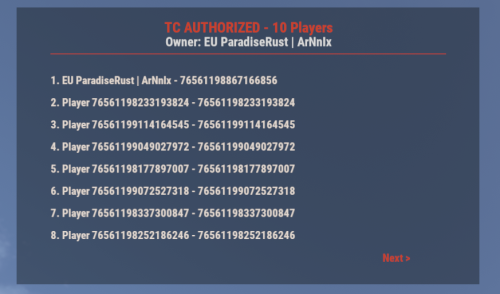
Version 1.4.4
69 downloads
UI for displaying authorized players on the Tool Cupboard, Auto Turret, and Code Lock, including the entity owner. This plugin adds a simple, clean UI that shows you exactly who is authorized on the building or deployable you're looking at. Features: - Tool Cupboard: Displays a list of all authorized players and the owner. - Auto Turret: Displays a list of all authorized players and the owner. - Code Lock: Displays the owner, the lock code, and a list of whitelisted (Main) and Guest players. - Other Entities: If you look at any other player-placed entity (furnace, box, etc.), it will display the owner's name. - Pagination: If the list of players is longer than 8, you can use the "Next" and "Previous" buttons to browse. - Copyable Text: All information displayed in the UI (player names, Steam IDs, codes) can be selected and copied by the admin for easy use. - Player Team Info: If you look at a player, the UI will display their team information, including the team leader, all team members, and their Steam IDs. - Permission-based: Use the permission `adminauth.use` to control who can see the UI. How to use: 1. Grant the permission to a player or a group. 2. The player types the chat command `/aauth` to toggle the UI on or off. 3. Simply look at a Tool Cupboard, Turret, Code Lock, any other entity, or a player. The UI will appear with the relevant information. 4. To copy any information (like a Steam ID or Name), simply select the text in the UI with your mouse and copy it (Ctrl+C). Commands: - /aauth - Toggles the AdminAuthorizedUI on and off. Permissions: - adminauth.use - Required to use the /aauth command and see the UI.$13.80 -
Version 1.0.1
4 downloads
UIButtons is a Rust plugin that adds customizable UI buttons to your server. Players can click these buttons to execute commands like /shop, /kit, and more. The buttons are fully configurable through the UIButtons.json file, where you can set button text, commands, and button colors. Features: * Custom Buttons: Easily add buttons with text and commands. * Color Customization: Set button color using RGBA format. * Automatic UI: UI displays automatically when players join. * Configurable: Modify button settings via a simple config file. Example Configuration: { "IsUIVisible": true, "ButtonColor": "0.3568628 0.3568628 0.345098 0.4705882", "Buttons": [ { "Text": "Shop", "Command": "chat.say /shop" }, { "Text": "Vehicle", "Command": "chat.say /menu_vehicle" }, { "Text": "Kits", "Command": "chat.say /kit" }, { "Text": "Credits", "Command": "chat.say /credits" }, { "Text": "Copter", "Command": "chat.say /cb copter" }, { "Text": "Remove", "Command": "chat.say /remove" } ] }$3.49 -
Version 1.0.6
33 downloads
PortalSystem Fast travel that stays balanced for any Rust server. PortalSystem adds placeable, name-linked portals that teleport players between a matching pair — while giving you full admin control over cooldowns, limits, costs, and sharing. And yes: Map/Monument Portals are included too, so you can create fixed portals for hubs, events, monuments, arenas, and custom locations — perfect for building a real server travel network. Perfect for: PvE, RPG/RP, Hub servers, Vanilla+, and PvP servers that want fast travel without abuse. Features Portal Pair System (name linking): Portals link by name — only 2 portals can share the same name (A ↔ B). Use one to teleport to the other. Player Portals (placeable item): Portals are placed from an item (configurable name + skin). Includes anti-stack to prevent stacking/abuse. Map / Monument Portals: Admins can place fixed portals on monuments / locations using /portal commands (great for hubs & travel routes). Portal UI Menu: Clean UI to manage portal settings in-game (distance-limited to prevent remote abuse). Sharing Modes: Set portals as Everyone / Only Me / My Team. Optional clan logic (treat clanmates/allies as team) if enabled. Access Mode: Set a portal to Entry / Exit / Both. Teleport Cooldowns: Global cooldown + VIP overrides (permission → cooldown seconds). Portal Limits: Default portal limit per player + optional permission limits (portalsystem.limit.X). (Limit 0 = unlimited.) Entry Costs (optional): Charge players to use portals via: Items Economics ServerRewards Includes a bypass permission for free entry. Pickup System: Pickup with hammer right-click hold (configurable) with optional durability/HP behavior. Portal Visual Options: Optional name text above portals + optional map marker support + optional placement indicator. Loot Integration (optional): Add portal items to loot containers with configurable chances. Map Portals (Custom Maps) PortalSystem supports map-placed portals for custom maps, hubs, monuments, arenas, and event areas. How to use 1. Enable it in config: [Custom Maps] Enable map-placed portals from prefabs = true 2. Place any prefab on your map and set its Name to: portalsystem.<portal name> (Prefix is configurable via [Custom Maps] Prefab name prefix (e.g. portalsystem.) — default: portalsystem.) 3. 2 portals with the same name will link (A ↔ B). Important: Make sure you don’t break the prefab, and don’t add these portals as part of other prefabs. Commands Player /buyportal → Buy a portal (if enabled; Economics/ServerRewards). /giveportal [amount] → Give yourself portal items. /giveportal <player> [amount] → Give portal items to another player. (Also available as console: giveportal <player> [amount].) Admin /spawnportal → Spawns a portal at your look position and opens its UI. /portal add <name> → Add a Map/Monument Portal where you’re looking. /portal remove → Remove the portal you’re looking at (monument). /portal reset → Remove all portals on the current monument. /portal edit → Edit the portal you’re looking at. /portal list → List monument portals on the current monument. /portal list all → List all monument portals (grouped by monument) in console. Example Configuration Permissions portalsystem.use → Use portals (teleport) portalsystem.place → Place portals portalsystem.give → Use /giveportal portalsystem.spawn → Use /spawnportal portalsystem.admin → Access /portal map/monument portal management portalsystem.buy → Required for /buyportal (when enabled) portalsystem.free → Free /buyportal purchase (bypass buy cost) portalsystem.freeuse → Bypass entry cost when using portals (configurable) portalsystem.limit.X → Extra portal limits via permission (example: portalsystem.limit.6) VIP cooldown perms → whatever you define in the VIP cooldown override list API Item API_CreatePortalItem() // returns a ready-to-use portal item BaseEntity API_SpawnPortal(Vector3 position, Quaternion rotation, string name) // spawns a portal entity at position/rotation and registers it (spawn portal) Why Choose PortalSystem? Because fast travel should be useful for players and controllable for admins. PortalSystem gives you a clean paired portal system, plus Map/Monument Portals for hubs and events all while keeping things fair with cooldowns, limits, costs, and sharing rules.$19.95 -
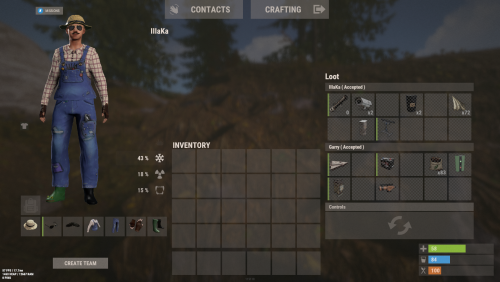
Version 0.1.4
223 downloads
An excellent plugin for remote trading between players with extensive functionality. The ability to log successful trades; The ability to create new permissions; The ability to customize permissions flexibly, including both new and existing ones; The ability to limit slots in trade; The ability to configure the method(Personal, CommonMinimum, CommonMaximum) for limiting the number of slots; The ability to set a cooldown on sending trade requests; The ability to configure the method(InitiatorOnly, TargetOnly, Both) for applying cooldown to players; The ability to purchase a bypass for the trade request cooldown; The ability to set a daily limit on sending trade requests; The ability to purchase additional trade requests after reaching the daily limit; The ability to forbid trading when wounded; The ability to forbid trading while swimming; The ability to forbid trading while mounted on certain seats; The ability to forbid trading in specified monuments, by name or by monument type; The ability to forbid trading in someone else's building privileges; The ability to forbid trading when taking damage; The ability to forbid trading during a combat block; The ability to forbid trading during a raid block; The ability to forbid certain items from being traded; The ability to automatically generate language files for specified languages(with content filled in English); The ability to set an effect upon receiving a trade request; The ability to change the effect upon a successful trade completion; The ability to display a status bar while waiting for a trade; The ability to choose between bar types(TimeCounter and TimeProgressCounter); The ability to specify the order of the bar; The ability to change the height of the bar; The ability to customize the color and transparency of the background; The ability to set a material for the background; The ability to switch between CuiRawImageComponent and CuiImageComponent for the image; The ability to get images from the local folder(*SERVER*\oxide\data\AdvancedStatus\Images); The ability to set own image and customize the color and transparency of the image; The ability to set sprite instead of the image; The ability to customize the color, size and font of the text. { "Chat command": "trade", "List of 'accept' commands": [ "accept", "yes" ], "List of 'cancel' commands": [ "cancel", "no" ], "Is it worth enabling GameTips for messages?": true, "Is it worth using Notify plugins for messages instead of the vanilla UI?": false, "Specify the regular message type for notify": 0, "Specify the warning message type for notify": 1, "Is it worth using the AdvancedStatus plugin?": true, "Is it worth saving trade logs to a file?": true, "List of language keys for creating language files": [ "en" ], "Slot limit calculation mode(Personal, CommonMinimum, CommonMaximum)": "CommonMaximum", "Trade cooldown apply mode(InitiatorOnly, TargetOnly, Both)": "InitiatorOnly", "Is it worth checking the target's trade cooldown?": false, "Time in seconds given to respond to a trade request": 15.0, "Price to skip 60 seconds of the trade request cooldown": 10.0, "The prefab name for the effect triggered when a trade request is received": "assets/bundled/prefabs/fx/invite_notice.prefab", "The prefab name for the effect triggered when a trade is successfully completed": "assets/prefabs/building/wall.frame.shopfront/effects/metal_transaction_complete.prefab", "List of mount names where trading is prohibited": [ "horsesaddle", "horsesaddlerear", "bikedriverseat", "bikepassengerseat", "motorbikedriverseat", "motorbikepassengerseat", "modularcardriverseat", "modularcarpassengerseatleft", "modularcarpassengerseatright", "modularcarpassengerseatlesslegroomleft", "modularcarpassengerseatlesslegroomright", "modularcarpassengerseatsidewayleft", "miniheliseat", "minihelipassenger", "transporthelipilot", "transporthelicopilot", "attackhelidriver", "attackheligunner", "submarinesolodriverstanding", "submarineduodriverseat", "submarineduopassengerseat", "snowmobiledriverseat", "snowmobilepassengerseat", "snowmobilepassengerseat tomaha", "workcartdriver", "locomotivedriver", "craneoperator", "batteringramseat", "ballistagun.entity" ], "Status. Bar - Display time in seconds. A value of 0 keeps it visible until the cooldown ends": 15.0, "Status. Bar - Type(TimeProgressCounter or TimeCounter)": "TimeCounter", "Status. Bar - Height": 26, "Status. Bar - Order": 10, "Status. Background - Color(Hex or RGBA)": "#EFC570", "Status. Background - Transparency": 0.7, "Status. Background - Material(Leave empty to disable)": "", "Status. Image - Url": "https://gitlab.com/IIIaKa/images/-/raw/main/StatusBars/Trader_Request.png", "Status. Image - Local(Leave empty to use Image_Url)": "Trader_Request", "Status. Image - Sprite(Leave empty to use Image_Local or Image_Url)": "", "Status. Image - Is raw image": false, "Status. Image - Color(Hex or RGBA)": "#EFC570", "Status. Image - Transparency": 1.0, "Status. Image Outline - Color(Hex or RGBA)": "0.1 0.3 0.8 0.9", "Status. Image Outline - Transparency": 1.0, "Status. Image Outline - Distance(Leave empty to disable). Example '0.75 0.75'": "", "Status. Text - Size": 12, "Status. Text - Color(Hex or RGBA)": "#FFFFFF", "Status. Text - Transparency": 1.0, "Status. Text - Font(https://umod.org/guides/rust/basic-concepts-of-gui#fonts)": "RobotoCondensed-Bold.ttf", "Status. Text - Offset Horizontal": 0, "Status. Text Outline - Color(Hex or RGBA)": "#000000", "Status. Text Outline - Transparency": 1.0, "Status. Text Outline - Distance(Leave empty to disable)": "", "Status. SubText - Size": 12, "Status. SubText - Color(Hex or RGBA)": "#FFFFFF", "Status. SubText - Transparency": 1.0, "Status. SubText - Font": "RobotoCondensed-Bold.ttf", "Status. SubText Outline - Color(Hex or RGBA)": "0.5 0.6 0.7 0.5", "Status. SubText Outline - Transparency": 1.0, "Status. SubText Outline - Distance(Leave empty to disable)": "", "Status. Progress - Background Color(Hex or RGBA)": "1 1 1 0.15", "Status. Progress - Background Transparency": 0.15, "Status. Progress - Reverse": true, "Status. Progress - Color(Hex or RGBA)": "#EFC570", "Status. Progress - Transparency": 0.7, "Status. Progress - OffsetMin": "0 0", "Status. Progress - OffsetMax": "0 0", "List of trade permissions": [ { "Permission Name": "trader.default", "Number of available trade slots": 3, "Cooldown time(in seconds) before next trade": 600.0, "Daily trade request limit. A value of 0 disables the limit": 50, "Price to purchase a trade after exceeding the daily limit. A value of 0 disables the purchase": 5.0, "Is it worth forbidding trade if the player is in a wounded state?": true, "Is it worth forbidding trade if the player is swimming?": true, "Is it worth forbidding trade if the player is mounted?": true, "Is it worth forbidding trade if the player is in someone else's building privilege area?": true, "Is it worth forbidding trade if the player has taken damage?": true, "Is it worth forbidding trade if the player has combat block?": true, "Is it worth forbidding trade if the player has raid block?": true, "List of monuments where trade is forbidden": null, "List of monument categories where trade is forbidden": [ "RadTown", "RadTownWater", "RadTownSmall", "TunnelStation", "Custom" ], "List of forbidden trade items": [ "rock" ] }, { "Permission Name": "trader.vip", "Number of available trade slots": 6, "Cooldown time(in seconds) before next trade": 450.0, "Daily trade request limit. A value of 0 disables the limit": 100, "Price to purchase a trade after exceeding the daily limit. A value of 0 disables the purchase": 2.5, "Is it worth forbidding trade if the player is in a wounded state?": true, "Is it worth forbidding trade if the player is swimming?": true, "Is it worth forbidding trade if the player is mounted?": true, "Is it worth forbidding trade if the player is in someone else's building privilege area?": true, "Is it worth forbidding trade if the player has taken damage?": true, "Is it worth forbidding trade if the player has combat block?": true, "Is it worth forbidding trade if the player has raid block?": true, "List of monuments where trade is forbidden": null, "List of monument categories where trade is forbidden": [ "RadTown", "RadTownWater", "TunnelStation" ], "List of forbidden trade items": [ "rock" ] }, { "Permission Name": "realpve.vip", "Number of available trade slots": 9, "Cooldown time(in seconds) before next trade": 300.0, "Daily trade request limit. A value of 0 disables the limit": 0, "Price to purchase a trade after exceeding the daily limit. A value of 0 disables the purchase": 0.0, "Is it worth forbidding trade if the player is in a wounded state?": false, "Is it worth forbidding trade if the player is swimming?": false, "Is it worth forbidding trade if the player is mounted?": false, "Is it worth forbidding trade if the player is in someone else's building privilege area?": false, "Is it worth forbidding trade if the player has taken damage?": false, "Is it worth forbidding trade if the player has combat block?": false, "Is it worth forbidding trade if the player has raid block?": false, "List of monuments where trade is forbidden": [ "oilrig_1" ], "List of monument categories where trade is forbidden": null, "List of forbidden trade items": [ "rock" ] } ], "Version": { "Major": 0, "Minor": 1, "Patch": 4 } } EN: { "CmdNotAllowed": "You do not have permission to use this command!", "CmdPlayerNotFound": "Player '{0}' not found! You must provide the player's name or ID.", "CmdMultiplePlayers": "Multiple players found: {0}", "CmdEconomicsNotEnough": "Not enough funds!", "CmdMain": "Available trade commands:\n\n<color=#D1CBCB>/trade</color> <color=#D1AB9A>bars *boolValue*(optional)</color> - Toggle status bar display\n<color=#D1CBCB>/trade</color> <color=#D1AB9A>*nameOrId*</color> - Send a trade request to the specified player\n<color=#D1CBCB>/trade</color> <color=#83BA7C>accept/yes</color> - Accept a pending trade request\n<color=#D1CBCB>/trade</color> <color=#DE5757>cancel/no</color> - Decline a pending or active trade\n<color=#D1CBCB>/trade</color> <color=#D1AB9A>limits</color> - View your trade limits\n<color=#D1CBCB>/trade</color> <color=#D1AB9A>buy limits *amount*(optional)</color> - Purchase additional trade requests\n<color=#D1CBCB>/trade</color> <color=#D1AB9A>buy cd *amount*(optional)</color> - Purchase a 60 second(* by amount) cooldown skip\n\n--------------------------------------------------", "CmdBarsEnabled": "Status bar display enabled!", "CmdBarsDisabled": "Status bar display disabled!", "CmdDailyLimitExtra": "You have exceeded the daily limit({0}) for sending trade requests!\n<size=10>However, you can buy additional requests using the <color=#D1AB9A>/trade buy limits</color> command for <color=#D1CBCB>${1}</color></size>", "CmdDailyLimit": "You have exceeded the daily limit({0}) for sending trade requests!", "CmdCooldownSkip": "You must wait {0} seconds before sending another trade request!\n<size=10>However, you can skip the cooldown using the <color=#D1AB9A>/trade buy cd</color> command for <color=#D1CBCB>${1}</color> per 60 seconds</size>", "CmdCooldown": "You must wait {0} seconds before sending another trade request!", "CmdWoundBlock": "You can't trade while wounded!", "CmdSwimming": "You can't trade while swimming!", "CmdMountBlock": "You can't trade while mounted here!", "CmdBuildingBlock": "You can't trade inside someone else's base!", "CmdDamageBlock": "You can't trade while taking damage!", "CmdCombatBlock": "You can't trade during combat block!", "CmdRaidBlock": "You can't trade during a raid block!", "CmdAcceptEmpty": "You have no pending trade requests!", "CmdAcceptOngoing": "You already have an active trade with player '<color=#D1AB9A>{0}</color>'!", "CmdDeclineEmpty": "You have no pending or active trades!", "CmdDecline": "Trade between you and player '<color=#D1AB9A>{0}</color>' has been canceled!", "CmdDeclineOther": "Player '<color=#D1AB9A>{0}</color>' canceled the trade with you!", "CmdSendSelf": "You cannot send a trade request to yourself!", "CmdSendNoRespond": "Player '<color=#D1AB9A>{0}</color>' has not responded to your trade request!", "CmdSendAlredyHave": "You already have a pending or active trade with player '<color=#D1AB9A>{0}</color>'!\n<size=10><color=#83BA7C>/trade yes</color> - Accept the pending trade request\n<color=#DE5757>/trade no</color> - Decline the pending or active trade</size>", "CmdSendTargetNotAllowed": "Player '<color=#D1AB9A>{0}</color>' does not have permission to use trading!", "CmdSendTargetAlredyHave": "Player '<color=#D1AB9A>{0}</color>' already has a pending or active trade with player '<color=#D1AB9A>{1}</color>'!", "CmdSendTargetHasCooldown": "Player '<color=#D1AB9A>{0}</color>' has an active cooldown, {1} seconds remaining!", "CmdSendTo": "Trade request successfully sent to player '<color=#D1AB9A>{0}</color>'.", "CmdSendFrom": "Player '<color=#D1AB9A>{0}</color>' has sent you a trade request.\n<size=10><color=#83BA7C>/trade yes</color> - Accept the pending trade request\n<color=#DE5757>/trade no</color> - Decline the pending or active trade</size>", "CmdPurchaseNotLimited": "You haven't reached your daily limit yet!", "CmdPurchaseHaveExtra": "You still have {0} additional trade requests! Use them before purchasing more.", "CmdPurchaseLimitsNotAllowed": "Purchasing additional trade requests is unavailable!", "CmdPurchasedLimits": "You have successfully purchased <color=#D1CBCB>{0}</color> trade requests!\n<size=10>Now you have <color=#D1CBCB>{1}</color> additional trade requests</size>", "CmdPurchaseNoCooldown": "You don't have a cooldown for sending trade requests!", "CmdPurchaseCooldownNotAllowed": "Purchasing a cooldown skip for trade requests is not available!", "CmdPurchasedCooldown": "You have successfully purchased a cooldown skip for <color=#D1CBCB>{0} seconds</color> for trade requests!\n<size=10>Now you need to wait <color=#D1CBCB>{1} seconds</color></size>", "CmdMyLimits": "Your trade request limits:\n\n<color=#D1CBCB>Cooldown</color> - <color=#D1AB9A>{0} sec</color>\n<color=#D1CBCB>Daily Limit</color> - <color=#D1AB9A>{1}</color>\n\n--------------------------------------------------", "BarInitiator": "Trade to: {0}", "BarTarget": "Trade from: {0}", "BarCooldown": "Trade cooldown:", "MsgStarted": "You have started a trade with player '<color=#D1AB9A>{0}</color>'!", "MsgCompleted": "Trade with player '<color=#D1AB9A>{0}</color>' completed successfully!", "MsgCanceled": "Player '<color=#D1AB9A>{0}</color>' canceled the trade!" } RU: { "CmdNotAllowed": "У вас недостаточно прав для использования этой команды!", "CmdPlayerNotFound": "Игрок '{0}' не найден! Вы должны указать имя или ID игрока.", "CmdMultiplePlayers": "Найдено несколько игроков: {0}", "CmdEconomicsNotEnough": "Не достаточно средств!", "CmdMain": "Доступные команды для трейда:\n\n<color=#D1CBCB>/trade</color> <color=#D1AB9A>bars *булевоеЗначение*(опционально)</color> - Переключение отображения статус баров\n<color=#D1CBCB>/trade</color> <color=#D1AB9A>*имяИлиАйди*</color> - Отправить запрос на трейд указанному игроку\n<color=#D1CBCB>/trade</color> <color=#83BA7C>accept/yes</color> - Принять ожидающий запрос на трейд\n<color=#D1CBCB>/trade</color> <color=#DE5757>cancel/no</color> - Отклонить ожидающий или активный трейд\n<color=#D1CBCB>/trade</color> <color=#D1AB9A>limits</color> - Узнать свои лимиты\n<color=#D1CBCB>/trade</color> <color=#D1AB9A>buy limits *количество*(опционально)</color> - Докупить дополнительное количество трейд запросов\n<color=#D1CBCB>/trade</color> <color=#D1AB9A>buy cd *количество*(опционально)</color> - Купить пропуск 60 секунд(* на количество) задержки перед отправкой трейд запросов\n\n--------------------------------------------------", "CmdBarsEnabled": "Отображение статус баров включено!", "CmdBarsDisabled": "Отображение статус баров выключено!", "CmdDailyLimitExtra": "Вы превысили допустимую дневную норму({0}) на отправку трейд запросов!\n<size=10>Но вы можете купить дополнительные запросы с помощью команды <color=#D1AB9A>/trade buy limits</color> за <color=#D1CBCB>{1}$</color></size>", "CmdDailyLimit": "Вы превысили допустимую дневную норму({0}) на отправку трейд запросов!", "CmdCooldownSkip": "Перед отправкой нового запроса на трейд вам необходимо подождать {0} секунд!\n<size=10>Но вы можете купить пропуск задержки с помощью команды <color=#D1AB9A>/trade buy cd</color> за <color=#D1CBCB>{1}$</color> за каждые 60 секунд</size>", "CmdCooldown": "Перед отправкой нового запроса на трейд вам необходимо подождать {0} секунд!", "CmdWoundBlock": "Вам запрещено пользоваться трейдом в предсмертном состоянии!", "CmdSwimming": "Вам запрещено пользоваться трейдом в воде!", "CmdMountBlock": "Вам запрещено пользоваться трейдом сидя в данном месте!", "CmdBuildingBlock": "Вам запрещено пользоваться трейдом в чужой базе!", "CmdDamageBlock": "Вам запрещено пользоваться трейдом при получении урона!", "CmdCombatBlock": "Вам запрещено пользоваться трейдом во время боя!", "CmdRaidBlock": "Вам запрещено пользоваться трейдом во время рейда!", "CmdAcceptEmpty": "У вас нет ожидающих запросов на трейд!", "CmdAcceptOngoing": "У вас уже есть активный трейд с игроком '<color=#D1AB9A>{0}</color>'!", "CmdDeclineEmpty": "У вас нет ожидающих или активных трейдов!", "CmdDecline": "Трейд между вами и игроком '<color=#D1AB9A>{0}</color>' отменён!", "CmdDeclineOther": "Игрок '<color=#D1AB9A>{0}</color>' отменил трейд с вами!", "CmdSendSelf": "Нельзя отправить трейд запрос самому себе!", "CmdSendNoRespond": "Игрок '<color=#D1AB9A>{0}</color>' не ответил на ваш трейд запрос!", "CmdSendAlredyHave": "У вас уже есть ожидающий или активный трейд с игроком '<color=#D1AB9A>{0}</color>'!\n<size=10><color=#83BA7C>/trade yes</color> - Принять ожидающий запрос на трейд\n<color=#DE5757>/trade no</color> - Отклонить ожидающий или активный трейд</size>", "CmdSendTargetNotAllowed": "У игрока '<color=#D1AB9A>{0}</color>' недостаточно прав для использования обмена!", "CmdSendTargetAlredyHave": "У игрока '<color=#D1AB9A>{0}</color>' уже есть ожидающий или активный трейд с игроком '<color=#D1AB9A>{1}</color>'!", "CmdSendTargetHasCooldown": "У игрока '<color=#D1AB9A>{0}</color>' имеется активный кулдаун, осталось {1} секунд!", "CmdSendTo": "Игроку '<color=#D1AB9A>{0}</color>' был успешно отправлен запрос на трейд.", "CmdSendFrom": "Игрок '<color=#D1AB9A>{0}</color>' отправил вам запрос на трейд.\n<size=10><color=#83BA7C>/trade yes</color> - Принять ожидающий запрос на трейд\n<color=#DE5757>/trade no</color> - Отклонить ожидающий или активный трейд</size>", "CmdPurchaseNotLimited": "Вы ещё не исчерпали свой дневной лимит!", "CmdPurchaseHaveExtra": "У вас ещё есть {0} дополнительных трейд запросов! Используйте их прежде, чем покупать новые.", "CmdPurchaseLimitsNotAllowed": "Покупка дополнительных трейд запросов недоступна!", "CmdPurchasedLimits": "Вы успешно докупили <color=#D1CBCB>{0}</color> трейд запросов!\n<size=10>Теперь у вас <color=#D1CBCB>{1}</color> дополнительных трейд запросов</size>", "CmdPurchaseNoCooldown": "У вас нет задержки на отправку трейд запросов!", "CmdPurchaseCooldownNotAllowed": "Покупка пропуска задержки на трейд запросы недоступна!", "CmdPurchasedCooldown": "Вы успешно купили пропуск на <color=#D1CBCB>{0} секунд</color> задержки для трейд запросов!\n<size=10>Теперь вам нужно подождать <color=#D1CBCB>{1} секунд</color></size>", "CmdMyLimits": "Ваши лимиты трейд запросов:\n\n<color=#D1CBCB>Время задержки</color> - <color=#D1AB9A>{0} сек</color>\n<color=#D1CBCB>Дневной лимит</color> - <color=#D1AB9A>{1}</color>\n\n--------------------------------------------------", "BarInitiator": "Трейд с: {0}", "BarTarget": "Трейд от: {0}", "BarCooldown": "Задержка трейда:", "MsgStarted": "Вы начали трейд с игроком '<color=#D1AB9A>{0}</color>'!", "MsgCompleted": "Трейд с игроком '<color=#D1AB9A>{0}</color>' успешно завершён!", "MsgCanceled": "Игрок '<color=#D1AB9A>{0}</color>' отменил трейд!" } bars *boolValue*(optional) - Toggle status bar display. *nameOrId* - Send a trade request to the specified player. accept/yes - Accept a pending trade request. cancel/no - Decline a pending or active trade. limits - View your trade limits. buy limits *amount*(optional) - Purchase additional trade requests. buy cd *amount*(optional) - Purchase a 60 second(* by amount) cooldown skip. Example: /trade bars true /trade iiiaka /trade yes /trade limits /trade buy limits 1 /trade buy limits 0.5$9.99 -
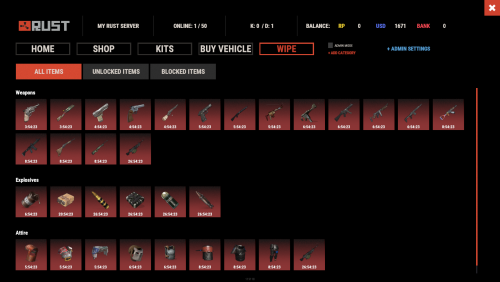
Version 2.1.9
875 downloads
Introducing WipeBlock, the essential Rust server management plugin that allows you to control which items players can access at different stages after a server wipe! Create a balanced progression system that prevents early access to powerful weapons, explosives, and high-tier gear, ensuring a fair and enjoyable experience for all players during the critical early-game phase. ️ Features of WipeBlock Elegantly prevents access to high-tier items for configurable time periods after a server wipe Customizable categories for Weapons, Explosives, and Attire with independent timers Beautiful user interface showing players which items are currently blocked and when they will unlock Visual gradient system to indicate how much time remains until an item becomes available Seamless integration with ServerPanel for easy access Compatible with Notify plugin for player notifications when items are blocked On-screen indicator showing when blocked items are about to unlock Permission system to allow VIPs or admins to bypass item restrictions Notification system for players when items become available Handles all item interactions - equipping, moving, reloading weapons, etc. Automatic monitoring of player inventories to enforce restrictions Multiple UI templates (Fullscreen, ServerPanel V1, ServerPanel V2) Commands /block or /wipeblock - Open the WipeBlock menu to view blocked items and timers wb.indent [seconds] - Admin command to adjust the time indent from the wipe date Permissions WipeBlock.ignore - Allows players to bypass the WipeBlock restrictions WipeBlock.unlocknotify - Players with this permission receive notifications when items unlock Showcase Fullscreen Template ServerPanel V1 Template ServerPanel V2 Template On-Screen Indicator TEST SERVER Join our test server to experience WipeBlock and our other plugins in action! Copy the IP Address below to start playing! connect 194.147.90.239:28015 Developer API WipeBlock provides a developer-friendly API for integration with other plugins: bool AnyBlocked() - Checks if any items are currently blocked int SecondsFromWipe() - Returns the number of seconds since the wipe (adjusted by time indent) bool IsBlocked(ItemDefinition def) - Checks if a specific item definition is blocked bool IsBlocked(string shortName, ulong skin = 0) - Checks if an item with the specified shortname and skin is blocked int LeftTime(string shortName, ulong skin = 0) - Returns the remaining time in seconds until the specified item unlocks Hooks WipeBlock provides the following hooks that other plugins can subscribe to: void OnWipeBlockEnded() - Called when all items have been unblocked Example usage in your plugin: private void OnWipeBlockEnded() { // Execute code when all WipeBlock items are unlocked Puts("All items have been unblocked!"); // Perhaps enable your PVP plugin or other game-changing features } FAQ Q: How do I configure which items are blocked and for how long? A: In the WipeBlock.json configuration file, you can define categories (Weapons, Explosives, Attire, etc.) and set time periods in seconds for each item. For example, setting "3600" means the item will be blocked for 1 hour after wipe. Q: Can players still find these items in-game during the block period? A: Yes, players can still find or loot these items, but they cannot equip, use, or place them in their hotbar until the block period expires. The items will automatically move to their main inventory. Q: Does this plugin affect all players equally? A: By default, yes. However, you can grant the "WipeBlock.ignore" permission to specific players or groups to allow them to bypass the restrictions. Q: How will players know which items are blocked? A: Players will see notifications when they try to use blocked items. Additionally, they can use the /block command to view a complete list of blocked items and their remaining time until unlocking. Q: Can I adjust the timers during a running wipe? A: Yes, administrators can use the /wb.indent command to adjust the time indent, effectively changing when items will unlock. Q: Does WipeBlock work with modded or custom items? A: Yes, you can add any item to the configuration using its shortname and skin ID. Q: How do I add WipeBlock to the ServerPanel menu? A: Follow these simple steps: 1. Open ServerPanel menu in-game and click "+ADD CATEGORY" button 2. Set these exact parameters: Type: Plugin Plugin Name: WipeBlock Plugin Hook: API_OpenPlugin 3. Click "SAVE" button to create the category$21.95- 39 comments
- 1 review
-
- 4
-
-
-
- #wipeblock
- #auto wipe
- (and 7 more)
-
![More information about "Build Tools [grade/remove/skins]"](https://codefling.com/uploads/monthly_2026_05/v4final.thumb.gif.c866d21f9b91d1fe13fd5ce27607e717.gif)
Version 1.5.47
4,849 downloads
Introducing a feature-rich plugin that will take your in-game building experience to new heights - Build Tools! This plugin is not just a tool, it is the key to creating incredible builds and will make the processes of upgrading, removing and even downgrading buildings easy and fun! !ATTENTION! After the last update of the game, the additional slot does not work Features of Build Tools Beautiful user interface: Our plugin has a lovely and easy-to-use interface that makes building tasks smooth and functional; Bar progress display: Keep track of your building progress with a clear progress bar, so you can see your upgrades easily; Upgrade of the entire building at once: You can make them stronger and more secure quickly; Interface customization: Personalize the user interface to match your preferences and workflow. Returning an item to remove: Don't worry about losing items when removing structures; our plugin ensures you get them back; Returning items with condition as in the game: Items are returned to the same condition as in the game, with the option to set their condition as a percentage; Blocked list items for remove: You can specify which items should not be removed for precise construction control. Ability to use icons both from the game and your own Work with Clans/Friends/NoEscape Building Skins (+ automatic parsing command) Downgrade: Make structure downgrades simple and adapt your base to changing needs with just a few clicks Edit config via in-game interface (no JSON editing required) Commands /up [1-4] - enable upgrading mode /up all - allows you to upgrade the entire building at once /remove - enable removing mode /remove all - allows you to remove the building at once /down - enable downgrading mode /down all - allows you to downgrade building at once buildtools.parse.skins – allows parsing new building skins from the game + images to them /bskin – open settings menu Permissions buildtools.all – allows you to upgrade/remove the entire building at once buildtools.free – allows you to upgrade buildings for free buildtools.edit – allows you to enable edit mode buildtools.vision – allows you to toggle the remove mode on in the vision mode Video Hooks object canDowngrade(BasePlayer player, BaseEntity entity) object canRemove(BasePlayer player, BaseEntity entity) object CanBuildToolsGiveRefund(BasePlayer player, BaseEntity entity) FAQ Q: Where can I see an example of a config? A: Config$21.95- 335 comments
- 16 reviews
-
- 8
-
-
-
- #building
- #foundation
- (and 27 more)
-
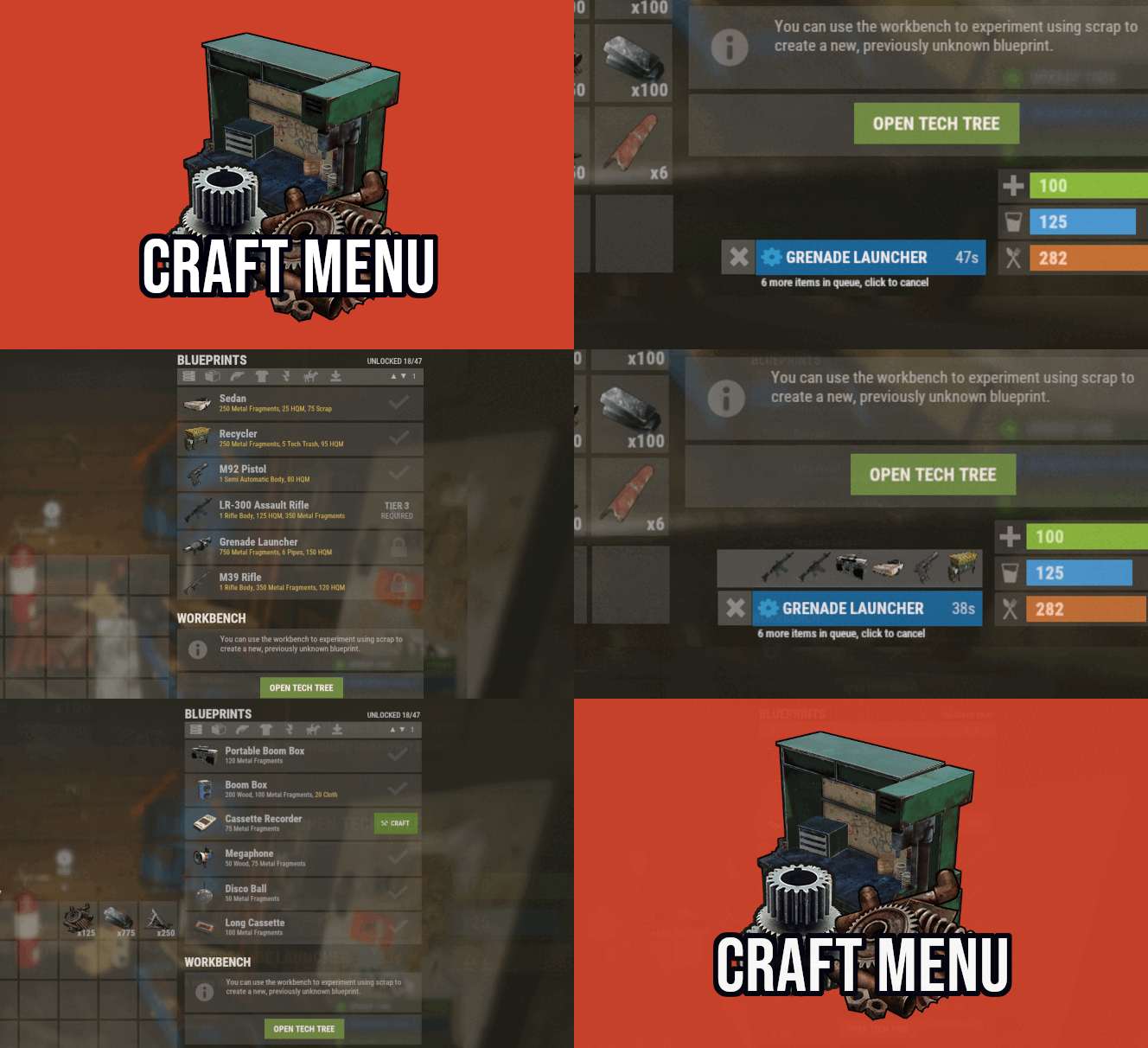
Version 1.1.75
3,816 downloads
Custom crafting panel at player's workbenches. Craft custom or non-craftable items, create your own blueprints. No chat commands required! oxide permission - craftmenu.use • How to create default blueprint. Simply leave ResearchCost as 0. • Crafting Recycler. Plugins for placing entities usually utilizes specific item together with skin id. Here you can find list of examples PlaceableEntities.txt • Adding same shortname multiple times. When you using same shortname for more than one blueprint you have add {number} at the end of it to prevent duplicates. Ex.: "box.wooden.large{1}" • Item is name too long. Inside lang file you can create replacements for default item names. • Wiping blueprints manualy. There are two admin console commands. "craftmenu_admin wipe" will wipe blueprints for all players "craftmenu_admin wipe <steamID>" wipes blueprints only for certain player. Premade blueprints from screenshots Blueprints.json$16.00 -
Version 2.1.4
2,254 downloads
Discord Link is a very simple, performant, and feature-rich Discord and Rust linking system. 2 Simple steps and a player can link to Discord! NO DISCORD.DLL!! FEATURES - NO DISCORD.DLL REQUIRED!!! - Link Rust and Discord accounts - Grant a role in discord and group in game for linked players - Soft unlinking (All past data on a user's account links will be forever stored) - 2 Way role syncing between rust to discord and discord to rust - Supports multi server linking - Booster perks for linked players boosting your discord - Steam to discord name syncing (Auto renames users in discord to their steam name) - Admin perms to unlink players - Search link commands in discord and in game to get who a player is linked to - Logs to discord when players link and unlink - Auto remove players from being linked when they leave the Discord - Syncing your old database files from steamcord, discord auth, or discord core PERMISSIONS discordlinkbot.search - ability to search players and use the UI The Plugin and Discord Bot both have very simple installations. We have included a readme.md file to make it even easier to setup! Need support or want updates about what is coming to the bot? Join the support discord here https://discord.gg/ZsRgCUNv2x This will require bot hosting to run the bot 24/7 since we do not use the Discord DLL therefore the server cannot host the bot. Thanks to @shady14u for co-developing!!$19.99

.thumb.png.ccf8a947948c9eb1445ad21a7931247b.png)



.thumb.png.fd415e6a279abcb86097c1d6ea9f77b2.png)




.thumb.jpg.f2f378cbb4943d7036c8a674f8a23b40.jpg)