Search the Community
Showing results for tags 'bot'.
-
Version 2.2.5
14,118 downloads
This plugin adds variety of NPC sets with very high number of parameter sets on standard and custom monuments. Also it is added during dropping the server AirDrop, locked crate and destroying a tank or helicopter Dependencies (optional, not required) AlphaLoot CustomLoot True PVE Kits Economics Server Rewards IQEconomic PveMode Custom maps Maps that have default settings for their custom monuments. For these maps, you will not need to create places for the appearance of NPCs, they have already been created by the map developer and are located inside the archive when buying the map You can also download all these files for all maps here Detroit: Irreparable Damage Oregon 2: Last Hope Lostly Island Frontier – American Old West Oregon: Land of Dead Badlands Foreign Lands Namalsk Kong: Skull Island Destroyed World Deathland Dreamland Last Train Pandora Railway Island Wasteland Cataclysm: Fury of Nature Last Oasis Crazy Island Standard monuments This item of the plugin settings is used for appearing NPCs in all standard monuments. All these settings are located in the Monument folder (oxide/data/BetterNpc/Monument). Each file in this folder corresponds to a standard monument If there is no standard monument file in the folder, you can create it (you need to name the file the same way as the standard monuments on the map inside the game). You can copy the settings from any other standard monument Configuration parameters: Enabled? [true/false] – It allows to enable/disable the appearance of NPC on the monument. If you need NPCs appearing on the map and don’t need it on another map, you can use this option simply The size of the monument – this parameter contains two values. It is the length and width of the monument. This parameter is necessary for random appearance of NPC on the monument and indication of limits of removal of standard NPCs on the monument (if it is necessary) Remove other NPCs? [true/false] – It deletes the standard NPCs inside the limits of this monument Presets – It is a list of all the NPC presets to appear on the monument (the description of the NPC preset settings is located below) Custom monuments This item of the plugin settings is responsible for the appearance of NPCs on custom monuments. All these settings are located in the Custom folder (oxide/data/BetterNpc/Custom). Each file in this folder corresponds to a custom monument If you have bought a map with already configured NPC appearance files for custom monuments you will copy these files into the Custom folder. If you want to create and configure the appearance of NPC in your custom location on the map, you will use the command in the administrators’ chat /SpawnPointAdd {name} (see the description of this command below in the instruction) Configuration parameters: Enabled? [true/false] – It allows to enable/disable the appearance of NPC on the monument. If you need NPCs appearing on the map and don’t need it on another map, you can use this option simply Position – It is a position of the custom monument on the map Rotation – It is a rotation of the custom monument on the map (this parameter is necessary for using custom places to appear of NPC on the monument, if the monument is used on more than one map) Radius – It is the radius of the custom monument from the position on the map Remove other NPCs? [true/false] – It removes the standard NPCs inside the limits of this monument Presets – It is a list of all the NPC presets to appear on the monument (the description of the NPC preset settings is located below) Roads This item of the plugin settings is used to appear NPCs on all types of roads. All these settings are located in the Road folder (oxide/data/BetterNpc/Road). Each file in this folder corresponds to a particular road type ExtraNarrow – It is a narrow, unpaved walkway ExtraWide It is a wide, paved, two-lane, beltway road Standard – It is a regular, paved road Configuration parameters: Enabled? [true/false] – It allows to enable/disable the appearance of NPC on the road. If you need NPCs appearing on the map and don’t need it on another map, you can use this option simply Presets – It is a list of all the NPC presets to appear on the road (the description of the NPC preset settings is located below) Biomes This item of the plugin settings is used to appear NPCs on all types of biomes. All these settings are located in the Biome folder (oxide/data/BetterNpc/Biome). Each file in this folder corresponds to a particular biome type (Arctic, Arid, Temperate, Tundra) Configuration parameters: Enabled? [true/false] – It allows to enable/disable the appearance of NPC on the biome. If you need NPCs appearing on the map and don’t need it on another map, you can use this option simply Presets – It is a list of all the NPC presets to appear on the biome (the description of the NPC preset settings is located below) In-game events This item of the plugin settings is used to appear the NPCs in standard Rust events. All of these settings are located in the Event folder (oxide/data/BetterNpc/Event). Each file in this folder corresponds to its own type of event The supported events: When the plane drops the server AirDrop, it will be guarded by specific NPC presets CH47 – When the chinook drops a locked crate during patrolling the map, it will be guarded by specific NPC presets Bradley – When someone destroys a tank, its crates will be guarded by specific NPC presets Helicopter – When someone shoots down a patrol helicopter, its crates will be guarded by specific NPC presets Configuration parameters: Enabled? [true/false] – It allows to enable/disable the appearance of NPC on the event. If you need NPCs appearing on the map and don’t need it on another map, you can use this option simply Radius – NPC appearance radius Presets – It is a list of all the NPC presets to appear on the event (the description of the NPC preset settings is located below) The NPC preset parameters Enabled? [true/false] – It is enabling/disabling the preset Minimum numbers – Day – It is the minimum number of NPCs from the day preset Maximum numbers – Day – It is the maximum number of NPCs from the day preset Minimum numbers – Night – It is the minimum number of NPCs from the night preset Maximum numbers – Night – It is the maximum number of NPCs from the night preset NPCs setting – It is all NPC settings of this preset (see the description of NPC settings for details) Type of appearance (0 – random; 1 – own list) – It is a type of NPC appearance. You can create your own list of places of NPC appearance. The NPC will appear only randomly. This parameter is not used in Road appearance types Own list of locations – It is your own list of NPC appearances. You need to use the number of locations at least the maximum possible number of NPCs in this preset. This parameter is not used in Road appearance types The path to the crate that appears at the place of death – It is the full path to the crate prefab that appears at the place of death of an NPC. If you don’t need this parameter, you should leave this blank Which loot table should the plugin use (0 – default; 1 – own; 2 – AlphaLoot; 3 – CustomLoot; 4 – loot table of the Rust objects; 5 – combine the 1 and 4 methods) – It is the type of the NPC loot table in this preset. Type 5 includes two types (1 and 4) at the same time and locates items from both types Loot table from prefabs (if the loot table type is 4 or 5) – It is a setting of the loot tables from Rust objects. You can see the loot table of Rust objects description for more details Own loot table (if the loot table type is 1 or 5) – It’s NPC’s own loot table. You can see the description of your own loot table for more details The NPC settings description Names is a list of NPC names. It is selected from the list randomly Health – It’s the HP amount of the NPC Roam Range – It’s the patrolling area distance. It’s the distance that the NPC can move from the place of appearance during patrolling Chase Range – It’s the chase range of the target. It’s the distance that the NPC can chase his target from the place of appearance Attack Range Multiplier – It’s the attack range multiplier of the NPC’s weapon Sense Range – It’s a target detection radius Target Memory Duration [sec.] – It’s the time that the NPC can remember his target Scale damage – It’s the damage multiplier from NPC to the player Aim Cone Scale – It’s the spread of NPC shooting, the default value in Rust is 2. It doesn’t take negative values Detect the target only in the NPCs viewing vision cone? [true/false] – It’s the parameter that allows detecting the target only in a certain NPC viewing. If you want to detect the target in 360 degrees, you will set the parameter "False” Vision Cone – It’s the NPC viewing. The range of values is from 20 to 180 degrees. If the previous parameter is False, this parameter is not used Speed – It’s the NPC speed. The default value in Rust is 5 Minimum time of appearance after death [sec.] – It’s the minimum time of NPC appearance after the death. This parameter is not used in the NPC Event places Maximum time of appearance after death [sec.] – It’s the maximum time of NPC appearance after the death. This parameter is not used in the NPC Event places Disable radio effects? [true/false] – You can disable/enable radio effects Is this a stationary NPC? [true/false] – If this parameter is True, the NPC will not move or run Remove a corpse after death? [true/false] – This parameter can control the deleting of NPC corpses (only backpacks are left). This parameter improves efficiency if there are a lot of NPCs Wear items – It’s a list of NPCs’ clothes and armor Belt items – It’s a list of weapons and items NPCs’ fast slots. Medical syringes are used for healing. If you give grenades to an NPC, he will use them. Smoke grenades are used for creating smoke screens (if you don’t need them, you should remove them from your inventory). If you give a Rocket Launcher to an NPC, he will raid the target’s building (if the target is inside it) Kits – It gives a pack of Kits plugin. If you don’t need this parameter, you should leave this blank. I recommend using the previous 2 points to configure NPC items A description of the Rust loot table settings Minimum numbers of prefabs –It’s the minimum numbers of prefabs that are needed to appear in the NPC loot table Maximum numbers of prefabs –It’s the maximum numbers of prefabs that are needed to appear in the NPC loot table Use minimum and maximum values? [true/false] – this parameter specifies whether to use the minimum and maximum numbers to limit the number of items List of prefabs – It’s a list of prefabs that need to add in the loot table. It is necessary to indicate the full path to the prefab and the probability of falling out this prefab A description of the own loot table settings Minimum numbers of items – It’s the minimum number of items Maximum numbers of items – It’s the maximum number of items Use minimum and maximum values? [true/false] – this parameter specifies whether to use the minimum and maximum numbers to limit the number of items List of items – It’s a total list of all items that can fall out in the NPC loot table. You can specify any standard items, their blueprints and any skinned or custom items The commands in the chat (for admins only) /SpawnPointPos {name} – To show the local admin’s position coordinates relative to the place where the NPC {name} appears /SpawnPointAdd {name} – To create the NPC appearance point {name} in the Admin’s custom coordinates. A file with this name will be created in the folder Custom and you can configure it as you need /SpawnPointAddPos {number} {name} – To write the local admin’s coordinate into the preset with the positional number {number} (starting from 1) to the place where the NPC {name} appears /SpawnPointAddWear {number} {name} – To write all the admin’s dressed clothes into the preset with the positional number {number} (starting from 1) to the place where the NPC {name} appears /SpawnPointAddBelt {number} {name} – To write all the admins’ quick slots cells into a preset with the positional number {number} ( starting from 1) to the place where the NPC {name} appears /SpawnPointShowPos {number} {name} – To show to the Admin all the custom NPC appearance points in the preset with the positional number {number} ( starting from 1) in the place where the NPC {name} appears /SpawnPointReload {name} – Reload Spawn Point with the name {name} Console commands (RCON only) ShowAllNpc – Shows the number of all NPCs of the BetterNpc plugin on your server Hooks object CanAirDropSpawnNpc(SupplyDrop supplyDrop) – It is called before an NPC appearance to guard an AirDrop. The returning of a non-zero value stops an NPC appearance object CanCh47SpawnNpc(HackableLockedCrate crate) – It is called before an NPC appearance to guard a locked chinook crate. The returning of a non-zero value stops an NPC appearance object CanBradleySpawnNpc(BradleyAPC bradley) – It is called before an NPC appearance to guard the boxes from crushed Bradley. The returning of a non-zero value stops an NPC appearance object CanHelicopterSpawnNpc(BaseHelicopter helicopter) – It is called before an NPC appearance to guard the crates from crushed patrol helicopter. The returning of a non-zero value stops an NPC appearance API void DestroyController(string name) – It destroys the place of appearance NPC with the name {name} void CreateController(string name) – It creates the place of appearance NPC with the name {name} These APIs can be used with standard monuments, custom monuments (NPC locations) and roads. The name of this monument is in standard monuments {name}. It is the name of the file in the Custom and Road folder in custom monuments and roads My Discord: KpucTaJl#8923 Join the Mad Mappers Discord here! Check out more of my work here! Creator of the default configuration – jtedal$35.00 -

Version 1.0.0
67 downloads
Simple TimeZones Bot – Perfect for Staff & International Teams Keep your team in sync with Simple TimeZones Bot, a lightweight and easy-to-use Discord bot designed to display EU and USA time zones directly in your server. Perfect for staff teams. Features • Displays EU & USA time zones • Clean setup with minimal configuration Requirements • Access to a Discord Bot Hosting service Easy Installation Getting started is quick and simple — just configure the config.js file and your bot is ready to go.Free -
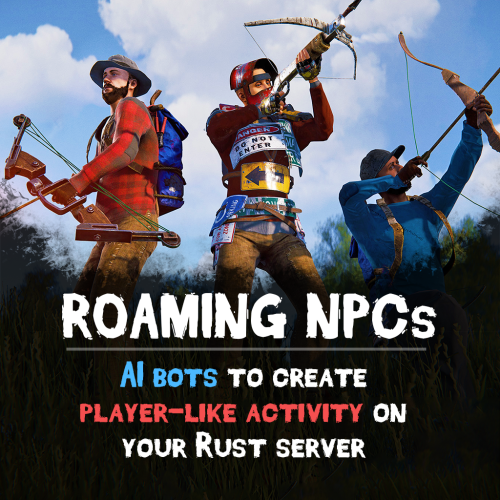
Version 0.5.1
2,793 downloads
Bring your Rust server to life with Roaming NPCs — AI bots that act just like real players. They gather, loot, and fight, making your server feel active and alive. Features: Realistic AI Behavior • NPCs roam the map and simulate player-like behavior. • Customizable behaviour: friendly, aggressive, defensive • Spawn bots on beaches or random points around the map. • Random or custom names and appearances. Resource Farming • Bots harvest wood, stone, metal, and sulfur using tools like rocks, hatchets, or pickaxes. • Automatically pick up nearby dropped resources, food, and more. • Loot crates and barrels found across the map. • Automatically equip better gear found during looting. Dynamic Combat • Bots attack wild animals like wolves, bears, and boars. • Uses ranged and melee weapons – from bows to rifle ak. Spawn Loadouts • Configure bot spawn kits – tools, weapons, clothes, and other. • Choose whether bots spawn with kit or start with rock and torch. Customization • Setup health, damage rates, respawn timers and other. • Record your own voice phrases that bot will replay on some actions using voice chat. • Define bot's behavior: - Friendly (doesn't attack, runs away) - Defensive (defends if attacked) - Aggressive (attacks first) See It in Action! Watch the Video Don't forget to download data files that include default voice phrases for bots. You can find them here (put this folder in oxide/data) Commands (roamingnpcs.admin permission): /rnpc vis - shows all RoamingNPC's bots /rnpc stashvis - shows all RoamingNPC's stashes /rnpc killall - kills all RoamingNPC's bots /rnpc tp - teleports all RoamingNPC's bots to you /rnpc totp - teleports you to closest RoamingNPC bot /rnpc init - clears all data and respawns bot (needs to be done after editing config) /rnpc recvoice start - start recording /rnpc recvoice stop - stop recording /rnpc recvoice replay - listen to current recording (recording will be stopped) /rnpc recvoice save <file name> - save current recording /rnpc recvoice replay <file name> - listen to the recording from file /rnpc recvoice clear - clear current recording Configuration: { "Specify the ID of the bot generator (8 - 15)": 9, "Bots settings": { "bob_resources_farmer": { "Enable bot?": true, "Bot appearance (Use the id in the range of the specified number of digits for the bot ID generator or leave 0 for random appearance)": 100000000, "Bot name (leave empty for random)": "Bob", "Respawn timer (3 - 60 seconds)": 300.0, "Use for respawn a random place on the map? (false - will respawn on the beach)": false, "Maximum health": 100.0, "What spawns on death (PlayerCorpse, NpcCorpse, Backpack)": "PlayerCorpse", "How many items will be destroyed when Backpack is selected (0 - 100%)": 50.0, "Bot behaviour - Aggressive, Friendly, Defensive": "Friendly", "Controller setup": { "Brain timer tick (0.01 - 1)": 0.1, "Controls timer tick (0.01 - 1)": 0.5, "Accuracy of fire (lower is better)": 10.0, "Find entities radius": 30.0, "Movement speed (1 - 4)": 4, "Movement speed in water (1 - 4)": 2, "Suicide timer if the bot does not reach the destination point (0 - disables the timer)": 600.0, "Timer attempt to avoid obstacle if the bot does not reach the target route": 3.0, "Damage rate from water": 1.0, "Allowed distance to teleport if the bot does not reach the destination point within this distance (-1 - allowed for any distance)": 0.0, "Damage rate to NPC targets": 2.0, "Damage rate to animals": 2.0, "Damage rate to players": 0.8, "Damage rate from NPCs": 0.2, "Damage rate from animals": 0.2, "Damage rate from players": 0.8 }, "Wear items (on respawn)": { "Lock container? (true - after death loot won't drop)": true, "Allow bot to wear found clothes?": false, "List of items": [ { "Item shortname or ID": "hazmatsuit.lumberjack", "Item skin": 0 } ] }, "Resource collection": { "Allow to gather wood?": true, "Allow to use fuel for chainsaw?": false, "Allow to mine ore?": true, "Allow to loot barrels?": false, "Allow to loot road signs?": false, "Allow to pickup resources?": true, "Allow to pickup dropped items?": false, "Allow to loot containers?": false, "Allow to loot corpses?": false, "Allow to harvest corpses?": false, "List of prefabs of corpses to harvest": [ "assets/rust.ai/agents/boar/boar.corpse.prefab", "polarbear.corpse", "bear.corpse", "stag.corpse", "wolf.corpse", "crocodile.corpse", "panther.corpse", "tiger.corpse", "chicken.corpse" ], "List of prefabs blocked for mining": [ "assets/bundled/prefabs/autospawn/resource/vine_swinging/vineswingingtree03.prefab", "assets/bundled/prefabs/autospawn/resource/vine_swinging/vineswingingtreeprefab.prefab", "assets/bundled/prefabs/autospawn/resource/vine_swinging/vineswingingtree02.prefab" ] }, "Fights with NPCs and players": { "Maximum distance for attack from weapon": 30.0, "Maximum distance for attack from melee": 1.0 }, "Animal hunting": { "Allow to hunt? (true - will attack animals even if they are not attacking)": false, "Make melee weapons preferred for hunting?": true, "Maximum distance for attack from weapon": 30.0, "Maximum distance for attack from melee": 2.0, "List of prefabs of animals to block hunting them": [] }, "Inventory overflow": { "Stash setup (bot will put items in the stash)": { "Enable?": true, "Hide stash?": true, "Life time (0 - will exist until restart)": 3600.0, "Maximum amount to use (0 - without limit)": 10 }, "Box setup (bot will put items in the box)": { "Enable?": true, "Use small box?": true, "Box skin": 0, "Life time (0 - will exist until restart or until it dies)": 3600.0, "Maximum amount to use (0 - without limit)": 5, "Another container prefab (you can leave it empty)": "" } }, "Monuments visit setup": { "Amount of random positions to visit on monument": 5, "List of monument prefabs blocked for visiting": [] }, "Items for ore mining": { "List of items (in priority order)": [ { "Allow to create item if it is not in inventory?": false, "Allow to give item when respawning?": false, "Item": { "Item shortname or ID": "jackhammer", "Item skin": 0 } }, { "Allow to create item if it is not in inventory?": false, "Allow to give item when respawning?": false, "Item": { "Item shortname or ID": "lumberjack.pickaxe", "Item skin": 0 } }, { "Allow to create item if it is not in inventory?": false, "Allow to give item when respawning?": false, "Item": { "Item shortname or ID": "diverpickaxe", "Item skin": 0 } }, { "Allow to create item if it is not in inventory?": true, "Allow to give item when respawning?": true, "Item": { "Item shortname or ID": "pickaxe", "Item skin": 0 } }, { "Allow to create item if it is not in inventory?": false, "Allow to give item when respawning?": false, "Item": { "Item shortname or ID": "stone.pickaxe", "Item skin": 0 } }, { "Allow to create item if it is not in inventory?": false, "Allow to give item when respawning?": false, "Item": { "Item shortname or ID": "rock", "Item skin": 0 } } ] }, "Items for tree gathering": { "List of items (in priority order)": [ { "Allow to create item if it is not in inventory?": false, "Allow to give item when respawning?": false, "Item": { "Item shortname or ID": "chainsaw", "Item skin": 0 } }, { "Allow to create item if it is not in inventory?": false, "Allow to give item when respawning?": false, "Item": { "Item shortname or ID": "lumberjack.hatchet", "Item skin": 0 } }, { "Allow to create item if it is not in inventory?": false, "Allow to give item when respawning?": false, "Item": { "Item shortname or ID": "frontier_hatchet", "Item skin": 0 } }, { "Allow to create item if it is not in inventory?": true, "Allow to give item when respawning?": true, "Item": { "Item shortname or ID": "hatchet", "Item skin": 0 } }, { "Allow to create item if it is not in inventory?": false, "Allow to give item when respawning?": false, "Item": { "Item shortname or ID": "stonehatchet", "Item skin": 0 } }, { "Allow to create item if it is not in inventory?": false, "Allow to give item when respawning?": false, "Item": { "Item shortname or ID": "rock", "Item skin": 0 } } ] }, "Items for fights": { "Use ammo?": false, "List of items (in priority order)": [ { "Allow to create item if it is not in inventory?": true, "Allow to give item when respawning?": true, "Item": { "Item shortname or ID": "bow.hunting", "Item skin": 0 } }, { "Allow to create item if it is not in inventory?": false, "Allow to give item when respawning?": false, "Item": { "Item shortname or ID": "1965232394", "Item skin": 0 } }, { "Allow to create item if it is not in inventory?": false, "Allow to give item when respawning?": false, "Item": { "Item shortname or ID": "salvaged.cleaver", "Item skin": 0 } } ], "Amount of ammo to give for weapon if respawning is allowed": 128 }, "Items for harvesting animals": { "List of items (in priority order)": [ { "Allow to create item if it is not in inventory?": true, "Allow to give item when respawning?": false, "Item": { "Item shortname or ID": "knife.skinning", "Item skin": 0 } } ] }, "Items for healing": { "List of items (in priority order)": [ { "Allow to create item if it is not in inventory?": false, "Allow to give item when respawning?": true, "Item": { "Item shortname or ID": "syringe.medical", "Item skin": 0 }, "Amount of items to give when respawning": 5 }, { "Allow to create item if it is not in inventory?": true, "Allow to give item when respawning?": false, "Item": { "Item shortname or ID": "bandage", "Item skin": 0 }, "Amount of items to give when respawning": 1 } ] }, "Voice phrases for different actions": { "Use voice phrases?": true, "Phrases for the Miner state": { "Phrases when picking up resources": { "Phrases": [ "uinston/miner/pickup_collectable/1" ], "Chance of using phrases (% 0 - 100)": 30.0 }, "Phrases when picking up items": { "Phrases": [ "uinston/miner/pickup_collectable/1" ], "Chance of using phrases (% 0 - 100)": 30.0 }, "Phrases when gathering trees": { "Phrases": [ "uinston/miner/mining_tree/1" ], "Chance of using phrases (% 0 - 100)": 30.0 }, "Phrases when mining ore": { "Phrases": [ "uinston/miner/mining_ore/1" ], "Chance of using phrases (% 0 - 100)": 30.0 }, "Phrases when looting containers": { "Phrases": [ "uinston/miner/looting/1" ], "Chance of using phrases (% 0 - 100)": 30.0 }, "Phrases when breaking containers (barrels, signs and etc.)": { "Phrases": [ "uinston/miner/breaking/1" ], "Chance of using phrases (% 0 - 100)": 30.0 }, "Phrases when looting corpses": { "Phrases": [ "uinston/miner/looting/1" ], "Chance of using phrases (% 0 - 100)": 30.0 }, "Phrases when harvesting corpses": { "Phrases": [ "uinston/miner/butcher_corpse/1" ], "Chance of using phrases (% 0 - 100)": 30.0 } }, "Phrases for the Hunter state": { "Phrases before starting to attack": { "Phrases": [ "uinston/hunter/start_attack/1", "uinston/hunter/start_attack/2" ], "Chance of using phrases (% 0 - 100)": 30.0 } }, "Phrases for the Fight state": { "Phrases before starting to attack": { "Phrases": [ "uinston/attacker/start_attack/1" ], "Chance of using phrases (% 0 - 100)": 30.0 }, "Phrases when the bot does not see the target": { "Phrases": [ "uinston/attacker/not_visible/1", "uinston/attacker/not_visible/2", "uinston/attacker/not_visible/3" ], "Chance of using phrases (% 0 - 100)": 30.0 }, "Phrases when the bot runs away from the attacker": { "Phrases": [ "uinston/attacker/run_away/1", "uinston/attacker/run_away/2", "uinston/attacker/run_away/3" ], "Chance of using phrases (% 0 - 100)": 30.0 } }, "Phrases for the Researcher state": { "Phrases before starting to move to the monument point": { "Phrases": [ "uinston/researcher/before_move/1" ], "Chance of using phrases (% 0 - 100)": 30.0 }, "Phrases when reaching the destination": { "Phrases": [ "uinston/researcher/after_move/1" ], "Chance of using phrases (% 0 - 100)": 30.0 } }, "Phrases when creating a container with resources": { "Phrases": [ "uinston/full_state/1", "uinston/full_state/2" ], "Chance of using phrases (% 0 - 100)": 30.0 }, "Phrases when healing": { "Phrases": [ "uinston/medical_state/1", "uinston/medical_state/2", "uinston/medical_state/3" ], "Chance of using phrases (% 0 - 100)": 30.0 } } }, "john_looter": { "Enable bot?": true, "Bot appearance (Use the id in the range of the specified number of digits for the bot ID generator or leave 0 for random appearance)": 0, "Bot name (leave empty for random)": "John", "Respawn timer (3 - 60 seconds)": 300.0, "Use for respawn a random place on the map? (false - will respawn on the beach)": false, "Maximum health": 120.0, "What spawns on death (PlayerCorpse, NpcCorpse, Backpack)": "PlayerCorpse", "How many items will be destroyed when Backpack is selected (0 - 100%)": 50.0, "Bot behaviour - Aggressive, Friendly, Defensive": "Defensive", "Controller setup": { "Brain timer tick (0.01 - 1)": 0.1, "Controls timer tick (0.01 - 1)": 0.5, "Accuracy of fire (lower is better)": 10.0, "Find entities radius": 30.0, "Movement speed (1 - 4)": 4, "Movement speed in water (1 - 4)": 2, "Suicide timer if the bot does not reach the destination point (0 - disables the timer)": 600.0, "Timer attempt to avoid obstacle if the bot does not reach the target route": 3.0, "Damage rate from water": 1.0, "Allowed distance to teleport if the bot does not reach the destination point within this distance (-1 - allowed for any distance)": 0.0, "Damage rate to NPC targets": 2.0, "Damage rate to animals": 2.0, "Damage rate to players": 0.8, "Damage rate from NPCs": 0.2, "Damage rate from animals": 0.2, "Damage rate from players": 0.8 }, "Wear items (on respawn)": { "Lock container? (true - after death loot won't drop)": true, "Allow bot to wear found clothes?": false, "List of items": [ { "Item shortname or ID": "hazmatsuit.nomadsuit", "Item skin": 0 } ] }, "Resource collection": { "Allow to gather wood?": false, "Allow to use fuel for chainsaw?": false, "Allow to mine ore?": false, "Allow to loot barrels?": true, "Allow to loot road signs?": true, "Allow to pickup resources?": true, "Allow to pickup dropped items?": true, "Allow to loot containers?": true, "Allow to loot corpses?": true, "Allow to harvest corpses?": false, "List of prefabs of corpses to harvest": [ "assets/rust.ai/agents/boar/boar.corpse.prefab", "polarbear.corpse", "bear.corpse", "stag.corpse", "wolf.corpse", "crocodile.corpse", "panther.corpse", "tiger.corpse", "chicken.corpse" ], "List of prefabs blocked for mining": [ "assets/bundled/prefabs/autospawn/resource/vine_swinging/vineswingingtree03.prefab", "assets/bundled/prefabs/autospawn/resource/vine_swinging/vineswingingtreeprefab.prefab", "assets/bundled/prefabs/autospawn/resource/vine_swinging/vineswingingtree02.prefab" ] }, "Fights with NPCs and players": { "Maximum distance for attack from weapon": 30.0, "Maximum distance for attack from melee": 1.0 }, "Animal hunting": { "Allow to hunt? (true - will attack animals even if they are not attacking)": false, "Make melee weapons preferred for hunting?": true, "Maximum distance for attack from weapon": 30.0, "Maximum distance for attack from melee": 2.0, "List of prefabs of animals to block hunting them": [] }, "Inventory overflow": { "Stash setup (bot will put items in the stash)": { "Enable?": true, "Hide stash?": true, "Life time (0 - will exist until restart)": 3600.0, "Maximum amount to use (0 - without limit)": 10 }, "Box setup (bot will put items in the box)": { "Enable?": true, "Use small box?": true, "Box skin": 0, "Life time (0 - will exist until restart or until it dies)": 3600.0, "Maximum amount to use (0 - without limit)": 5, "Another container prefab (you can leave it empty)": "" } }, "Monuments visit setup": { "Amount of random positions to visit on monument": 5, "List of monument prefabs blocked for visiting": [] }, "Items for ore mining": { "List of items (in priority order)": [ { "Allow to create item if it is not in inventory?": false, "Allow to give item when respawning?": false, "Item": { "Item shortname or ID": "jackhammer", "Item skin": 0 } }, { "Allow to create item if it is not in inventory?": false, "Allow to give item when respawning?": false, "Item": { "Item shortname or ID": "lumberjack.pickaxe", "Item skin": 0 } }, { "Allow to create item if it is not in inventory?": false, "Allow to give item when respawning?": false, "Item": { "Item shortname or ID": "diverpickaxe", "Item skin": 0 } }, { "Allow to create item if it is not in inventory?": true, "Allow to give item when respawning?": true, "Item": { "Item shortname or ID": "pickaxe", "Item skin": 0 } }, { "Allow to create item if it is not in inventory?": false, "Allow to give item when respawning?": false, "Item": { "Item shortname or ID": "stone.pickaxe", "Item skin": 0 } }, { "Allow to create item if it is not in inventory?": false, "Allow to give item when respawning?": false, "Item": { "Item shortname or ID": "rock", "Item skin": 0 } } ] }, "Items for tree gathering": { "List of items (in priority order)": [ { "Allow to create item if it is not in inventory?": false, "Allow to give item when respawning?": false, "Item": { "Item shortname or ID": "chainsaw", "Item skin": 0 } }, { "Allow to create item if it is not in inventory?": false, "Allow to give item when respawning?": false, "Item": { "Item shortname or ID": "lumberjack.hatchet", "Item skin": 0 } }, { "Allow to create item if it is not in inventory?": false, "Allow to give item when respawning?": false, "Item": { "Item shortname or ID": "frontier_hatchet", "Item skin": 0 } }, { "Allow to create item if it is not in inventory?": true, "Allow to give item when respawning?": true, "Item": { "Item shortname or ID": "hatchet", "Item skin": 0 } }, { "Allow to create item if it is not in inventory?": false, "Allow to give item when respawning?": false, "Item": { "Item shortname or ID": "stonehatchet", "Item skin": 0 } }, { "Allow to create item if it is not in inventory?": false, "Allow to give item when respawning?": false, "Item": { "Item shortname or ID": "rock", "Item skin": 0 } } ] }, "Items for fights": { "Use ammo?": true, "List of items (in priority order)": [ { "Allow to create item if it is not in inventory?": false, "Allow to give item when respawning?": true, "Item": { "Item shortname or ID": "rifle.ak.diver", "Item skin": 0 } }, { "Allow to create item if it is not in inventory?": true, "Allow to give item when respawning?": true, "Item": { "Item shortname or ID": "bow.hunting", "Item skin": 0 } }, { "Allow to create item if it is not in inventory?": true, "Allow to give item when respawning?": false, "Item": { "Item shortname or ID": "1965232394", "Item skin": 0 } }, { "Allow to create item if it is not in inventory?": true, "Allow to give item when respawning?": false, "Item": { "Item shortname or ID": "salvaged.cleaver", "Item skin": 0 } } ], "Amount of ammo to give for weapon if respawning is allowed": 300 }, "Items for harvesting animals": { "List of items (in priority order)": [ { "Allow to create item if it is not in inventory?": true, "Allow to give item when respawning?": false, "Item": { "Item shortname or ID": "knife.skinning", "Item skin": 0 } } ] }, "Items for healing": { "List of items (in priority order)": [ { "Allow to create item if it is not in inventory?": false, "Allow to give item when respawning?": true, "Item": { "Item shortname or ID": "syringe.medical", "Item skin": 0 }, "Amount of items to give when respawning": 5 }, { "Allow to create item if it is not in inventory?": true, "Allow to give item when respawning?": false, "Item": { "Item shortname or ID": "bandage", "Item skin": 0 }, "Amount of items to give when respawning": 1 } ] }, "Voice phrases for different actions": { "Use voice phrases?": true, "Phrases for the Miner state": { "Phrases when picking up resources": { "Phrases": [ "uinston/miner/pickup_collectable/1" ], "Chance of using phrases (% 0 - 100)": 30.0 }, "Phrases when picking up items": { "Phrases": [ "uinston/miner/pickup_collectable/1" ], "Chance of using phrases (% 0 - 100)": 30.0 }, "Phrases when gathering trees": { "Phrases": [ "uinston/miner/mining_tree/1" ], "Chance of using phrases (% 0 - 100)": 30.0 }, "Phrases when mining ore": { "Phrases": [ "uinston/miner/mining_ore/1" ], "Chance of using phrases (% 0 - 100)": 30.0 }, "Phrases when looting containers": { "Phrases": [ "uinston/miner/looting/1" ], "Chance of using phrases (% 0 - 100)": 30.0 }, "Phrases when breaking containers (barrels, signs and etc.)": { "Phrases": [ "uinston/miner/breaking/1" ], "Chance of using phrases (% 0 - 100)": 30.0 }, "Phrases when looting corpses": { "Phrases": [ "uinston/miner/looting/1" ], "Chance of using phrases (% 0 - 100)": 30.0 }, "Phrases when harvesting corpses": { "Phrases": [ "uinston/miner/butcher_corpse/1" ], "Chance of using phrases (% 0 - 100)": 30.0 } }, "Phrases for the Hunter state": { "Phrases before starting to attack": { "Phrases": [ "uinston/hunter/start_attack/1", "uinston/hunter/start_attack/2" ], "Chance of using phrases (% 0 - 100)": 30.0 } }, "Phrases for the Fight state": { "Phrases before starting to attack": { "Phrases": [ "uinston/attacker/start_attack/1" ], "Chance of using phrases (% 0 - 100)": 30.0 }, "Phrases when the bot does not see the target": { "Phrases": [ "uinston/attacker/not_visible/1", "uinston/attacker/not_visible/2", "uinston/attacker/not_visible/3" ], "Chance of using phrases (% 0 - 100)": 30.0 }, "Phrases when the bot runs away from the attacker": { "Phrases": [ "uinston/attacker/run_away/1", "uinston/attacker/run_away/2", "uinston/attacker/run_away/3" ], "Chance of using phrases (% 0 - 100)": 30.0 } }, "Phrases for the Researcher state": { "Phrases before starting to move to the monument point": { "Phrases": [ "uinston/researcher/before_move/1" ], "Chance of using phrases (% 0 - 100)": 30.0 }, "Phrases when reaching the destination": { "Phrases": [ "uinston/researcher/after_move/1" ], "Chance of using phrases (% 0 - 100)": 30.0 } }, "Phrases when creating a container with resources": { "Phrases": [ "uinston/full_state/1", "uinston/full_state/2" ], "Chance of using phrases (% 0 - 100)": 30.0 }, "Phrases when healing": { "Phrases": [ "uinston/medical_state/1", "uinston/medical_state/2", "uinston/medical_state/3" ], "Chance of using phrases (% 0 - 100)": 30.0 } } }, "alfred_hunter": { "Enable bot?": true, "Bot appearance (Use the id in the range of the specified number of digits for the bot ID generator or leave 0 for random appearance)": 0, "Bot name (leave empty for random)": "Alfred", "Respawn timer (3 - 60 seconds)": 300.0, "Use for respawn a random place on the map? (false - will respawn on the beach)": false, "Maximum health": 100.0, "What spawns on death (PlayerCorpse, NpcCorpse, Backpack)": "PlayerCorpse", "How many items will be destroyed when Backpack is selected (0 - 100%)": 50.0, "Bot behaviour - Aggressive, Friendly, Defensive": "Defensive", "Controller setup": { "Brain timer tick (0.01 - 1)": 0.1, "Controls timer tick (0.01 - 1)": 0.5, "Accuracy of fire (lower is better)": 10.0, "Find entities radius": 30.0, "Movement speed (1 - 4)": 4, "Movement speed in water (1 - 4)": 2, "Suicide timer if the bot does not reach the destination point (0 - disables the timer)": 600.0, "Timer attempt to avoid obstacle if the bot does not reach the target route": 3.0, "Damage rate from water": 1.0, "Allowed distance to teleport if the bot does not reach the destination point within this distance (-1 - allowed for any distance)": 0.0, "Damage rate to NPC targets": 2.0, "Damage rate to animals": 2.0, "Damage rate to players": 0.8, "Damage rate from NPCs": 0.2, "Damage rate from animals": 0.2, "Damage rate from players": 0.8 }, "Wear items (on respawn)": { "Lock container? (true - after death loot won't drop)": true, "Allow bot to wear found clothes?": false, "List of items": [ { "Item shortname or ID": "hazmatsuit.frontier", "Item skin": 0 } ] }, "Resource collection": { "Allow to gather wood?": false, "Allow to use fuel for chainsaw?": false, "Allow to mine ore?": false, "Allow to loot barrels?": false, "Allow to loot road signs?": false, "Allow to pickup resources?": false, "Allow to pickup dropped items?": true, "Allow to loot containers?": false, "Allow to loot corpses?": false, "Allow to harvest corpses?": true, "List of prefabs of corpses to harvest": [ "assets/rust.ai/agents/boar/boar.corpse.prefab", "polarbear.corpse", "bear.corpse", "stag.corpse", "wolf.corpse", "crocodile.corpse", "panther.corpse", "tiger.corpse", "chicken.corpse" ], "List of prefabs blocked for mining": [ "assets/bundled/prefabs/autospawn/resource/vine_swinging/vineswingingtree03.prefab", "assets/bundled/prefabs/autospawn/resource/vine_swinging/vineswingingtreeprefab.prefab", "assets/bundled/prefabs/autospawn/resource/vine_swinging/vineswingingtree02.prefab" ] }, "Fights with NPCs and players": { "Maximum distance for attack from weapon": 30.0, "Maximum distance for attack from melee": 1.0 }, "Animal hunting": { "Allow to hunt? (true - will attack animals even if they are not attacking)": true, "Make melee weapons preferred for hunting?": false, "Maximum distance for attack from weapon": 25.0, "Maximum distance for attack from melee": 2.0, "List of prefabs of animals to block hunting them": [] }, "Inventory overflow": { "Stash setup (bot will put items in the stash)": { "Enable?": true, "Hide stash?": true, "Life time (0 - will exist until restart)": 3600.0, "Maximum amount to use (0 - without limit)": 10 }, "Box setup (bot will put items in the box)": { "Enable?": true, "Use small box?": true, "Box skin": 0, "Life time (0 - will exist until restart or until it dies)": 3600.0, "Maximum amount to use (0 - without limit)": 5, "Another container prefab (you can leave it empty)": "" } }, "Monuments visit setup": { "Amount of random positions to visit on monument": 5, "List of monument prefabs blocked for visiting": [] }, "Items for ore mining": { "List of items (in priority order)": [ { "Allow to create item if it is not in inventory?": false, "Allow to give item when respawning?": false, "Item": { "Item shortname or ID": "jackhammer", "Item skin": 0 } }, { "Allow to create item if it is not in inventory?": false, "Allow to give item when respawning?": false, "Item": { "Item shortname or ID": "lumberjack.pickaxe", "Item skin": 0 } }, { "Allow to create item if it is not in inventory?": false, "Allow to give item when respawning?": false, "Item": { "Item shortname or ID": "diverpickaxe", "Item skin": 0 } }, { "Allow to create item if it is not in inventory?": true, "Allow to give item when respawning?": true, "Item": { "Item shortname or ID": "pickaxe", "Item skin": 0 } }, { "Allow to create item if it is not in inventory?": false, "Allow to give item when respawning?": false, "Item": { "Item shortname or ID": "stone.pickaxe", "Item skin": 0 } }, { "Allow to create item if it is not in inventory?": false, "Allow to give item when respawning?": false, "Item": { "Item shortname or ID": "rock", "Item skin": 0 } } ] }, "Items for tree gathering": { "List of items (in priority order)": [ { "Allow to create item if it is not in inventory?": false, "Allow to give item when respawning?": false, "Item": { "Item shortname or ID": "chainsaw", "Item skin": 0 } }, { "Allow to create item if it is not in inventory?": false, "Allow to give item when respawning?": false, "Item": { "Item shortname or ID": "lumberjack.hatchet", "Item skin": 0 } }, { "Allow to create item if it is not in inventory?": false, "Allow to give item when respawning?": false, "Item": { "Item shortname or ID": "frontier_hatchet", "Item skin": 0 } }, { "Allow to create item if it is not in inventory?": true, "Allow to give item when respawning?": true, "Item": { "Item shortname or ID": "hatchet", "Item skin": 0 } }, { "Allow to create item if it is not in inventory?": false, "Allow to give item when respawning?": false, "Item": { "Item shortname or ID": "stonehatchet", "Item skin": 0 } }, { "Allow to create item if it is not in inventory?": false, "Allow to give item when respawning?": false, "Item": { "Item shortname or ID": "rock", "Item skin": 0 } } ] }, "Items for fights": { "Use ammo?": false, "List of items (in priority order)": [ { "Allow to create item if it is not in inventory?": false, "Allow to give item when respawning?": true, "Item": { "Item shortname or ID": "shotgun.spas12", "Item skin": 0 } }, { "Allow to create item if it is not in inventory?": true, "Allow to give item when respawning?": false, "Item": { "Item shortname or ID": "bow.hunting", "Item skin": 0 } }, { "Allow to create item if it is not in inventory?": true, "Allow to give item when respawning?": false, "Item": { "Item shortname or ID": "1965232394", "Item skin": 0 } }, { "Allow to create item if it is not in inventory?": true, "Allow to give item when respawning?": false, "Item": { "Item shortname or ID": "salvaged.cleaver", "Item skin": 0 } } ], "Amount of ammo to give for weapon if respawning is allowed": 300 }, "Items for harvesting animals": { "List of items (in priority order)": [ { "Allow to create item if it is not in inventory?": true, "Allow to give item when respawning?": false, "Item": { "Item shortname or ID": "knife.skinning", "Item skin": 0 } } ] }, "Items for healing": { "List of items (in priority order)": [ { "Allow to create item if it is not in inventory?": false, "Allow to give item when respawning?": true, "Item": { "Item shortname or ID": "syringe.medical", "Item skin": 0 }, "Amount of items to give when respawning": 5 }, { "Allow to create item if it is not in inventory?": true, "Allow to give item when respawning?": false, "Item": { "Item shortname or ID": "bandage", "Item skin": 0 }, "Amount of items to give when respawning": 1 } ] }, "Voice phrases for different actions": { "Use voice phrases?": true, "Phrases for the Miner state": { "Phrases when picking up resources": { "Phrases": [ "uinston/miner/pickup_collectable/1" ], "Chance of using phrases (% 0 - 100)": 30.0 }, "Phrases when picking up items": { "Phrases": [ "uinston/miner/pickup_collectable/1" ], "Chance of using phrases (% 0 - 100)": 30.0 }, "Phrases when gathering trees": { "Phrases": [ "uinston/miner/mining_tree/1" ], "Chance of using phrases (% 0 - 100)": 30.0 }, "Phrases when mining ore": { "Phrases": [ "uinston/miner/mining_ore/1" ], "Chance of using phrases (% 0 - 100)": 30.0 }, "Phrases when looting containers": { "Phrases": [ "uinston/miner/looting/1" ], "Chance of using phrases (% 0 - 100)": 30.0 }, "Phrases when breaking containers (barrels, signs and etc.)": { "Phrases": [ "uinston/miner/breaking/1" ], "Chance of using phrases (% 0 - 100)": 30.0 }, "Phrases when looting corpses": { "Phrases": [ "uinston/miner/looting/1" ], "Chance of using phrases (% 0 - 100)": 30.0 }, "Phrases when harvesting corpses": { "Phrases": [ "uinston/miner/butcher_corpse/1" ], "Chance of using phrases (% 0 - 100)": 30.0 } }, "Phrases for the Hunter state": { "Phrases before starting to attack": { "Phrases": [ "uinston/hunter/start_attack/1", "uinston/hunter/start_attack/2" ], "Chance of using phrases (% 0 - 100)": 30.0 } }, "Phrases for the Fight state": { "Phrases before starting to attack": { "Phrases": [ "uinston/attacker/start_attack/1" ], "Chance of using phrases (% 0 - 100)": 30.0 }, "Phrases when the bot does not see the target": { "Phrases": [ "uinston/attacker/not_visible/1", "uinston/attacker/not_visible/2", "uinston/attacker/not_visible/3" ], "Chance of using phrases (% 0 - 100)": 30.0 }, "Phrases when the bot runs away from the attacker": { "Phrases": [ "uinston/attacker/run_away/1", "uinston/attacker/run_away/2", "uinston/attacker/run_away/3" ], "Chance of using phrases (% 0 - 100)": 30.0 } }, "Phrases for the Researcher state": { "Phrases before starting to move to the monument point": { "Phrases": [ "uinston/researcher/before_move/1" ], "Chance of using phrases (% 0 - 100)": 30.0 }, "Phrases when reaching the destination": { "Phrases": [ "uinston/researcher/after_move/1" ], "Chance of using phrases (% 0 - 100)": 30.0 } }, "Phrases when creating a container with resources": { "Phrases": [ "uinston/full_state/1", "uinston/full_state/2" ], "Chance of using phrases (% 0 - 100)": 30.0 }, "Phrases when healing": { "Phrases": [ "uinston/medical_state/1", "uinston/medical_state/2", "uinston/medical_state/3" ], "Chance of using phrases (% 0 - 100)": 30.0 } } }, "austin_fighter": { "Enable bot?": true, "Bot appearance (Use the id in the range of the specified number of digits for the bot ID generator or leave 0 for random appearance)": 0, "Bot name (leave empty for random)": "Austin", "Respawn timer (3 - 60 seconds)": 300.0, "Use for respawn a random place on the map? (false - will respawn on the beach)": false, "Maximum health": 120.0, "What spawns on death (PlayerCorpse, NpcCorpse, Backpack)": "PlayerCorpse", "How many items will be destroyed when Backpack is selected (0 - 100%)": 0.0, "Bot behaviour - Aggressive, Friendly, Defensive": "Aggressive", "Controller setup": { "Brain timer tick (0.01 - 1)": 0.1, "Controls timer tick (0.01 - 1)": 0.5, "Accuracy of fire (lower is better)": 3.0, "Find entities radius": 30.0, "Movement speed (1 - 4)": 4, "Movement speed in water (1 - 4)": 2, "Suicide timer if the bot does not reach the destination point (0 - disables the timer)": 600.0, "Timer attempt to avoid obstacle if the bot does not reach the target route": 3.0, "Damage rate from water": 0.0, "Allowed distance to teleport if the bot does not reach the destination point within this distance (-1 - allowed for any distance)": 0.0, "Damage rate to NPC targets": 2.0, "Damage rate to animals": 2.0, "Damage rate to players": 0.8, "Damage rate from NPCs": 0.2, "Damage rate from animals": 0.2, "Damage rate from players": 0.8 }, "Wear items (on respawn)": { "Lock container? (true - after death loot won't drop)": true, "Allow bot to wear found clothes?": false, "List of items": [ { "Item shortname or ID": "hazmat.krieg", "Item skin": 0 } ] }, "Resource collection": { "Allow to gather wood?": false, "Allow to use fuel for chainsaw?": false, "Allow to mine ore?": false, "Allow to loot barrels?": true, "Allow to loot road signs?": false, "Allow to pickup resources?": false, "Allow to pickup dropped items?": true, "Allow to loot containers?": true, "Allow to loot corpses?": true, "Allow to harvest corpses?": false, "List of prefabs of corpses to harvest": [ "assets/rust.ai/agents/boar/boar.corpse.prefab", "polarbear.corpse", "bear.corpse", "stag.corpse", "wolf.corpse", "crocodile.corpse", "panther.corpse", "tiger.corpse", "chicken.corpse" ], "List of prefabs blocked for mining": [ "assets/bundled/prefabs/autospawn/resource/vine_swinging/vineswingingtree03.prefab", "assets/bundled/prefabs/autospawn/resource/vine_swinging/vineswingingtreeprefab.prefab", "assets/bundled/prefabs/autospawn/resource/vine_swinging/vineswingingtree02.prefab" ] }, "Fights with NPCs and players": { "Maximum distance for attack from weapon": 30.0, "Maximum distance for attack from melee": 1.0 }, "Animal hunting": { "Allow to hunt? (true - will attack animals even if they are not attacking)": false, "Make melee weapons preferred for hunting?": false, "Maximum distance for attack from weapon": 30.0, "Maximum distance for attack from melee": 2.0, "List of prefabs of animals to block hunting them": [] }, "Inventory overflow": { "Stash setup (bot will put items in the stash)": { "Enable?": true, "Hide stash?": true, "Life time (0 - will exist until restart)": 3600.0, "Maximum amount to use (0 - without limit)": 10 }, "Box setup (bot will put items in the box)": { "Enable?": true, "Use small box?": true, "Box skin": 0, "Life time (0 - will exist until restart or until it dies)": 3600.0, "Maximum amount to use (0 - without limit)": 5, "Another container prefab (you can leave it empty)": "" } }, "Monuments visit setup": { "Amount of random positions to visit on monument": 5, "List of monument prefabs blocked for visiting": [] }, "Items for ore mining": { "List of items (in priority order)": [ { "Allow to create item if it is not in inventory?": false, "Allow to give item when respawning?": false, "Item": { "Item shortname or ID": "jackhammer", "Item skin": 0 } }, { "Allow to create item if it is not in inventory?": false, "Allow to give item when respawning?": false, "Item": { "Item shortname or ID": "lumberjack.pickaxe", "Item skin": 0 } }, { "Allow to create item if it is not in inventory?": false, "Allow to give item when respawning?": false, "Item": { "Item shortname or ID": "diverpickaxe", "Item skin": 0 } }, { "Allow to create item if it is not in inventory?": true, "Allow to give item when respawning?": true, "Item": { "Item shortname or ID": "pickaxe", "Item skin": 0 } }, { "Allow to create item if it is not in inventory?": false, "Allow to give item when respawning?": false, "Item": { "Item shortname or ID": "stone.pickaxe", "Item skin": 0 } }, { "Allow to create item if it is not in inventory?": false, "Allow to give item when respawning?": false, "Item": { "Item shortname or ID": "rock", "Item skin": 0 } } ] }, "Items for tree gathering": { "List of items (in priority order)": [ { "Allow to create item if it is not in inventory?": false, "Allow to give item when respawning?": false, "Item": { "Item shortname or ID": "chainsaw", "Item skin": 0 } }, { "Allow to create item if it is not in inventory?": false, "Allow to give item when respawning?": false, "Item": { "Item shortname or ID": "lumberjack.hatchet", "Item skin": 0 } }, { "Allow to create item if it is not in inventory?": false, "Allow to give item when respawning?": false, "Item": { "Item shortname or ID": "frontier_hatchet", "Item skin": 0 } }, { "Allow to create item if it is not in inventory?": true, "Allow to give item when respawning?": true, "Item": { "Item shortname or ID": "hatchet", "Item skin": 0 } }, { "Allow to create item if it is not in inventory?": false, "Allow to give item when respawning?": false, "Item": { "Item shortname or ID": "stonehatchet", "Item skin": 0 } }, { "Allow to create item if it is not in inventory?": false, "Allow to give item when respawning?": false, "Item": { "Item shortname or ID": "rock", "Item skin": 0 } } ] }, "Items for fights": { "Use ammo?": false, "List of items (in priority order)": [ { "Allow to create item if it is not in inventory?": false, "Allow to give item when respawning?": true, "Item": { "Item shortname or ID": "krieg.shotgun", "Item skin": 0 } }, { "Allow to create item if it is not in inventory?": true, "Allow to give item when respawning?": false, "Item": { "Item shortname or ID": "krieg.chainsword", "Item skin": 0 } } ], "Amount of ammo to give for weapon if respawning is allowed": 300 }, "Items for harvesting animals": { "List of items (in priority order)": [ { "Allow to create item if it is not in inventory?": true, "Allow to give item when respawning?": false, "Item": { "Item shortname or ID": "knife.skinning", "Item skin": 0 } } ] }, "Items for healing": { "List of items (in priority order)": [ { "Allow to create item if it is not in inventory?": true, "Allow to give item when respawning?": false, "Item": { "Item shortname or ID": "syringe.medical", "Item skin": 0 }, "Amount of items to give when respawning": 5 } ] }, "Voice phrases for different actions": { "Use voice phrases?": true, "Phrases for the Miner state": { "Phrases when picking up resources": { "Phrases": [ "uinston/miner/pickup_collectable/1" ], "Chance of using phrases (% 0 - 100)": 30.0 }, "Phrases when picking up items": { "Phrases": [ "uinston/miner/pickup_collectable/1" ], "Chance of using phrases (% 0 - 100)": 30.0 }, "Phrases when gathering trees": { "Phrases": [ "uinston/miner/mining_tree/1" ], "Chance of using phrases (% 0 - 100)": 30.0 }, "Phrases when mining ore": { "Phrases": [ "uinston/miner/mining_ore/1" ], "Chance of using phrases (% 0 - 100)": 30.0 }, "Phrases when looting containers": { "Phrases": [ "uinston/miner/looting/1" ], "Chance of using phrases (% 0 - 100)": 30.0 }, "Phrases when breaking containers (barrels, signs and etc.)": { "Phrases": [ "uinston/miner/breaking/1" ], "Chance of using phrases (% 0 - 100)": 30.0 }, "Phrases when looting corpses": { "Phrases": [ "uinston/miner/looting/1" ], "Chance of using phrases (% 0 - 100)": 30.0 }, "Phrases when harvesting corpses": { "Phrases": [ "uinston/miner/butcher_corpse/1" ], "Chance of using phrases (% 0 - 100)": 30.0 } }, "Phrases for the Hunter state": { "Phrases before starting to attack": { "Phrases": [ "uinston/hunter/start_attack/1", "uinston/hunter/start_attack/2" ], "Chance of using phrases (% 0 - 100)": 30.0 } }, "Phrases for the Fight state": { "Phrases before starting to attack": { "Phrases": [ "uinston/attacker/start_attack/1" ], "Chance of using phrases (% 0 - 100)": 30.0 }, "Phrases when the bot does not see the target": { "Phrases": [ "uinston/attacker/not_visible/1", "uinston/attacker/not_visible/2", "uinston/attacker/not_visible/3" ], "Chance of using phrases (% 0 - 100)": 30.0 }, "Phrases when the bot runs away from the attacker": { "Phrases": [ "uinston/attacker/run_away/1", "uinston/attacker/run_away/2", "uinston/attacker/run_away/3" ], "Chance of using phrases (% 0 - 100)": 30.0 } }, "Phrases for the Researcher state": { "Phrases before starting to move to the monument point": { "Phrases": [ "uinston/researcher/before_move/1" ], "Chance of using phrases (% 0 - 100)": 30.0 }, "Phrases when reaching the destination": { "Phrases": [ "uinston/researcher/after_move/1" ], "Chance of using phrases (% 0 - 100)": 30.0 } }, "Phrases when creating a container with resources": { "Phrases": [ "uinston/full_state/1", "uinston/full_state/2" ], "Chance of using phrases (% 0 - 100)": 30.0 }, "Phrases when healing": { "Phrases": [ "uinston/medical_state/1", "uinston/medical_state/2", "uinston/medical_state/3" ], "Chance of using phrases (% 0 - 100)": 30.0 } } } } }$29.90 -
.thumb.png.9044ce3f654eaeb9ed17a0e1eb3ebc46.png)
Version 2.0.0
12 downloads
Advanced BattleMetrics Ticket System Table of Contents Overview Key Features BattleMetrics Features Snippet System Database Requirements Installation Windows Linux / Pterodactyl Setting Up the Bot FAQ Terms and Conditions ──────────────────────────────────────── Overview The Advanced BattleMetrics Ticket System is a powerful, fully supported Discord ticket bot built with Rust server communities in mind, it integrates directly with BattleMetrics, Steam and Echo to give your staff everything they need right inside the ticket without switching between tools or tabs during high volume situations. Built on a stable MySQL base and fully compatible with both Simple Link and standard MySQL based Discord and Steam linking systems, it is designed to work with your existing setup with minimal friction and a short setup time. All configuration is done through clean YAML files with inline comments explaining every field, no more guessing what a setting does or hunting through JSON for the right key. Full 24/7 support is available via our Discord server at discord.gg/reecepage, which also includes video tutorials and text based guides in a dedicated tutorials section. ──────────────────────────────────────── Key Features Modal Ticket Questions — Passive ticket creation through custom modal forms, collecting the right information before a ticket is even opened. Up to 10 Ticket Types — Each with its own custom styles, permissions, questions, channel name template and options for a wide variety of support categories. Custom Channel Names — Per ticket type channel name templates using tokens like {username}, {id}, {type} and {emoji}, sanitised and length enforced automatically. Allow Multiple Tickets — Configure per ticket type whether a user can have multiple open tickets simultaneously, useful for player reports and general inquiries. MySQL Database — Fully MySQL based infrastructure, supports Simple Link and standard MySQL Discord and Steam linking systems. Pending Channel — Tickets do not open automatically, staff can accept or deny incoming tickets to prevent spam and keep things organised. Pending Ticket Timeout — Automatically denies pending tickets left unreviewed for too long, configurable timer, notifies the user and logs the denial. Inactivity Auto-Close — Tickets with no activity for a configurable number of hours are automatically closed with a transcript generated before deletion. Ticket Cooldown — Prevents users from immediately resubmitting after a denial, configurable cooldown timer in minutes. Ticket Rate Alerts — If too many tickets are submitted within a short window the logs channel receives an alert, configurable threshold and time window. Ticket Claiming — Staff can claim and unclaim tickets using /claim or the buttons on the pinned embed, the pinned info embed updates in real time to show who is handling the ticket. Ticket Transfer — /transfer @staffmember hands a ticket off to another staff member, updates the claimed state and pings them in the channel. Ticket Reopen — /reopen @user recreates a ticket channel from closed history, posts the original form answers and context, notifies the user. Ticket Priority — /priority sets none, low, medium, high or urgent priority, the pinned embed color changes to reflect the level immediately. Close Reason Templates — /closetemplate lets staff save common close reasons, they appear as autocomplete suggestions in /close for faster, more consistent closings. Ticket History — /history @user shows the last ten closed tickets for any user including type, close reason, who closed it and the original form answers. DM Fallback Channel — If a user has their DMs closed the bot does not error, it creates a private channel visible only to them and the bot which acts as their inbox, all messages that would normally go to DMs appear there instead. Echo Integration — Full API integration with Echo, one of the leading cheater detection tools for Rust. Staff Statistics — /statistics get and /statistics leaderboard give a detailed view of staff performance with role-colored embeds. Snippet System — Staff with the right permissions can create, delete and use custom snippets for faster responses. HTML Transcripts — Generated on every ticket close, sent to a dedicated transcripts channel with opening and closing info and user mentions. Customisable Permissions — Different ticket types can be restricted to specific staff roles, per type accept, deny and Echo scan permissions. Ban and Blacklist System — /ban add and /ban remove to block specific users from creating tickets entirely. Application Commands — /m for custom message replies, /sm for hidden messages, /attachment for sending files without needing external links. Security Measures — Non-image file attachments are sent as links rather than files to prevent accidental malware execution. Activity Logs Channel — A dedicated logs channel receives clean activity events covering accepts, denials, closes, claims, transfers, priority changes and snippet management. Errors stay in console and file logs only. YAML Configuration — All config files are YAML with inline comments throughout, no JSON knowledge required. Rate-Limit Protection — Constant rate-limit tracking with RPM logging so you can monitor request volume at a glance. ──────────────────────────────────────── BattleMetrics Features Full Combat Log pulled directly into the ticket from the BattleMetrics activity API — no RCON triggers or commandID configuration required. Clan and team activity extracted from the activity stream covering join, leave, create and kick events — no RCON setup needed. BattleMetrics bans paginated across multiple embeds for players with large ban histories, flagged bans highlighted with a warning icon and a red embed color. Org server history shown in its own paginated embeds, up to six servers per page, with online status, playtime and last seen for each. Player notes pulled directly from BattleMetrics and uploaded as a text file for easy reference inside the ticket. K/D ratio, F7 reports and hour breakdowns all sourced from the activity feed, broken down by today and all time. See what server the user is currently on and how long they have spent on your organisation's servers for quicker and more relevant support. ──────────────────────────────────────── Snippet System Use /snippets get {identifier} to retrieve and preview any snippet. Use /snippets create {identifier} {output} to create a new snippet and improve response speed. Use /snippets delete {identifier} to remove unwanted snippets. Default snippets seeded from snippets.yaml use the updatable flag to control whether they can be deleted via Discord. Default snippets can be configured and customised directly from snippets.yaml, many free configurations are included out of the box. ──────────────────────────────────────── Database The system uses MySQL as its base database, it is reliable, fast and easy to manage, it fully supports both Simple Link and standard MySQL based Discord and Steam linking systems so it should work with your existing setup with very little configuration needed. Run setup.sql once to create the base tables, then run setup_additions.sql to add the feature tables for history, claims, cooldowns, close reason templates and priority tracking. ──────────────────────────────────────── Requirements Node.js 18.18+ — Required Discord Bot Token — Required MySQL Database — Required YAML config editing (comments provided) — Required BattleMetrics API Token — Optional Steam API Token — Optional Simple Link or MySQL Linking System — Optional Full support is available for Pterodactyl Panels running on OVHcloud VPS and similar setups. ──────────────────────────────────────── Installation Make sure to follow each step carefully, if you run into issues specific to your OS version or environment please reach out on our Discord server at discord.gg/reecepage. Windows 1. Download the zip and unpack it to your desired location. 2. Edit the YAML config files to your specifications — config.yaml, tickets.yaml, snippets.yaml. 3. Copy .env.example to .env and fill in your Discord token, database credentials and any API keys. 4. Run the start.bat file to automatically install all npm modules and start the bot. Built-in error restart handling is included. Linux / Pterodactyl (UNIX/Mac — No ARM CPU Support) 1. Download the zip and unpack it to your desired location. 2. Copy .env.example to .env and fill in your values. 3. Run npm install to install all npm modules. 4. Install PM2 by running npm install -g pm2, start the bot with pm2 start index.js --name abmts and monitor logs with pm2 logs. ──────────────────────────────────────── Setting Up the Bot After creating your bot application on the Discord Developer Portal at discord.com/developers/applications, make sure you have enabled all Privileged Gateway Intents under the Bot section in the sidebar. Use the link below to invite the bot to your server with the correct permissions, replace {APPLICATION_ID} with your Bot Application ID found under General Information in the Developer Portal. https://discord.com/api/oauth2/authorize?client_id={APPLICATION_ID}&permissions=2147871824&scope=bot applications.commands ──────────────────────────────────────── FAQ Where do I get support? Join our Discord server at discord.gg/reecepage, we offer 24/7 support including video tutorials, text guides and direct ticket support. Is there developer support? Yes, free developer support is available 24/7 on our Discord server. How do I customise bot messages and responses? All user facing messages are in locale.yaml, every string has an inline comment explaining what it is for and where it appears. How do I customise the create a ticket embed? Edit the createTicketDescription and createATicketTitle values in locale.yaml, or set createTicketEmbed to false in config.yaml to manage the channel yourself. Can I use a dropdown instead of buttons for ticket creation? Yes, set createTicketStyle to dropdown in config.yaml. Add a description field to each ticket type in tickets.yaml for the select menu subtitle. Can users have multiple tickets open at the same time? Yes, set allowMultiple: true on the relevant ticket type in tickets.yaml.$60.00 -
Version 2.1.4
2,254 downloads
Discord Link is a very simple, performant, and feature-rich Discord and Rust linking system. 2 Simple steps and a player can link to Discord! NO DISCORD.DLL!! FEATURES - NO DISCORD.DLL REQUIRED!!! - Link Rust and Discord accounts - Grant a role in discord and group in game for linked players - Soft unlinking (All past data on a user's account links will be forever stored) - 2 Way role syncing between rust to discord and discord to rust - Supports multi server linking - Booster perks for linked players boosting your discord - Steam to discord name syncing (Auto renames users in discord to their steam name) - Admin perms to unlink players - Search link commands in discord and in game to get who a player is linked to - Logs to discord when players link and unlink - Auto remove players from being linked when they leave the Discord - Syncing your old database files from steamcord, discord auth, or discord core PERMISSIONS discordlinkbot.search - ability to search players and use the UI The Plugin and Discord Bot both have very simple installations. We have included a readme.md file to make it even easier to setup! Need support or want updates about what is coming to the bot? Join the support discord here https://discord.gg/ZsRgCUNv2x This will require bot hosting to run the bot 24/7 since we do not use the Discord DLL therefore the server cannot host the bot. Thanks to @shady14u for co-developing!!$19.99 -
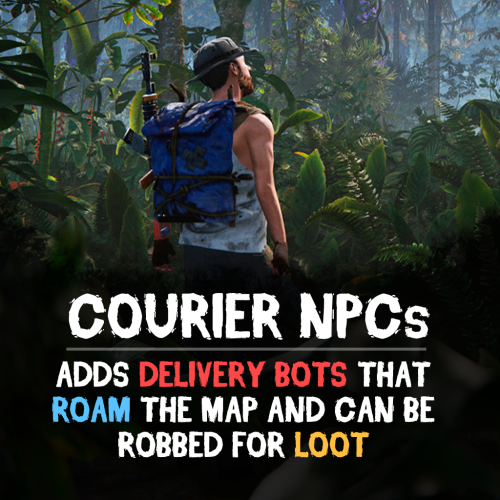
Version 0.1.2
54 downloads
Bring your Rust server to life with Courier NPCs — AI bots that travel across the map carrying valuable loot. Hunt them down for rewards, but be careful — they may not go down without a fight. Features: Traveling Couriers • NPCs spawn with random loot from your config and start travel to point. • At destination, couriers either despawn or dropping a stash. • Setup health, damage rates, spawn frequency, and other. • Configure spawn loadouts — weapons, clothes, and loot for delivery. • Each courier can carry a backpack with its own separate loot. Dynamic Combat • Configurable combat behaviour: Friendly (doesn't attack, continues to run) Defensive (defends if attacked) Aggressive (attacks first) • Uses ranged and melee weapons in fights. • Couriers can deploy mines, bear traps, and other traps while traveling. • Couriers heal themselves during and outside of combat using configurable health thresholds. Flexible Spawn System • Multiple spawn modes available — random map position, road/beach position, or SpawnsDatabase points. • Spawn and destination modes can be mixed for varied and unpredictable routes. • Couriers can prefer road-based pathfinding or take off-road routes. See It in Action! Watch The Video Commands ("couriernpcs.admin" permission): /cnpc vis - shows all couriers on server /cnpc killall - kills all couriers /cnpc tp - teleports all couriers to you Configuration: { "Bots settings": [ { "Enable bot?": true, "How many of these bots can be spawned?": 1, "Bot name (leave empty for random)": "Leon", "Respawn timer (min 3 seconds)": { "Min": 600.0, "Max": 1800.0 }, "Configure the position of the courier's birth. (configure several modes for random selection)": { "Random map position mode": { "Enable this mode?": false }, "Random road position mode": { "Enable this mode?": true }, "Random spawn position mode": { "Enable this mode?": false }, "Mode of selection of a position from the Spawns.cs plugin": { "Enable this mode?": false, "File name with positions": "" } }, "Configure the position of the courier's final path. (configure several modes for random selection)": { "Random map position mode": { "Enable this mode?": false }, "Random road position mode": { "Enable this mode?": true }, "Random spawn position mode": { "Enable this mode?": false }, "Mode of selection of a position from the Spawns.cs plugin": { "Enable this mode?": false, "File name with positions": "" } }, "Maximum health": 500.0, "What spawns on death (PlayerCorpse, NpcCorpse, Backpack)": "PlayerCorpse", "How many items will be destroyed when Backpack is selected (0 - 100%)": 0.0, "Backpack setup": { "Should I give out a backpack?": true, "Backpack item": { "Item shortname or ID": "largebackpack", "Item skin": 0 }, "Lock container? (true - after death loot won't drop)": false, "List of items": [ { "Chance (% 0 - 100)": 10.0, "Item settings": { "Item shortname or ID": "rifle.sks", "Item skin": 0 }, "Random amount": { "Min": 1.0, "Max": 1.0 }, "Attachments": [ { "Item settings": { "Item shortname or ID": "weapon.mod.silencer", "Item skin": 0 }, "Random amount": { "Min": 1.0, "Max": 1.0 }, "Attachments": null } ] }, { "Chance (% 0 - 100)": 5.0, "Item settings": { "Item shortname or ID": "minigun", "Item skin": 0 }, "Random amount": { "Min": 1.0, "Max": 1.0 }, "Attachments": [] }, { "Chance (% 0 - 100)": 20.0, "Item settings": { "Item shortname or ID": "ammo.shotgun.slug", "Item skin": 0 }, "Random amount": { "Min": 100.0, "Max": 500.0 }, "Attachments": [] }, { "Chance (% 0 - 100)": 5.0, "Item settings": { "Item shortname or ID": "explosives", "Item skin": 0 }, "Random amount": { "Min": 100.0, "Max": 500.0 }, "Attachments": [] }, { "Chance (% 0 - 100)": 90.0, "Item settings": { "Item shortname or ID": "wood", "Item skin": 0 }, "Random amount": { "Min": 2000.0, "Max": 5000.0 }, "Attachments": [] }, { "Chance (% 0 - 100)": 80.0, "Item settings": { "Item shortname or ID": "stones", "Item skin": 0 }, "Random amount": { "Min": 1000.0, "Max": 2000.0 }, "Attachments": [] }, { "Chance (% 0 - 100)": 80.0, "Item settings": { "Item shortname or ID": "metal.fragments", "Item skin": 0 }, "Random amount": { "Min": 500.0, "Max": 1000.0 }, "Attachments": [] }, { "Chance (% 0 - 100)": 70.0, "Item settings": { "Item shortname or ID": "sulfur", "Item skin": 0 }, "Random amount": { "Min": 200.0, "Max": 500.0 }, "Attachments": [] }, { "Chance (% 0 - 100)": 60.0, "Item settings": { "Item shortname or ID": "scrap", "Item skin": 0 }, "Random amount": { "Min": 100.0, "Max": 200.0 }, "Attachments": [] }, { "Chance (% 0 - 100)": 50.0, "Item settings": { "Item shortname or ID": "metal.refined", "Item skin": 0 }, "Random amount": { "Min": 50.0, "Max": 100.0 }, "Attachments": [] } ] }, "Wear settings": { "Lock container? (true - after death loot won't drop)": true, "List of items": [ { "Item settings": { "Item shortname or ID": "hazmatsuit.kick", "Item skin": 0 }, "Random amount": { "Min": 1.0, "Max": 1.0 }, "Attachments": [] } ] }, "Belt customization (add weapons, ammo, medicine, traps that the bot can use here)": { "Lock container? (true - after death loot won't drop)": true, "List of items": [ { "Item settings": { "Item shortname or ID": "smg.mp5", "Item skin": 0 }, "Random amount": { "Min": 1.0, "Max": 1.0 }, "Attachments": [ { "Item settings": { "Item shortname or ID": "weapon.mod.silencer", "Item skin": 0 }, "Random amount": { "Min": 1.0, "Max": 1.0 }, "Attachments": null } ] }, { "Item settings": { "Item shortname or ID": "ammo.pistol", "Item skin": 0 }, "Random amount": { "Min": 500.0, "Max": 1000.0 }, "Attachments": [] }, { "Item settings": { "Item shortname or ID": "legacy bow", "Item skin": 0 }, "Random amount": { "Min": 1.0, "Max": 1.0 }, "Attachments": [] }, { "Item settings": { "Item shortname or ID": "arrow.wooden", "Item skin": 0 }, "Random amount": { "Min": 200.0, "Max": 300.0 }, "Attachments": [] }, { "Item settings": { "Item shortname or ID": "salvaged.cleaver", "Item skin": 0 }, "Random amount": { "Min": 1.0, "Max": 1.0 }, "Attachments": [] }, { "Item settings": { "Item shortname or ID": "syringe.medical", "Item skin": 0 }, "Random amount": { "Min": 300.0, "Max": 300.0 }, "Attachments": [] } ] }, "Inventory settings": { "Lock container? (true - after death loot won't drop)": false, "List of items": [ { "Chance (% 0 - 100)": 10.0, "Item settings": { "Item shortname or ID": "rifle.sks", "Item skin": 0 }, "Random amount": { "Min": 1.0, "Max": 1.0 }, "Attachments": [ { "Item settings": { "Item shortname or ID": "weapon.mod.silencer", "Item skin": 0 }, "Random amount": { "Min": 1.0, "Max": 1.0 }, "Attachments": null } ] }, { "Chance (% 0 - 100)": 5.0, "Item settings": { "Item shortname or ID": "minigun", "Item skin": 0 }, "Random amount": { "Min": 1.0, "Max": 1.0 }, "Attachments": [] }, { "Chance (% 0 - 100)": 20.0, "Item settings": { "Item shortname or ID": "ammo.shotgun.slug", "Item skin": 0 }, "Random amount": { "Min": 100.0, "Max": 500.0 }, "Attachments": [] }, { "Chance (% 0 - 100)": 5.0, "Item settings": { "Item shortname or ID": "explosives", "Item skin": 0 }, "Random amount": { "Min": 100.0, "Max": 500.0 }, "Attachments": [] }, { "Chance (% 0 - 100)": 90.0, "Item settings": { "Item shortname or ID": "wood", "Item skin": 0 }, "Random amount": { "Min": 2000.0, "Max": 5000.0 }, "Attachments": [] }, { "Chance (% 0 - 100)": 80.0, "Item settings": { "Item shortname or ID": "stones", "Item skin": 0 }, "Random amount": { "Min": 1000.0, "Max": 2000.0 }, "Attachments": [] }, { "Chance (% 0 - 100)": 80.0, "Item settings": { "Item shortname or ID": "metal.fragments", "Item skin": 0 }, "Random amount": { "Min": 500.0, "Max": 1000.0 }, "Attachments": [] }, { "Chance (% 0 - 100)": 70.0, "Item settings": { "Item shortname or ID": "sulfur", "Item skin": 0 }, "Random amount": { "Min": 200.0, "Max": 500.0 }, "Attachments": [] }, { "Chance (% 0 - 100)": 60.0, "Item settings": { "Item shortname or ID": "scrap", "Item skin": 0 }, "Random amount": { "Min": 100.0, "Max": 200.0 }, "Attachments": [] }, { "Chance (% 0 - 100)": 50.0, "Item settings": { "Item shortname or ID": "metal.refined", "Item skin": 0 }, "Random amount": { "Min": 50.0, "Max": 100.0 }, "Attachments": [] } ] }, "List of items that won't drop on death (applies if the inventory is not locked)": [ { "Item shortname or ID": "smg.mp5", "Item skin": 0 } ], "Courier behavior settings": { "Time for a brain tick (0.01 - 1)": 0.1, "Combat setup (weapons, ammunition, should be given in the belt inventory)": { "Use ammunition from equipment?": true, "The bot's character when meeting players - Aggressive, Friendly, Defensive": "Aggressive", "The bot's character when meeting npc - Aggressive, Friendly, Defensive": "Defensive", "The bot's character when meeting animal - Aggressive, Friendly, Defensive": "Defensive", "Damage settings": { "Damage multiplier for players": 1.0, "NPC damage multiplier": 1.0, "Damage multiplier for animals": 1.0, "Courier damage multiplier from players": 1.0, "Courier damage multiplier from NPCs": 1.0, "Animal damage multiplier for the courier": 1.0 } }, "Treatment settings (medications should be issued in the belt inventory)": { "Percentage of health to enter the healing state (% 50 - 90)": 75.0, "Percentage of health to enter healing state during combat (% 1 - 50)": 30.0, "Use the medicines from the equipment?": true }, "Setting up traps (mines and traps should be given in the belt inventory)": { "Enable this setting?": true, "Use mines and traps from equipment?": false, "Trap usage check timer (min 60 sec.)": { "Min": 300.0, "Max": 300.0 }, "Chance of using a trap (% 0 - 100)": { "Min": 50.0, "Max": 50.0 }, "Life time (0 - will exist until restart)": 3600.0 }, "Setting up movement to the finishing position": { "Allow searching for routes by roads first?": true, "Speed of movement to the finish (Slowest, Slow, Normal, Fast)": "Fast" }, "Setting up behavior when reaching the finish position": { "Use stash mode?": true, "Use suicide mode?": true, "Movement speed while searching for a hiding place (Slowest, Slow, Normal, Fast)": "Fast", "Setting up a stash": { "Stash setup (bot will put items in the stash)": { "Enable?": true, "Hide stash?": true, "Life time (0 - will exist until restart)": 3600.0 }, "Box setup (bot will put items in the box)": { "Enable?": false, "Use small box?": true, "Box skin": 0, "Life time (0 - will exist until restart or until it dies)": 3600.0, "Another container prefab (you can leave it empty)": "" } } } }, "Controller settings": { "Time for a controller tick (0.01 - 0.2)": 0.05, "Allow turrets to attack the courier?": true } }, { "Enable bot?": true, "How many of these bots can be spawned?": 1, "Bot name (leave empty for random)": "Denis", "Respawn timer (min 3 seconds)": { "Min": 600.0, "Max": 1800.0 }, "Configure the position of the courier's birth. (configure several modes for random selection)": { "Random map position mode": { "Enable this mode?": true }, "Random road position mode": { "Enable this mode?": true }, "Random spawn position mode": { "Enable this mode?": true }, "Mode of selection of a position from the Spawns.cs plugin": { "Enable this mode?": false, "File name with positions": "" } }, "Configure the position of the courier's final path. (configure several modes for random selection)": { "Random map position mode": { "Enable this mode?": true }, "Random road position mode": { "Enable this mode?": true }, "Random spawn position mode": { "Enable this mode?": true }, "Mode of selection of a position from the Spawns.cs plugin": { "Enable this mode?": false, "File name with positions": "" } }, "Maximum health": 150.0, "What spawns on death (PlayerCorpse, NpcCorpse, Backpack)": "PlayerCorpse", "How many items will be destroyed when Backpack is selected (0 - 100%)": 0.0, "Backpack setup": { "Should I give out a backpack?": true, "Backpack item": { "Item shortname or ID": "smallbackpack", "Item skin": 0 }, "Lock container? (true - after death loot won't drop)": false, "List of items": [ { "Chance (% 0 - 100)": 10.0, "Item settings": { "Item shortname or ID": "rifle.sks", "Item skin": 0 }, "Random amount": { "Min": 1.0, "Max": 1.0 }, "Attachments": [ { "Item settings": { "Item shortname or ID": "weapon.mod.silencer", "Item skin": 0 }, "Random amount": { "Min": 1.0, "Max": 1.0 }, "Attachments": null } ] }, { "Chance (% 0 - 100)": 5.0, "Item settings": { "Item shortname or ID": "minigun", "Item skin": 0 }, "Random amount": { "Min": 1.0, "Max": 1.0 }, "Attachments": [] }, { "Chance (% 0 - 100)": 20.0, "Item settings": { "Item shortname or ID": "ammo.shotgun.slug", "Item skin": 0 }, "Random amount": { "Min": 100.0, "Max": 500.0 }, "Attachments": [] }, { "Chance (% 0 - 100)": 5.0, "Item settings": { "Item shortname or ID": "explosives", "Item skin": 0 }, "Random amount": { "Min": 100.0, "Max": 500.0 }, "Attachments": [] }, { "Chance (% 0 - 100)": 90.0, "Item settings": { "Item shortname or ID": "wood", "Item skin": 0 }, "Random amount": { "Min": 2000.0, "Max": 5000.0 }, "Attachments": [] }, { "Chance (% 0 - 100)": 80.0, "Item settings": { "Item shortname or ID": "stones", "Item skin": 0 }, "Random amount": { "Min": 1000.0, "Max": 2000.0 }, "Attachments": [] }, { "Chance (% 0 - 100)": 80.0, "Item settings": { "Item shortname or ID": "metal.fragments", "Item skin": 0 }, "Random amount": { "Min": 500.0, "Max": 1000.0 }, "Attachments": [] }, { "Chance (% 0 - 100)": 70.0, "Item settings": { "Item shortname or ID": "sulfur", "Item skin": 0 }, "Random amount": { "Min": 200.0, "Max": 500.0 }, "Attachments": [] }, { "Chance (% 0 - 100)": 60.0, "Item settings": { "Item shortname or ID": "scrap", "Item skin": 0 }, "Random amount": { "Min": 100.0, "Max": 200.0 }, "Attachments": [] }, { "Chance (% 0 - 100)": 50.0, "Item settings": { "Item shortname or ID": "metal.refined", "Item skin": 0 }, "Random amount": { "Min": 50.0, "Max": 100.0 }, "Attachments": [] } ] }, "Wear settings": { "Lock container? (true - after death loot won't drop)": true, "List of items": [ { "Item settings": { "Item shortname or ID": "hazmatsuit.pilot", "Item skin": 0 }, "Random amount": { "Min": 1.0, "Max": 1.0 }, "Attachments": [] } ] }, "Belt customization (add weapons, ammo, medicine, traps that the bot can use here)": { "Lock container? (true - after death loot won't drop)": true, "List of items": [ { "Item settings": { "Item shortname or ID": "rifle.m39", "Item skin": 0 }, "Random amount": { "Min": 1.0, "Max": 1.0 }, "Attachments": [ { "Item settings": { "Item shortname or ID": "weapon.mod.silencer", "Item skin": 0 }, "Random amount": { "Min": 1.0, "Max": 1.0 }, "Attachments": null } ] }, { "Item settings": { "Item shortname or ID": "ammo.rifle", "Item skin": 0 }, "Random amount": { "Min": 100.0, "Max": 300.0 }, "Attachments": [] }, { "Item settings": { "Item shortname or ID": "trap.bear", "Item skin": 0 }, "Random amount": { "Min": 5.0, "Max": 10.0 }, "Attachments": [] }, { "Item settings": { "Item shortname or ID": "trap.landmine", "Item skin": 0 }, "Random amount": { "Min": 5.0, "Max": 10.0 }, "Attachments": [] }, { "Item settings": { "Item shortname or ID": "syringe.medical", "Item skin": 0 }, "Random amount": { "Min": 300.0, "Max": 300.0 }, "Attachments": [] }, { "Item settings": { "Item shortname or ID": "largemedkit", "Item skin": 0 }, "Random amount": { "Min": 1.0, "Max": 1.0 }, "Attachments": [] } ] }, "Inventory settings": { "Lock container? (true - after death loot won't drop)": false, "List of items": [ { "Chance (% 0 - 100)": 10.0, "Item settings": { "Item shortname or ID": "rifle.sks", "Item skin": 0 }, "Random amount": { "Min": 1.0, "Max": 1.0 }, "Attachments": [ { "Item settings": { "Item shortname or ID": "weapon.mod.silencer", "Item skin": 0 }, "Random amount": { "Min": 1.0, "Max": 1.0 }, "Attachments": null } ] }, { "Chance (% 0 - 100)": 5.0, "Item settings": { "Item shortname or ID": "minigun", "Item skin": 0 }, "Random amount": { "Min": 1.0, "Max": 1.0 }, "Attachments": [] }, { "Chance (% 0 - 100)": 20.0, "Item settings": { "Item shortname or ID": "ammo.shotgun.slug", "Item skin": 0 }, "Random amount": { "Min": 100.0, "Max": 500.0 }, "Attachments": [] }, { "Chance (% 0 - 100)": 5.0, "Item settings": { "Item shortname or ID": "explosives", "Item skin": 0 }, "Random amount": { "Min": 100.0, "Max": 500.0 }, "Attachments": [] }, { "Chance (% 0 - 100)": 90.0, "Item settings": { "Item shortname or ID": "wood", "Item skin": 0 }, "Random amount": { "Min": 2000.0, "Max": 5000.0 }, "Attachments": [] }, { "Chance (% 0 - 100)": 80.0, "Item settings": { "Item shortname or ID": "stones", "Item skin": 0 }, "Random amount": { "Min": 1000.0, "Max": 2000.0 }, "Attachments": [] }, { "Chance (% 0 - 100)": 80.0, "Item settings": { "Item shortname or ID": "metal.fragments", "Item skin": 0 }, "Random amount": { "Min": 500.0, "Max": 1000.0 }, "Attachments": [] }, { "Chance (% 0 - 100)": 70.0, "Item settings": { "Item shortname or ID": "sulfur", "Item skin": 0 }, "Random amount": { "Min": 200.0, "Max": 500.0 }, "Attachments": [] }, { "Chance (% 0 - 100)": 60.0, "Item settings": { "Item shortname or ID": "scrap", "Item skin": 0 }, "Random amount": { "Min": 100.0, "Max": 200.0 }, "Attachments": [] }, { "Chance (% 0 - 100)": 50.0, "Item settings": { "Item shortname or ID": "metal.refined", "Item skin": 0 }, "Random amount": { "Min": 50.0, "Max": 100.0 }, "Attachments": [] } ] }, "List of items that won't drop on death (applies if the inventory is not locked)": [ { "Item shortname or ID": "rifle.m39", "Item skin": 0 } ], "Courier behavior settings": { "Time for a brain tick (0.01 - 1)": 0.1, "Combat setup (weapons, ammunition, should be given in the belt inventory)": { "Use ammunition from equipment?": true, "The bot's character when meeting players - Aggressive, Friendly, Defensive": "Defensive", "The bot's character when meeting npc - Aggressive, Friendly, Defensive": "Defensive", "The bot's character when meeting animal - Aggressive, Friendly, Defensive": "Defensive", "Damage settings": { "Damage multiplier for players": 1.0, "NPC damage multiplier": 1.0, "Damage multiplier for animals": 1.0, "Courier damage multiplier from players": 1.0, "Courier damage multiplier from NPCs": 1.0, "Animal damage multiplier for the courier": 1.0 } }, "Treatment settings (medications should be issued in the belt inventory)": { "Percentage of health to enter the healing state (% 50 - 90)": 75.0, "Percentage of health to enter healing state during combat (% 1 - 50)": 30.0, "Use the medicines from the equipment?": true }, "Setting up traps (mines and traps should be given in the belt inventory)": { "Enable this setting?": true, "Use mines and traps from equipment?": true, "Trap usage check timer (min 60 sec.)": { "Min": 300.0, "Max": 300.0 }, "Chance of using a trap (% 0 - 100)": { "Min": 50.0, "Max": 50.0 }, "Life time (0 - will exist until restart)": 3600.0 }, "Setting up movement to the finishing position": { "Allow searching for routes by roads first?": false, "Speed of movement to the finish (Slowest, Slow, Normal, Fast)": "Fast" }, "Setting up behavior when reaching the finish position": { "Use stash mode?": true, "Use suicide mode?": true, "Movement speed while searching for a hiding place (Slowest, Slow, Normal, Fast)": "Fast", "Setting up a stash": { "Stash setup (bot will put items in the stash)": { "Enable?": true, "Hide stash?": true, "Life time (0 - will exist until restart)": 3600.0 }, "Box setup (bot will put items in the box)": { "Enable?": false, "Use small box?": true, "Box skin": 0, "Life time (0 - will exist until restart or until it dies)": 3600.0, "Another container prefab (you can leave it empty)": "" } } } }, "Controller settings": { "Time for a controller tick (0.01 - 0.2)": 0.1, "Allow turrets to attack the courier?": true } }, { "Enable bot?": true, "How many of these bots can be spawned?": 1, "Bot name (leave empty for random)": "Paul", "Respawn timer (min 3 seconds)": { "Min": 600.0, "Max": 1800.0 }, "Configure the position of the courier's birth. (configure several modes for random selection)": { "Random map position mode": { "Enable this mode?": true }, "Random road position mode": { "Enable this mode?": true }, "Random spawn position mode": { "Enable this mode?": true }, "Mode of selection of a position from the Spawns.cs plugin": { "Enable this mode?": false, "File name with positions": "" } }, "Configure the position of the courier's final path. (configure several modes for random selection)": { "Random map position mode": { "Enable this mode?": true }, "Random road position mode": { "Enable this mode?": true }, "Random spawn position mode": { "Enable this mode?": true }, "Mode of selection of a position from the Spawns.cs plugin": { "Enable this mode?": false, "File name with positions": "" } }, "Maximum health": 150.0, "What spawns on death (PlayerCorpse, NpcCorpse, Backpack)": "PlayerCorpse", "How many items will be destroyed when Backpack is selected (0 - 100%)": 0.0, "Backpack setup": { "Should I give out a backpack?": true, "Backpack item": { "Item shortname or ID": "smallbackpack", "Item skin": 0 }, "Lock container? (true - after death loot won't drop)": false, "List of items": [ { "Chance (% 0 - 100)": 10.0, "Item settings": { "Item shortname or ID": "rifle.sks", "Item skin": 0 }, "Random amount": { "Min": 1.0, "Max": 1.0 }, "Attachments": [ { "Item settings": { "Item shortname or ID": "weapon.mod.silencer", "Item skin": 0 }, "Random amount": { "Min": 1.0, "Max": 1.0 }, "Attachments": null } ] }, { "Chance (% 0 - 100)": 5.0, "Item settings": { "Item shortname or ID": "minigun", "Item skin": 0 }, "Random amount": { "Min": 1.0, "Max": 1.0 }, "Attachments": [] }, { "Chance (% 0 - 100)": 20.0, "Item settings": { "Item shortname or ID": "ammo.shotgun.slug", "Item skin": 0 }, "Random amount": { "Min": 100.0, "Max": 500.0 }, "Attachments": [] }, { "Chance (% 0 - 100)": 5.0, "Item settings": { "Item shortname or ID": "explosives", "Item skin": 0 }, "Random amount": { "Min": 100.0, "Max": 500.0 }, "Attachments": [] }, { "Chance (% 0 - 100)": 90.0, "Item settings": { "Item shortname or ID": "wood", "Item skin": 0 }, "Random amount": { "Min": 2000.0, "Max": 5000.0 }, "Attachments": [] }, { "Chance (% 0 - 100)": 80.0, "Item settings": { "Item shortname or ID": "stones", "Item skin": 0 }, "Random amount": { "Min": 1000.0, "Max": 2000.0 }, "Attachments": [] }, { "Chance (% 0 - 100)": 80.0, "Item settings": { "Item shortname or ID": "metal.fragments", "Item skin": 0 }, "Random amount": { "Min": 500.0, "Max": 1000.0 }, "Attachments": [] }, { "Chance (% 0 - 100)": 70.0, "Item settings": { "Item shortname or ID": "sulfur", "Item skin": 0 }, "Random amount": { "Min": 200.0, "Max": 500.0 }, "Attachments": [] }, { "Chance (% 0 - 100)": 60.0, "Item settings": { "Item shortname or ID": "scrap", "Item skin": 0 }, "Random amount": { "Min": 100.0, "Max": 200.0 }, "Attachments": [] }, { "Chance (% 0 - 100)": 50.0, "Item settings": { "Item shortname or ID": "metal.refined", "Item skin": 0 }, "Random amount": { "Min": 50.0, "Max": 100.0 }, "Attachments": [] } ] }, "Wear settings": { "Lock container? (true - after death loot won't drop)": true, "List of items": [ { "Item settings": { "Item shortname or ID": "hazmatsuit.diver", "Item skin": 0 }, "Random amount": { "Min": 1.0, "Max": 1.0 }, "Attachments": [] } ] }, "Belt customization (add weapons, ammo, medicine, traps that the bot can use here)": { "Lock container? (true - after death loot won't drop)": true, "List of items": [ { "Item settings": { "Item shortname or ID": "rifle.lr300.space", "Item skin": 0 }, "Random amount": { "Min": 1.0, "Max": 1.0 }, "Attachments": [] }, { "Item settings": { "Item shortname or ID": "ammo.rifle", "Item skin": 0 }, "Random amount": { "Min": 100.0, "Max": 300.0 }, "Attachments": [] }, { "Item settings": { "Item shortname or ID": "trap.bear", "Item skin": 0 }, "Random amount": { "Min": 5.0, "Max": 10.0 }, "Attachments": [] }, { "Item settings": { "Item shortname or ID": "trap.landmine", "Item skin": 0 }, "Random amount": { "Min": 5.0, "Max": 10.0 }, "Attachments": [] }, { "Item settings": { "Item shortname or ID": "syringe.medical", "Item skin": 0 }, "Random amount": { "Min": 300.0, "Max": 300.0 }, "Attachments": [] }, { "Item settings": { "Item shortname or ID": "largemedkit", "Item skin": 0 }, "Random amount": { "Min": 1.0, "Max": 1.0 }, "Attachments": [] } ] }, "Inventory settings": { "Lock container? (true - after death loot won't drop)": false, "List of items": [ { "Chance (% 0 - 100)": 10.0, "Item settings": { "Item shortname or ID": "rifle.sks", "Item skin": 0 }, "Random amount": { "Min": 1.0, "Max": 1.0 }, "Attachments": [ { "Item settings": { "Item shortname or ID": "weapon.mod.silencer", "Item skin": 0 }, "Random amount": { "Min": 1.0, "Max": 1.0 }, "Attachments": null } ] }, { "Chance (% 0 - 100)": 5.0, "Item settings": { "Item shortname or ID": "minigun", "Item skin": 0 }, "Random amount": { "Min": 1.0, "Max": 1.0 }, "Attachments": [] }, { "Chance (% 0 - 100)": 20.0, "Item settings": { "Item shortname or ID": "ammo.shotgun.slug", "Item skin": 0 }, "Random amount": { "Min": 100.0, "Max": 500.0 }, "Attachments": [] }, { "Chance (% 0 - 100)": 5.0, "Item settings": { "Item shortname or ID": "explosives", "Item skin": 0 }, "Random amount": { "Min": 100.0, "Max": 500.0 }, "Attachments": [] }, { "Chance (% 0 - 100)": 90.0, "Item settings": { "Item shortname or ID": "wood", "Item skin": 0 }, "Random amount": { "Min": 2000.0, "Max": 5000.0 }, "Attachments": [] }, { "Chance (% 0 - 100)": 80.0, "Item settings": { "Item shortname or ID": "stones", "Item skin": 0 }, "Random amount": { "Min": 1000.0, "Max": 2000.0 }, "Attachments": [] }, { "Chance (% 0 - 100)": 80.0, "Item settings": { "Item shortname or ID": "metal.fragments", "Item skin": 0 }, "Random amount": { "Min": 500.0, "Max": 1000.0 }, "Attachments": [] }, { "Chance (% 0 - 100)": 70.0, "Item settings": { "Item shortname or ID": "sulfur", "Item skin": 0 }, "Random amount": { "Min": 200.0, "Max": 500.0 }, "Attachments": [] }, { "Chance (% 0 - 100)": 60.0, "Item settings": { "Item shortname or ID": "scrap", "Item skin": 0 }, "Random amount": { "Min": 100.0, "Max": 200.0 }, "Attachments": [] }, { "Chance (% 0 - 100)": 50.0, "Item settings": { "Item shortname or ID": "metal.refined", "Item skin": 0 }, "Random amount": { "Min": 50.0, "Max": 100.0 }, "Attachments": [] } ] }, "List of items that won't drop on death (applies if the inventory is not locked)": [ { "Item shortname or ID": "rifle.lr300.space", "Item skin": 0 } ], "Courier behavior settings": { "Time for a brain tick (0.01 - 1)": 0.1, "Combat setup (weapons, ammunition, should be given in the belt inventory)": { "Use ammunition from equipment?": false, "The bot's character when meeting players - Aggressive, Friendly, Defensive": "Defensive", "The bot's character when meeting npc - Aggressive, Friendly, Defensive": "Defensive", "The bot's character when meeting animal - Aggressive, Friendly, Defensive": "Defensive", "Damage settings": { "Damage multiplier for players": 1.0, "NPC damage multiplier": 1.0, "Damage multiplier for animals": 1.0, "Courier damage multiplier from players": 1.0, "Courier damage multiplier from NPCs": 1.0, "Animal damage multiplier for the courier": 1.0 } }, "Treatment settings (medications should be issued in the belt inventory)": { "Percentage of health to enter the healing state (% 50 - 90)": 75.0, "Percentage of health to enter healing state during combat (% 1 - 50)": 30.0, "Use the medicines from the equipment?": true }, "Setting up traps (mines and traps should be given in the belt inventory)": { "Enable this setting?": true, "Use mines and traps from equipment?": true, "Trap usage check timer (min 60 sec.)": { "Min": 300.0, "Max": 300.0 }, "Chance of using a trap (% 0 - 100)": { "Min": 50.0, "Max": 50.0 }, "Life time (0 - will exist until restart)": 3600.0 }, "Setting up movement to the finishing position": { "Allow searching for routes by roads first?": false, "Speed of movement to the finish (Slowest, Slow, Normal, Fast)": "Fast" }, "Setting up behavior when reaching the finish position": { "Use stash mode?": true, "Use suicide mode?": true, "Movement speed while searching for a hiding place (Slowest, Slow, Normal, Fast)": "Fast", "Setting up a stash": { "Stash setup (bot will put items in the stash)": { "Enable?": true, "Hide stash?": true, "Life time (0 - will exist until restart)": 3600.0 }, "Box setup (bot will put items in the box)": { "Enable?": false, "Use small box?": true, "Box skin": 0, "Life time (0 - will exist until restart or until it dies)": 3600.0, "Another container prefab (you can leave it empty)": "" } } } }, "Controller settings": { "Time for a controller tick (0.01 - 0.2)": 0.1, "Allow turrets to attack the courier?": true } }, { "Enable bot?": true, "How many of these bots can be spawned?": 1, "Bot name (leave empty for random)": "Mike", "Respawn timer (min 3 seconds)": { "Min": 600.0, "Max": 1800.0 }, "Configure the position of the courier's birth. (configure several modes for random selection)": { "Random map position mode": { "Enable this mode?": false }, "Random road position mode": { "Enable this mode?": false }, "Random spawn position mode": { "Enable this mode?": true }, "Mode of selection of a position from the Spawns.cs plugin": { "Enable this mode?": false, "File name with positions": "" } }, "Configure the position of the courier's final path. (configure several modes for random selection)": { "Random map position mode": { "Enable this mode?": true }, "Random road position mode": { "Enable this mode?": false }, "Random spawn position mode": { "Enable this mode?": false }, "Mode of selection of a position from the Spawns.cs plugin": { "Enable this mode?": false, "File name with positions": "" } }, "Maximum health": 500.0, "What spawns on death (PlayerCorpse, NpcCorpse, Backpack)": "PlayerCorpse", "How many items will be destroyed when Backpack is selected (0 - 100%)": 0.0, "Backpack setup": { "Should I give out a backpack?": true, "Backpack item": { "Item shortname or ID": "kriegbackpack", "Item skin": 0 }, "Lock container? (true - after death loot won't drop)": false, "List of items": [ { "Chance (% 0 - 100)": 10.0, "Item settings": { "Item shortname or ID": "rifle.sks", "Item skin": 0 }, "Random amount": { "Min": 1.0, "Max": 1.0 }, "Attachments": [ { "Item settings": { "Item shortname or ID": "weapon.mod.silencer", "Item skin": 0 }, "Random amount": { "Min": 1.0, "Max": 1.0 }, "Attachments": null } ] }, { "Chance (% 0 - 100)": 5.0, "Item settings": { "Item shortname or ID": "minigun", "Item skin": 0 }, "Random amount": { "Min": 1.0, "Max": 1.0 }, "Attachments": null }, { "Chance (% 0 - 100)": 20.0, "Item settings": { "Item shortname or ID": "ammo.shotgun.slug", "Item skin": 0 }, "Random amount": { "Min": 100.0, "Max": 500.0 }, "Attachments": null }, { "Chance (% 0 - 100)": 5.0, "Item settings": { "Item shortname or ID": "explosives", "Item skin": 0 }, "Random amount": { "Min": 100.0, "Max": 500.0 }, "Attachments": null }, { "Chance (% 0 - 100)": 90.0, "Item settings": { "Item shortname or ID": "wood", "Item skin": 0 }, "Random amount": { "Min": 2000.0, "Max": 5000.0 }, "Attachments": null }, { "Chance (% 0 - 100)": 80.0, "Item settings": { "Item shortname or ID": "stones", "Item skin": 0 }, "Random amount": { "Min": 1000.0, "Max": 2000.0 }, "Attachments": null }, { "Chance (% 0 - 100)": 80.0, "Item settings": { "Item shortname or ID": "metal.fragments", "Item skin": 0 }, "Random amount": { "Min": 500.0, "Max": 1000.0 }, "Attachments": null }, { "Chance (% 0 - 100)": 70.0, "Item settings": { "Item shortname or ID": "sulfur", "Item skin": 0 }, "Random amount": { "Min": 200.0, "Max": 500.0 }, "Attachments": null }, { "Chance (% 0 - 100)": 60.0, "Item settings": { "Item shortname or ID": "scrap", "Item skin": 0 }, "Random amount": { "Min": 100.0, "Max": 200.0 }, "Attachments": null }, { "Chance (% 0 - 100)": 50.0, "Item settings": { "Item shortname or ID": "metal.refined", "Item skin": 0 }, "Random amount": { "Min": 50.0, "Max": 100.0 }, "Attachments": null } ] }, "Wear settings": { "Lock container? (true - after death loot won't drop)": true, "List of items": [ { "Item settings": { "Item shortname or ID": "hazmatsuit.arcticsuit", "Item skin": 0 }, "Random amount": { "Min": 1.0, "Max": 1.0 }, "Attachments": null } ] }, "Belt customization (add weapons, ammo, medicine, traps that the bot can use here)": { "Lock container? (true - after death loot won't drop)": true, "List of items": [ { "Item settings": { "Item shortname or ID": "rifle.ak.ice", "Item skin": 0 }, "Random amount": { "Min": 1.0, "Max": 1.0 }, "Attachments": [] }, { "Item settings": { "Item shortname or ID": "knife.combat", "Item skin": 0 }, "Random amount": { "Min": 1.0, "Max": 1.0 }, "Attachments": [] }, { "Item settings": { "Item shortname or ID": "largemedkit", "Item skin": 0 }, "Random amount": { "Min": 300.0, "Max": 300.0 }, "Attachments": [] } ] }, "Inventory settings": { "Lock container? (true - after death loot won't drop)": false, "List of items": [ { "Chance (% 0 - 100)": 10.0, "Item settings": { "Item shortname or ID": "rifle.sks", "Item skin": 0 }, "Random amount": { "Min": 1.0, "Max": 1.0 }, "Attachments": [ { "Item settings": { "Item shortname or ID": "weapon.mod.silencer", "Item skin": 0 }, "Random amount": { "Min": 1.0, "Max": 1.0 }, "Attachments": null } ] }, { "Chance (% 0 - 100)": 5.0, "Item settings": { "Item shortname or ID": "minigun", "Item skin": 0 }, "Random amount": { "Min": 1.0, "Max": 1.0 }, "Attachments": null }, { "Chance (% 0 - 100)": 20.0, "Item settings": { "Item shortname or ID": "ammo.shotgun.slug", "Item skin": 0 }, "Random amount": { "Min": 100.0, "Max": 500.0 }, "Attachments": null }, { "Chance (% 0 - 100)": 5.0, "Item settings": { "Item shortname or ID": "explosives", "Item skin": 0 }, "Random amount": { "Min": 100.0, "Max": 500.0 }, "Attachments": null }, { "Chance (% 0 - 100)": 90.0, "Item settings": { "Item shortname or ID": "wood", "Item skin": 0 }, "Random amount": { "Min": 2000.0, "Max": 5000.0 }, "Attachments": null }, { "Chance (% 0 - 100)": 80.0, "Item settings": { "Item shortname or ID": "stones", "Item skin": 0 }, "Random amount": { "Min": 1000.0, "Max": 2000.0 }, "Attachments": null }, { "Chance (% 0 - 100)": 80.0, "Item settings": { "Item shortname or ID": "metal.fragments", "Item skin": 0 }, "Random amount": { "Min": 500.0, "Max": 1000.0 }, "Attachments": null }, { "Chance (% 0 - 100)": 70.0, "Item settings": { "Item shortname or ID": "sulfur", "Item skin": 0 }, "Random amount": { "Min": 200.0, "Max": 500.0 }, "Attachments": null }, { "Chance (% 0 - 100)": 60.0, "Item settings": { "Item shortname or ID": "scrap", "Item skin": 0 }, "Random amount": { "Min": 100.0, "Max": 200.0 }, "Attachments": null }, { "Chance (% 0 - 100)": 50.0, "Item settings": { "Item shortname or ID": "metal.refined", "Item skin": 0 }, "Random amount": { "Min": 50.0, "Max": 100.0 }, "Attachments": null } ] }, "List of items that won't drop on death (applies if the inventory is not locked)": [ { "Item shortname or ID": "rifle.ak.ice", "Item skin": 0 } ], "Courier behavior settings": { "Time for a brain tick (0.01 - 1)": 0.1, "Combat setup (weapons, ammunition, should be given in the belt inventory)": { "Use ammunition from equipment?": false, "The bot's character when meeting players - Aggressive, Friendly, Defensive": "Aggressive", "The bot's character when meeting npc - Aggressive, Friendly, Defensive": "Aggressive", "The bot's character when meeting animal - Aggressive, Friendly, Defensive": "Defensive", "Damage settings": { "Damage multiplier for players": 1.0, "NPC damage multiplier": 1.0, "Damage multiplier for animals": 1.0, "Courier damage multiplier from players": 1.0, "Courier damage multiplier from NPCs": 1.0, "Animal damage multiplier for the courier": 1.0 } }, "Treatment settings (medications should be issued in the belt inventory)": { "Percentage of health to enter the healing state (% 50 - 90)": 75.0, "Percentage of health to enter healing state during combat (% 1 - 50)": 30.0, "Use the medicines from the equipment?": true }, "Setting up traps (mines and traps should be given in the belt inventory)": { "Enable this setting?": true, "Use mines and traps from equipment?": false, "Trap usage check timer (min 60 sec.)": { "Min": 300.0, "Max": 300.0 }, "Chance of using a trap (% 0 - 100)": { "Min": 50.0, "Max": 50.0 }, "Life time (0 - will exist until restart)": 3600.0 }, "Setting up movement to the finishing position": { "Allow searching for routes by roads first?": true, "Speed of movement to the finish (Slowest, Slow, Normal, Fast)": "Fast" }, "Setting up behavior when reaching the finish position": { "Use stash mode?": true, "Use suicide mode?": true, "Movement speed while searching for a hiding place (Slowest, Slow, Normal, Fast)": "Fast", "Setting up a stash": { "Stash setup (bot will put items in the stash)": { "Enable?": true, "Hide stash?": true, "Life time (0 - will exist until restart)": 3600.0 }, "Box setup (bot will put items in the box)": { "Enable?": true, "Use small box?": true, "Box skin": 0, "Life time (0 - will exist until restart or until it dies)": 3600.0, "Another container prefab (you can leave it empty)": "" } } } }, "Controller settings": { "Time for a controller tick (0.01 - 0.2)": 0.05, "Allow turrets to attack the courier?": true } } ] }$19.90 -
Version 1.0.3
37 downloads
Add more activity to your server with Sleepies — random sleeping bots spawned around the map, filled with loot and unexpected surprises. Will you get easy rewards, or will the sleeper suddenly wake up and attack? Features: Sleepers Spawn • Bots spawn at random locations: beaches, roads, SpawnsDatabase points or random • Setup loot for each sleeper — from junk to something valuable. Unpredictable Scenarios • Inventory opens, loot and go. • The bot wakes up and fights back. • Sleeper explodes on interaction. • Sleeper despawns, without leaving loot. • NPCs or animals spawn around the bot. • Sleeper wakes up with C4, and chases the player until detonation. • Or other unwanted consequences - player gets knocked down, starts bleeding, gets radiation and etc. Bot Setup • Configure bot health, name, amount to spawn, loot, clothing, and appearance. • Set individual probability for each scenario. • Customize C4 fuse timer and damage rate. See It in Action! Watch The Video Configuration: { "Bots setup": [ { "Amount of bots": 1, "Spawn point (Random, Road, Beach, SpawnsDatabase)": "Random", "Spawn points filename (if SpawnsDatabase selected)": "", "Bot display name (empty for random)": "Bob", "Bot appearance (0 for random, also random if bots amount > 1)": 0, "Can be targeted by other NPCs?": false, "Despawn timer after scenario triggered": 60, "On death settings": { "Allow wounded state?": true, "Drop active item on death?": false, "Spawn a backpack with bot's items on death? (otherwise corpse will spawn)": false, "List of items that won't drop on death": [ { "Item name": "", "Item shortname": "rifle.ak", "Item skin": 0, "Item amount": 1, "Destination container (belt, main, wear)": "belt" } ] }, "Fight settings": { "Distance between bot and enemy": 3.0, "Maximum distance bot will remember target": 30.0, "Despawn when player is dead?": true }, "Scenario when bot is attacked or inventory opened": { "Bot will wake up and start fighting": { "Enabled?": true, "Chance of activation": 100 }, "Bot will explode": { "Enabled?": false, "Chance of activation": 100, "Type of explosive (C4, Satchel, F1Grenade, BeancanGrenade, Flashbang, MolotovCocktail, SmokeGrenade)": "C4", "Damage rate": 2.0 }, "Bot will suicide": { "Enabled?": false, "Chance of activation": 100 }, "Bot will wake up and follow player with C4 attached (kamikadze)": { "Enabled?": false, "Chance of activation": 100, "Detonation timer": 10 }, "Spawn NPCs around the sleeping bot": { "Enabled?": false, "Chance of activation": 100, "How many NPCs to spawn?": 3, "Distance to spawn": 5.0, "NPC items": [ { "Item name": "", "Item shortname": "shoes.boots", "Item skin": 0, "Item amount": 1, "Destination container (belt, main, wear)": "wear" }, { "Item name": "", "Item shortname": "pants", "Item skin": 0, "Item amount": 1, "Destination container (belt, main, wear)": "wear" }, { "Item name": "", "Item shortname": "hoodie", "Item skin": 0, "Item amount": 1, "Destination container (belt, main, wear)": "wear" }, { "Item name": "", "Item shortname": "mask.bandana", "Item skin": 0, "Item amount": 1, "Destination container (belt, main, wear)": "wear" }, { "Item name": "", "Item shortname": "hat.boonie", "Item skin": 0, "Item amount": 1, "Destination container (belt, main, wear)": "wear" }, { "Item name": "", "Item shortname": "sunglasses", "Item skin": 0, "Item amount": 1, "Destination container (belt, main, wear)": "wear" }, { "Item name": "", "Item shortname": "rifle.ak", "Item skin": 0, "Item amount": 1, "Destination container (belt, main, wear)": "belt" } ], "List of items that won't drop on death of NPC": [ { "Item name": "", "Item shortname": "rifle.ak", "Item skin": 0, "Item amount": 1, "Destination container (belt, main, wear)": "belt" } ] }, "Spawn animals around the sleeping bot": { "Enabled?": false, "Chance of activation": 100, "How many animals to spawn?": 3, "Distance to spawn": 5.0, "Animal prefab": "assets/rust.ai/agents/wolf/wolf.prefab" }, "Player will lose health": { "Enabled?": false, "Chance of activation": 100, "Damage amount": 50 }, "Player will get bleeding": { "Enabled?": false, "Chance of activation": 100, "Bleeding amount": 50 }, "Player will get radiation": { "Enabled?": false, "Chance of activation": 100, "Radiation amount": 50 }, "Player will become wounded": { "Enabled?": false, "Chance of activation": 100 } }, "Items": [ { "Item name": "", "Item shortname": "shoes.boots", "Item skin": 0, "Item amount": 1, "Destination container (belt, main, wear)": "wear" }, { "Item name": "", "Item shortname": "pants", "Item skin": 0, "Item amount": 1, "Destination container (belt, main, wear)": "wear" }, { "Item name": "", "Item shortname": "hoodie", "Item skin": 0, "Item amount": 1, "Destination container (belt, main, wear)": "wear" }, { "Item name": "", "Item shortname": "mask.bandana", "Item skin": 0, "Item amount": 1, "Destination container (belt, main, wear)": "wear" }, { "Item name": "", "Item shortname": "hat.boonie", "Item skin": 0, "Item amount": 1, "Destination container (belt, main, wear)": "wear" }, { "Item name": "", "Item shortname": "sunglasses", "Item skin": 0, "Item amount": 1, "Destination container (belt, main, wear)": "wear" }, { "Item name": "", "Item shortname": "rifle.ak", "Item skin": 0, "Item amount": 1, "Destination container (belt, main, wear)": "belt" } ] } ] }$14.90 -
Version 2.0.5
3,717 downloads
Take your server experience to new level using Personal NPC companions that can fight, loot, gather, drive, fly, and assist! Whether combat, gathering resources, or traveling is on your to-do list, your bot is on hand to help out! Features: Battle-Ready AI • Command your bot to attack players, enemies, buildings, barrels, and more. • Protects you against enemies attacks. • Assist in combat by attacking targets that you engage with (/pnpc combat). • Raid using rocket/grenade launchers (addon required). Resource Collection • Auto-farm of wood, metal, sulfur, and stone. • Pick up dropped items and collectable resources. • Enable auto-pickup within a 50m radius along with auto-farm. Smart Assistant • Follow you or stay in position. • Loot containers. • Recovers you while wounded. • Travel with you in minicopters, cars, boats, and more. • Can drive cars, helicopters and boats (addon required). Full Control & Personalization Bot Setup: • Set bot name, health, speed, and appearance. • Enable unlimited ammo and on map visibility. • Setup bot abilities: combat, looting, resource gathering, and more. • Setup damage rates, player interactions, and turret targeting. Other Customization: • Adjust spawn delays, task buttons, and 3D arrow displays. • Personalize the GUI interface – refresh rate, position, colors, and shortcut keys. • Blacklist specific items from the bot’s inventory. Commands: /pnpc where (shows a location of the bot in chat) /pnpc health (shows current bot's health in chat) /pnpc follow (bot will follow you) /pnpc hover (hover over a place, for Heli AI Addon) /pnpc inventory (open inventory, if enabled "Can player open bot's inventory through '/pnpc inventory' command?' option) /pnpc farm {resource name} (bot will farm exactly this resource, no need to write a lot of /pnpc auto-farm commands to make him work) /pnpc pickup {resource name} (same as "farm" but bot will pickup resources) /pnpc auto-pickup {resource name}/enable/disable /pnpc auto-farm {resource name}/enable/disable /pnpc ignore (bot will ignore everybody who deal damage to him or the owner) /pnpc loot-all (bot will loot everything in radius) /pnpc pvp (bot will fight anybody who's in radius) /pnpc combat (bot will fight only players who attack him or owner) Expand with Addons! Enhance your bot’s features using add-ons: • PNPC Helicopter AI Addon • PNPC Car AI Addon • PNPC Boat AI Addon • PNPC Raid Addon See It in Action! Watch The Video Configuration: { "Control setup": { "Which button will assign tasks to the bot, kill/get/collect, etc. (MIDDLE_MOUSE, SECOND_MOUSE, E, RELOAD, SPRINT)": "MIDDLE_MOUSE", "Range of the task assignment button": 25.0, "Display 3D arrows over a target?": true, "Arrow display duration": 2 }, "GUI customization": { "How many seconds to update the GUI?": 6.0, "Panel layer (Hud, Overlay, Overall, Hud.Menu, Under)": "Overlay", "Panel position adjustment": { "type": "RectTransform", "anchormin": "1 1", "anchormax": "1 1", "offsetmin": "-170 -104", "offsetmax": "-10 -10" }, "1 panel color": "#7f8c8d", "2 panel color": "#bdc3c7", "Health bar color": "#2ecc71", "Shortcut buttons": [ { "Text on button": "Auto-Farm: Wood", "Executable chat commands": [ "pnpc auto-farm wood", "pnpc auto-farm enable" ] }, { "Text on button": "Auto-Farm: Stone", "Executable chat commands": [ "pnpc auto-farm stone", "pnpc auto-farm enable" ] }, { "Text on button": "Auto-Pickup: Wood", "Executable chat commands": [ "pnpc auto-pickup wood", "pnpc auto-pickup enable" ] }, { "Text on button": "Auto-Pickup: Stone", "Executable chat commands": [ "pnpc auto-pickup stone", "pnpc auto-pickup enable" ] } ] }, "Bot settings by permission": { "personalnpc.bot1": { "Bot spawn delay": 300.0, "The name of the bot to be selected through the command when spawning": "bot1", "Bot name": "Personal bot of player %OWNER_NAME%", "Bot appearance (0 - random)": 0, "Maximum health": 150.0, "Bot speed (slowest, slow, normal, fast)": "normal", "Enable infinite ammo for the bot?": true, "Enable display of the bot on the map? (frankenstein icon)": true, "Start kit": [ { "Item name": "", "Item shortname": "shoes.boots", "Item skin": 0, "Item amount": 1, "In which container to place? (belt, main, wear)": "wear" }, { "Item name": "", "Item shortname": "pants", "Item skin": 0, "Item amount": 1, "In which container to place? (belt, main, wear)": "wear" }, { "Item name": "", "Item shortname": "hoodie", "Item skin": 0, "Item amount": 1, "In which container to place? (belt, main, wear)": "wear" }, { "Item name": "", "Item shortname": "mask.bandana", "Item skin": 0, "Item amount": 1, "In which container to place? (belt, main, wear)": "wear" }, { "Item name": "", "Item shortname": "hat.boonie", "Item skin": 0, "Item amount": 1, "In which container to place? (belt, main, wear)": "wear" }, { "Item name": "", "Item shortname": "sunglasses", "Item skin": 0, "Item amount": 1, "In which container to place? (belt, main, wear)": "wear" } ], "Functions setup": { "Can a bot loot crates?": true, "Can the bot mine trees and stones?": true, "Can the bot pick up resources? (wood, sulfur and metal ore, stones)": true, "Should the bot protect the owner?": true, "Should the bot defend itself?": true, "Can the bot travel by car/copter and other vehicles?": true, "Can the bot pick up dropped items?": true, "Recover the owner from a wounded state": { "Can the bot recover the owner if he is in a wounded state?": true, "Recover time": 6.0 }, "Can the bot attack other people's buildings?": true, "Can a bot attack its owner's buildings?": false, "Can the bot collect resources within a radius of 50 meters? (/pnpc auto-pickup)": true, "Can the bot farm resources within a radius of 50 meters? (/pnpc auto-farm)": true }, "Gather setup": { "Shortname of items that can harvest trees": [ "hatchet", "chainsaw", "hammer.salvaged", "stonehatchet", "axe.salvaged" ], "Shortname of items that can mine stones and ore": [ "pickaxe", "stone.pickaxe", "hammer.salvaged", "jackhammer", "icepick.salvaged" ], "Setting up mining rates": { "stones": 2.0, "wood": 5.0 } }, "Damage and interactions setup": { "Bot damage rate": 2.0, "Bot recive damage rate": 0.5, "Can players damage the bot?": true, "Can the bot damage players?": true, "Can turrets target and kill a bot? (all turrets will not be able to damage the bot)": false, "Prevent bot owner turrets from aiming and killing the bot? (bot owner's turrets will not be able to damage the bot)": true, "Blacklist of objects that the bot will ignore when owner selecting a target (short prefab name)": [ "barricade.sandbags" ] }, "Black list of items that cannot be put into the inventory of the bot": [ "rocket.launcher" ] } }, "Bot install by item": [ { "Item name": "PersonalNPC", "Item shortname": "furnace", "Item skin": 2741314889, "Bot info": { "Bot spawn delay": 300.0, "The name of the bot to be selected through the command when spawning": "bot1", "Bot name": "Personal bot of player %OWNER_NAME%", "Bot appearance (0 - random)": 0, "Maximum health": 150.0, "Bot speed (slowest, slow, normal, fast)": "normal", "Enable infinite ammo for the bot?": true, "Enable display of the bot on the map? (frankenstein icon)": true, "Start kit": [ { "Item name": "", "Item shortname": "shoes.boots", "Item skin": 0, "Item amount": 1, "In which container to place? (belt, main, wear)": "wear" }, { "Item name": "", "Item shortname": "pants", "Item skin": 0, "Item amount": 1, "In which container to place? (belt, main, wear)": "wear" }, { "Item name": "", "Item shortname": "hoodie", "Item skin": 0, "Item amount": 1, "In which container to place? (belt, main, wear)": "wear" }, { "Item name": "", "Item shortname": "mask.bandana", "Item skin": 0, "Item amount": 1, "In which container to place? (belt, main, wear)": "wear" }, { "Item name": "", "Item shortname": "hat.boonie", "Item skin": 0, "Item amount": 1, "In which container to place? (belt, main, wear)": "wear" }, { "Item name": "", "Item shortname": "sunglasses", "Item skin": 0, "Item amount": 1, "In which container to place? (belt, main, wear)": "wear" } ], "Functions setup": { "Can a bot loot crates?": true, "Can the bot mine trees and stones?": true, "Can the bot pick up resources? (wood, sulfur and metal ore, stones)": true, "Should the bot protect the owner?": true, "Should the bot defend itself?": true, "Can the bot travel by car/copter and other vehicles?": true, "Can the bot pick up dropped items?": true, "Recover the owner from a wounded state": { "Can the bot recover the owner if he is in a wounded state?": true, "Recover time": 6.0 }, "Can the bot attack other people's buildings?": true, "Can a bot attack its owner's buildings?": false, "Can the bot collect resources within a radius of 50 meters? (/pnpc auto-pickup)": true, "Can the bot farm resources within a radius of 50 meters? (/pnpc auto-farm)": true }, "Gather setup": { "Shortname of items that can harvest trees": [ "hatchet", "chainsaw", "hammer.salvaged", "stonehatchet", "axe.salvaged" ], "Shortname of items that can mine stones and ore": [ "pickaxe", "stone.pickaxe", "hammer.salvaged", "jackhammer", "icepick.salvaged" ], "Setting up mining rates": { "stones": 2.0, "wood": 5.0 } }, "Damage and interactions setup": { "Bot damage rate": 2.0, "Bot recive damage rate": 0.5, "Can players damage the bot?": true, "Can the bot damage players?": true, "Can turrets target and kill a bot? (all turrets will not be able to damage the bot)": false, "Prevent bot owner turrets from aiming and killing the bot? (bot owner's turrets will not be able to damage the bot)": true, "Blacklist of objects that the bot will ignore when owner selecting a target (short prefab name)": [ "barricade.sandbags" ] }, "Black list of items that cannot be put into the inventory of the bot": [ "rocket.launcher" ] } } ], "How many seconds will the bot update the information? (affects the performance and operation of the bot)": 0.01, "Spawn a backpack with his items when a bot dies? (otherwise his corpse will spawn)": false, "List of prefabs that the bot can loot (useful if the bot attacks loot instead of looting it)": [ "vehicle_parts" ] }$39.90 -
Version 0.3.5
206 downloads
Take your farms to the next level with Personal Farmer – your own AI-powered farmhand that automates planting, watering, harvesting, crossbreeding, animal care, and more! Whether you’re running a massive plantation, maintaining a chicken coop, or managing bees, your bot is always ready to help. Features: Smart Farmhand AI • Automatically plants and harvests crops, or produces clones. • Can crossbreed clones to achieve specific genes, propagate them and then plant for harvest. • Waters crops and fetches water from barrels, water catchers, or rivers. • Collects resources (corn, pumpkins, etc.), puts them in composters, and spreads fertilizer. • Learns your farm layout – assign plantations, composters, water sources, and storage with ease. Chicken Coop Assistant • Feeds chickens and collects eggs. • Breeds and maintains your chicken population. • Gently interacts with chickens to boost their happiness. Beehive Support • Collects honeycombs from beehives. Hitch Trough Support • Helps keep your horses fed. • Automatically collects horse dung and puts it in composter to produce fertilizer. Fully Automated Workflow • Starts with its own inventory, but can optionally manage all resources autonomously. • Auto-stores items like eggs, resources, clones, honey and other loot into assigned containers. Persistent & Secure • Saves setup and assigned tasks across server restarts. • Use multiple farmers for different bases • Only allows interaction on player-owned or authorized buildings – no bots on enemy farms! How to Use • Receive farmer's sleeping bag by entering /pfarmer command, or give it to players using any other plugin that supports custom items (like shops and etc.) • Deploy the bag. Farmer will start to analyze current base. • Open tool cupboard and open farm manager. Enable functionality that you need. Commands • givefarmerbag <Steam ID> <Skin ID> <Amount> ("personalfarmer.admin" permission required) • /pfarmer <Config command> See It in Action! Watch the Video Plugin work demonstration: Configuration: { "Specify the ID of the farmer generator, the number of digits(8 - 15)": 9, "Farmer settings (key is a sleeping bag skin)": { "3480145757": { "Spawn": { "Permission to give/deploy farmer's sleeping bag (leave empty if allowed to everyone)": "personalfarmer.default", "Command argument to receive sleeping bag (works through the chat command /pfarmer, leave empty to disable)": "default", "Name": { "Localization key": "PersonalFarmer_default", "Localization value": "%OWNER_NAME%'s Farmer" }, "Maximum health": 100.0, "Clothes": { "Unlock container?": false, "List of items": [ { "Item": { "Item shortname or ID": "burlap.shirt", "Item skin": 0 }, "Custom item name (if not needed leave empty)": "", "Amount": 1 }, { "Item": { "Item shortname or ID": "burlap.trousers", "Item skin": 0 }, "Custom item name (if not needed leave empty)": "", "Amount": 1 }, { "Item": { "Item shortname or ID": "burlap.gloves.new", "Item skin": 0 }, "Custom item name (if not needed leave empty)": "", "Amount": 1 }, { "Item": { "Item shortname or ID": "burlap.shoes", "Item skin": 0 }, "Custom item name (if not needed leave empty)": "", "Amount": 1 }, { "Item": { "Item shortname or ID": "hat.boonie", "Item skin": 0 }, "Custom item name (if not needed leave empty)": "", "Amount": 1 } ] } }, "Controller": { "Controller tick (0 - 0.2f)": 0.1, "Brain tick (0.1 - 5f)": 0.1, "Farm zone size where farmer can work": { "x": 100.0, "y": 100.0 }, "Item for watering": { "Give item if there isn't any on farm?": false, "Item setup": { "Item shortname or ID": "bucket.water", "Item skin": 0 } }, "Allow to pickup dropped items?": true, "Can collect resources?": true, "Can mine resources?": true, "Item for mining": { "Give item if there isn't any on farm?": true, "Item setup": { "Item shortname or ID": "lumberjack.pickaxe", "Item skin": 0 } }, "Can the farmer heal himself?": true, "Item for heal": { "Give item if there isn't any on farm?": true, "Item setup": { "Item shortname or ID": "syringe.medical", "Item skin": 0 } }, "Allow drowning damage?": false, "Allow the farmer to route underwater?": true, "Allow the farmer to go underwater?": true }, "Storage": { "Can farmer use it?": true, "List of prefab entities that the farmer can use": [ "woodbox_deployed", "wicker_barrel", "box.wooden.large", "fridge.deployed" ] }, "Planters": { "List of prefab entities that the farmer can use": [ "planter.large.deployed", "planter.small.deployed", "planter.triangle.deployed", "bathtub.planter.deployed", "minecart.planter.deployed", "plantpot.single.deployed" ], "Can farmer use it?": true }, "Composters": { "Can farmer use it?": true, "List of prefab entities that the farmer can use": [ "composter" ] }, "Chicken coops": { "Can farmer use it?": true, "List of prefab entities that the farmer can use": [ "chickencoop.deployed" ] }, "Beehives": { "Can farmer use it?": true, "List of prefab entities that the farmer can use": [ "beehive.deployed" ] }, "Water tanks": { "Can farmer use it?": true, "List of prefab entities that the farmer can use": [ "waterbarrel", "water_catcher_small", "water_catcher_large" ] } }, "3480146242": { "Spawn": { "Permission to give/deploy farmer's sleeping bag (leave empty if allowed to everyone)": "personalfarmer.vip", "Command argument to receive sleeping bag (works through the chat command /pfarmer, leave empty to disable)": "vip", "Name": { "Localization key": "PersonalFarmer_vip", "Localization value": "%OWNER_NAME%'s VIP Farmer" }, "Maximum health": 150.0, "Clothes": { "Unlock container?": false, "List of items": [ { "Item": { "Item shortname or ID": "jumpsuit.suit.blue", "Item skin": 0 }, "Custom item name (if not needed leave empty)": "", "Amount": 1 }, { "Item": { "Item shortname or ID": "shoes.boots", "Item skin": 0 }, "Custom item name (if not needed leave empty)": "", "Amount": 1 }, { "Item": { "Item shortname or ID": "hat.boonie", "Item skin": 0 }, "Custom item name (if not needed leave empty)": "", "Amount": 1 } ] } }, "Controller": { "Controller tick (0 - 0.2f)": 0.1, "Brain tick (0.1 - 5f)": 0.1, "Farm zone size where farmer can work": { "x": 100.0, "y": 100.0 }, "Item for watering": { "Give item if there isn't any on farm?": true, "Item setup": { "Item shortname or ID": "waterjug", "Item skin": 0 } }, "Allow to pickup dropped items?": true, "Can collect resources?": true, "Can mine resources?": true, "Item for mining": { "Give item if there isn't any on farm?": true, "Item setup": { "Item shortname or ID": "lumberjack.pickaxe", "Item skin": 0 } }, "Can the farmer heal himself?": true, "Item for heal": { "Give item if there isn't any on farm?": true, "Item setup": { "Item shortname or ID": "syringe.medical", "Item skin": 0 } }, "Allow drowning damage?": false, "Allow the farmer to route underwater?": true, "Allow the farmer to go underwater?": true }, "Storage": { "Can farmer use it?": true, "List of prefab entities that the farmer can use": [ "woodbox_deployed", "wicker_barrel", "box.wooden.large", "fridge.deployed" ] }, "Planters": { "List of prefab entities that the farmer can use": [ "planter.large.deployed", "planter.small.deployed", "planter.triangle.deployed", "bathtub.planter.deployed", "minecart.planter.deployed", "plantpot.single.deployed" ], "Can farmer use it?": true }, "Composters": { "Can farmer use it?": true, "List of prefab entities that the farmer can use": [ "composter" ] }, "Chicken coops": { "Can farmer use it?": true, "List of prefab entities that the farmer can use": [ "chickencoop.deployed" ] }, "Beehives": { "Can farmer use it?": true, "List of prefab entities that the farmer can use": [ "beehive.deployed" ] }, "Water tanks": { "Can farmer use it?": true, "List of prefab entities that the farmer can use": [ "waterbarrel", "water_catcher_small", "water_catcher_large" ] } } } }$39.90 -
Version 1.1.6
285 downloads
Introducing Linking System, the ultimate Discord integration plugin for your Rust server! Seamlessly connect your players Rust accounts with their Discord profiles, automatically assign roles, and reward linked players with exclusive perks. With a beautiful UI, complete Discord bot solution, and powerful automation features, Linking System is the perfect tool to enhance your community engagement and keep your Discord server active. ️ Features of Linking System Complete Discord integration system with automatic role assignment for linked players, enhancing community engagement and server security. Beautiful, customizable UI with ServerPanel V1 and V2 template support for seamless integration with your existing server interface. Secure code generation system with configurable cooldown periods to prevent abuse while ensuring smooth linking process. Automatic permission group assignment for linked players with customizable UI elements displaying potential benefits and server perks. Complete Python Discord bot included with comprehensive installation guides for Windows, Linux, and Pterodactyl hosting platforms. Multi-server support allowing one Discord bot to manage linking across multiple Rust servers simultaneously. Automatic group management with configurable group assignment for linked players, perfect for permissions and role-based systems. Real-time synchronization between Discord and Rust server through RCON communication for instant updates and status changes. Data persistence with automatic saving and loading of linking data, ensuring no loss of player connections across server restarts. Plugin integration support with ImageLibrary, ServerPanel, and Notify plugins for enhanced functionality and user experience. Developer-friendly API for custom integrations, allowing other plugins to check linking status and trigger custom actions. Comprehensive notification system with support for multiple notification plugins to keep players informed about linking status. Flexible interface options with configurable UI settings - use "Use UI" set to false for command-only operation without graphical interface. Complete Discord Bot Solution LinkingSystem includes a complete Python Discord bot with everything you need for seamless integration. No complex setup required - just follow our step-by-step guides! Important: Python 3.12 is required! Python 3.13 is not compatible due to library issues. Windows Installation Complete guide for Windows servers with automatic startup configuration and service management. Linux Installation Full Linux support with systemd service configuration for Ubuntu, Debian, CentOS, and RHEL systems. Pterodactyl Support Optimized for Pterodactyl game panel with dedicated setup instructions and panel integration. Multi-Server One bot can manage multiple Rust servers simultaneously with individual RCON configurations. Video Overview Commands /link - Opens the linking interface for players to connect their Discord account /link status - Shows your current linking status with Discord /link code - Generates a new linking code for Discord connection /link remove - Removes the existing link between Discord and Rust accounts Permissions linkingsystem.use - Permission to access the linking system and connect Discord account How It Works LinkingSystem provides a seamless three-step process for connecting Discord and Rust accounts, with both UI and command-only options: Generate Code - Players use the /link command to open the UI interface, or /link code for direct command-only code generation with built-in cooldown protection. Discord Verification - Players share their code in the designated Discord channel where the bot automatically processes the connection. Instant Benefits - Once linked, players immediately receive their Discord role and start enjoying exclusive in-game perks and rewards. The system maintains real-time synchronization between Discord and your Rust server, ensuring that role changes and connections are processed instantly! FAQ Q: Do I need to create my own Discord bot? A: Yes, but we provide complete step-by-step instructions for creating and configuring your Discord bot, including all necessary permissions and settings. Q: Can LinkingSystem work with multiple Rust servers? A: Absolutely! The Discord bot supports multiple servers simultaneously. Simply add your server configurations to the bot's config file. Q: How do I add LinkingSystem to the ServerPanel menu? A: Follow these simple steps: 1. Open ServerPanel menu in-game and click "+ADD CATEGORY" button 2. Set these exact parameters: Type: Plugin Plugin Name: LinkingSystem Plugin Hook: API_OpenPlugin 3. Click "SAVE" button to create the category Q: How do linked players receive their rewards? A: Rewards are granted automatically when a player successfully links their Discord account. The system automatically assigns the configured permission group to linked players. Q: Are the rewards shown in the UI actually given to players? A: The reward items displayed in the UI are visual representations only. The actual benefit is the automatic assignment to a permission group (default: "discord") which can be configured to provide various server perks through your permission system. Q: Can I customize the rewards for linked players? A: Yes! You can customize which permission group linked players receive and configure what benefits that group provides through your server's permission system. The visual reward elements in the UI are also fully customizable. Q: What happens if a player leaves the Discord server? A: The bot automatically detects when linked players leave the Discord server and can remove their in-game benefits accordingly. Q: Is the linking data saved if the server restarts? A: Yes, all linking data is automatically saved and persisted across server restarts, ensuring no loss of player connections. Q: Can I use LinkingSystem without the UI interface? A: Yes! Set "Use UI" to false in the configuration to enable command-only mode. Players can use /link code to generate linking codes, /link status to check their connection, and /link remove to unlink their accounts directly through chat commands. Migrations LinkingSystem includes migration tools to help you transition from other linking plugins. Currently supported: DiscordLink Migration tools preserve all existing player links and Discord information, ensuring a smooth transition to LinkingSystem without data loss. Developer API Linking System provides a developer-friendly API for integration with other plugins: CuiElementContainer API_OpenPlugin(BasePlayer player) - Opens the linking interface for ServerPanel integration TEST SERVER Join our test server to experience Linking System and all our features yourself! Copy the IP Address below to start playing! connect 194.147.90.239:28015$25.95 -

Version 1.0.5
93 downloads
Bring Rust’s waters to life with Boat Drivers – a fully customizable AI boat patrol system that transforms dull coastlines into action-packed seaways. Armed drivers and their companions roam the seas, ready to protect their boat and loot. Customize everything from boat types to AI behavior, making every waterway a new adventure! Features: Smart AI Patrol Boats • AI boats cruise oceans, fully crewed with armed drivers and defenders. • Define patrol routes and tweak how often they appear. • Companions protect their boat and attack when provoked. Sea Fights • Engaged AI fires back with firearm weapons. • Drivers go faster when under fire. • Setup AI difficulty, behavior, and tactics to fit your server. Boat Types • Pick your boat – RHIBs, rowboats or PT boats. • Set up infinite fuel or default fuel use. • Control speed, health, respawns, and storage. Loot & Rewards • Setup loot and drop rates. • Equip driver and companions with any gear you like. ⚙ Patrol & Spawn Settings • Set amount of total boats active at once. • Exclude other AI boats from NPCs aggression. 🛠 Boat Presets • Setup type, fuel consumption, speed, health and more. • Define loot inside of boat’s storage containers AI Setup • Name driver and companions, dress them up, set their health and other parameters. • Load them out with weapons, loot and armor. • Choose how aggressively they respond to attacks. See It in Action! Watch the Video After downloading you’ll also get plugin called DriverController. It’s a single plugin to setup presets of bots and loot between all of my plugins. Configuration: { "Event settings": { "Allowed events (vehicle) count": { "Min": 3.0, "Max": 6.0 }, "Event restart delay": { "Min": 60.0, "Max": 120.0 }, "Prevent NPC from attacking drivers and companions?": true, "Block damage to transport from not players?": true, "Block damage to driver and companion from not players?": true, "Destroy events of this plugin when pause is enabled?": true, "Despawn the event if ran out of fuel?": true, "Marker text color": { "Color (for HEX, put # at the beginning)": "0.55 0.78 0.24 1" }, "Event name for the marker": "EVENT BOAT", "Route recording settings": { "Enable recorded routes usage?": false, "Clear saved routes after wipe?": true, "Minimum distance between points to record in route (used when recording route)": 20.0, "Minimum number of points to save (used when recording route)": 50.0 }, "Route generation": { "Enable route generation": true }, "Controller settings": { "Controller update timer (0 - 0.2)": 0.1 } }, "Boat settings": [ { "Activate this event?": true, "Vehicle type for event (MotorRowboat, RHIB)": "MotorRowboat", "Driver name (key) from driver settings in DriverController plugin": "DriverBoat", "Companion name (key) from companion settings in DriverController plugin (list to occupy free seats in the vehicle)": [ "Companion1" ], "Loot container settings": { "Enable loot in vehicle container?": true, "Drop the loot when destroying the transport?": false, "Amount of slots": 1, "Name of loot set from loot settings in DriverController plugin (list loot sets for random selection)": [ "ResourcesBoat" ] }, "Individual controller settings": { "Max speed (km/h)": 40.0, "Maximum speed when obstacle is detected (km/h)": 15.0, "Chase mode settings": { "Chase attacking players?": true, "Max chase distance": 150.0, "Chase timer": 120.0 } }, "Turret Settings": { "Enable Turrets on Vehicle": false, "Disable Turrets on Event End": true, "Maximum Attack Range": 50.0, "Player Damage Multiplier": 0.5, "At what percentage of the vehicle's remaining health destroy the turret installed on it": { "Min": 2.0, "Max": 5.0 } }, "Damage receive rate": 0.5, "Fuel settings": { "Enable automatic fuel refueling?": true, "Remove fuel when unlocking vehicle?": true, "Maximum fuel in vehicle": 500 }, "Vehicle headlight settings": { "Enable vehicle headlights?": false, "Use headlights only at night?": false }, "Detonator settings": { "Add C4 to the vehicle after the death of the driver (used to despawn vehicles)": true, "After how many seconds explosives will be blown up": 60.0, "Explosives position offset": { "x": 0.0, "y": 0.1, "z": 0.0 } } }, { "Activate this event?": true, "Vehicle type for event (MotorRowboat, RHIB)": "RHIB", "Driver name (key) from driver settings in DriverController plugin": "DriverBoat", "Companion name (key) from companion settings in DriverController plugin (list to occupy free seats in the vehicle)": [ "Companion1", "Companion2" ], "Loot container settings": { "Enable loot in vehicle container?": true, "Drop the loot when destroying the transport?": false, "Amount of slots": 1, "Name of loot set from loot settings in DriverController plugin (list loot sets for random selection)": [ "ResourcesBoat" ] }, "Individual controller settings": { "Max speed (km/h)": 40.0, "Maximum speed when obstacle is detected (km/h)": 15.0, "Chase mode settings": { "Chase attacking players?": true, "Max chase distance": 150.0, "Chase timer": 120.0 } }, "Turret Settings": { "Enable Turrets on Vehicle": false, "Disable Turrets on Event End": true, "Maximum Attack Range": 50.0, "Player Damage Multiplier": 0.5, "At what percentage of the vehicle's remaining health destroy the turret installed on it": { "Min": 2.0, "Max": 5.0 } }, "Damage receive rate": 0.5, "Fuel settings": { "Enable automatic fuel refueling?": true, "Remove fuel when unlocking vehicle?": true, "Maximum fuel in vehicle": 500 }, "Vehicle headlight settings": { "Enable vehicle headlights?": false, "Use headlights only at night?": false }, "Detonator settings": { "Add C4 to the vehicle after the death of the driver (used to despawn vehicles)": true, "After how many seconds explosives will be blown up": 60.0, "Explosives position offset": { "x": 0.0, "y": 0.8, "z": 0.0 } } } ] } DriverController Configuration: { "Drivers settings": { "DriverBike": { "Bot health": { "Min": 100.0, "Max": 150.0 }, "Prevent attacking players first?": true, "Damage receive rate": 2.0, "Damage rate": 2.0, "Spawn bag with items instead of corpse on death?": true, "In how many seconds remove bots, after destroying the vehicle? (0 - will not remove)": 120.0, "Clothes": [ { "Item": { "Item shortname or ID": "shoes.boots", "Item skin": 0 }, "Item custom name (if not needed leave empty)": null, "Amount": 1 }, { "Item": { "Item shortname or ID": "wood.armor.pants", "Item skin": 0 }, "Item custom name (if not needed leave empty)": null, "Amount": 1 }, { "Item": { "Item shortname or ID": "pants", "Item skin": 0 }, "Item custom name (if not needed leave empty)": null, "Amount": 1 }, { "Item": { "Item shortname or ID": "wood.armor.jacket", "Item skin": 0 }, "Item custom name (if not needed leave empty)": null, "Amount": 1 }, { "Item": { "Item shortname or ID": "hoodie", "Item skin": 0 }, "Item custom name (if not needed leave empty)": null, "Amount": 1 }, { "Item": { "Item shortname or ID": "riot.helmet", "Item skin": 0 }, "Item custom name (if not needed leave empty)": null, "Amount": 1 } ], "Weapons": [ { "Item": { "Item shortname or ID": "pistol.revolver", "Item skin": 0 }, "Item custom name (if not needed leave empty)": null, "Amount": 1 } ], "Bot loot": { "Enable loot after bot's death?": true, "Amount of slots": 5, "Loot set name (key) from loot settings (you can enter many sets for random selection)": [ "ResourcesDriver" ] } }, "DriverCar": { "Bot health": { "Min": 100.0, "Max": 150.0 }, "Prevent attacking players first?": true, "Damage receive rate": 2.0, "Damage rate": 2.0, "Spawn bag with items instead of corpse on death?": true, "In how many seconds remove bots, after destroying the vehicle? (0 - will not remove)": 120.0, "Clothes": [ { "Item": { "Item shortname or ID": "hazmatsuit", "Item skin": 0 }, "Item custom name (if not needed leave empty)": null, "Amount": 1 } ], "Weapons": [ { "Item": { "Item shortname or ID": "rifle.ak", "Item skin": 0 }, "Item custom name (if not needed leave empty)": null, "Amount": 1 } ], "Bot loot": { "Enable loot after bot's death?": true, "Amount of slots": 5, "Loot set name (key) from loot settings (you can enter many sets for random selection)": [ "ResourcesDriver" ] } }, "DriverBoat": { "Bot health": { "Min": 100.0, "Max": 150.0 }, "Prevent attacking players first?": true, "Damage receive rate": 2.0, "Damage rate": 2.0, "Spawn bag with items instead of corpse on death?": true, "In how many seconds remove bots, after destroying the vehicle? (0 - will not remove)": 120.0, "Clothes": [ { "Item": { "Item shortname or ID": "hazmatsuit", "Item skin": 0 }, "Item custom name (if not needed leave empty)": null, "Amount": 1 } ], "Weapons": [ { "Item": { "Item shortname or ID": "t1_smg", "Item skin": 0 }, "Item custom name (if not needed leave empty)": null, "Amount": 1 } ], "Bot loot": { "Enable loot after bot's death?": true, "Amount of slots": 5, "Loot set name (key) from loot settings (you can enter many sets for random selection)": [ "ResourcesDriver" ] } }, "PilotHeli": { "Bot health": { "Min": 100.0, "Max": 150.0 }, "Prevent attacking players first?": true, "Damage receive rate": 2.0, "Damage rate": 2.0, "Spawn bag with items instead of corpse on death?": true, "In how many seconds remove bots, after destroying the vehicle? (0 - will not remove)": 120.0, "Clothes": [ { "Item": { "Item shortname or ID": "jumpsuit.suit.blue", "Item skin": 0 }, "Item custom name (if not needed leave empty)": null, "Amount": 1 } ], "Weapons": [ { "Item": { "Item shortname or ID": "rifle.ak", "Item skin": 0 }, "Item custom name (if not needed leave empty)": null, "Amount": 1 } ], "Bot loot": { "Enable loot after bot's death?": true, "Amount of slots": 5, "Loot set name (key) from loot settings (you can enter many sets for random selection)": [ "ResourcesDriver" ] } } }, "Companion settings": { "Companion1": { "Bot health": { "Min": 100.0, "Max": 150.0 }, "Prevent attacking players first?": true, "Damage receive rate": 2.0, "Damage rate": 2.0, "Spawn bag with items instead of corpse on death?": true, "In how many seconds remove bots, after destroying the vehicle? (0 - will not remove)": 120.0, "Clothes": [ { "Item": { "Item shortname or ID": "hazmatsuit_scientist_nvgm", "Item skin": 0 }, "Item custom name (if not needed leave empty)": null, "Amount": 1 } ], "Weapons": [ { "Item": { "Item shortname or ID": "rifle.ak", "Item skin": 0 }, "Item custom name (if not needed leave empty)": null, "Amount": 1 } ], "Bot loot": { "Enable loot after bot's death?": true, "Amount of slots": 5, "Loot set name (key) from loot settings (you can enter many sets for random selection)": [ "ResourcesCompanion", "WeaponsCompanion" ] } }, "Companion2": { "Bot health": { "Min": 100.0, "Max": 150.0 }, "Prevent attacking players first?": true, "Damage receive rate": 2.0, "Damage rate": 2.0, "Spawn bag with items instead of corpse on death?": true, "In how many seconds remove bots, after destroying the vehicle? (0 - will not remove)": 120.0, "Clothes": [ { "Item": { "Item shortname or ID": "hazmatsuit.arcticsuit", "Item skin": 0 }, "Item custom name (if not needed leave empty)": null, "Amount": 1 } ], "Weapons": [ { "Item": { "Item shortname or ID": "rifle.ak", "Item skin": 0 }, "Item custom name (if not needed leave empty)": null, "Amount": 1 } ], "Bot loot": { "Enable loot after bot's death?": true, "Amount of slots": 5, "Loot set name (key) from loot settings (you can enter many sets for random selection)": [ "ResourcesCompanion", "WeaponsCompanion" ] } }, "Companion3": { "Bot health": { "Min": 100.0, "Max": 150.0 }, "Prevent attacking players first?": true, "Damage receive rate": 2.0, "Damage rate": 2.0, "Spawn bag with items instead of corpse on death?": true, "In how many seconds remove bots, after destroying the vehicle? (0 - will not remove)": 120.0, "Clothes": [ { "Item": { "Item shortname or ID": "hazmatsuit.lumberjack", "Item skin": 0 }, "Item custom name (if not needed leave empty)": null, "Amount": 1 } ], "Weapons": [ { "Item": { "Item shortname or ID": "rifle.ak", "Item skin": 0 }, "Item custom name (if not needed leave empty)": null, "Amount": 1 } ], "Bot loot": { "Enable loot after bot's death?": true, "Amount of slots": 5, "Loot set name (key) from loot settings (you can enter many sets for random selection)": [ "ResourcesCompanion", "WeaponsCompanion" ] } }, "Companion4": { "Bot health": { "Min": 100.0, "Max": 150.0 }, "Prevent attacking players first?": true, "Damage receive rate": 2.0, "Damage rate": 2.0, "Spawn bag with items instead of corpse on death?": true, "In how many seconds remove bots, after destroying the vehicle? (0 - will not remove)": 120.0, "Clothes": [ { "Item": { "Item shortname or ID": "hazmatsuit.spacesuit", "Item skin": 0 }, "Item custom name (if not needed leave empty)": null, "Amount": 1 } ], "Weapons": [ { "Item": { "Item shortname or ID": "rifle.ak", "Item skin": 0 }, "Item custom name (if not needed leave empty)": null, "Amount": 1 } ], "Bot loot": { "Enable loot after bot's death?": true, "Amount of slots": 5, "Loot set name (key) from loot settings (you can enter many sets for random selection)": [ "ResourcesCompanion", "WeaponsCompanion" ] } } }, "Loot settings": { "ResourcesBike": [ { "Item": { "Item shortname or ID": "wood", "Item skin": 0 }, "Item custom name (if not needed leave empty)": null, "Spawn chance (0-100%)": { "Min": 100.0, "Max": 100.0 }, "Amount": { "Min": 5000.0, "Max": 50000.0 } }, { "Item": { "Item shortname or ID": "stones", "Item skin": 0 }, "Item custom name (if not needed leave empty)": null, "Spawn chance (0-100%)": { "Min": 100.0, "Max": 100.0 }, "Amount": { "Min": 1000.0, "Max": 10000.0 } } ], "ResourcesCar": [ { "Item": { "Item shortname or ID": "wood", "Item skin": 0 }, "Item custom name (if not needed leave empty)": null, "Spawn chance (0-100%)": { "Min": 100.0, "Max": 100.0 }, "Amount": { "Min": 5000.0, "Max": 50000.0 } }, { "Item": { "Item shortname or ID": "stones", "Item skin": 0 }, "Item custom name (if not needed leave empty)": null, "Spawn chance (0-100%)": { "Min": 100.0, "Max": 100.0 }, "Amount": { "Min": 1000.0, "Max": 10000.0 } } ], "ResourcesBoat": [ { "Item": { "Item shortname or ID": "wood", "Item skin": 0 }, "Item custom name (if not needed leave empty)": null, "Spawn chance (0-100%)": { "Min": 100.0, "Max": 100.0 }, "Amount": { "Min": 5000.0, "Max": 50000.0 } }, { "Item": { "Item shortname or ID": "stones", "Item skin": 0 }, "Item custom name (if not needed leave empty)": null, "Spawn chance (0-100%)": { "Min": 100.0, "Max": 100.0 }, "Amount": { "Min": 1000.0, "Max": 10000.0 } } ], "ResourcesHeli": [ { "Item": { "Item shortname or ID": "wood", "Item skin": 0 }, "Item custom name (if not needed leave empty)": null, "Spawn chance (0-100%)": { "Min": 100.0, "Max": 100.0 }, "Amount": { "Min": 5000.0, "Max": 50000.0 } }, { "Item": { "Item shortname or ID": "stones", "Item skin": 0 }, "Item custom name (if not needed leave empty)": null, "Spawn chance (0-100%)": { "Min": 100.0, "Max": 100.0 }, "Amount": { "Min": 1000.0, "Max": 10000.0 } } ], "ResourcesDriver": [ { "Item": { "Item shortname or ID": "wood", "Item skin": 0 }, "Item custom name (if not needed leave empty)": null, "Spawn chance (0-100%)": { "Min": 100.0, "Max": 100.0 }, "Amount": { "Min": 1000.0, "Max": 10000.0 } }, { "Item": { "Item shortname or ID": "stones", "Item skin": 0 }, "Item custom name (if not needed leave empty)": null, "Spawn chance (0-100%)": { "Min": 100.0, "Max": 100.0 }, "Amount": { "Min": 100.0, "Max": 1000.0 } } ], "ResourcesCompanion": [ { "Item": { "Item shortname or ID": "wood", "Item skin": 0 }, "Item custom name (if not needed leave empty)": null, "Spawn chance (0-100%)": { "Min": 100.0, "Max": 100.0 }, "Amount": { "Min": 100.0, "Max": 1000.0 } }, { "Item": { "Item shortname or ID": "stones", "Item skin": 0 }, "Item custom name (if not needed leave empty)": null, "Spawn chance (0-100%)": { "Min": 100.0, "Max": 100.0 }, "Amount": { "Min": 10.0, "Max": 100.0 } } ], "WeaponsCompanion": [ { "Item": { "Item shortname or ID": "rifle.ak", "Item skin": 0 }, "Item custom name (if not needed leave empty)": null, "Spawn chance (0-100%)": { "Min": 40.0, "Max": 80.0 }, "Amount": { "Min": 1.0, "Max": 1.0 } } ] } }$29.90 -

Version 1.2.0
455 downloads
Want more intense air combat and dynamic patrols on your Rust server? HeliPilots introduces AI helicopter pilots ready to dominate the skies and attack players from the air. Customize everything - from helicopter type and pilot behavior to flight routes! Features: Helicopter Setup • Supports Scrap Transport Helicopter, Minicopter and Attack Helicopter. • Customizable AI pilots with adjustable health, clothes, weapons, and combat behaviour. • Define specific flight behavior, speed, altitude, and route paths — random or pre-defined. Combat & AI Behavior • Pilots dynamically engage or avoid player attacks. • Setup rockets and turret for Attack Helicopter. • Customize aggression level — determine whether AI attacks immediately or must be provoked. • Customize damage, accuracy, and targeting behavior. ⚙ Advanced Heli Customization • Modify flight speed, fuel consumption, durability, and damage rate. • Customize helicopter loot tables and drop rates. • Configure crash behavior, detonator and other. Pilot Customization • Set health, clothes, weapon loadouts, and equipment. • Custom damage multipliers. • Customize pilot loot, including weapons, items and resources. 🛠 Event & Path System • Record custom flight paths or let the plugin auto-generate patrol routes. • Control event triggers, spawn rates, patrol frequency, and respawn timers. 🖥 Admin Commands (permission drivercontroller.admin) • spawnhelitest – Spawn a test helicopter with AI pilot. • removehelitest – Delete spawned test helicopters. • visibleheli – Toggle admin visibility of AI helicopters. • recordhelipath – Record a custom helicopter patrol path. See It in Action! Watch the Video After downloading you’ll also get plugin called DriverController. It’s a single plugin to setup presets of bots and loot between all of my plugins. Configuration: { "Event settings": { "Allowed events (vehicle) count": { "Min": 3.0, "Max": 6.0 }, "Event restart delay": { "Min": 60.0, "Max": 120.0 }, "Prevent NPC from attacking drivers and companions?": true, "Block damage to transport from not players?": true, "Block damage to driver and companion from not players?": true, "Destroy events of this plugin when pause is enabled?": true, "Delete the event if ran out of fuel?": true, "Marker text color": { "Color (for HEX, put # at the beginning)": "0.4 0.5 0.6 1" }, "Event name for the marker": "EVENT HELI", "Route recording settings": { "Enable recorded routes usage?": true, "Clear saved routes after wipe?": true, "Minimum distance between points to record in route (used when recording route)": 40.0, "Minimum number of points to save (used when recording route)": 30.0, "Recorder route height": 50.0 }, "Route generation": { "Enable route generation": true, "Maximum number of monuments for a flight, when generating a route": 5, "Names of monuments, prefabs or their part, for the blacklist (will be excluded when generating a route)": [ "Outpost" ] }, "Controller settings": { "Controller update timer (0 - 0.2)": 0.0 } }, "Loot container position settings": { "Minicopter": { "Container position offset on the vehicle": { "x": 0.0, "y": 0.95, "z": -0.8 }, "Container rotation offset on the vehicle": { "x": 0.0, "y": 0.0, "z": 0.0 } }, "TransportHeli": { "Container position offset on the vehicle": { "x": 0.0, "y": 0.95, "z": -0.8 }, "Container rotation offset on the vehicle": { "x": 0.0, "y": 0.0, "z": 0.0 } } }, "Heli settings": [ { "Activate this event?": true, "Transport type for event(Minicopter, TransportHeli)": "Minicopter", "Driver name (key) from driver settings in DriverController plugin": "PilotHeli", "Companion name (key) from companion settings in DriverController plugin (list to occupy free seats in the vehicle)": [ "Companion1" ], "Loot container settings": { "Enable loot in vehicle container?": true, "Drop the loot when destroying the transport?": false, "Amount of slots": 1, "Name of loot set from loot settings in DriverController plugin (list loot sets for random selection)": [ "ResourcesHeli" ] }, "Сontroller settings": { "Max speed (km/h)": 40.0, "Maximum speed when obstacles detected (km/h)": 15.0, "Height for flying along the route": { "Min": 30.0, "Max": 60.0 }, "Chase mode settings": { "Chase attacking players?": true, "Max chase distance": 250.0, "Chase timer": 120.0, "Maximum speed during chase (km/h)": 60.0, "Height for flying during chase": { "Min": 10.0, "Max": 30.0 } } }, "Damage receive rate": 0.5, "Fuel settings": { "Enable automatic fuel refueling?": true, "Remove fuel when unlocking vehicle?": true, "Maximum fuel in vehicle": 500 }, "Vehicle headlight settings": { "Enable vehicle headlights?": true, "Use headlights only at night?": true }, "Detonator settings": { "Add C4 to the vehicle after the death of the driver (used to despawn vehicles)": true, "After how many seconds explosives will be blown up": 60.0, "Explosives position offset": { "x": 0.0, "y": 0.1, "z": 0.0 } } }, { "Activate this event?": true, "Transport type for event(Minicopter, TransportHeli)": "TransportHeli", "Driver name (key) from driver settings in DriverController plugin": "PilotHeli", "Companion name (key) from companion settings in DriverController plugin (list to occupy free seats in the vehicle)": [ "Companion1" ], "Loot container settings": { "Enable loot in vehicle container?": true, "Drop the loot when destroying the transport?": false, "Amount of slots": 1, "Name of loot set from loot settings in DriverController plugin (list loot sets for random selection)": [ "ResourcesHeli" ] }, "Сontroller settings": { "Max speed (km/h)": 40.0, "Maximum speed when obstacles detected (km/h)": 15.0, "Height for flying along the route": { "Min": 40.0, "Max": 70.0 }, "Chase mode settings": { "Chase attacking players?": true, "Max chase distance": 250.0, "Chase timer": 120.0, "Maximum speed during chase (km/h)": 60.0, "Height for flying during chase": { "Min": 5.0, "Max": 20.0 } } }, "Damage receive rate": 0.5, "Fuel settings": { "Enable automatic fuel refueling?": true, "Remove fuel when unlocking vehicle?": true, "Maximum fuel in vehicle": 500 }, "Vehicle headlight settings": { "Enable vehicle headlights?": true, "Use headlights only at night?": true }, "Detonator settings": { "Add C4 to the vehicle after the death of the driver (used to despawn vehicles)": true, "After how many seconds explosives will be blown up": 60.0, "Explosives position offset": { "x": 0.0, "y": 0.8, "z": 0.0 } } } ] } DriverController Configuration: { "Drivers settings": { "DriverBike": { "Bot health": { "Min": 100.0, "Max": 150.0 }, "Prevent attacking players first?": true, "Damage receive rate": 2.0, "Damage rate": 2.0, "Spawn bag with items instead of corpse on death?": true, "In how many seconds remove bots, after destroying the vehicle? (0 - will not remove)": 120.0, "Clothes": [ { "Item": { "Item shortname or ID": "shoes.boots", "Item skin": 0 }, "Item custom name (if not needed leave empty)": null, "Amount": 1 }, { "Item": { "Item shortname or ID": "wood.armor.pants", "Item skin": 0 }, "Item custom name (if not needed leave empty)": null, "Amount": 1 }, { "Item": { "Item shortname or ID": "pants", "Item skin": 0 }, "Item custom name (if not needed leave empty)": null, "Amount": 1 }, { "Item": { "Item shortname or ID": "wood.armor.jacket", "Item skin": 0 }, "Item custom name (if not needed leave empty)": null, "Amount": 1 }, { "Item": { "Item shortname or ID": "hoodie", "Item skin": 0 }, "Item custom name (if not needed leave empty)": null, "Amount": 1 }, { "Item": { "Item shortname or ID": "riot.helmet", "Item skin": 0 }, "Item custom name (if not needed leave empty)": null, "Amount": 1 } ], "Weapons": [ { "Item": { "Item shortname or ID": "pistol.revolver", "Item skin": 0 }, "Item custom name (if not needed leave empty)": null, "Amount": 1 } ], "Bot loot": { "Enable loot after bot's death?": true, "Amount of slots": 5, "Loot set name (key) from loot settings (you can enter many sets for random selection)": [ "ResourcesDriver" ] } }, "DriverCar": { "Bot health": { "Min": 100.0, "Max": 150.0 }, "Prevent attacking players first?": true, "Damage receive rate": 2.0, "Damage rate": 2.0, "Spawn bag with items instead of corpse on death?": true, "In how many seconds remove bots, after destroying the vehicle? (0 - will not remove)": 120.0, "Clothes": [ { "Item": { "Item shortname or ID": "hazmatsuit", "Item skin": 0 }, "Item custom name (if not needed leave empty)": null, "Amount": 1 } ], "Weapons": [ { "Item": { "Item shortname or ID": "rifle.ak", "Item skin": 0 }, "Item custom name (if not needed leave empty)": null, "Amount": 1 } ], "Bot loot": { "Enable loot after bot's death?": true, "Amount of slots": 5, "Loot set name (key) from loot settings (you can enter many sets for random selection)": [ "ResourcesDriver" ] } }, "DriverBoat": { "Bot health": { "Min": 100.0, "Max": 150.0 }, "Prevent attacking players first?": true, "Damage receive rate": 2.0, "Damage rate": 2.0, "Spawn bag with items instead of corpse on death?": true, "In how many seconds remove bots, after destroying the vehicle? (0 - will not remove)": 120.0, "Clothes": [ { "Item": { "Item shortname or ID": "hazmatsuit", "Item skin": 0 }, "Item custom name (if not needed leave empty)": null, "Amount": 1 } ], "Weapons": [ { "Item": { "Item shortname or ID": "t1_smg", "Item skin": 0 }, "Item custom name (if not needed leave empty)": null, "Amount": 1 } ], "Bot loot": { "Enable loot after bot's death?": true, "Amount of slots": 5, "Loot set name (key) from loot settings (you can enter many sets for random selection)": [ "ResourcesDriver" ] } }, "PilotHeli": { "Bot health": { "Min": 100.0, "Max": 150.0 }, "Prevent attacking players first?": true, "Damage receive rate": 2.0, "Damage rate": 2.0, "Spawn bag with items instead of corpse on death?": true, "In how many seconds remove bots, after destroying the vehicle? (0 - will not remove)": 120.0, "Clothes": [ { "Item": { "Item shortname or ID": "jumpsuit.suit.blue", "Item skin": 0 }, "Item custom name (if not needed leave empty)": null, "Amount": 1 } ], "Weapons": [ { "Item": { "Item shortname or ID": "rifle.ak", "Item skin": 0 }, "Item custom name (if not needed leave empty)": null, "Amount": 1 } ], "Bot loot": { "Enable loot after bot's death?": true, "Amount of slots": 5, "Loot set name (key) from loot settings (you can enter many sets for random selection)": [ "ResourcesDriver" ] } } }, "Companion settings": { "Companion1": { "Bot health": { "Min": 100.0, "Max": 150.0 }, "Prevent attacking players first?": true, "Damage receive rate": 2.0, "Damage rate": 2.0, "Spawn bag with items instead of corpse on death?": true, "In how many seconds remove bots, after destroying the vehicle? (0 - will not remove)": 120.0, "Clothes": [ { "Item": { "Item shortname or ID": "hazmatsuit_scientist_nvgm", "Item skin": 0 }, "Item custom name (if not needed leave empty)": null, "Amount": 1 } ], "Weapons": [ { "Item": { "Item shortname or ID": "rifle.ak", "Item skin": 0 }, "Item custom name (if not needed leave empty)": null, "Amount": 1 } ], "Bot loot": { "Enable loot after bot's death?": true, "Amount of slots": 5, "Loot set name (key) from loot settings (you can enter many sets for random selection)": [ "ResourcesCompanion", "WeaponsCompanion" ] } }, "Companion2": { "Bot health": { "Min": 100.0, "Max": 150.0 }, "Prevent attacking players first?": true, "Damage receive rate": 2.0, "Damage rate": 2.0, "Spawn bag with items instead of corpse on death?": true, "In how many seconds remove bots, after destroying the vehicle? (0 - will not remove)": 120.0, "Clothes": [ { "Item": { "Item shortname or ID": "hazmatsuit.arcticsuit", "Item skin": 0 }, "Item custom name (if not needed leave empty)": null, "Amount": 1 } ], "Weapons": [ { "Item": { "Item shortname or ID": "rifle.ak", "Item skin": 0 }, "Item custom name (if not needed leave empty)": null, "Amount": 1 } ], "Bot loot": { "Enable loot after bot's death?": true, "Amount of slots": 5, "Loot set name (key) from loot settings (you can enter many sets for random selection)": [ "ResourcesCompanion", "WeaponsCompanion" ] } }, "Companion3": { "Bot health": { "Min": 100.0, "Max": 150.0 }, "Prevent attacking players first?": true, "Damage receive rate": 2.0, "Damage rate": 2.0, "Spawn bag with items instead of corpse on death?": true, "In how many seconds remove bots, after destroying the vehicle? (0 - will not remove)": 120.0, "Clothes": [ { "Item": { "Item shortname or ID": "hazmatsuit.lumberjack", "Item skin": 0 }, "Item custom name (if not needed leave empty)": null, "Amount": 1 } ], "Weapons": [ { "Item": { "Item shortname or ID": "rifle.ak", "Item skin": 0 }, "Item custom name (if not needed leave empty)": null, "Amount": 1 } ], "Bot loot": { "Enable loot after bot's death?": true, "Amount of slots": 5, "Loot set name (key) from loot settings (you can enter many sets for random selection)": [ "ResourcesCompanion", "WeaponsCompanion" ] } }, "Companion4": { "Bot health": { "Min": 100.0, "Max": 150.0 }, "Prevent attacking players first?": true, "Damage receive rate": 2.0, "Damage rate": 2.0, "Spawn bag with items instead of corpse on death?": true, "In how many seconds remove bots, after destroying the vehicle? (0 - will not remove)": 120.0, "Clothes": [ { "Item": { "Item shortname or ID": "hazmatsuit.spacesuit", "Item skin": 0 }, "Item custom name (if not needed leave empty)": null, "Amount": 1 } ], "Weapons": [ { "Item": { "Item shortname or ID": "rifle.ak", "Item skin": 0 }, "Item custom name (if not needed leave empty)": null, "Amount": 1 } ], "Bot loot": { "Enable loot after bot's death?": true, "Amount of slots": 5, "Loot set name (key) from loot settings (you can enter many sets for random selection)": [ "ResourcesCompanion", "WeaponsCompanion" ] } } }, "Loot settings": { "ResourcesBike": [ { "Item": { "Item shortname or ID": "wood", "Item skin": 0 }, "Item custom name (if not needed leave empty)": null, "Spawn chance (0-100%)": { "Min": 100.0, "Max": 100.0 }, "Amount": { "Min": 5000.0, "Max": 50000.0 } }, { "Item": { "Item shortname or ID": "stones", "Item skin": 0 }, "Item custom name (if not needed leave empty)": null, "Spawn chance (0-100%)": { "Min": 100.0, "Max": 100.0 }, "Amount": { "Min": 1000.0, "Max": 10000.0 } } ], "ResourcesCar": [ { "Item": { "Item shortname or ID": "wood", "Item skin": 0 }, "Item custom name (if not needed leave empty)": null, "Spawn chance (0-100%)": { "Min": 100.0, "Max": 100.0 }, "Amount": { "Min": 5000.0, "Max": 50000.0 } }, { "Item": { "Item shortname or ID": "stones", "Item skin": 0 }, "Item custom name (if not needed leave empty)": null, "Spawn chance (0-100%)": { "Min": 100.0, "Max": 100.0 }, "Amount": { "Min": 1000.0, "Max": 10000.0 } } ], "ResourcesBoat": [ { "Item": { "Item shortname or ID": "wood", "Item skin": 0 }, "Item custom name (if not needed leave empty)": null, "Spawn chance (0-100%)": { "Min": 100.0, "Max": 100.0 }, "Amount": { "Min": 5000.0, "Max": 50000.0 } }, { "Item": { "Item shortname or ID": "stones", "Item skin": 0 }, "Item custom name (if not needed leave empty)": null, "Spawn chance (0-100%)": { "Min": 100.0, "Max": 100.0 }, "Amount": { "Min": 1000.0, "Max": 10000.0 } } ], "ResourcesHeli": [ { "Item": { "Item shortname or ID": "wood", "Item skin": 0 }, "Item custom name (if not needed leave empty)": null, "Spawn chance (0-100%)": { "Min": 100.0, "Max": 100.0 }, "Amount": { "Min": 5000.0, "Max": 50000.0 } }, { "Item": { "Item shortname or ID": "stones", "Item skin": 0 }, "Item custom name (if not needed leave empty)": null, "Spawn chance (0-100%)": { "Min": 100.0, "Max": 100.0 }, "Amount": { "Min": 1000.0, "Max": 10000.0 } } ], "ResourcesDriver": [ { "Item": { "Item shortname or ID": "wood", "Item skin": 0 }, "Item custom name (if not needed leave empty)": null, "Spawn chance (0-100%)": { "Min": 100.0, "Max": 100.0 }, "Amount": { "Min": 1000.0, "Max": 10000.0 } }, { "Item": { "Item shortname or ID": "stones", "Item skin": 0 }, "Item custom name (if not needed leave empty)": null, "Spawn chance (0-100%)": { "Min": 100.0, "Max": 100.0 }, "Amount": { "Min": 100.0, "Max": 1000.0 } } ], "ResourcesCompanion": [ { "Item": { "Item shortname or ID": "wood", "Item skin": 0 }, "Item custom name (if not needed leave empty)": null, "Spawn chance (0-100%)": { "Min": 100.0, "Max": 100.0 }, "Amount": { "Min": 100.0, "Max": 1000.0 } }, { "Item": { "Item shortname or ID": "stones", "Item skin": 0 }, "Item custom name (if not needed leave empty)": null, "Spawn chance (0-100%)": { "Min": 100.0, "Max": 100.0 }, "Amount": { "Min": 10.0, "Max": 100.0 } } ], "WeaponsCompanion": [ { "Item": { "Item shortname or ID": "rifle.ak", "Item skin": 0 }, "Item custom name (if not needed leave empty)": null, "Spawn chance (0-100%)": { "Min": 40.0, "Max": 80.0 }, "Amount": { "Min": 1.0, "Max": 1.0 } } ] } }$29.90 -
Version 1.4.4
665 downloads
A very simple, yet nice ticket bot. FEATURES - All embeds can be customized - Add up to 10 different types of tickets - Edit the ticket buttons however you want - Require people to be linked to open different types of tickets - Support SimpleLink, Steamcord, and PlatformSync - Require people to have specific roles to open tickets - Have different questions for each ticket - Have different staff allowed or not allowed to see each type of ticket - Check your stats on tickets - A button to check the user's steam profile that opened the ticket - Check if the user who has opened the ticket has any bans on battlemetrics - Add or remove users from tickets - Ban or unban users from opening tickets - Deem a ticket a successful report or not - Transcript logging - Sends a user a DM when a ticket is closed - ETC* The bot is very simple to install. The file includes a setup guide within it. All quite simple. Need support or want updates about what is coming to the bot? Join the support discord here https://discord.gg/RVePam7pd7$19.99 -
Version 1.1.0
15 downloads
Water Wheel Bot lets players hire an NPC worker that physically mounts their water wheel and turns it for them, generating electricity on autopilot. Choose between Walk and Run modes to balance power output vs. stamina drain, pick a rental duration, and pay with your server's economy. The worker stands beside the wheel as an interactive NPC, talk to them to hire, hit the wheel with a hammer to check status, or feed them food to keep their stamina up. [ ! ] PLEASE KEEP IN MIND THAT CERTAIN SERVER HOSTS DO NOT ALLOW YOU [ ! ] [ ! ] TO IMPORT FILES/DLLS, WHICH THIS PLUGIN REQUIRES YOU TO [ ! ] INCLUDED DLL EXTENSIONS REQUIRED VIDEO PREVIEW HERE ANIMATIONS PREVIEW HERE How It Works Place a Water Wheel and connect it to your electrical system Hit it with a Hammer to open the hire menu (you'll need the permission waterwheelbot.use to access this UI) Select a mode (Walk or Run) and a rental duration Confirm the hire : the NPC mounts the wheel and starts generating power Monitor status via the proximity HUD or full management panel Feed the worker food to keep stamina up and maintain power output Dismiss early for a pro-rated refund, or let the shift expire naturally Main Features NPC Worker System : A fully clothed NPC spawns beside the water wheel, mounts it when hired, and physically operates it for the rental duration Walk & Run Modes : Walk mode produces less power but drains stamina slowly; Run mode produces full power at higher stamina cost and rental price Configurable Rental Durations : Default options from 30 minutes to 24 hours, fully customizable with per-tier pricing Stamina System : Workers lose stamina over time. Below the low threshold, power output scales down. At zero stamina, power stops completely Feed Your Worker : Use food from your inventory to restore stamina. Each food item has a configurable restore value (apples, cooked meat, chocolate, canned food, etc.) Proximity HUD : A compact animated status bar appears when you're near an active water wheel, showing time remaining, stamina, and power output Full Status Panel : Detailed management UI with mode toggle, feed button, dismiss button, and live power/stamina/time bars Multiple Interaction Methods: Talk to the NPC to hire or check status Hit the water wheel with a hammer Try to mount an occupied wheel Animated UI : Smooth slide-in/fade animations Economy Integration : Supports Scrap, Economics, ServerRewards, IQEconomic, ShoppyStock, and BankSystem Pro-Rated Refunds : Dismiss a worker early and receive a partial refund based on remaining time (configurable refund rate) Persist Across Restarts : Active bots, stamina, mode, and expiration all saved and restored on server restart Customizable Bot Appearance : Configure clothing items and skins for the worker NPC Fully Configurable UI Colors : 15+ color settings for complete theme control Permissions Config$14.99 -

Version 1.1.2
435 downloads
Galium — Anti-Cheat & Moderation Platform for Rust Organizations Detection, intelligence, and enforcement — unified in one organizational dashboard. Galium is a production anti-cheat service operating since 2022, built for Rust server organizations that need structured moderation at scale — across multiple servers, multiple staff teams, and high player volume. Not a single plugin. Operational infrastructure for Rust organizations. Request Access Join Discord Your browser does not support the video tag. What Galium is Galium is an anti-cheat at its core — designed to detect behavioral abuse through live production signals, risk modeling, and enforcement workflows. Ahead of public launch, that proven detection foundation expanded into a full moderation and management platform — giving organizations one place to run their entire operational stack: ✓ Anti-cheat detection & risk scoring ✓ Teaming violation detection ✓ Toxicity and chat moderation ✓ Mute & ban management (history, reasons, evidence, traceability) ✓ Staff management & role-based permissions ✓ Organization & server management ✓ Automation rules and operational tooling ✓ Integrations (BattleMetrics + ecosystem-ready) Galium doesn't replace "one feature." It replaces fragmentation — plugins, spreadsheets, Discord-only logging, and inconsistent enforcement across servers. Reputation and production history Galium has been running in real competitive Rust environments since 2022 — refined through actual enforcement scenarios, edge cases, and the operational realities of moderating at scale. Over years of production usage, Galium has: ✓ Processed millions of behavioral signals ✓ Evolved risk weighting through real-world outcomes ✓ Prioritized explainability and auditability, not black-box actions ✓ Maintained enforcement consistency across wipes, servers, and staff teams This launch is not a new experiment — it's the public release of infrastructure that's already been proven in production. Built for organizations, not single servers Most "anti-cheat plugins" operate per server. Galium operates at the organization level. That means: ✓ One player identity across your entire org ✓ Risk follows the player, not the server they join ✓ Behavioral profiles persist beyond wipe cycles ✓ Policies and enforcement stay consistent across your infrastructure ✓ Staff actions and decisions are fully traceable across teams No silos. No per-server blind spots. One structured organizational view. Unified moderation control center Galium centralizes your moderation stack into one dashboard — so your team can move fast without losing control. Threat & moderation tools Behavioral analytics and risk overview Teaming detection and investigative context Prioritized cases based on severity, frequency, and recency Enforcement & logging Ban history, mute history, and action timelines Evidence linkage and structured reasons Full audit trails across staff actions Organization operations Server management and org configuration Staff roles, permissions, and governance Subscription and infrastructure controls Automation & integrations Automation rules for repeatable enforcement Sharing agreements and org-level controls BattleMetrics integration + integration-ready architecture Performance and infrastructure mindset Galium is designed for high-population, high-activity environments. ✓ Detection and analysis are designed to avoid server-side performance degradation ✓ Signal processing and intelligence are built to scale with organizational concurrency ✓ Operational clarity is maintained even under peak load ✓ Performance integrity stays preserved — while visibility and enforcement improves. Structured moderation at scale starts here If you operate multiple Rust servers and require centralized visibility, cross-server risk intelligence, and controlled enforcement — Galium provides the infrastructure to support it. Request Access Join Discord Production anti-cheat since 2022 • Built for Rust server organizationsFree- 2 comments
- 19 reviews
-
- 8
-

-

-
- #anticheat
- #moderation
- (and 12 more)
-
.thumb.png.5c67aa03a435308247663a48021ab6a1.png)
Version 1.0.0
1 download
This is a Discord Mapvote Bot with Rustmaps API integration. What does that mean? You can not only let your wonderful players vote your maps but also automatically generate maps (even with required monuments). Required monuments you're asking? If a generated map doesn't have the monuments you want it automatically regenerates it. If you encounter any issues, have questions, don't know how to set it up or want a demo message me on Discord: Boomilei Commands Server: /server create - Create a new server. Each server can have up to 4 maps and have one vote at a time /server delete - Delete a server /server manage - Manage server settings. For required monuments use RustMaps monument names (Airfield etc) Maps: /maps generate - Generate maps for a server using Rustmaps /maps manage - Manage maps of a server (can also insert links of your own maps) Vote: /vote start - Start a vote for a server with it's maps /vote end - End the vote early /vote delete - Delete the vote. Your players don't have to know Requirements - Discord Bot - Discord Server - Rustmaps subscription for custom maps and configs - Discord.py Config token - Discord Bot token required_roles - IDs of the roles that is required to execute the commands log_channel_id - ID of the channel for logs rm_api_key - Your rust maps api key rm_org_id - Your rust maps org id$9.99 -
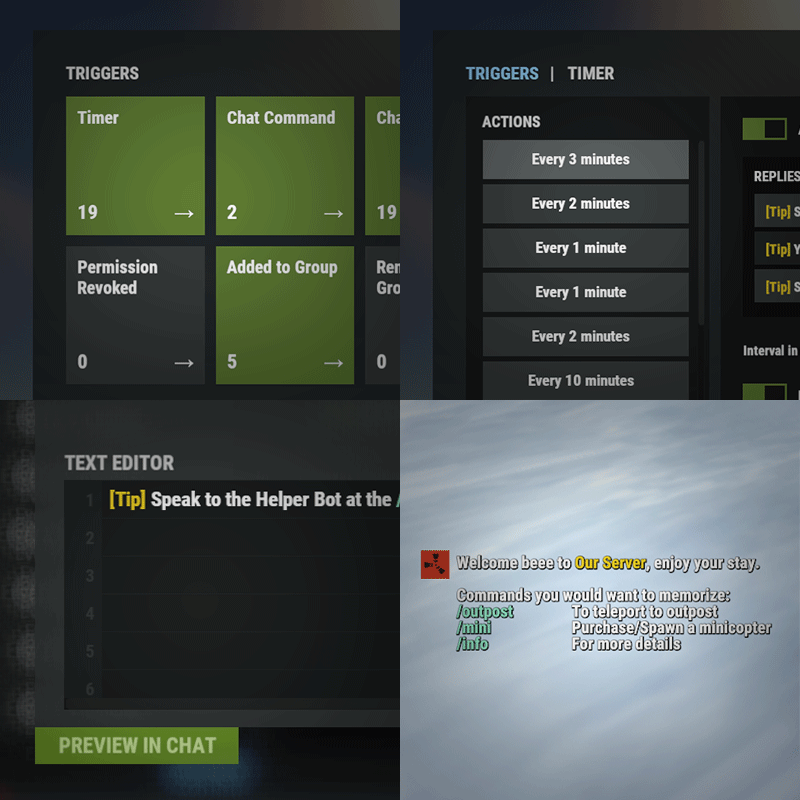
Version 2.2.8
3,345 downloads
Automated chat messages based on chat keywords, timer or various other triggers. Plugin comes with an easy to use Admin UI for complete setup, and supports special localization for your messages. You can define messages to be sent only to specific Groups or Permissions, and you can allow players to toggle on/off messages if they do not find them useful. SUPPORTED TRIGGERS If what you need is not here and still falls under the scope of the plugin description, reach out to me Timed | ChatCommand | AutoReply | NewPlayerJoined | PlayerConnected | PlayerDisconnected | PermissionGranted | PermissionRevoked | AddedToGroup | RemovedFromGroup | PlayerDead | CrateHacked | EnteredDeepSea | LeftDeepSea | EnteredZone | LeftZone | EnteredMonument | LeftMonument COMMANDS /am.edit - (Admin UI for complete setup) - requires automatedmessages.admin permission /tips - (Player command for toggling on/off messages) command can be changed in the config file MESSAGES LOCALIZATION You can switch between languages in Admin UI to setup localized replies for every language the game supports. Check config section below for how to add languages. Game Tips You can utilize Rust's native game tip UI to show specific messages instead or along with sending it to chat. VARIABLES Variables can be included in the messages text to show further info based on the trigger or player. The plugin also supports https://umod.org/plugins/placeholder-api with the extensive list of variables it brings. {playername} {playerid} - Player steam id {playercountry} {hacklocation} - Specific to messages with type CrateHacked {wipetimeremaining} - Days/Hours till wipe (based on rust convar settings if a missile silo monument is present) {online} - # of players online {sleeping} - # of players sleeping {joining} - # of players joining CONFIG SETTINGS Below are only settings not currently available in Admin UI, highly recommended to edit triggers or actions using /am.edit Chat Icon (Steam Id) - Icon that will be used for all messages sent by the plugin, must be a steam id. Toggle Chat Command - "tips" - Chat command that allows a player to toggle on/off messages. AutoReply Cooldown (in seconds) - Per action cooldown timer when players type a keyword set. ChatCommand Cooldown (in seconds) - Per player cooldown timer when a player types a chat command. ZoneManager Cooldown (in seconds) - Per player cooldown timer on enter or exit zone. MonumentWatcher Cooldown (in seconds) - Per player cooldown timer on enter or exit monument. Replies Server Languages - Languages your server will support. Available options: af, ar, ca, cs, da, de, el, en-PT, en, es-ES, fi, fr, hu, it, ja, ko, nl, no, pl, pt-PT, pt-BR, ro, ru, sr, sv, tr, uk, vi, zh-CN, zh-TW Default Server Language - Fallback language if player client language had no available replies, you must have at least one reply for this language for the action to function. AutoReply `Broadcast to all` option to broadcast to team only if keywords sent from team chat - true/false$14.99 -
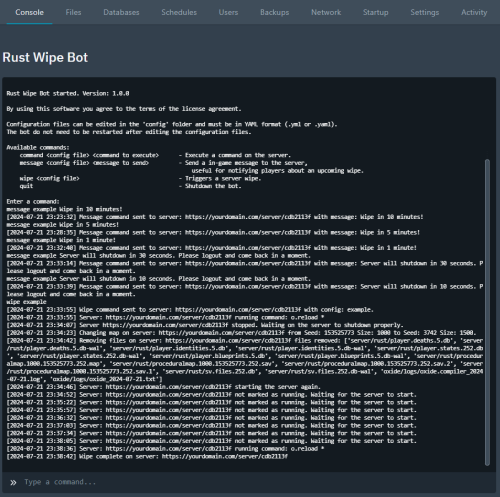
Version 1.0.0
56 downloads
Rust Wipe Bot Rust Wipe Bot is a tool that automates the process of wiping your Rust server. It works by using the Pterodactyl or Pelican panels' Schedules feature to send commands to the bot, which then triggers different actions on your server. It is also possible to send commands to the bot directly in the command prompt on the panel page. The bot is compatible with any Pterodactyl or Pelican Rust egg, as it utilizes the panel API to perform actions such as removing files, sending in-game messages, or executing commands on your Rust server. Know working Rust eggs: Rust Autowipe Rust All-in-One Pterodactyl Egg (Oxide/Carbon) One of the advantages of the bot is that it doesn't need to be restarted when you make changes to the configuration files. The files are loaded dynamically when a command is called. Additionally, the bot is capable of handling multiple servers and commands simultaneously, thanks to its ability to run each command in its own thread. The supported configuration file formats for the bot are .yml or .yaml and is located in the config folder, where you also can find a example. It is strongly recommended to create one configuration file for each wipe schedule. Available commands: command <config file> <command to execute> - Execute a command on the server. message <config file> <message to send> - Send a in-game message to the server, useful for notifying players about an upcoming wipe. wipe <config file> - Triggers a server wipe. quit - Shutdown the bot. How to use the bot: 1. Make a copy or edit the example configuration file inside the config folder to meet your needs. 2. Go to Schedules and create a new schedule. 3. Add a new task with the action "Send command" and add a command to the payload: command <name of config file> o.reload * or message <name of config file> Server will wipe in 10 minutes. or wipe <name of config file> Note: If more than one task is provided within the scheduler don't forget to set the time offset. How to install: 1. Create a new server using the provided egg called "egg-rust-wipe-bot.json". 2. Upload the "rustwipebot.zip" archive to the server's Files section. Once uploaded, you can unarchive the zip file or trigger a reinstall in the server's Settings section. 3. Navigate to the Files section and modify the .ENV file with the panel url and a client API key. Note: You can create a client API key under your profile on the panel website, Account Settings -> API Credentials. 4. Start the bot. During startup, it will automatically install all the necessary dependencies. Example of a configuration file. # Server identifier (abbreviated UUID) server_id: abcd1234 # If the server do not shutdown properly by any reason, the bot will attempt to kill the server process. force_kill: false # Set to true if you want to reinstall the server. This should not be used unless you want to reinstall the server for any reason. reinstall_server: false # Remove specified files or folders. Supports wildcards. files_to_remove: [ server/rust/player.deaths.*.db, server/rust/player.deaths.*.db-wal, server/rust/player.identities.*.db, server/rust/player.identities.*.db-wal, server/rust/player.states.*.db, server/rust/player.states.*.db-wal, server/rust/player.blueprints.5.db, server/rust/player.blueprints.5.db-wal, server/rust/proceduralmap.*.*.*.map, server/rust/proceduralmap.*.*.*.sav, server/rust/proceduralmap.*.*.*.sav.*, server/rust/sv.files.*.db, server/rust/sv.files.*.db-wal, oxide/data/Kits_Data.json, oxide/data/NTeleportationHome.json, oxide/logs/*.log, oxide/logs/*.txt, ] # Set the server seed(s) and size to use for the world. # Add "random" as a seed to generate a random seed between 100000 and 999999, or a custom range to use like 3000-4000. # If multiple seeds are provided, the bot will randomly choose one, but it will never use the same seed unless only one seed is provided. world_seeds: - seed: 153525773 size: 1000 - seed: 3000-4000 size: 1500 - seed: random size: 2000 # Custom world URL(s) to download and install. This overrides the world seed and size. # If multiple map URLs are provided, the bot will randomly choose one, but it will never use the same map unless only one map URL is provided. custom_world_urls: [] # Set custom commands to run in the wipe command before the server stops and after the server starts. run_commands: before: [o.reload *] after: [ kit reset, ecowipe, ]$9.99 -
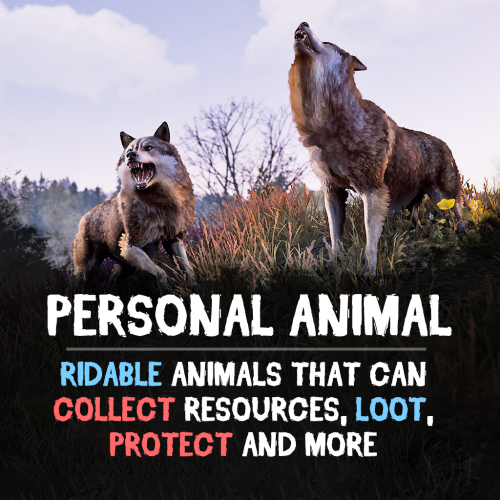
Version 1.4.7
2,031 downloads
Bring these intelligent animal companions to your server! They can fight, gather resources, carry supplies, and even be ridden. Choose from various customizable animals: bear, boar, chicken, deer, wolf, crocodile, panther or tiger! (new gen2 animals are supported, but in beta) Features: Resource Gathering & Looting • Collect essential resources like wood, stone, and ore. • Automatically gather resources within 50 meters using auto-pickup. • Loot crates and boxes for valuable items. A True Companion • Command your animal to attack enemies, structures, or objects. • Ride your animal for faster travel. • Store items in the animal’s inventory (configurable up to 36 slots). • Keep your companion healthy with a nutrition system that restores health. Total Customization & Control Animal Settings • Select your preferred animal: Bear, Boar, Chicken, Deer, Wolf, Crocodile, Panther or Tiger. • Configure max health, respawn time, and combat abilities. • Adjust damage rates, player interactions, and looting permissions. User-Friendly Controls & UI • Assign commands with a customizable buttons. • Display 3D arrows over targets for better visibility. • Fully customize the GUI layout, colors, and refresh rate. • Blacklist specific items from your animal’s inventory bag. Feeding System • Enable nutrition settings to maintain your animal’s health. • Configure health restoration values for different food items. Useful Commands: /panimal – Spawn or despawn your animal. /panimal follow – Have your animal follow you. /panimal health – Check your animal’s current health. /panimal auto-pickup enable/disable – Turn resource auto-collection on or off. /panimal where – Locate your animal on the map. See It in Action! Watch the Video Configuration: { "Controls setup": { "Which button will assign tasks to the animal, attack / collect, etc. (MIDDLE_MOUSE, SECOND_MOUSE, E, RELOAD, SPRINT)": "MIDDLE_MOUSE", "Range of action of the assignment button": 25.0, "Display 3D arrows over a target?": true, "Arrow display duration": 2 }, "GUI setup": { "How many seconds to update the GUI?": 6, "Panel layer (Hud, Overlay, Overall, Hud.Menu, Under)": "Overlay", "Panel position": { "type": "RectTransform", "anchormin": "1 1", "anchormax": "1 1", "offsetmin": "-170 -104", "offsetmax": "-10 -10" }, "Second position of the panel (used if the player has a personal bot)": { "type": "RectTransform", "anchormin": "0.0 0.0", "anchormax": "1.0 1.0", "offsetmin": "0.0 0.0", "offsetmax": "0.0 0.0" }, "1 panel color": "#7f8c8d", "2 panel color": "#bdc3c7", "Health bar color": "#2ecc71", "Shortcut buttons": [] }, "Setting up personal animals by permission": { "personalanimal.wolf": { "The name of the animal to be selected through the command when spawning": "wolf", "Animal type (bear, boar, chicken, stag, wolf, polar-bear)": "wolf", "Maximum health": 200, "Animal spawn cooldown": 10.0, "Addons setup": { "Enable the ability to ride an animal?": true, "Add a bag to an animal to store resources?": true, "Number of available slots in the bag (maximum 36)": 12 }, "Functions setup": { "Can the animal attack objects?": true, "Can an animal loot boxes?": true, "Can the animal pick up resources?": true, "Does the animal have to defend itself?": true, "Should the animal protect the owner?": true, "Can an animal collect resources within a radius of 50 meters? (/panimal auto-collect)": true }, "Damage, interactions and loot setup": { "Animal damage rate": 2.0, "Damage rate receive for an animal": 1.0, "Can the animal damage players?": true, "Can players damage the animal?": true, "Despawn animal corpse after death?": false, "Setting up resource pickup rates": { "stones": 5.0 }, "Black list of items that cannot be put in the bag": [ "rocket.launcher" ] }, "Nutrition setup": { "Turn on the animal feeding system?": true, "Setting health for food eaten": { "corn": 5.0 } } }, "personalanimal.bear": { "The name of the animal to be selected through the command when spawning": "bear", "Animal type (bear, boar, chicken, stag, wolf, polar-bear)": "bear", "Maximum health": 200, "Animal spawn cooldown": 10.0, "Addons setup": { "Enable the ability to ride an animal?": true, "Add a bag to an animal to store resources?": true, "Number of available slots in the bag (maximum 36)": 12 }, "Functions setup": { "Can the animal attack objects?": true, "Can an animal loot boxes?": true, "Can the animal pick up resources?": true, "Does the animal have to defend itself?": true, "Should the animal protect the owner?": true, "Can an animal collect resources within a radius of 50 meters? (/panimal auto-collect)": true }, "Damage, interactions and loot setup": { "Animal damage rate": 2.0, "Damage rate receive for an animal": 1.0, "Can the animal damage players?": true, "Can players damage the animal?": true, "Despawn animal corpse after death?": false, "Setting up resource pickup rates": { "stones": 5.0 }, "Black list of items that cannot be put in the bag": [ "rocket.launcher" ] }, "Nutrition setup": { "Turn on the animal feeding system?": true, "Setting health for food eaten": { "corn": 5.0 } } }, "personalanimal.boar": { "The name of the animal to be selected through the command when spawning": "boar", "Animal type (bear, boar, chicken, stag, wolf, polar-bear)": "boar", "Maximum health": 200, "Animal spawn cooldown": 10.0, "Addons setup": { "Enable the ability to ride an animal?": true, "Add a bag to an animal to store resources?": true, "Number of available slots in the bag (maximum 36)": 12 }, "Functions setup": { "Can the animal attack objects?": true, "Can an animal loot boxes?": true, "Can the animal pick up resources?": true, "Does the animal have to defend itself?": true, "Should the animal protect the owner?": true, "Can an animal collect resources within a radius of 50 meters? (/panimal auto-collect)": true }, "Damage, interactions and loot setup": { "Animal damage rate": 2.0, "Damage rate receive for an animal": 1.0, "Can the animal damage players?": true, "Can players damage the animal?": true, "Despawn animal corpse after death?": false, "Setting up resource pickup rates": { "stones": 5.0 }, "Black list of items that cannot be put in the bag": [ "rocket.launcher" ] }, "Nutrition setup": { "Turn on the animal feeding system?": true, "Setting health for food eaten": { "corn": 5.0 } } }, "personalanimal.chicken": { "The name of the animal to be selected through the command when spawning": "chicken", "Animal type (bear, boar, chicken, stag, wolf, polar-bear)": "chicken", "Maximum health": 200, "Animal spawn cooldown": 10.0, "Addons setup": { "Enable the ability to ride an animal?": true, "Add a bag to an animal to store resources?": true, "Number of available slots in the bag (maximum 36)": 12 }, "Functions setup": { "Can the animal attack objects?": true, "Can an animal loot boxes?": true, "Can the animal pick up resources?": true, "Does the animal have to defend itself?": true, "Should the animal protect the owner?": true, "Can an animal collect resources within a radius of 50 meters? (/panimal auto-collect)": true }, "Damage, interactions and loot setup": { "Animal damage rate": 2.0, "Damage rate receive for an animal": 1.0, "Can the animal damage players?": true, "Can players damage the animal?": true, "Despawn animal corpse after death?": false, "Setting up resource pickup rates": { "stones": 5.0 }, "Black list of items that cannot be put in the bag": [ "rocket.launcher" ] }, "Nutrition setup": { "Turn on the animal feeding system?": true, "Setting health for food eaten": { "corn": 5.0 } } }, "personalanimal.stag": { "The name of the animal to be selected through the command when spawning": "stag", "Animal type (bear, boar, chicken, stag, wolf, polar-bear)": "stag", "Maximum health": 200, "Animal spawn cooldown": 10.0, "Addons setup": { "Enable the ability to ride an animal?": true, "Add a bag to an animal to store resources?": true, "Number of available slots in the bag (maximum 36)": 12 }, "Functions setup": { "Can the animal attack objects?": true, "Can an animal loot boxes?": true, "Can the animal pick up resources?": true, "Does the animal have to defend itself?": true, "Should the animal protect the owner?": true, "Can an animal collect resources within a radius of 50 meters? (/panimal auto-collect)": true }, "Damage, interactions and loot setup": { "Animal damage rate": 2.0, "Damage rate receive for an animal": 1.0, "Can the animal damage players?": true, "Can players damage the animal?": true, "Despawn animal corpse after death?": false, "Setting up resource pickup rates": { "stones": 5.0 }, "Black list of items that cannot be put in the bag": [ "rocket.launcher" ] }, "Nutrition setup": { "Turn on the animal feeding system?": true, "Setting health for food eaten": { "corn": 5.0 } } }, "personalanimal.polarbear": { "The name of the animal to be selected through the command when spawning": "polarbear", "Animal type (bear, boar, chicken, stag, wolf, polar-bear)": "polar-bear", "Maximum health": 400, "Animal spawn cooldown": 10.0, "Addons setup": { "Enable the ability to ride an animal?": true, "Add a bag to an animal to store resources?": true, "Number of available slots in the bag (maximum 36)": 12 }, "Functions setup": { "Can the animal attack objects?": true, "Can an animal loot boxes?": true, "Can the animal pick up resources?": true, "Does the animal have to defend itself?": true, "Should the animal protect the owner?": true, "Can an animal collect resources within a radius of 50 meters? (/panimal auto-collect)": true }, "Damage, interactions and loot setup": { "Animal damage rate": 2.0, "Damage rate receive for an animal": 1.0, "Can the animal damage players?": true, "Can players damage the animal?": true, "Despawn animal corpse after death?": false, "Setting up resource pickup rates": { "stones": 5.0 }, "Black list of items that cannot be put in the bag": [ "rocket.launcher" ] }, "Nutrition setup": { "Turn on the animal feeding system?": true, "Setting health for food eaten": { "corn": 5.0 } } } }, "List of prefabs that the animal can loot (useful if the animal attacks loot instead of looting it)": [ "foodbox", "vehicle_parts" ] }$29.90 -
Version 1.0.0
1 download
Howdy! I'm introducing a nice and affordable Discord bot that'll simply log bans from Battlemetrics to Discord. It offers an easy configuration file and if you know just a little bit about programming, you can tinker with the embeds as well. It'll send out a public ban feed message and a staff version of it for your Discord audit logs, if you need it. If cost is a problem for your server, feel free to reach out and I'll provide you with the product for free. The bot works by polling Battlemetrics via the API and locally storing a copy of your bans. If there is a change, it'll send messages accordingly. If you need help, don't be afraid to ask. This was provided courtesy of Duskfire Networks.$2.00 -
Version 1.1.1
187 downloads
Introducing the Rust Store, Twitch Drops & Kick Drops Updates Discord Bot – your all-in-one solution for keeping your Rust community informed about the latest in-game items, exclusive Twitch and Kick Drops! This bot automatically checks for updates from the Rust item store, Twitch and Kick Drops, delivering them directly to your Discord channel. Perfect for Rust server communities, content creators, and enthusiasts who want to stay ahead of the game without manual tracking. --- What This Bot Does 1. Rust Store Updates Automatically checks the Steam Rust store for the latest skins and items. The bot sends updates in a beautiful embed format, including: Item Name Price High-Quality Image Direct Purchase Link 2. Twitch & Kick Drops Notifications Keeps track of Twitch and Kick Drops and notifies your community about: General Drops available on all Rust streams with the "Drops Enabled" tag. Streamer-Specific Drops with details on the specific streamer to watch, the time required to earn the drop, and an image preview. 3. Multi-Server Support Run a single bot instance that sends updates to multiple Discord servers simultaneously. Each server has its own webhooks, embed customization, and per-platform enable/disable toggles — all configured in a single config.json file. 4. Fully Customizable Each platform (Steam, Twitch, Kick) is configured independently per server, giving you full control over: Enable/disable each platform individually per server Separate webhook URLs for each platform Custom first-message text per platform (great for role pings) Colors, text labels, footer branding, and more 5. Efficient and Lightweight Built for speed and reliability, the bot ensures no updates are missed, with a configurable global check interval to suit your community's needs. It only fetches data from platforms that at least one server has enabled. Why Use This Bot? 1. Stay Updated Automatically Never miss a Rust store, Twitch Drops, or Kick Drops update – the bot does all the tracking for you. 2. Engage Your Community Hype up your members with instant notifications about new skins, exclusive Twitch and Kick Drops, and more. 3. Support for Twitch Drops Ensure your community is informed about limited-time skins available through Twitch events, boosting engagement and excitement. 4. Easy to Configure Whether you're running a local server, VPS, or hosting on Pterodactyl, the bot is simple to set up with clear configuration options. Features Rust Store Updates Weekly updates about new items in the Rust store. Twitch Drops Notifications Real-time notifications about available general and streamer-specific Twitch Drops. Kick Drops Notifications Real-time notifications about available general and streamer-specific Kick Drops. Multi-Server Support Send updates to multiple Discord servers from a single instance. Customizable Embeds Easily adjust text fields, colors, and footer messages to align with your community's branding. Database Flexibility Use SQLite for smaller setups or MySQL for more complex environments. Ideal Use Cases - Rust Server Communities: Announce new items and keep your server members engaged. - Rust Content Creators: Share weekly updates with fans and followers to keep them engaged with your community. - Twitch & Kick Streamers: Integrate this bot to notify viewers about Twitch Drop items and make your streams the go-to place for exclusive updates. --- Feel free to contact me on Discord: bxcas for any questions, customizations, or support! Config File The bot supports two config formats: single-server and multi-server. If no servers array is found, it falls back to single-server mode automatically. Single-Server Config (simple): { "check_interval_minutes": 5, "embed": { "steam": { "enable": true, "webhook_url": "STEAM_WEBHOOK_URL_HERE", "firstTitle": "<@&ROLE_ID> New Steam skins available!", "title": "Steam Store", "title_field_name": "Nome", "price_field_name": "Price", "footer_text": "Server © 2025", "footer_icon_url": "https://yourwebsite.com/logo.png", "color": "FF0000" }, "twitch": { "enable": true, "webhook_url": "TWITCH_WEBHOOK_URL_HERE", "firstTitle": "<@&ROLE_ID> New Twitch Drops available!", "title": "Twitch Drops", "streamer_field_name": "Streamer", "watch_time_field_name": "Watch time to receive", "footer_text": "Server © 2025", "footer_icon_url": "https://yourwebsite.com/logo.png", "color": "9146FF" }, "kick": { "enable": true, "webhook_url": "KICK_WEBHOOK_URL_HERE", "firstTitle": "<@&ROLE_ID> New Kick Drops available!", "title": "Kick Drops", "streamer_field_name": "Streamer", "watch_time_field_name": "Watch time to receive", "footer_text": "RustPortugal © 2025", "footer_icon_url": "https://yourwebsite.com/logo.png", "color": "00E701" } }, "database": { "type": "sqlite OR mysql", "mysql": { "host": "YOUR_MYSQL_HOST", "user": "YOUR_MYSQL_USER", "port": 3306, "password": "YOUR_MYSQL_PASSWORD", "database": "YOUR_MYSQL_DATABASE_NAME" } } } Multi-Server Config: { "check_interval_minutes": 5, "servers": [ { "id": "myserver", "name": "MyServer", "embed": { "steam": { "enable": true, "webhook_url": "STEAM_WEBHOOK_URL_HERE", "firstTitle": "<@&ROLE_ID> New Steam skins available!", "title": "Steam Store", "title_field_name": "Name", "price_field_name": "Price", "footer_text": "MyServer © 2025", "footer_icon_url": "https://yourwebsite.com/logo.png", "color": "FF0000" }, "twitch": { "enable": true, "webhook_url": "TWITCH_WEBHOOK_URL_HERE", "firstTitle": "<@&ROLE_ID> New Twitch Drops available!", "title": "Twitch Drops", "streamer_field_name": "Streamer", "watch_time_field_name": "Watch time", "footer_text": "MyServer © 2025", "footer_icon_url": "https://yourwebsite.com/logo.png", "color": "9146FF" }, "kick": { "enable": true, "webhook_url": "KICK_WEBHOOK_URL_HERE", "firstTitle": "<@&ROLE_ID> New Kick Drops available!", "title": "Kick Drops", "streamer_field_name": "Streamer", "watch_time_field_name": "Watch time", "footer_text": "MyServer © 2025", "footer_icon_url": "https://yourwebsite.com/logo.png", "color": "00E701" } } } ], "database": { "type": "sqlite or mysql", "mysql": { "host": "YOUR_MYSQL_HOST", "user": "YOUR_MYSQL_USER", "port": 3306, "password": "YOUR_MYSQL_PASSWORD", "database": "YOUR_MYSQL_DATABASE_NAME" } } } General Settings check_interval_minutes - Interval in minutes between each check for new Rust items. Example: 60 for every hour. Server Settings (inside each server entry, or at root for single-server mode) id – Unique identifier for the server (used in the database to track sent items). name – Display name for the server (used in console logs). Platform Settings (inside embed.steam, embed.twitch, embed.kick) enable – true/false – Enable or disable this platform for this server. webhook_url – Discord webhook URL for sending updates for this platform. firstTitle – Text sent as message content with the first new item of each batch. Useful for tagging roles (e.g. <@&ROLE_ID> New skins!). Leave empty ("") to disable. title – The title prefix shown in the embed. Example: "Steam Store". title_field_name – Label for the item name field. Example: "Nome". price_field_name – Label for the item price field (Steam only). Example: "Preço". streamer_field_name – Label for the streamer field (Twitch/Kick only). Example: "Streamer". watch_time_field_name – Label for the watch time field (Twitch/Kick only). Example: "Watch Time Required". footer_text – Text displayed in the embed footer. Example: "MyServer © 2025". footer_icon_url – URL for the icon shown in the footer. Example: "https://yourwebsite.com/logo.png". color – Embed color in hexadecimal. Example: "FF0000" for red. Database Settings type - Type of database to use. Options are "sqlite" for local or "mysql" for remote storage. MySQL Settings (Only if using "mysql") host - Hostname or IP address of your MySQL database. Example: "localhost" or "123.45.67.89". user - Username for accessing your MySQL database. Example: "root". port - Port number for connecting to MySQL. Default: 3306. password - Password for your MySQL database user. Example: "mysecretpassword". database - Name of the specific MySQL database for storing item data. Example: "rust_store_data".$9.99 -
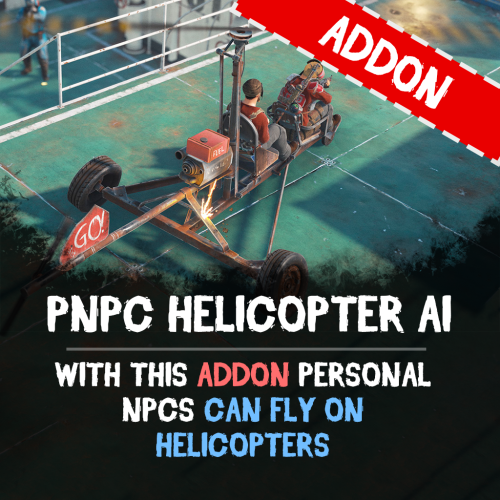
Version 0.1.1
378 downloads
Let your Personal NPCs fly helicopters for you with the Heli AI Addon! This addon for Personal NPC enables your bots to take control of helicopters, allowing you to sit back and enjoy the flight while they fly to the destination. Features: Fully Automated AI Pilots • Spawn a Personal NPC bot • Select a point on the in-game map, and the bot will fly there. • Works perfect with all helicopters in Rust. Smooth Flight Controls • Adjustable altitude, flight speed, and maneuverability. • Setup pitch, throttle, and rotation for better control. • Automatically adjusts height above the ground to avoid obstacles. ⚙ Other Customization • Set minimum and maximum flight altitude. • Adjust landing speed, flight slope, and pitch strength. • Optimize rotation and throttle power for smoother navigation. How to Use: Spawn a bot using the PersonalNPC plugin. Enter the helicopter as a passenger. Mark your destination on the in-game map. Sit back and let your AI pilot handle the flight! Requirements: PersonalNPC Plugin (must be installed & enabled). Addon must be activated in bot settings. See It in Action! Watch the Video Configuration: { "Max height above the ground": 25.0, "Minimum height to fly forward/backward": 15.0, "Max slope by forward axis": 0.3, "Pitch strength": 0.2, "Throttle strength": 1.0, "Land throttle strength": 0.5, "YAW strength (rotation around its axis)": 1.0 }$9.90 -

Version 1.1.0
12 downloads
Staff Discord Manager Bot Staff Discord Manager Bot - Use Discord to manage your staff team, set their ingame permissions, create inactivity notices, and track their statistics with leaderboards. As used at Repulsion Features: Add staff to the system via a "/add-staff" command. Remove staff from the system via a "/remove-staff" command. Give a staff member permissions on your servers via a "/perms add" command. Remove a staff member permissions on your servers via a "/perms remove" command. View all online staff on your servers with a "/online" command. View a entire staff list with a "/staff-list" command Create staff inactivity notices with a inactivity-notice command, and allow managers to review these notices and approve/deny them. Set your staff information ( battlemetrics email/username, and rustadmin details (optional) ) via a "/info set" command. Allow managers to view their staffs information with a "/staff view" command Check your own statistics (bans, messages, in-game hours & pet pictures sent) via a "/stats" command. Managers can view anyone's stats with "/stats (user)" Weekly & Monthly leaderboards automatically posted showing the top 3 users for that time period for each statistic Allow managers to use the "/leaderboard" command to manually make a embed showing a leaderboard for a selected time period. See a leaderboard for each specific statistic with "/leaderboard stat (bans etc)" and will show each staff member and how many they have in a selected time period (weekly, monthly or lifetime). Staff Join/leave servers logs Inactivity notices for staff who have 0 hours, 0 discord messages or 0 bans in the past 7 days. Ability to see which staff are actually active, or just not doing anything. Requirements: NodeJS Battlemetrics Subscription Setup Guide / Support: This bot requires a small amount of knowledge on how to edit configs. To setup, simply edit the .env file and also the /src/config/permsCommands.js file. And for further support please reach out: PotatoAnimation on discord. Type /inactivity-setup where you want the inactivity notice embed to be created. Upload the bot as is, /src should be a directory in the root of the bot. Then run the bot with /src/index.js Future Plans: More statistics to track. More features (DM me if you have any suggestions).$19.99 -
Version 3.2.1
1,020 downloads
Server supporter bot offers a wide variety of things. Those being: Team chat logs Global chat logs F7 Report logs Log RCON console to discord Leave and join logs for your rust server Fully interactable RCON (Able to send commands from discord to server) Multi server pop display is bot status An anti staff ping (Toggleable on / off) Suggestions command ( Sends suggestions to the specified channel ) | You can also deny and accept suggestions VIA a command Rust stats command (Pulls a users global rust stats) Servers stats command (Will pull your servers battlemetrics stats, player count, etc*) Steam URL converter (converts a vanity URL into a Steam 64 ID) EAC Checker command (Will check if the given Steam 64 ID is EAC banned from rust) EAC Friends checker (Checks if a user has EAC banned friend(s)) Rust news report (Tells you the newest news about rust) @ everyone and @ here ping blocker for non authorized people Stats for your discord server RustMaps custom map generator command RustMaps filterId checker A server blacklist checker (Checks if a server is blacklisted from Rust) Userinfo command (Will pull up information on a given discord account) Code lock command (DMs the user a 4 digit code that they can use for code locks in game) Rust hours command (Checks a players Rust hours) Discord user mute and unmute command (Mutes people in discord) Discord on and off duty commands (For server staff) Logs for discord joins, leaves, messages removed, and discord bans Servers command gives stats on all the servers that you define in the config Discord purge messages command Automatic link removals Discord logs for leaves, joins, bans, unbans, messages removed, messaged edited, roles created, roles deleted, etc* Auto message moderation for Discord. Quick support commands to help when needing support from the Developer. The bot also offers a VERY simple config so you can have the bot up and running in no time. The configs let you configure the anti staff ping, any embed colors, your server name, bot prefix, etc* Everything is configurable and can be toggled off and on. Purchasing this will also give you access to any further updates that we release! Full instillation guide video made by @Rust Admin Academy stats servers serverstats hours botinfo userinfo discordinfo rust ADMIN COMMANDS: eac friends bl custommap kick, ban, mute, unmute onduty offduty account convert purge RUST MAPS COMMANDS: custommap mapcheck SUGGESTION COMMANDS: suggest suggestion MISC COMMANDS: help rustnews code The bot is very simple to install. The file includes a setup guide within it. All quite simple. Need support or want updates about what is coming to the bot? Join the Server Supporter Bot discord here https://discord.gg/RVePam7pd7$14.99- 14 comments
- 8 reviews
-
- 12
-
-
-
- #discord
- #discord pop bot
- (and 7 more)
-
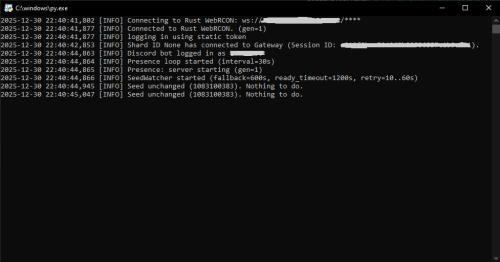
Version 1.0.0
54 downloads
Discord Players & Wipes Alerts is a real-time monitoring bot for Rust servers written in Python that displays live player counts on Discord and automatically detects map wipes by tracking the server seed. The bot connects directly to the Rust WebRCON and keeps your Discord server continuously updated with accurate server information. When a wipe happens and the server restarts, the bot detects the new map seed and sends a notification to a designated Discord channel. All configuration is handled through a .env file, making the bot easy to customize and deploy on any server. Features: Displays the current number of players online in the Discord bot presence Automatically reconnects to WebRCON when the Rust server restarts Detects map wipes by monitoring changes in the server.seed value Sends wipe notifications to a specific Discord channel Stores the last known seed to avoid duplicate wipe alerts Handles long server startup times on large or heavily modded maps Fully configurable through environment variables How it works? The bot maintains a persistent connection to the Rust WebRCON. When the server restarts, the WebRCON connection drops and reconnects automatically. This reconnect is used as a trigger to verify whether a new map seed is active. After reconnecting, the bot waits until the Rust server is fully operational. It then runs the server.seed command and compares the result with the previously stored seed. If the seed has changed, a wipe is detected and a notification is sent to Discord. This approach guarantees reliable wipe detection even on servers that take a long time to load their maps. Required configuration The following environment variables must be set in the .env file for the bot to function correctly: DISCORD_TOKEN=The Discord bot token. This allows the bot to connect to Discord and update its presence and send messages. RUST_RCON_HOST=The IP address or hostname of the Rust server WebRCON. RUST_RCON_PORT=The WebRCON port of the Rust server. RUST_RCON_PASSWORD=The WebRCON password used to authenticate with the Rust server. SEED_CHANNEL_ID=The Discord channel ID where wipe alerts will be sent. SEED_CHANGE_MESSAGE=The message sent when a wipe is detected. You can use {old_seed} and {new_seed} as placeholders in the message. Example: SEED_CHANGE_MESSAGE=Map wipe detected. Old seed: {old_seed} -> New seed: {new_seed}Free
.thumb.png.d8730004887666a2775699ef18eb252c.png)









.thumb.png.33346561fd8ce85b482bbc270307bb8b.png)