Search the Community
Showing results for tags 'compact'.
Found 13 results
-
Version 1.0.2
17 downloads
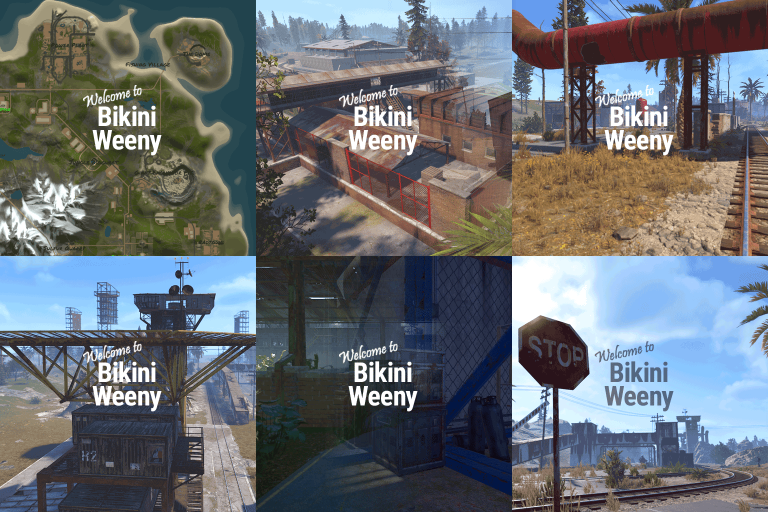
Frightful BIKINI WEENY • high-performance 2K map • 11,000 prefabs An idea entry-level map into my 2K battle map range. Bikini Weeny is a compact, high-intensity area where roadside monuments ring the road and rail loops, connecting key points of interest. Quiet shorelines and rugged mountains open up a variety of building spots, while freshwater lakes, dense forests, rich ore veins and freezing mountain paths give players plenty to explore. This is part of the same island chain as the infamous Bwana Dik map, BIKINI WEENY brings the same chaotic energy in a tighter, more aggressive package. Bikini Weeny, where the air is clean, the people are friendly and everyone is in love. Custom monument the 'Deep Salt Mine' is a deadly high-risk blue/red card facility buried deep in the mountains. It’s designed to frustrate, incinerate, and thoroughly ruin your players’ day. Will they make it out with the loot… or just rage-quit after losing everything? Only time (and poor decision-making) will tell. ⚠ 100% FULLY TESTED on live humans Network of fast level roads for rapid vehicle travel. Handy zip-tower network to glide back to your body. 4 central established safe zones near the zipline network. Road & railways support Convoy & ArmoredTrain mods. Numerous buildable islands — for ocean bases to bridge to. ⚠ Required dependencies: Umod/Oxide and Rustedit DLL. THIS MAP IS MADE AND MAINTAINED WITH RUSTEDIT. Use RustEdit to make and changes or add prefabs. Using the new RustEdit2 may cause map faults. At some time I shall make these work for RE2 but for now just stick to RE for altering any features. Any problems? Please advise. LOST in RUST https://discord.gg/THf6dGN8eW$27.00- 1 comment
-
- 1
-

-
- #battle map
- #2k map
- (and 4 more)
-

Version 1.0.4
58 downloads
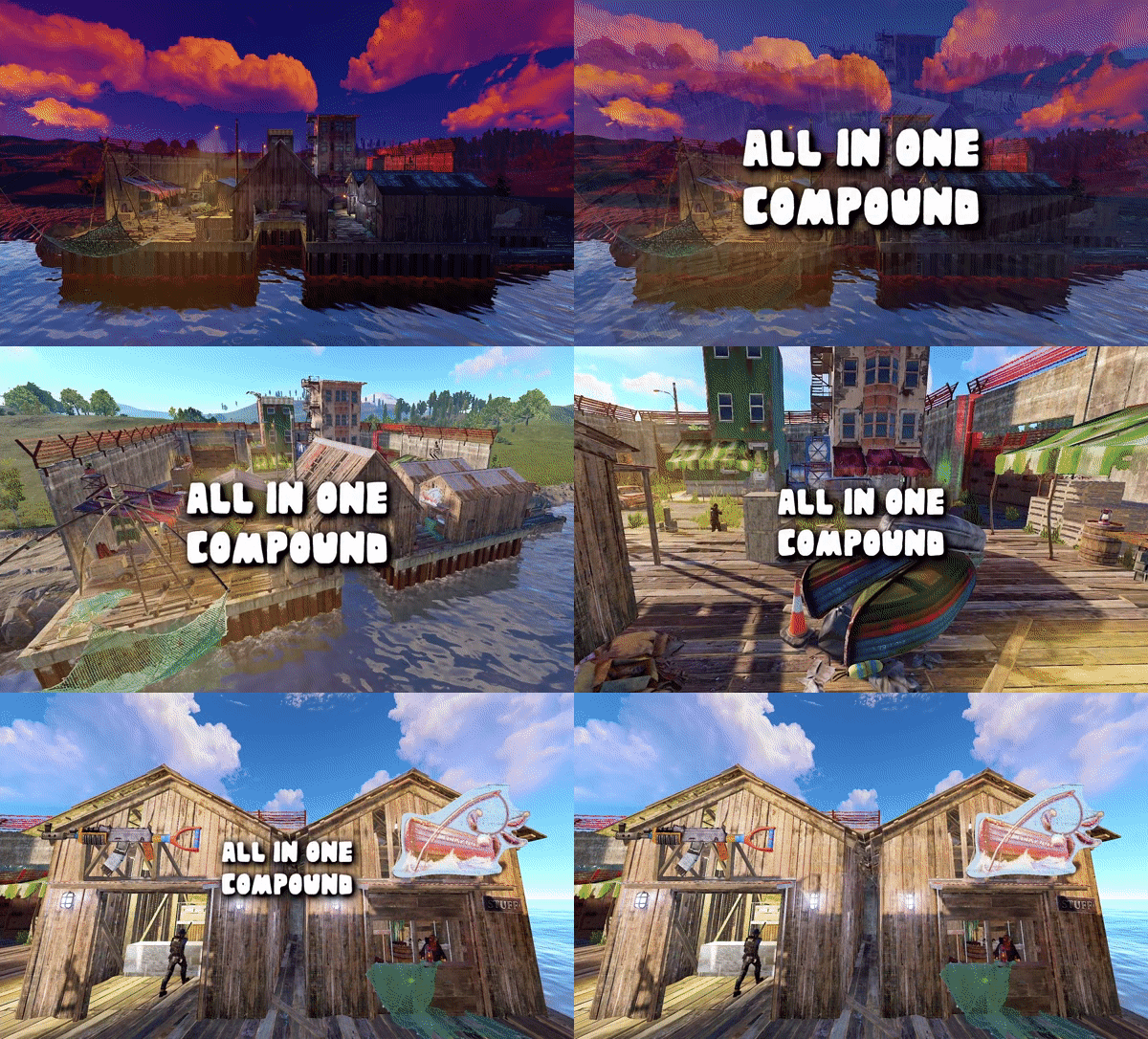
RobJ’s Premium Prefabs / Mini Monuments Collection Mini All In One Compound / 4-in-1 Monument Four monuments. One compact coastal location. Bring Outpost, Bandit Camp, Fishing Village and Stables/Ranch together in one complete, space-saving monument. Designed for smaller maps and single-grid layouts or just to save space, it keeps essential shops, vendors and services together without the footprint of four separate monuments. 4-IN-1 Combined monuments Outpost, Bandit Camp, Fishing Village and Stables/Ranch SPACE SAVING Compact Designed to minimise the footprint and add a single-grid coastal location with essential player services ✓ Four familiar monuments in one place — essential vendors, shops and facilities together ✓ Bonus custom shop — extra shop (placeholdered as a bakery) ready for a custom or server shop ✓ Helicopter, boat and horse services — convenient transport options ✓ Two vending setup methods — use Rob’s Vending Setup or traditional RustEdit presets ✓ Safe zone hostile-warning support — subject to the compatibility requirement below 01 — Monument features Everything players need in one place. All the essential services from four familiar Rust monuments, brought together in a compact coastal location. Shops & transport All standard monument vending machines and NPC vendors. Helicopter, boat and horse shops. Extra shop (placeholdered as a bakery) included for server owners wanting a custom or server shop. Player facilities Recyclers, workbench and refinery. Drone station and poker room. NPC activities Mission givers and essential vendors. Map friendly Single-grid design with just 1,238 objects. 02 — Vending setup Two ways to set up vending. Choose either option—only one method is needed to get your vending machines working. Both are included in the product ZIP file. OPTION 1 / RECOMMENDED Rob’s Vending Setup Plugin The easiest option. Place the monument on your map, install the plugin on your server, and you’re ready to go. No RustEdit vending profiles to import or manage. Default items work without configuration. To customise them, grant yourself the required permission, then type /vending in chat to open the in-game UI. Edit items, prices and currencies, or give items custom names. See the plugin video here. OPTION 2 / TRADITIONAL RustEdit Vending Profiles Copy the included VendingPresets folder into your RustEdit installation directory before launching RustEdit, then place the monument in your map. Option 1 is recommended for simpler installation and easier customisation. 03 — Placement guide Add the monument in RustEdit. 01 Placement step Extract the downloaded ZIP and copy the CustomPrefabs folder into your RustEdit installation directory. 02 Placement step Start RustEdit, then open Prefabs → Prefab List. 03 Placement step Under Custom, find RobJs Premium Prefabs. 04 Placement step Double-click the monument prefab to place it in your map. 05 Placement step Move it to your chosen coastal location and select Snap To Terrain. 06 Placement step Apply the Height, Topology and Splat Masks, then save the map. Server requirement The Oxide.Ext.RustEdit extension must be installed and running for RustEdit functionality. 04 — Safe zone support Hostile warning compatibility. The monument supports Rust’s safe zone hostile warning indicator when used without any other safe zone monuments on the same map. 05 — Questions Frequently Asked Questions. Why are my vending machines Selling the same items? This can happen when using the traditional setup method if the VendingPresets were not added to the RustEdit root folder before launching RustEdit and placing the monument. Bugs in the RustEdit plugin DLL can also cause this issue. Because vending profiles can be tedious to manage, I created Rob’s Vending Setup plugin, which requires no setup—simply place the monument on your map and install the plugin on your server.. Why isn’t the hostile warning working? Check whether your map contains another safe zone monument. The warning requires this monument to be the only safe zone. Can I customise the vending machines? Yes. With Rob’s Vending Setup, Any time use `/vending` in chat to open the in-game UI and edit items, prices, currencies and custom item names. If you use RustEdit profiles, edit them in RustEdit under Profiles > Vending. 06 — Video / Monument trailer See the compound in action. Take a closer look at the compact coastal layout and its combined services. WATCH ON YOUTUBE 07 — Support Questions or installation issues? Contact RobJ2210#2553 on Discord, or Join RobJ's Maps Discord Community. ROB J’S PREMIUM PREFABS • MORE FUNCTIONALITY. LESS MAP SPACE. ```[cite: 1]$19.99- 1 comment
-
- 3
-

-
-

-
- #all in one
- #safezone monuments
- (and 8 more)
-
Version 3.0.0
42 downloads
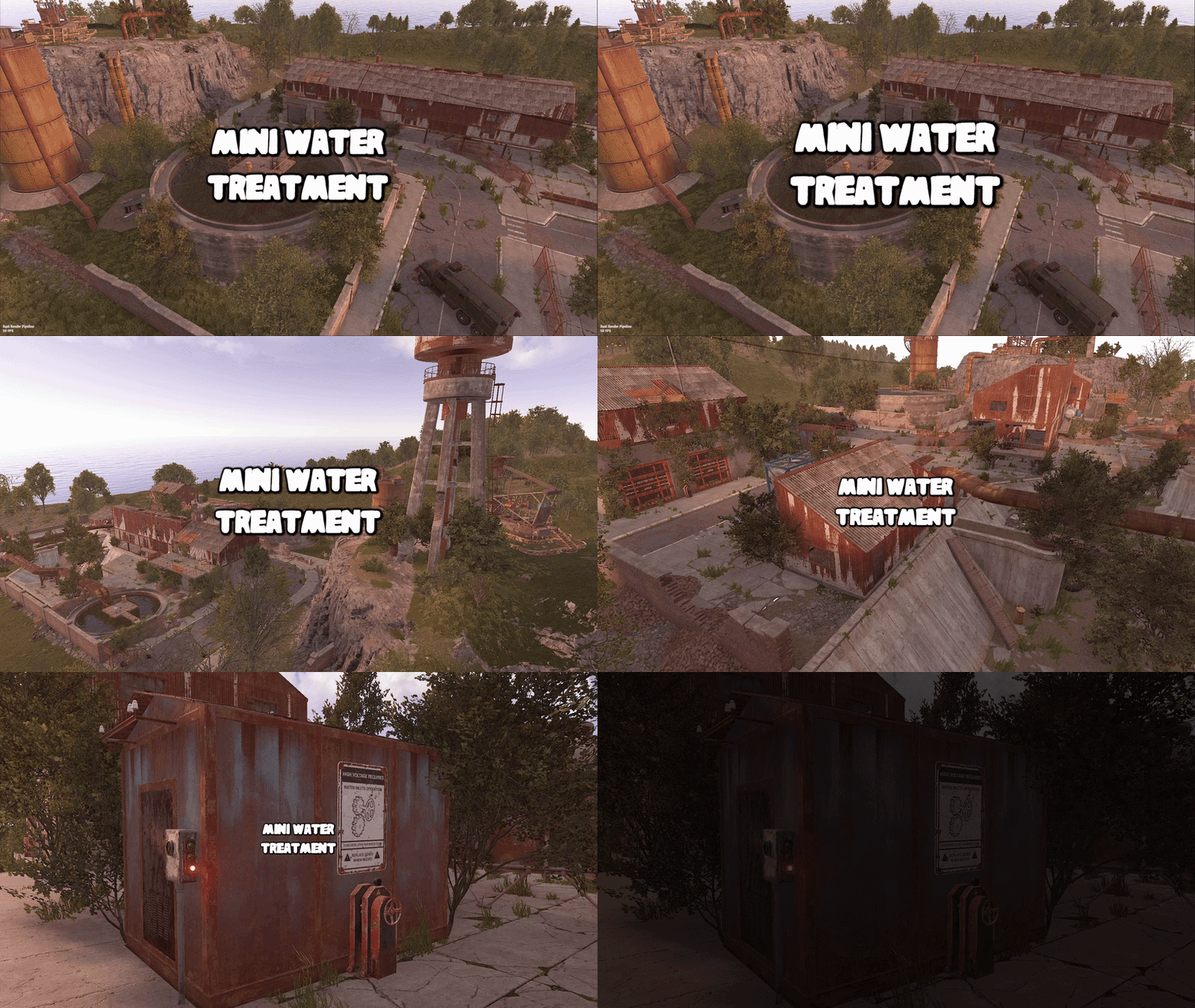
This monument is a mini space saving replacement for water treatment. Nothing is missing you have all the same puzzles like power grid water pressure and loot as well as recyclers, workbench, refinery, and red card. Perfect for one grid or smaller size maps with the smaller footprint. Quick Start Extract the zip file into your RustEdit install folder. Start Rust Edit. Click on Prefabs at the top & open up your Prefab List. Under the Custom category you will now find RobJs Premium Prefabs. Double click on the prefab file and it will spawn it into the map for you. Drag it to the general area you want to place it and click on Snap To Terrain Apply the Height Mask, Topology Mask, and Splat Mask. Contact And Help If you need to contact me discord is best: RobJ2210#2553 For help/support my discord group is best: Join RustMaps Discord$17.99- 3 comments
-
- 3
-
-
-
- #mini
- #water treatment
- (and 8 more)
-

Version 1.0.1
46 downloads
This monument is a mini space saving replacement for Airfield. Nothing is missing you have all the same puzzles and loot as well as recyclers, repair bench, refinery, and red card. Perfect for one grid or smaller size maps with the smaller footprint and no protruding edges. Quick Start Extract the zip file into your RustEdit install folder. Start Rust Edit. Click on Prefabs at the top & open up your Prefab List. Under the Custom category you will now find RobJs Premium Prefabs. Double click on the prefab file and it will spawn it into the map for you. Drag it to the general area you want to place it and click on Snap To Terrain Apply the Height Mask, Topology Mask, and Splat Mask. Contact And Help If you need to contact me discord is best: RobJ2210#2553 For help/support my discord group is best: Join RustMaps Discord$18.99 -
Version 1.0.1
32 downloads
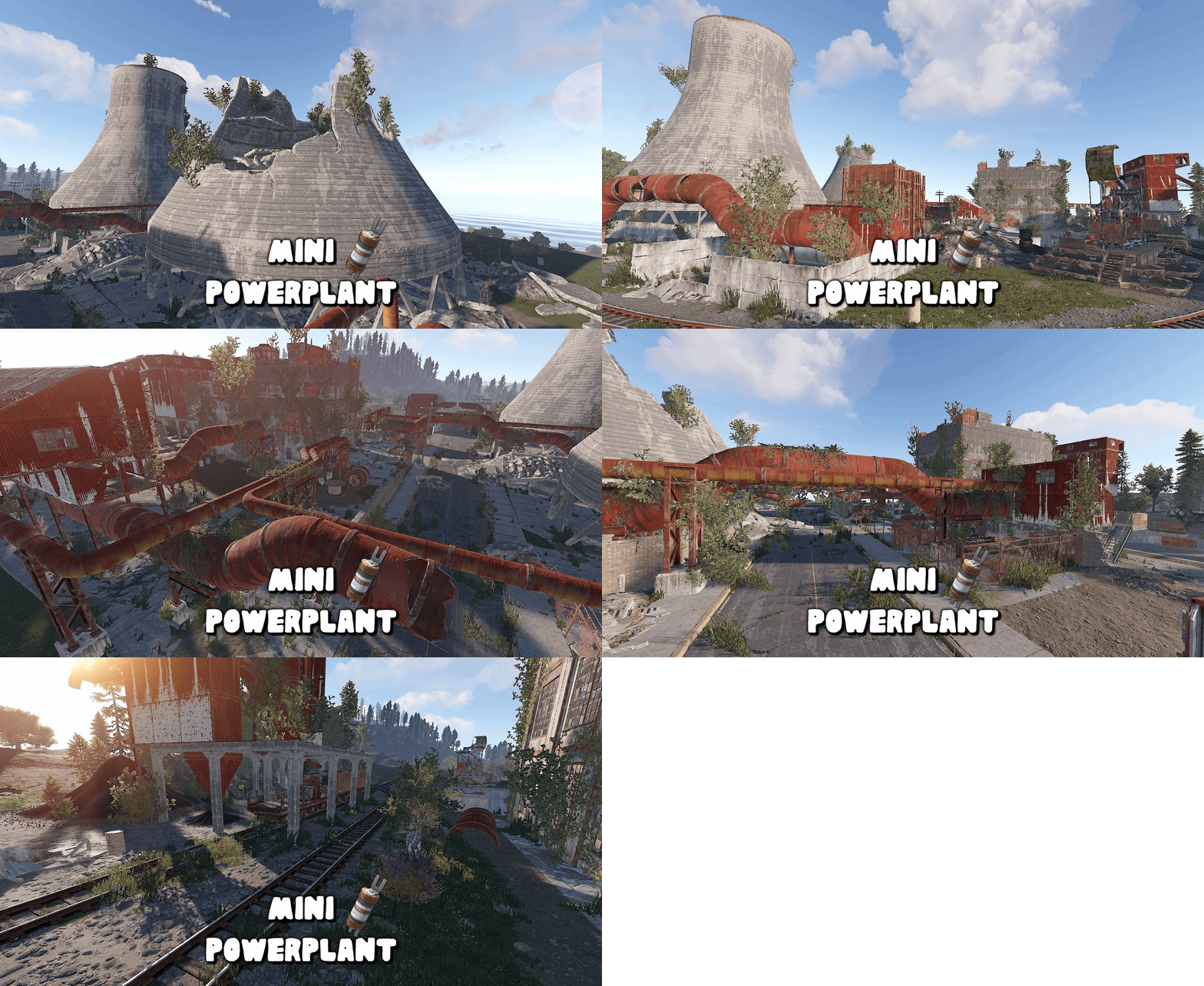
This monument is a mini space saving replacement for Power Plant. Nothing is missing you have all the same puzzles and loot as well as recycler, refinery, and green/red card spawns. Perfect for one grid or smaller size maps with the smaller footprint and no protruding edges. Quick Start Extract the zip file into your RustEdit install folder. Start Rust Edit. Click on Prefabs at the top & open up your Prefab List. Under the Custom category you will now find RobJs Premium Prefabs. Double click on the prefab file and it will spawn it into the map for you. Drag it to the general area you want to place it and click on Snap To Terrain Apply the Height Mask, Topology Mask, and Splat Mask. Contact And Help If you need to contact me discord is best: RobJ2210#2553 For help/support my discord group is best: Join RustMaps Discord Also Available$16.99- 3 comments
-
- 2
-
-
-
- #mini
- #small monument
- (and 4 more)
-
Version 1.0.0
28 downloads
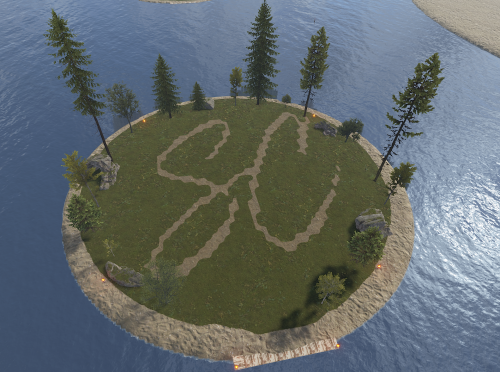
Mini Raid Island 5 Pack Enhance your server's gameplay with this collection of 5 uniquely designed Mini Raid Islands. These compact, high-performance prefabs are designed specifically for Rust server owners looking to provide engaging PvP and PvE raiding experiences without sacrificing server performance. Each island in this pack offers a distinct layout, providing variety for your players and ensuring that no two raids feel the same. When used as automated raid bases, these islands are optimized for seamless integration. ### Key Features High Performance: Optimized with a low prefab count to ensure zero impact on server FPS. Compact Design: Small footprints allow for easy placement in ocean biomes or along coastlines. Diverse Layouts: Five distinct variations including industrial, rocky, and fortified themes. For any Assistance or questions Please contact me on Discord @ https://discord.gg/THf6dGN8eW$4.99 -
Version 1.0.0
3 downloads
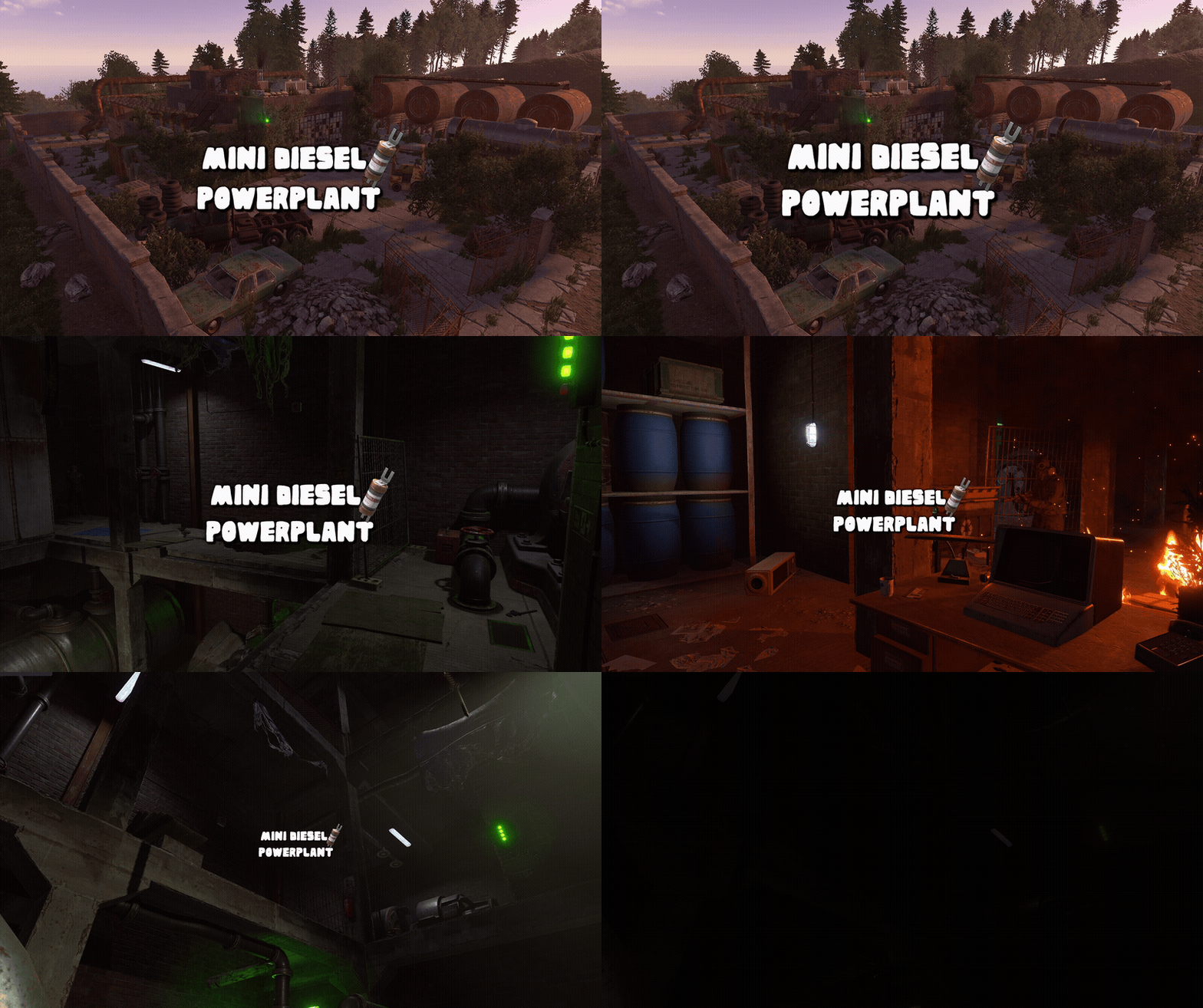
This monument is a space-saving replacement for the Power Plant, with roughly the same footprint as a Gas Station. This makes it ideal for smaller maps, one-grid maps, or tighter areas where a full-sized Power Plant simply wouldn’t fit. Despite its compact footprint, this is still a complete underground Power Plant. Nothing has been removed or scaled back. Players still get the full experience, including the puzzles, loot, recycler, refinery, and green and red keycard spawns. The monument is fully integrated with Rust’s native Power Grid system and requires Heavy Fuses to power up and keep the facility running. Players will need to supply the required fuses to activate and maintain the power flow. With no large protruding edges or oversized footprint, the monument is easy to integrate into existing terrain and works especially well on maps that were never originally designed to accommodate a traditional Power Plant. Perfect for one-grid and smaller maps, it provides the complete Power Plant experience in a compact, easy-to-place design while still offering full Power Grid functionality. Quick Start Extract the zip file into your RustEdit install folder. Start Rust Edit. Click on Prefabs at the top & open up your Prefab List. Under the Custom category you will now find RobJs Premium Prefabs. Double click on the prefab file and it will spawn it into the map for you. Drag it to the general area you want to place it and click on Snap To Terrain Apply the Height Mask, Topology Mask, and Splat Mask. Contact And Help If you need to contact me discord is best: RobJ2210#2553 For help/support my discord group is best: Join RobsRustMaps Discord$21.99 -
Version 2.0
24 downloads
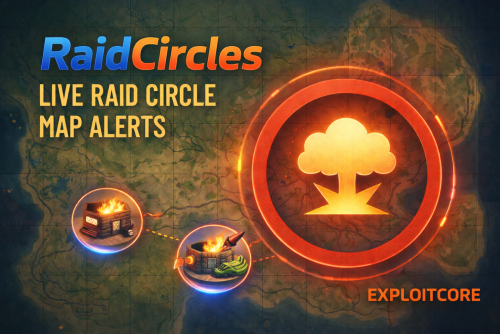
RaidCircles creates instant, clean raid indicators by placing a configurable radius circle on the map when a raid-related entity is destroyed. No spam, no heavy processing just fast, reliable raid feedback with full control through config. Features Smart Raid Detection (Killshot Only) OnEntityDeath hook (default) — Triggers only when an entity is actually destroyed, not on every hit. More reliable than kill-shot math and eliminates edge cases where destruction wasn't being caught. Legacy OnEntityTakeDamage mode — Can be re-enabled with "UseOnEntityDeath": false if you prefer the original kill-shot approach. Weapon prefab fallback — Checks both info.WeaponPrefab and info.Weapon when identifying the raiding tool, protecting against occasional Facepunch changes to how weapon data is populated. Tracks building pieces via buildingblock (walls, floors, roofs, stairs, etc.) Optionally tracks selected deployables/defenses (turrets, SAM sites, barricades, window bars, wall frames, floor grills, etc.) Weapon / Explosive Filtering (Config-Driven) Enable exactly what should create a marker, for example: Enable exactly what should create a marker: Rockets (basic / HV / fire / incendiary) Timed Explosive (C4) Satchel Charges Grenade Launcher (HE) MLRS Rockets Customizable Map Circle Marker Adjustable radius Adjustable duration Adjustable primary color (RGBA) Adjustable outline/secondary color (RGBA) via color2 Adjustable alpha/opacity Color values are safely clamped between 0–1 Automatically removes itself after the configured time Anti-Spam Cooldown (Area-Based) Grid-based cooldown system reduces marker spam during heavy raids Prevents overlapping circles in the same area within the cooldown window Keeps the map readable while staying responsive Notification cooldown prevents chat spam during heavy raids by only announcing once per grid within the cooldown window Raid Start Chat Notification Sends a notification when a raid "starts" in an area (first valid destruction after cooldown) Includes the Rust map grid (e.g. E3) using MapHelper.PositionToString(...) Fully configurable message (supports {grid} placeholder) Optional sound effect notification — set any valid Rust sound effect path in config Admin Tools (Permission Controlled) Remove all active raid circles instantly with a chat or console command Command names are configurable in the config file Bypass permission — Grant raidcircles.bypass to players whose raids should not trigger markers or notifications (useful for admins, event accounts, etc.) Performance Focused Lightweight event hook usage Early-exit checks to reduce overhead Safe null handling and low allocations Periodic memory cleanup — Automatically purges expired cooldown entries to prevent memory growth on busy servers Cleans up markers on plugin unload/reload Config versioning with automatic migration — no manual edits needed on upgrade Configuration Sample { "ConfigVersion": "2.0.0", "UseOnEntityDeath": true, "Weapons": { "rocket_basic": true, "rocket_hv": true, "rocket_fire": true, "rocket_incendiary": true, "explosive_timed": true, "explosive_satchel": true, "ammo_grenadelauncher_he": true, "mlrs": true }, "Entities": { "buildingblock": true, "door": true, "wall_external_high": true, "autoturret": true, "flameturret": true, "sam_site": true, "ladderhatch": true, "barricade_wood": true, "barricade_metal": true, "window_bars": true, "wall_frame": true, "floor_grill": true }, "BuildingGrades": { "twig": false, "wood": true, "stone": true, "metal": true, "armored": true }, "CircleRadius": 1.2, "CircleAlpha": 0.7, "CircleColor": [1.0, 0.4, 0.1, 1.0], "CircleOutlineColor": [1.0, 0.2, 0.0, 0.4], "CircleDuration": 120.0, "CircleCooldown": 60.0, "SmallGridBucketSize": 10.0, "NotifyOnRaidStart": true, "RaidStartNotifyCooldown": 180.0, "RaidStartMessage": "<color=orange>Raid started</color> at <color=#ffd479>{grid}</color>!", "NotifyToAllPlayers": true, "NotifyToAdminsOnly": false, "LogToConsole": false, "RaidSoundEffect": "", "GridMethod": "MapHelper", "RemoveCirclesCommand": "removecircles", "CooldownCleanupInterval": 300.0 } Permissions raidcircles.removecircles — Allows use of the marker removal command raidcircles.bypass —Raids by this player won't trigger markers or notifications Commands /removecircles — Removes all active raid markers (requires permission) (Command name can be changed in config.) If you need support, please join to our discord server!$5.99 -

Version 2.0.4
126 downloads
Lore In 1938, an exploratory vessel discovered a small, uncharted island far to the north. Upon their return to port, the crew began sharing tales of a mysterious island at the edge of the world—where seasons changed with each step, and people seemed to live in a more primitive time amid strange, ancient ruins. They spoke of incredible sights: great ships that defied gravity and soared through the skies, and mighty forts guarded by knights of an unfamiliar realm. Rumors of the island’s untapped wealth soon spread, drawing many eager to claim its riches. Adventurers sought to exploit the untouched coal and gold deposits, even constructing a railway to aid their efforts. Yet all who ventured there were ultimately driven away by the island's enigmatic inhabitants—nameless men whose origins and purpose at the world’s end remained an unsolved mystery. Details Clockworks is a small-sized map designed from the start to be totally custom nothing default from the roads to the monuments but don’t worry we have created equivalent monuments in the world progression system plus a twin-track above-ground rail network (Cargo Train Event Compatible) running the full circumference of the map complemented by railway-related monuments along the way. Fully custom terrain, monuments and roads that brings a totally new unique look to your server. Scientist’s have been replaced with our own set of NPC’S with varying attire and technology levels (if you do not like our NPC’s simply don’t install our plug-in and supply your own with any bot plug-in you want. Every monument across the map is from a different time and technology level in the past so you could be visiting the 1920s railway and then head into a mediaeval town. Size: 1600k Prefabs: 49312 Map Editing Yes, you are allowed to edit the map and add stuff etc. Monuments Windsword Rob's Grain Mill Fangorn’s Barrow Old Springs Yawning Grave Old Ruins Everfall Ruins Of Sorrow Timber Bay Ever Knot Keep Bog Water Fortress Crashed Airship Turning Rails Sulfur Rig Metal Rig Help and Contact If you need to contact me discord is best: RobJ2210#2553 Or Cobalt#3344 For help/support however, my discord group is best: Join RustMaps Discord$46.99- 6 comments
- 3 reviews
-
- 5
-
-
-
- #small map
- #medieval
- (and 16 more)
-

Version 2.0.2
50 downloads
Details Raven Island is a small-sized map designed from the start to utilize my mini monument remakes to save space on this tiny map enabling me to include more monuments than normal for a 1.6k map and making the map feel bigger than it really is. Fully custom terrain that brings a unique look to your server. Size: 1600k Railway Features a working surface railway with twin directional lines that runs around the full map and through underground tunnels and over rivers and even down to the subways and with no dead ends its perfect for other plugins like cargo train event also map comes with its own custom work cart and wagon spawning plugin. Edit Map Yes, you are allowed to edit the map and add stuff etc. Custom NPC Normal RustEdit Scientist’s have been replaced with my own set of NPC’S from the various factions from the rust world (Normal Scientist, Arctic Scientist, Tunnel Dweller and Underwater Dweller) if you do not like my NPC’s simply don’t install the plug-in and supply your own with any bot plugin you want. A special thank you to Steenamaroo for building the plugin for me. Monuments Arctic Research base Arctic Airfield Dome Gas Station Supermarket Railway Junction Mini Launch Site Mini Water Treatment Mini Train Yard Mini Desert Military Camp Mini Harbour Early Warning Radar Large Oilrig Small Oilrig Underwater Labs x3 Sulfur quarry Help And Contact If you need to contact me discord is best: RobJ2210#2553 For help/support my discord group is best: Join RustMaps Discord$40.00-
- 3
-
-
-
- #mini map
- #small map
- (and 5 more)
-
Version 1.0.2
40 downloads
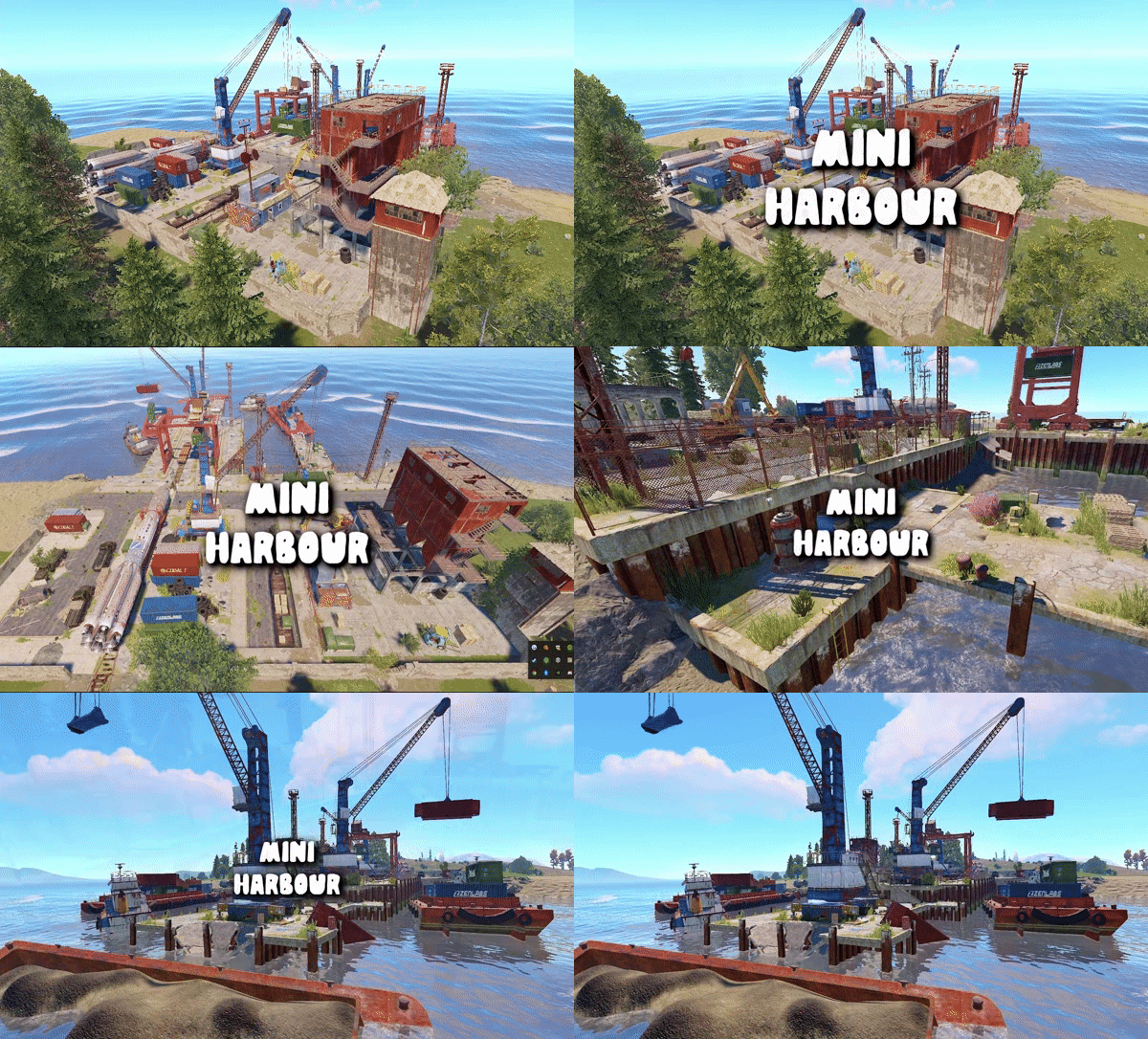
This monument is a mini space saving replacement for Harbor 1/2. Nothing is missing you have all the same puzzle and loot as well as recycler, refinery, and blue card. Perfect for one grid or smaller size maps with the smaller footprint and no protruding edges. Quick Start Extract the zip file into your RustEdit install folder. Start Rust Edit. Click on Prefabs at the top & open up your Prefab List. Under the Custom category you will now find RobJs Premium Prefabs. Double click on the prefab file and it will spawn it into the map for you. Drag it to the general area you want to place it and click on Snap To Terrain Apply the Height Mask, Topology Mask, and Splat Mask. Contact And Help If you need to contact me discord is best: RobJ2210#2553 For help/support my discord group is best: Join RustMaps Discord$16.00- 3 comments
-
- 3
-
-

-
- #mini
- #small monument
- (and 4 more)
-

Version 1.0.2
19 downloads
Size : 2100 HDRP Custom Monuments Ranch Tower North Cabin Oil Rig Wooden Bridge Crash Site Monuments Fishing Village x2 Large Fishing Village Underwater Lab x5 Junkyard Abandoned Military Base Mining Outpost Abandoned Supermarket Sulfur Quarry$5.00-
- 2
-
-
- #small map
- #tiny
- (and 3 more)
-

Version 1.0.2
62 downloads
Rebuilt launch site piece by piece to be every bit as good as the original but 30% smaller and utilise the space better featuring two Bradley's roaming around the grounds. The compact launch site comes default with 2 Bradley's and radiation and a few AI guards. This is done to allow you more customisation yourself for example: Quick Start Extract the zip file into your RustEdit install folder. Start Rust Edit. Click on Prefabs at the top & open up your Prefab List. Under the Custom category you will now find RobJs Premium Prefabs. Double click on the prefab file and it will spawn it into the map for you. Drag it to the general area you want to place it and click on Snap To Terrain Apply the Height Mask, Topology Mask, and Splat Mask. Install Video Guide Contact And Help If you need to contact me discord is best: RobJ2210#2553 For help/support my discord group is best: Join RustMaps Discord$16.00- 2 comments
- 1 review
-
- 2
-
-
- #small prefab
- #launch site
- (and 5 more)