
Search the Community
Showing results for tags 'robj'.
Found 21 results
-
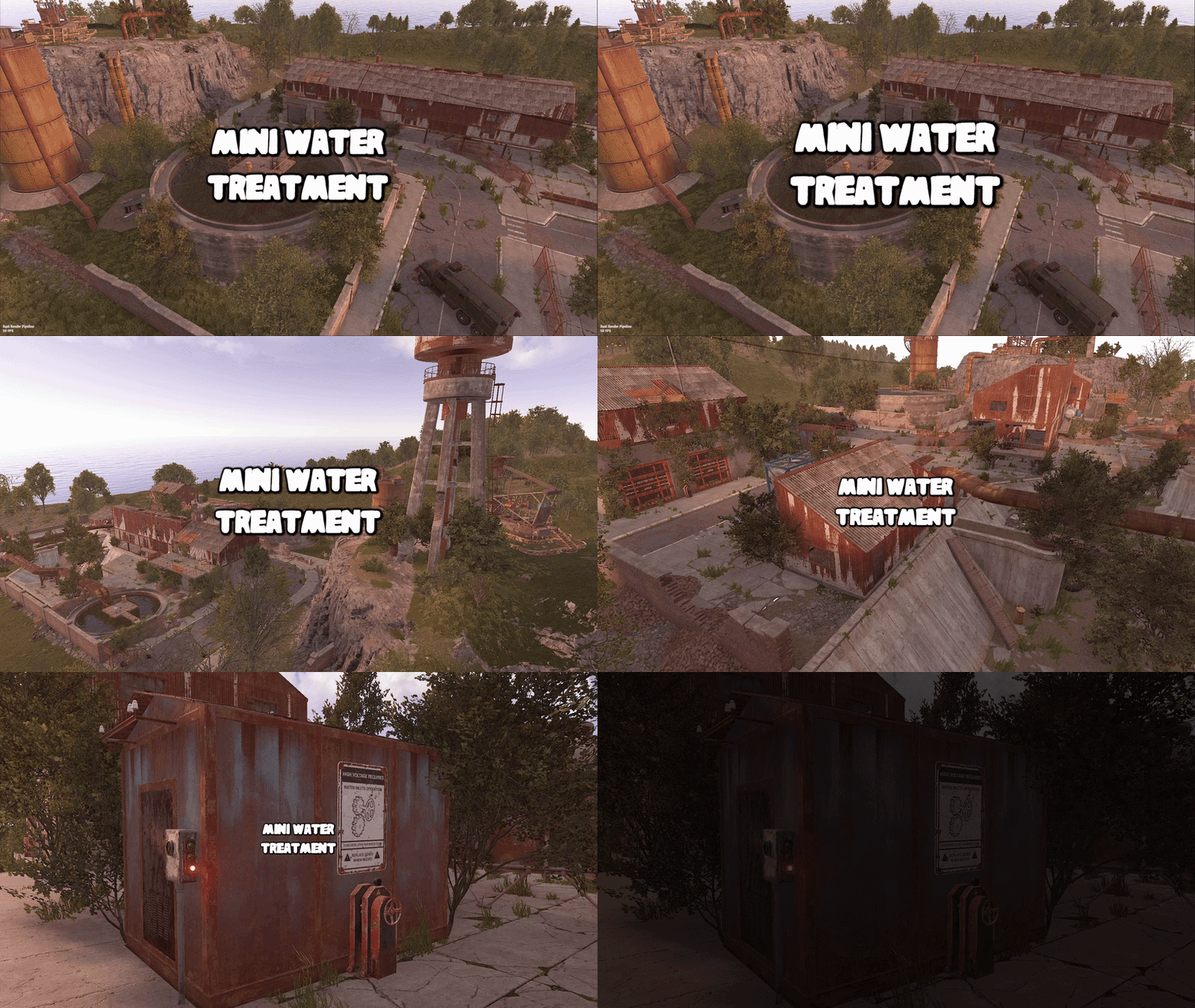
Version 3.0.0
42 downloads
This monument is a mini space saving replacement for water treatment. Nothing is missing you have all the same puzzles like power grid water pressure and loot as well as recyclers, workbench, refinery, and red card. Perfect for one grid or smaller size maps with the smaller footprint. Quick Start Extract the zip file into your RustEdit install folder. Start Rust Edit. Click on Prefabs at the top & open up your Prefab List. Under the Custom category you will now find RobJs Premium Prefabs. Double click on the prefab file and it will spawn it into the map for you. Drag it to the general area you want to place it and click on Snap To Terrain Apply the Height Mask, Topology Mask, and Splat Mask. Contact And Help If you need to contact me discord is best: RobJ2210#2553 For help/support my discord group is best: Join RustMaps Discord$17.99- 3 comments
-
- 3
-

-

-
- #mini
- #water treatment
- (and 8 more)
-
Version 1.0.0
27 downloads
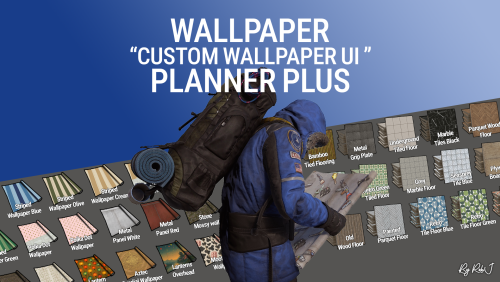
Welcome to Wallpaper Planner Plus — a lightweight, fast, and user-friendly extension for Rust that enhances the default wallpaper tool with a powerful custom skin selector, favourites, flexible sets, permissions, advanced admin management tools, and ongoing content updates. As part of the Plus version, I will add new custom wallpapers every month for at least one year, giving your server a growing collection of fresh designs and more variety over time. Features Custom UI: Access a sleek, in-game wallpaper selector while holding the wallpaper tool. The plugin automatically handles Walls, Floors, and Ceilings, making it quick and easy to find and apply the wallpaper you want. Wallpaper Sets: Create custom sets by combining Walls, Floors, and Ceilings into complete themes or flexible collections. Wallpaper Planner Plus supports two types of sets: Presets: A Preset contains exactly 1 Wall, 1 Floor, and 1 Ceiling. Equipping the Preset assigns all three items to the wallpaper tool at once, making it ideal for complete, ready-to-use themes. Collections: A Collection contains an open mix of wallpaper items. You can add multiple Walls, Floors, or Ceilings, create partial sets, or use any custom combination you want. Collections are ideal for grouping related wallpapers without requiring one item from every category. Players can browse available Presets and Collections directly from the wallpaper UI and equip them quickly while using the wallpaper tool. Favorites System: Mark your favorite wallpapers and quickly switch between viewing all available skins or only your favorites. Monthly Skin Updates: Plus includes ongoing content updates with new custom wallpapers added every month for at least one year. These monthly additions will expand the available collection with fresh designs for Walls, Floors, and Ceilings, giving players new options to discover and use throughout the year. New skins can be organized into Presets and Collections, assigned to permission groups, and managed through the built-in admin tools. Advanced Permission System: Control exactly which wallpapers players can access. Create custom permission groups and assign specific Wall, Floor, and Ceiling skins to each permission. Players automatically see the skins they have permission to use, while restricted skins remain hidden from the UI. This allows you to create anything from supporter rewards to staff-only, event, or special-access wallpaper collections. Admin Editors: Admins can manage your wallpaper library directly through the in-game UI. Add new custom skins Edit existing skins Rename wallpapers Delete wallpapers Create and manage Presets and Collections Create and manage permission groups Assign specific skins to permissions Organise Walls, Floors, and Ceilings No need to manually edit configuration files for everyday skin, set, and permission management. Workshop & Custom Skins: Use your own custom Workshop skins alongside the included wallpaper collection, giving your server complete control over the wallpapers available to players. 100% Custom The included custom wallpapers are created specifically for use with Wallpaper Planners. The plugin can also display official Rust/DLC wallpapers that the player actually owns, automatically filtering them based on their available ownership. Built for Server Owners Wallpaper Planner Plus gives server owners much more control over their wallpaper system while keeping the experience simple for players. Create your own wallpaper library, organize skins into Presets and Collections, control access with permissions, and let players quickly find the wallpapers they want. With the Plus version, your wallpaper library will continue to grow through monthly skin updates for at least one year. Permissions wallpaperplannerplus.use — Grants access to the Wallpaper Planner UI. wallpaperplannerplus.outside — Allows wallpapers to be used outside a player's base. wallpaperplannerplus.admin — Enables the advanced admin tools for managing skins, Sets, and permissions. Custom permissions can also be created and linked to specific wallpapers Like VIP etc etc. Chat Commands /wallpaperplanner — Opens the custom wallpaper menu while holding the wallpaper tool. You can also configure a custom keybind to open the UI instead. Example: Bind to H Open the Rust console with F1 and enter: bind H "chat.say /wallpaperplanner" Wallpaper Planner Plus A complete custom wallpaper management system for Rust — fast, simple for players, powerful for admins, and continuously expanding with new skins every month for at least one year. List of input keys to use in config that rust accepts. BACKWARD LEFT RIGHT JUMP DUCK SPRINT USE FIRE_PRIMARY FIRE_SECONDARY RELOAD FIRE_THIRD DISABLED DISABLE Input Key: Server owners can now disable the UI keybind system entirely. In the config, set: "UI input key": "DISABLED" This prevents the menu from opening with FIRE_THIRD, allowing admins to enforce custom binds (e.g. /wallpaperplanner only).$32.99- 3 comments
-
- 1
-
-
- #custom ui
- #wallpapers
- (and 9 more)
-
Version 1.0.1
8 downloads
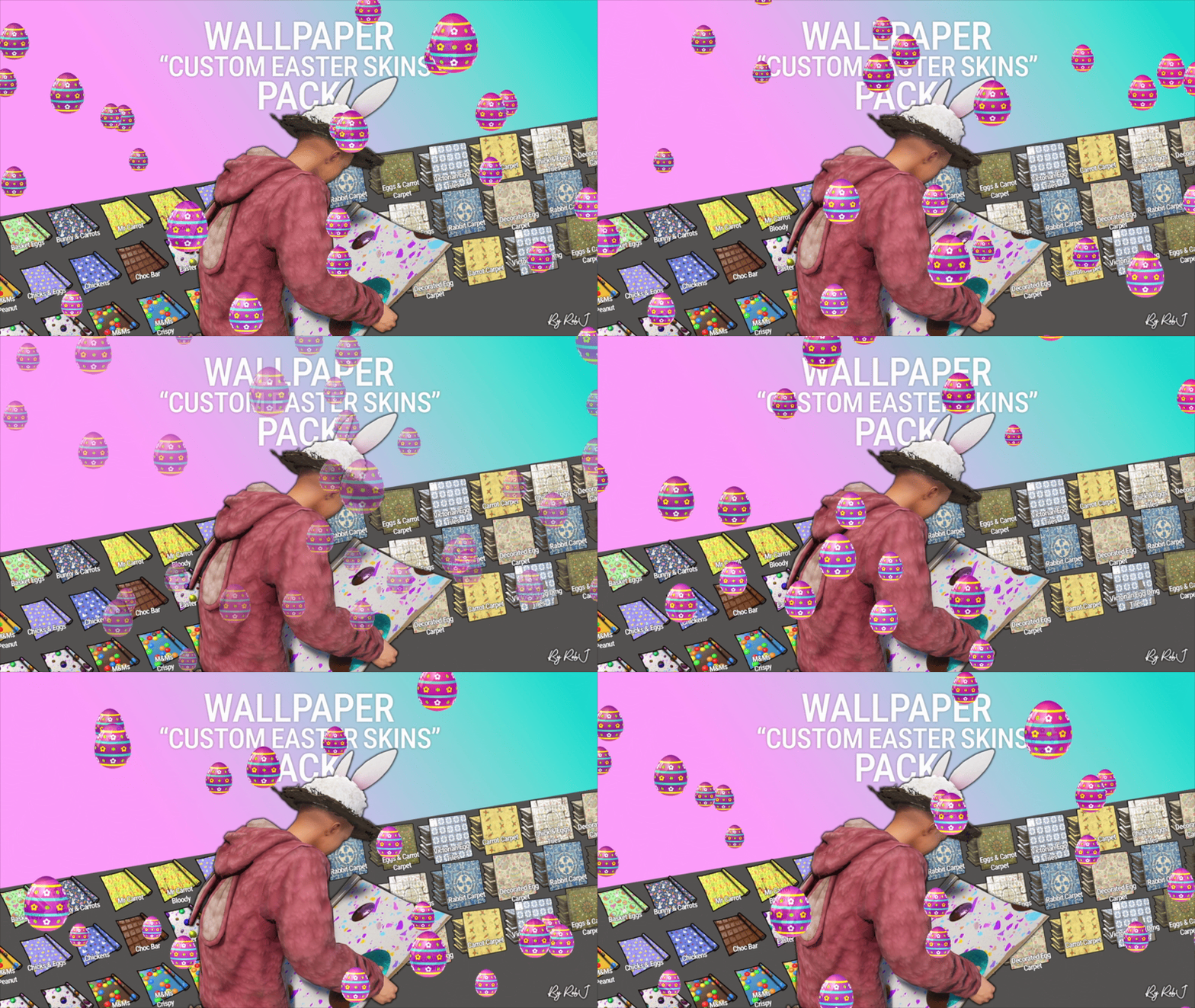
Upgrade your builds this easterwith this exclusive pack of custom skins! Each design is handcrafted with care and fully maintained. 10 Wall wallpaper skins 9 Floor wallpaper skins Perfect for Bases & Events These skins drop straight into any plugin and are fully compatible with my Wallpaper Planner for easy in-game browsing and selection. ✔ Fully Compatible Works with any plugin that supports custom skins, plus seamless integration with WallpaperPlanner. ✔ Ongoing Maintenance When you buy this pack, you’re buying long-term access. I personally maintain and update all skins for every buyer, so they stay fresh, polished, and ready to use. ✔ Each skin is built to high standards and includes four image maps: Albedo (base color) Normal/Bump Ambient Occlusion (AO) Specular These maps work together to simulate real lighting and surface detail, giving your builds depth, warmth, and a realistic shine. Bring style, atmosphere, and creativity to every build with this essential skin collection! Note: Some base layers were enhanced using generative fill/expand for improved visual quality. Auto-Install Plugin Included No manual setup required. Drop the plugin into your Oxide/Carbon plugins folder. Let it run once. Delete the plugin after it completes. Click Here For Video Your skins will automatically appear inside WallpaperPlanner.$13.99 -
Version 1.0.5 (1G)
33 downloads
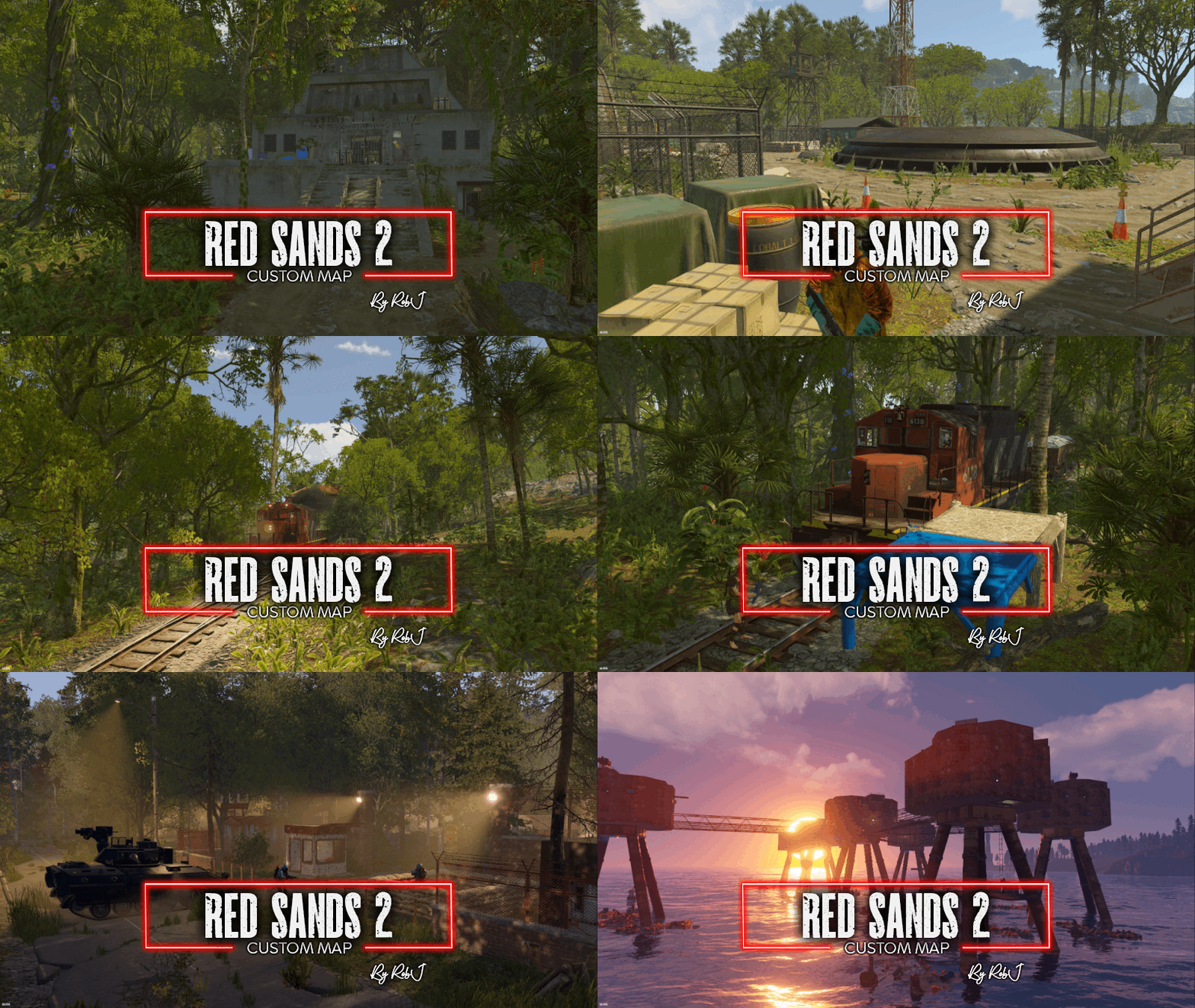
Welcome to my newest map! What started as a full remaster of one of my previous maps has evolved into something much greater. Not only have all the monuments been completely remastered, which took quite a bit of time, but the entire map has been transformed. Biomes have been shifted, and a brand-new jungle biome has been introduced. I've also replaced the railway with the new version railway on the surface. I've given it all new paths. I've updated all the tunnels. And there is now multiple branches leading off that are building-enabled. So you can actually build a base, use a high external gate, and your train can actually enter your compound Size: 3050 Custom NPCs I've substituted the default RustEdit Scientists with a variety of NPCs representing different factions within the Rust universe: Normal Scientist, Arctic Scientist, Tunnel Dweller, and Underwater Dweller. If these NPCs don't suit your preferences, you can easily remove the plugin and replace them with any bot plugin of your choice. Map Editing Yes, you are allowed to edit the map and add stuff etc. Monuments Apartment Complex Jungle Ziggurat Jungle Ruins x3 Airfield Bandit Town Fishing Village Gas Station Harbor Horse Stable Junkyard Launch Site Lighthouse Military Tunnels Oil Rig Large Oil Rig Small Outpost Sewer Branch Sphere Tank Supermarket Trainyard Underwater Labs Desert Military Base Arctic Research Base Sulphur Quarry Nuclear Missile Silo Ferry Terminal Rad Town HQM Quarry M.O.T Centre Train Station Maunsell Forts Colbalt Vaults Railway Junction Power Grid Station (Used with large fuses to power up the grid) Help and Contact If you need to contact me discord is best: RobJ2210 For help/support my discord group is best: Join RobJ Maps Discord$41.99 -

Version 1.0.1
46 downloads
This monument is a mini space saving replacement for Airfield. Nothing is missing you have all the same puzzles and loot as well as recyclers, repair bench, refinery, and red card. Perfect for one grid or smaller size maps with the smaller footprint and no protruding edges. Quick Start Extract the zip file into your RustEdit install folder. Start Rust Edit. Click on Prefabs at the top & open up your Prefab List. Under the Custom category you will now find RobJs Premium Prefabs. Double click on the prefab file and it will spawn it into the map for you. Drag it to the general area you want to place it and click on Snap To Terrain Apply the Height Mask, Topology Mask, and Splat Mask. Contact And Help If you need to contact me discord is best: RobJ2210#2553 For help/support my discord group is best: Join RustMaps Discord$18.99 -

Version 2.0.4
126 downloads
Lore In 1938, an exploratory vessel discovered a small, uncharted island far to the north. Upon their return to port, the crew began sharing tales of a mysterious island at the edge of the world—where seasons changed with each step, and people seemed to live in a more primitive time amid strange, ancient ruins. They spoke of incredible sights: great ships that defied gravity and soared through the skies, and mighty forts guarded by knights of an unfamiliar realm. Rumors of the island’s untapped wealth soon spread, drawing many eager to claim its riches. Adventurers sought to exploit the untouched coal and gold deposits, even constructing a railway to aid their efforts. Yet all who ventured there were ultimately driven away by the island's enigmatic inhabitants—nameless men whose origins and purpose at the world’s end remained an unsolved mystery. Details Clockworks is a small-sized map designed from the start to be totally custom nothing default from the roads to the monuments but don’t worry we have created equivalent monuments in the world progression system plus a twin-track above-ground rail network (Cargo Train Event Compatible) running the full circumference of the map complemented by railway-related monuments along the way. Fully custom terrain, monuments and roads that brings a totally new unique look to your server. Scientist’s have been replaced with our own set of NPC’S with varying attire and technology levels (if you do not like our NPC’s simply don’t install our plug-in and supply your own with any bot plug-in you want. Every monument across the map is from a different time and technology level in the past so you could be visiting the 1920s railway and then head into a mediaeval town. Size: 1600k Prefabs: 49312 Map Editing Yes, you are allowed to edit the map and add stuff etc. Monuments Windsword Rob's Grain Mill Fangorn’s Barrow Old Springs Yawning Grave Old Ruins Everfall Ruins Of Sorrow Timber Bay Ever Knot Keep Bog Water Fortress Crashed Airship Turning Rails Sulfur Rig Metal Rig Help and Contact If you need to contact me discord is best: RobJ2210#2553 Or Cobalt#3344 For help/support however, my discord group is best: Join RustMaps Discord$46.99- 6 comments
- 3 reviews
-
- 5
-
-
-
- #small map
- #medieval
- (and 16 more)
-

Version 1.0.0
5 downloads
This monument serves as an excellent medieval point of interest Use it as a standalone monument or combine it with other structures to create a village or town—the possibilities are endless. I left out NPCs so you can easily add your own later, such as guards or a shopkeeper vendor. The loot is kept minimal to give you the flexibility to customize it as you see fit. Quick Start Extract the zip file into your RustEdit install folder. Start Rust Edit. Click on Prefabs at the top & open up your Prefab List. Under the Custom category, you will now find RobJs Premium Prefabs. Double-click on the prefab file, which will spawn it into the map for you. Drag it to the general area you want to place it. Apply the Height Mask, Topology Mask, and Splat Mask. Contact And Help If you need to contact me discord is best: RobJ2210#2553 For help/support my discord group is best: Join Rust Maps By RobJ Discord$13.99-
- 3
-
-
-
- #medieval
- #robj medieval collection
- (and 4 more)
-

Version 2.0.2
94 downloads
Details Penguin Island is a small-sized map designed from the start to utilize my mini monument remakes to save space on this tiny map enabling me to include more monuments than normal for a 1.6k map and making the map feel bigger than it really is. Fully custom terrain that brings a unique look to your server. Size: 1600k Railways This map features a large twin line surface railway that has a one-way system per track running around the map enabling full compatibility with cargo train event on the surface, as well as a link from the surface to the underground railway that also works with the event and allows it to travel up or down and of course players, can do the same with their work carts. Editing Yes, you are allowed to edit the map and add stuff etc. Custom NPC Normal RustEdit Scientist’s have been replaced with my own set of NPC’S from the various factions from the rust world (Normal Scientist, Arctic Scientist, Tunnel Dweller and Underwater Dweller) if you do not like my NPC’s simply don’t install the plug-in and supply your own with any bot plugin you want. A special thank you to Steenamaroo for building the plugin for me. Monuments Arctic Research base Arctic Airfield Dome Gas Station Supermarket Railway Junction Mini Launch Site Mini Water Treatment Mini Train Yard Mini Desert Military Camp Mini Harbour Early Warning Radar Large Oilrig Small Oilrig Underwater Labs x6 Mining Outpost Sulfur Quarry Stone Quarry Help And Contact If you need to contact me discord is best: RobJ2210#2553 For help/support my discord group is best: Join RustMaps Discord$40.00- 3 comments
- 1 review
-
- 3
-
-
- #mini map
- #small map
- (and 19 more)
-

Version 2.0.0
83 downloads
Details Barnacle Reef is a small to medium-sized map (3300) designed to feel bigger than default maps at a similar size and this is done by maximizing space with more land than water and better-proportioned monuments as well as moving some space-wasting monuments underground and out to sea. all-new custom monuments to discover as well as a mixture of the default monuments scattered around creating a nice balance of looting across the map. Fully custom landscape to explore and lots of interesting places to build bases and should provide players with hours of fun. highly optimised map with a healthy entity count that will result in smooth wipe performance. I would like to say a big thank you to Steenamaroo for all his help with plugins. Railway Features a working surface railway with twin directional lines that runs around the full map and through underground tunnels and over rivers and even down to the subways and with no dead ends its perfect for other train plugin events as well as its own custom work cart and wagon spawning plugin. Map Editing Yes, you are allowed to edit the map and add stuff etc. Custom NPCs Normal RustEdit Scientist’s have been replaced with my own set of NPC’S from the various factions from the rust world (Normal Scientist, Arctic Scientist, Tunnel Dweller and Underwater Dweller) if you do not like my NPC’s simply don’t install the plug-in and supply your own with any bot plugin you want. Monuments Airfield Nuclear Missile Silo Bandit Town Fishing Village Gas Station Horse Stable Lighthouse Underground Military Tunnels Oil Rig Large Oil Rig Small Outpost Sewer Branch Sphere Tank Supermarket Warehouse Trainyard Subway Greenhouse Deep Water Harbour Navy Shipyard Launch Site Junkyard Early Warning Radar Underwater Labs Desert Military Base Help And Contact If you need to contact me discord is best: RobJ2210#2553 For help/support my discord group is best: Join Rust Maps By RobJ Discord$40.00- 8 comments
- 2 reviews
-
- 5
-
-
- #railway
- #workcarts
- (and 12 more)
-

Version 1.0.3
20 downloads
This factory monument is arranged over one large factory floor and a basement containing two production lines for canned tuna, from gutting the fish to cooking, all beautifully detailed with bricked-up windows, missing tiles, the red card puzzle, and plenty of looting opportunities with some custom loot boxes. NPC’s This monument has built-in NPC’s powered by an included plug-in. If you do not wish to use the built-in bots simply do not install the plug-in and add your own bots at your leisure Quick Start Extract the zip file into your RustEdit install folder. Start Rust Edit. Click on Prefabs at the top & open up your Prefab List. Under the Custom category, you will now find RobJs Premium Prefabs. Double-click on the prefab file, which will spawn it into the map for you. Drag it to the general area you want to place it and click on Snap To Terrain Apply the Height Mask, Topology Mask, and Splat Mask. Contact And Help If you need to contact me discord is best: RobJ2210#2553 For help/support my discord group is best: Join RustMaps Discord$19.99- 1 comment
-
- 10
-
-
-
- #factory
- #canned tuna
- (and 3 more)
-
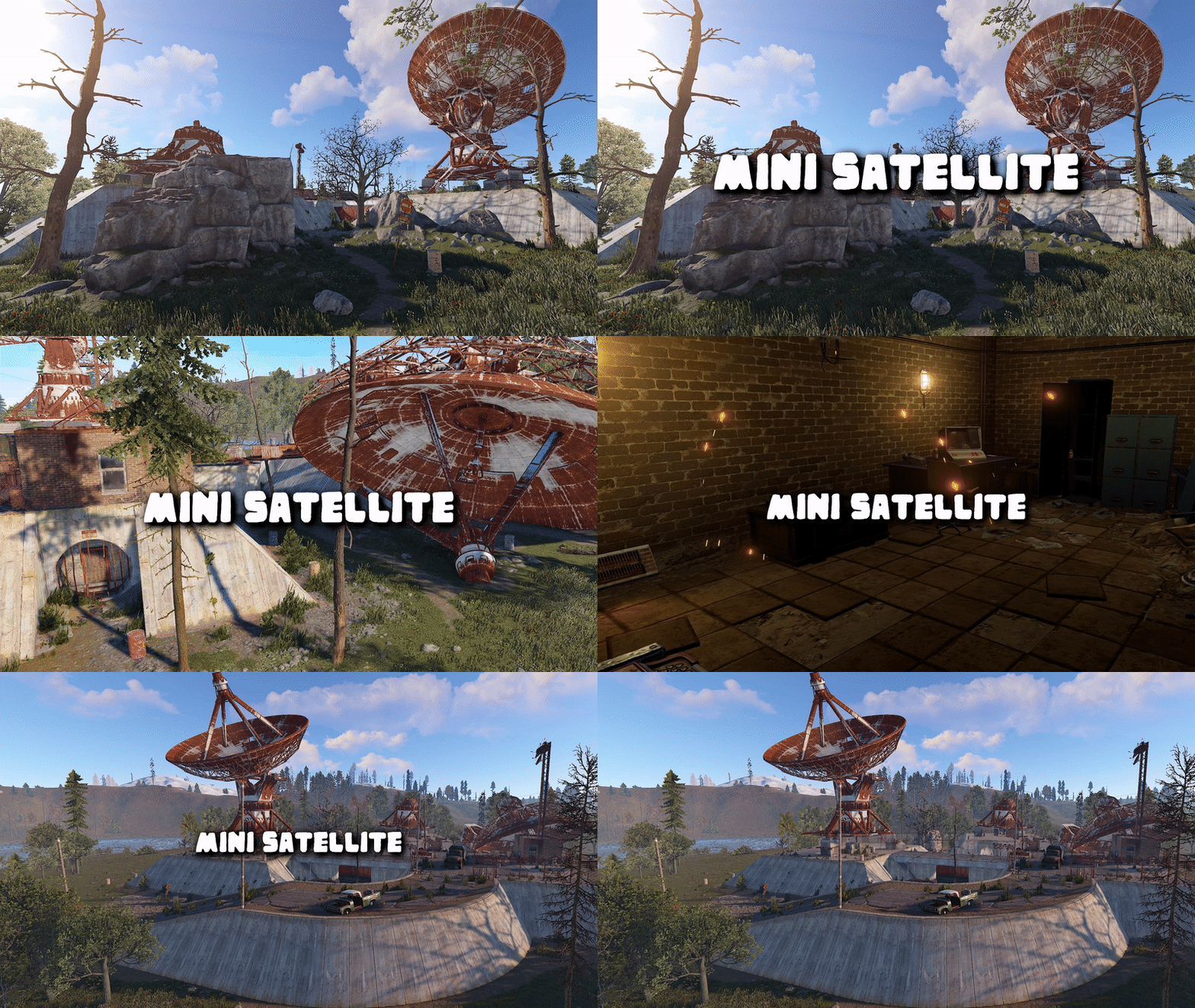
Version 1.0.1
17 downloads
This monument is a mini space-saving replacement for FP Satellite Dish. Nothing Is missing in this smaller version and it’s got some great additions too including more loot and more. Perfect for one grid or smaller size maps with a smaller footprint and no protruding edges. Built from scratch no free broken monuments here! Quick Start Extract the zip file into your RustEdit install folder. Start Rust Edit. Click on Prefabs at the top & open up your Prefab List. Under the Custom category, you will now find RobJs Premium Prefabs. Double click on the prefab file and it will spawn it into the map for you. Drag it to the general area you want to place it and click on Snap To Terrain Apply the Height Mask, Topology Mask, and Splat Mask. Contact And Help If you need to contact me discord is best: RobJ2210#2553 For help/support my discord group is best: Join RustMaps Discord$17.99 -

Version 1.1.4
40 downloads
There are two main large custom monuments on the map as well as a range of smaller monuments as well as a set of default regular monuments and the space saving military tunnels buried deep underground and even two Bradley's to fight across the fully custom terrain that brings a unique look to your server. Size: 3050 Editing Yes you are allowed to edit the map and add stuff etc . M.O.T Centre This monument is based on the real world MOT test (Ministry of Transport, or simply MOT) is an annual test of vehicle safety, road worthiness aspects and it carried out in garages across the UK. In this game version, you can find more car related loot than normal and also a working car ramp to modify your cars as well as a blue card puzzle with some nice loot and to top it off a red card spawn. Cobalt Vaults This monument is largely underground with a set of secure storage vaults guarded with a team of scientists and APC defending the central control tower to the vaults battle your way up and start to open up the vaults one by one to see what cobalt is storing out of sight. Maunsell Forts This monument is based on the real-world red sands forts that I visited a few years ago. In game you will find a set of fully restored Maunsell Forts that have been co-opted by cobalt scientists to use as a central location to plan their nefarious experiments. Other Monuments: Desert Military Base Outpost Airfield Small Train Station Bandit Camp Gas Station Supermarket Military Tunnels Launch Site Train Yard Junkyard Fishing Villages Sewer Branch Water Treatment Above Ground Railway Jct Underwater Labs Warehouse Supermarket Subways Sphere Tank Oil Rig Large & Small Dependencies: Oxide and RustEdit.dll Contact And Help If you need to contact me discord is best: RobJ2210#2553 For help/support my discord group is best: Join RustMaps Discord$37.99 -
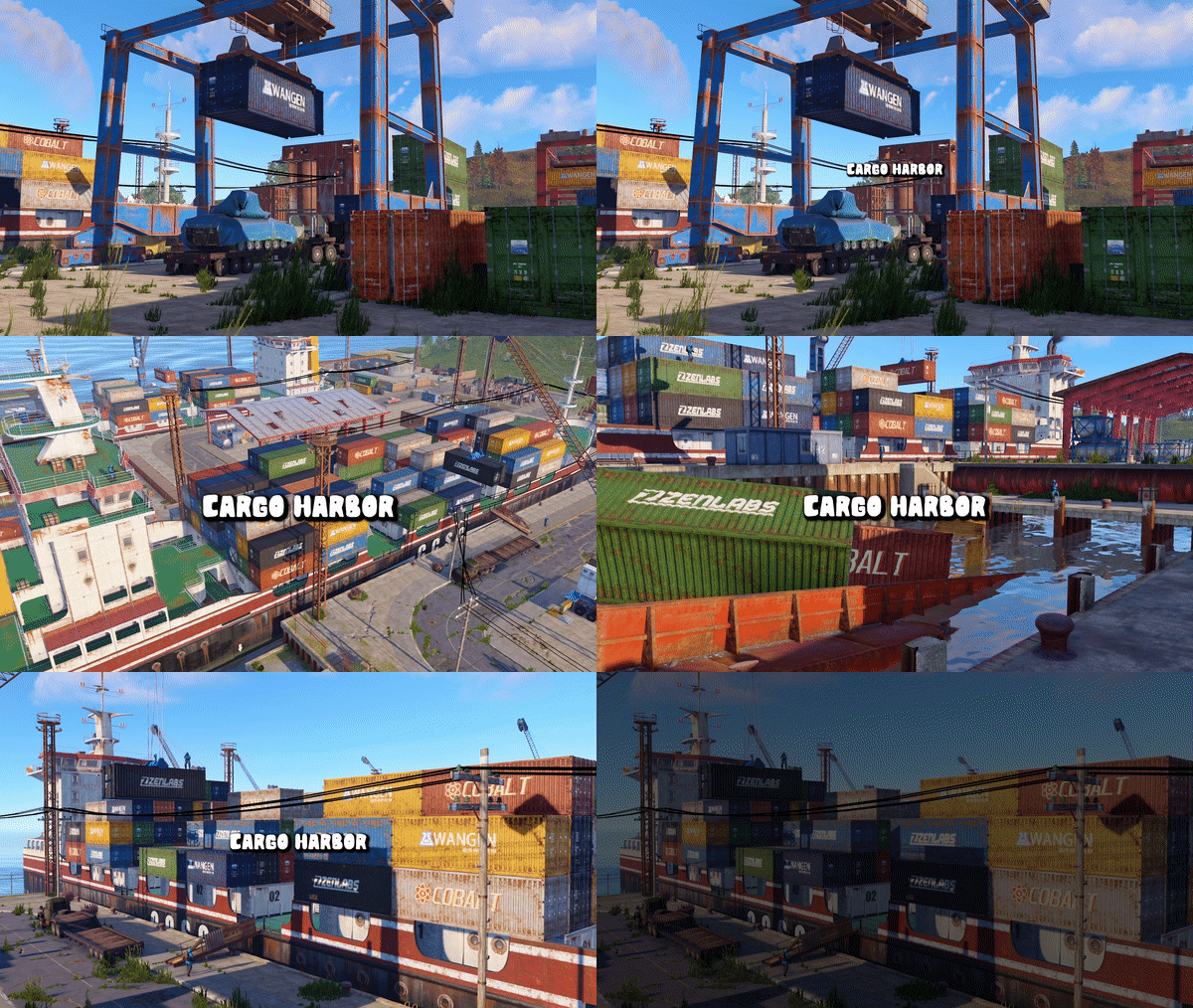
Version 1.0.2
16 downloads
Welcome to my cargo harbor, an alternative to the standard rust harbor, except that my cargo harbor is larger and occupies less island space because I designed it with 80% of its bulk above water. It contains green, blue and red puzzles, which are all independent of each other, so you can visit this monument repeatedly as you progress in the game. This monument is a far more compact version of deep water harbor updated with modern prefabs. NPC’s This monument has built-in NPC’s powered by an included plug-in. If you do not wish to use the built-in bots simply do not install the plug-in and add your own bots at your leisure Trains This monument contains working railway tracks that can be connected to a larger railway. Quick Start Extract the zip file into your RustEdit install folder. Start Rust Edit. Click on Prefabs at the top & open up your Prefab List. Under the Custom category, you will now find RobJs Premium Prefabs. Double-click on the prefab file, which will spawn it into the map for you. Drag it to the general area you want to place it and click on Snap To Terrain Apply the Height Mask, Topology Mask, and Splat Mask. Contact And Help If you need to contact me discord is best: RobJ2210#2553 For help/support my discord group is best: Join RustMaps Discord$15.99 -
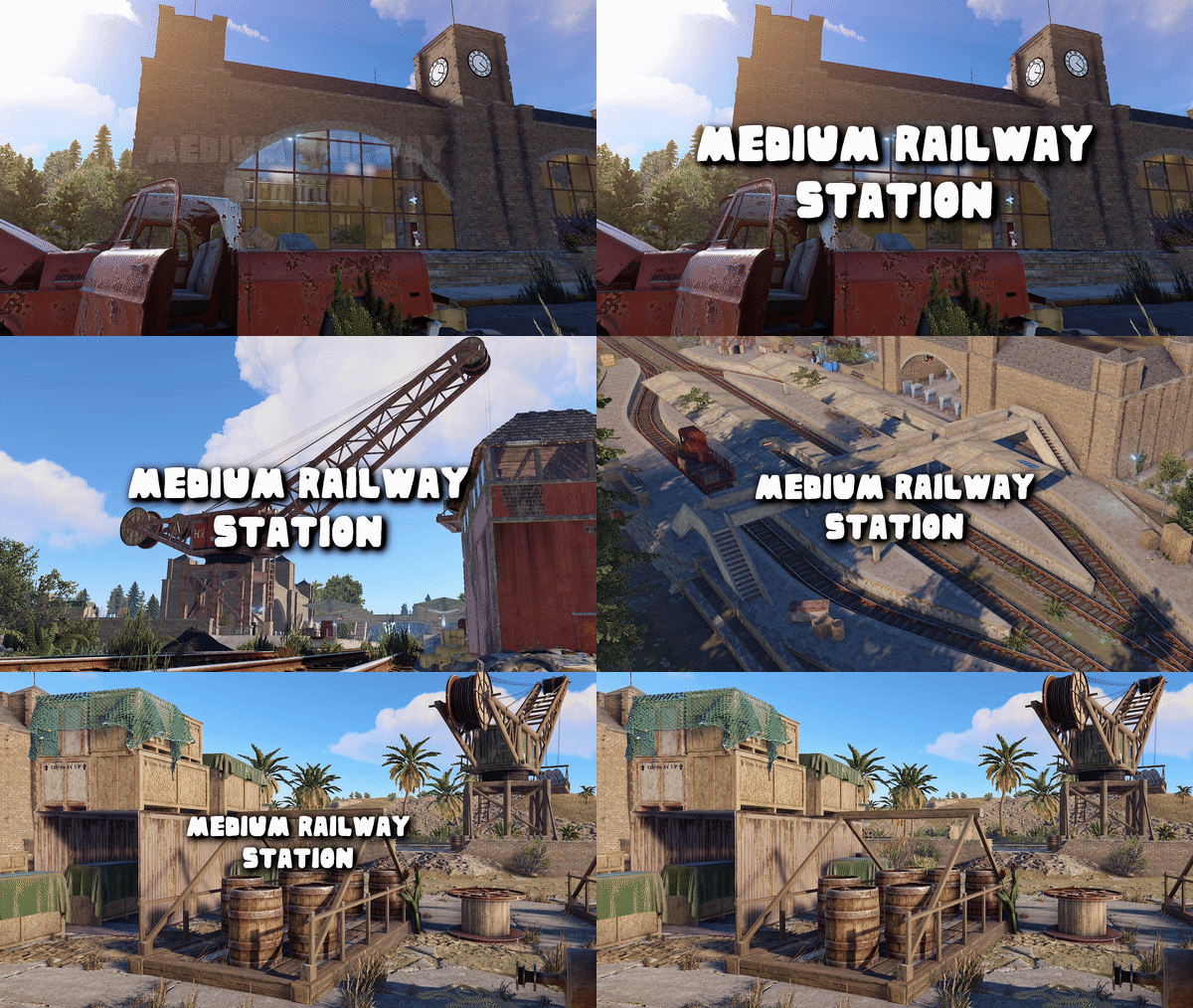
Version 1.0.2
8 downloads
Welcome to my Medium Railway Station, which features two-time period theme kits to choose from modern and olden days. Each kit changes construction materials and many structural changes, and the little details fit the time chosen. Additionally, two biome decor packs contain rocks, grass, bushes, and plants to match biomes temperate and arid. The monument includes many great looting opportunities, including a blue card puzzle and underground tunnels. This monument can be added to a more extensive railway network or just used standalone. What's Included Medium Railway Station (Bare Bones) Temperate Decor Pack (Socket Snap) Arid Decor Pack (Socket Snap) Time Period Olden Days (Socket Snap) Time Period Modern (Socket Snap) Adding To Map Installing Temperate Station Installing Arid Station Monument Name Signs Contact And Help If you need to contact me discord is best: RobJ2210#2553 For help/support my discord group is best: Join RustMaps Discord$18.99-
- 2
-
-
-
- #railway
- #railway station
- (and 8 more)
-
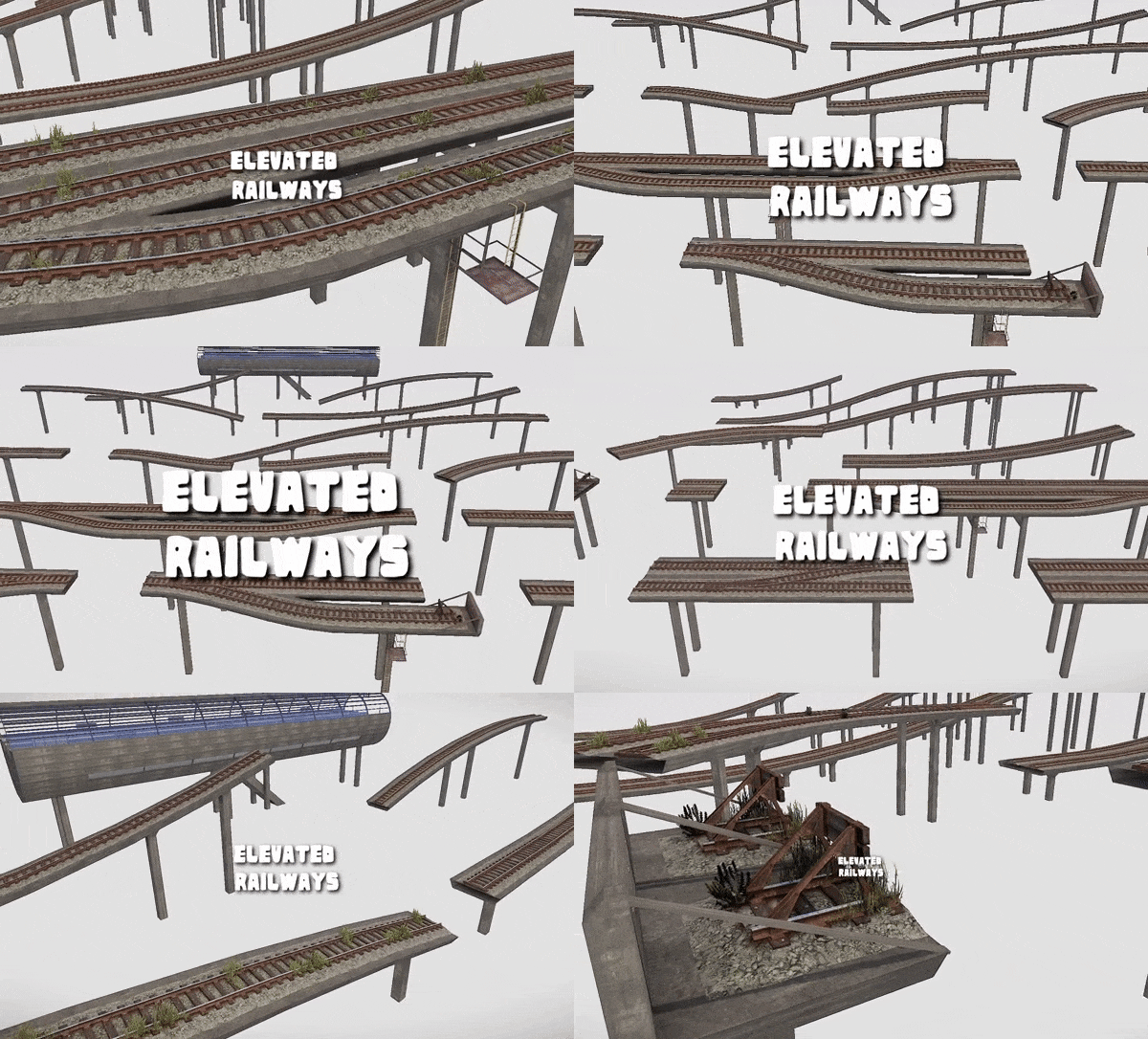
Version 2.0.1
76 downloads
This is a large kit of elevated railway parts for you to use to easily add railways to any map with all parts socket snapping into place its easy as 1 2 3 Parts available in single and twin railway lines. Took me so much time to make am happy its finally released. See Videos Below ElevatedRailway3x3 End ElevatedRailway3x9 ElevatedRailway3x18 ElevatedRailway 3x36 Siding With Spawn ElevatedRailway3ß—36 Single 2 Twin ElevatedRailway3x36 ElevatedRailway3x72 Siding ElevatedRailwayBend45 ElevatedRailwaySleft3x27 ElevatedRailway Smooth Incline Bottom ElevatedRailway Smooth Incline Full ElevatedRailway Smooth Incline Top ElevatedRailway Sight 3x27 ElevatedRailwayStation ElevatedRailway Steep Incline Bottom ElevatedRailway Steep Incline Full ElevatedRailway Steep Incline Top Twin ElevatedRailway 3x9 End Twin ElevatedRailway3x9 Twin ElevatedRailway 3x18 Twin ElevatedRailway3x36 Crossover Twin ElevatedRailway3x36 Twin ElevatedRailway 3x72 Siding Twin ElevatedRailway Bend45 Twin ElevatedRailway Smooth Incline Bottom Twin ElevatedRailway Smooth Incline Full Twin ElevatedRailway Steep Incline Bottom Twin ElevatedRailway Steep Incline Full Twin ElevatedRailway Steep Incline Top ElevatedRailway 3x9 End NoLeg ElevatedRailway 3x9 NoLeg ElevatedRailway 3x18 Noleg ElevatedRailway3x36 NoLeg ElevatedRailway Bend45 NoLeg ElevatedRailway Sleft 3x27 NoLeg ElevatedRailway Sight 3x27 NoLeg Twin ElevatedRailway 3x3 End NoLeg Twin ElevatedRailway 3x18 NoLeg Twin ElevatedRailway 3x36 Crossover Noleg Twin ElevatedRailway 3x36 NoLeg Twin ElevatedRailway Bend45 NoLeg ElevatedRailway Access Support ElevatedRailway Collapsed Support ElevatedRailway Dropped Support ElevatedRailway Side Cliff Support ElevatedRailway Standard Support$31.99- 6 comments
- 1 review
-
- 7
-
-
-
- #elevated railway
- #elevated
- (and 10 more)
-
Version 1.0.1
6 downloads
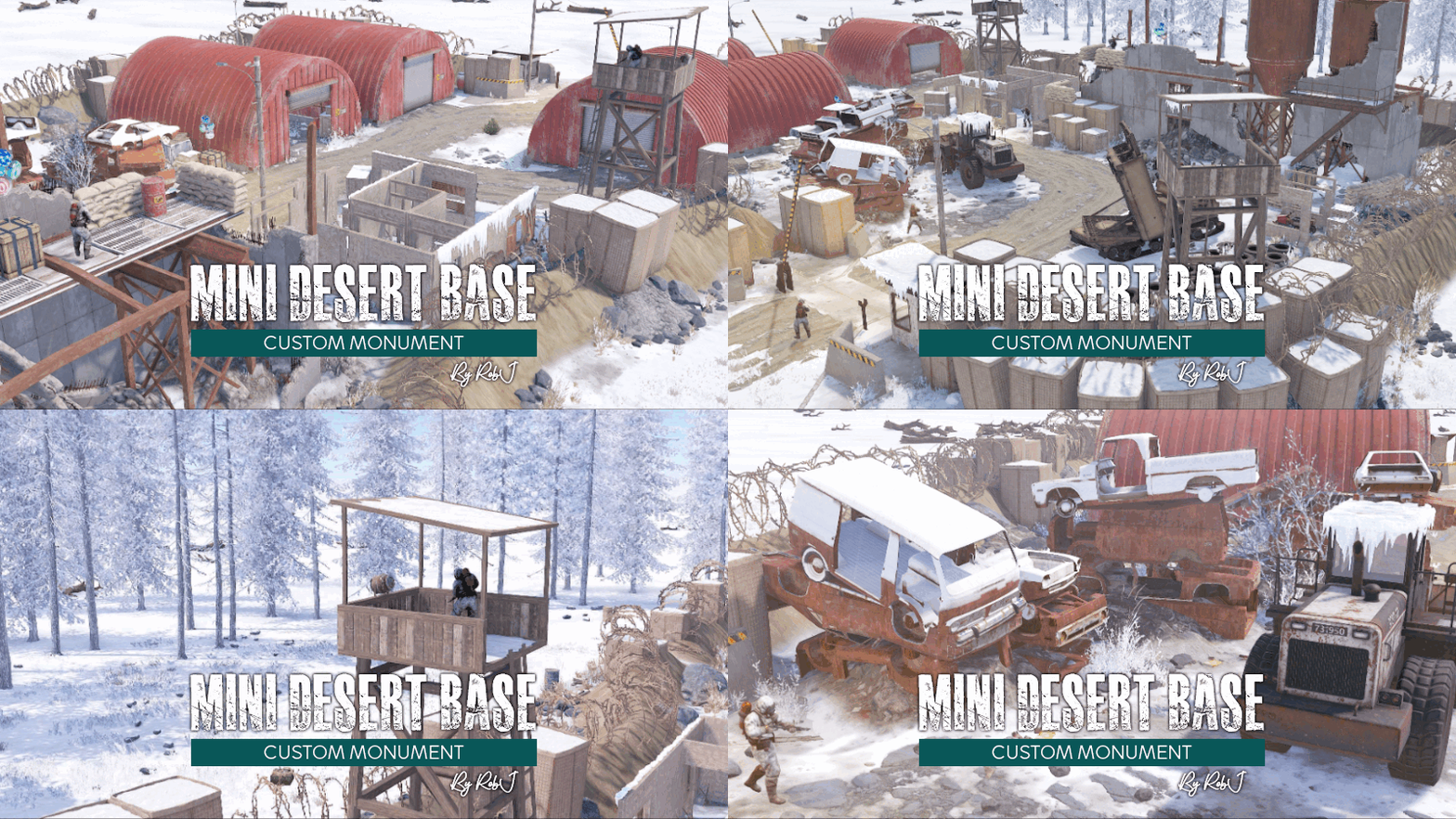
This monument is a mini space-saving replacement for Desert Military Base. Nothing Is missing in this smaller version like the MLRS and it’s got some great additions too including more loot a blue/red card puzzle in the underground rooms. Perfect for one grid or smaller size maps with a smaller footprint and no protruding edges. Nuclear Winter Edition The monuments in this collection have been converted in high detail to fit a winter aesthetic and blend in perfectly with a snowy landscape. After a large-scale nuclear war, nuclear winter is a severe and prolonged cooling of the global climate, turning the world into a winter landscape. Custom NPC I've replaced the normal RustEdit Scientists with my own set of NPCs from the different factions in the Rust world (Normal Scientist, Arctic Scientist, Tunnel Dweller, Underwater Dweller). If you do not like my NPCs, you can simply uninstall the plug-in and supply your own with any bot plugin you like. Quick Start Extract the zip file into your RustEdit install folder. Start Rust Edit. Click on Prefabs at the top & open up your Prefab List. Under the Custom category, you will now find RobJs Premium Prefabs. Double click on the prefab file and it will spawn it into the map for you. Drag it to the general area you want to place it and click on Snap To Terrain Apply the Height Mask, Topology Mask, Alpha, and Splat Mask. Contact And Help If you need to contact me discord is best: RobJ2210#2553 For help/support my discord group is best: Join RustMaps Discord$16.99 -

Version 1.0.6
34 downloads
This pack includes 3 of my mini custom maps ranging 1500 - 1600 in size and all custom mini monuments. The pack is designed to offer great value over buying them individually. This bundle offers you them all at $85.99. Click one of the map icons below to have a detailed look. Please Checkout with the bundle buy now button$85.99 -

Version 1.0.1
13 downloads
This monument is a mini space-saving replacement for Desert Military Base. Nothing Is missing in this smaller version like the MLRS and it’s got some great additions too including more loot a blue/red card puzzle in the underground rooms. Perfect for one grid or smaller size maps with a smaller footprint and no protruding edges. Quick Start Extract the zip file into your RustEdit install folder. Start Rust Edit. Click on Prefabs at the top & open up your Prefab List. Under the Custom category, you will now find RobJs Premium Prefabs. Double click on the prefab file and it will spawn it into the map for you. Drag it to the general area you want to place it and click on Snap To Terrain Apply the Height Mask, Topology Mask, and Splat Mask. Contact And Help If you need to contact me discord is best: RobJ2210#2553 For help/support my discord group is best: Join RustMaps Discord$16.99 -
Version 1.0.7
36 downloads
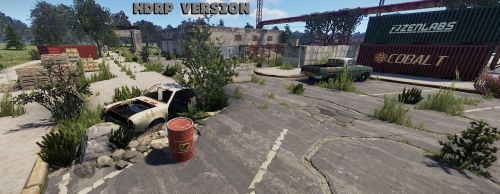
A huge harbour monument designed to fit into rust better as the current harbours are way too small and have no slipways for the cargo ship to be able to dock in a realistic fashion. I hope to change the harbour monument into a low to high-end loot monument that's visited a lot more by players and is large enough to dock large ships. Quick Start Extract the zip file into your RustEdit install folder. Start Rust Edit. Click on Prefabs at the top & open up your Prefab List. Under the Custom category you will now find RobJs Premium Prefabs. Double click on the prefab file and it will spawn it into the map for you. Drag it to the general area you want to place it and click on Snap To Terrain Apply the Height Mask, Topology Mask, and Splat Mask. Contact And Help If you need to contact me discord is best: RobJ2210#2553 For help/support my discord group is best: Join RustMaps Discord$15.99 -

Version 1.0.0
14 downloads
I introduce the Medieval training grounds, a highly detailed RPG weapon testing and training area with a target range contained all within an abandoned farm including a huge medieval trebuchet, all with great attention to detail that brings it to life and would complement many themes you may have in your server. Loot is included but you can boost it up or down if you like. Quick Start Extract the zip file into your RustEdit install folder. Click on Prefabs at the top & open up your Prefab List. Under the Custom category, you will now find RobJs Premium Prefabs. Double-click on the prefab file, spawning it into the map for you. Drag it to the general area you want to place it Apply the Splat Mask first and align the road to the walls Apply Height Mask, Topology Mask Done Credits Designed by Cobalt & RobJ In collaboration and featured in Timelines & Clockworks Maps. Contact And Help If you need to contact me discord is best: RobJ2210#2553 For help/support my discord group is best: Join RustMaps By RobJ Discord$12.99


