Search the Community
Showing results for tags 'winter'.
Found 12 results
-

Version 1.0.0
5 downloads
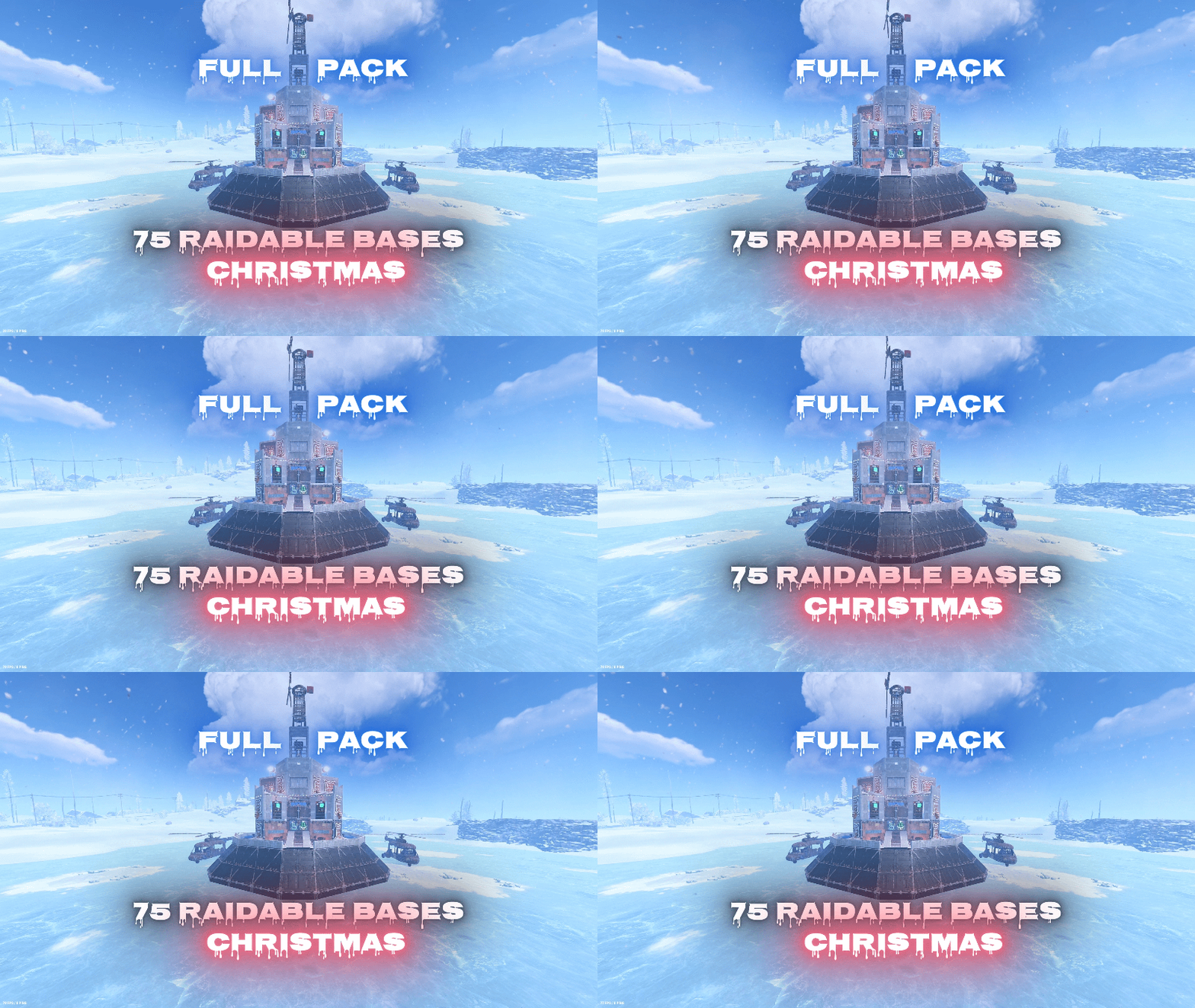
Ready to bring Christmas to your server’s raiding experience? This seasonal pack contains 75 unique, handcrafted, high quality raidable bases divided into 5 distinct difficulty tiers (Easy, Medium, Hard, Expert, and Nightmare). Every base was built manually in-game, saved with CopyPaste, and tested on a live server. All 75 bases are fully decorated in a festive Christmas style. The Easy and Medium bases are bigger and more challenging than usual. Everything is 100% Plug & Play — no setup or editing required! What Makes This Pack Unique: 75 Custom Bases: Includes 20 Easy, 15 Medium, 15 Hard, 15 Expert, and 10 Nightmare bases. Decorated By Hand: 8,159 string lights, 80 christmas trees and 55 snowmen placed one by one across the pack. Not a filter or a reskin — the decorations are part of every build. Complete Loot Table Set: A fully balanced loot table for every tier, tuned so each difficulty rewards properly without breaking your server’s economy. Fully Defended & Clever Layouts: Built with auto turrets, shotgun traps, flame turrets, SAM sites, land mines. A Real Difficulty Curve: An Easy base is a quick starter raid at around 270 entities. The toughest Nightmare fortress runs to 1,790 entities with 114 traps and turrets across multiple levels. Visual Variety & Heavy Challenge: Higher tiers are built mostly in Metal and HQM. Paste-Tested: All 75 base files were checked and corrected one by one, so nothing collapses, explodes or goes missing when a base spawns. Plug & Play Setup: Pre-configured profiles and main plugin settings included. Just copy, paste, and reload! Important! — In case that you are buying this pack to update your server, contact me, and after buying the pack I can rename the bases special for you, and will send the updated profiles so you won’t lose any time. How to Install (Step-by-Step): Setting this up on your server takes less than 2 minutes: Base Files: Extract all 75 .json files from all subfolders (copypaste/Easy/, Medium/, etc.) and place them directly into oxide/data/copypaste/. (Do not copy subfolders, only the files inside them! The plugin does not look inside subfolders — the profiles reference the bases as easy1, medium1 and so on, with no folder prefix.) Loot Tables: Copy all 5 .json files from Difficulty_Loot/ into oxide/data/RaidableBases/Difficulty_Loot/. Default Loot: Replace oxide/data/RaidableBases/Default_Loot.json with the empty one included. The plugin mixes this file into every difficulty, so emptying it keeps the loot exactly as balanced. (Optional, but recommended!) Profiles: Copy all files from Profiles/ into oxide/data/RaidableBases/Profiles/. Keep the filenames exactly as they are, spaces included — “Easy Bases.json”, not “EasyBases.json”. Plugin Config (Optional): If you want to use the included custom config, copy config/RaidableBases.json into oxide/config/. (Note: This will overwrite your existing config!) Reload: Run o.reload RaidableBases in your server console. For later changes you can use rb.reloadconfig, rb.reloadprofiles and rb.reloadtables instead, without reloading the whole plugin. Requirements: This pack requires an Oxide/uMod Rust server with the paid RaidableBases plugin (by nivex) and the CopyPaste plugin installed. The bases work well. The only thing is that a few of them have lower stability by design, so "stability": "false" should be set in the profile’s CopyPaste Options. It’s already set that way in all the profiles that come with the pack, so there’s nothing to do on your side. IMPORTANT: Remove Stone Walls (Enclosures): By default, the plugin spawns a giant stone wall around bases. To remove it: Open oxide/config/RaidableBases/Profiles/Easy.json Find the "Arena Walls" section and change "Enabled" to false: "Arena Walls": { "Enabled": false, ... } Run command: rb.reload in console. Loot Hints (enabled by default): Players type /rb hint and the containers that still hold loot are drawn for them — very useful on the big Hard, Expert and Nightmare bases. To turn it off: "Loot Hints": { "Enabled (/rb hint)": false, "Required Loot Percentage To See Loot Left": 85.0, ... } In Case that you feel that it's too much loot: Open oxide/config/RaidableBases/Profiles/Easy.json or any tother Difficulty "Amount Of Items To Spawn": 185, Change the Amount Of Items to a lower number. Modifying Base Despawn Timers: If you want to change how long a base stays on the map before disappearing, find these lines under "Raid Management" in config: "Minutes Until Despawn After Looting (min: 1)": 15, "Minutes Until Despawn After Inactive (0 = disabled)": 45 Controlling Automatically Maintained Events: It's spawning 6 bases at every 30 mins - 1h 30 mins, randomly. Easy & Medium got higher chances to spawn. Takes 30 seconds per base to spawn so it's not going to make the server to lag. "Always Maintain Max Events": true, "Max Maintained Events": 6 NPCs: Default is 1+1 on Easy up to 3+3 on Nightmare. Raise these for a harder fight: "NPCs": { "Enabled": true, "Amount Of Scientists To Spawn": 2, "Minimum Amount Of Scientists To Spawn": 2, "Amount Of Murderers To Spawn": 2, "Minimum Amount Of Murderers To Spawn": 2, ... } Auto-Cooking & Sorting (Furnace & Base Sorting): If you want to know how the pack automatically moves resources or food into the right containers when a base spawns, look for these options under "Raid Management" in config: "Move Cookables Into Ovens": true, "Move Food Into BBQ Or Fridge": true, "Move Resources Into Tool Cupboard": true, "Move Items Into Lockers": true Turning Lights and Furnaces On Automatically: "Turn Lights On At Night": true, "Turn Lights On Indefinitely": true, "Furnace Starting Fuel": 1000 Automatic Chat Announcements: If you want the entire server to know when a new raid has appeared on the map, look for "Event Messages" in config: "Announce Buy Base Messages": false, "Show Opened Message For PVE Bases": true, "Show Opened Message For PVP Bases": true Manual Base Registration (Console Commands) If you already have existing bases and do not want to overwrite your profiles, run these commands in your server console (F1 or RCON) to add all 75 bases manually, then run o.reload RaidableBases: (Important! - In case that you are buying this pack to update your server, contact me, and after buying the pack I can rename the bases special for you, and will send the updated profiles so you won’t lose any time.) rb.config add “Easy Bases” Easy easy1 easy2 easy3 easy4 easy5 easy6 easy7 easy8 easy9 easy10 rb.config add “Easy Bases” easy11 easy12 easy13 easy14 easy15 easy16 easy17 easy18 easy19 easy20 rb.config add “Medium Bases” Medium medium1 medium2 medium3 medium4 medium5 medium6 medium7 medium8 medium9 medium10 rb.config add “Medium Bases” medium11 medium12 medium13 medium14 medium15 rb.config add “Hard Bases” Hard hard1 hard2 hard3 hard4 hard5 hard6 hard7 hard8 hard9 hard10 rb.config add “Hard Bases” hard11 hard12 hard13 hard14 hard15 rb.config add “Expert Bases” Expert expert1 expert2 expert3 expert4 expert5 expert6 expert7 expert8 expert9 expert10 rb.config add “Expert Bases” expert11 expert12 expert13 expert14 expert15 rb.config add “Nightmare Bases” Nightmare nightmare1 nightmare2 nightmare3 nightmare4 nightmare5 nightmare6 nightmare7 nightmare8 nightmare9 nightmare10 Optimized NPCs The number of NPCs is fully optimized for each difficulty tier — from 1 scientist and 1 murderer on Easy up to 3 and 3 on Nightmare. You can find and tweak these balanced guard configurations inside the Profiles/ folder. A Note From Me Hello and welcome! I’ve put my heart and countless hours into creating this Christmas pack. Everything was built by me from scratch on my online server, and every single one of the 75 bases was decorated by hand — the lights, the trees, the snowmen, all placed one at a time. In case that you want to see few of my bases by urself, contact me and I will join on my public server and will spawn some of them, the ip: 148.251.177.248:28020 Why only $17? Seasonal content has a short window, and I would rather have it running on your server this December than sitting unsold. As a former server owner myself, I know how hard and expensive it is to find high-quality setups that don’t break the bank. Everything is tested and plug & play, at a price that makes it an easy decision. Support the Work If you love this pack, please consider leaving a 5-star review! Your feedback means the world to me and motivates me to keep building and improving future packs. Thank you for your support, and Merry Christmas! Happy raiding!$17.00 -
Version 1.1.9
1,193 downloads
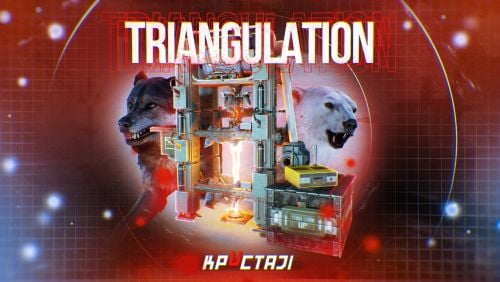
Welcome to a new arctic event where players will need to brave the arctic biome to deal with packs of aggressive feral animals! Description The event begins with a chat warning explaining that scientists studying the arctic area of the island have been attacked by vicious animals and need to quickly be evacuated. Since leaving in such a hurry, they left their drilling rig behind, which extracts a lot of profitable resources, currently the location of the rig is not known. Players are able to find and use this rig, since it is left unguarded, but first they have to find it's location. The team left behind three signal receivers at different locations on the island. The player needs to scan each of them sequentially. This won't be as easy as it sounds, utilizing the signal receivers seems to be a big part of what is aggravating the packs of animals nearby that led to the attack. The animals seem so crazed by the signal receivers running that they will attack and try to destroy them when the players use them to triangulate the location of the drilling rig. Players should protect the receivers if they have any hopes to retrieve the location of the rig, they will need to use all three receivers to find it. The rig will need quite a few batteries to run, players should loot these after running each scan. To incentivize keeping these scanners running, loot is provided with each successful scan of the area. The more health each scanner has upon completing the scan the more batteries will be received as a reward. The more batteries are in the rig, the longer it will run and the richer the reward will be in the end. In the plugin configuration you can change almost anything you can think of, the loot in each location, the signal receivers and drillig rig parameters, timers, attack waves, animal configuration, and almost any customization you can think of will be found in the config file. Put on some warm clothing and head out to meet the new challenge! Dependencies Required AnimalSpawn Dependencies (optional, not required) TruePVE GUI Announcements Notify Discord Messages NTeleportation Economics Server Rewards IQEconomic XPerience Chat commands (only for administrators) /tstart - start the event /tstop - end the event Console commands (RCON only) tstart - start the event tstop - end the event Plugin Config en - example of plugin configuration in English ru - example of plugin configuration in Russian Hooks void OnTriangulationStart() – called when the event starts void OnTriangulationEnd() – called when the event ends void OnTriangulationWinner(ulong winnerId) – called at the end of the event, where the winnerId is the player who did more actions to complete the event void OnTriangulationReceiverSpawn(Vector3 pos, float radius) - called when the signal receiver spawn on the map void OnTriangulationDrillSpawn(Vector3 pos, float radius) - called when the drilling rig spawn on the map My Discord: kpuctajl Join the Mad Mappers Discord here! Check out more of my work here!$30.00- 35 comments
- 8 reviews
-
- 9
-

-

-
- #event
- #facepunch
- (and 17 more)
-

Version 1.4.3
79 downloads
The smallest and most spacious map, featuring high-tier monuments, a railway, many flat areas, and elevation changes. Designed to concentrate lots of players within a small area, provide full gameplay, offering enough loot, farming space, NPC monuments, and a winter wonderland! Try something new Features: Ring Railway: used as a road, and there's a respawn of junkpiles Ice Caves: trains run through them, and players can build a base in some areas Green Caves: green trees, hemp, berries, corn and pumpkins Winter CargoShip (safe-zone): players can spawn here if the island too dangerous Sailing Yacht: nice spot for living Bradley: patrolling the subway Undeground Excavator: stylized Train Unloading Station: part of the trainyard, green card puzzle, wagon unloading, blue card spawn Nuclear Missle Silo: stylized & build zone reduced Arctic Research Base: stylized & build zone reduced Sphere Tank: stylized & build zone reduced Subway Oilrigs Underwater lab If you have any questions about the map, need help or find a bug, please let us know! Our discord: https://discord.com/invite/GGgx822 Why is the ArcticMapCore.cs plugin used with this map? - It ensures trains can pass through tight spots without getting stuck - It restores natural respawn of hemp, berries, mushrooms, etc. in green caves under icebergs - It removes hurt damage on heavily resized ice walls, enhancing aesthetics without gameplay issues - And finally it allows 3 vanilla monuments to be placed extremely close together without island building blocks, fully maintaining vanilla facepunch logic (no custom NPC, loot or IO puzzles) - they are 100% vanilla, so the map doesn't break with game updates$24.90 -

Version 1.0.2
5 downloads
Ever want to have a little cabin in the snowy mountain to do some ice fishing? Well this is the prefab for you!$10.00 -

Version 1.1.1
13 downloads
An arctic island full of things to explore and lots of farming opportunities with a high number of recurring nodes. 2000 Prefabs CCTV Cam ID: FARM1 Installation Modifiers: Height, Splat, Topology Arena diameter: 250m 110 ores of each type After installing in the ocean, you must remove Offshore topology$6.49 -
Version 1.0.1
26 downloads
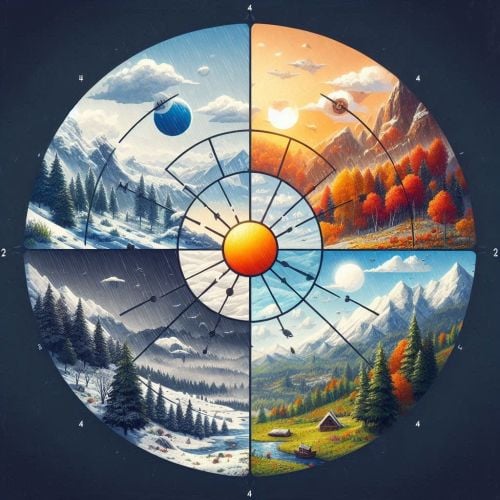
This is a plugin that includes seasons in the game such as Winter-Spring-Summer-Autumn. Each season is individually customisable, and for each season you can change the appearance of clouds, the probability of rain and how heavy it will be, the growth rate of plants, cloud cover, fog, the frequency of weather changes and the frequency of season change, Interface that displays the current season (can be disabled), The function continues the current season after a server restart or wipe by saving the remaining time and correctly resuming the season with the remaining duration. So you are able to add dynamic seasonal changes to the game, affecting the environment and gameplay Features Customisable weather Customisable plant growth rate for each season Customisable cloud views Customisable rain and its intensity Сhat messages Customisable fog Customisable time interval between seasonal weather changes Mention of the season and the time during which the season is already running Displaying the interface with the current season • It is possible to edit the position of the plate • Change the background colour • Change the size of the text • Possibility to disable the display of the plate An example of a Config file view { "Autumn": { "Clouds": 0.4, "GrowthMultiplier": 1.0, "MaxFog": 0.3, "MaxRain": 0.2, "MinFog": 0.2, "MinRain": 0.15, "WeatherChangeInterval": 600.0 }, "SeasonDurationAutumn": 1800.0, "SeasonDurationSpring": 1800.0, "SeasonDurationSummer": 1800.0, "SeasonDurationWinter": 1800.0, "Spring": { "Clouds": 0.3, "GrowthMultiplier": 2.0, "MaxFog": 0.2, "MaxRain": 0.1, "MinFog": 0.1, "MinRain": 0.05, "WeatherChangeInterval": 600.0 }, "Summer": { "Clouds": 0.1, "GrowthMultiplier": 5.0, "MaxFog": 0.0, "MaxRain": 0.0, "MinFog": 0.0, "MinRain": 0.0, "WeatherChangeInterval": 600.0 }, "UISettings": { "AnchorMax": "0.95 0.97", "AnchorMin": "0.88 0.92", "BackgroundColor": "0.1 0.1 0.1 0.7", "DisplayUI": true, "FontSize": 20 }, "Winter": { "Clouds": 0.7, "GrowthMultiplier": 0.5, "MaxFog": 0.5, "MaxRain": 0.5, "MinFog": 0.4, "MinRain": 0.4, "WeatherChangeInterval": 600.0 } } If you have any questions or need any help, feel free to send me a private message on Discord My Discord: callofglory_anytime You can see the above described plugin in the video(The speed of changing seasons is variable, the seasons change quickly in the video for clarity of work)$8.99 -

Version 1.4.4
23 downloads
Winter Wonderland is a christmas/winter themed map with dominant biome arctic and minority of the rest. Map contains 4 unique custom made cabins for players to explore and build in + a large ice valley that can be an unique location for a town or just player bases. Custom Safezone including all vendors from both Outpost + Bandit Camp , including Airwolf Vendor. 3 unique Heli Towers placed on top of mountains and 3 unique Gas Stations made by !David#1337 On top of mountains you will have the Sled Shop Cabin which allows players to race towards the Christmas Modern Village and Terminus Safe Zone , Sled Shop will sell sleds (Loot Profile included in zip file in case you want to do edits). The pack of wolves down next to Modern Christmas Village are dormant and will not move/attack or be hurt by any player interactions or AI. Snowflakes that you see on map picture are underwater terrain modifications. The map features custom and procedural monuments ~Procedural Monuments : Water Treatment Plant Train Yard Airfield Power Plant Launch Site Military Tunnels Satellite Dish Junkyard Sewer Branch The Dome Arctic Research Base HQM & Sulfur & Stone Quarries 2 Mining Outpost 2 Abandoned Supermarket Large & Small Oil Rigs 6 Underwater Labs ~Custom Monuments : 3 Public Heli Towers with Tier 1 - 2 - 3 Workbenches / Repair and Research Bench / Recycler and Vending Machines / Recreation area 4 Custom Winter Cabins featuring a deep hidden cave under the cabin and attic 2 Gas Stations made by !David#1337 Terminus Safezone - Including all Vendors from both Outpost & Bandit Camp with Airworlf Vendor and extras Modern Christmas Village featuring 4 Modern Villas in unique location and slightly modified Roadside bus stations with cover and fire source to warm your players Santa's Atelier with Reindeers (Pack of Wolves on budget) Sledge track towards Safezone and Village Sledge Shop on top of mountain between the Sledge tracks Frozen Valley ~ Entity Count : 29770 ~ Map Size : 4000 Password Comes with the map.$25.00- 8 comments
-
- 3
-
-
- #christmas
- #rust
- (and 9 more)
-

Version 2.0
10 downloads
I've disabled sales of this product here moving forward.$9.99 -
Version 1.0.1
6 downloads
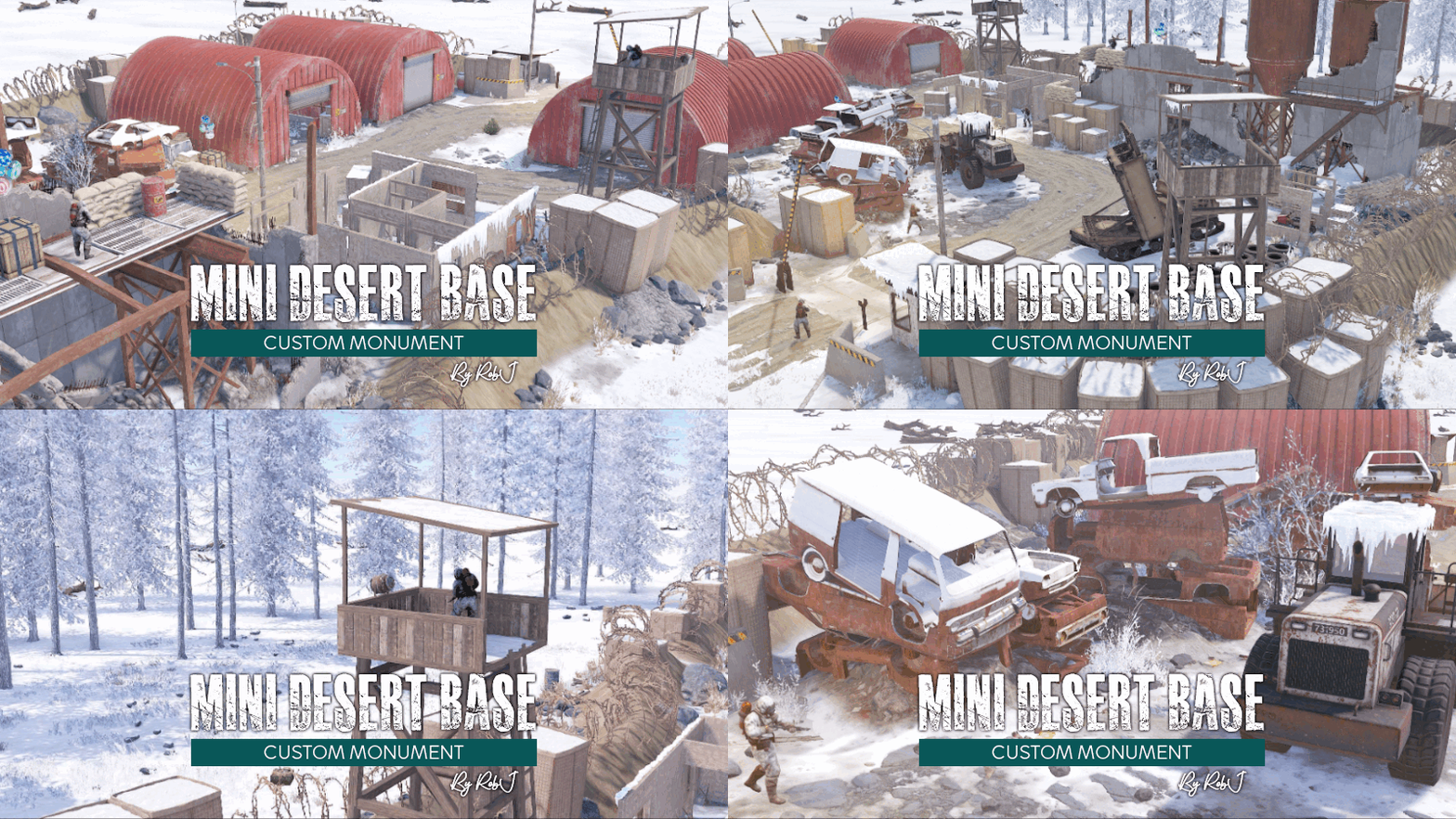
This monument is a mini space-saving replacement for Desert Military Base. Nothing Is missing in this smaller version like the MLRS and it’s got some great additions too including more loot a blue/red card puzzle in the underground rooms. Perfect for one grid or smaller size maps with a smaller footprint and no protruding edges. Nuclear Winter Edition The monuments in this collection have been converted in high detail to fit a winter aesthetic and blend in perfectly with a snowy landscape. After a large-scale nuclear war, nuclear winter is a severe and prolonged cooling of the global climate, turning the world into a winter landscape. Custom NPC I've replaced the normal RustEdit Scientists with my own set of NPCs from the different factions in the Rust world (Normal Scientist, Arctic Scientist, Tunnel Dweller, Underwater Dweller). If you do not like my NPCs, you can simply uninstall the plug-in and supply your own with any bot plugin you like. Quick Start Extract the zip file into your RustEdit install folder. Start Rust Edit. Click on Prefabs at the top & open up your Prefab List. Under the Custom category, you will now find RobJs Premium Prefabs. Double click on the prefab file and it will spawn it into the map for you. Drag it to the general area you want to place it and click on Snap To Terrain Apply the Height Mask, Topology Mask, Alpha, and Splat Mask. Contact And Help If you need to contact me discord is best: RobJ2210#2553 For help/support my discord group is best: Join RustMaps Discord$16.99 -
Version v1
7 downloads
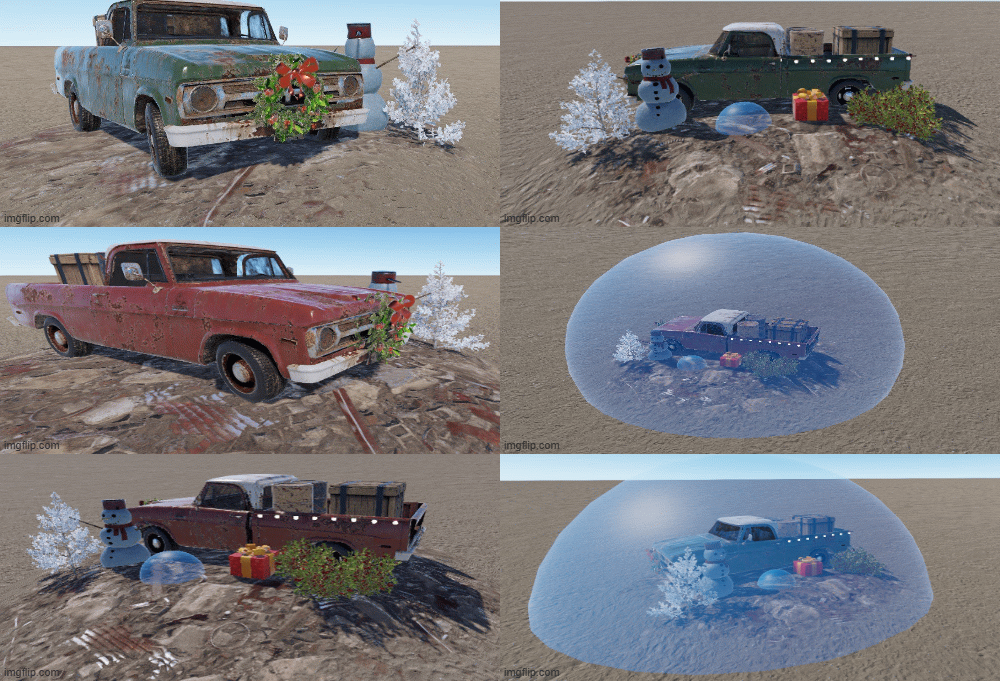
Enchance your festive maps with those junkpiles and warm your players hearts for christmas ! This pack of two prefabs includes: Christmas truck red junkpile: only 15 Entities, various loot, pickable red berries and 1 NPC Christmas truck green junkpile: only 15 Entities, various loot, pickable red berries and 1 NPC Nice addition to junkpile to add for the holidays.$1.50 -

Version 1.0.0
12 downloads
A small cozy hand made winter cabin with a hidden underground shelter behind the bookshelf and spacious attic to spend your cold winter in peace!nIt comes with height mask , splat mask , biome mask, alpha mask and topology mask. Entity Count : 245 To use this on your map copy the files from "Custom Prefabs" folder into your "CustomPrefabs" folder in RustEdit directory and after that you can see your new prefab in the Custom Prefabs list in Rust Edit.$3.50 -
Version 1.0.3
4 downloads
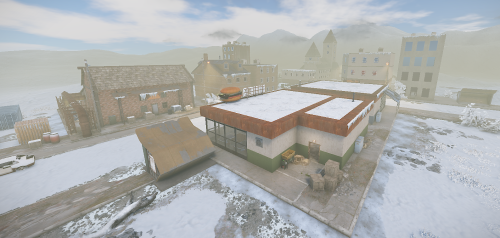
It's getting cold in rockford.... Rockford is a small town that survived the nuclear attack well. Although no one lives there anymore, the buildings are still in good condition. There are some shops where you can still find food. There is also a church. Water bottles were filled in a factory and it seems like people still come to the place from time to time. You can also get all buildings individually in the Codefling shop. Prefabs: 7649 Please note: Download the prefab files and place them in RustEdit/CustomPrefabs directory of RustEdit. The prefabs can be accessed in the custom section of prefab browser. To use sinlge letters, the prefab has to be broken by selecting it (once placed) and using the "break prefab" function. Important: I don't use "prevent building sphere/cubes" in any of my prefabs, also no monument markers are set. These need to be added by yourself. If the NPCs are not wanted, press the H key (overview of all prefabs) and delete them from the prefab. Questions and suggestions: If you have any problems you can contact me via Katalaner - Discord: https://discord.gg/e2vrPszZFX Katalaner Webseite: http://katalaner.de Rustgame Infoseite: http://webarte.de Youtube: https://www.youtube.com/channel/UC_5P_wAFKl5bdndkDEQDK4g PVE Urlaub Rust Server - Discord: https://discord.gg/75u3fJwPQw$25.15