Image

Hiding Virtualization From Other Software

The Kernel-based Virtual Machine (KVM) allows Linux systems to function as hypervisors without needing any extra software, but VMs created with it don’t behave exactly like real hardware does. Sometimes that’s important, though, so [sandwich] built a tool called vfio-native that obscures the fact that software might be running in a virtual machine.

There are plenty of the ways that virtual hardware differs from bare metal. The VM may behave slightly differently for obscure instructions in ways that are measurable, it may take slightly longer to perform some tasks, or the hypervisor may simply announce itself directly. vfio-native includes some kernel patches that solve some bugs which address the different behaviors, changes the way that the kernel identifies itself, and attempts to force the CPUs to behave in ways that real hardware would behave. With all of this applied to the virtual machine, it scores a 1/85 against a VM detection tool, with a standard KVM virtual machine scoring 10/85.

For anyone looking to test this out, it’s available in the AUR for Arch Linux. Also, it’s probably worth mentioning that there are more reasons to use this than cheating at Counter-Strike. For example, security researchers testing malware need to know how that software behaves when it thinks its on real hardware, and some may behave in benign ways when confined to virtual machines. Some licensed software also may disable itself when it detects its running in a VM, which can be a nuisance for things like software controlling industrial tools which only run on operating systems that are no longer maintained or hardware that can’t be found anymore. Some other tools we’ve seen before perform similar tasks as well.
Image

Hackaday Europe 2026: Fluid Kernels And Optimizing C++ For MCUs

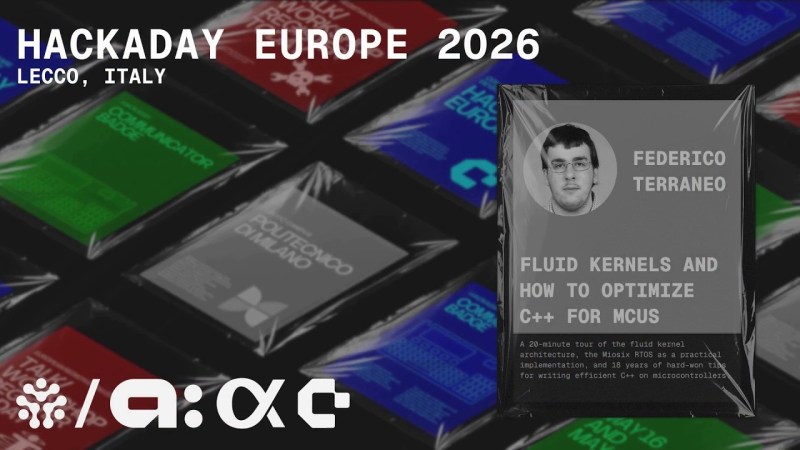
Oftentimes, when we’re using a microcontroller, we’re whipping up some very specific code focused on executing a particular task. The device is set up to execute code that does exactly what we want with minimal overhead. However, sometimes, there are scenarios where it pays to go with a somewhat heavier setup, wherein the microcontroller runs an operating system for the benefits that offers.

Federico Terraneo came to Hackaday Europe to discuss this very topic. He talks about kernel architecture, real-time operating systems, and how to best use C++ in the world of microcontrollers.

Continue reading “Hackaday Europe 2026: Fluid Kernels And Optimizing C++ For MCUs” →

Image

Running Modern Linux On A 68008

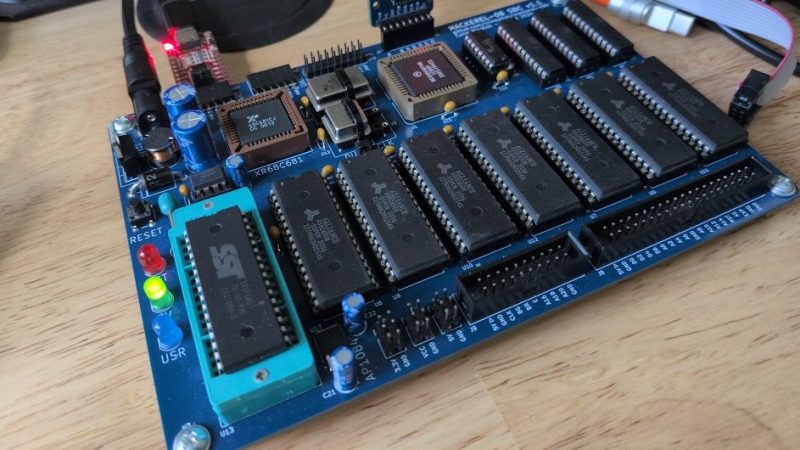
Linux developers have been trimming the fluff in recent years, removing support for older processors that hardly anyone uses with a modern kernel anymore. With that said, it’s possible to run the latest kernel on some truly old metal. As a case in point, [Colin Maykish] just got it going on a Motorola 68008!

The rig in question is a Mackerel-68k—a homebrew single-board computer built around Motorola’s famous 68000 CPU line. This version in particular is running a 68008 rated at 8 MHz, though it’s overclocked to 14 MHz for a little more pep, and has just 3.5 MB of RAM. Despite these limitations, the board can run the mainline v7.1-rc6 kernel, booting into userspace and providing a very minimalistic BusyBox shell. Booting is slow, and doing much more than that is impossible without running out of RAM, but it’s an impressive feat nonetheless. [Colin] has also had the 68010 and 68030 chips running the kernel, too.

We’ve previously discussed efforts to bring Linux into the future while leaving old chips behind. Video after the break.

Continue reading “Running Modern Linux On A 68008” →

Hackaday Links Column Banner

Hackaday Links: May 17, 2026

To start things off, we’d like to extend a special thanks to everyone who joined us for Hackaday Europe this weekend in Lecco, Italy. It was 48 hours of fascinating talks, incredible badge hacks, and some of the greatest company you could hope for. For those who couldn’t make it in person, we didn’t forget you — expect to hear more about what went down once we get a chance to catch our collective breath.

That’s not the only thing to keep an eye out for in the coming days. This is your reminder that Amazon will be officially ending support for older Kindles in a few days. After May 20th, any of the megacorp’s e-readers that were introduced before 2012 will be persona non grata, so you should plan accordingly.

The biggest change is that these older devices won’t be able to buy digital books from Amazon, but you can still use them offline, and the fantastic Calibre makes it a breeze to load up content from other sources. To be perfectly honest, we’d advise any Kindle user to decouple their device from the Amazon mothership by using Calibre or even jailbreaking it and installing KOReader, so the end of official support is fine by us. In fact, if a surge of unsupported Kindles brings more attention and users to those projects, that suits us just fine.

Continue reading “Hackaday Links: May 17, 2026” →

Image

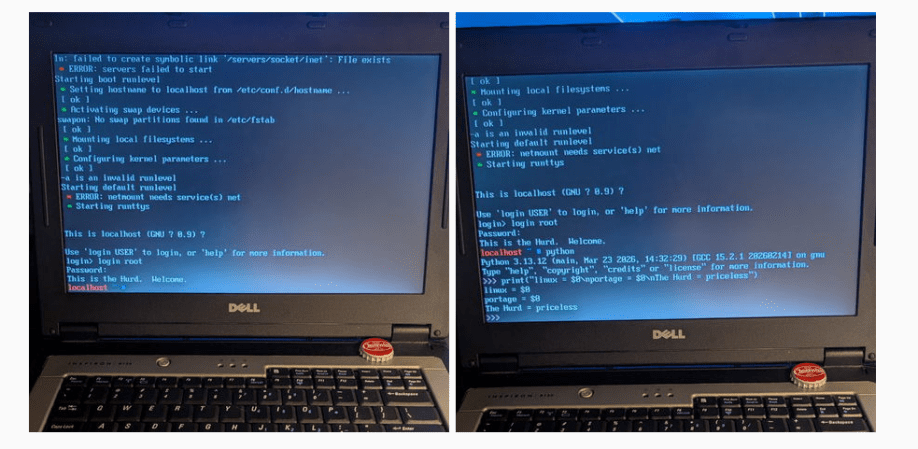
They Weren’t Joking: Gentoo WAS Ported To GNU Hurd

Long ago, in the aftermath of the UNIX wars, three kernels emerged from the rubble: BSD, Linux, and Hurd. BSD, being UNIX, was held back by legal wrangling in the aftermath of the wars, and that allowed Linux to pull ahead to a pole position it still enjoys to this day. BSD has its following, of course, but Hurd? GNU Hurd seemed destined to languish… until April 1st, 2026, when the Gentoo Linux distribution was ported to the Free Software Foundation’s kernel.

It turns out, they weren’t actually joking. The joke part was that they were moving fully to the Hurd kernel, away from Linux– you can absolutely still run Gentoo with the Linux kernel, and make no mistake, that’s still the default and best-supported option. Options are good, though, and the Gentoo team has decided that it’s time to add some options to the kernel space, and give the Hurd some time in the sun.

Unlike the Linux kernel, which follows closely the monolithic UNIX framework– and the BSD-Unix kernel, which is Unix–GNU Hurd is a microkernel architecture, based originally on the Mach kernel. In that, it’s rather like MacOS. Unlike MacOS, given its roots in the Free Software Foundation, GNU Hurd is 100% free and open source. There are advantages to a microkernel architecture– it keeps drivers out of kernel space so a dodgy WiFi adapter can’t crash your system, for example– but the big disadvantage is, of course, drivers. Both Linux and BSD drivers can be ported, but that takes work and many of them have not been.

Still, now that Microsoft has become a major contributor to the Linux kernel, we could see a lot of the old-school Linux users who talk about “win-doze” and still spell Microsoft with a dollar sign being tempted to join the Hurd. If that appeals to you and you’re not into Gentoo, Debian has quietly let you install with the Hurd kernel for years now. It’s either that or embrace BSD and escape the chaos vortex.

The big three aren’t the only POSIX kernels out there, of course– there’s even one written entirely in Rust, for the die hard rustaceans amongst you.

Image

Recording HDR Video With A Raspberry Pi

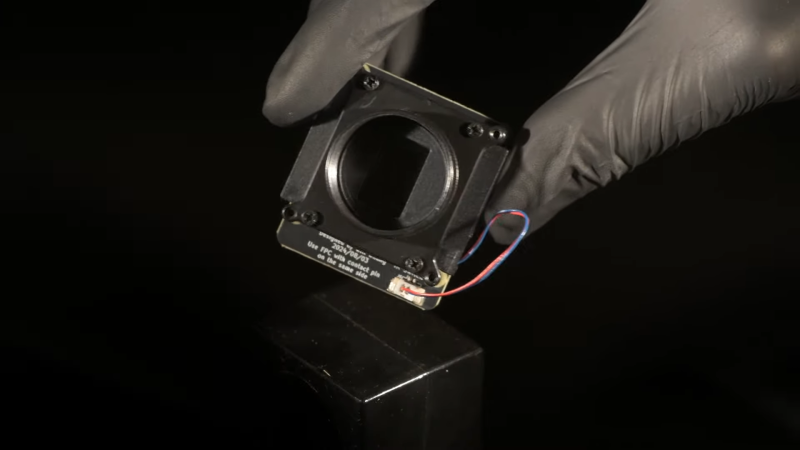
The Raspberry Pi line of single-board computers can be hooked up with a wide range of compatible cameras. There are a number of first party options, but you don’t have to stick with those—there are other sensors out there with interesting capabilities, too. [Collimated Beard] has been exploring the use of the IMX585 camera sensor, exploiting its abilities to capture HDR content on the Raspberry Pi.

The IMX585 sensor from Sony is a neat part, capable of shooting at up to 3840 x 2160 resolution (4K) in high-dynamic range if so desired. Camera boards with this sensor that suit the Raspberry Pi aren’t that easy to find, but there are designs out there that you can look up if you really want one. There are also some tricks you’ll have to do to get this part working on the platform. As [Collimated Beard] explains, in the HDR modes, a lot of the standard white balance and image control algorithms don’t work, and image preview can be unusable at times due to the vagaries of the IMX585’s data format. You’ll also need to jump some hurdles with the Video4Linux2 tools to enable the full functionality of these modes.

Do all that, recompile the kernel with some tweaks and the right drivers, though, and you’ll finally be able to capture in 16-bit HDR modes. Oh, and don’t forget—you’ll need to find a way deal with the weird RAW video files this setup generates. It’s a lot of work, but that’s the price of entry to work with this sensor right now. If it helps convince you, the sample shots shared by [Collimated Beard] are pretty good.

If you’re looking to record some really juicy, colorful imagery with the Raspberry Pi, this is a difficult but viable way to go. We’ve seen some other hardcore Raspberry Pi camera hacks of late, too.

Continue reading “Recording HDR Video With A Raspberry Pi” →

Image

Building A Dependency-Free GPT On A Custom OS

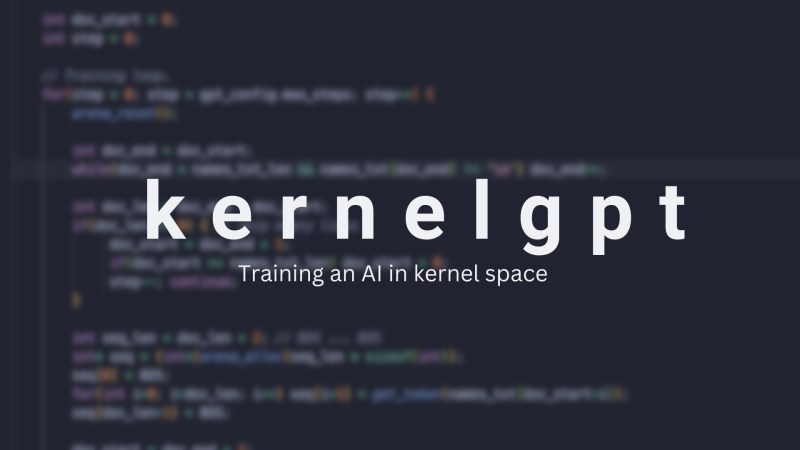
The construction of a large language model (LLM) depends on many things: banks of GPUs, vast reams of training data, massive amounts of power, and matrix manipulation libraries like Numpy. For models with lower requirements though, it’s possible to do away with all of that, including the software dependencies. As someone who’d already built a full operating system as a C learning project, [Ethan Zhang] was no stranger to intimidating projects, and as an exercise in minimalism, he decided to build a generative pre-trained transformer (GPT) model in the kernel space of his operating system.

As with a number of other small demonstration LLMs, this was inspired by [Andrej Karpathy]’s MicroGPT, specifically by its lack of external dependencies. The first step was to strip away every unnecessary element from MooseOS, the operating system [Ethan] had previously written, including the GUI, most drivers, and the filesystem. All that’s left is the kernel, and KernelGPT runs on this. To get around the lack of a filesystem, the training data was converted into a header to keep it in memory — at only 32,000 words, this was no problem. Like the original MicroGPT, this is trained on a list of names, and predicts new names. Due to some hardware issues, [Ethan] hasn’t yet been able to test this on a physical computer, but it does work in QEMU.

It’s quite impressive to see such a complex piece of software written solely in C, running directly on hardware; for a project which takes the same starting point and goes in the opposite direction, check out this browser-based implementation of MicroGPT. For more on the math behind GPTs, check out this visualization.

Continue reading “Building A Dependency-Free GPT On A Custom OS” →