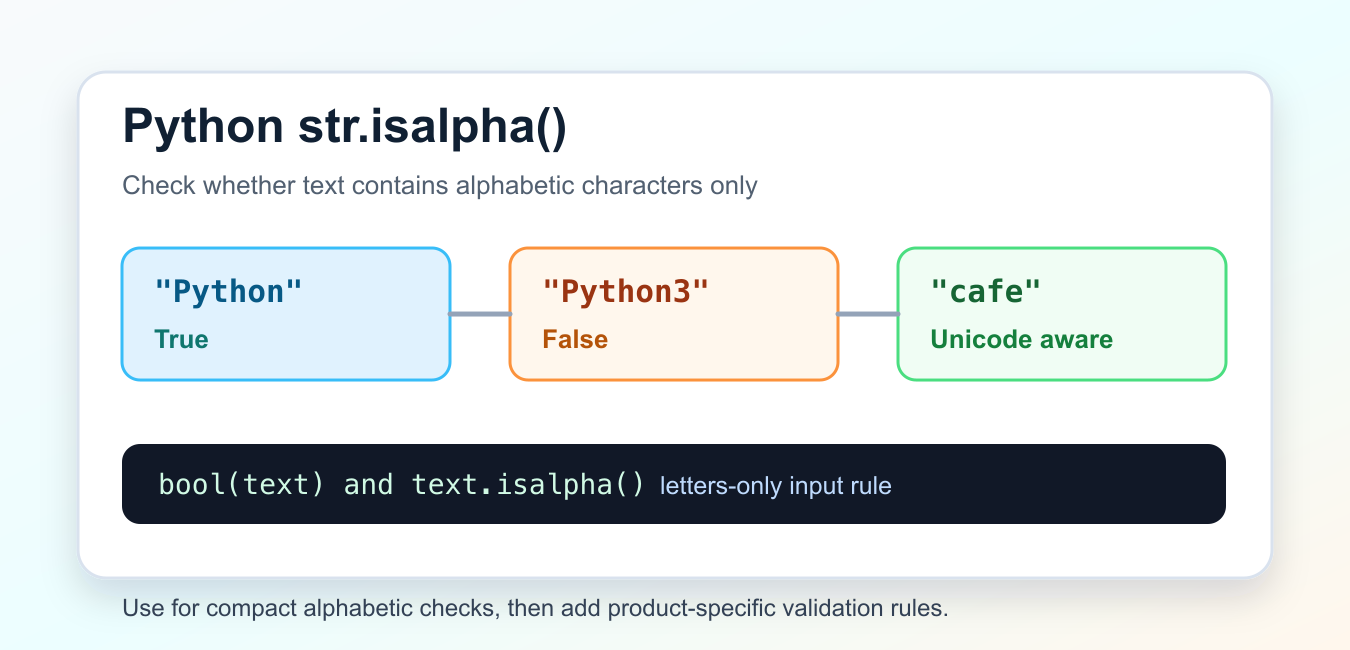
Python str.isalpha() returns True when a non-empty string contains only alphabetic characters according to Unicode character data. It returns False for digits, spaces, punctuation, and an empty string. The method is useful for a letter-only check, but it is not complete name, identifier, or language validation.
Quick answer
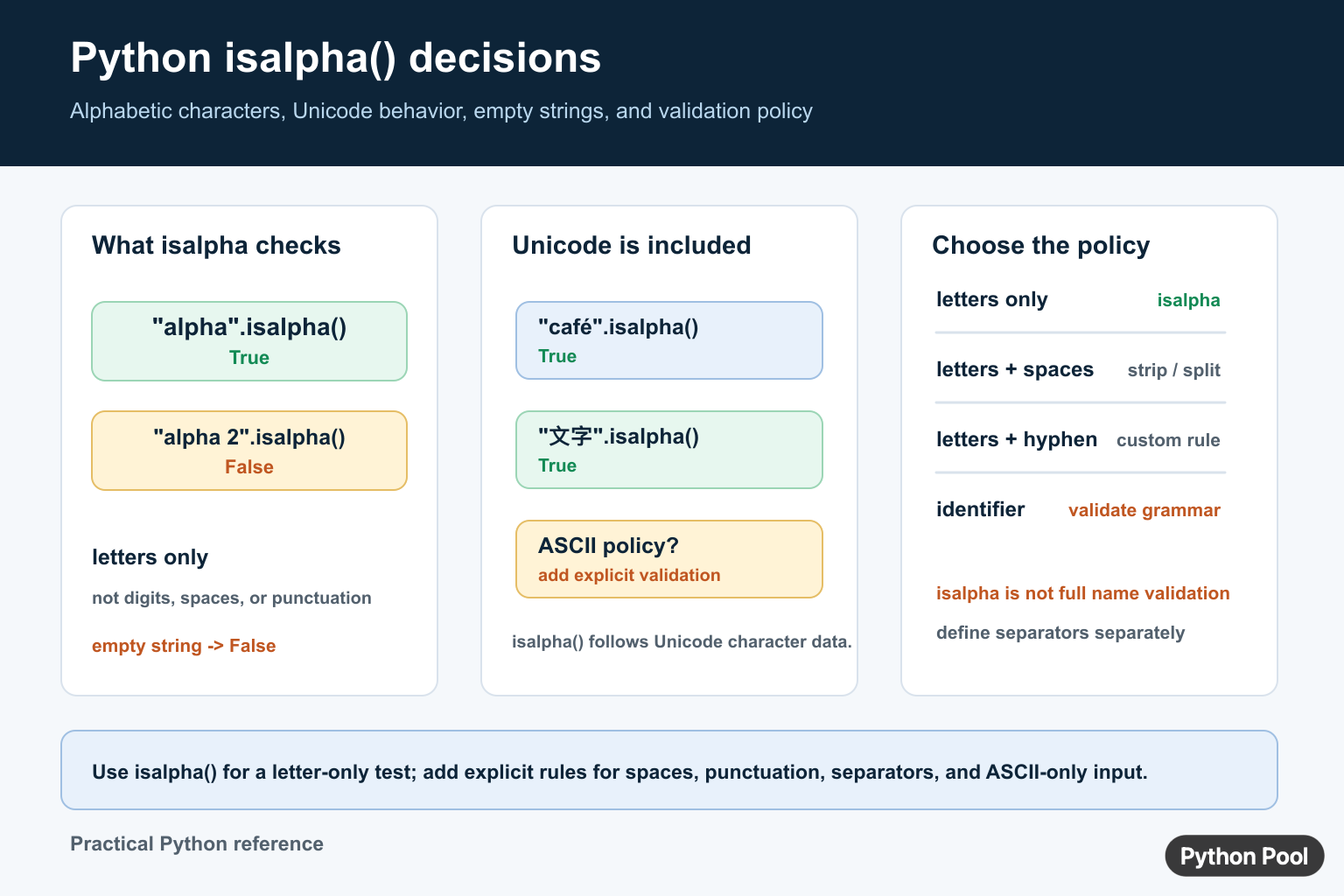
Call value.isalpha() when every character must be a letter. The test is Unicode-aware, so it is broader than an ASCII-only rule. Add separate handling for spaces, hyphens, apostrophes, digits, case, and normalization when the application accepts real-world names or identifiers. The Python string method documentation defines the result.
Use the basic isalpha syntax
The method takes no arguments and returns a Boolean. It does not modify the original string.
samples = ["alpha", "alpha2", "alpha beta", ""]

for sample in samples:
    print(repr(sample), sample.isalpha())
Only the first sample passes because the other strings contain a digit, a space, or no characters. Use repr() while debugging validation so whitespace and empty input remain visible.
Understand Unicode behavior
isalpha() tests Unicode alphabetic characters rather than restricting the input to English A-Z. That is useful for multilingual text, but it may be broader than a protocol that explicitly requires ASCII.
latin = "cafe"
non_latin = "sample"

print(latin.isalpha())
print(non_latin.isalpha())
The important policy question is not whether Unicode support is good or bad. It is whether the field’s storage, search, display, and interoperability rules support the characters that the validator accepts.
Reject empty strings explicitly
An empty string returns False, which is usually the right behavior for a required letter field. If an empty value means “not provided” rather than “invalid,” handle that state separately so callers can distinguish missing input from malformed input.
value = ""

if value == "":
    status = "missing"
elif value.isalpha():
    status = "valid"
else:
    status = "invalid"

print(status)
Clean surrounding spaces deliberately
" alpha ".isalpha() is false because spaces are not alphabetic. If surrounding whitespace is harmless, strip it before validation. Preserve the raw value when the original input is needed for error messages or auditing.
raw = "  alpha  "
clean = raw.strip()
print(clean.isalpha())
Do not strip internal spaces automatically. A multi-word name and a single token have different policies.
Allow names with separators
Names, labels, and slugs often allow spaces, hyphens, or apostrophes. isalpha() alone cannot express those rules. Split or scan the string and validate each component, or write a dedicated regular expression that states which separators are allowed and where they may appear.
def is_name(value):
    parts = value.strip().split()
    return bool(parts) and all(part.isalpha() for part in parts)

print(is_name("Ada Lovelace"))
This example accepts spaces between letter-only parts but still rejects digits and punctuation. Extend it only after deciding how repeated spaces and punctuation should behave.
Compare related string methods
Use isalnum() when letters and digits are both allowed, isdigit() or isdecimal() for digit policies, and isspace() for whitespace. These methods answer different character questions and should not be substituted just because they return the same result for a simple example.
Define ASCII-only validation
If a protocol requires ASCII letters, use an explicit range or regular expression instead of relying on isalpha(). Document whether uppercase and lowercase are both accepted and whether normalization happens before the check.
import re

ascii_letters = re.compile(r"^[A-Za-z]+$")
print(bool(ascii_letters.fullmatch("alpha")))
print(bool(ascii_letters.fullmatch("alpha2")))
Normalize before comparing text
Unicode text can have more than one representation of what a reader considers the same visible character. isalpha() checks the characters that are present; it does not normalize equivalent forms or perform case folding. If a name or identifier is compared across systems, define normalization and case policy separately from the letter test.
import unicodedata

value = "sample"
normalized = unicodedata.normalize("NFC", value)
print(normalized.isalpha())
Do not normalize blindly when the original spelling must be preserved for display. Store the original and the normalized comparison form separately when the application needs both.
Test validation as a matrix
Include empty input, surrounding spaces, internal spaces, digits, punctuation, hyphens, apostrophes, ASCII letters, and representative non-ASCII letters. Test the same values against the complete field rule, not just against isalpha(), because a passing character test may still be an invalid identifier or name.
Use isidentifier() when the requirement is specifically a Python identifier, but remember that a Python identifier policy is different from a product name or human name policy. Name the helper after the real rule so callers do not infer broader validation from a method name.
Separate case and normalization policy
isalpha() does not make a case-insensitive comparison, and it does not decide whether two Unicode spellings should be treated as equivalent. Call casefold() for a comparison policy when appropriate, and use unicodedata.normalize() when the data contract requires a canonical form. Keep the original display value if users need to see exactly what they entered.
import unicodedata

raw = "Sample"
normalized = unicodedata.normalize("NFC", raw)
comparison_key = normalized.casefold()
print(comparison_key, normalized.isalpha())
Validation should happen after any transformation that the contract explicitly permits. Otherwise a string may pass one check and fail when it reaches search, storage, or a downstream service.
Do not use isalpha as a security boundary alone
A letter-only check does not prevent confusable characters, unexpected scripts, or policy violations in an identifier. For usernames, access keys, and protocol fields, use an allowlist, normalization, length limits, and a documented character grammar. For human names, avoid rejecting legitimate language input simply because it contains a separator your UI did not anticipate.
For related validation, see checking integer text and measuring string length.
Keep validation and display separate
A field may need one rule for storage and another for display. Validate the normalized value, but keep the original value when capitalization or spelling matters to the user. Returning a clear Boolean from a small helper also makes the rule easier to test.
Frequently Asked Questions
What does isalpha() do in Python?
str.isalpha() returns True when the string is non-empty and every character is alphabetic according to Unicode character data.
Does isalpha() accept spaces or numbers?
No. Spaces, digits, punctuation, and an empty string make isalpha() return False.
Does Python isalpha() support Unicode letters?
Yes. The method recognizes alphabetic Unicode characters, so it can return True for letters outside ASCII.
How do I validate names with spaces?
Strip permitted surrounding whitespace, split or scan the parts, and apply an explicit rule for spaces, hyphens, apostrophes, or other separators.
