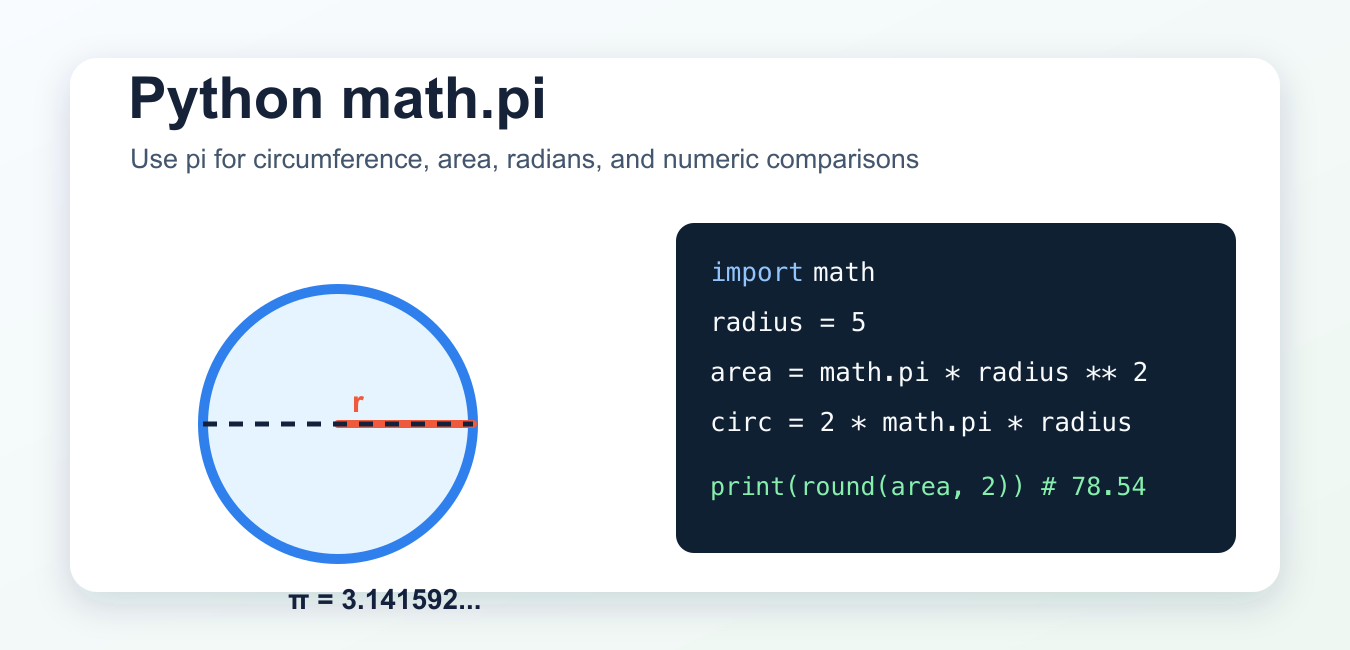
Quick Answer
Import math and use math.pi for the mathematical constant pi. For a radius r, circle area is math.pi * r ** 2 and circumference is 2 * math.pi * r. Python’s trigonometric functions use radians.
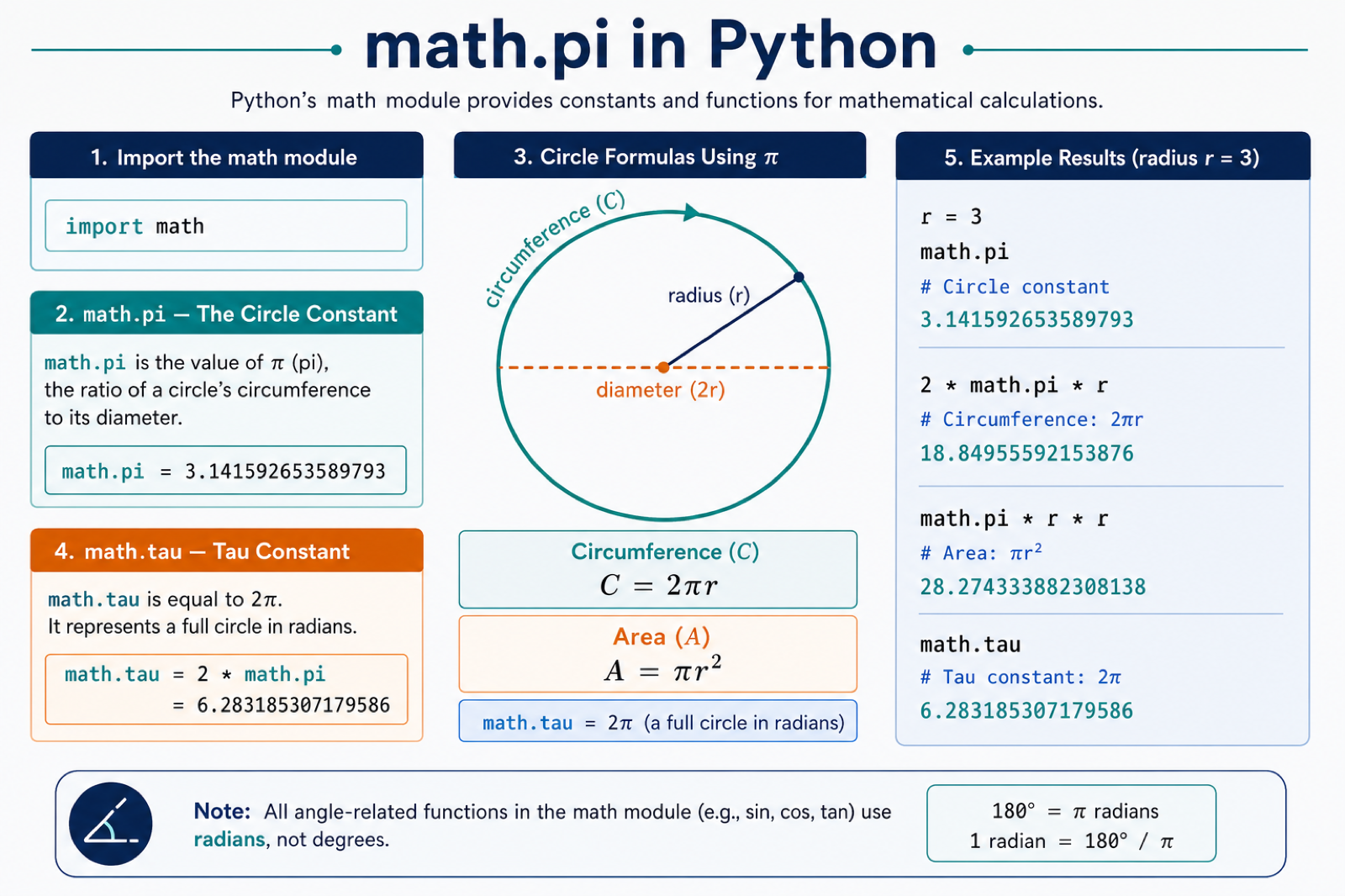
math.pi in Python is the standard-library constant for pi. Use it when you need pi in scalar calculations such as circle area, circumference, radians, trigonometry, or geometry formulas. It comes from the built-in math module, so you do not need to install any package.
The short version is:
import math

area = math.pi * radius ** 2
What is math.pi in Python?
math.pi is a floating-point approximation of the mathematical constant pi. The Python documentation defines it as pi to the available precision, which means it uses normal Python float precision rather than unlimited decimal precision.
import math

print(math.pi)
print(round(math.pi, 4))
Typical output starts with 3.141592653589793. Use round() or string formatting when you only want a display value such as 3.14.
Calculate circumference and area
The most common use of math.pi is circle geometry. Circumference is 2 * pi * radius, and area is pi * radius ** 2.
import math

radius = 5
circumference = 2 * math.pi * radius
area = math.pi * radius ** 2

print(round(circumference, 2))
print(round(area, 2))
For a radius of 5, this prints 31.42 for circumference and 78.54 for area after rounding to two decimal places.
Put math.pi in reusable functions
For real programs, avoid repeating formulas throughout the code. Wrap the calculation in a small function and return named values.
import math

def circle_metrics(radius):
    return {
        "diameter": 2 * radius,
        "circumference": 2 * math.pi * radius,
        "area": math.pi * radius ** 2,
    }

metrics = circle_metrics(3)
print(round(metrics["area"], 2))
This makes the formula easier to test and reuse. If your function accepts user input, convert the input to float before doing the calculation.
Use math.pi with radians
Python’s trigonometric functions in math use radians. Since pi radians equals 180 degrees, math.pi is useful when you need common angles.
import math

angle = math.pi / 2
print(math.sin(angle))
print(math.degrees(angle))
math.sin(math.pi / 2) returns 1.0, and math.degrees(math.pi / 2) returns 90.0.
math.pi precision and formatting
math.pi is precise enough for normal Python float calculations, but it is still a binary floating-point value. That means you should not expect unlimited digits or exact decimal arithmetic.
- Use
round(value, 2)when presenting a result to users. - Use formatted strings such as
f"{area:.2f}"for clean output. - Use
math.isclose()when comparing two calculated float values.
import math

approx_pi = 22 / 7
print(math.isclose(math.pi, approx_pi, rel_tol=1e-3))
print(math.isclose(math.pi, approx_pi, rel_tol=1e-6))
The first comparison is loose enough to treat 22 / 7 as close to pi. The second comparison is stricter, so it returns False.
math.pi vs numpy.pi
Use math.pi for ordinary scalar values. Use numpy.pi when you are already working with NumPy arrays and vectorized operations.
import numpy as np

angles = np.array([0, np.pi / 2, np.pi])
print(np.sin(angles))
Do not install NumPy or SciPy only to get pi. For regular Python scripts, math.pi is simpler and has no third-party dependency. If you are already using NumPy arrays, np.pi keeps the code consistent with the rest of the array expression.
Fix NameError: name ‘math’ is not defined
If you see NameError: name 'math' is not defined, you used math.pi before importing the module.
import math

print(math.pi)
If you want to use the name pi directly, import it explicitly:
from math import pi

print(pi)
Both forms use the same value. The import math style is often clearer because readers can see that pi comes from the math module.
Common mistakes
- Using
math.pi():piis a constant, not a function. Usemath.pi, without parentheses. - Using
^for powers: Python uses**for exponentiation. Writeradius ** 2, notradius ^ 2. - Forgetting radians:
math.sin(),math.cos(), andmath.tan()expect radians, not degrees. - Comparing floats with
==: usemath.isclose()for approximate comparisons. - Adding heavy dependencies: use
math.piunless your calculation already needs NumPy arrays.
Related Python guides
- Python e constant
- How to draw a circle in Matplotlib
- NumPy allclose() function
- NumPy factorial
- How to check Python version
- Mean squared error in Python
Official references
- Python documentation: math.pi
- Python tutorial: floating-point arithmetic
- NumPy documentation: numpy.pi
Conclusion
Use math.pi whenever a standard Python calculation needs pi. It is built in, easy to read, and accurate enough for normal float-based geometry and trigonometry. Reach for numpy.pi only when your calculation is already written with NumPy arrays.
Use math.pi in Circle Formulas
math.pi provides a floating-point approximation of pi that is appropriate for ordinary numerical work. Keep the formula explicit so readers can see whether the calculation is an area or a circumference.
import math

radius = 3
area = math.pi * radius ** 2
circumference = 2 * math.pi * radius

print(area)
print(circumference)
When comparing floating-point results, use math.isclose() with a tolerance rather than expecting every decimal representation to match exactly.
math.tau and Radians
math.tau is one full turn, or 2 * math.pi. Python’s sin(), cos(), and tan() functions expect angles in radians, so convert degrees with math.radians() when needed.
import math

print(math.tau == 2 * math.pi)
print(math.sin(math.pi / 2))
print(math.radians(180))
print(math.degrees(math.pi))
Use math.pi / 2 for a right angle in radians, not 90. Passing degrees directly to a trigonometric function produces a valid number but usually the wrong physical result.
Frequently Asked Questions
What is math.pi in Python?
math.pi is Python’s floating-point approximation of the mathematical constant pi, approximately 3.14159.
How do I calculate the area of a circle in Python?
Import math and calculate math.pi * radius ** 2, where radius is the circle’s radius.
What is the difference between math.pi and math.tau?
math.pi represents half a turn’s constant, while math.tau represents a full turn and equals 2 * math.pi.
Does Python use degrees or radians for trig functions?
The math trigonometric functions use radians. Convert degrees with math.radians() and convert back with math.degrees().
