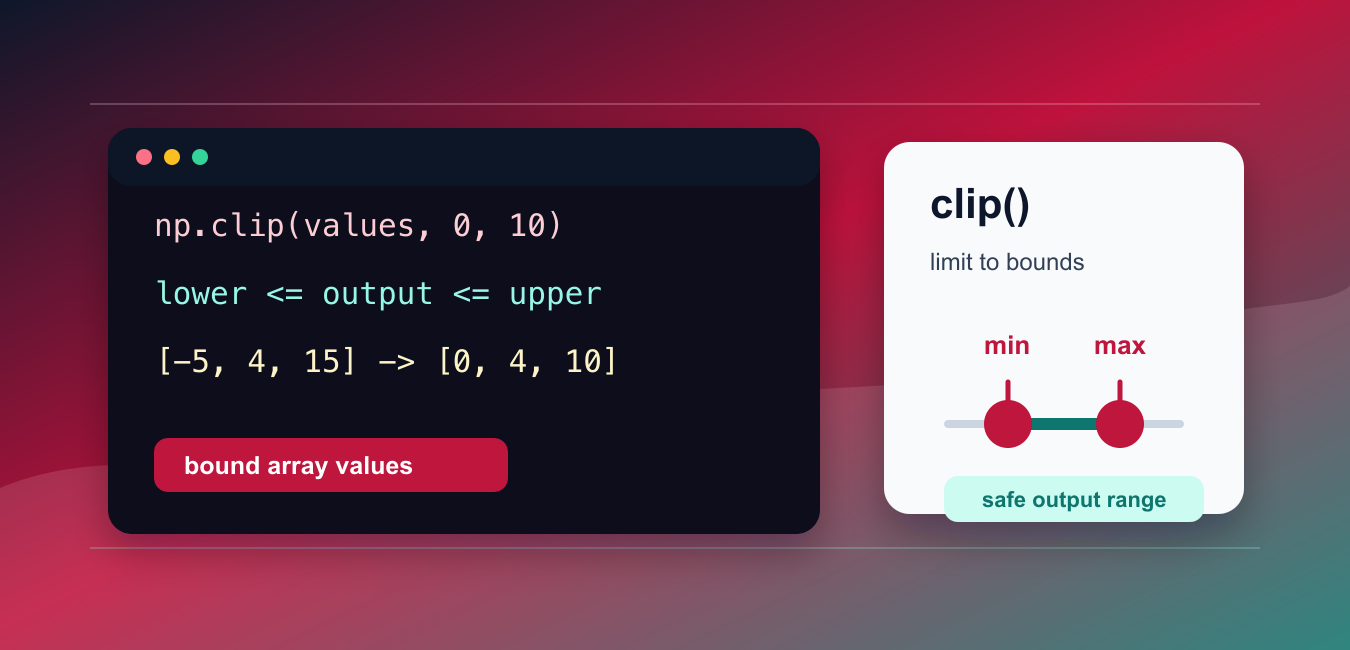
NumPy clip() limits values to an interval. Anything below the lower bound is replaced by that lower bound, anything above the upper bound is replaced by the upper bound, and values already inside the interval are unchanged. It is useful for sensor ranges, pixel values, safe ratios, display scales, and array preprocessing. The important decisions are the bounds, broadcasting shape, output dtype, and whether the original array should be overwritten.
Quick answer
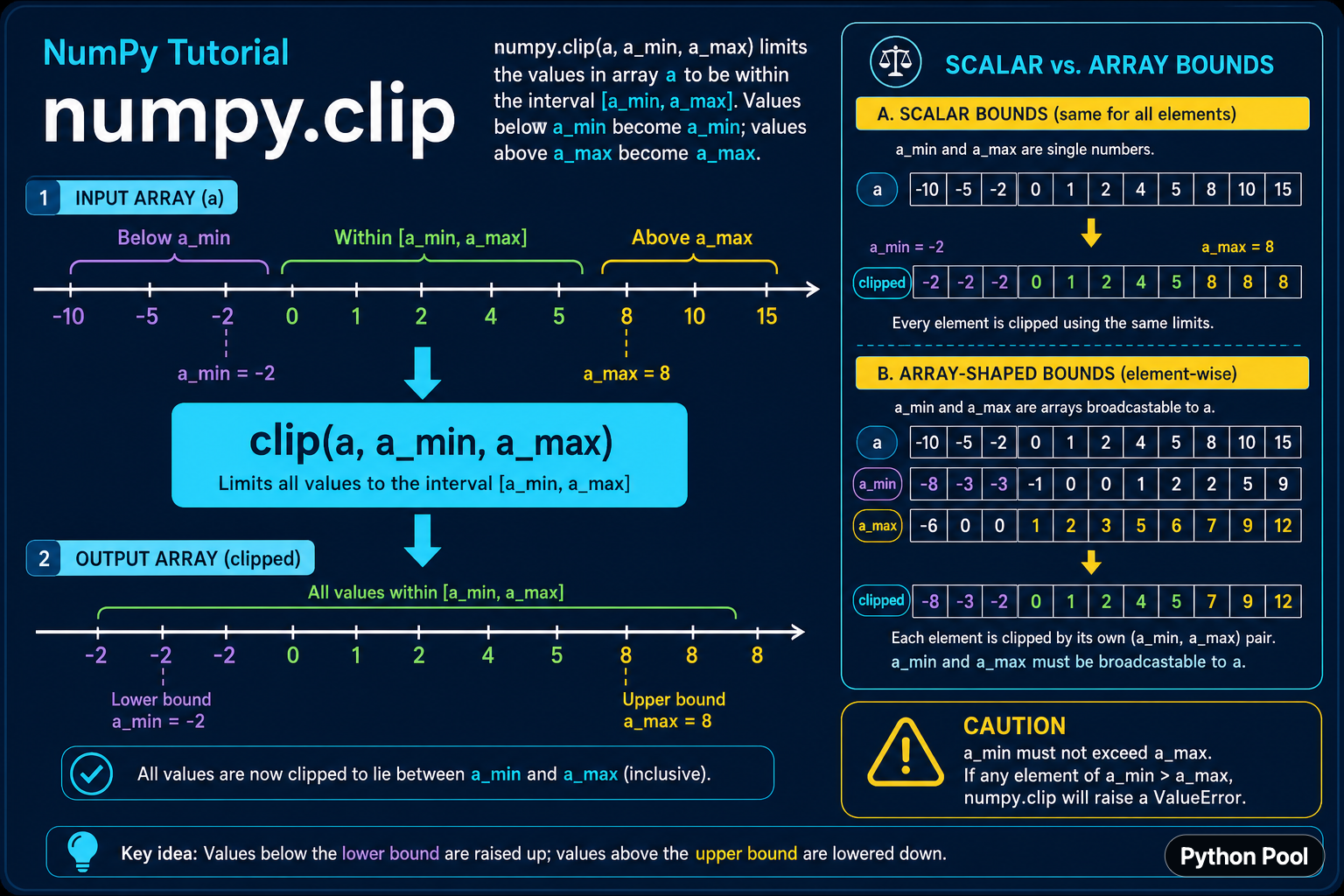
Call np.clip(array, a_min, a_max) to return an array whose values lie between the inclusive lower and upper limits. Scalar bounds apply to every element. Array-shaped bounds can vary element by element when they broadcast against the input. Make sure the lower bound does not exceed the upper bound, and use out=array only when in-place modification is intentional.
The official NumPy clip reference documents scalar and array-like bounds, the out parameter, and the fact that the operation is element-wise. Clipping is a transformation, not a substitute for checking whether an input is invalid.
Clip an array to scalar bounds
The common case uses one lower and one upper bound for every element. The returned array has values no smaller than the lower bound and no larger than the upper bound. Values in the middle are preserved.
import numpy as np

values = np.array([-5, -1, 0, 3, 9, 15])
bounded = np.clip(values, a_min=0, a_max=10)

print(values)
print(bounded)
The original array remains unchanged because np.clip() returns a result by default. This is safer in a pipeline where the raw values may be needed for auditing, error reporting, or a second transformation.
Use scalar bounds with named arguments
Named arguments make the intent clear when a function has multiple numeric parameters. The bounds are inclusive, so a value equal to either limit remains equal to that limit.
import numpy as np

scores = np.array([0.12, 0.48, 0.91, 1.08])
safe_scores = np.clip(scores, a_min=0.0, a_max=1.0)

assert np.all((safe_scores >= 0.0) & (safe_scores <= 1.0))
print(safe_scores)
Clipping can prevent an operation from producing a value outside an expected display or model range, but it can also conceal an upstream problem. If values outside the range indicate a broken sensor or invalid input, count and log them before clipping.
Use array-shaped bounds
NumPy also accepts array-like lower and upper limits. The bounds must be broadcastable to the input shape. This lets each row, channel, or feature have its own acceptable interval.
import numpy as np

values = np.array([
    [-2.0, 0.5, 12.0],
    [4.0, 8.0, 20.0],
])
lower = np.array([0.0, 0.0, 5.0])
upper = np.array([5.0, 10.0, 15.0])

bounded = np.clip(values, lower, upper)
print(bounded)
Shape errors are usually a broadcasting issue, not a reason to reshape blindly. Print the shapes of the input and both bound arrays, then confirm which dimension is supposed to vary. A wrong broadcast can produce a valid-looking array with the wrong semantics.
Clip one side only
One bound can be disabled with None in the corresponding position. Use this when the rule has only a floor or only a ceiling. A one-sided operation is clearer than inventing an arbitrary extreme number.
import numpy as np

values = np.array([-4, -1, 2, 9, 20])
floor_only = np.clip(values, a_min=0, a_max=None)
ceiling_only = np.clip(values, a_min=None, a_max=10)

print(floor_only)
print(ceiling_only)
Keep the distinction between “no bound” and “bound at a very large number.” A real bound can affect integer overflow, floating-point behavior, or later validation, while None expresses that the side is intentionally unrestricted.
Modify an array in place with out
The out parameter writes the result into an existing array. This can reduce allocations for large arrays, but it changes the object that other parts of the program may still reference. Use it only when ownership and mutation are clear.
import numpy as np

values = np.array([-2.0, 0.5, 8.0, 14.0])
result = np.clip(values, 0.0, 10.0, out=values)

print(result is values)
print(values)
In-place operations are particularly risky when a view or shared array points at the same memory. Document the mutation or return a copy. Performance is not a sufficient reason to make a hidden state change.
Validate bounds before clipping
Bounds should describe a valid interval. A lower bound greater than an upper bound is a programming or data error, so validate it when the bounds come from configuration or user input. For arrays, validate element by element or rely on the documented NumPy behavior only after testing that case.
def bounded_values(values, lower, upper):
    if lower > upper:
        raise ValueError("lower bound must not exceed upper bound")
    import numpy as np
    return np.clip(values, lower, upper)

print(bounded_values([-2, 3, 12], 0, 10))
Do not treat clipping as validation of the original data. A clipped value tells you the output is inside a range, not whether the input was trustworthy. Keep a mask such as values < lower or values > upper when out-of-range counts matter.
Preserve precision and dtype deliberately
The result follows NumPy's dtype and casting rules. Clipping an integer array with floating-point bounds may produce a floating-point result or apply a casting rule that is not what you expected, especially with out. Check dtype in code that feeds a model or file format.
import numpy as np

values = np.array([0, 5, 10], dtype=np.int16)
bounded = np.clip(values, 0.25, 8.75)

print(bounded)
print(bounded.dtype)
Choose bounds that match the unit and precision of the data. Clipping a normalized float to integer-looking limits is not the same as converting it to integers, and clipping does not round values.
Common mistakes
- Reversing the lower and upper bounds.
- Assuming clipping reports how many values were out of range.
- Using incompatible bound shapes and reshaping until the error disappears.
- Using
outwhen other code still needs the original array. - Confusing clipping with validation, rounding, or scaling.
The practical workflow is to define the inclusive interval, verify the bound shapes, record out-of-range inputs when they matter, and choose copy or in-place behavior explicitly. With those choices visible, np.clip() is a predictable array operation rather than a hidden data cleanup.
Keep a record of clipped values
For scientific and operational data, keep a Boolean mask for values that were below or above the permitted interval. The clipped array is convenient for the next calculation, but the mask preserves evidence that the raw input exceeded the model boundary. This supports quality reports and makes silent data loss less likely.
When bounds come from a configuration file, validate their units and shape before the numerical operation. A correct NumPy call with bounds expressed in the wrong unit still produces an incorrect result, and the output may not look obviously wrong.
For bounded array operations, compare NumPy clip() with input conversion and index selection. Read numpy asarray and numpy argwhere for the related workflow.
Frequently Asked Questions
Frequently Asked Questions
How do I limit values in a NumPy array?
Call np.clip(array, a_min, a_max) to return values bounded by inclusive lower and upper limits.
Can NumPy clip use array bounds?
Yes. Lower and upper bounds can be array-like when they broadcast against the input array.
How do I clip only a lower or upper bound?
Pass None for the unused side, such as np.clip(values, a_min=0, a_max=None).
Does np.clip change the original array?
Not by default; it returns a result. Pass out=array only when intentional in-place mutation is safe.
