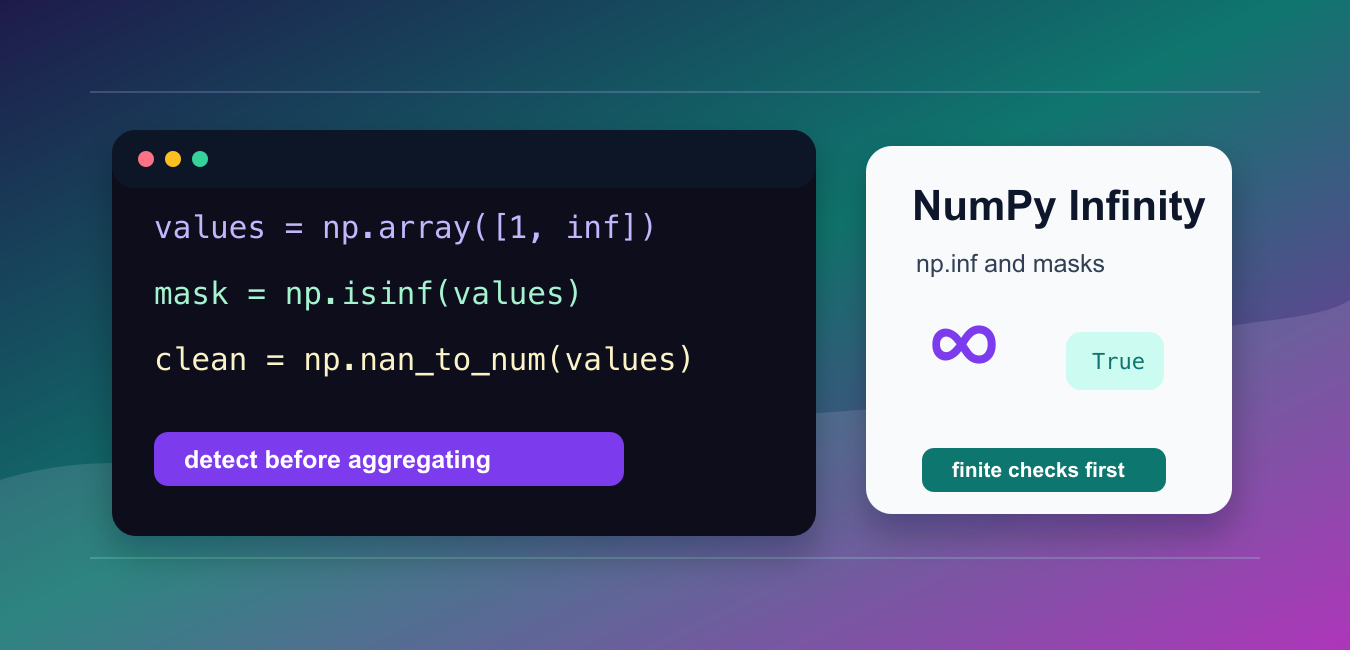
NumPy represents positive infinity with np.inf and negative infinity with -np.inf. These are floating-point sentinel values, not ordinary large integers. They can appear after division by zero, overflow, missing-value transformations, or an upstream calculation that intentionally uses an unbounded value.
Quick answer
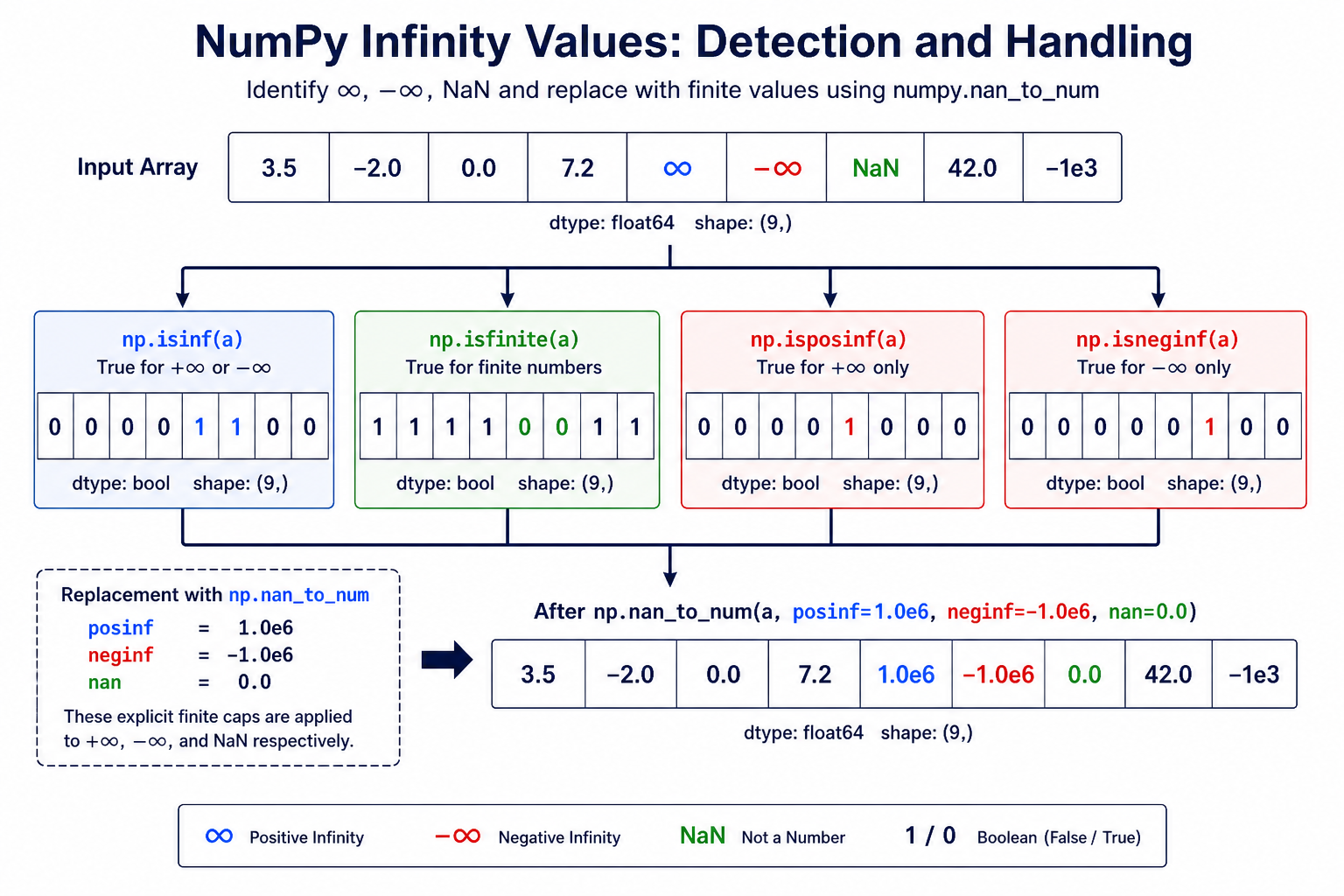
Use np.isinf(a) to find either sign of infinity, np.isposinf(a) or np.isneginf(a) when the sign matters, and np.isfinite(a) to keep only ordinary finite values. Remember that np.nan is different from infinity. If replacement is appropriate, use np.nan_to_num() with explicit values for posinf, neginf, and nan.
The NumPy constants documentation defines np.inf as IEEE 754 positive infinity and distinguishes it from nan and negative infinity. The isinf, isfinite, and nan_to_num references document the array operations used below.
Create and compare infinity values
Infinity is a floating-point value. It compares greater than finite values, while negative infinity compares lower. Do not use an arbitrary large number as a substitute unless the domain explicitly defines such a cap.
import numpy as np

positive = np.inf
negative = -np.inf

print(positive)
print(negative)
print(positive > 1_000_000)
print(negative < -1_000_000)
Use infinity as a sentinel only when downstream code understands the convention. For measurements, scores, or user data, infinity may indicate a data-quality issue that should be reported rather than hidden.
Detect either sign with isinf
np.isinf() returns a Boolean array marking positive and negative infinity. It does not mark nan as infinity.
import numpy as np

values = np.array([1.0, np.inf, -np.inf, np.nan, 5.0])

infinite = np.isinf(values)
print(infinite)
print(values[infinite])
The mask is useful for counting, logging, filtering, or replacing the exact positions that became infinite. Keep the mask visible so the cleanup policy can be reviewed later.
Use isfinite for clean numeric input
np.isfinite() returns true only for values that are neither nan nor positive or negative infinity. It is often the simplest filter before an average, chart, or model calculation.
import numpy as np

values = np.array([2.0, 4.0, np.inf, 6.0, np.nan])
finite_values = values[np.isfinite(values)]

print(finite_values)
print(np.mean(finite_values))
Filtering changes the sample being summarized, so record the number of removed values when the result is used for analysis. If non-finite values are meaningful, use a separate category instead of silently dropping them.
Check the sign of infinity
Use np.isposinf() and np.isneginf() when positive and negative overflow require different actions.
import numpy as np

values = np.array([np.inf, -np.inf, 10.0, 0.0])

positive_mask = np.isposinf(values)
negative_mask = np.isneginf(values)

print(values[positive_mask])
print(values[negative_mask])
For example, a positive infinite score might mean an upper bound was exceeded, while a negative infinite score might signal an underflow or lower-bound problem. Preserve that distinction before applying a replacement.
Replace values with nan_to_num
np.nan_to_num() can replace non-finite values in one explicit operation. Pass domain-specific finite values instead of accepting an implicit maximum that may be too large for your application.
import numpy as np

readings = np.array([1.5, np.inf, -np.inf, np.nan])

clean = np.nan_to_num(
    readings,
    nan=0.0,
    posinf=100.0,
    neginf=-100.0,
)

print(clean)
Use this for display, exports, or a documented model-input policy. Do not use replacement to hide a broken upstream calculation. Log or count the original non-finite entries before converting them.
Handle division results deliberately
Floating-point division by zero can produce infinity. np.errstate() controls warnings for an intentional operation, but it does not remove the resulting values.
import numpy as np

numerator = np.array([10.0, 5.0, -3.0])
denominator = np.array([2.0, 0.0, 0.0])

with np.errstate(divide="ignore"):
    ratios = numerator / denominator

print(ratios)
print(np.isinf(ratios))
If a zero denominator is invalid input, validate it before dividing. If it is expected, count the infinite results and apply an explicit downstream policy.
Infinity and NaN are not interchangeable
np.nan means not-a-number, while infinity is a signed value at the edge of the floating-point representation. Equality checks and aggregation behave differently. Use the matching predicate instead of testing everything with one ad hoc comparison.
import numpy as np

values = np.array([np.inf, -np.inf, np.nan, 4.0])

print(np.isinf(values))
print(np.isnan(values))
print(np.isfinite(values))
When a pipeline receives both kinds of values, decide whether to preserve, filter, cap, or fail for each category. The safest choice depends on whether the values are expected sentinels or evidence of a calculation error.
Practical checklist
- Detect both signs with
np.isinf()when direction does not matter. - Use
np.isfinite()before ordinary numeric aggregation. - Keep
nanseparate from infinity. - Use
nan_to_num()only with documented replacement values. - Count or log non-finite values before cleanup.
NumPy infinity is not automatically a bug. It is a precise floating-point signal. Detect it with the matching mask, understand where it entered the pipeline, and choose a replacement or filtering policy that preserves the meaning of the data.
Preserve the cleanup policy
Keep the original array when the raw values are useful for auditing, and create a separate cleaned array for display or modeling. This makes it possible to compare the number and locations of non-finite values before and after transformation. A replacement such as 100.0 is a business rule, not a universal mathematical correction.
For a production pipeline, record the dtype, shape, and count of non-finite values. That information helps distinguish a small expected boundary case from a sudden upstream failure. Apply the same finite-value policy to training, validation, and reporting data so metrics remain comparable.
Choose masks before aggregations
Build the mask before calling reductions such as mean, sum, minimum, or maximum. If the array is empty after filtering, handle that case explicitly instead of allowing an empty reduction to raise a different error. The resulting code states both what was excluded and why.
For multi-dimensional arrays, the same predicates preserve the original shape, so you can combine them with boolean indexing, broadcasting, or axis-specific reductions. Check the shape after filtering when later code expects a particular dimension.
This is safer than relying on a visual chart to reveal an invalid value after aggregation.
For special floating-point values, compare Python infinity with removing NaN values from lists. Read python infinity and python remove nan from list for the related workflow.
Frequently Asked Questions
Frequently Asked Questions
How do I represent infinity in NumPy?
Use np.inf for positive infinity and -np.inf for negative infinity in floating-point values and arrays.
How do I find infinity values in an array?
Use np.isinf(array) for both signs, or np.isposinf() and np.isneginf() when the direction matters.
What is the difference between isinf and isfinite?
isinf marks positive or negative infinity, while isfinite is true only for values that are not NaN and not either infinity.
How do I replace infinity in NumPy?
Use np.nan_to_num() with explicit posinf, neginf, and nan values chosen for the meaning of your data.
