Search the Community
Showing results for tags 'codelock'.
Found 7 results
-
Version 1.11.0
405 downloads
Say goodbye to the hassle of manual code locking! With this plugin, you can easily auto-lock items with a preset code straight from your inventory. Your teammates will also get instant access, no extra steps needed. The interface is super easy to use, making code updates and settings changes quick and simple. Give your Rust server a boost with this must-have plugin! Join our Discord community to stay informed on new plugins and updates. Click here to get started. Automated code locking: Automatically applies a code lock to any lockable item with a predetermined code. 3 plugins in 1: Lock regular items, secure things that normally can't be locked (like furnaces or turrets, great for PVE), and easily add automatic door closers. Balanced gameplay: Optional use of the players inventory code locks or key locks. Team authorization: Automatically grants and removes the players team to the code lock. Configuration options for data management: Provides configurable options to automatically clean up saved data on each server wipe or after a specified number of days of player inactivity. User-friendly interface: Offers an intuitive interface for players to easily update their code and adjust settings. Streamer mode: Lock items that normally cannot be locked like furnaces, turrets, and more (Great for PVE!): Optional feature for automatic door closers: Easily customizable - Toggle each item on or off to suit your server: Lockable Items: As mentioned before each of these can be individually enabled/disabled on your server! Vanilla - Doors and Ladder hatches, Storage containers, Tool Cupboards, Lockers. Extra - Furnaces, Electric ovens, Composters, Mixing Tables, Repair Benches, Research Tables, Drop Boxes, Flame Turrets, Gun Traps, Auto Turrets, Sam Sites, Mannequins, Cooking stations. Automatic Door Closer Features/Config Settings: Enable/disable door closer functionality. Automatically closes the door after a player specified delay. All door types are supported, including doors, hatches, and gates. Block door removal if not placed by the player. Option to prevent door closers from being returned upon removal. Optional required resources to use door closers. 1 metal spring, 100 metal fragments per closer for example. Chat commands to manage door closers. (Required) Image Library /lock – Opens the auto lock settings UI. (Configurable) /closer – Adds or removes a door closer to the door in front of the player. (Configurable, Optional) autolock.wipe – Removes and resets all saved user data. (Automatic data cleanup included as well) autolock.admin – Grants access to the autolock.wipe console command. autolock.use – Grants access to the /lock chat command.$9.99 -
Version 1.3.8
1,366 downloads
Team HUD · Rust · Oxide Rust tells you who your teammates are, and nothing about what is happening to them BetterTeams puts a live panel on screen with every mate's health, state, held weapon and grid square. It adds a team-only voice channel that ignores distance, a map ping on one key, and automatic authorization on every cupboard, lock, turret and SAM site your team builds. Every part is a config switch, and every player decides what they use. See it What it looks like on the server How it goes From dropping the file in to the night the server dies MINUTE ONE Nothing to set up The panel is already there Drop the file in and anyone who is in a team sees their mates on screen. Where it sits, how large it is and how many rows before it starts a second column are config values. Everything else is each player's own choice. Health as a bar, not a number. It slides toward red as they lose health, and it redraws the moment their health actually changes rather than on a timer. State takes over when it matters. WOUNDED, DEAD and OFFLINE replace the bar on that row, so a mate who is down is unmistakable without reading anything. What they are holding. The active item's icon, with its skin, sits at the end of every row and follows each weapon swap. Grid square, on your own refresh rate. Five seconds by default. A player who would rather not broadcast theirs switches it off for themselves. The leader keeps a star. One glance tells you who can change the team's settings, and offline mates stay listed instead of vanishing. IN A FIGHT Nobody types grids Talk across the map, ping what you are looking at Team voice replaces the vanilla proximity channel for the players who switch it on. Distance stops mattering, nobody outside the team hears it, and a speaker icon lights up on the row of whoever is talking. bind h ftmark Voice at any range, team only. Off per player until they enable it, so nobody has their voice chat changed without asking for it. One key, no binoculars. Bind the command once and the ping lands wherever you are aiming, up to fifty metres by default. The ping knows what it hit. An enemy player, an ore node, a storage box and a dropped gun each get their own marker icon and colour. Anything else drops a plain point. On a cooldown you set. Ten seconds by default, and the time left comes back as a game tip instead of the key doing nothing. SOMEONE JOINS One shared list Authorized everywhere, in one pass The moment an invite is accepted that player is added to every cupboard, code lock, turret and SAM site the rest of the team owns, and everyone else is added to theirs. Leaving or being kicked takes all of it back in the same pass. Five places, five switches. Tool cupboards, code locks, key locks, auto turrets and SAM sites, each turned on or off for the whole server. Key locks without the key. A teammate opens a key-locked door because they are on the team, not because you handed them anything. SAM sites check who is aboard. A teammate's SAM holds fire on a helicopter with an authorized member in a seat, instead of shooting down your own minicopter. Bases that already exist are picked up on boot. Everything placed before the install is registered when the plugin loads, so this works on a server mid-wipe and not only on what gets built next. THE LEADER Decided in game The random you just invited is not automatically trusted Taking a stranger into the team is where convenience turns into risk, so the whole authorization list is editable per ally from the menu. No config file, no restart. Revoke without breaking the rest. A blocked ally loses access everywhere except the locks and cupboards they placed themselves, and the team keeps access to those. Kick from the same screen. Pick the ally, kick, and every authorization they were given through the team is pulled as they go. Friendly fire off with one toggle. Only the leader can flip it; everyone else sees it locked and is told why rather than wondering if it is broken. A team skin per item type. The leader picks it, and anything a mate picks up gets it automatically. Thirty-five item types ship in the config with their own skin lists, and both are yours to cut or extend. AFTER A CRASH Teams survive it A bad shutdown should not disband half the server Rust loses teams when a server goes down badly, and the tickets land on you. This one writes the roster and the leader to disk and puts them back on start. Rosters restored on boot. Members and leader are recreated, including the players who are offline at the time, so nobody logs in teamless. Optional leader hand-off. If the leader disconnects the next online member is promoted, and the original takes it back when they return. Off by default, because not every server wants it. A wipe clears it properly. A new wipe id drops the saved teams and skin choices rather than dragging last wipe's data onto a fresh map. While you are not looking Built to be left alone The parts you will never notice unless they are missing. ✓ ImageLibrary is the only dependency, and Clans is used if you have it ✓ A missing dependency is named in console and the plugin unloads, instead of half-running ✓ Switching a feature off unsubscribes its hooks rather than leaving them running ✓ Panel updates are batched into one message per team per tick, not one per player ✓ Grid squares only redraw for the players who actually changed square ✓ A burst of joins and kicks collapses into a single data file write ✓ Every player choice is stored by Steam ID and survives restarts and reloads ✓ Clan tags are stripped from names in the panel when the Clans plugin is loaded Reference One command in chat, one to bind Each permission is only enforced if you switch its requirement on. All four are off by default, which means the feature is simply available to everyone. Chat /bt Open the menu: info, allies, skins, settings. The command name is a config value. Console ftmark Drop a team ping where you are looking. Meant to be bound to a key. Permission betterteams.hud The on-screen panel Permission betterteams.voice Team voice chat Permission betterteams.skins Choosing the team skin. One player in the team holding it is enough for the whole team. Permission betterteams.marker Easy team markers Straight answers The questions people ask before buying Do my players have to install anything? No. It runs entirely on the server and the panel is drawn through the normal game UI. The only install is ImageLibrary, on the server, once. Does team voice take over normal voice chat? Only for a player who turns it on themselves, and it is off by default. Everyone else keeps vanilla proximity voice untouched. Can a random I invite loot everything I own? Only if you leave them authorized. The leader can revoke any of the five places for one specific ally from the menu, and they keep access to nothing but what they placed themselves. Will the panel sit on top of my other UI? Its offset from the top and left, its scale and how many rows it stacks before starting a new column are all config values, so it can be moved out of the way. What if I do not want half of these features? Panel, voice, skins, markers, friendly-fire toggle, grid positions, team restore and each of the five authorization places are separate switches. Turning one off also stops the hooks behind it. What happens if ImageLibrary is missing? It waits and retries a few times in case load order put it second, then prints the download link in server console and unloads itself rather than throwing errors on every hook. 5 authorization places covered 35 item types with team skins 50m default ping range, configurable 1 dependency, ImageLibrary$14.99 -
Version 1.0.3
103 downloads
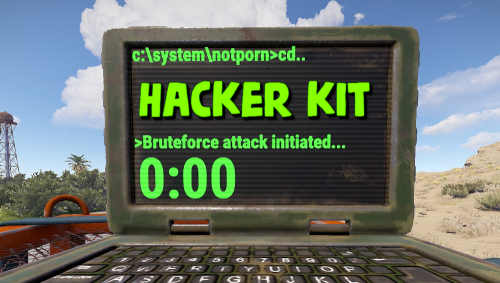
Adds hacker kit to the server. Just pick up a geiger counter and use it to hack. Just get close to the crate and hold the left mouse button. This plugin uses a geiger counter. Since this is not an item that players can usually get through loot, it is perfect for this purpose. Just use a plugin like BetterLoot to insert a geiger counter into your loot tables and then any geiger counter picked up by the player can be used as a hacker kit. Permissions: hackerkit.use - required to use hacker kit To assign a permission, use: oxide.grant <user or group> <name or steam id> hackerkit.use To remove a permission, use: oxide.revoke <user or group> <name or steam id> hackerkit.use (or just use the permission manager plugin) Config file: { "Hack speed": 10, "Prohibition message": "You don't have permission to use hackerkit", "SFX prefab": "assets/prefabs/gamemodes/objects/capturepoint/effects/capturepoint_progress_beep.prefab" }$4.99 -

Version 1.0.0
9 downloads
A lightweight admin tool that allows you to instantly randomize code locks, either per-player or on individual locks. It's designed to mitigate several things, such as preventing cheaters from coming back on different accounts when they've already been banned or stopping insiding on modded servers that forbid it. A simple, efficient plugin with a near-zero performance impact. This plugin makes use of 2 commands: /scramble <steamId | playerName> - scramble all the codes that a user is authed on This command can also be run from console, using the same syntax should you wish to automate it through a trigger /scramblelookingat - scramble the code of the door/codelock you are currently looking at This plugin has a very simple permissions setup: codescramble.use - allows the use of both /scramble <player> and /scramblelookingat Want to see a quick demo? Check it out here: https://youtu.be/VpSXByTwRzU$2.00 -
Version 1.0.0
10 downloads
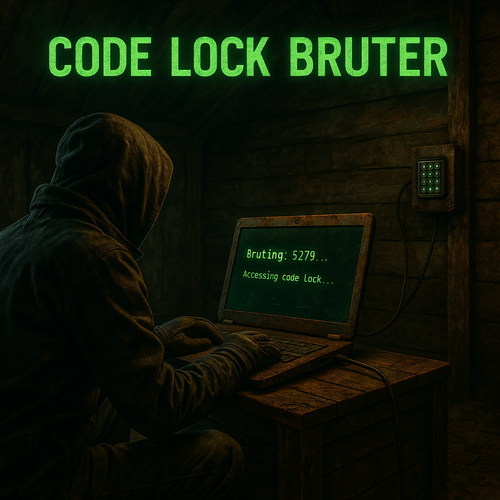
Turn Your Players into Hackers Code Lock Bruter is a unique Rust plugin that introduces a new raid mechanic — a customizable code lock brute-forcing device. Give your players a thrilling, hacker-style experience and bring fresh gameplay to your server. Feature A new in-game item: Code Lock Bruter, with 3 progressive tiers. Each laptop defines how many codes can be attempted and at what speed (fully configurable via config) Green Laptop( green_code_lock_bruter ) Max Attempts: 100 codes (1% of all possible codes) Speed: 1 code/sec Blue Laptop( blue_code_lock_bruter ) Max Attempts: 500 codes (5% of all possible codes) Speed: 2 codes/sec Red Laptop( red_code_lock_bruter ) Max Attempts: 1000 codes (10% of all possible codes) Speed: 4 codes/sec Custom code pattern Players input a custom code pattern (e.g. 0000-0100, 1111, 2222, 3333, 4444-5000), and the laptop automatically brute-forces all matching combinations in real time, based on the tier’s speed. The pattern is automatically validated, and players receive clear feedback if the input is invalid. User-Friendly Interface Clean and intuitive UI — accessible and clear, even for first-time users. Risk & Reward Balance The laptop is destroyed immediately upon taking any damage — whether from bullets, explosions, or melee attacks. Brute-forcing is powerful — but not overpowered. Laptop speed and code limits are fully configurable. By default, the Green Laptop can brute-force just 1% of all possible codes in 100 seconds, while the Red Laptop handles 10% in 250 seconds (≈ 4 minutes, 10 seconds). Localization Support Fully supports Rust’s built-in localization system. Includes default English, German, Russian, French and Italian translations. Commands No chat commands required — everything is handled directly through the in-game UI. To give items manually, use Rust’s default give command: give green_code_lock_bruter give blue_code_lock_bruter give red_code_lock_bruter Note: By default, bruter do not spawn in loot. Admins must distribute them manually or configure integration with other plugins (e.g. loot tables, events, NPCs, shop systems, etc.). Configuration DEFAULT CONFIGURATION { "GreenCodeLockConfiguration": { "DefaultPattern": "0000-0099", "MaxAttempts": 100, "SpeedInSeconds": 1.0 }, "BlueCodeLockConfiguration": { "DefaultPattern": "0000-0499", "MaxAttempts": 500, "SpeedInSeconds": 2.0 }, "RedCodeLockConfiguration": { "DefaultPattern": "0000-0999", "MaxAttempts": 1000, "SpeedInSeconds": 4.0 } } Installation Instructions Install Dependencies ImageLibrary – place into the plugins folder CustomItemDefinitions– place into the plugins folder Install This Plugin Download the plugin file after purchase Drop it into the plugins folder That’s it — you’re ready to go. Need Help or Have Questions? I'm actively supporting this plugin and open to suggestions, feedback, or bug reports. Join Discord$12.99 -
Version 2.0.4
222 downloads
A lightweight plugin that disables various teaming methods to restrict players to solo gameplay. Now featuring an automated warning system with kick/ban abilities! Permissions soloenforcement.enforce Configuration { "Restrict tool cupboards" : true, "Require destruction of tool cupboards": true, "Ignore tool cupboard restrictions on decaying bases": true, "Restrict turrets": true, "Restrict sleeping bags & beds": true, "Restrict team creation": true, "Restrict codelock & keylock crafting": true, "Discord webhook URL": "https://support.discord.com/hc/en-us/articles/228383668-Intro-to-Webhooks", "Discord message color": 9109504, "Log tool cupboard alerts to discord": false, "Log turret alerts to discord": false, "Log respawn alerts to discord": false, "Log revive alerts to discord": false, "Log team alerts to discord": false, "Log craft alerts to discord": false, "Log auto kicks/bans from warning system to discord": false, "Show violation messages to players in chat": true, "Use automatic warning system": false, "Maximum warnings": 3, "Show popup on warning": false, "Warning popup time (seconds)": 5, "Ban after maximum warnings (will kick otherwise)": false, "Use temporary bans for warning system (must have ban after maximum warnings enabled)": false, "Temporary ban time (seconds) - default is 24 hours": 86400, "Administer warning for tool cupboard violations": false, "Administer warning for turret authorization violations": false, "Administer warning for turret assign violations": false, "Administer warning for respawn violations": false, "Administer warning for revive violations": false, "Administer warning for team violations": false, "Administer warning for crafting violations": false } Localization { "Discord_Title" = "Solo Enforcement", "Discord_Alert_Tool_Cupboard" = "{player1} ({player1_id}) attempted to authorize on an already claimed tool cupboard!", "Discord_Alert_Turret_Authorize" = "{player1} ({player1_id}) attempted to authorize on an already claimed auto turret!", "Discord_Alert_Turret_Assign" = "{player1} ({player1_id}) attempted to assign {player2} ({player2_id}) to their auto turret!", "Discord_Alert_Respawn_Assign" = "{player1} ({player1_id}) attempted to assign their sleeping bag/bed to {player2} ({player2_id})!", "Discord_Alert_Respawn_Public" = "{player1} ({player1_id}) attempted to set their bed to public!", "Discord_Alert_Revive" = "{player1} ({player1_id}) revived {player2} ({player2_id})!", "Discord_Alert_Team_Create" = "{player1} ({player1_id}) attempted to create a team!", "Discord_Alert_Craft" = "{player1} ({player1_id}) attempted to craft a keylock/codelock!", "Discord_Alert_Auto_Kick" = "{player1} ({player1_id}) was auto-kicked from the server for too many teaming violations!", "Discord_Alert_Auto_Ban" = "{player1} ({player1_id}) was auto-banned from the server for too many teaming violations!", "Chat_Message_Tool_Cupboard" = "Another player is already authorized on this tool cupboard!", "Chat_Message_Turret_Authorize" = "Another player is already authorized on this auto turret!", "Chat_Message_Turret_Assign" = "You are not allowed to assign other players to your auto turret!", "Chat_Message_Respawn_Assign" = "You are not allowed to assign your sleeping bag/bed to another player!", "Chat_Message_Respawn_Public" = "You are not allowed to set your bed to public!", "Chat_Message_Team_Create" = "Teams have been disabled on this server!", "Chat_Message_Craft" = "Crafting for this item has been disabled!", "Auto_Kick_Message" = "Too many teaming violations detected (auto kick).", "Auto_Ban_Message" = "Too many teaming violations detected (auto ban).", "Warning_Popup" = "Warning {0}/{1}" }$15.00 -
Version 0.1.2
410 downloads
What is it? This allows players to unlock codelocks on any storage containers, there are 2 options: With a command (most likely for admins), where you come to a locked chest, type /loothack and the codelock instantly unlocks With an item (targeting computer), where you come to a locked chest, select targeting computer in your hotbar, then left-click the storage container and there you will need to wait for few seconds (if set) untill the container unlocks, also you can set in the config if the targeting computer gets consumed. Permissions loothacker.cmnd -- Gives player permission to use the command. loothacker.item -- Gives player permission to use the item. Chat Command /loothack -- Instantly unlocks the codelock on the storage cont. you are looking at Localization //FORMAT: {0} = storage short prefab name, {1} = seconds to unlock ["MustLookAtStorage"] = "You must be looking at a locked storage container to hack it!", ["NoPerms"] = "You don't have permission to use this!", ["UnlocksIn"] = "{0} will unlock in {1} secs", ["Unlocked"] = "Unlocked {0}" Configuration { "Seconds until storage unlocks": 5.0, "Consume Targeting Computer on use": true }Free