Search the Community
Showing results for tags 'random'.
Found 12 results
-

Version 3.1.1
37 downloads
[ ✓ ] Works on any host. [ ✓ ] The plugin needs the free CrashExtensions library. Can't upload DLLs on your host? No problem: the zip includes a small installer plugin. Drop it in your plugins folder, run crashext.install, restart once, and you're done. LotteryUI is a daily card lottery for Rust. Every player gets nine face down cards, each hiding a random prize from your reward list, and a ticket flips one of them: a free daily ticket, or one bought with scrap. Every prize carries its own win chance, so a flip is a real gamble. A win turns the card green with the real item icon and drops the prize into a lottery inventory, to claim whenever the player likes. A miss locks that card behind its own countdown. The whole set reshuffles at server midnight, so there is always a reason to come back tomorrow, and every bought ticket burns scrap at the price you set. You control the prize table, the odds, the ticket item and its price, the cooldowns, the daily win limits and the VIP tiers that soften all of it. No image pack to install and no Image Library, on Oxide and Carbon. Features of LotteryUI Nine face down cards per player, each hiding a random prize with its own win chance, reshuffled at server midnight with a RESET IN countdown above the grid Any item can be the ticket, workshop skin included: with a skin set only that skin counts, and tickets from the plugin cannot be opened like a loot bag A free daily ticket by permission, and a BUY TICKET window with a quantity picker, MAX, the scrap cost and the player's balance before they spend Winnings wait in a lottery inventory: claim them one by one or with CLAIM ALL. Items arrive in normal stacks, and whatever does not fit in a full inventory stays there for later Item prizes with the game's own icon, or console command prizes (a rank, a kit, currency) with your own name, description and artwork A hover tooltip on every prize: name, amount, win chance and rarity A live status bar: READY, the win cooldown or the post wipe lock with a ticking countdown, today's wins and the player's tier An INFORMATION view: how it works in three steps, each player's own numbers and a rarity legend built from your reward list VIP tiers by permission with shorter cooldowns, more wins a day and more free tickets, and admins with no cooldown at all A post wipe lock, a lock on a card after a miss, a cooldown after a win and a daily win limit, every number in the config Optional HumanNPC support: the NPCs you list open the lottery Smooth slide and fade animations, sounds only the player who clicked can hear, and every string in the language file Commands /lottery - open the lottery panel /closelottery - close the panel /buyticket [amount] - buy tickets with scrap from chat, up to 100 at once /claimdailyticket - claim the free daily ticket (needs lotteryui.freetickets) Admin /lotteryreset [player] - clear a player's cooldowns, daily wins and daily ticket claim, and deal a fresh set of 9 cards. The target has to be online; omit the name to reset yourself lottery.reset <player> - the same reset from the server console or RCON lottery.resetdata confirm - delete every stored player file, unclaimed winnings included, then re-deal. Without the word confirm it only prints what would be lost Permissions lotteryui.freetickets - claim the free daily ticket. Grant it to your default group: oxide.grant group default lotteryui.freetickets lotteryui.admin - no cooldowns, no daily limit, skips the post wipe lock, and the reset commands lotteryui.vip - VIP tier: 10 wins a day, shorter cooldowns, 2 free tickets a day lotteryui.vip.plus - VIP+ tier: 15 wins a day, 3 free tickets a day lotteryui.vip.premium - VIP++ tier: 25 wins a day, 5 free tickets a day lotteryui.mvip - MVIP tier: 50 wins a day, 10 free tickets a day No permission is needed to play. The four VIP tiers are the ones that ship: rename them, add more or delete them in the config. Included Rewards It ships as a working lottery. The percentage is the win chance of a card that holds that prize: Common (80%) - 1000 Wood, 500 Stones, 300 Metal Fragments Rare (60%) - Assault Rifle, Bolt Action Rifle Epic (40%) - Rocket Launcher, LR-300 Assault Rifle Legendary (20%) - Metal Chest Plate, Metal Facemask UltraRare (5%) - an Assault Rifle with a workshop skin Swap them for anything: any item, amount and skin, or console command prizes with their own name, description and artwork. The list is as long as you like. Showcase Every screen below is the plugin running in game Nine cards, the prize pool and the live status bar Hover any prize for its win chance and rarity Won cards turn green with the real item icon The lottery inventory: claim one by one or all at once HOW IT WORKS, with each player's own numbers Video LotteryUI-trailer.mp4 Configuration Everything lives in oxide/config/LotteryUI.json: Ticket System - the ticket item (Ticket Item Shortname, the item ID should name the same one), its display name and Custom Workshop Skin ID, tickets per flip, the free daily ticket and its amount, the ticket chip, and the scrap purchase with its price. It ships as the Large Loot Bag, which also drops during Halloween: set a skin and only skinned tickets count Cooldown Settings - the post wipe lock and its hours, the cooldown after a win, the lock on a card after a miss, the admin cooldowns (0 by default) and Reset Cards Daily Usage Limits - the daily win limit (3 by default, -1 unlimited for admins), the admin and free ticket permissions, and the VIP tiers with their own limits, cooldowns and free tickets Data Management - Clear Data On Wipe (on: the lottery wipes with the map), the autosave interval and the save on disconnect Sound Settings - one effect prefab per event (win, miss, claim, open, switch view, page, buy, daily reset), each one silent with an empty string; a bad path warns once at load HumanNPC IDs That Open The Lottery - optional, empty by default Lottery Rewards - the prize pool, as long as you like: item, amount, skin, rarity name and color, its own Drop Chance (%), and for command prizes the console commands, a display name, a description and an optional image URL Out of the box a ticket costs 100 scrap, the free daily ticket is one ticket, and a player can win three times a day, with an hour between wins, five minutes on a card they missed and a 24 hour lock after a wipe. FAQ Q: Do I need an economy plugin? A: No. Tickets are bought with scrap straight from the inventory, and the plugin hands out every prize itself. The only extra file is Oxide.Ext.CrashExtensions.dll, in the zip, the same shared file every Venux plugin uses. No Image Library either, and HumanNPC is optional. Q: How do win chances work? A: Every player has their own board. Each card is dealt a random prize from your list and keeps it until that player flips it. A flip spends a ticket and rolls that prize's own Drop Chance (%), so a 5 percent prize really is a 5 percent flip, and players see the exact number in the tooltip. A miss locks that one card for a while; only a win starts the cooldown and counts toward the daily limit. Q: Can a reward be lost? A: A win waits in the lottery inventory until it is claimed and survives disconnects and restarts: wins, claims and the daily ticket are saved the moment they happen. If the inventory is full, whatever does not fit stays for the next claim. The one limit: Clear Data On Wipe (on by default) clears unclaimed prizes with the map; turn it off to carry them across a wipe. Q: Can players buy tickets with something other than scrap? A: The built-in purchase is scrap. The ticket itself is any item you name, so you can also sell or grant that item through your shop, kit or currency plugin and turn the built-in purchase off. Q: Does it contact any external service? A: No. The only web request it can make is the Custom Image URL of a command prize, and only if you set one: the server downloads that image once and keeps it cached. Nothing about your server or your players is sent anywhere. Q: I run 2.0.0. What changes when I update? A: Install the DLL from the zip, restart once and replace LotteryUI.cs. Then grant the free daily ticket: oxide.grant group default lotteryui.freetickets (2.0.0 never checked that permission, 3.x does). Your config and player data carry over, unclaimed winnings included. If your ticket has a workshop skin, only skinned tickets count now. Image Library is no longer needed and the language file has new keys. The changelog and the README inside the zip have the details. Q: Can I translate it? A: Yes. Copy oxide/lang/en/LotteryUI.json to oxide/lang/<code>/LotteryUI.json and translate it: every player facing text is there. Q: Does it work on Carbon? A: Yes. The extension goes into carbon/extensions instead of RustDedicated_Data/Managed, and everything else is the same. Questions, ideas or bug reports? Join our Discord.$12.99 -

Version 1.7.0
25 downloads
The Random Items plugin for Rust gives players the thrill of receiving random items. With the option to choose specific items or use everything in the game, minus the ignore list, players can expect to receive anything from weapons and tools to food and resources. The plugin also supports multiple permission levels and language file support for easy customization. Additionally, randomize crafted items, random items for kills, random items for farming, and even jumping! With stack size limits set in the config, this plugin offers a fun and customizable addition to any Rust server. Join my Discord community to stay informed on new plugins and updates. Click here to get started. Customized item pool: pick specific items or use everything in the game (except ignored items). Set the random item quantity based on stack size, with a config limit. Custom items are supported! This plugin is like having 6 in one! You can enable or disable each feature without affecting performance. 1. Give players a random item every X seconds with unlimited permission tiers (optional). modpulse-timed-random-items.mp4 2. Give players X random items for killing players and/or NPCs (optional). modpulse-killing-random-items.mp4 3. Give players X random items after they respawn (optional). 4. Give players random items when they jump with cooldown support (optional). 5. Give players random items for crafting (optional). modpulse-crafting-random-items.mp4 6. Give players random items for farming (optional). modpulse-farming-random-items.mp4 (Optional) Player DLC API - Used for checking player ownership of DLC items and skins. /items – Players can switch on or off the option to receive random items. /randomitem.give <Amount (Defaults to 1)> – Gives X random items to everyone. /randomitem.myitems – Lists items in your inventory to chat. /randomitem.spawncustom – Spawns all of the custom items to your inventory. randomitems.admin – Grants access to /randomitem.give You can also add/remove permission tiers to change the timed random item delay: "Permission: Give item interval (seconds)": { "randomitems.supporter": 60.0, "randomitems.VIP+": 120.0, "randomitems.VIP": 180.0, "randomitems.default": 300.0 } modpulse-jumping-random-items.mp4$9.99-
- 1
-

-
- #random items
- #random
- (and 4 more)
-

Version 1.1.3
37 downloads
RandomSystem is a plugin that Give players random items—on a global timer or whenever they jump. Includes per-item limits, blacklist, DLC/hidden item filtering, multiple UI countdown styles, and full in-game configuration via chat commands. Features : - Two modes: timed (global countdown) and jump-triggered (per player). - Timed mode gives items to all online players (toggle with /random giveall). - Jump mode gives items only to the player who jumps, with a per-player delay. - Amount control: fixed stack size or random up to a max. You can also set per-item max when using a curated list. - Item sources: * Config-only pool (shortname => max random) * All game items (respecting blacklist/DLC/hidden filters) - Blacklist: exclude any item shortnames. - DLC & hidden item filtering: optionally include DLC/skin/hidden items (WARNING: enabling DLC items may risk server ban—use at your own discretion). Optional PlayerDLCAPI integration for accurate filtering. - Countdown UI options: Off / GameTip / ProgressUI / SimpleTimerUI. - Inventory aware: tries to place in main, then belt; if full, drops at player’s feet. Optional "received item" chat messages. - Live tweaking via chat: toggle give-all, edit delays & countdown, switch amount mode, manage blacklist/items, toggle DLC/hidden filtering, etc. - Customizable chat prefix and permission name in config. - Built-in /random help prints all available commands. Permission : - Default: randomsystem.use (You can override the permission name via the config key: Plugin Settings -> Use Permission.) Commands : Example config : Example Lang :$5.98 -

Version 2.2.1
74 downloads
This plugin give the possibility to spawn a bunch of trap randomly across the map to make it a bit hard for your players. The selected numbers of traps are consistent through the server life, so as soon as 1 is activated, a new will spawn somewhere else. Traps set up after 30 sec after restart/reload. It can work with and without TruePVE . It handle separably the trap trigger and trap damage, what is configurable. The traps can't be picked up, only activated or disarmed. With the base setup it check for free location outside of monuments, radiation zones and ZoneManger zones. The traps dmg 50hp, can cause wounded effect with 50% for 5 second and TruePVE selected as to be used. Permissions surprisetrap.admin - To use the 3 command surprisetrap.trapdetect - Too be able to use a geiger counter to find traps on the map Commands Chat: /show - Show all possible found spawn location (use it with care, it can cause lag until the floating numbers present on the map, see screenshots) /trap - Show all active trap on the map (use it with care, it can cause lag until the floating numbers present on the map, see screenshots) /setup <mine|bear> - set up a trap where the character look, only for test purpose. (the new position will behave as a new spawn location, but only until the next restart) Console: show - information about the additional free spawn locations trap - information about the available amount of traps setup - manually start trap setup in case of not enough trap on the map (compared to the configured amount) Configuration "Bypass the distance limtiation on the trap and spawn location show command": false, "Enable/Disable Chat notification about player Death by any \"Random Trap\"": false, "If all originally set location occupied, then look for new position": true, "Minimum Distance From Building": 20.0, "Number of traps on the map": 500, "Prevent Traps To Be Respawn At Monuments": true, "Prevent Traps To Be Respawn At RadiationZone": true, "Prevent Traps To Be Respawn At ZoneManager": true, "Random knowdown duration": 5.0, "Retry to get a new location(the bigger the number, bigger the resource consumption to try a new free position)": 200, "The distance on the trap and spawn location show command (only if not bypassed)": 150, "Trap activation randomly knowdown": true, "Trapdamage default 50": 50.0, "Try to look free location this many times on server init (Not necesseary mean it will find this many free spot, bigger the number, bigger the resource consumption to try a new free position)": 2000, "Usage of Beartrap": true, "Usage of Landmine": true, "Usage of TruePVE": true, "Traps can be detected by players with Geiger detector": true, "The distance to detect by the player with Geiger detector": 50.0 API TrapDestroyedByPalyer(BaseTrap trap, BasePlayer player) can be used to catch triggen, when a player killed a trap (for example events or quest to destroy specificly spawned traps)$6.99 -
Version 2.0.0
772 downloads
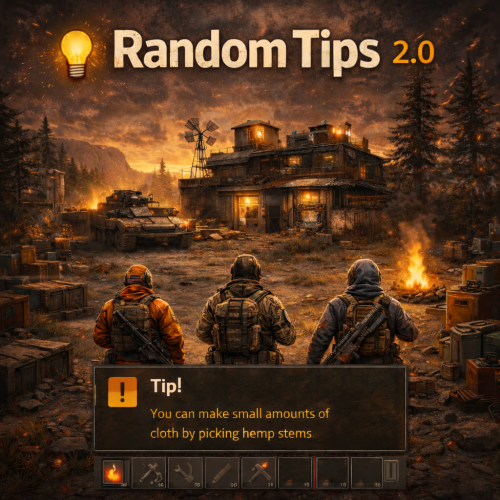
Send Gametip messages on a timed interval to online players Features : Simple configuration. Sends Gametip messages on a configurable timed interval and duration (seconds). Can use a permission to ignore a player to get the messages. API support for other plugins to use its simplified queue system. Supports the QueuedPopups message system. (Requires the QueuedPopups plugin) Permissions : randomtips.exclude : To exclude the player from getting the Gametips sent by this plugin Configuration : Show Messages is set to false by default so it will not run the standard messages on plugin install. If you don't want to use a prefix , then you can leave it empty. { "Prefix": "[Krungh Crow] ", "Interval (seconds)": 60, "Enable Debug": false, "QueuedPopups": { "Duration (seconds)": 10.0, "Icon Sprite": "assets/icons/info.png", "Background Color (RGBA)": "0 0 0.65 0.6", "Text Color (RGBA)": "1 1 1 1", "Icon Color (RGBA)": "1 1 1 1", "Height (Pixels)": 38.0, "Font Size": 14 }, "Messages": [ "Join our Discord, click <color=orange>[view webpage]</color> button.", "We test several cool new plugins!", "Some spawns like animals and their stats can be set high.", "<color=red>Bradley Tiers</color> is tested here.", "Hitting barrels/nodes/trees or item pickup can trigger events, like npc animal bomb spawning." ] } API : void TIP(BasePlayer player, string message, float dur , bool warning) example call RandomTips?.Call("TIP", player, "Your text here", 6f ,true);Free -

Version 1.0.7
165 downloads
Experiments is a plugin introducing the old research system in Rust! Do you remember when tech tree was not around and you could gamble your scrap for a random blueprint? This plugin introduces just that and is made to be as close to the old system as possible with a ton of configurable options! Features: - Gamble scrap for a random bp at each workbench tier. - Disables tech tree system - Restrict certain blueprints from the random search - Change cost of research for each tier Here is a preview video I made to show off how the system works! Config: { "Block Tech Tree?": true, "Disable Research Sound?": false, "Experiment Time (Could effect timing with the reseach sound)": 10, "Tier 1 Scrap Cost": 75, "Tier 2 Scrap Cost": 500, "Tier 3 Scrap Cost": 1000, "Disable Default Blueprints?": true, "Blueprint Blackist": [ "electric.blocker", "electric.orswitch", "mask.balaclava", "fridge", "water.barrel" ] }$9.99- 22 comments
- 3 reviews
-
- 6
-

-
-
- #old research
- #random
- (and 6 more)
-

Version 1.2.8
162 downloads
Open UI - /nlsettings FEATURES: Changing the wearable clothing of the npc Changing Drop from NPCs The plugin doesn't support custom loot tables from other plugins, it also doesn't have default config setup, you need to setup it from scratch by UI in the game! CallHook CanModifySpawnedBot(HumanNPC bot) returning a non-null value overrides default behavior$8.99 -
Version 1.0.2
15 downloads
Overview: This plugin adds an additional twist to PVP within monuments by giving items within player inventories a chance to perma break on death meaning the looter might not get that shiny gun they were hoping to get. Each monument has a tier structure and the tiers break chance % can be modified to suit your playstyle , or if there are certain items you dont want to be apart of the item table you can add them to the white list. # Note - This will only affect items that have a condition/durability bar. Newly Added: Configurable option to set the Loot Breaker to the entire map rather than just Monuments! White listed: - Option to set up a white list that disregards items placed into list that have a condition (shortnames). Chat Command: - "/breakitems" - Test the plugin by breaking every item in your inventory that has a condition. Permissions: - "lootbreaker.exempt" - Use this permission if you want exemption from the plugin. Config Access: - The break chance is by % , changing these numbers below will set a new % rate for that monument tier. - Ability to set the monuments register size, currently set at 100m$4.99- 3 comments
-
- 1
-
-
- #loot
- #durability
- (and 2 more)
-

Version 1.0.0
30 downloads
Random VIP Giver Plugin Documentation Overview The Random VIP Giver plugin is designed to randomly assign VIP status to players on the server. Permissions randomvipgiver.admin: This permission allows the user to manually trigger the VIP assignment process. Commands /givemanualvip: This command manually triggers the VIP assignment process. The assigned VIP counts towards the daily limit. /givefreemanualvip: This command manually triggers the VIP assignment process. The assigned VIP does not count towards the daily limit. Configuration MaxVIPPerDay: The maximum number of VIPs that can be assigned per day. VIPGroups: A list of VIP groups that can be assigned to players. VIPGroupDisplayNames: A list of display names corresponding to the VIP groups. AddGroupCommand: The command used to add a player to a group. SayCommand: The command used to send a message to the server. VIPMessage: The message sent to the server when a player is assigned VIP. MinDays: The minimum number of days a player can be assigned VIP. MaxDays: The maximum number of days a player can be assigned VIP. MinInterval: The minimum interval (in minutes) between VIP assignments. MaxInterval: The maximum interval (in minutes) between VIP assignments. { MaxVIPPerDay = 3, VIPGroups = new List<string> { "metal", "stone", "wooden" }, VIPGroupDisplayNames = new List<string> { "<color=#ffeb00>Metal</color>", "<color=#a9ff00>Stone</color>", "<color=#ffae00>Wooden</color>" }, AddGroupCommand = "addgroup", SayCommand = "say", VIPMessage = ":heart: <color=#ef233c>[Giveaway]</color> <color=#55AAFF>{player}</color> won a {vipGroup} VIP in a random draw for {days} days!", MinDays = 1, MaxDays = 3, MinInterval = 60, MaxInterval = 480 }; Functionality The plugin automatically schedules VIP assignments at random intervals within the configured range. When a VIP assignment is triggered, a random player is selected and assigned a random VIP group for a random number of days. The assignment is announced to the server with a message.$9.99 -

Version 0.0.3
399 downloads
Spice up your chat with Factoid. Factoid is a light plugin I made to drop little bitesize pieces of info here and there. API KEY NEEDED You can grab a free API key from this site https://api-ninjas.com/api/facts using my API Requests at the default interval allows me to print messages all wipe long, But you can adjust as needed. Config { "API KEY": "INSERT_API_HERE", "Announcement Interval": 631, "Chat Icon": 0 } Thanks for viewing! - WrecksFree- 11 comments
-
- 1
-
-
- #facts
- #engagement
- (and 1 more)
-
Version 1.0.0
16 downloads
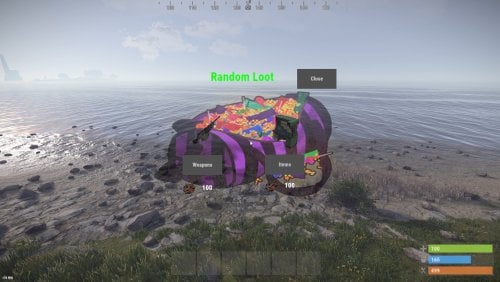
This plugin gives players random items or weapons for scrap, using a menu. This can be a little help for players after bp wipe Permission: randomloot.use ChatCommand: /randomloot In the config file you can set the scrap price and change the items.$5.00 -

Version 1.0.0
26 downloads
Lucky Rust is a simple random reward system. With Lucky Rust, you can configure a list of rewards that players can win by typing a specific command in the chat. The rewards can include items and commands. And if you want to make things even more fun, you can choose to broadcast the rewards and/or the fact that a player has won a reward to all players on the server! Lucky Rust supports setting different cooldown times based on permissions. So why wait? Give your players a reason to keep playing with LuckyRust today! Chat Command: /lr - Get a random reward (default, can be changed in the config) Config: { "Plugin Setting": { "Chat Prefix": "[LuckyRust]\n", "Required Permissions (Empty = None)": "LuckyRust.use", "Command": "lr", "Default Cooldown (Seconds)": 300, "Broadcast Reward Message": true, "Cooldown Permissions (Permission Name | Cooldown)": { "LuckyRust.admin": 0, "LuckyRust.vip1": 180, "LuckyRust.vip2": 90, "LuckyRust.vip3": 30 } }, "List of Rewards": [ { "Reward Display Name": "VIP", "Chance(0-100)": 5, "Item Display Name": "", "Item Shortname": "", "Skin ID": 0, "Min Amount": 1, "Max Amount": 1, "Item Text": "", "Effect (Empty = no effect)": "assets/prefabs/misc/halloween/lootbag/effects/gold_open.prefab", "List of Run Commands (Empty = None)": [ "oxide.grant user %STEAMID% vip.name" ] }, { "Reward Display Name": "Wolf", "Chance(0-100)": 10, "Item Display Name": "", "Item Shortname": "", "Skin ID": 0, "Min Amount": 1, "Max Amount": 1, "Item Text": "", "Effect (Empty = no effect)": "", "List of Run Commands (Empty = None)": [ "spawn wolf \"%PLAYER.POS.X% %PLAYER.POS.Y% %PLAYER.POS.Z%\"" ] }, { "Reward Display Name": "M249", "Chance(0-100)": 10, "Item Display Name": "M249", "Item Shortname": "lmg.m249", "Skin ID": 0, "Min Amount": 1, "Max Amount": 1, "Item Text": "", "Effect (Empty = no effect)": "assets/prefabs/misc/halloween/lootbag/effects/gold_open.prefab", "List of Run Commands (Empty = None)": [] }, { "Reward Display Name": "prototype 17", "Chance(0-100)": 40, "Item Display Name": "prototype 17", "Item Shortname": "pistol.prototype17", "Skin ID": 0, "Min Amount": 1, "Max Amount": 1, "Item Text": "", "Effect (Empty = no effect)": "", "List of Run Commands (Empty = None)": [] }, { "Reward Display Name": "Scrapß—100", "Chance(0-100)": 80, "Item Display Name": "Scrap", "Item Shortname": "scrap", "Skin ID": 0, "Min Amount": 100, "Max Amount": 100, "Item Text": "", "Effect (Empty = no effect)": "", "List of Run Commands (Empty = None)": [] } ] }$2.00