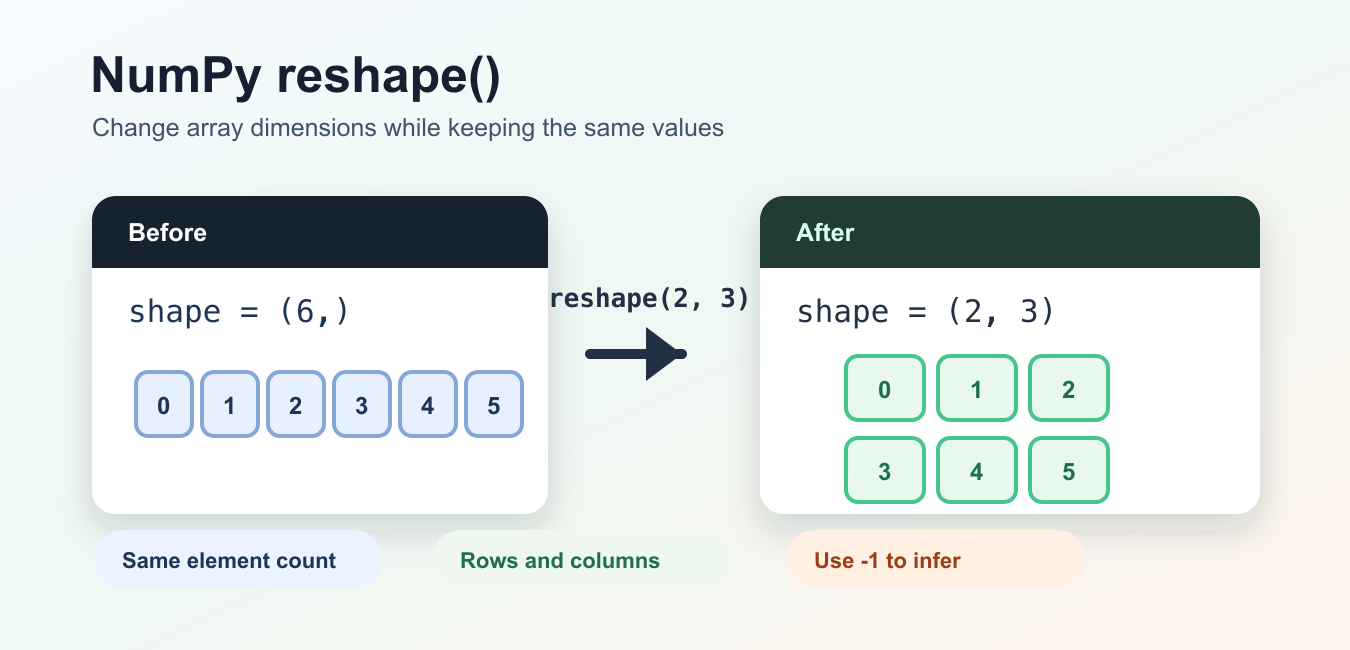
NumPy reshape() changes an array’s dimensions without changing the number or order of its elements. The target shape must contain the same number of positions as the original array, and at most one target dimension may be -1 for NumPy to infer. Reshape is a shape operation, not a sorting or reordering operation.
Quick answer
Call array.reshape(rows, columns) or np.reshape(array, newshape). Check array.size before choosing a shape, use one -1 to infer a dimension, and inspect whether the result shares memory when mutation matters. The official NumPy reshape reference documents shape, order, and copy behavior.
Reshape a one-dimensional array
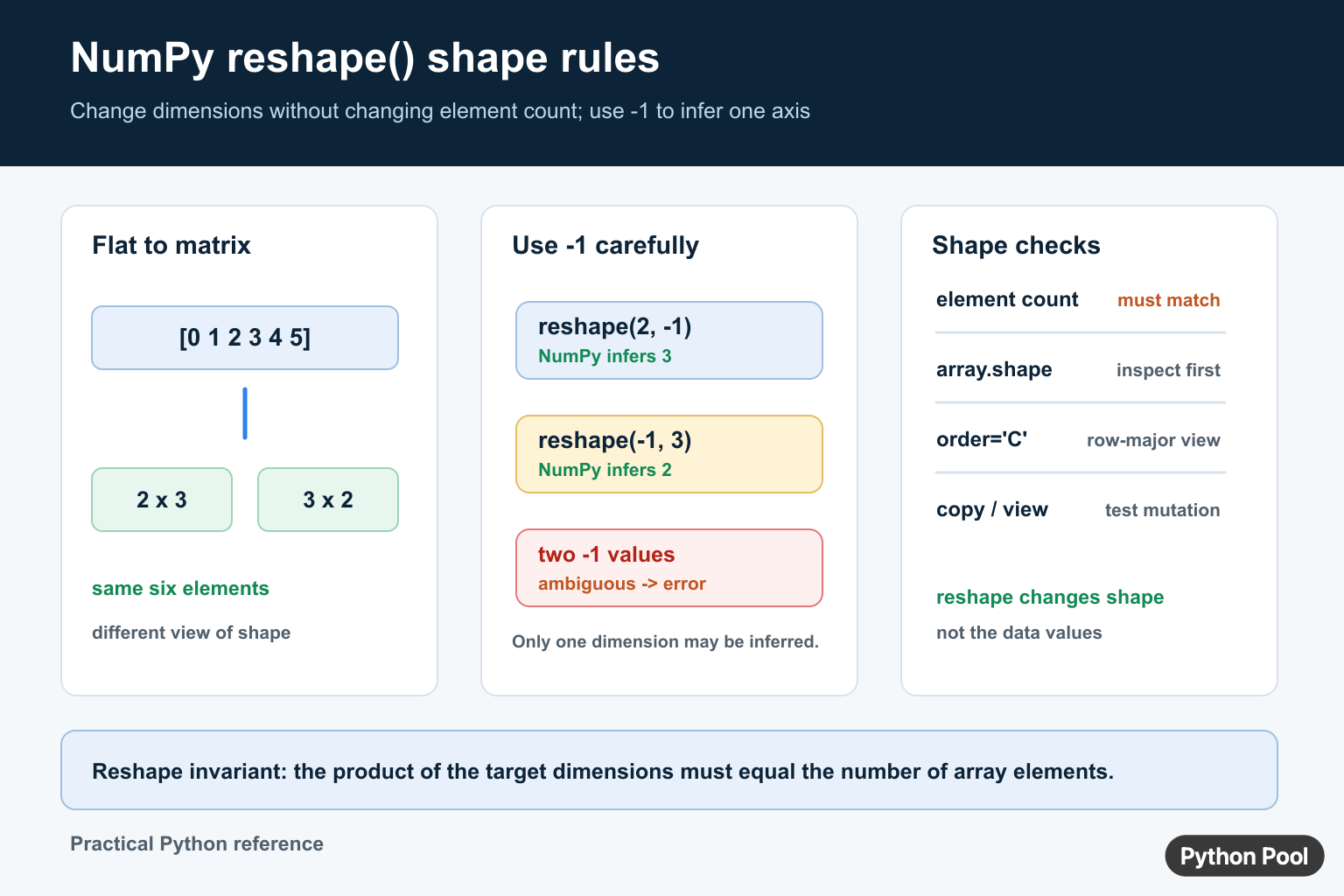
A six-element array can become a 2-by-3 or 3-by-2 matrix because both shapes contain six positions.
import numpy as np

values = np.arange(6)
matrix = values.reshape(2, 3)

print(values)
print(matrix)
The values remain in their existing order under the chosen order rule. Reshape changes how indexes describe the data; it does not automatically sort values or transpose a matrix.
Use -1 to infer one dimension
Pass -1 for one dimension when the other dimensions and element count determine the missing size.
import numpy as np

values = np.arange(12)
rows = values.reshape(3, -1)
columns = values.reshape(-1, 4)

print(rows.shape)
print(columns.shape)
Only one dimension can be inferred. Two -1 values are ambiguous and raise an error, while an explicit shape whose product does not match the element count is also invalid.
Check shape and size first
array.shape describes the current axes, and array.size is the total number of elements. Use these properties when a shape comes from configuration, a file, or a model contract.
import numpy as np

values = np.arange(8)
target = (2, 4)

if values.size != target[0] * target[1]:
    raise ValueError("shape does not match element count")

result = values.reshape(target)
print(result.shape)
Failing with a descriptive error near the input boundary is easier to diagnose than allowing a later reshape call to fail far from the source of the bad shape.
Understand order
The order argument controls how elements are read and placed during the reshape. The default C-style order follows the last axis fastest for the conceptual indexing operation. Use a different order only when the data was produced with a matching convention and document that decision.
Views, copies, and mutation
NumPy may return a view that shares memory with the original array, or it may create a copy when the layout requires it. Do not assume that changing the reshaped result is isolated from the source. Test with np.shares_memory() or make an explicit copy when ownership is part of the contract.
import numpy as np

values = np.arange(6)
matrix = values.reshape(2, 3)
matrix[0, 0] = 99

print(values)
print(np.shares_memory(values, matrix))
Use copy() when the caller needs an independent array, and remember that a copy also has a memory cost.
Reshape columns and rows
A one-dimensional input can be reshaped to a column with (-1, 1) or to a row with (1, -1). This is useful for broadcasting and matrix APIs that require two-dimensional input.
import numpy as np

values = np.array([1, 2, 3])
column = values.reshape(-1, 1)
row = values.reshape(1, -1)
print(column.shape, row.shape)
Choose the shape that matches the downstream operation. A column and a row may broadcast together into a matrix, which is powerful but can also create a larger result than expected.
Reshape is not transpose
Reshaping changes the dimensions according to an order rule. Transposing swaps axes. A 2-by-3 array and its 3-by-2 transpose have the same element count but a different relationship between row and column indexes. Use array.T or transpose() when the operation is explicitly about exchanging axes.
import numpy as np

matrix = np.arange(6).reshape(2, 3)
reshaped = matrix.reshape(3, 2)
transposed = matrix.T

print(reshaped)
print(transposed)
The outputs may look similar for simple values, but they represent different memory traversal and axis semantics. Name the operation according to the intended data meaning.
Consider order and contiguity
For non-contiguous arrays, NumPy may need to allocate a copy to satisfy the requested shape and order. This matters in memory-sensitive pipelines and when a caller expects mutations to be visible in the source. Check contiguity or use np.shares_memory() when the distinction is important.
Test shape contracts at boundaries
Array-producing functions should document rank, axis meaning, and whether they return a view or an independent copy. Test a normal shape, a singleton dimension, an inferred dimension, an invalid element count, and an empty array. Shape errors are much easier to diagnose before broadcasting or matrix multiplication turns them into a distant failure.
Choose the method or function form
array.reshape(newshape) is convenient when the input is already an array. np.reshape(value, newshape) is useful in a pipeline that accepts array-like values and wants the transformation visible at the NumPy function boundary. Both express the same core shape operation, but the surrounding conversion and ownership policy may differ.
Do not infer semantic axes from shape alone
A shape such as (3, 4) tells you the dimensions, not whether rows represent observations, channels, time, or features. Add names or documentation for axes before reshaping data from a file or model. A numerically valid reshape can still connect the wrong values to the wrong meaning.
import numpy as np

observations = np.arange(12)
features = observations.reshape(3, 4)
print(features.shape)
Use a transpose or an explicit axis move when the problem is about meaning rather than merely packing values into a new rectangle.
For related array operations, see NumPy arange(), asarray(), and sin().
Check empty arrays explicitly
Empty arrays still have a shape contract. Reshaping an array with zero elements can be valid when the target also contains zero elements, but an inferred dimension may be ambiguous. Test empty input separately when a data pipeline can receive no rows.
import numpy as np

empty = np.empty((0, 3))
reshaped = empty.reshape(0, 3)
print(reshaped.shape)
Validate the expected rank before passing empty data to downstream code or reshape.
Frequently Asked Questions
What does NumPy reshape() do?
reshape() returns an array with a different shape while preserving the same elements and total element count.
How does -1 work in reshape()?
NumPy infers one dimension represented by -1 from the element count, but only one dimension may be inferred.
Is reshape() the same as transpose()?
No. reshape() repacks dimensions according to an order rule, while transpose() exchanges axes and their index meaning.
Does reshape() return a view or a copy?
It may return a view that shares memory or a copy when the array layout requires it, so test memory sharing when mutation matters.
