Quick Answer
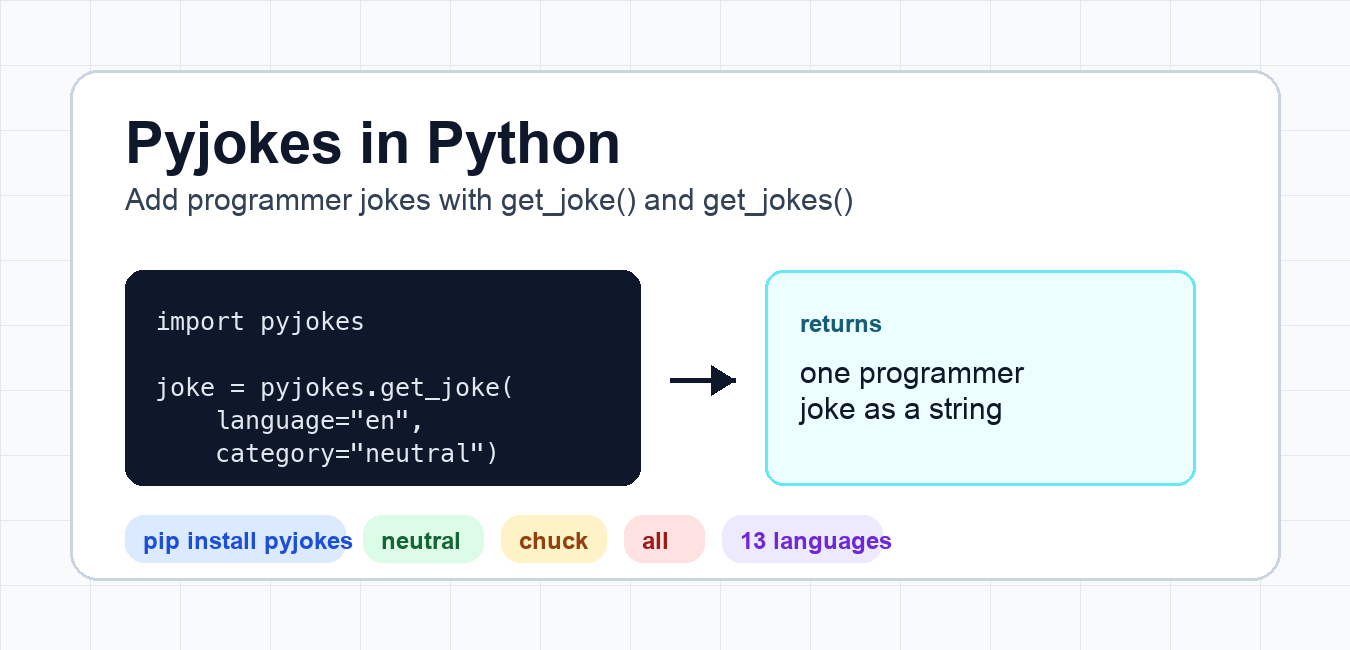
Install pyjokes in the environment that runs your script, import it, and call pyjokes.get_joke() for one result or pyjokes.get_jokes() for a list. Validate language and category values before exposing the output to users.

pyjokes is a small Python package that returns one-line programmer jokes. It is useful for toy projects, command-line demos, chat bots, Discord bots, learning scripts, and quick examples where you want visible output without building a full dataset.
The current PyPI release checked for this update is pyjokes 0.8.3. It requires Python 3.9 or newer and exposes two main functions: get_joke() for one joke and get_jokes() for a list of jokes.
Install pyjokes
Install the package with pip inside your project environment. If you use a virtual environment, activate it first so the package is installed for the project you are running.
python -m pip install pyjokes
If Python cannot import the package after installation, check which interpreter is running the script and where pip installed the package. Our guides on Python virtualenv location and removing Python virtual environments can help when environments are mixed up.
Get one joke with get_joke()
Use pyjokes.get_joke() when your program needs one random joke as a string. The default language is English and the default category is neutral.
import pyjokes

joke = pyjokes.get_joke(language="en", category="neutral")
print(type(joke))
print(len(joke) > 0)
<class 'str'>
True
This example checks the return type instead of depending on a specific joke, because the actual joke can vary from run to run.
Get many jokes with get_jokes()
Use get_jokes() when you need a list. This is better for menus, random selection in your own logic, test fixtures, or showing several options to a user.
import pyjokes

jokes = pyjokes.get_jokes(language="en", category="all")
print(type(jokes))
print(len(jokes))
print(isinstance(jokes[0], str))
get_jokes() returns a normal Python list, so you can slice it, loop over it, or use random.choice() if you want to control selection yourself.
Languages and categories
In the current package signature, supported language codes include cs, de, en, es, eu, fr, gl, hu, it, lt, pl, ru, and sv. Supported categories are neutral, chuck, and all.
Older examples may mention an extra German-only category. That category is not in the current get_joke() or get_jokes() function signature tested for this update, so do not rely on it in new code.
Handle invalid languages or categories
If you accept user input for language or category, validate it before calling pyjokes. Invalid values raise an exception, so a small wrapper makes your program easier to control.
import pyjokes

VALID_LANGUAGES = {"en", "es", "de", "fr", "it"}
VALID_CATEGORIES = {"neutral", "chuck", "all"}


def safe_joke(language="en", category="neutral"):
    if language not in VALID_LANGUAGES:
        language = "en"
    if category not in VALID_CATEGORIES:
        category = "neutral"
    return pyjokes.get_joke(language=language, category=category)


print(bool(safe_joke("en", "neutral")))
This pattern is useful for chat commands, web forms, and command-line arguments where users can type unsupported values.
Use pyjokes in a command-line script
A simple command-line script can print one joke and exit. Keep the script small and avoid calling the package repeatedly in tight loops unless your project really needs many jokes at once.
import pyjokes


def main():
    print(pyjokes.get_joke(language="en", category="neutral"))


if __name__ == "__main__":
    main()
You can combine this with user input, clipboard helpers, or colored terminal output. Related examples on this site include reading input from stdin, using Pyperclip, and formatting terminal text with Colorama.
When should you use pyjokes?
Use pyjokes for demos, beginner projects, bot responses, and examples where playful text is acceptable. Do not use it where output must be professional, localized with strict quality control, or reviewed for every audience. If your project has user-facing content standards, treat jokes as optional and allow them to be disabled.
Test pyjokes without hard-coding joke text
Because get_joke() can return different text, tests should check the shape of the result instead of one exact joke. Confirm that the value is a non-empty string, and test your own wrapper separately from the package’s joke database.
import pyjokes


def get_display_joke(language="en", category="neutral"):
    joke = pyjokes.get_joke(language=language, category=category)
    assert isinstance(joke, str)
    return joke.strip()


assert get_display_joke()
Common pyjokes errors
If you see ModuleNotFoundError, install the package in the same environment that runs the script. If you see an exception for a language or category, check the current supported values and avoid old examples that use removed categories. If your bot or web app displays jokes to users, keep a fallback message so the feature fails gracefully instead of breaking the whole command.
Keep user-facing projects appropriate
Programmer jokes are fine for demos, but they are still user-facing text. For classrooms, public bots, company dashboards, or client projects, review whether the tone fits the audience. A small feature flag or configuration value lets you turn jokes off without removing the code path entirely.
Use pyjokes as a dependency carefully
Pin dependencies when reproducibility matters, especially in tutorials, CI jobs, or deployed bots. A package update can change supported languages, categories, or joke content. If your project depends on stable output, record the tested package version and run a small smoke test after upgrades.
Related Python guides
- Fix no module named errors
- Python Decouple module
- Python input() vs raw_input()
- Python Pyperclip module
- Python Colorama module
Official references
- pyjokes on PyPI
- pyjokes GitHub repository
- pyjok.es project site
- Python Packaging User Guide: installing packages
- Python venv documentation
Keep Package Output Separate from Application Logic
A small helper keeps the package call easy to test and lets your application decide how to display or filter the result.
import pyjokes

def get_safe_joke(language="en", category="neutral"):
    try:
        return pyjokes.get_joke(language=language, category=category)
    except Exception:
        return "No joke available for this selection."

print(get_safe_joke())
Check the installed package documentation for supported language and category values rather than assuming every combination is available in every release.
Frequently Asked Questions
What is pyjokes used for?
pyjokes is a small package for returning programmer jokes in demos, command-line tools, bots, and learning projects.
How do I get one joke?
Call pyjokes.get_joke() after installing the package in the environment used by your script.
How do I get multiple jokes?
Call pyjokes.get_jokes() and pass supported language or category options when the package version provides them.
Can I use pyjokes output in a public app?
Review the package data and project license, validate the output, and make sure the selected content is appropriate for your audience.
