Quick Answer
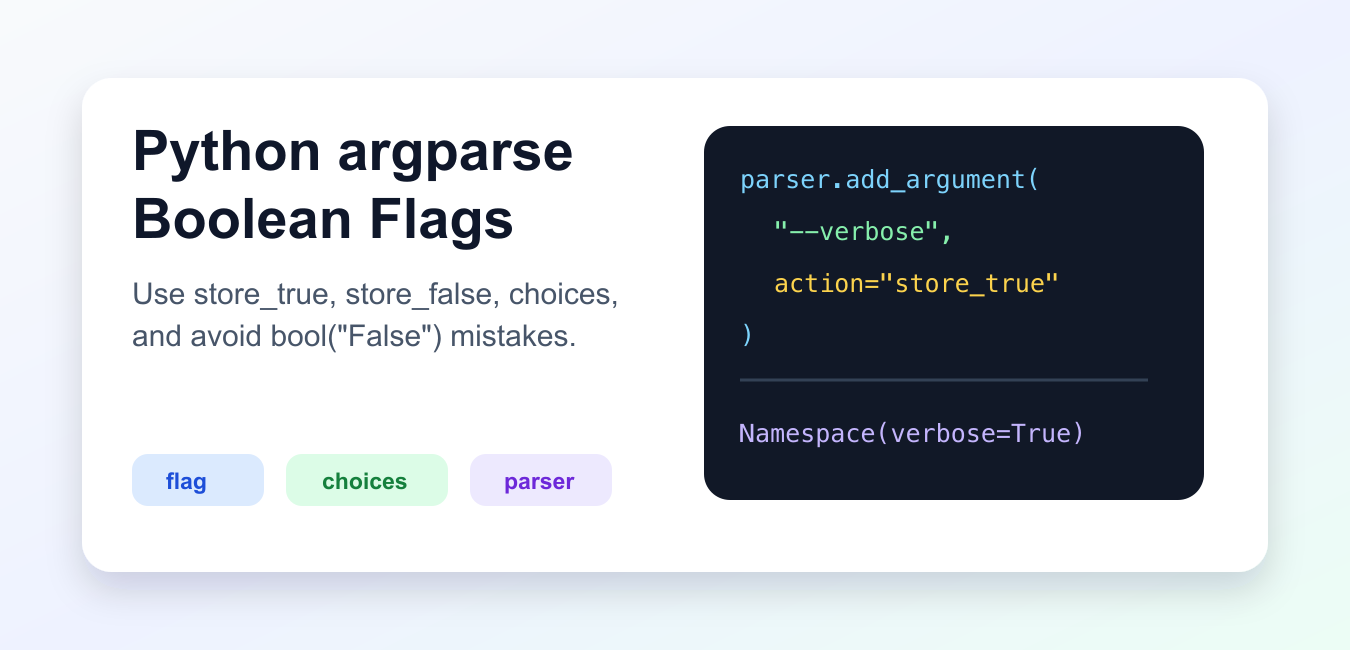
Use action='store_true' for an opt-in flag such as --verbose, action='store_false' for a flag such as --no-cache, or argparse.BooleanOptionalAction when you want both --feature and --no-feature. Avoid type=bool: strings such as "False" are non-empty and become True.
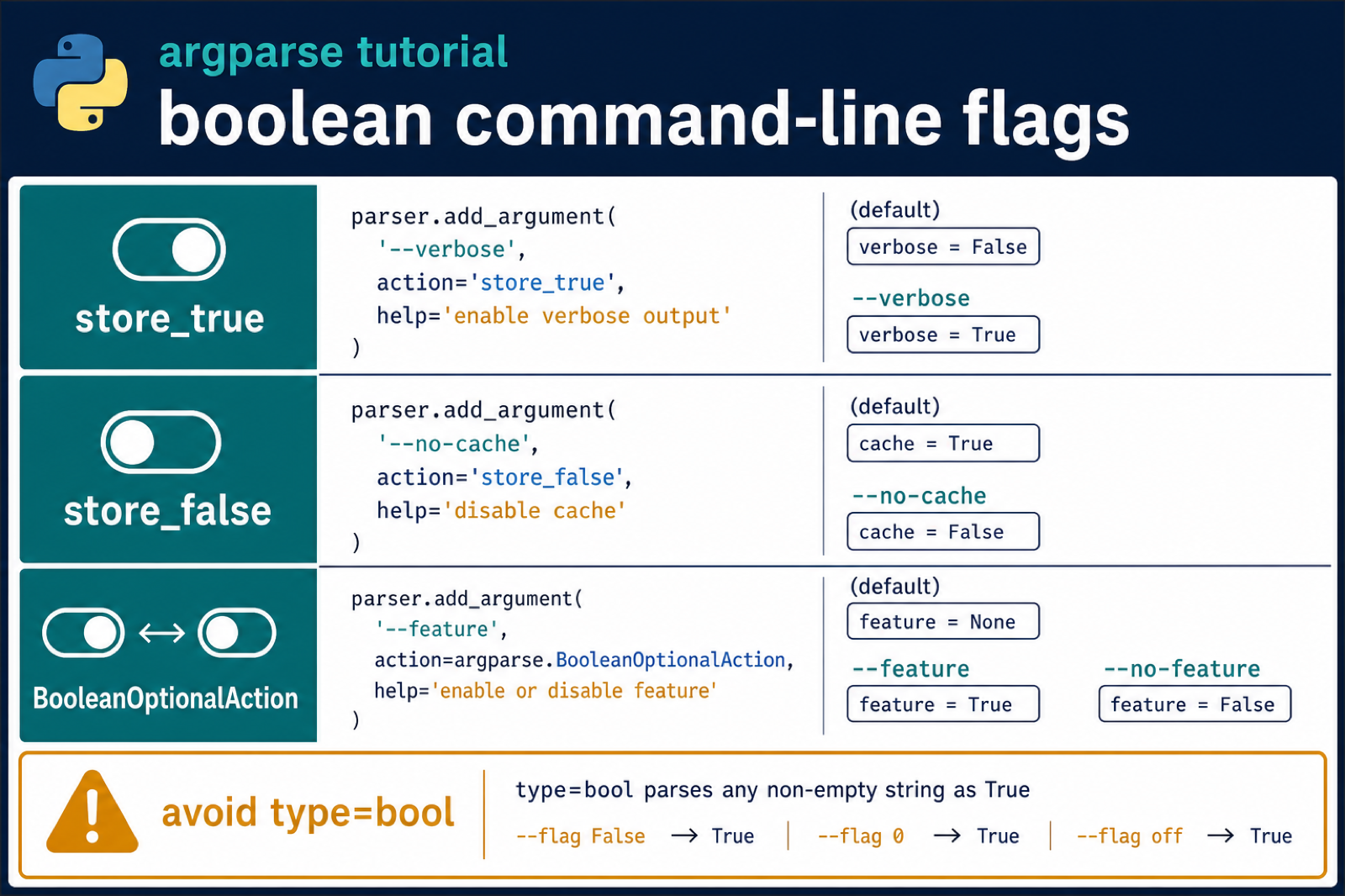
Boolean command-line options in argparse should usually be flags, not free-form strings. Use action="store_true" for an option that becomes True when present, and action="store_false" for an option that becomes False when present.
Avoid type=bool. In Python, bool("False") is True because non-empty strings are truthy. That mistake can make command-line tools behave opposite to what users requested.
The official Python argparse documentation covers actions, choices, defaults, and parser errors. The CPython argparse.py source is the standard-library implementation.
Use store_true For Enable Flags
store_true sets the value to True when the flag is present. If the flag is absent, the value is False.
import argparse

parser = argparse.ArgumentParser()
parser.add_argument("--verbose", action="store_true")

args = parser.parse_args(["--verbose"])

print(args.verbose)
This is the normal shape for flags such as --verbose, --dry-run, --debug, and --force.
The user does not type a separate value. The presence of the option is the value.
Use store_false For Disable Flags
store_false is useful when the default is enabled and the user needs an option to turn it off.
import argparse

parser = argparse.ArgumentParser()
parser.add_argument("--cache", action="store_false", dest="use_cache")

args = parser.parse_args(["--cache"])

print(args.use_cache)
In this example, --cache disables use_cache. For clearer command names, many tools use names such as --no-cache with store_false.
Choose option names that describe the user’s action, not only the internal destination name.
Avoid type=bool
type=bool does not parse words like a human would expect.
import argparse

parser = argparse.ArgumentParser()
parser.add_argument("--enabled", type=bool)

args = parser.parse_args(["--enabled", "False"])

print(args.enabled)
print(bool("False"))
The output is True, because the string "False" is not empty.
This is why boolean command-line options should be flags, choices, or custom parsers instead of type=bool.
Accept Explicit True Or False
If the user must type a value, use choices and convert deliberately.
import argparse

parser = argparse.ArgumentParser()
parser.add_argument("--enabled", choices=["true", "false"])

args = parser.parse_args(["--enabled", "false"])
enabled = args.enabled == "true"

print(enabled)
This rejects unexpected values and keeps the accepted input obvious in the help output.
Use explicit values for configuration-style commands where the option must be set from scripts or environment-driven wrappers.
Write A Custom Boolean Parser
For more accepted words, define a parser function that raises ArgumentTypeError on invalid input.
import argparse

def parse_bool(text):
    value = text.lower()
    if value in {"true", "yes", "1"}:
        return True
    if value in {"false", "no", "0"}:
        return False
    raise argparse.ArgumentTypeError("expected true or false")

parser = argparse.ArgumentParser()
parser.add_argument("--enabled", type=parse_bool)

args = parser.parse_args(["--enabled", "yes"])

print(args.enabled)
A custom parser is best when you need compatibility with existing command syntax.
Keep the accepted values small and documented. Too many spellings can make command behavior harder to predict.
Use BooleanOptionalAction
Modern Python supports BooleanOptionalAction, which creates positive and negative forms for the same option.
import argparse

parser = argparse.ArgumentParser()
parser.add_argument("--feature", action=argparse.BooleanOptionalAction)

enabled = parser.parse_args(["--feature"]).feature
disabled = parser.parse_args(["--no-feature"]).feature

print(enabled)
print(disabled)
This gives users both --feature and --no-feature without manually defining two arguments.
Design Boolean Options Clearly
A boolean option should read naturally in help output. If the default behavior is quiet, --verbose with store_true makes sense. If the default behavior uses caching, --no-cache with store_false is clearer than a vague --cache flag.
Set defaults intentionally. A default should represent what happens when the user says nothing. The flag should represent the change the user wants to make. This keeps scripts predictable in automation.
Do not require users to type --debug true unless there is a strong compatibility reason. Flags are shorter, harder to mistype, and easier to discover from the generated help text.
When both positive and negative forms are useful, BooleanOptionalAction can reduce boilerplate. It is especially helpful for configuration toggles where users may want to override a default either way.
For subcommands or complex tools, keep boolean names consistent across commands. If one command uses --dry-run, another command should not use --preview for the same behavior unless the meaning is genuinely different.
Handle Scripted Input Safely
Command-line tools are often called from shell scripts, CI jobs, and scheduled tasks. Invalid boolean input should fail loudly with a parser error instead of silently choosing the wrong value.
That is why choices or a custom parser is better than accepting arbitrary strings. The parser can reject unexpected values before the program performs work.
Troubleshoot Common Mistakes
If a flag is always False, check whether the user is passing the exact option name. Argparse converts dashes to underscores for the destination name, so --dry-run becomes args.dry_run.
If an option expects a value when it should not, confirm that you used action="store_true" or action="store_false". Without an action, argparse assumes the option needs a following argument.
If two flags should write to the same destination, set dest explicitly and choose defaults carefully. This prevents separate attributes from drifting out of sync.
The practical rule is to use flags for booleans, avoid type=bool, and choose explicit parsing only when a command genuinely needs a typed true-or-false value.
That keeps command-line behavior predictable and help text easier to understand.
Use store_true and store_false for One-Way Flags
These actions do not consume a separate value. The presence of the option changes the destination boolean and its default is controlled by the action.
import argparse

parser = argparse.ArgumentParser()
parser.add_argument("--verbose", action="store_true")
parser.add_argument("--no-cache", action="store_false", dest="cache", default=True)
args = parser.parse_args()
print(args.verbose, args.cache)
Use help text that describes the resulting behavior, not only the flag name. This makes generated command-line documentation easier to understand.
Use BooleanOptionalAction for Paired Options
Python 3.9 and later include argparse.BooleanOptionalAction, which creates positive and negative forms from one argument declaration.
import argparse

parser = argparse.ArgumentParser()
parser.add_argument("--feature", action=argparse.BooleanOptionalAction)
args = parser.parse_args(["--no-feature"])
print(args.feature)  # False
When supporting older Python versions or a CLI that accepts configuration files, parse explicit strings with a small converter instead of relying on bool(text). Test omitted, positive, negative, and invalid inputs.
For command-line configuration, compare argparse booleans with Python -m execution and conditional imports. Read python m flag and python conditional import for the related workflow.
Frequently Asked Questions
How do I parse a boolean flag with argparse?
Use an action such as store_true or store_false for presence-based flags, or BooleanOptionalAction for paired positive and negative options.
Why should I avoid type=bool in argparse?
Command-line values arrive as strings, and bool(‘False’) is True because the string is non-empty. Use an action or an explicit converter instead.
What does store_true do?
It sets the destination to True when the flag is present and otherwise leaves it at its default, normally False.
When was BooleanOptionalAction added?
It was added in Python 3.9. For older versions, define paired store_true or store_false flags or parse an explicit value yourself.
