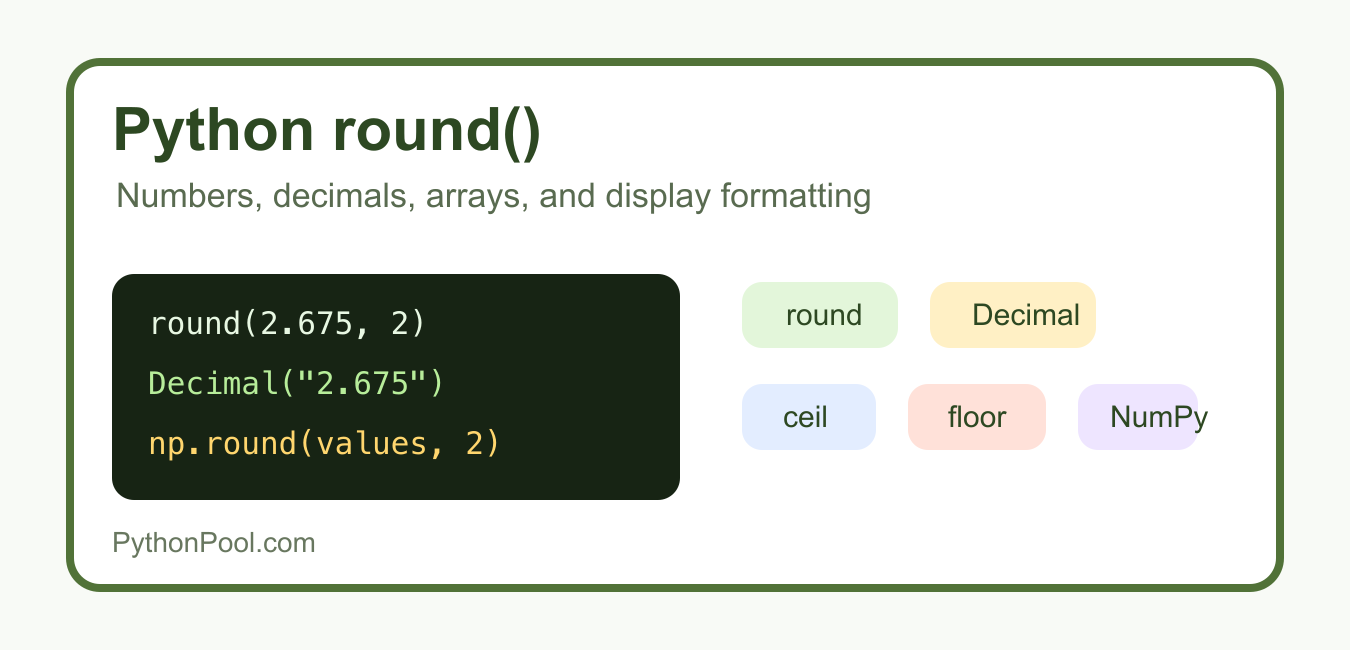
Python’s round() function rounds a number to a chosen number of decimal digits, but its behavior is more precise than the everyday phrase “round up.” For halfway cases, Python uses ties-to-even rounding. Binary floating-point representation can also make a value that looks like an exact decimal fall just above or below the halfway point. For money or fixed decimal rules, use Decimal.quantize(); for display-only values, format the number instead of changing the stored value.
Quick answer
Use round(number) for the nearest integer or round(number, ndigits) for a specified decimal position. Python rounds exact halfway cases to the nearest even result, so round(2.5) is 2 and round(3.5) is 4. Use format(value, ".2f") for a two-decimal display and Decimal.quantize() when the rounding rule is part of a decimal calculation.
The official Python round documentation explains the ties-to-even rule and the effect of floating-point representation. The result should be chosen for the job: computation, decimal accounting, array processing, or presentation.
Round to an integer
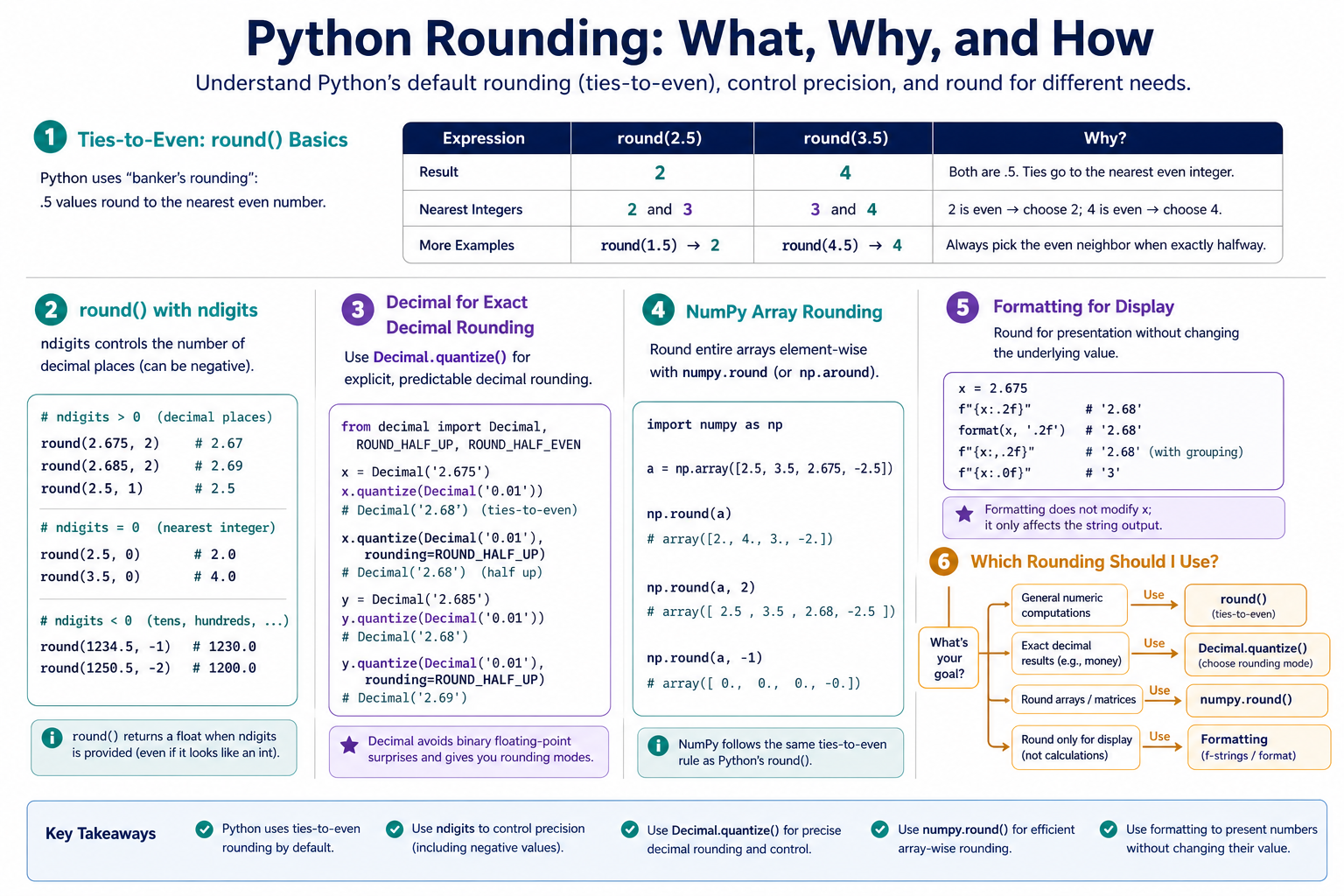
Calling round() without ndigits returns an integer for ordinary Python numeric inputs. For halfway values, the even integer is selected. This avoids a systematic bias that always rounding halves upward would introduce over many operations.
values = [1.4, 1.5, 2.5, 3.5, 4.6]
rounded = [round(value) for value in values]

for value, result in zip(values, rounded):
    print(value, "->", result)
The ties-to-even rule is sometimes called banker's rounding. It applies to exact halfway cases, but decimal literals are stored as binary floating-point values. That is why a printed value can appear to be exactly halfway while the internal value is slightly different.
Use ndigits for decimal places
The second argument controls the rounding position. A positive ndigits rounds to the right of the decimal point, zero rounds to an integer-like float in some cases, and a negative value rounds to tens, hundreds, or larger places.
value = 1234.56789

print(round(value, 2))
print(round(value, 0))
print(round(value, -1))
print(round(value, -2))
Rounding is not the same as formatting. round(2.5, 1) returns a number, while format(2.5, ".1f") returns text with a requested number of visible digits. Choose the type expected by the next operation.
Understand floating-point surprises
Many decimal fractions cannot be represented exactly in binary floating point. A value such as 2.675 may be stored slightly below the mathematical decimal, so round(2.675, 2) can produce 2.67. This is a representation issue, not a random defect in round().
value = 2.675
result = round(value, 2)

print(repr(value))
print(result)
print(format(value, ".20f"))
Do not solve a floating-point representation issue by repeatedly adding a tiny epsilon without understanding the data. Use decimal arithmetic when exact decimal input and a documented rounding policy matter.
Use Decimal for decimal rules
Decimal stores decimal values and lets you choose a rounding mode explicitly. Construct it from a string when the source is a decimal representation. Constructing from an existing float preserves the float's approximation, which may not be what an accounting rule intends.
from decimal import Decimal, ROUND_HALF_UP

amount = Decimal("2.675")
cent = Decimal("0.01")
rounded = amount.quantize(cent, rounding=ROUND_HALF_UP)

print(rounded)
The appropriate mode depends on the domain. ROUND_HALF_UP is common in human-facing decimal rules, while other policies may require ties-to-even or a jurisdiction-specific method. Document the choice and apply it consistently at the boundary where the amount is recorded.
Format values for display
If the goal is a label, report, or UI value, formatting is usually better than replacing the underlying number. The formatted value is text and can preserve trailing zeros, while the original numeric value remains available for calculations.
price = 19.9
display_price = format(price, ".2f")
percentage = format(0.875, ".1%")

print(display_price)
print(percentage)
Use a locale-aware formatting strategy when the audience expects a local decimal separator or currency convention. A fixed ".2f" format controls digits, not currency semantics, grouping, or localization.
Round NumPy arrays
For NumPy arrays, use np.round() or the array method round() to apply rounding element by element. The result remains numeric, so it can continue through a vectorized pipeline. The same floating-point representation considerations still apply.
import numpy as np

values = np.array([1.234, 2.675, 9.995])
rounded = np.round(values, decimals=2)

print(rounded)
print(rounded.dtype)
NumPy rounding is useful for analysis and controlled output, but it is not automatically a substitute for decimal accounting. If the values represent money and exact decimal rules are required, keep the decimal policy in a decimal-aware layer.
Round negative values and large positions
Rounding positions can be negative, and the rule applies symmetrically to the number line. When the requested position is larger than the number's available precision, the result may become zero or a multiple of a larger power of ten. Test negative values when a sign-sensitive result matters.
values = [-15.5, -25.5, 149, 150, 151]

for value in values:
    print(value, "->", round(value), "->", round(value, -1))
Do not assume “.5 always goes away from zero.” Ties-to-even can send a positive or negative halfway value toward the even neighbor. If a specification requires a different rule, choose Decimal with an explicit mode.
Test a rounding policy
Tests should state the policy rather than merely checking a few convenient values. Include exact halfway decimals through Decimal, ordinary floats that exercise representation, negative values, ndigits, and the output type expected by callers.
from decimal import Decimal, ROUND_HALF_UP

def round_price(text):
    return Decimal(text).quantize(
        Decimal("0.01"),
        rounding=ROUND_HALF_UP,
    )

assert round_price("2.675") == Decimal("2.68")
assert round_price("2.674") == Decimal("2.67")
The assertions above test a decimal policy, not Python's binary float behavior. Keeping those tests separate prevents a future refactor from replacing exact decimal arithmetic with a visually similar but materially different float calculation.
Common mistakes
- Expecting
round()to always round a half upward. - Using rounded display text as the source for later calculations.
- Comparing a binary float with an exact decimal expectation.
- Constructing
Decimalfrom a float when the decimal input is available as text. - Using
round()when the business rule requires an explicit decimal rounding mode.
The practical rule is to preserve full numeric precision through calculations, round only at a deliberate boundary, and choose the tool that matches the boundary. Use round() for Python numeric behavior, np.round() for arrays, Decimal.quantize() for exact decimal policy, and formatting for presentation.
For numeric presentation, compare Python round() with NumPy rounding and scientific-notation formatting. Read numpy round and python scientific notation for the related workflow.
Frequently Asked Questions
Frequently Asked Questions
What does round() do in Python?
round(number) returns the nearest integer using ties-to-even for exact halfway cases; round(number, ndigits) rounds to a requested position.
Why does round(2.5) return 2?
Python uses ties-to-even rounding, so the halfway values 2.5 and 3.5 go to the nearest even integers 2 and 4.
When should I use Decimal instead of round()?
Use Decimal.quantize() when exact decimal input and an explicit business rounding mode are part of the calculation.
How do I round only for display?
Use format(value, ‘.2f’) or an equivalent formatting method so the original numeric value remains available for calculations.
