Quick answer: Use tempfile.TemporaryFile for a file-like temporary object, NamedTemporaryFile when a filesystem name must be shared, and TemporaryDirectory for a group of related files. Context managers make cleanup explicit and reliable.
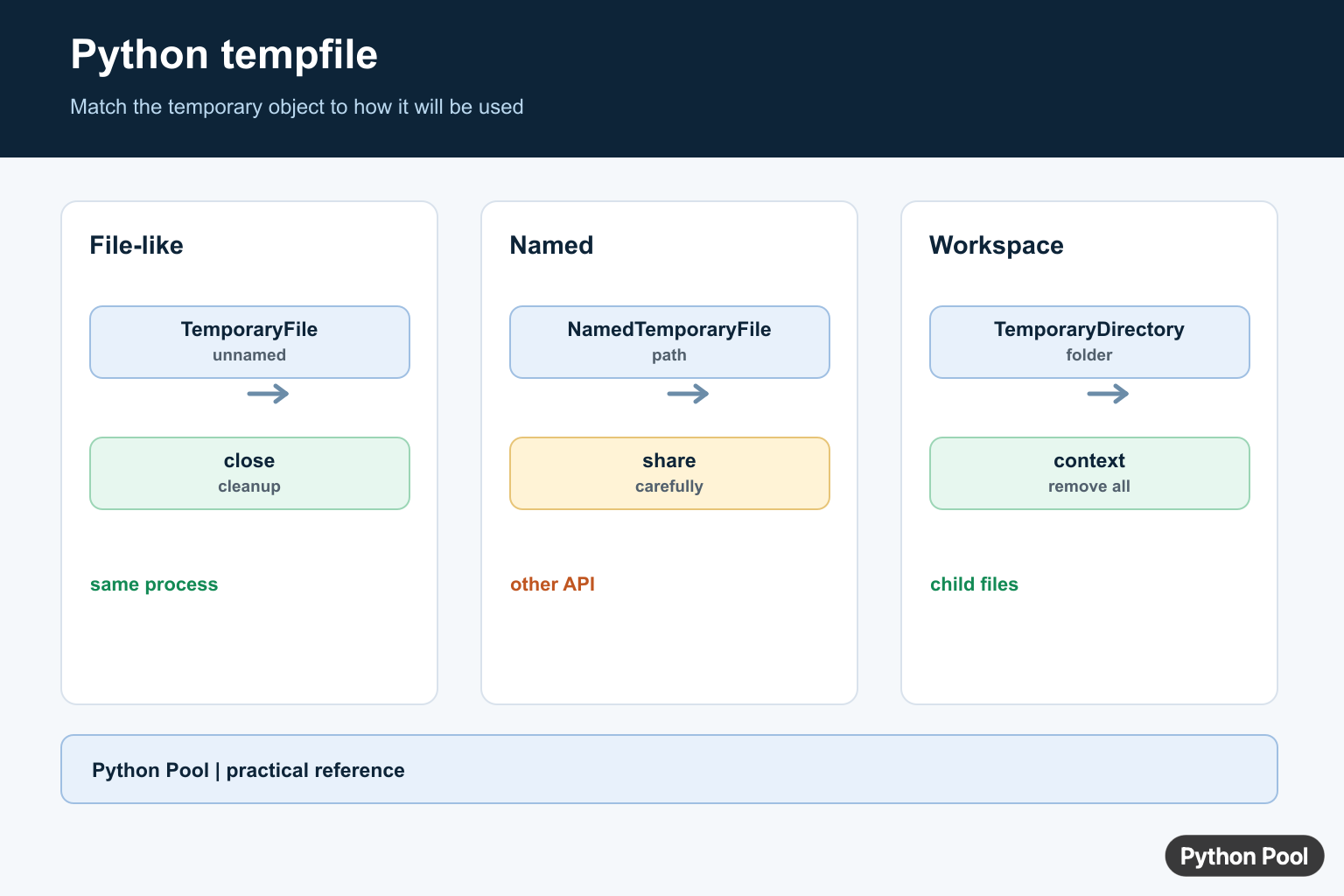
The tempfile module creates short-lived files and folders for scratch work. It is useful when a script needs a place to write intermediate data, test output, generated text, or small artifacts that should not become part of the project tree.
The official references are the Python documentation for tempfile, pathlib, and os.
Temporary storage is better than writing experiments into the working folder. It avoids clutter, reduces name collisions, and makes cleanup predictable. Most examples below use context managers so Python closes handles and removes paths when the block exits.
Pick the helper based on how much access you need. TemporaryFile() gives a file object for quick read and write work. NamedTemporaryFile() gives a file object with a visible path. TemporaryDirectory() gives a whole folder for several files. mkstemp() is lower level and returns an operating-system file descriptor, so you must close and remove it yourself.
Temporary does not mean unimportant. You still need to flush data before another process reads it, choose text or binary mode deliberately, and guard any path that comes from outside the script. The module helps with safe names and cleanup, but your program still owns the workflow.
Write And Read A TemporaryFile
Use TemporaryFile() when the code only needs a file-like object and does not need a stable path on disk.
from tempfile import TemporaryFile

with TemporaryFile(mode="w+t", encoding="utf-8") as handle:
    handle.write("alpha\n")
    handle.write("beta\n")
    handle.seek(0)
    text = handle.read()

print(text.strip().splitlines())
The w+t mode opens the file for text writing and reading. After writing, seek(0) moves back to the start so the same handle can read what was just written.
This pattern is good for tests, generated reports, parser experiments, and any short task where a normal file path is not needed. When the context manager exits, the handle is closed automatically.
Use A NamedTemporaryFile
Use NamedTemporaryFile() when another API expects a path instead of an already opened file object.
from pathlib import Path
from tempfile import NamedTemporaryFile

with NamedTemporaryFile("w+t", encoding="utf-8", prefix="pool-", suffix=".txt") as handle:
    path = Path(handle.name)
    handle.write("temporary report\n")
    handle.flush()
    print(path.exists())
    print(path.name.endswith(".txt"))

print(path.exists())
The file exists while the with block is active. In the default mode, Python removes it after the block closes. The explicit suffix is useful when a library chooses behavior from an extension, such as plain text, CSV, or a small config file.
On Windows, be careful when reopening the same named file while it is still open. If another tool needs exclusive access, close the file first or use a dedicated temporary directory and manage the path there.

Create A TemporaryDirectory
TemporaryDirectory() is the cleanest option when a task needs more than one scratch file.
from pathlib import Path
from tempfile import TemporaryDirectory

with TemporaryDirectory(prefix="pool-work-") as folder:
    root = Path(folder)
    note = root / "notes" / "step.txt"
    note.parent.mkdir()
    note.write_text("clean workspace\n", encoding="utf-8")
    print(note.read_text(encoding="utf-8").strip())
    print(root.exists())

print(root.exists())
The directory exists inside the block and is removed after the block exits. This is ideal for tests that need to create input files, output folders, or nested content without leaving anything behind.
Use pathlib.Path for joins and file actions inside the directory. It keeps the code readable and avoids hand-built separator mistakes across operating systems.
Keep Small Data In Memory First
SpooledTemporaryFile() starts in memory and rolls over to a real temporary file after the content grows beyond a size limit.
from tempfile import SpooledTemporaryFile

with SpooledTemporaryFile(max_size=32, mode="w+t", encoding="utf-8") as handle:
    handle.write("short text")
    print(getattr(handle, "_rolled", False))
    handle.write(" plus enough text to move storage")
    handle.seek(0)
    print(handle.read().startswith("short"))
This is helpful for request processing, test fixtures, and generated content that is usually small but can occasionally grow. The API still behaves like a file object, so callers can write, seek, and read without caring where the bytes are stored.
The private _rolled attribute is shown only to make the demonstration visible. Production code should treat the object as a file-like handle and let the module decide the best storage location.

Close And Remove mkstemp Paths
mkstemp() is lower level. It creates a secure file and returns a descriptor plus a path, but it does not give you automatic cleanup.
import os
from pathlib import Path
from tempfile import mkstemp

fd, name = mkstemp(prefix="pool-", text=True)
path = Path(name)

try:
    with os.fdopen(fd, "w", encoding="utf-8") as handle:
        handle.write("created with mkstemp\n")
    print(path.read_text(encoding="utf-8").strip())
finally:
    path.unlink(missing_ok=True)
Use the higher-level helpers unless you specifically need the descriptor. If you do use mkstemp(), close it with os.fdopen() or os.close(), then remove the path in a finally block.
This cleanup step matters in long-running services, command-line tools, and test suites. A forgotten temporary path can fill disk space over time.

Choose The Temporary Base Directory
gettempdir() shows the base folder Python will use for temporary storage. You can also pass a specific base directory when your workflow needs scratch files on a particular drive.
from pathlib import Path
from tempfile import TemporaryDirectory, gettempdir

base = Path(gettempdir())
print(base.exists())

with TemporaryDirectory(dir=base) as folder:
    work = Path(folder) / "sample.txt"
    work.write_text("inside system temp\n", encoding="utf-8")
    print(work.exists())
    print(work.parent.parent == base)
Most scripts can rely on the system default. Choose a custom base only when there is a practical reason, such as faster scratch storage, more disk space, or a job-specific workspace that is cleaned by the platform.
Do not use temporary files as a substitute for durable storage. If the output must survive a restart, a deployment, or a later user action, write it to a normal application directory with a clear retention policy.
The practical rule is simple: use context managers for automatic cleanup, use pathlib for path work, flush before another process reads a named file, and reserve mkstemp() for cases that need low-level descriptor control.
TemporaryFile For File-Like Work
TemporaryFile is useful when an API needs read and write methods but no other process needs a stable path. It normally disappears automatically when closed, so it is a good default for scratch data that stays inside one process.
import tempfile

with tempfile.TemporaryFile(mode="w+b") as handle:
    handle.write(b"temporary data")
    handle.seek(0)
    print(handle.read())
NamedTemporaryFile For A Path
Some libraries accept only a path string or need to open the file separately. NamedTemporaryFile provides a name, but cross-platform reopen and delete behavior should be checked for the target operating system. Close the handle before handing the path to software that cannot share an open file.
import os
import tempfile

with tempfile.NamedTemporaryFile(prefix="pythonpool-", suffix=".bin", delete=False) as handle:
    handle.write(b"payload")
    path = handle.name

try:
    print(os.path.getsize(path))
finally:
    os.unlink(path)
TemporaryDirectory For A Workspace
TemporaryDirectory creates a directory and removes its contents when the context ends. Build child paths with pathlib or os.path, keep cleanup inside the same scope, and avoid returning a path after the directory has been deleted.
from pathlib import Path
import tempfile

with tempfile.TemporaryDirectory() as directory:
    output = Path(directory) / "result.txt"
    output.write_text("done", encoding="utf-8")
    print(output.read_text(encoding="utf-8"))
Python’s tempfile documentation covers secure temporary names, automatic cleanup, named paths, and directory lifetimes.
For related file workflows, compare writing binary bytes, copying files, and checking file size before choosing a temporary storage boundary.
Frequently Asked Questions
How do I create a temporary file in Python?
Use tempfile.TemporaryFile() for a file-like object that is normally removed automatically when it closes.
When should I use NamedTemporaryFile?
Use NamedTemporaryFile when another API or process needs a filesystem path, while still keeping cleanup and close behavior explicit.
How do I create a temporary directory?
Use tempfile.TemporaryDirectory() as a context manager and create files below its returned path.
Are temporary files secure by default?
The tempfile module uses secure operating-system mechanisms and unpredictable names, but permissions, lifetime, and sensitive-data handling still need review.
