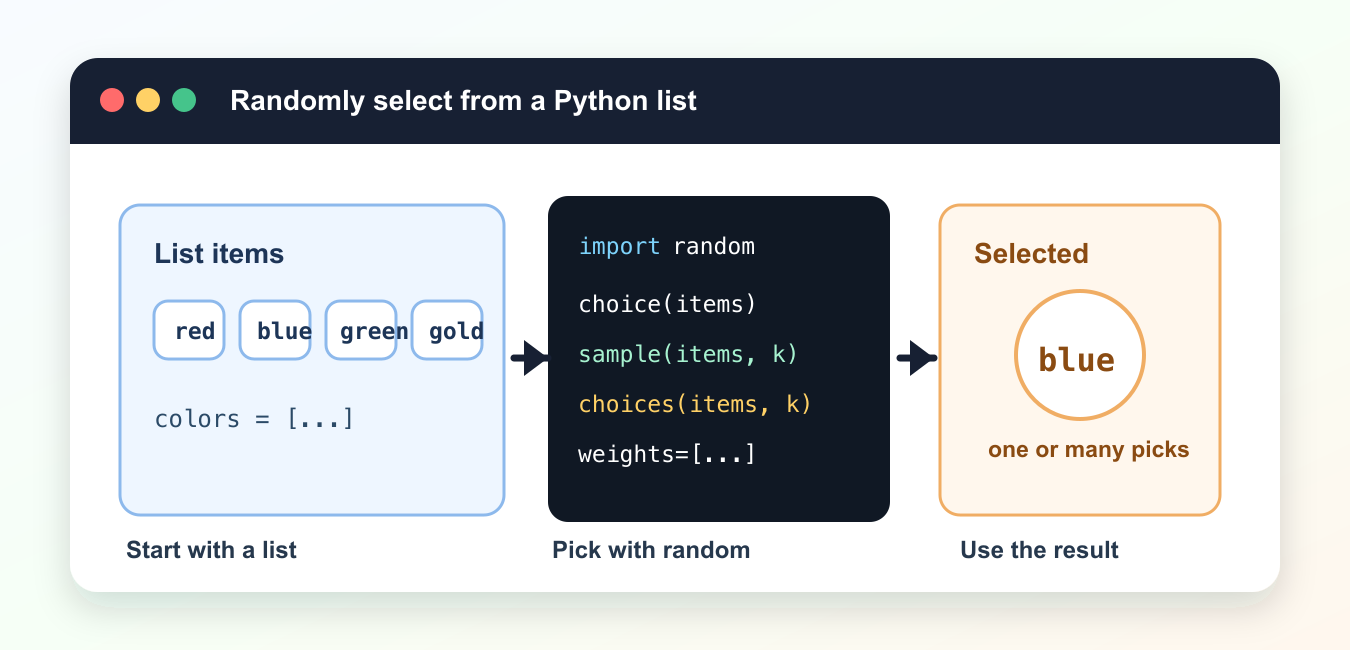
Quick answer: Use random.choice for one item, random.sample for unique items without replacement, and random.choices for repeated or weighted selections. Use secrets.choice for security-sensitive decisions, and define the empty-list behavior before calling any selector.
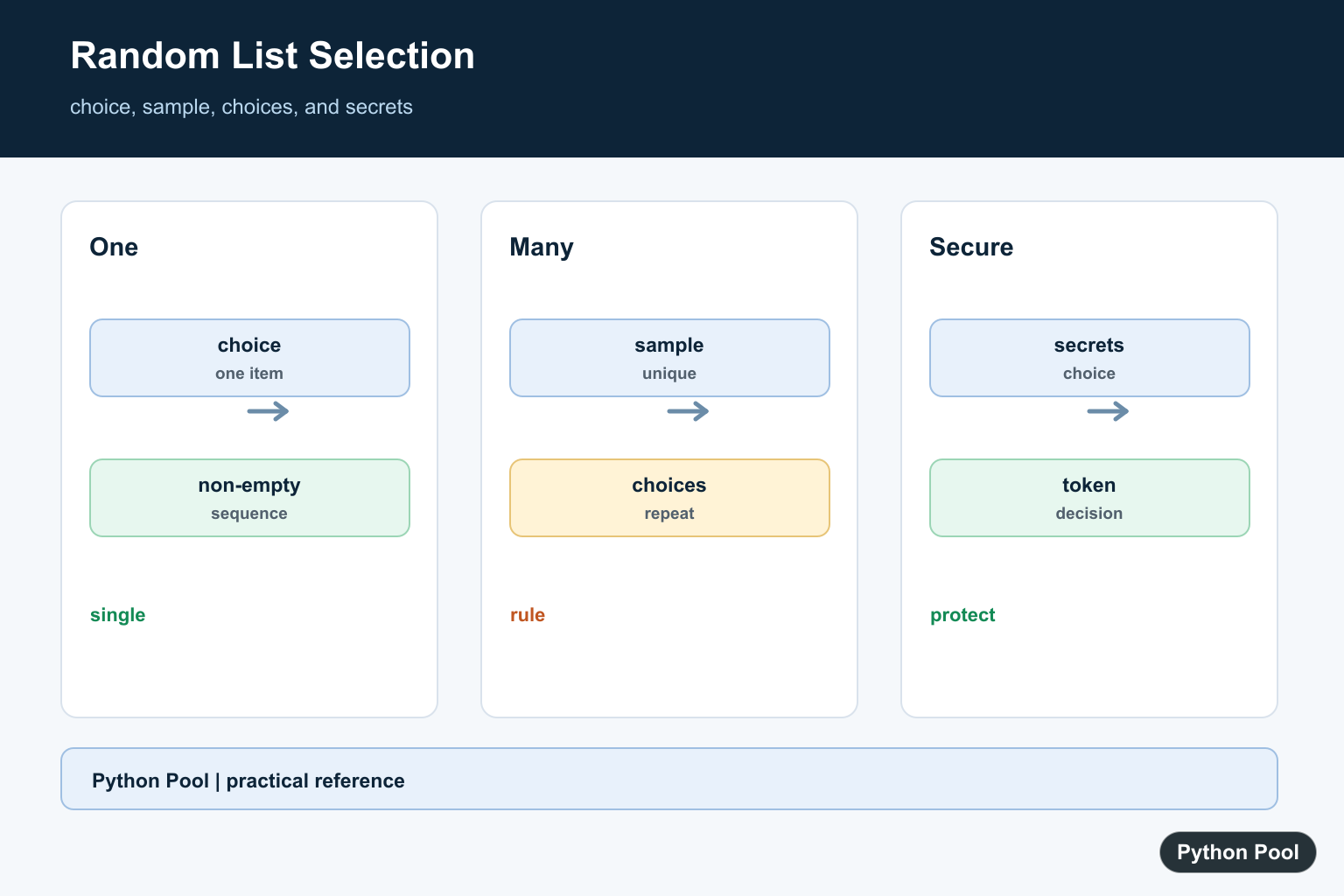
Python has several ways to randomly select from a list. Use random.choice() for one item, random.sample() for unique picks, and random.choices() when repeated picks or weights are allowed. For security-sensitive choices, use secrets.choice().
The right function depends on the rule. If the same item can appear more than once, use choices(). If each selected item must be unique, use sample(). If you need only one item from a non-empty list, choice() is the simplest option. To randomize the order of a whole list, see the Python shuffle list guide.
These functions do not change the original list, except for separate shuffle operations. That makes them useful for games, tests, recommendations, sampling, and simple command-line tools. Always handle empty lists before selecting, because choosing from an empty sequence raises an error.
Random selection is easiest to maintain when the rule is explicit. Write down whether duplicates are allowed, whether every item should have the same chance, and whether the result is for ordinary application behavior or a security-sensitive decision. Those answers usually point directly to the correct function.
Also separate selection from the action that follows it. First choose the item or items, then pass the result to the rest of the program. That makes tests simpler because you can check the selection logic without triggering file changes, messages, or other side effects.
Select One Random Item
random.choice() returns one item from a non-empty sequence. It is the most direct way to pick one list element. Random sentence templates build on repeated element selection; Generate Random Sentences in Python combines word lists with random.choice().
import random

colors = ["red", "blue", "green", "gold"]

selected = random.choice(colors)

print(selected)
Each item has the same chance when the list contains each item once. If an item appears twice in the list, it has twice as many chances to be selected. When list items should not have equal probability, Weighted Random Choices in Python explains weights, cumulative weights, repeated draws, and reproducibility.
Use this for a single winner, a random prompt, a random color, or one test case from a prepared list. If repeatability matters during debugging, call random.seed() in a local test script, but avoid fixed seeds in production behavior unless that is intentional. For valid RGB, hexadecimal, and named-color generation rather than arbitrary list items, continue with Generate Random Colors in Python.
Handle An Empty List
Check that the list has items before calling choice(). This avoids an IndexError for empty input.
import random

names = []

if names:
    selected = random.choice(names)
else:
    selected = "No names available"

print(selected)
This pattern is useful for user input, files, or filters where the list might be empty after cleanup.
A fallback value is often better than letting an exception reach the user. In library code, though, raising a clear custom error may be more useful because callers can decide how to recover.
Select Unique Items
Use random.sample() when you need several different items. The same item will not be returned twice unless it appears more than once in the original list.
import random

students = ["Ada", "Grace", "Linus", "Guido", "Barbara"]

winners = random.sample(students, k=2)

print(winners)
The sample size cannot be larger than the list length. Check the length first when the number of available items changes.
sample() returns a new list and leaves the original list unchanged. That is helpful when you need a shortlist while preserving the source data for later steps.
Select With Repeated Picks
Use random.choices() when repeated selections are allowed. This is common for simulations and test data.
import random

faces = [1, 2, 3, 4, 5, 6]

rolls = random.choices(faces, k=5)

print(rolls)
Because repeated picks are allowed, the same face can appear more than once in the result.
This is a good fit for dice rolls, repeated trials, or generated demo data. If repeated items would be confusing to users, use sample() instead.
Use Weights For Uneven Chances
choices() also accepts weights. Larger weights make an item more likely to be selected.
import random

items = ["common", "rare", "legendary"]
weights = [80, 18, 2]

pick = random.choices(items, weights=weights, k=1)[0]

print(pick)
Weights do not need to add up to 100. Python uses their relative size. In this example, common is much more likely than legendary.
Keep weights near the list they describe so the order stays obvious. If items and weights come from separate data sources, validate that both lists have the same length before selecting.
Use secrets For Secure Picks
The random module is not designed for passwords, tokens, or security decisions. Use secrets.choice() for those cases.
import secrets
import string

alphabet = string.ascii_letters + string.digits

token = "".join(secrets.choice(alphabet) for _ in range(12))

print(token)
For ordinary games, sampling, and tests, random is fine. For credentials and tokens, use secrets. Pick the function based on whether you need one item, unique items, repeated items, weighted items, or secure selection.
The practical summary is short: choice() for one ordinary pick, sample() for unique picks, choices() for repeated or weighted picks, and secrets.choice() when guessing the output would be a security problem.
Select One Item
random.choice returns one element from a non-empty sequence. It is the clearest option for a single ordinary application choice, but an empty list raises IndexError, so validate the input or handle that exception at the boundary.
Select Unique Items
random.sample returns a list of distinct elements without changing the original sequence. Check that k is non-negative and no larger than the population unless the application intentionally uses a different sampling model.
Allow Repetition Or Weights
random.choices selects with replacement, so the same item can appear more than once. Its weights or cumulative weights can represent an ordinary probability preference, but validate that the weights match the business rule.
Separate Selection From Side Effects
Choose the item first, then pass it to the action that follows. This keeps tests deterministic when a seed is used and prevents selection logic from being entangled with sending messages, changing files, or mutating application state.
Use Secure Randomness When Required
The random module is designed for simulation and ordinary application behavior, not secrets. Use secrets.choice for password-reset choices, tokens, or other decisions where predictability would create a security problem.
Python’s random documentation defines choice, sample, and choices. The secrets documentation explains why secrets.choice is appropriate for security-sensitive selection. Related references include shuffling, conditional choices, and tests.
For related selection logic, compare shuffling, conditional choices, and randomized tests when selecting list values.
Frequently Asked Questions
How do I select one random item from a Python list?
Use random.choice on a non-empty sequence; it returns one element and raises IndexError for an empty sequence.
What is the difference between choice and sample?
choice returns one item, while sample returns a list of unique items without replacement.
How do I select items with replacement?
Use random.choices when repeated selections are allowed or when weights should influence the result.
Should I use random or secrets for security?
Use secrets.choice for security-sensitive decisions such as tokens or recovery choices; random is for ordinary simulation and application behavior.
