
Quick answer: For the common discrete Kronecker delta matrix, use np.eye(n). For index-wise conditions use np.equal, and use np.where when you need explicit true and false values. np.kron is a different operation: the Kronecker product.
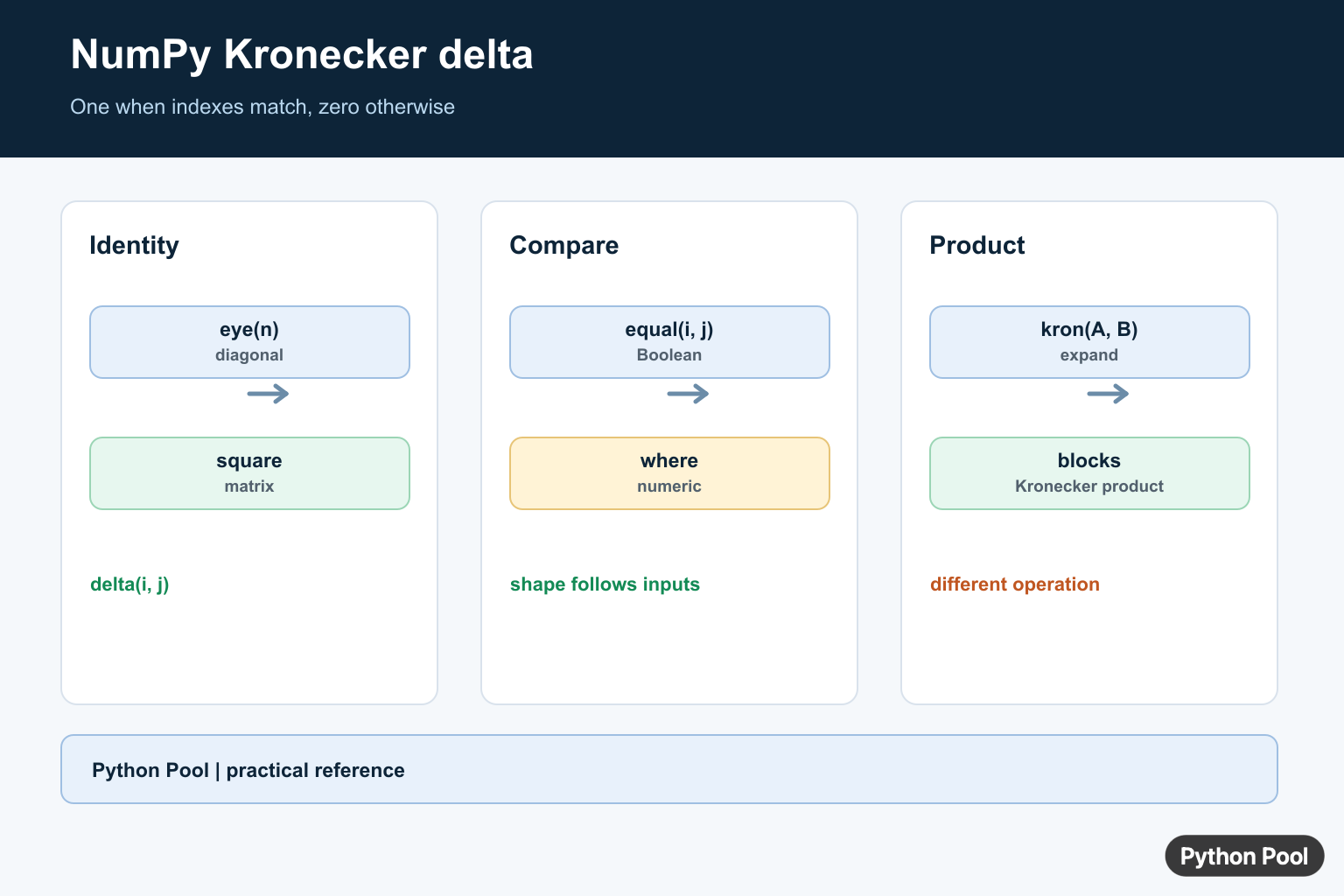
The Kronecker delta is a compact rule: it is 1 when two indexes are the same and 0 when they are different. In array code, that rule appears as identity matrices, diagonal masks, pairwise equality tables, and small filters that keep only matching positions.
NumPy does not need a special top-level function named for the Kronecker delta. The usual tools are np.eye() for an identity-style array, np.equal() or == for equality comparisons, and np.where() when a Boolean test should become numeric output. The official NumPy documentation covers numpy.eye(), numpy.equal(), numpy.where(), numpy.kron(), and the guide to broadcasting.
The key distinction is between the Kronecker delta and the Kronecker product. The delta is an equality rule over indexes. The product, computed by np.kron(), expands arrays block by block. They are mathematically related in some linear algebra settings, but they are not the same operation in NumPy code.
In practice, start with the output shape you need. If you need a square diagonal array, use eye(). If you need a table that compares two index lists, use broadcasting with equality. If you already have row and column positions, compare those positions directly and convert the Boolean result to integers only when numeric output is required.
Keep dtype in mind. Many displays are easier to read with integer zeros and ones, while masks should stay Boolean until they are used for selection. Converting too early can make indexing code less direct because NumPy expects Boolean arrays for mask selection.
Create A Square Delta Array
The most common NumPy Kronecker delta pattern is an identity matrix. The row and column indexes match on the main diagonal, so diagonal entries are one and all other entries are zero. A Kronecker-delta mask marks a matrix diagonal; NumPy diag() Function in Python extracts an existing diagonal or constructs a matrix from diagonal values.
try:
    import numpy as np
except ModuleNotFoundError:
    print("Install numpy to run this example.")
else:
    delta = np.eye(4, dtype=int)

    print(delta)
    print(delta[2, 2])
    print(delta[2, 3])
This is the clearest choice when the two index ranges have the same length and the delta should compare each row index with the matching column index. The integer dtype is optional, but it makes the printed output match the mathematical notation closely.
Use this form for simple identity matrices, diagonal masks, tests, and examples where the main diagonal is the only set of matching positions. If the diagonal needs an offset, the k argument of eye() can move it above or below the main diagonal.
Build Delta Values With Broadcasting
Broadcasting lets one column of row indexes compare against one row of column indexes. The result is a full table of equality tests without writing nested loops.
try:
    import numpy as np
except ModuleNotFoundError:
    print("Install numpy to run this example.")
else:
    row_index = np.arange(4)[:, None]
    col_index = np.arange(4)
    delta = np.equal(row_index, col_index).astype(int)

    print(delta)
    print(delta.shape)
The column-shaped row indexes have shape (4, 1), and the column indexes have shape (4,). NumPy aligns them into a 4 x 4 comparison table. Each position asks whether its row index and column index are the same.
This approach is useful when the two sets of indexes are not already arranged as a matrix. It also scales naturally to labels, custom index arrays, or cases where the compared index lists have different lengths.
Use where For Numeric Output
When the equality test already has the shape you want, np.where() can convert it to explicit numeric values. This is helpful when later code expects integers instead of Boolean masks.
try:
    import numpy as np
except ModuleNotFoundError:
    print("Install numpy to run this example.")
else:
    rows = np.array([0, 1, 2, 2, 3])
    cols = np.array([0, 2, 2, 3, 3])

    delta = np.where(rows == cols, 1, 0)

    print(delta)
This example compares paired row and column positions. It returns one delta value per pair, not a full matrix. That is the right shape when the data already arrives as coordinate pairs or when a larger table would only waste memory.
Use where() when the true and false outputs need to be chosen explicitly. If the only goal is a mask for indexing, keep the comparison as Boolean and use it directly.
Select Diagonal Entries With A Mask
A Boolean delta array can select diagonal entries from another matrix. This keeps the mathematical rule visible while using NumPy indexing directly.
try:
    import numpy as np
except ModuleNotFoundError:
    print("Install numpy to run this example.")
else:
    data = np.arange(1, 10).reshape(3, 3)
    mask = np.eye(data.shape[0], dtype=bool)

    print(data[mask])

    data[mask] = -1
    print(data)
The mask is true only where row and column indexes match. First it selects the diagonal values, then it updates those same positions. This pattern is useful when diagonal entries need different handling from off-diagonal entries.
For reading a diagonal alone, np.diag() can be shorter. A mask is better when it will be combined with another condition or reused for selection, replacement, or filtering.
Compare Labels Instead Of Positions
The delta idea is not limited to numeric index ranges. Any two arrays that can be compared for equality can produce a delta-style table.
try:
    import numpy as np
except ModuleNotFoundError:
    print("Install numpy to run this example.")
else:
    labels = np.array(["red", "blue", "red", "green"])
    same_label = labels[:, None] == labels[None, :]
    delta = same_label.astype(int)

    print(delta)
Here each label is compared with every other label. Matching labels receive one, and different labels receive zero. This is the same equality structure as the square index example, but the compared values are names instead of positions.
Label comparisons are useful for grouping, simple similarity matrices, and tests that need to show whether two entries belong to the same category. For large data sets, check the output shape first because pairwise tables grow quickly.
Do Not Confuse Delta With kron
np.kron() computes the Kronecker product. It takes blocks from one array and scales a copy of the second array by each block value. That is different from asking whether two indexes are equal.
try:
    import numpy as np
except ModuleNotFoundError:
    print("Install numpy to run this example.")
else:
    identity = np.eye(2, dtype=int)
    block = np.array([
        [1, 2],
        [3, 4],
    ])

    product = np.kron(identity, block)

    print(identity)
    print(product)
The identity array is a Kronecker delta pattern. The product is a larger block matrix created from the identity array and the block array. Seeing both outputs together makes the distinction clear: one expresses equality of indexes, while the other expands arrays into blocks. The Kronecker delta becomes a full diagonal-one matrix in NumPy identity() Matrix Function Guide, including dtype and size examples.
In short, use np.eye() for a square NumPy Kronecker delta array, use equality with broadcasting when comparing two index sets, keep Boolean masks Boolean for indexing, use np.where() only when explicit numeric output is needed, and reserve np.kron() for Kronecker products.
Build The Identity Form
The discrete delta δᵢⱼ is one when i equals j and zero otherwise. A square identity matrix is therefore the most direct NumPy representation. Use dtype when downstream code needs integers, booleans, or a specific floating type.
import numpy as np

identity = np.eye(4, dtype=int)
print(identity)
Compare Index Arrays Directly
When the inputs are coordinate or index arrays, np.equal performs elementwise comparison and returns a Boolean mask. This preserves array shape and is usually clearer than constructing a large matrix when only corresponding positions matter.
i = np.arange(4)
j = np.array([0, 2, 2, 3])

delta = np.equal(i, j)
print(delta)
Use where For A Numeric Formula
np.where lets you choose the value for matching and non-matching indices. This is useful when the delta is part of a numeric expression rather than a Boolean mask. For a rectangular matrix, compare row and column index grids or use eye with a separate column count.
rows = np.arange(3)[:, None]
columns = np.arange(5)[None, :]
delta = np.where(rows == columns, 1.0, 0.0)
print(delta)
Do Not Confuse delta With kron
np.kron(A, B) expands two arrays into their Kronecker product. It can be used to build block structures involving identity matrices, but it is not the definition of the delta itself. Name the operation in code so a reader can distinguish an identity mask from a product.
a = np.eye(2, dtype=int)
b = np.array([[1, 2], [3, 4]])
print(np.kron(a, b))
NumPy documents eye() for identity-like arrays and kron() for the distinct Kronecker product operation.
For related NumPy matrix construction, compare identity matrices, eye(), and argwhere() when choosing between masks, coordinates, and block products.
Frequently Asked Questions
How do I create a Kronecker delta matrix in NumPy?
Use np.eye(n) for the common square identity matrix, where the diagonal entries represent delta(i, j).
How do I compute delta for two index arrays?
Compare the arrays elementwise with np.equal(i, j), or use np.where when you need numeric values for the true and false cases.
Is the Kronecker delta the same as np.kron()?
No. The delta is an index function or identity matrix; np.kron computes the Kronecker product of two arrays.
Can a Kronecker delta be rectangular?
Yes. Compare row and column index grids or use np.eye with M to create a rectangular identity-like matrix.

You are mixing up the Kronecker delta function with the Kronecker product, which are two totally different things. Numpy’s “kron” function is the Kronecker product of two matrices. The Kronecker delta function is a special array in which the first entry is 1 and all others are zero, which is found instead in scipy.signal.unit_impulse.
Thank you for informing this. I’ve updated the article with an updated way of calculating Kronecker Delta in Python.
Regards,
Pratik