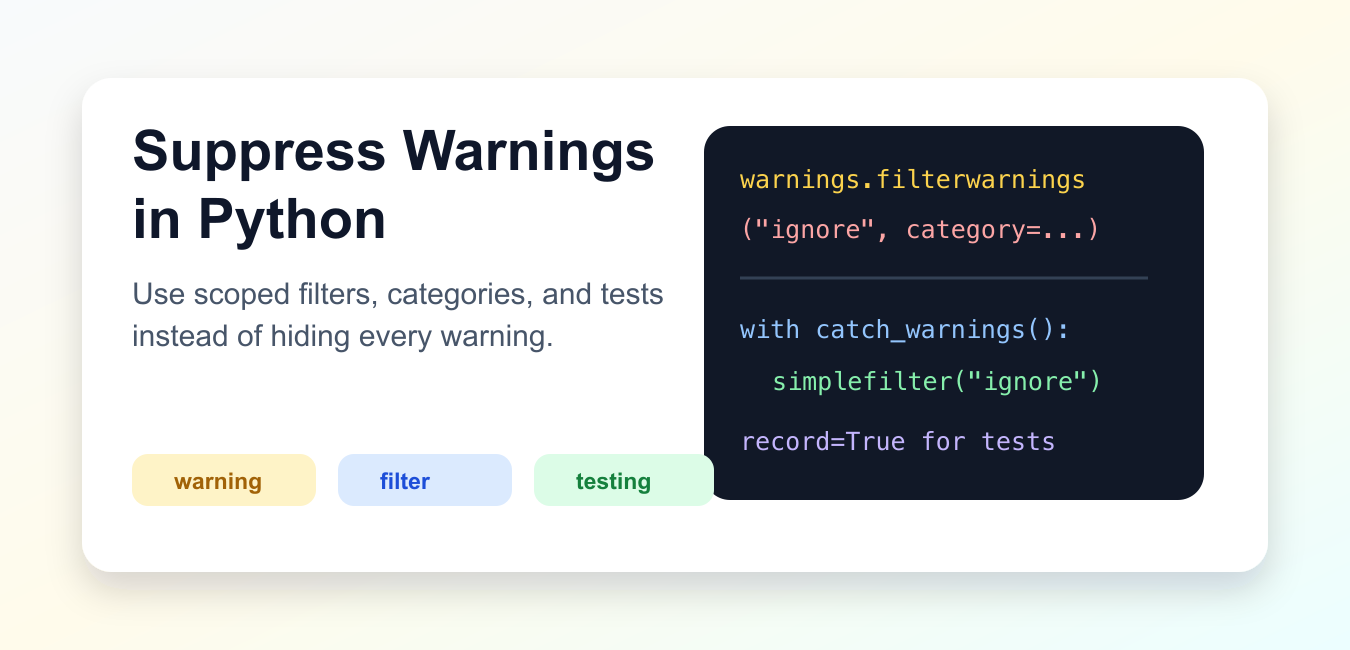
Quick Answer
Use warnings.filterwarnings('ignore', category=SomeWarning, module='your_module') for a known warning, or wrap a specific operation in warnings.catch_warnings(). Avoid suppressing every warning globally because it can hide deprecations, invalid data, and resource problems.
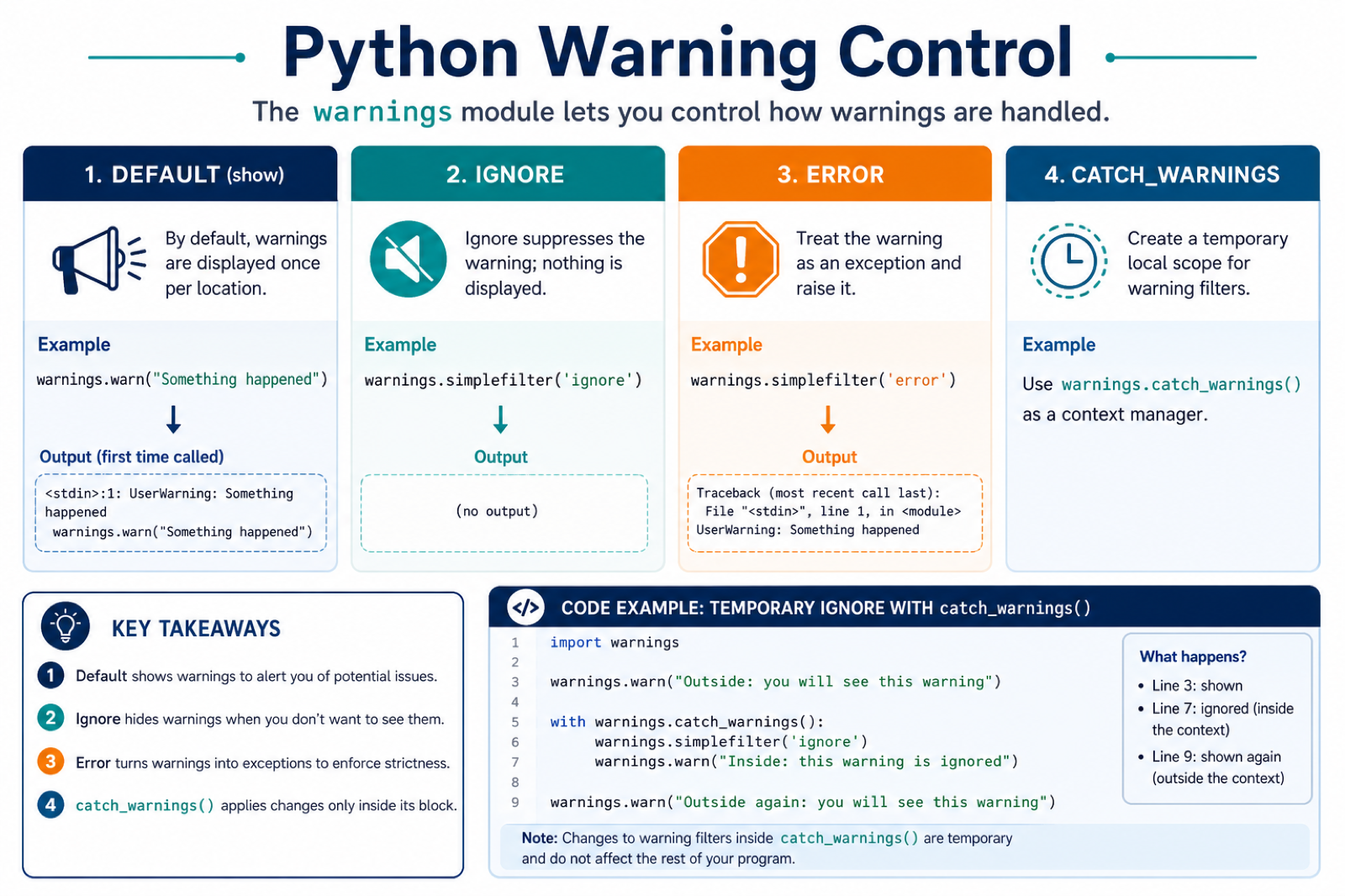
Python warnings are messages for code that still runs but may need attention. They are not the same as exceptions. A warning can point to deprecated APIs, questionable runtime behavior, resource cleanup problems, or settings that should be reviewed before production use.
Suppress warnings only when you know why the warning appears and have decided it is acceptable in that scope. Broad process-wide suppression can hide real problems. Prefer category-specific filters, message-specific filters, or a short catch_warnings() block around the code that needs it.
A good warning policy keeps signal while reducing noise. During development, warnings should usually stay visible. During tests, unexpected warnings can be promoted to errors. In production, known harmless warnings may be filtered locally, while important diagnostics should still reach logs.
The official warnings module documentation covers filters, categories, and context managers. The unittest documentation covers test assertions, and the logging documentation helps route diagnostics.
Create A Warning
Use warnings.warn() to emit a warning from your own code.
import warnings

def old_api():
    warnings.warn(
        "old_api is deprecated",
        DeprecationWarning,
        stacklevel=2,
    )

old_api()
stacklevel helps the warning point at the caller instead of the helper function. That makes warnings easier to fix.
If you maintain a library, choose the most specific category available and include a message that explains what users should do next. Clear warnings reduce the temptation to suppress them globally.
Ignore One Warning Category
Filter by category when a specific class of warning is expected.
import warnings

warnings.filterwarnings(
    "ignore",
    category=DeprecationWarning,
)

warnings.warn("old feature", DeprecationWarning)
print("continued")
This is better than hiding every warning, but it still affects code that runs after the filter is installed. Use it near program startup only when that is intentional.
Process-wide filters are sometimes appropriate for command-line tools and short scripts. For reusable packages, avoid installing broad filters during import because it changes behavior for the application that imported your package.
Use A Scoped Context
warnings.catch_warnings() keeps the filter local to one block.
import warnings

with warnings.catch_warnings():
    warnings.simplefilter("ignore", ResourceWarning)
    warnings.warn("temporary resource warning", ResourceWarning)

warnings.warn("visible resource warning", ResourceWarning)
The filter ends when the block exits. This is the preferred pattern for tests and small compatibility shims.
Scoped filters are easier to audit. A future maintainer can see exactly which call needs the suppression and remove the block when the dependency or compatibility issue is fixed.
Filter By Message
When one known warning message is acceptable, match that message instead of the whole category.
import warnings

warnings.filterwarnings(
    "ignore",
    message=".*known optional dependency.*",
    category=UserWarning,
)

warnings.warn("known optional dependency is missing", UserWarning)
Message filters should be specific. A broad message pattern can hide unrelated warnings that happen to use the same category.
Keep message patterns stable and narrow. If the upstream warning text changes, it is often better for the filter to stop matching so the team notices the change.
Turn Warnings Into Errors
During tests, it is often useful to fail when unexpected warnings appear.
import warnings

warnings.filterwarnings("error", category=RuntimeWarning)

try:
    warnings.warn("numeric issue", RuntimeWarning)
except RuntimeWarning:
    print("warning became an error")
This helps teams find warnings early instead of ignoring them until a dependency upgrade causes failures.
Promoting warnings to errors is especially useful in CI for deprecations. It gives the team time to update code before a future release removes the old API.
Record Warnings In Tests
Use record=True when a test should assert that a warning was emitted.
import warnings

with warnings.catch_warnings(record=True) as captured:
    warnings.simplefilter("always")
    warnings.warn("check this", UserWarning)

print(len(captured))
print(captured[0].category.__name__)
Recording warnings keeps the test explicit: the warning is expected, and the code verifies which category appeared.
Tests can also assert the message text when the wording matters for users. Keep those assertions focused so the test does not become fragile across harmless wording updates.
Practical Guidance
Do not suppress warnings just to make output quieter. First read the message and find the source. A deprecation warning may require a code change before the next library upgrade.
Use the narrowest filter that solves the problem. Prefer a category and message filter around one import or function call, then remove it when the upstream issue is fixed.
In production services, route important diagnostics through logging instead of hiding them. In tests, consider treating unexpected warnings as errors so new issues are caught quickly.
The safest rule is simple: suppress known and reviewed warnings locally; keep everything else visible until you understand it.
When in doubt, fix the underlying cause instead of filtering the warning. Suppression should be a documented choice, not the first response to noisy output.
Suppress Only the Warning You Understand
Make the filter as narrow as the known problem. Combine an action such as ignore with a warning category, and add a module or message pattern when the source is known.
import warnings

with warnings.catch_warnings():
    warnings.filterwarnings(
        "ignore",
        category=DeprecationWarning,
        module="your_module",
    )
    import your_module
A scoped block limits the change to the operation that needs it. For reusable libraries, avoid changing the importing application’s warning policy at module import time.
Turn Warnings into Errors During Tests
Tests can make unexpected warnings visible by treating them as errors. This is useful for deprecations because it gives a project time to update before a dependency removes an old API.
import warnings

with warnings.catch_warnings():
    warnings.simplefilter("error", DeprecationWarning)
    run_code_under_test()
The same policy can be configured from a test runner or the PYTHONWARNINGS environment variable. Keep production filters documented and specific, and fix the underlying warning whenever possible.
For warnings that signal a deeper issue, compare the tracemalloc allocation traceback and Python traceback guides before suppressing them. Read runtimewarning enable tracemalloc to get the object allocation traceback and python traceback for the related workflow.
Frequently Asked Questions
How do I suppress a warning in Python?
Use warnings.filterwarnings() or warnings.simplefilter() with the narrowest useful category, message, module, or temporary catch_warnings() scope.
How do I ignore only DeprecationWarning?
Pass category=DeprecationWarning and, when possible, restrict the filter to the module or message that is known and reviewed.
What is the difference between ignoring and turning a warning into an error?
The ignore action hides a matching warning, while the error action raises the warning as an exception so tests can fail and expose the problem.
Why should I avoid suppressing all Python warnings?
A global filter can hide deprecations, invalid numerical behavior, resource leaks, or changes in an installed dependency that still need attention.
