Search the Community
Showing results for tags 'monster'.
Found 21 results
-
Version 1.1.0
57 downloads
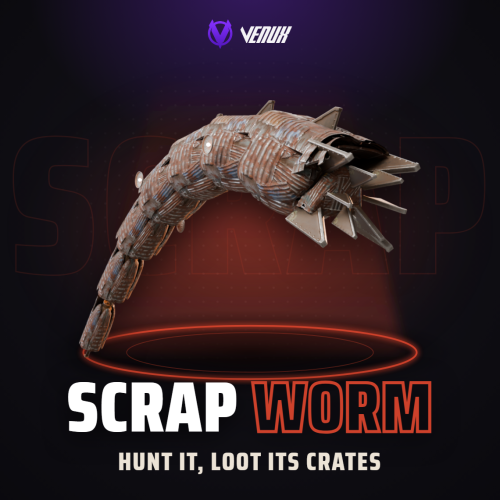
[ ✓ ] Works on any host. The zip includes a small installer plugin: run crashext.install once and restart. [ ✓ ] Scrap Worm puts a giant worm made of scrap metal under your map. It hunts inside its own territories, listens for gathering, gunshots and explosions, and breaks out of the ground right under the loudest one. While it is above ground it bites, drags, whips and crushes, and that is the only time you can hurt it. Its armor takes reduced damage and four glowing cores along its sides take a lot more. Every core you burst strips its segment's armor, which falls behind it as a trail of scrap. Kill it and it collapses into burning heli or Bradley crates and a hackable crate, the top damage dealers get paid, and its plates are left behind for harvesting. It runs on its own: territories on the map, a hunt on a timer, a boss health bar, chat and Discord announcements. Nothing to install on the client: the worm is built from parts every Rust client already has. Works on Oxide and Carbon Needs CrashExtensions (included) Automatic event on map territories Top damage rewards Jump to: Features · Screenshots · Trailer · How a hunt goes · Commands · Permissions · Works with · Install · Configuration · Test server · FAQ Features For players A real boss fight. A worm over 20 metres long breaches out of the ground in a big arc and dives back in. Every breach is different: a low skim, a normal arc or a high leap, at its own pace and heading. It hunts you. Gathering, gunshots and explosions in its territory are noise, and the next breach comes up under the loudest one. Firing a rocket somewhere else can pull it where your team wants it. You see it coming. The ground rumbles, dust kicks up and a ring of dirt marks where it will erupt. Stand in the ring and you take the slam. It fights back. It bites the nearest player in reach and drags them into its mouth, whips anyone near its tail, and runs over whoever is in its way. Weak points. The whole body takes reduced damage. Four glowing cores take a lot more, and each one you burst knocks off a chunk of health and strips that segment's armor plates. Every weapon works. Bullets, rockets and launcher grenades hit the body, and thrown C4 and grenades stick to it and ride along until they go off. Boss health bar. Name, EXPOSED or BURROWING, the four cores and its health, above the hotbar for everyone near the fight. Track it on the map. A red circle shows where it is while it is above ground, and goes away when it dives. Walls matter. Its tail and body do not hit through walls, and charges stuck to it drop off at a wall or where it dives instead of going through. Loot worth the fight. Burning heli or Bradley crates and a hackable crate where it falls, plus scrap plates you can harvest with a pickaxe, a jackhammer or a rock (metal fragments, charcoal and high quality metal by default, anything you like in the config). For server owners Set and forget. Three territories are placed on your map by itself (open, dry ground away from monuments, the same spots for the whole wipe), shown as circles on the map, and hunts start on a timer with a minimum player count. Your own territories. Add spots by coordinates with their own name and radius. Or somewhere new every time. RandomLocationEachEvent picks a fresh random spot for each event, away from water, slopes and monuments. Scales with the crowd. Health grows with the players around when it spawns, up to a cap you set. Rewards. Economics money and ServerRewards points for the top damage dealers, up to 10 places. Winner commands. Run your own server commands for the top damage player with {steamid}, {name} and {grid}: a kit, a group, a shout. A dead or offline winner gets them when they are back, even after a restart. Debris loot you control. Pick the items, the exact amount per piece, which pieces carry them and an optional fixed amount per hit. PvE friendly. An optional loot lock gives the crates to the top damage dealer's team for as long as you want, and it survives a reload. Bases are safe by default. Building damage is off. Turned on, it only hits inside the territory of the running hunt and goes through normal damage, so raid protection still applies. Players who place a Tool Cupboard in a territory get a warning popup. Announcements. Chat lines for start, kill and leave, to everyone or only nearby, and an optional Discord webhook. NCP and Notify toasts. Show the hunt messages as NCP 2.0 or Notify toasts, with chat as the fallback. The breach line can be turned off. Works with your loot plugins. The crates are the native ones, so BetterLoot and AlphaLoot fill them, and you can pick an AlphaLoot profile. Every number in the config. Size, speed, arc, health, damage taken, every attack, crates, rewards, timers and territories, each with a safe range. Four languages. English, Spanish, Brazilian Portuguese and Russian built in. For developers Hooks. OnScrapWormStart, OnScrapWormKilled, and two you can veto: OnScrapWormCrush (protect a block) and OnScrapWormRunOver (spare a player). See the FAQ. Screenshots Every screen below is Scrap Worm running in Rust. It breaches out of the ground in a long arc, with the boss bar above the hotbar It erupts under the loudest noise The glowing cores are its weak points Kill it and it bursts into scrap plates Burning crates and scrap debris where it fell Trailer The Scrap Worm trailer (click to play, 44 seconds) How a hunt goes It starts. A hunt picks one of the territories, everybody gets a chat line with the grid, and the circle on the map turns red. It listens. Gathering, gunshots and explosions inside the territory are noise. The next breach comes up under the loudest one, after a rumble and a ring of dirt. It surfaces. For a few seconds it is out of the ground: it bites and drags, whips its tail and crushes what it runs into. Underground it cannot be hurt. You hit it. The body takes 30% of a hit by default, a core takes double. Each burst core strips its segment's armor, and a stripped segment takes much more. It dies. At zero health, or with all four cores burst, it collapses. Burning crates land where it fell (outside a base if it fell inside one), its plates become harvestable debris, chat names the top damage dealer and the rewards are paid. Or it leaves. If nobody is around for 5 minutes, or the 25 minute hunt runs out, it burrows away. The next hunt is scheduled by itself, 90 minutes later by default. Commands Chat, for server owners or a player with scrapworm.admin: /scrapworm start - start a hunt now in a random territory (or a random spot). /scrapworm spawn - put a worm underground 15 m in front of you, then breach or loop. /scrapworm breach - make it breach once. /scrapworm loop - keep it breaching. /scrapworm stop stops after the current breach. /scrapworm status - its health and cores. /scrapworm territories - list the territories. /scrapworm remove - remove the worm now. Admin From the server console, RCON or a player with scrapworm.admin: scrapworm.start - start a hunt now. scrapworm.territories - list the territories with their position and radius. Permissions scrapworm.admin - the commands above. Server owners can always use them; moderators need this permission. Players need no permission to fight the worm. oxide.grant user YOUR_STEAM_ID scrapworm.admin Works with NCP: free, optional: hunt messages as toasts instead of chat lines Notify: optional: hunt messages as Notify toasts Economics / ServerRewards: optional top damage rewards AlphaLoot: fill the crates from a profile you name BetterLoot: fills the crates by itself (they are the native heli or Bradley crates) TruePVE: works as is: the worm can hurt players, and players can harvest its debris Carbon: same code path as Oxide ImageLibrary: not needed Install Install the extension, once per server. Stop the server, copy Oxide.Ext.CrashExtensions.dll into RustDedicated_Data/Managed (Carbon: carbon/extensions) and start it again. The console prints Loaded extension CrashExtensions with its version. An older copy of the DLL is simply overwritten: it is one shared file for all our plugins. Install the plugin. Copy ScrapWorm.cs into oxide/plugins (Carbon: carbon/plugins). It compiles on its own and creates its config. That's it. The first hunt starts 20 minutes after the server is up. To see it now, stand on open, flat ground and type /scrapworm start. Host does not allow DLL uploads? The zip includes CrashExtInstaller.cs. Upload it like a plugin and run crashext.install once in the server console: it downloads the extension from GitHub, checks it and installs it. Configuration Everything lives in oxide/config/ScrapWorm.json. Every value has a safe range: a value out of range keeps the plugin unloaded, leaves your file untouched and tells you in the console what to fix. The full list with every default and range is in the Documentation tab and the README. Config sections (click to expand) Test server Available on our test server. The worm wakes up 5 minutes after the server starts and then every 20 minutes while someone is online. Its two territories, H7 and J2, show on the map: go there, make noise, and it comes for you. client.connect 91.229.114.54:28015 FAQ Q: Do players need a client mod? A: No. The worm is built from scrap helicopter parts every Rust client already has, so it works on any map with no downloads. Q: Will it wreck my players' bases? A: Only if you turn it on. Building damage is off by default. Turned on, it only hits inside the territory of the running hunt and goes through normal damage, so raid protection plugins still apply. Q: Can it hurt players in safe zones? A: No. Players in a safe zone, sleeping, in noclip or spectating are never targets. Q: Do I need Economics or ServerRewards? A: No. They are optional rewards. Without them the worm still drops its crates. Q: Can I give the winner a kit or a rank? A: Yes. Put server commands in WinnerCommands, for example inventory.giveto {steamid} scrap 500 or oxide.usergroup add {steamid} wormslayer. Use {steamid} for anything that grants something. If the winner is dead or offline, the commands wait up to 1 hour for them. Q: Can the messages show as toasts? A: Yes. Turn on UseNCP (NCP 2.0) or UseNotify (Notify) and pick the type. Players get the chat line whenever a toast can't be shown, and with Notify they need its notify.see permission. Q: Is it good for PvE? A: Yes. Turn on the loot lock and the crates belong to the top damage dealer's team for the time you set. With TruePVE the worm still hurts players and players can harvest its debris. Q: It dies too fast or too slow. What do I change? A: WormHealth, HealthPerExtraPlayer, BodyDamage and CoreDamage. Any attack can be weakened or turned off by setting its damage to 0. Q: Does it work on Carbon? A: Yes. The extension goes into carbon/extensions instead of RustDedicated_Data/Managed, and the plugin into carbon/plugins. Q: How do I translate it? A: English, Spanish, Brazilian Portuguese and Russian are built in. Edit oxide/lang/en/ScrapWorm.json, or copy it into another language folder and translate its values: each player reads their own game language. Q: Does it contact any outside service? A: It downloads three small health bar pictures once from the Venux CDN, rust-cui.crashplugins.space, which your server then keeps. Nothing about your server or your players is sent. The Discord webhook is the only other request, and only if you fill it in. Q: Can other plugins react to the worm? A: Yes. Scrap Worm calls void OnScrapWormStart(Vector3 position, string territory) when a hunt starts and void OnScrapWormKilled(Vector3 position, ulong topDamager) when it dies. Return anything but null from object OnScrapWormCrush(DecayEntity entity) to protect a building block, or from object OnScrapWormRunOver(BasePlayer player) to spare a player from its attacks. Questions, ideas or bug reports? Use the Support tab of this file or join our Discord.$29.99 -
Version 1.0.0
10 downloads
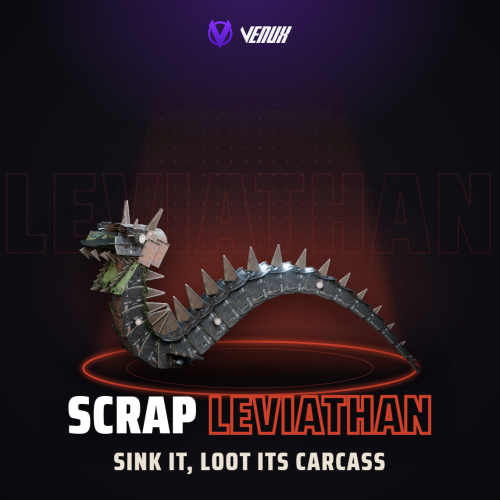
[ ✓ ] Works on any host. [ ✓ ] The plugin needs the free CrashExtensions library. Can't upload DLLs on your host? No problem: the zip includes a small installer plugin. Drop it in your plugins folder, run crashext.install, restart once, and you're done. Scrap Leviathan puts a giant sea serpent made of scrap metal in your ocean. It roams the whole sea and hunts whatever it finds: boats first, then swimmers, then players standing on the shore. Gunshots and explosions draw it in. When it attacks, the water foams, the neck rises head first out of the sea and towers over its prey, the neck follows its target and the tail swings free. It bites with a lunge and flips small open boats, breathes a jet of fire like a military flamethrower with arcing fireballs on top, and circles round to strike from another side between attacks. Its armor takes reduced damage; its two eyes and three glowing cores take a lot more, and every core you burst strips the armor around it. Kill it and the carcass floats with locked crates on its back. They open 20 seconds after the kill, and when the carcass sinks, whatever was not looted slides to the seabed with a lamp on each crate and a cyan circle on the map. The top damage dealers get paid. It all runs on its own on a schedule, and nothing goes on the client: the leviathan is built from parts every Rust client already has. Works on Oxide and Carbon Needs CrashExtensions (included) Automatic event at sea Top damage rewards Jump to: Features · Screenshots · Trailer · How a hunt goes · Commands · Permissions · Works with · Install · Configuration · Test server · FAQ Features For players A sea monster boss fight. A scrap serpent roams the whole ocean with its humps breaking the surface, then rises head first out of the water and towers over you. The reared neck follows its target and the tail swings free. It hunts you. Boats first, then swimmers, then players on the shore. Gunshots and explosions within 300 m count as noise and pull it in. You see it coming. The water foams for a moment before the neck comes up. It fights back. Lunging bites that flip small open boats (35% of bites by default) and tip the crew into the water, a military flamethrower breath with arcing fireballs on top, and a dive between attacks to strike again from another side. Weak points. The armor takes reduced damage. Its two eyes and three glowing cores take a lot more, and each core you burst strips the armor around it. Every weapon works. Bullets, rockets, torpedoes, cannonballs and explosions all hit it. Shared boss bar. Name, SURFACED or SUBMERGED, its three cores and its health, above the hotbar for everyone near the fight. Loot worth the fight. A floating carcass with locked crates on its back. They open 20 seconds after the kill, and whatever is not looted when the carcass sinks slides to the seabed, each crate with a lamp on it and a cyan circle on the map for divers. For server owners Set and forget. Three deep-water territories are found on your map by itself (the same spots for the whole wipe), and hunts start on a timer with a minimum player count. A red circle on the map follows the leviathan wherever it swims. Your own territories. Add spots by coordinates with their own name and radius, or keep it inside its territory instead of roaming the whole ocean. Scales with the crowd. Health grows with the players around when it spawns, up to a cap you set. Rewards. Economics money and ServerRewards points for the top damage dealers, up to 10 places. Stays where it belongs. It keeps away from safe zones, oil rigs and the Cargo Ship and never leaves the water. Big boats (tugboats and player-built boats) are never flipped or damaged unless you turn that on, and its fire is aimed at players and doesn't damage bases. NCP toasts. With the free NCP plugin loaded, event messages show as toasts and the crate cooldown as a progress bar. Without NCP they go to chat. Announcements. Start, low health, kill and leave in chat, to everyone or only nearby, and an optional Discord webhook. Works with your loot plugins. The crates are the native heli or Bradley crates, so BetterLoot fills them, and you can pick an AlphaLoot profile. Every number in the config. Health, damage taken, every attack, speeds, crates, rewards, timers and territories, each with a safe range. Four languages. English, Spanish, Brazilian Portuguese and Russian built in. For developers Hooks. OnScrapLeviathanStart, OnScrapLeviathanKilled, and OnScrapLeviathanBite, which you can veto to spare a player. See the FAQ. Screenshots Every screen below is Scrap Leviathan running in Rust. Reared over the sea, with the shared boss bar above the hotbar Its head and spiked neck tower over a rowboat A flamethrower jet at a player with a rocket launcher Rockets hit the reared neck while the boss bar drops Killed: the carcass floats on the surface Locked crates ride the carcass until they unlock Unlooted crates sink to the seabed, each with a lamp A cyan circle on the map marks the crates on the seabed Trailer The Scrap Leviathan trailer (click to play, 50 seconds) How a hunt goes It starts. A hunt picks one of the sea territories, everybody gets a message with the grid, and a red circle on the map follows the leviathan wherever it swims. It hunts. It roams the whole ocean and goes for the closest prey: boats first, then swimmers, then players near the shore. Gunshots and explosions within 300 m pull it in too. It rises. The water foams, then the neck rises head first out of the sea. While it is up it bites, flips small open boats and breathes fire. Between attacks it dives and circles round to strike from another side. You hit it. The armor takes 30% of a hit by default, an eye or a core takes double. Each burst core strips the armor around it, and that stretch of body takes much more after that. It dies. The carcass floats with 4 locked crates on its back, which open 20 seconds after the kill. After 3 minutes the carcass sinks and whatever was not looted slides to the seabed, with a lamp on each crate and a cyan circle on the map. The top damage dealers get paid. Or it leaves. If nobody is near it for 8 minutes, or the 30 minute hunt runs out, it dives into the deep. The next hunt is scheduled by itself, 2 hours later by default. Commands Chat, for owners or a player with scrapleviathan.admin: /leviathan start - start a hunt now in a random territory. /leviathan spawn - spawn one in the deep sea near you (no time limit). /leviathan kill - kill it now (no damage rewards are paid). /leviathan despawn - remove it right away. /leviathan status - its health, cores alive, where it is and its territory. /leviathan territories - list the territories with their grid and radius. Admin From the server console, RCON or a player with scrapleviathan.admin: leviathan.start - start a hunt now. leviathan.spawn <player> - spawn one in the deep sea near that player. leviathan.kill - kill it now. leviathan.despawn - remove it. leviathan.status - its health and where it is. leviathan.territories - list the territories. Permissions scrapleviathan.admin - the commands above. Owners can always use them. Players need no permission to fight it. oxide.grant user YOUR_STEAM_ID scrapleviathan.admin Works with NCP: free, optional: event messages as toasts and the crate cooldown as a progress bar instead of chat lines Economics / ServerRewards: optional top damage rewards AlphaLoot: fill the crates from a profile you name BetterLoot: fills the crates by itself (they are the native heli or Bradley crates) TruePVE: works as is: the leviathan can hurt players and small boats, and players can hurt it Carbon: same code path as Oxide Install Install the extension, once per server. Stop the server, copy Oxide.Ext.CrashExtensions.dll into RustDedicated_Data/Managed (Carbon: carbon/extensions) and start it again. The console prints Loaded extension CrashExtensions with its version. An older copy of the DLL is simply overwritten: it is one shared file for all our plugins. Install the plugin. Copy ScrapLeviathan.cs into oxide/plugins (Carbon: carbon/plugins). It compiles on its own and creates its config. That's it. The first hunt starts 30 minutes after the server is up, then every 2 hours. To see it now, stand near deep water and type /leviathan start. Plugin does not compile? The extension is missing or too old: check the folder and restart again. On a hosting panel, upload the DLL with the file manager or SFTP, and keep a copy in case the panel resets that folder on an update. Host doesn't allow DLL uploads? Put CrashExtInstaller.cs from the zip in your plugins folder and run crashext.install once in the server console: it downloads the extension from GitHub, checks it and puts it in place. Restart once and Scrap Leviathan loads. Configuration Everything lives in oxide/config/ScrapLeviathan.json (Carbon: carbon/configs/ScrapLeviathan.json). Every value has a safe range: a value out of range keeps the plugin unloaded, leaves your file untouched and tells you in the console what to fix. The keys you will most likely touch are explained in the README. Config sections (click to expand) Test server Available on our test server. A hunt starts 30 minutes after the server starts and then every 2 hours while someone is online: watch chat for the grid, take a boat out to sea and make some noise. client.connect 91.229.114.54:28015 FAQ Q: Do players need a client mod? A: No. The leviathan is built from parts every Rust client already has, so it works on any map with no downloads. Q: Will it wreck my players' bases? A: Its fire is aimed at players and doesn't damage bases. Its bites hurt players and small boats; big boats (tugboats and player-built boats) are never flipped or damaged unless you turn on DamagePlayerBoats. Q: Can it hurt players in safe zones? A: No. It stays away from safe zones, oil rigs and the Cargo Ship, and players in a safe zone or on the Cargo Ship, sleeping, in noclip or spectating are never targets. Q: Do I need Economics or ServerRewards? A: No. They are optional rewards. Without them the leviathan still leaves its crates. Q: My map has little deep water. Will it work? A: It looks for open, deep water away from monuments, safe zones and oil rigs. A small map may get fewer than 3 territories: run /leviathan territories to check, and add your own spots under Territories if you need them. Q: It dies too fast or too slow. What do I change? A: Health, HealthPerExtraPlayer, MaxHealthMultiplier, BodyDamage and CoreDamage. Any attack can be weakened or turned off by setting its damage to 0. Q: Does it work on Carbon? A: Yes. The extension goes into carbon/extensions instead of RustDedicated_Data/Managed, and the plugin into carbon/plugins. Q: How do I translate it? A: English, Spanish, Brazilian Portuguese and Russian are built in. Edit oxide/lang/en/ScrapLeviathan.json, or copy it into another language folder and translate its values: each player reads their own game language. Q: Does it contact any outside service? A: It downloads its few health bar pictures once from the Venux CDN, rust-cui.crashplugins.space, which your server then keeps. Nothing about your server or your players is sent. The Discord webhook is the only other request, and only if you fill it in. Q: Can other plugins react to the leviathan? A: Yes. Scrap Leviathan calls void OnScrapLeviathanStart(Vector3 position, string territory) when a hunt starts and void OnScrapLeviathanKilled(Vector3 position, ulong topDamager) when it dies (topDamager is 0 when an admin killed it). Return anything but null from object OnScrapLeviathanBite(BasePlayer player) to spare a player from a bite or the fire. Questions, ideas or bug reports? Use the Support tab of this file or join our Discord.$29.99 -
Version 1.0.1
21 downloads
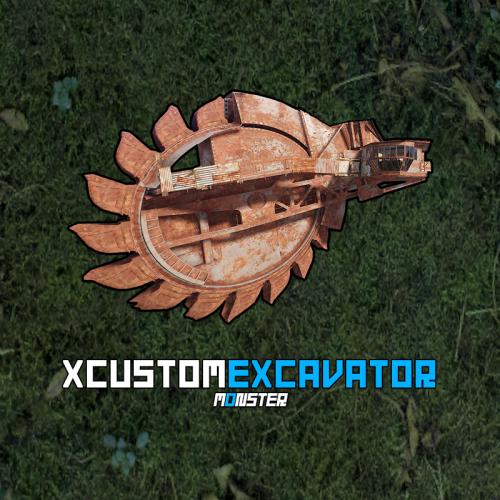
Take full control of excavators on your Rust server with XCustomExcavator. This powerful plugin lets admins fine-tune excavator functionality, ensuring an optimized experience for players. Adjust mined resources, tweak interface settings, and enjoy multi-language support and robust data storage. Custom settings and progress are preserved after restarts. Seamlessly handle multiple excavators and integrate smoothly with your server. Key Features Multi-Language Support: Switch plugin language with ease. Available in EN, RU, UK, and ES. Interface Optimization: Adjusts for different monitor resolutions. Persistent Data Storage: Excavator data saved in oxide/data/XDataSystem/XCustomExcavator. Progress saved after server restarts. Sound Effects: Enjoy interactive menu sounds. Multi-Excavator Support: Works seamlessly with multiple excavators on the map. Customizable Resources: Modify resources including shortname, amount, custom name, permission, and skin. Unlimited Resources: No limit on the number of resources. Chat Integration: View excavator information in chat. User-Friendly Resource Selection: Features like check button, distance to button, permission checks, and more. Error Notifications: Informs you of configuration mistakes. -> In the code you can switch the plugin language - LanguageEnglish = true <- Permissions xcustomexcavator.use - access to UI usage/resource selection. xcustomexcavator.info - chat information. xcustomexcavator.admin - administrator mode. Commands /einfo, /exinfo, /excavatorinfo - information about excavator in chat. [ Commands can be changed in the config. ] xcustomexcavator_unload - unload the plugin without consequences. [ For those cases when the plugin will be unloaded and will not be used for some time. ] API bool IsValidIndex(int index) - check if the resource index is valid. 1. string GetResourceCustomName(int index) - get the custom name of the resource. 2. string GetResourcePermission(int index) - get the resource permission. 3. ulong? GetResourceSkinID(int index) - get the skin of the resource. 4. string GetResourceAmountString(int index) - get a formatted string of the resource amount. 5. string GetResourceDisplayName(int index) - get the formatted name of the resource. ( For 1-5. If index is invalid, null will be returned. ) Hooks object OnExcavatorResourceSetUI(ExcavatorArm excavator, int index, ulong skinID, BasePlayer player) - called when player tries to select a resource in UI. Returning non null will prevent this action! Config { "General settings": { "SteamID profile for custom avatar": 0, "Chat prefix": "<size=12><color=#FFFFFF50>[</color> <color=#00FF0050>XCustomExcavator</color> <color=#FFFFFF50>]</color></size>\n", "List of commands to view information about the Excavator": [ "einfo", "exinfo", "excavatorinfo" ] }, "GUI settings": { "Color_background_1": "0.517 0.521 0.509 0.95", "Color_background_2": "0.217 0.221 0.209 0.95", "Color_background_3": "0.527 0.531 0.519 1", "Button color (icons)": "1 1 1 0.75", "Block color": "0.517 0.521 0.509 0.5", "Default block color": "0.417 0.521 0.409 0.5", "Color of the active button next": "0.35 0.45 0.25 1", "Color of the inactive button next": "0.35 0.45 0.25 0.4", "Text color of the active button next": "0.75 0.95 0.41 1", "Text color of the inactive button next": "0.75 0.95 0.41 0.4", "Color of the active button back": "0.65 0.29 0.24 1", "Color of the inactive button back": "0.65 0.29 0.24 0.4", "Text color of the active button back": "0.92 0.79 0.76 1", "Text color of the inactive button back": "0.92 0.79 0.76 0.4" }, "HQM": { "Shortname of the resource to be mined": "hq.metal.ore", "Amount of resource that will be mined - one barrel diesel": 100.0, "Custom item name": null, "Permission": null, "Item skin": 0 }, "Sulfur": { "Shortname of the resource to be mined": "sulfur.ore", "Amount of resource that will be mined - one barrel diesel": 2000.0, "Custom item name": null, "Permission": null, "Item skin": 0 }, "Stone": { "Shortname of the resource to be mined": "stones", "Amount of resource that will be mined - one barrel diesel": 10000.0, "Custom item name": null, "Permission": null, "Item skin": 0 }, "Metal": { "Shortname of the resource to be mined": "metal.fragments", "Amount of resource that will be mined - one barrel diesel": 5000.0, "Custom item name": null, "Permission": null, "Item skin": 0 }, "List of mined resources": [ ... ] }$24.99 -
Version 2.2.2
8,604 downloads
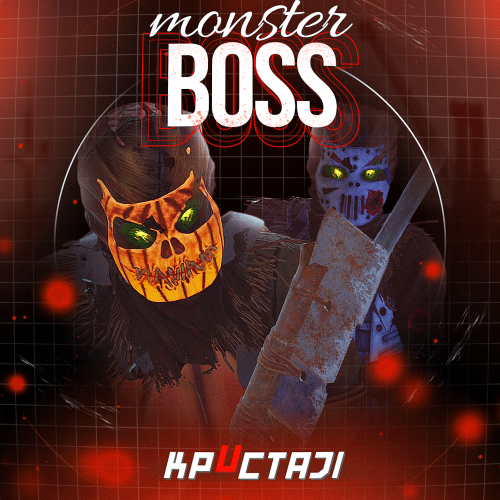
This plugin adds to the game a variety of NPC bosses with different abilities and a very adaptable configuration Description Using this plugin you can add NPC bosses to any point on the map. You can set up any ability with the plugin configuration. If it is necessary, you can add multiple abilities to one boss. Abilities are divided into two categories, ones take place in a certain radius from the NPC, and others are triggered by damaging from an NPC. The map also displays the location of the actual bosses (their name and amount of health). You can give any clothes and weapons for NPCs using the configuration. Custom Map Maps that have a configuration for the appearance of boss on their custom monuments You can also download all these files for all maps here Dark Ages Blue Tears All files for custom maps are stored in the folder oxide/data/BossMonster/CustomMap. You don't have to delete files from there, the plugin will understand by itself which map is currently installed on the server and will download only the necessary file if there is one in this folder. The plugin will tell you about this process in the console during the plugin loading. It will write in the console what file works on the current map, and what ones don’t work If you want to create a custom place for the boss to appear on your custom map or on a map that is not in this list, you have to create the ID of this custom map. After that you need to place an item such as a RAND Switch on your map. It must be placed randomly, where it will not be visible to other players. You will get the identifier, if you add up the three coordinates of the position of this object from RustEdit (x, y and z) and write the resulting value in the parameter of your file (an example file can be taken from ready-made files) - ID As an example, let's take the coordinates (26.896, -456.158, 527.258), then our identifier is 26.896 - 456.158 + 527.258 = 97.996 Then you need to indicate a list of bosses that will appear on your map. You need to copy the configuration data block for each boss. In the database parameters you will specify the name of the boss and a list of positions where it can appear Dependencies (optional, not required) GUI Announcements Notify Discord Messages AlphaLoot CustomLoot Economics Server Rewards IQEconomic PveMode Chat commands (only for administrators) /WorldPos - displays the actual player’s position on the map /SavePos <name> - saves a new position to the configuration file for the boss with the name - name, relative to the nearest monument /SpawnBoss <name> - spawn of the boss with the name - name in the coordinates of the administrator Console commands (RCON only) SpawnBoss <name> – spawn of the boss with the name – name KillBoss <name> – kill all bosses with the name – name Plugin Config en - example of plugin configuration in English ru - example of plugin configuration in Russian Boss Config en - example of plugin configuration in English ru - example of plugin configuration in Russian Custom Map Config en - example of plugin configuration in English ru - example of plugin configuration in Russian Hooks void OnBossSpawn(ScientistNPC boss) - сalled when a boss appears on the map void OnBossKilled(ScientistNPC boss, BasePlayer attacker) - сalled when a player kills a boss API ScientistNPC SpawnBoss(string name, Vector3 pos) - spawns a boss named name in position pos void DestroyBoss(ScientistNPC boss) - destroys the boss My Discord: KpucTaJl#8923 Join the Mad Mappers Discord here! Check out more of my work here!$35.00- 533 comments
- 14 reviews
-
- 23
-

-

-
- #abilities
- #boss
- (and 16 more)
-
Version 1.6.0
239 downloads
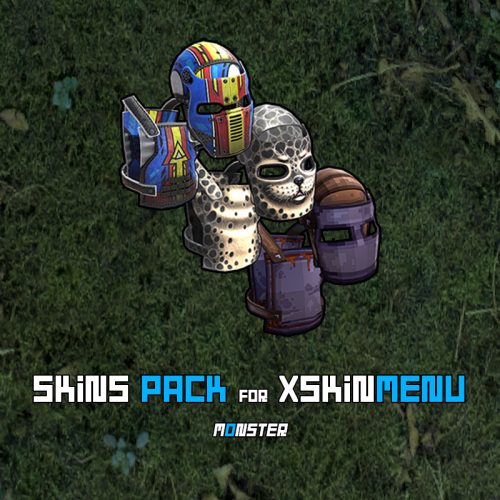
This is not a plugin! This is a Community Skins Pack for the XSkinMenu plugin in .json format. - You can also use this skins Pack in other plugins. This Pack will be actively supported and updated. New skins will be gradually added to it, and broken or removed skins will be deleted. We are aware of and remember Facepunch new rules, which prohibit us from giving players free access to Facepunch content. Therefore, this Pack will help you quickly and efficiently replace paid content from Facepunch. What will happen if skins from this Pack are approved and added to the game? - No problem! The XSkinMenu plugin automatically checks and removes such skins from the main Skins.json file. How do I use this skins Pack? - Installing this skins Pack takes less than a minute, and we have two options for doing so. - Go to the root folder of the plugin data --> oxide/data/XDataSystem/XSkinMenu: Option 1. Unload the XSkinMenu plugin. Download this Pack and replace the contents of the main Skins.json file with the contents of this skins Pack. Load the XSkinMenu plugin. ( This option is ideal for those who do not add/remove skins. ) Option 2. Simply download this Pack and move the file to the root folder of the plugin data. Use the console command "xskin_import_file FileName" (where FileName is the name of the downloaded file). The plugin will automatically read the Pack file, check the validity of the skins, and add them to the main Skins.json file. The plugin ignores duplicate skins/items. Therefore, after updating this Pack (or when installing the Pack for the first time) and performing Option 2, only those skins that are not yet in the main Skins.json file will be added. - When this Pack is updated, repeat one of the options again. You should know and remember that community skins are not cached in the game client and are not loaded instantly like Facepunch content. Each player will need some time to download community skins to their PC. (Skins are downloaded automatically after interacting with the XSkinMenu plugin UI.) Once these community skins have been downloaded to the players PC, they will be able to use them quite quickly in the future, as the skins files will already be on their PC and can be quickly cached by the game client. Also, a very large number of community skins (especially 10,000 or more) can have a negative impact on the performance of your server and your players clients. However, this Pack contains less than 10,000 skins (namely ~5,200 skins as of today) and they have all been checked, so there will be no problems.$11.49- 6 comments
-
- 2
-
-
-
- #xskinmenu
- #skin
- (and 9 more)
-

Version 1.3.7
510 downloads
Sea Skull is a custom map full of islands surrounded by multiple places to build. Get ready for survival in a world with creature wreckage, tornado and the legendary Kraken. Build your home in caves, land and air platforms, under bridges and in multiple locations that will surprise you. - FEATURES Size: 6000. Objects: 36561. Map protection plugin included. Editable map: Yes. - CONTAINS ALL OFFICIAL MONUMENTS Apartment complex • Ziggurat temple • Jungle ruins • Radtown • Ferry Terminal • Nuclear missile silo • Large oil platform • Small oil platform • Submarine laboratories • Harbor • Large fishing villages • Fishing villages • Launch site • Satellite dish • The Dome • HQM Quarry • Stone quarry • Sulfur quarry • Arctic Research Base • Sewer Branch • Train yard • Junkyard • Abandoned military bases • Military tunnel • Caves • Large barns • Ranch • Bandit camp • Power plant • Swamp • Airfield • Giant excavation • Outpost • Lighthouse - PREFABRICATED AND CUSTOMIZED MONUMENTS Large oil platform (This monument contains a subway access, this monument can be reached by train). Small oil platform (This monument contains a subway access, this monument can be reached from the train). Heli Tower. Airfield with Bradley Patrol and railroad tracks. Bradley tank patrolling the map. Aerial platforms. The dome (with train tracks). Bridges with Construction Area. Missile launching with train tracks. Kraken creature in town. Tornado. Remains of mythological creatures. Sand. Caves with construction area and electricity. Quidditch Pitch (Harry Potter). Gigantic area with multiple Oilrig. H1Z1 Lab. Aircraft carrier. Six islands for events, Located around the map. You can use the islands for the Raidable Bases plugin. Islands (Oasis). - TIPS Setting your server to Survival mode will add an extra fun mode to this map (Optional). Have fun$45.90- 51 comments
- 3 reviews
-
- 7
-
-
-
- #seaskull
- #sea skull
- (and 56 more)
-

Version 1.0.3
88 downloads
Scraplings is a creature-collector built natively for Rust. It's not a minigame bolted onto the side of your server — creatures appear as players go about their normal wipe, in the biomes and monuments where they belong, and everything happens in-world. Find them. Catch them. Collect them. Battle them. Find them. Creatures don't appear on a timer — they appear as your players move. Where you are decides what you meet: biome, terrain, monument, altitude, water depth, time of day and even the weather all feed the spawn table. A creature you find in the snow at night is not the one you'll find in the desert at noon. Catch them. Every wild encounter is a real battle. Wear it down, land a burn or a freeze, then use a Scrap Crystal — the weaker and more impaired it is, the better your odds. Get greedy and you'll knock it out instead. Build them. Every creature levels, learns new abilities as it grows, and can be taught more from rare Ability Shards found out in the world. 80 of them evolve, some by level, some only when you find the right catalyst. Six hidden Genes are rolled the moment you catch one — roll all six perfect and you've got something worth bragging about. Fight with them. Every wild creature you meet is a real battle — type matchups, status effects, switching your party and reading what the other side is about to do. It's the same system whether you're catching something in a field or defending a title. Out in the world you'll also run into tamers: NPC handlers who travel the map and turn up at monuments, each with their own team, their own preferred types and their own opinion of you. Most are ordinary tamers — a fight, a payout, and on your way. A few are not. The stronger tamers field genuinely dangerous teams, and beating one earns you their sigil — a trophy that goes into your collection as recognition that you put them down. Sigils are one-time: once you hold a tamer's mark, that challenge is closed for good, so they stand as milestones across a wipe rather than something to grind. And when you think your team is ready, there are always other players. Challenge anyone nearby, wager currency on the outcome. Keep them. Trade with other players, store your overflow in the Skylink, and fill out a Bestiary that tracks everything you've seen and everything you've caught. There are 215 creatures to find, and the ones that matter aren't handed to you. Perfect-Gene rolls, evolution catalysts, rare Ability Shards and tamer sigils all give your players something to chase long after the usual wipe-day rush is over — and none of it requires them to stop playing Rust to do it. Wipe settings allow for your progress to persist between wipes, extending the grind and giving incentive to build the perfect team. Every creature has one or two of 19 types, and every ability has a type of its own. Hit something with an ability it's weak to and you'll do more damage — hit it with something it resists and you'll barely scratch it. A few matchups do nothing at all. Radiation — Fallout given a body. Rots the mind and the soul alike, tearing through Psychic, Ghost, Grass and Fairy. Shrugs off Fire, Electric, Poison and even other Radiation. Water washes it away, Ground buries it, Mechanical doesn't care. Sand — Abrasive grit that strips paint off anything mechanical. Chews through Fire, Electric, Poison, Flying, Rock and Mechanical alike — the widest offensive spread in the game. Wet it down with Water, root it with Grass, or freeze it solid. Typeless — No strengths, no weaknesses, no bad matchups. Reliable damage against anything, and the fallback every team can lean on. Fire — Burns through Grass, Ice, Bug and Mechanical. Smothered by Water, Ground, Rock and Sand. Water — The largest family on the roster. Drowns Fire, Ground, Rock, Radiation and Sand, and resists six types in return. Only Electric and Grass trouble it. Electric — Fast and disruptive, shorting out Water, Flying and Mechanical. Ground ignores it completely, and Sand grounds it out. Grass — Strangles Water, Ground, Rock and Sand, but it's the most exploitable type in the game — six different things burn, freeze, poison or eat it. Ice — Brittle but brutal. Freezes Grass, Ground, Flying, Dragon and Sand, and resists almost nothing. Fighting — Raw physical pressure through Typeless, Ice, Rock and Mechanical. Can't touch Ghost at all, and folds to Flying, Psychic and Fairy. Poison — Attrition rather than damage. Melts Grass and Fairy, resists six types, and does nothing whatsoever to Mechanical. Ground — Six super-effective matchups and total immunity to Electric. Flying floats over it entirely. Flying — Hit-and-run. Beats Grass, Fighting and Bug, ignores Ground, but gets swatted by Electric, Ice, Rock and Sand. Psychic — Dominates Fighting and Poison, and answers little else. Bug, Ghost and Radiation all get inside its guard. Bug — Swarms Grass and Psychic. Cheap, fast, and folds to Fire, Flying and Rock. Rock — Heavy hitters that crush Fire, Ice, Flying and Bug — with six weaknesses to pay for it. Ghost — Only Ghost and Radiation can touch it properly, and Typeless attacks pass straight through. Preys on Psychic and its own kind. Dragon — The rarest type on the roster. Resists all four elements, but only Dragon damage gets past another Dragon, and Fairy hard-counters it — immune to Dragon attacks and super-effective in return. Mechanical — The wall. Resists twelve of the nineteen types. Cracking one open takes Fire, Electric, Fighting, Ground or Sand. Fairy — The Dragon-killer, and strong into Fighting. Poison, Mechanical and Radiation cut it down. Players don't need to memorize any of it — the full effectiveness chart is built into the in-game reference menu, and can be switched off in config if you'd rather your server figured it out the hard way. Most of the interactions are handled via the player and admin user interface. The below commands are for functionality that extends over and above what the UI covers. Requires the scraplings.admin permission. Command: scraplings.editor Action: Opens the Content Editor — species, abilities, shards, tamers, monuments and the Creator. Command: scraplings.spawn [species] [level] Action: Forces a wild encounter on yourself. Naming a species overrides the normal spawn table, which makes testing a specific creature trivial. Command: scraplings.terraininfo Action: Prints the biome, topology, tier and time of day for where you're standing, plus every creature that can spawn there with its odds. The fastest way to sanity-check a spawn rule. Command: scraplings.heal [player] Action: Fully heals a party. Command: scraplings.levelup <slot|all> [level] Action: Levels a party creature, or the whole party, to a target level. Command: scraplings.vendor spawn <depot|repair> · remove · list Action: Places a shop or Repair Bay vendor, removes the one you're looking at, or lists what's placed. Command: scraplings.tamer spawn <profile> · remove · list Action: Places a tamer NPC from one of your profiles, removes the one you're looking at, or lists what's placed. Command: scraplings.tamer addspawn static <profile> Action: Saves a permanent spawn point here, so that tamer returns after a restart. Command: scraplings.tamer addspawn monument Action: Saves a monument-local random spawn point — tamers will rotate through these rather than sitting in one place. Command: scraplings.tamer spawns · clearspawns monument Action: Lists saved spawn points, or clears the monument ones. Command: scraplings.givecrystal [crystal] [count] [player] Command: scraplings.giveshard <shard> [count] [player] Command: scraplings.givecatalyst <catalyst> [count] [player] Command: scraplings.givecash <amount> [player] Action: Grants Capture Crystals, Ability Shards, evolution catalysts or currency. Command: /sl Action: Opens the main menu. Everything else a player needs lives in here — party management, Bestiary, battles, trading, wallet, sigils and settings. Command: /sldepot Action: Opens the shop from wherever you're standing, without walking to a vendor. Permission: scraplings.remotedepot Command: /slrepair Action: Opens the repairer from wherever you're standing, without walking to a repairer. Permission: scraplings.remoterepairbay Command: /slspectate <player> Action: Watch another player's battle live. Run it with no argument to stop watching. Command: /slhelp Action: Lists every command available to you. I will list questions and answers here as they come up! Why am I only seeing higher level Scraplings? Scrapling levels can be configured based on a few circumstances. The options to dictate spawns are: Topology (default) Global PartyScaled Topology uses the Tier 0, Tier 1 and Tier 2 layers to dictate the Scraplings level when encountering a wild Scrapling. The levels are configurable, but the default is T0: 1-10, T1: 11-20, T2: 21-40. The topology layers should exist over the entire map. If there is no topology layer, it will default to T0. Global is simple: it will pick a number between the min and max level (default 5 - 30), and will spawn the Scrapling with that level. PartyScaled will sample the player's average party level, and will spawn an encounter that is +/- x levels from the average (default is -3 to +3), so encounters are always taken. How can I tell what Scraplings will spawn where I am? You can use the admin console command "scraplings.terraininfo" to give you a breakdown of your position. It will show you: Position Elevation Biomes Topologies (including Tier topology) Monument In cave / In water / water depth Time / Day/night status Encounters here (enabled/suppressed/exclusive/additive) Level mode / tier / wild spawn level from-to Spawn pool - lists all Scraplings and their spawn weights that can spawn at this location Valid biomes Valid topologies$39.99 -
Version 1.0.3
34 downloads
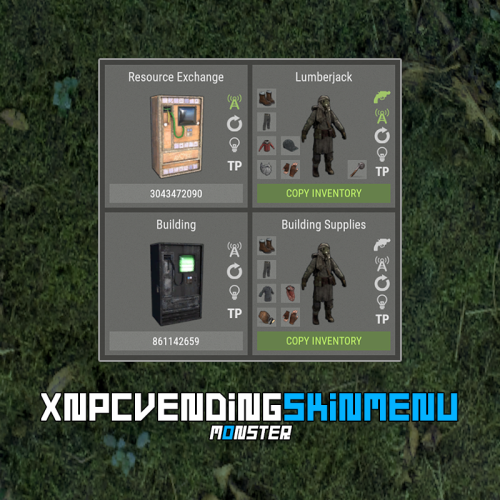
XNPCVendingSkinMenu - NPC Vendings/Shopkeepers skin menu for your server. -> In the code you can switch the plugin language - LanguageEnglish = true <- Key Features Optimization of the interface for different monitor resolutions. Storing NPC data in - oxide/data/XDataSystem/XNPCVendingSkinMenu There is a lang ru/en/uk/es. Sound effects when interacting with the menu. Vending settings: skin and automatic application. Shopkeeper settings: clothing, weapon(belt), skins, item in hand and automatic application. Easily copy your inventory with one click of a button. [ Clothing and belt with skins and modules are copied. ] Ability to change the skin of an item. Just click on it. Ability to display NPCs on the map - all of them or individually. Ability to teleport to NPCs. [ Select an NPC from the list if there are 2 or more NPCs. ] If there is no NPC on the map, it will be displayed in transparent color in the menu. NPCs that are not in the plugin data will be automatically copied and added as soon as they are spawned. The plugin only copies and modifies default NPCs. This allows you to use custom NPCs from other plugins without problems. [ OwnerID(vendings and shopkeepers) and SkinID(shopkeepers only) == 0 ] The NPC is automatically changed after loading the plugin. For an NPC to be changed, its settings must be activated. Brief description of the buttons: Permissions xnpcvendingskinmenu.admin - access to menu and settings. Commands [ChatCommand] /npcvendingskin - open menu. [ConsoleCommand] npcvendingskin.savedata - command for additional saving of changes. [ Optional. The plugin will automatically save the information when you unload it. ] Config { "General settings": { "SteamID profile for custom avatar": 0, "Chat prefix": "<size=12><color=#FFFFFF50>[</color> <color=#00FF0050>XNPCVendingSkinMenu</color> <color=#FFFFFF50>]</color></size>\n" }, "GUI settings": { "Color_background_1": "0.517 0.521 0.509 0.95", "Color_background_2": "0.217 0.221 0.209 0.95", "Color_background_3": "0 0 0. 0.9", "Button color (icons)": "1 1 1 0.75", "Block color": "0.517 0.521 0.509 0.5", "Color of the active button next": "0.35 0.45 0.25 1", "Color of the inactive button next": "0.35 0.45 0.25 0.4", "Text color of the active button next": "0.75 0.95 0.41 1", "Text color of the inactive button next": "0.75 0.95 0.41 0.4", "Color of the active button back": "0.65 0.29 0.24 1", "Color of the inactive button back": "0.65 0.29 0.24 0.4", "Text color of the active button back": "0.92 0.79 0.76 1", "Text color of the inactive button back": "0.92 0.79 0.76 0.4" } }$18.99 -

Version 1.5.8
309 downloads
Apocalypse Spain, Map of Spain, contains a great variety of custom prefabs and the real terrain of Spain. • Apocalypse Spain is a map with all the main rivers of Spain. • It contains the terrain, topology and real biome of Spain. • Size: 4500. • Objects: 82590. • Map protection plugin included. • The map can be edited: Yes. - Contains all Official Monuments: • Apartment complex • Ferry Terminal • Nuclear missile silo • Large oil platform • Small oil platform • Submarine laboratories • Harbor • Large fishing villages • Fishing villages • Launch site • Satellite dish • The Dome • HQM Quarry • Stone quarry • Sulfur quarry • Arctic Research Base • Sewer Branch • Train yard • Junkyard • Abandoned military bases • Military tunnel • Caves • Large barns • Ranch • Bandit camp • Power plant • Swamp • Airfield (with Bradley tank) • Giant excavation pit • Outpost • Lighthouse - Prefabs and custom monuments: • The Spanish Zeppelin (puzzle-parkour). • Ghostbusters Barracks, this is a faithful monument to the fire station used by the ghostbusters, contains puzzles, traps, loot, npc, ghostbusters logo. • Civil Guard Barracks, a construction zone for the server administrator. This monument-zone contains helicopter respawns and loot. • Event Zone, an area with flat terrain where you can use any plugin to generate events, for example: Raidable Bases, Defendable Bases, Event Manager. There is a great variety of plugins to generate events, use your imagination. • Arena, zone with loots, defenses, towers, barricades and crate with code, everything you need for your server to contain a PVP zone. You can also use this zone for other things. • Bank, a monument created for the Bank Heist plugin. If you do not have this plugin, you can use this monument for the player to search for resources. • Two aircraft carriers, these aircraft carriers have been created especially for the Biplane plugin, you can also use them as monuments, they contain helicopters, loot and NPCs. • Inferno Arena, is a battlefield with traps, death and fire. • Train Stations, with waiting room, loot and NPC, with secondary rail respawn. • Aerial platforms, each aerial platform contains several platforms connected to each other. • Cumbre Vieja, volcano with puzzle, NPC and loots. • Epic Tower Construction Zone for players. • Meteorite, with resources: iron, sulfur and stone, radiation, NPC and lotts. • Monorails, scattered around the map, monorails and underwater monorails. • Train tracks scattered all over the map, carefully designed. • The great bullshit, a Christmas hero, contains NPCs and boxes with codes. • City (Simulating Madrid), with collapsed skyscrapers, buildings in ruins and emblematic building of Madrid (Realia Tower - The Icon). - Monuments will be added to recreate-simulate Spain.$39.90 -
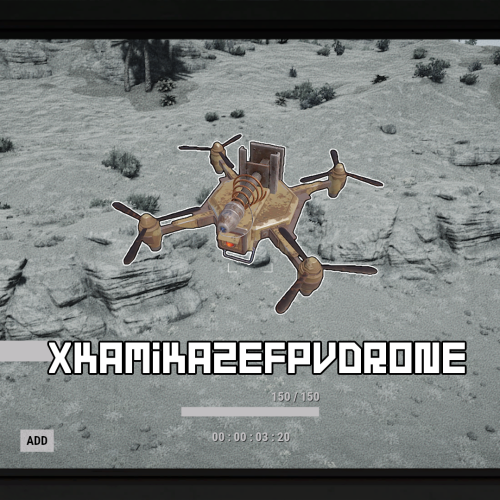
Version 1.0.3
114 downloads
XKamikazeFPVDrone - kamikaze drone for your server. - Optimization of the interface for different monitor resolutions. - There is a lang ru/en/uk/es. - Sound effects when interacting with the menu. - The ability to craft a drone. - The ability to give away a drone by command. [ Shop and other things. ] - The ability to change the drone's camera speed. - The ability to change the speed and manoeuvrability of the drone. - The ability to customise the radius and scale of damage. - The creator of the explosives is the player controlling the drone. [ Settings in the config. ] - Instant drone detonation if the explosives took damage. [ Settings in the config. ] - Automatically add the player drones ID to the computer station they are sitting at. [ Radius: 15 meters ] Permissions xkamikazefpvdrone.usecraft - access to the drone crafting. Commands /craft.d - to open the crafting menu. give_drone steamID amount - to give the player a drone. API bool API_IsFPVDrone(Drone drone) - returns True/False if it's a kamikaze drone. Hooks void OnDroneExplode(Drone drone, Vector3 position) - is called when a kamikaze drone explodes. Config { "Drone settings": { "Drone skin": 0, "The speed at which the drone camera moves left and right. [ Default: 2.0 ]": 5.0, "The speed at which the drone camera moves up and down. [ Default: 2.0 ]": 5.0, "The speed of the drone moving left, right, forward and backward. [ Default: 10.0 ]": 50.0, "The speed of the drone moving up and down. [ Default: 10.0 ]": 50.0, "Automatically add the player drones ID to the computer station they are sitting at. [ Radius: 15 meters ]": false }, "Explosive settings": { "Explosion radius. [ Default: 3.8 ]": 5.0, "Damage scale. [ Default: 1.0 - 137 HP ]": 2.5, "The creator of the explosives is the player controlling the drone. [ Useful for killing players on your own behalf. Blocks damage in a safe zone. Supports many plugins - TruePVE, RaidProtection, etc. ]": true, "Instant drone detonation if the explosives took damage.": false }, "Craft settings": { "Crafting workbench level. [ 0 - workbench is not required ]": 2, "List of crafting resources": { "ammo.rocket.basic": 1, "techparts": 1, "battery.small": 1, "ducttape": 2, "wiretool": 1, "gunpowder": 25, "cloth": 10, "lowgradefuel": 5 } } }$10.99 -
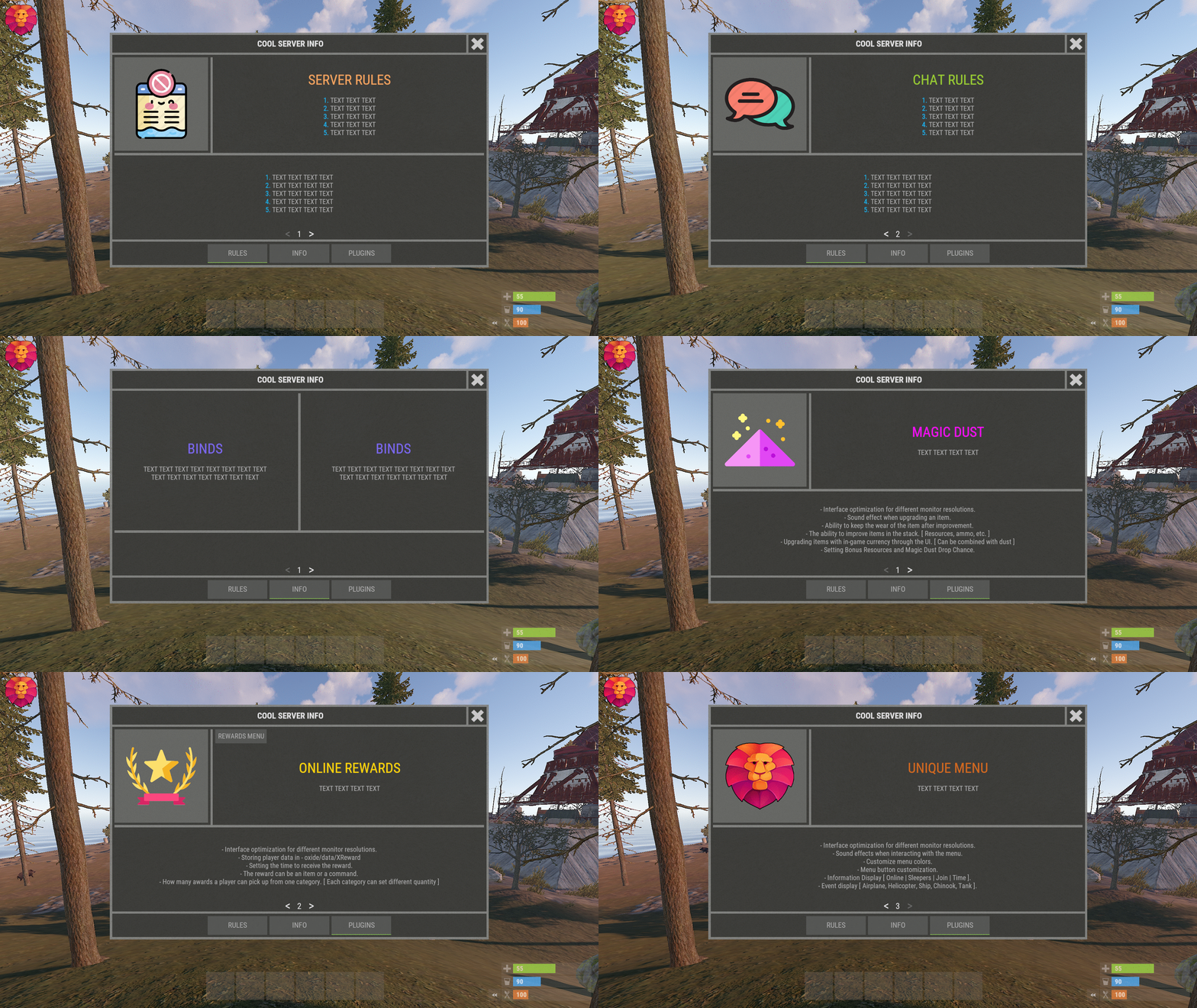
Version 1.0.8
75 downloads
XInfoMenu - beautiful info menu for your server. - Optimization of the interface for different monitor resolutions. - Storing player data in - oxide/data/XInfoMenu - There is a lang ru/en/es. - Sound effects when interacting with the menu. - Info messages in chat. - Info messages under the slots. - Custom page settings. - Ability to turn on the timer when you first connect to the server. [ The player will have to wait N times before the menu can be closed. If the player disconnects from the server before the timer expires, then everything will be restarted when reconnecting. ] - Ability to create an unlimited number of pages. - Possibility to create an unlimited number per page - [ Elements, Pictures, Texts, Buttons ] - The ability to use keyword information in the text (Text in the menu and info messages): -> Overview - YouTube <- Need to know! The menu is a constructor. You can create whatever you want. If you do not understand this, you can ask the developer for help! Keywords [ %NAME% - player name, %STEAMID% - steamid player, %ONLINE% - number of online players, %MAXPLAYERS% - number of server slots, %JOINING% - number of joining players, %QUEUED% - number of players in the queue, %SLEEPING% - number of sleeping players, %TIME% - time on the server ]. Customized configuration. { "General settings": { "Open the menu when the player joined the server -> woke up [ If the timer is off, the menu will open after each connection to the server ]": false, "Reload images after plugin reload": true, "Show page switching buttons if there is only one page in the category": true, "Cooldown menu action": 0.75, "Type of page switching buttons. True - arrows | False - numbering": true, "Enable the timer for the first connection [ The player entered the server -> woke up -> the menu opened -> waited N seconds. The menu will not open again after connecting ]": false, "Timer time (.sec)": 0 }, "Settings up chat messages": { "List of unique message names - [ Settings text in lang ]": [ "MESSAGE1.1", "MESSAGE1.2", "MESSAGE1.3" ], "Chat message interval": 300.0, "Profile steamID for custom avatar": 0, "Enable messages in chat": false }, "Settings messages under slots": { "List of unique message names - [ Settings text in lang ]": [ "MESSAGE2.1", "MESSAGE2.2", "MESSAGE2.3" ], "Message interval under slots": 30.0, "Enable messages under slots": false }, "Settings GUI": { "Background color_1": "0.517 0.521 0.509 0.95", "Background color_2": "0.217 0.221 0.209 0.95", "Background material_1": "assets/icons/greyout.mat", "Background material_2": "", "Button color": "0.517 0.521 0.509 0.5", "Active button color": "0.53 0.77 0.35 1" }, "Settings buttons and pages": { "RULES": [ { "Setting elements": [ { "Element color": "0.517 0.521 0.509 0.95", "Element material": "assets/icons/greyout.mat", "OffsetMin": "-190 -11.25", "OffsetMax": "-185 198.75" }, { "Element color": "0.517 0.521 0.509 0.95", "Element material": "assets/icons/greyout.mat", "OffsetMin": "-395 -11.25", "OffsetMax": "395 -6.25" } ], "Setting images": [ { "Unique image name": "RULES1", "Link to image": "https://i.imgur.com/esfS0N4.png", "Player avatar": false, "OffsetMin": "-395 -1.25", "OffsetMax": "-195 198.75" } ], "Setting up a block of text": [ { "Block text unique name - [ Text setting in lang ]": "RULES1.1", "OffsetMin": "-180 -1.25", "OffsetMax": "395 198.75", "TextAnchor [ Text alignment ] | 0 - 8": 4, "Text color": "0.75 0.75 0.75 0.75" }, { "Block text unique name - [ Text setting in lang ]": "RULES1.2", "OffsetMin": "-395 -169", "OffsetMax": "395 -16.75", "TextAnchor [ Text alignment ] | 0 - 8": 4, "Text color": "0.75 0.75 0.75 0.75" } ], "Setting buttons": [] }, { "Setting elements": [ { "Element color": "0.517 0.521 0.509 0.95", "Element material": "assets/icons/greyout.mat", "OffsetMin": "-190 -11.25", "OffsetMax": "-185 198.75" }, { "Element color": "0.517 0.521 0.509 0.95", "Element material": "assets/icons/greyout.mat", "OffsetMin": "-395 -11.25", "OffsetMax": "395 -6.25" } ], "Setting images": [ { "Unique image name": "RULES2", "Link to image": "https://i.imgur.com/eAgrWKP.png", "Player avatar": false, "OffsetMin": "-395 -1.25", "OffsetMax": "-195 198.75" } ], "Setting up a block of text": [ { "Block text unique name - [ Text setting in lang ]": "RULES2.1", "OffsetMin": "-180 -1.25", "OffsetMax": "395 198.75", "TextAnchor [ Text alignment ] | 0 - 8": 4, "Text color": "0.75 0.75 0.75 0.75" }, { "Block text unique name - [ Text setting in lang ]": "RULES2.2", "OffsetMin": "-395 -169", "OffsetMax": "395 -16.75", "TextAnchor [ Text alignment ] | 0 - 8": 4, "Text color": "0.75 0.75 0.75 0.75" } ], "Setting buttons": [] } ], "INFO": [ { "Setting elements": [ { "Element color": "0.517 0.521 0.509 0.95", "Element material": "assets/icons/greyout.mat", "OffsetMin": "-2.5 -100", "OffsetMax": "2.5 198.75" }, { "Element color": "0.517 0.521 0.509 0.95", "Element material": "assets/icons/greyout.mat", "OffsetMin": "-395 -100", "OffsetMax": "395 -95" } ], "Setting images": [], "Setting up a block of text": [ { "Block text unique name - [ Text setting in lang ]": "INFO2.1", "OffsetMin": "-395 -90", "OffsetMax": "-7.5 198.75", "TextAnchor [ Text alignment ] | 0 - 8": 4, "Text color": "0.75 0.75 0.75 0.75" }, { "Block text unique name - [ Text setting in lang ]": "INFO2.2", "OffsetMin": "7.5 -90", "OffsetMax": "395 198.75", "TextAnchor [ Text alignment ] | 0 - 8": 4, "Text color": "0.75 0.75 0.75 0.75" } ], "Setting buttons": [] }, { "Setting elements": [ { "Element color": "0.517 0.521 0.509 0.95", "Element material": "assets/icons/greyout.mat", "OffsetMin": "-395 12.375", "OffsetMax": "395 17.375" } ], "Setting images": [], "Setting up a block of text": [ { "Block text unique name - [ Text setting in lang ]": "INFO3.1", "OffsetMin": "-395 22.375", "OffsetMax": "395 198.75", "TextAnchor [ Text alignment ] | 0 - 8": 4, "Text color": "0.75 0.75 0.75 0.75" }, { "Block text unique name - [ Text setting in lang ]": "INFO3.2", "OffsetMin": "-395 -169", "OffsetMax": "395 7.375", "TextAnchor [ Text alignment ] | 0 - 8": 4, "Text color": "0.75 0.75 0.75 0.75" } ], "Setting buttons": [] } ], "PLUGINS": [ { "Setting elements": [ { "Element color": "0.517 0.521 0.509 0.95", "Element material": "assets/icons/greyout.mat", "OffsetMin": "-190 -11.25", "OffsetMax": "-185 198.75" }, { "Element color": "0.517 0.521 0.509 0.95", "Element material": "assets/icons/greyout.mat", "OffsetMin": "-395 -11.25", "OffsetMax": "395 -6.25" } ], "Setting images": [ { "Unique image name": "PLUGINS1", "Link to image": "https://i.imgur.com/EHlroeY.png", "Player avatar": false, "OffsetMin": "-395 -1.25", "OffsetMax": "-195 198.75" } ], "Setting up a block of text": [ { "Block text unique name - [ Text setting in lang ]": "PLUGINS1.1", "OffsetMin": "-180 -1.25", "OffsetMax": "395 198.75", "TextAnchor [ Text alignment ] | 0 - 8": 4, "Text color": "0.75 0.75 0.75 0.75" }, { "Block text unique name - [ Text setting in lang ]": "PLUGINS1.2", "OffsetMin": "-395 -169", "OffsetMax": "395 -16.75", "TextAnchor [ Text alignment ] | 0 - 8": 4, "Text color": "0.75 0.75 0.75 0.75" } ], "Setting buttons": [] }, { "Setting elements": [ { "Element color": "0.517 0.521 0.509 0.95", "Element material": "assets/icons/greyout.mat", "OffsetMin": "-190 -11.25", "OffsetMax": "-185 198.75" }, { "Element color": "0.517 0.521 0.509 0.95", "Element material": "assets/icons/greyout.mat", "OffsetMin": "-395 -11.25", "OffsetMax": "395 -6.25" } ], "Setting images": [ { "Unique image name": "PLUGINS2", "Link to image": "https://i.imgur.com/dxHezlf.png", "Player avatar": false, "OffsetMin": "-395 -1.25", "OffsetMax": "-195 198.75" } ], "Setting up a block of text": [ { "Block text unique name - [ Text setting in lang ]": "PLUGINS2.1", "OffsetMin": "-180 -1.25", "OffsetMax": "395 198.75", "TextAnchor [ Text alignment ] | 0 - 8": 4, "Text color": "0.75 0.75 0.75 0.75" }, { "Block text unique name - [ Text setting in lang ]": "PLUGINS2.2", "OffsetMin": "-395 -169", "OffsetMax": "395 -16.75", "TextAnchor [ Text alignment ] | 0 - 8": 4, "Text color": "0.75 0.75 0.75 0.75" } ], "Setting buttons": [ { "Button unique name - [ Setting text in lang ]": "PLUGINS2.1.1", "OffsetMin": "-180 168.75", "OffsetMax": "-70 198.75", "TextAnchor [ Text alignment ] | 0 - 8": 4, "Command": "chat.say /reward", "Button color": "0.517 0.521 0.509 0.5", "Text color": "0.75 0.75 0.75 0.75", "Close menu after clicking": false } ] }, { "Setting elements": [ { "Element color": "0.517 0.521 0.509 0.95", "Element material": "assets/icons/greyout.mat", "OffsetMin": "-190 -11.25", "OffsetMax": "-185 198.75" }, { "Element color": "0.517 0.521 0.509 0.95", "Element material": "assets/icons/greyout.mat", "OffsetMin": "-395 -11.25", "OffsetMax": "395 -6.25" } ], "Setting images": [ { "Unique image name": "PLUGINS3", "Link to image": "https://i.imgur.com/1bljDKO.png", "Player avatar": false, "OffsetMin": "-395 -1.25", "OffsetMax": "-195 198.75" } ], "Setting up a block of text": [ { "Block text unique name - [ Text setting in lang ]": "PLUGINS3.1", "OffsetMin": "-180 -1.25", "OffsetMax": "395 198.75", "TextAnchor [ Text alignment ] | 0 - 8": 4, "Text color": "0.75 0.75 0.75 0.75" }, { "Block text unique name - [ Text setting in lang ]": "PLUGINS3.2", "OffsetMin": "-395 -169", "OffsetMax": "395 -16.75", "TextAnchor [ Text alignment ] | 0 - 8": 4, "Text color": "0.75 0.75 0.75 0.75" } ], "Setting buttons": [] } ] } }$10.99 -
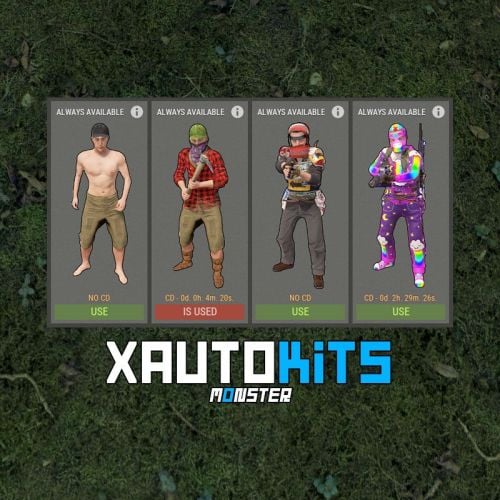
Version 1.0.1
22 downloads
XAutoKits - offers a beautiful menu of auto kits for your server, offering a seamless experience for players to access and manage their kits. What about giving kits to players? The plugin features its own system for granting kits, both temporarily and permanently. It can operate entirely on a permissions system. You can easily combine both options for flexibility. Key Features: Language Support: Switch plugin language in the code - LanguageEnglish = true. Interface Optimization: Adjusts for different monitor resolutions. Data Storage: Player data is stored in oxide/data/XDataSystem/XAutoKits. Multi-language Support: Available in Russian, English, Ukrainian, and Spanish. Sound Effects: Adds sound effects when interacting with the menu. Optimized UI Timer: Enhanced UI update timer for better performance. CoolDown Reset: Automatic reset of CoolDown after server wipe. Easy Kit Management: Create, edit, and view kits, cooldowns, items, modules, and more in the UI. UI Kit Editor: Edit kit items directly within the UI. Inventory Protection: Prevents misplacement of items in the Wear/Belt container. Chat Customization: Customize avatar and prefix for chat messages. Default Kits: Set default kits for new players and a list of kits available immediately. Kit Deletion: Specify the duration before a kit is deleted, ideal for events. CoolDown Setting: Set a CoolDown period for each kit. Inventory Check: Clears player inventory before giving an autokit. Kit Availability: Displays kit settings, including deletion time and CoolDown, in view all kits mode. Automatic Kit Selection: Players can independently select/change their automatic kit from the available ones. Custom Kit Images: Default size is 230x544, adjustable in configuration. Custom images available for an additional fee. Permissions xautokits.use - access to menu. xautokits.admin - access to admin functionality. xautokits.showall - access to the ability to view all kits. xautokits.ignorecd - allow to ignore CoolDown. Commands /ak, /autokit, /autokits - to open the autokits menu. [ Commands can be changed in the config. ] /autokit.admin setkit kitName - set the kit to the player, you are looking at. (Admin permission) xautokits_admin_kit_ccmd give steamID kitName seconds - give kit to a player. [ You can change the seconds and thus change the date of deleting the kit from the player. 0 - the kit will always be available to the player. seconds: 1000 or -1000. Automatically converted to Unix-time. ] xautokits_admin_kit_ccmd remove steamID kitName - remove a kit from a player. [ The kit will no longer be available to the player. ] xautokits_admin_kit_ccmd set steamID kitName - set the kit to player. [ The player inventory will be cleared. ] API bool API_SetPlayerKit(BasePlayer player, string setKitName) - set the kit to player. [ The player inventory will be cleared. ] bool IsAutoKit(string kitName) - check if a kit exists. double GetKitCooldown(string kitName) - get kit CoolDown. (sec.) double GetDeleteKitUnixDate(string kitName) - get date of kit deletion. (Unix-time) string GetKitImageURL(string kitName) - get link to the image of the kit. string GetKitPermission(string kitName) - get permission of the kit. void PlayerTimerRemove(BasePlayer player) - remove player from UI update timer. (Useful for custom menu) Hooks object CanUseAutoKit(BasePlayer player, string setKitName) - is called when a set is kit to a player after respawning. Returning non null will prevent this action. object CanSetAutoKit(BasePlayer player, string setKitName) - is called when a set is kit to a player using the API. Returning non null will prevent this action. Config { "General settings": { "SteamID profile for custom avatar": 0, "Chat prefix": "<size=12><color=#FFFFFF50>[</color> <color=#00FF0050>XAutoKits</color> <color=#FFFFFF50>]</color></size>\n", "The name of the default kit for new players": "", "List of kits that will be available to the player at all times - [ Will be given to the player ]": [], "List of commands to open the menu": [ "ak", "autokit", "autokits" ] }, "GUI settings": { "Color_background_1": "0.517 0.521 0.509 0.95", "Color_background_2": "0.217 0.221 0.209 0.95", "Color_background_3": "0.217 0.221 0.209 1", "Button color (icons)": "1 1 1 0.75", "Block color": "0.517 0.521 0.509 0.5", "Color of the active button next": "0.35 0.45 0.25 1", "Color of the inactive button next": "0.35 0.45 0.25 0.4", "Text color of the active button next": "0.75 0.95 0.41 1", "Text color of the inactive button next": "0.75 0.95 0.41 0.4", "Color of the active button back": "0.65 0.29 0.24 1", "Color of the inactive button back": "0.65 0.29 0.24 0.4", "Text color of the active button back": "0.92 0.79 0.76 1", "Text color of the inactive button back": "0.92 0.79 0.76 0.4", "MainIMG_OffsetMin": "16.5 -99.55", "MainIMG_OffsetMax": "-16.5 117.25", "InfoIMG_OffsetMin": "10 35", "InfoIMG_OffsetMax": "106.2 -35" } }$27.99 -
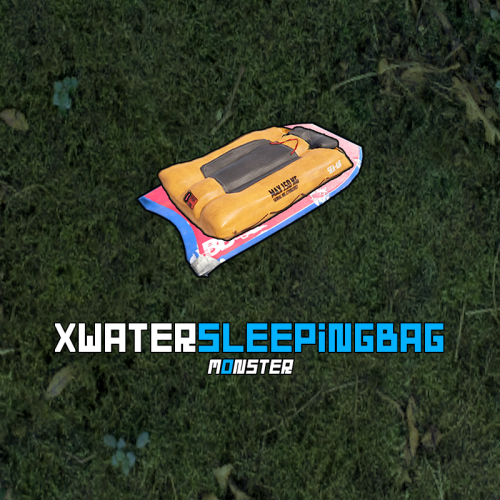
Version 1.0.2
28 downloads
Deploy floating sleeping bags with customizable settings like distance from land, movement, and wave effects, giving you total control over placement. Breaks on collision with boats or cargo ships, and can be picked up with a hammer. Reskin restrictions and cooldown settings keep things balanced, while multilingual support ensures accessibility. Be careful—if the sleeping bag rolls over, you won’t be able to respawn on it! Key Features There is a lang ru/en/uk/es. Ability to disallow sleeping bag reskinning. Ability to customize the maximum distance from land. Ability to disable drifting towards the island. Ability to disable movement. [ Sleeping bag will always stay in the same place. ] Ability to disable the effect of waves. Ability to set CoolDown to default. [ CoolDown settings by permissions. ]. The sleeping bag breaks down in a collision boat/cargo ship. A water sleeping bag is subject to the limit of regular sleeping bags. The water sleeping bag can be picked up with a hammer. A water sleeping bag can be broken in any number of ways. If the sleeping bag rolls over, you cannot respawn on it. Permissions xwatersleepingbag.use - allow a sleeping bag to be placed. xwatersleepingbag.admin - allow a player(administrator) to use the command to give sleeping bags. Commands give_wsb steamID amount - to give a water sleeping bag to a player. API bool IsCustomWI(WaterInflatable mountable) - check if the board is part of the water sleeping bag. bool IsWSB(SleepingBag bag) - check if the sleeping bag is a - water sleeping bag. Config { "General settings": { "Item: Water sleeping bag - SkinID": ?, "Item: Custom name": "Water sleeping bag", "Default sleeping bag - SkinID": ?, "Allow sleeping bag reskin": false, "Distance to the edge of the map. The sleeping bag cannot be placed far from the land. [ The default value is 0, which is the edge of the map. Set any value to increase or decrease the distance to land. (100.0 or -100.0) ]": 0.0, "Enable drift towards island": false, "Enable movement": false, "Enable wave effect": true, "Default CD": 300.0, "List of permits and CD for water sleeping bag": { "xwatersleepingbag.cd90": 90.0, "xwatersleepingbag.cd150": 150.0, "xwatersleepingbag.cd210": 210.0 } } }$11.99 -
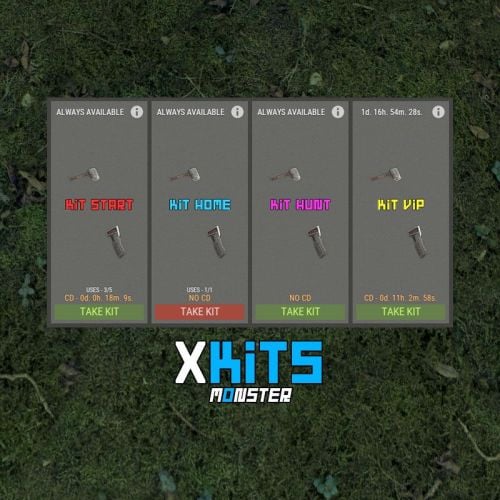
Version 1.0.1
26 downloads
XKits - offers a beautiful menu of kits for your server, offering a seamless experience for players to access and manage their kits. What about giving kits to players? The plugin features its own system for granting kits, both temporarily and permanently. It can operate entirely on a permissions system. You can easily combine both options for flexibility. Key Features: Language Support: Switch plugin language in the code - LanguageEnglish = true. Interface Optimization: Adjusts for different monitor resolutions. Data Storage: Player data is stored in oxide/data/XDataSystem/XKits. Multi-language Support: Available in Russian, English, Ukrainian, and Spanish. Sound Effects: Adds sound effects when interacting with the menu. Optimized UI Timer: Enhanced UI update timer for better performance. CoolDown Reset: Automatic reset of CoolDown after server wipe. Easy Kit Management: Create, edit, and view kits, cooldowns, limits, items, blueprints, modules, genes, chances, and slots in the UI. UI Kit Editor: Edit kit items and seed/clone genes directly within the UI. Inventory Protection: Prevents misplacement of items in the Wear/Belt container. Chat Customization: Customize avatar and prefix for chat messages. Default Kits: Set default kits for new players and a list of kits available immediately. Kit Deletion: Specify the duration before a kit is deleted, ideal for events. Usage Limits: Set a limit on how many times a kit can be taken (e.g., 5 uses in total). CoolDown Setting: Set a CoolDown period for each kit. Inventory Check: Clears player inventory before giving a kit and checks for available space. Kit Availability: Displays kit settings, including deletion time, CoolDown, and maximum number of uses, in view all kits mode. Automatic Kit Selection: Players can independently select/change their kits from the available ones. Custom Kit Images: Default size is 230x544, adjustable in configuration. Custom images available for an additional fee. Permissions xkits.use - access to menu. xkits.admin - access to admin functionality. xkits.showall - access to the ability to view all kits. xkits.ignorecd - allow to ignore CoolDown. Commands /k, /kit, /kits - to open the kits menu. [ Commands can be changed in the config. ] /k kitName, /kit kitName, /kits kitName - to take a kit. [ Commands can be changed in the config. ] /kit.admin givekit kitName - give a kit to the inventory of the player you are looking at. (Admin permission) xkits_admin_kit_ccmd give steamID kitName seconds - give kit to a player. [ You can change the seconds and thus change the date of deleting the kit from the player. 0 - the kit will always be available to the player. seconds: 1000 or -1000. Automatically converted to Unix-time. ] xkits_admin_kit_ccmd remove steamID kitName - remove a kit from a player. [ The kit will no longer be available to the player. ] xkits_admin_kit_ccmd givekit steamID kitName - give a kit to the inventory of the player. API bool API_GivePlayerKit(BasePlayer player, string giveKitName, bool dropMessage = false) - give a kit to the inventory of the player. [ dropMessage - display in the console the number of items that did not fit in the inventory. ] bool IsKit(string kitName) - check if a kit exists. double GetKitCooldown(string kitName) - get kit CoolDown. (sec.) double GetDeleteKitUnixDate(string kitName) - get date of kit deletion. (Unix-time) string GetKitImageURL(string kitName) - get link to the image of the kit. string GetKitPermission(string kitName) - get permission of the kit. int GetKitAmountOfUses(string kitName) - get number of uses of the kit. void PlayerTimerRemove(BasePlayer player) - remove player from UI update timer. (Useful for custom menu) Hooks object CanTakeKit(BasePlayer player, string takeKitName) - is called when a player tries to take a kit. Return not null will prevent this action. object CanGiveKit(BasePlayer player, string giveKitName) - is called when trying to give a kit to the player inventory using the API. Return not null will prevent this action. Config { "General settings": { "SteamID profile for custom avatar": 0, "Chat prefix": "<size=12><color=#FFFFFF50>[</color> <color=#00FF0050>XKits</color> <color=#FFFFFF50>]</color></size>\n", "List of kits that will be available to the player at all times - [ Will be given to the player ]": [], "List of commands to open the menu": [ "k", "kit", "kits" ] }, "GUI settings": { "Color_background_1": "0.517 0.521 0.509 0.95", "Color_background_2": "0.217 0.221 0.209 0.95", "Color_background_3": "0.217 0.221 0.209 1", "Button color (icons)": "1 1 1 0.75", "Block color": "0.517 0.521 0.509 0.5", "Color of the active button next": "0.35 0.45 0.25 1", "Color of the inactive button next": "0.35 0.45 0.25 0.4", "Text color of the active button next": "0.75 0.95 0.41 1", "Text color of the inactive button next": "0.75 0.95 0.41 0.4", "Color of the active button back": "0.65 0.29 0.24 1", "Color of the inactive button back": "0.65 0.29 0.24 0.4", "Text color of the active button back": "0.92 0.79 0.76 1", "Text color of the inactive button back": "0.92 0.79 0.76 0.4", "MainIMG_OffsetMin": "16.5 -99.55", "MainIMG_OffsetMax": "-16.5 117.25", "InfoIMG_OffsetMin": "10 35", "InfoIMG_OffsetMax": "106.2 -35" } }$33.99 -
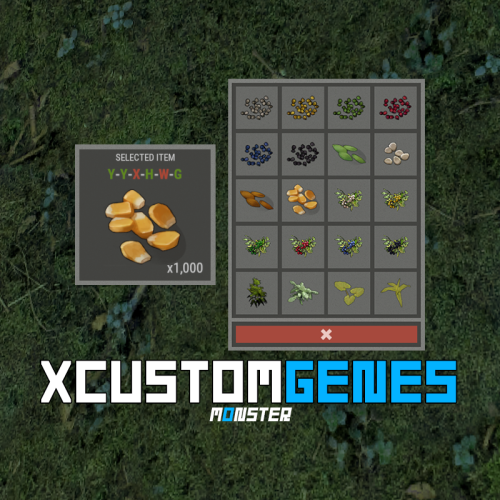
Version 1.0.4
133 downloads
XCustomGenes is a versatile gene editor plugin offering a user-friendly UI, multilingual support, sound effects, and robust features for editing or deleting genes through chat commands or the UI, with options for payment integration using in-game currency. -> In the code you can switch the plugin language - LanguageEnglish = true <- Features Optimization of the interface for different monitor resolutions. There is a lang ru/en/uk/es. Sound effects when interacting with the menu. User-friendly UI gene editor. To change/delete genes, player/administrator can use: chat commands or UI editor. Ability to change/delete genes on a selected item, as well as on all items in inventory simultaneously. Ability to make gene changing/deletion paid. Balance of any plugin or Scrap can be used as currency. Various chat messages. Protection against incorrect input of genes. The administrator can quickly give himself seeds with the right genes using the UI editor. Permissions xcustomgenes.use - access to menu / access to genes editing. xcustomgenes.admin - access to admin functionality. Commands /g, /gene, /genes - to open the menu. [ Commands can be changed in the config. ] /genes item genes(xxxxxx) - to change/delete genes on the selected item. /genes all genes(xxxxxx) - to change/delete genes on all items in inventory simultaneously. xcustomgenes_give steamID shortname genes(xxxxxx) amount skinID - to give seeds with genes to the player. [ Arguments - genes, amount, skinID - is not a mandatory. ] Config { "General settings": { "SteamID profile for custom avatar": 0, "Chat prefix": "<size=12><color=#FFFFFF50>[</color> <color=#00FF0050>XCustomGenes</color> <color=#FFFFFF50>]</color></size>\n", "List of commands to open the menu": [ "g", "gene", "genes" ], "Gene list for quick selection": [ "GGGGYY", "GGGYYY", "GGYYYY", ... ] }, "GUI settings": { "Color_background_1": "0.517 0.521 0.509 0.95", "Color_background_2": "0.217 0.221 0.209 0.95", "Button color (icons)": "1 1 1 0.75", "Block color": "0.517 0.521 0.509 0.5" }, "Payment settings": { "Use payment": false, "True - plugin with balance | False - scrap": false, "Price formation - [ True - per stack | False - per seeds ]": true, "Price": 10.0, "Price - gene delete": 2.0, "Plugin name": "Economics", "Method name(API) - Balance": "Balance", "Method name(API) - Withdraw": "Withdraw", "Method(API) data type - [ 0 - int | 1 - float | 2 - double ]": 0 } }$18.99 -
Version 1.0.0
26 downloads
Create custom items like pouches, kits, medkits, and more—each filled with valuable gear. Customize everything from item names, blueprints, skins, to drop chances, giving you full control. Set permissions to open packages, and even open entire stacks at once for command-only items. Packages can be found in crates, barrels, or via metal detectors, and they stack, split, and drop seamlessly. Chat messages notify players when they open a package, but beware—these packs can't be recycled! Key Features There is a lang ru/en/uk/es. Customization of items (command(s), blueprint, item, custom item): shortname, amount, skinID, text(for note), custom name, blueprint, drop chance, water amount(for bottle, water jug, bota bag), command list) For commands: {0} is steamID | {1} is amount Various settings for the packages themselves. Setting the permission to open a package. Ability to open the entire stack at once. [ Useful for packages that only have command(s) ]. Ability to customize package stack. Chat messages after opening a package. Ability to find the package in crates/barrels. Ability to find the package with a metal detector. Stack, split, drop packages works correctly. Packs cannot be recycled. WORK WITH BetterLoot For the correct spawning of packages in the crate, in the BetterLoot plugin, remove/comment out the following line of code. 630 - container.inventory.capacity = container.inventory.itemList.Count; Permissions xpackage.admin - allow a player(administrator) to use the command to give packages. Commands give_package steamID packageSkinID amount - to give a package to a player. API bool IsItemPackage(Item item) - whether the item is a package. bool IsSkinPackage(ulong skinID) - whether the skin is a package. Config { "General settings": { "SteamID profile for custom avatar": 0, "Chat prefix": "<size=12><color=#FFFFFF50>[</color> <color=#00FF0050>XPackage</color> <color=#FFFFFF50>]</color></size>\n" }, "Package settings": { "0": { "Shortname": "halloween.lootbag.large", "Custom package name": "Medication kit", "Action at which the package will be opened": "unwrap", "Maximum stack - [ True - x1 | False - stack of original item ]": true, "Whole stack opens at once. [ Useful for packages that only have command(s) ]": false, "Permission to open a package": null, "Effect of opening the package": "assets/prefabs/misc/xmas/presents/effects/unwrap.prefab", "Enable the ability to find a package with a metal detector": false, "Chance of finding the package with a metal detector [ 0.0 - 100.0 ]": 0.0, "List of items in the package": [ { "Shortname": "largemedkit", "Amount": 1, "SkinID": 0, "Text": null, "CustomName": null, "BlueprintID": 0, "Drop chance [ 0.0 - 100.0 ]": 100.0, "WaterAmount": 0, "CommandsList - [ {0} is steamID | {1} is amount ]": null }, ... ], "Which crates/barrels will spawned a package": [ { "Name crate/barrel": "crate_normal", "Drop chance [ 0.0 - 100.0 ]": 20.0, "Min amount": 1, "Max amount": 1 }, ... ] }, ... } }$14.99 -

Version 1.1.1
66 downloads
XBarrelEvent - an event of mysterious barrels for your server. - Optimization of the interface for different monitor resolutions. - There is a lang ru/en/uk/es. - Sound effects. - The ability to set the minimum online for the start of the Event. - Possibility to configure the interval for launching the Event. - Customize items and drop chances from barrels. - Setting the number of barrels on the map. - Setting up the ability to spawn a new barrel in a random place on the map after breaking the existing one. - Setting up a marker that marks the barrel on the map. [ Ability to disable the marker, thereby complicating the search for barrels ] - There is a check for stones and any textures. [ Barrels will not spawn inside textures and rocks ] - The ability to change the HP of the barrel. - Logs of spawning/breaking barrels. - The ability to use a list of different prefabs. [ Will spawn randomly ] - There are two Event modes. -> Overview - YouTube <- Commands start_barrelevent_admin - start the event manually. [ Runs only when interval event mode is enabled ] show_barrels_info - to see a list of coordinates for all the barrels. Config { "General settings": { "Offset from the edges of the map": 200, "Maximum number of items in a barrel": 4, "Number of barrels": 10, "HP barrel": 150.0, "Minimum online to start the event": 7, "Event start interval": 5400, "Event duration": 210, "Marker transparency": 0.0, "Marker radius": 0.0, "Barrel/New Year's gift/road sign prefab. [ If there is more than one prefab in the list, it will be randomized ]": [ "assets/bundled/prefabs/radtown/oil_barrel.prefab" ], "Use the effect after breaking the barrel": true, "Mark the barrel with a marker on the map": true, "Spawn a new barrel after breaking an existing one": true, "Spawn barrels only during the event (If false, then the barrels will be spawned when the plugin is loaded, and the event with an interval will not be started)": false, "Enable logs in the server console": true }, "Item customization and barrel drop chance": [ { "Item shortname": "rifle.ak", "Item skin": 2412486082, "Custom item name": "", "Text (if it's a note)": "", "Item drop chance. 100 - 100%": 25, "Minimum number of items": 1, "Maximum number of items": 1 }, { "Item shortname": "rocket.launcher", "Item skin": 0, "Custom item name": "", "Text (if it's a note)": "", "Item drop chance. 100 - 100%": 25, "Minimum number of items": 1, "Maximum number of items": 1 } ] }$9.49- 22 comments
- 1 review
-
- 3
-
-
-
- #event
- #autoevent
- (and 4 more)
-
Version 1.0.2
35 downloads
Boost your server's defenses with XTripwire! Easily set up tripwires that trigger explosive traps, adding strategy and security to your gameplay. Enjoy cool sound effects and customize explosive settings like radius, damage, snip chance, and more. Explosives save after restarts and can be picked up, but beware of detonation risks. Snip wires with configurable settings, and set up tripwires using a Beancan grenade or Satchel. Key Features: Multi-Language Support: Easily switch plugin language with LanguageEnglish = true. Sound Effects: Interactive sound effects for chat commands. Customizable Explosives: Configure explosion radius, damage scale, snip chance, and creator. Persistent Data: Explosives are saved after server restarts. Pickup and Detonation: Pick up explosives with a chance of detonation. Wire Snipping: Ability to snip wires with configurable settings. Beancan Grenade Requirement: Players must hold a Beancan grenade or Satchel to set up a tripwire. Permissions xtripwire.use - allow setting up a tripwire. Commands /tripwire - set up a tripwire. [ You need to look at the alarm and hold a Beancan grenade or Satchel in your hand. ] Config { "General settings": { "SteamID profile for custom avatar": 0, "Chat prefix": "<size=12><color=#FFFFFF50>[</color> <color=#00FF0050>XTripwire</color> <color=#FFFFFF50>]</color></size>\n", "Chance of a wire snip. [ Default: 0.4 ]": 0.4, "Tin can alarm is destroyed - [ True - unhook explosives | False - detonate explosives ]": true }, "Beancan settings": { "Explosion radius. [ Default: 4.5 ]": 4.5, "Damage scale. [ Default: 1.0 - (Beancan 115 / Satchel 475) HP ]": 1.0, "The creator of the explosives is the player who planted them. [ Useful for killing players on your own behalf. Blocks damage in a safe zone. Supports many plugins - TruePVE, RaidProtection, etc. ]": true }, "Satchel settings": { "Explosion radius. [ Default: 4.5 ]": 4.0, "Damage scale. [ Default: 1.0 - (Beancan 115 / Satchel 475) HP ]": 1.0, "The creator of the explosives is the player who planted them. [ Useful for killing players on your own behalf. Blocks damage in a safe zone. Supports many plugins - TruePVE, RaidProtection, etc. ]": true } }$7.99 -
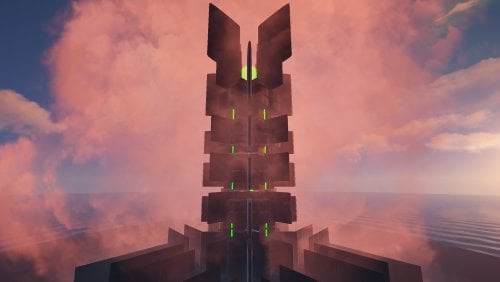
Version 1.0.1
22 downloads
Meet the Monster Tower, the result of watching the film The Lord of the Rings - The Two Towers, while I was drinking a can of Monster Energy. This monument has several options to use: • You can use this tower for the Chopper Survival plugin (Event Manager). • You can use it like a monument, it contains both NPC respawn and Loot. • You can also use it like a Public Tower so players can defend themselves against the Attack Helicopter. - The Monster Tower consists of five floors with a lift, plus two hidden floors with an extra difficulty (NPC). - You can access these hidden floors via an invisible staircase containing green rings.$5.99 -

Version 1.0.0
19 downloads
Monument making a tribute and inspired by Mecatrodectus of Elektric. t has the three colored doors, being necessary the placement of fuses for all of them and the use of the elevator. In the last phase of the monument a lot of loot: Several T3 boxes, ammo boxes and more. Prefabs: 3800$9.99 -

Version 1.0.2
4 downloads
A small island created in the World Creator 2 program with a couple of monsters for decoration. Map size – 1500k Prefab Count – 9500 This map is constantly supported and updated for the current version of the game with all updates! A small map for small servers, perfect for a week-long wipe for the upcoming Halloween holiday, and for a regular game. The island consists of 2 hills connected by a bridge. On the map you will meet 2 creeping monsters. The loot is perfectly balanced, there are all kinds of cards. Monuments: Last Height Monsters Water Treatment Sewer Branch Harbor The Dome Combiner Bandit Camp and Outpost Lighthouse Fishing Village Underwater laboratory Underground Tunnel 2 Oil Rig Supermarket Required Dependencies:https://github.com/k1lly0u/Oxide.Ext.RustEdit$14.90-
- 3
-
-
- #halloween
- #map
- (and 9 more)