Search the Community
Showing results for tags 'warning'.
Found 10 results
-

Version 0.1.5
70 downloads
What is it? A nice user-friendly warning system Usage When someone is breaking rules or trolling others just warn them, you can also set a command that will be executed through server console that will get executed upon reachin certain amount of warnings (can be configured in cfg) Permissions warnmenu.use -- Gives you full control to operate the WarnMenu Chat command /warn -- Opens the WarnMenu /warn "Name/SteamID" "Warning reason" -- Warns the specified player with your reason /warnmenu.save -- Force the plugin to write the data from memory to the data file /wmessage <NameOrID | * > <message> - Shows a gametip message (Doesn't count as a warning) to specific player or to all players when you put * instead of the name Data files All Data files can be located at: \oxide\data\WarnMenu\warns There you can find all the warnings for each player Features WarnMenu features * Online Tab - In this tab you can easily select any online player that you want to warn * Search All Tab - Once you open this tab, there you can see all the players and browse in them * Find player Tab - When you click on the button you will be able to search for a specific player using his Name or SteamID Warn Types * CUI-Based - A CUI warning message will pop-up on player's screen when he gets warned * Chat-Based - A chat message will pop-up in player's chat when he gets warned Executable commands * On reaching certain amount of warnings, you can make the server execute a command on a player(configurable in cfg) F.e.: "1": "say {0} just reached 1 warning! SHAME on him!", "3": "kick {0} Kicked for reaching 3 warnings", Localization { "Syntax": "Commands:\n/report (Opens Reporter GUI)", "CUI Online": "Online Players", "CUI Player": "Player: {0}", "CUI SteamID": "SteamID64: {0}", "CUI Warnings": "Warnings: <color=#8f1919>{0}</color>", "CUI NewWarn": "New\nWarning", "CUI WarningID": "Warning ID: {0}", "CUI WarnedBy": "Warned by: {0}", "CUI Date": "Date: {0}", "CUI Reason": "Reason: \n{0}", "CUI Remove": "Remove", "CUI Close": "close", "CUI Warn": "Warn", "CUI WarnAddMenuPlayer": "Warning for\n<color=#d43939>{0}</color>", "CUI SearchAll": "Search All", "CUI SelectPlayer": "Select a player to warn:", "CUI Find": "Find player", "CUI Find2": "Select", "CUI Find3": "Find player:\n(steamID/Name)", "CUI CantFindPlayer": "Couldn't find the player\nsearching argument: {0}", "CUI FoundPlayer": "Found player: {0}", "CUI Refresh": "Refresh", "CantFindPlayer": "Couldn't find that player", "WarnMessage": "Warned: <color=#8f1919>{0}</color>\nReason: {1}", "JoinMessage": "{0} has joined with <color=#8f1919>{1}</color> warnings", "WarnReceive": "You have received a <color=#8f1919>warning</color>\nBy: {0}\nReason: {1}", "CUI WarnReceive": "<color=#8f1919>Warning</color>\nreceived", "CUI WarnReceive2": "By: {0}\nReason: {1}", "Message Syntax": "/wmessage <player|*> <message>", "No Player": "Couldn't find player with that name", "CUI WarnAddMenuClans": "Warning for clan\n<color=#d43939>{0}</color>", "CUI Clans": "Clans", "SyntaxClan": "Syntax: /warn.clan (p | g) (clan tag) (reason)", "ClansNotLoaded": "Clans plugin is not loaded!", "ClanNotFound": "Couldn't find a clan with that tag!", "ClanWarnedGlobal": "{0} clan has been warned: {1}", "CUI isGlobal": "Global announce?\n{0}", "CUI ClansNot": "Clans plugin is not loaded!" } Configuration { "Announce on join with warnings?(to admins)": true, "Execute commands on reaching count:": { "Enabled?": true, "(Format: 5 : mute {0}) where 5 is number of warns and {0} is player's id": { "5": "example.command {0}", "7": "example.command {0}", "10": "example.command {0}" } }, "Warn message settings": { "Text-based warn message?": true, "CUI-based warn message?": true, "How long until CUI message gets removed (secs)": 5.0 }, "Audio settings": { "Enable audio on warning?": true, "Audio path": "assets/content/nexus/ferry/effects/nexus-ferry-departure-horn.prefab" }, "Highlight settings": { "Enabled?": true, "Minimum amount of warns to highlight": 3 }, "wMessage settings": { "Audio path": "assets/content/nexus/ferry/effects/nexus-ferry-departure-horn.prefab", "Time before disappear": 10.0 }, "Discord (clan)": { "Webhook url": "WEBHOOK", "Enabled?": true }, "Discord (player)": { "Webhook url": "WEBHOOK", "Enabled?": true } }$10.00 -
Version 1.0.2
451 downloads
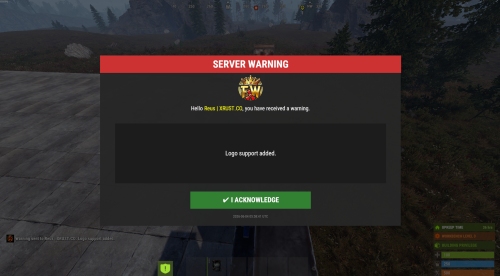
AdminWarn is designed for situations where players clearly violate server rules or require a direct and serious warning. With the latest update, an optional popup warning mode has been added alongside the mandatory acknowledgment GUI. This allows admins to send clean, non-intrusive messages displayed at the top of the screen. News: To avoid disrupting gameplay (such as PvP), you can use: /warnpopup <SteamID> <message> /warnpopupall <message> The core purpose of AdminWarn remains unchanged: forcing players to acknowledge warnings. Each mandatory warning includes a single confirmation button, ensuring the player has read and accepted it. Acknowledgment events are tracked via Discord webhook logs, including whether the warning was confirmed while the player was online or after reconnecting. AdminWarn is built for manual use only. It is not an automated warning system. All warnings are intentionally sent by admins using commands. At the same time, the system works intelligently in the background: - Warnings sent to offline players are stored and automatically shown when they next join, even days later. - For online players, warnings remain active until acknowledged, then are automatically cleared. - All data is fully wipe-aware and automatically cleaned on server wipes. Each warning includes built-in in-game sound effects. No external or custom audio files are used. This is not a chat message. Warnings are delivered as visual UI elements that require acknowledgment or appear as optional popup notifications. Even if a player closes the game, mandatory warnings will reappear on the next login until confirmed. No movement restrictions are applied. Warnings can be sent via: - RCON - Server console - In-game admin console (F1) Performance: AdminWarn is built with an optimized and efficient code structure, making its presence virtually unnoticeable on the server. It runs smoothly during long uptimes and maintains stable hook memory and performance values under normal server conditions. Wipe Behavior: - Restarts: Data preserved (approved warnings are auto-deleted for data optimization) - Server wipe: All warning data automatically cleared - No manual cleanup needed (Most of the time, it is not necessary) Commands Chat & Rcon: Note: Player names are not unique and may include different alphabets or special characters. To avoid ambiguity, using Steam64ID is strongly recommended when sending warnings. warn <SteamID> <message> warn <PlayerName> <message> warn <SteamID1>,<SteamID2>,<SteamID3> <message> warn <Name1>,<Name2>,<Name3> <message> warnall <message> warnpopup <SteamID> <message> warnpopup <PlayerName> <message> warnpopup <SteamID1>,<SteamID2>,<SteamID3> <message> warnpopup <Name1>,<Name2>,<Name3> <message> warnpopupall <message> Permissions Oxide/Carbon oxide.grant group admin adminwarn.admin c.grant group admin adminwarn.admin Discord Webhook Logging - Player name/steamid and SteamURL - Warning message / Timestamp - Read status (online/after reconnect) - Logs warning sending - Logs individual warning acknowledgements Config: { "Warning sound": "assets/prefabs/building/wall.frame.shopfront/effects/metal_transaction_complete.prefab", "Clear data on wipe": true, "Discord Webhook URL": "https://support.discord.com/hc/en-us/articles/228383668-Intro-to-Webhooks", "Discord Log Enabled": true, "Log Global Warnings (warnall)": true, "Log Warning Sent (single + multi)": true, "Show Date in GUI": true, "Show logo in warning GUI": true, "Logo size (px) — local image should be a square PNG, recommended 75-120": 90, "Use local images (false = use Web URL below)": true, "Web image URL for logo (128x128 transparent PNG recommended, used only when Use local images is false)": "", "Popup duration (seconds)": 10 }$13.99- 8 comments
- 1 review
-
- 1
-

-
- #admin
- #admin tools
- (and 47 more)
-
Version 4.5.4
150 downloads
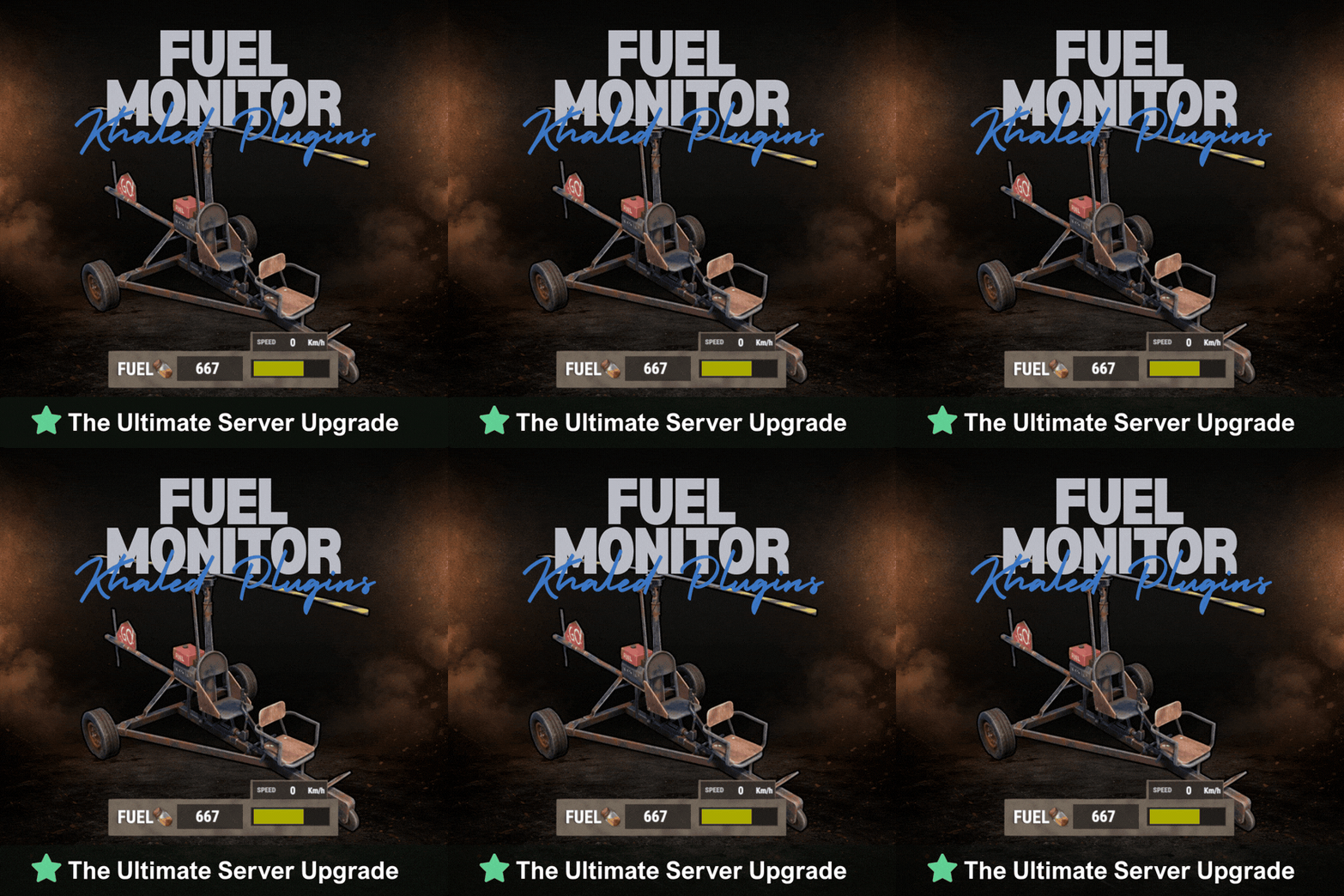
FuelMonitor is a lightweight and fully customizable Rust plugin that displays a clean, modern fuel HUD while driving fuel-powered vehicles. The plugin features a real-time updating fuel bar, low fuel popup notifications, sound alerts when fuel is running low, and a clear OUT OF FUEL warning when the tank is empty. FuelMonitor now also includes a built-in speedometer, allowing players to view their current speed directly from the HUD, with support for both Km/h and MPH display modes. Take Your Rust Server to the Next Level Premium performance, lightning-fast support, and an exclusive 30% OFF using code KHALED An in-game Admin Settings UI is included, allowing server owners to manage the plugin directly in-game through a clean and safe workflow. With the settings panel, admins can: - Preview changes live before applying them - Adjust the Global Max Fuel value - Reposition the main Fuel UI using Move Mode - Reposition popup warning notifications using Warning Move Mode - Customize all UI colors - Enable or disable the speedometer - Switch speed units between Km/h and MPH FuelMonitor also includes a dedicated Vehicles tab inside the Admin Settings UI, allowing full per-vehicle customization. Server owners can create and manage vehicle-specific profiles for all supported vehicles, including: - Enable or disable the HUD per vehicle - Enable or disable warning sounds per vehicle - Set a custom max fuel value per vehicle - Choose whether low fuel warnings use Amount or Percent mode - Configure custom low fuel warning thresholds - Configure custom fuel bar gradient thresholds - Preview each vehicle profile live before applying changes - Reset a single vehicle profile or apply one vehicle profile to all vehicles All changes are handled through a safe pending workflow with Apply / Cancel controls, ensuring nothing is pushed live until the admin confirms it. Once applied, changes affect all players server-wide. #Admin Commands : /fui FuelMonitor works automatically in the background, is performance-friendly, and requires no player commands.$8.99- 22 comments
- 5 reviews
-
- 3
-

-

-
- #fuel
- #minicopter
- (and 4 more)
-
Version 1.0.0
11 downloads
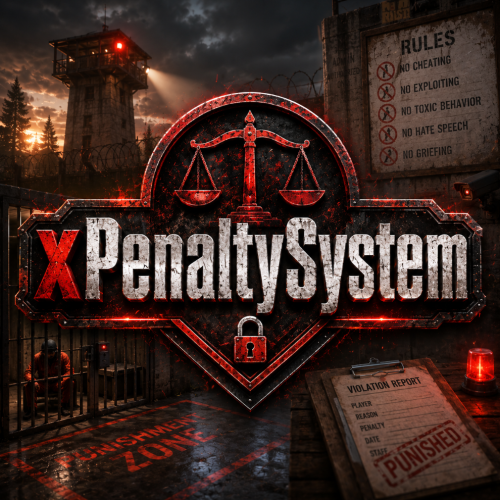
xPenaltySystem is a moderation system for Rust servers. Staff can manage online and offline players, assign warning points, apply mutes or bans, and review complete activity histories. Create penalty rules that automatically trigger at configurable point thresholds and durations. Optional Discord logging keeps every staff action recorded outside the game. Fully UI driven Manage penalties through an clean UI. Dynamic Penalty Rules Automatically trigger warnings, timed mutes, and bans at configurable point thresholds. Online & Offline Players Search, review, and moderate any recorded player. Activity History Track every penalty, reason, recipient, and responsible staff member. Discord Logging Send all administrative activity directly to Discord. Permission xpenaltysystem.admin - Required to use the penalty system Chat Commands /xps - Requires the permission | ChatCommand is configurable in the config.$19.99 -

Version 1.5.2
98 downloads
BanSystem Ultra Advanced Ban, Warning, and IP Protection System for Your Server BanSystem Ultra is a powerful moderation plugin designed to give you complete control over player management. It allows you to ban players temporarily or permanently by SteamID or IP address, automatically detecting and blocking alternate accounts that share the same IP. Intelligent Ban System Automatic IP & SteamID Bans: When a player is banned, their IP address is automatically added to the ban list. If another player connects using a banned IP, they will be instantly blocked. This prevents ban evasion and multiple account abuse. Multi-IP Detection: The plugin scans your ban data for repeated IPs. If multiple accounts share the same banned IP, all of them will be automatically banned — perfect for catching alternate accounts. Team Ban Option: If a player receives a permanent ban, you can configure the plugin to also ban their entire team. Ideal for competitive or clan-based servers where team accountability matters. Warning System Manage player behavior with a fully configurable warning system: - Issue warnings with customizable reasons. - Automatically ban players temporarily or permanently after reaching a set number of warnings. - Configure how many warnings trigger a ban and how long the ban should last. Example: 3 warnings → 1-day ban 6 warnings → 7-day ban 10 warnings → permanent ban All of this is fully adjustable in the configuration file. Ban History Every banned player receives a detailed entry in the Ban History database, including: - Ban reason - Ban date and duration - Total ban count To clear the ban history, simply delete the file: oxide/data/BanSystemUltra/BanHistory.json Commands Ban Commands Console only!: To use that commands ingame press F1 and type the command there!. banplayer <steamid> <time> <reason> → Temporary ban banplayer <steamid> <reason> → Permanent ban Native rust commands: ban playername or steamid reason → Permanent ban if player is online banid steamid64 PlayerName Reason → If Player is disconnected. Examples: Console and Chat Commands: banplayer 76561198200022991 30d24h60m "Bug Abusing" banplayer 76561198200022991 "Cheating" Native rust commands: ban Playername Cheating → if player is online banid SteamId PlayerName Cheating → If player is offline. Check players Ban Stats: Console: banstats <steamid> - Sends the player’s ban statistics to your configured Discord webhook. Warn Commands: warn <steamid> <reason> Example: warnplayer 76561198200022991 "Racism" - If the player reaches the maximum number of warnings (defined in config), they will be automatically banned with the last warning’s reason. Example Ban Message: Connection Rejected – You are banned from this server for 7 days (Reason: Racism) Default Configuration { "Send Mesages to DiscordWeebhook? Requieres DiscordApi plugin!": true, "Configuration for Discord Weebhook Url!": "YOUR DISCORD WEBHOOK URL", "Ban the player during the connection if his banned IP is detected in the data? (It will search all the data if there is any banned IP like the player's)": true, "Use messages in Embed? (false = normal / true = Embed)": true, "Ban player team if the player gets permanent ban? (Bans full team permanently aswell)": true, "Use permanent bans via warnings?": true, "Number of maximum warns after permanent ban": 10, "Use temporary bans via warnings?": true, "Ban duration after X warnings (Warnings - ban days (in days))": { "3": 1, //-> 3 Warns 1 day ban "6": 7, //-> 6 Warns 7 days ban "8": 14 //-> 8 Warns 14 days ban }, "Discord weebhook url to check banstats": "DISCORD WEEBHOK URL FOR BAN STATS", "Send messages to chat about: Warns, bans and unbans?": true, "Config Version (DON'T MODIFY)": "1.5.1" }$10.00 -
Version 1.5.1
490 downloads
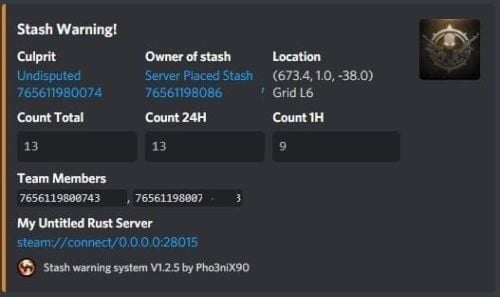
Assists in finding ESPers that unearth stashes, it also allows admins to make placing bait stashes easy and simple, by automatically filling predefined items in random, and disables the ability for admins to accidentally unearth stashes whilst enabled. It will also automatically delete all contents of an admin stash when unearthed, which assists in admin abuse and/or exploitation of hackers. Supports Auto Demo Recorder (ADR) Supports Better Ban System Supports Server Armour Features: Notifies to discord when stashes are found which doesn't belong to players (or clan if using the clan plugin) Records the number of stashes found in a certain, configurable timeframe. Sends discord notifications when the above happens Admins can place "server" stashes, and they will be auto-filled with the /stash command. When a player unearths said stash, the contents will be automatically removed. Stashes can also be autogenerated and placed automatically. And can be replaced as they are found in another random location. It auto bans based on condition. Example: If a player finds 5 stashes that don't belong to them within 1 hour, they are auto-banned with a preset reason. It works with ADR as well and can trigger demo recordings based on conditions It works with ServerArmour to handle bans, else native bans. Battlemetrics will soon be supported. Permissions: stashwarningsystem.admin - allows admins to use the stash placement system. Chat Commands: /stash - Enables manual stash placement tool. Stashes cannot be unearthed when enabled and stashes will be automatically given. /stashshow- Toggles On/Off - Will show admin the location of all plugin related stashes. /stashdestroyall - This will destroy all server stashes create by, or with this plugin. /genstashes- This will force generate all stashes that are missing. /regenstashes- This will remove, and then replace all stashes from this plugin. Config explanations: "API: ADR reason" The reason that will be given to ADR, and is sent to discord along with the recording. "API: ADR recording length in mins" How long the recording should be in minutes. "API: ADR Trigger recording when stashes found/triggered more than" When the recording should trigger, Example: If set to 1, the recording will trigger when the player has triggered/unearthed 2 stashes. "Discord: Color" Color for the embed message, see here https://gist.github.com/thomasbnt/b6f455e2c7d743b796917fa3c205f812 "Discord: Embed Title" The title of the embed inside discord. "Discord: Send Stash Toggle Msgs" If notifications should be sent to discord when an admin toggles the stash command. "Discord: Webhook Server Name" The server where the notification is sent from, useful for when you have multiple servers. "Discord: Webhook URL" https://support.discordapp.com/hc/en-us/articles/228383668-Intro-to-Webhooks "SteamID for in-game chat icon." This will be used to assign against placed stashes for tracking. Do not change this to a user on the server, leave as is if you don't have another steamid. "Embed count buckets in hours" This should be a string, comma-separated. This will be the bucket embeds in discord, to show the count of stashes found for the user, inside the hour brackets. Example: 0, 24, 1 = would give you a count for all stashes, stashes in the last hour, and stashes in the last 24hours. See below "Stash Items" The items that you would like to be automatically filled when a stash is placed. The number would be the max quantity, this will be randomized when placing in a stash to remove predictability. "Stash Item Slots To Fill: Max" The maximum amount of slots to fill "Stash Item Slots To Fill: Min" The minimum amount of slots to fill A random value will be chosen between the above two values. "Auto Ban False Positive Distance" Default: 5 - Stashes found in this distance will be considered false positives. (Useful where multiple stashes are unearthed in one spot.) "Auto Ban False Positive - Include in count?" If the above false positives should be counted in the triggers. This affects auto bans as well. "Ignore Admins" If admins should be ignored when unearthing stashes not belonging to them. "Auto Ban Delay In Min" Delays auto bans by X minutes. "Delete found server stash after X seconds (0 = Disables)" Will automatically delete server stashes that were found, after X seconds.$9.99 -

Version 1.0.0
10 downloads
BetterSecurity - Rust Server Moderation Plugin BetterSecurity is a powerful and easy-to-use Rust server plugin designed to enhance your server’s moderation capabilities. It provides a comprehensive system for temporary and permanent bans, warnings, kicks, and unbanning players, all with seamless Discord webhook integration for real-time notifications. Key Features: Temporary & Permanent Bans: Ban players either permanently or for a custom duration using intuitive commands. Warnings: Issue warnings to players with reasons, helping to maintain order without immediate bans. Kick Command: Kick disruptive players with a clear reason visible to them and the server. Unban Commands: Easily unban players by name or SteamID. Discord Integration: Automatic rich embed notifications to your configured Discord webhook for bans, warnings, kicks, unbans, and expired bans. Configurable: Set your Discord webhook URL in the config file to receive instant updates. Automatic Ban Expiry: Temporary bans automatically expire, and unban notifications are sent to Discord. Detailed Notifications: In-game messages and Discord embeds include player names, Steam IDs (with clickable Steam profile links), reasons, and durations. Robust and Reliable: Saves ban data persistently, checks for expired bans every 30 seconds. Commands: /warn (player) (reason) — Warn a player. /tempban (player) (duration) (reason) — Temporarily ban a player (e.g., 1d, 2h, 30m). /permban (player) (reason) — Permanently ban a player. /banid (steamid) (duration) (reason) — Ban by Steam ID. /kick (player) (reason) — Kick a player from the server. /unban (player) — Unban a player by name. /unbanid (steamid) — Unban a player by Steam ID. Config: Why Choose BetterSecurity? This plugin gives server admins full control over player behavior with a user-friendly command set and seamless integration with Discord, making moderation transparent and efficient. It ensures your Rust server stays clean and enjoyable for everyone.$6.00 -

Version 2.5.8-beta4
4,461 downloads
SmartWarnings simplifies and streamlines your server moderation by providing means to consistently Warn your players for misconduct. Gone are the times when you leave manual notes at sleeping players, for this plugin creates a smooth but intimidating pop-up window displaying clearly to the player what they've done wrong and how to learn from it. From version v2.5.0 you can now extend highly customizable actions to trigger based on your custom warnings. The imagination is the limit! Rule enforcement has never been easier before. Features Easily dispatch warnings to players and clans with a simple chat command /warn cookiemonster "leave the jar alone you bastard" Booom done! /warn clan "C00KiEZ" "no cookiemonsters allowed in the jar!!" Maybe their collective brain power is needed to understand! Announces Warnings in public Global Chat (Enabled by default, can be toggled in config) Give your Players a sense of transparent justice by displaying the dispatched warning to everyone in public. This is beneficial as players will learn what not to do from other's mistakes! Offline Players can receive warnings, no problem! Displays a pop-up window with the warning IMMEDIATELY if they are online, or as soon as the player wakes up from sleep upon connecting. Create custom presets for common violations. Presets can be made for example to reflect the server rules, it can be configured so that your admins can type /warn joe rule1 and it will spell out the entire rule 1 in the warning. Presets can have an Expiration date which will remove the warning, allowing non-repeating offenders to be cleared if they're well behaving in the long term. Presets can have a Warning Point weight which will give them different severity that can influence when to trigger an Automatic Ban (if enabled). Automatically Ban players with X amount of Warnings or Warning Points (Disabled by default, can be toggled in config) With this feature Enabled a player will be Automatically Banned when reaching the configured Warning amount or Warning Points. For example, configure 3 warnings to be max and enable auto ban will ban a player when the third warning has been dispatched. Supports Temporary Autobans (Disabled by default, can be toggled in config) If you're the kind of type that believes in second chances, when configured it bans the player lets them know when they're welcome back! Optional feature: Clear the player's warning when autobanned (True by default), This can conveniently be set to False if you want the player to be instantly auto banned next time a warning is dispatched. Extensive Logging both File based and Discord! Every move is logged in the oxide/logs/SmartWarnings folder so that you can have full traceability. Optional feature: Configure Discord Webhook links to log Warnings and/or Autobans to Discord. Persist Warnings across wipes, when you don't want to be forgiving! Set "Clear all warnings on wipe" to false and warnings will not be cleared when a new wipe is detected. NOTE: This requires that you exclude/do not remove the oxide/data/SmartWarnings_Playerdata.json file, if you're using tools to auto wipe and it gets deleted, so will the warnings. Customizable Branding Set your Server Name and custom Warning Pop-up Icon to make this plugin match your server's style! (NEW in v2.5.0) Transparency of the pop-up window can now be customized in the config! (NEW in v2.5.0) VANILLA SAFE mode: Warning display in Chat instead of GUI pop-up Warnings will be dispatched through chat and freeze the player until they acknowledge the warning. No use of GUI allows it to be vanilla safe! Acknowledge notification is fully customizable! (NEW in v2.5.0) AUTOMOD: Fully customizable command actions on X warning points Define any custom command to be executed at X warning point. This allows you to integrate with any other plugin for example mute, jails or whatever really. For example: set to mute on 2 warning points, kick on 4 warning points, teleport to jail on 6 warning points. NOTE: AutoMod actions are triggered incrementally by total warning points added to the player. This means if you configure Mute on 1 point and Kick on 3 points and give the player a warning worth 4 points, the player will be both kicked and muted. AutoMod feature can conveniently be configured together with AutoBan feature, but keep in mind to set the point/warning thresholds to line up properly. I.e. automod actions should not be on higher point level than autoban, because then player will be banned already before any actions are executed. (NEW in v2.5.5) Battlemetrics Bans & Warnings integration AutoBans will sync with Battlemetrics, duration, reason and note will be added to give context to what banned the player. Warnings will add note to the player in Battlemetrics, so you can easily track their warning history even through the BM console! Warnings will add a flag to the player in Battlemetrics, so you can easily differentiate players in the list who have warnings and not through the BM console! Click here for guide how to set up Battlemetrics integration. (NEW in v2.5.8) MySQL Database Support (allows Multi Server Warning Sync) You can now configure the plugin to use a MySQL Database as its data source. This will allow Warnings to be synced across multiple Rust servers if they are configured towards the same MySQL database. Planned future features Your ideas & feedback? Commands /warn <player name or id> "reason OR preset" Dispatches a warning with a custom reason or preset Requires permission: smartwarnings.admin /warn info <player name or id, leave blank to see yourself> Shows the amount of warnings, warning points and the individual warning details in chat. Requires permission: smartwarnings.admin to see other players. Default permission can only see their own warnings. /warn clear <player name or id> <id or ALL> Clear a specific warning ID by specifying the warning number, or specify ALL to clear all player warnings. (NEW in v2.5.0) Requires elevated permission: smartwarnings.admin.canclear /warn clan <clan tag> "reason OR preset" Dispatches a warning with a custom reason or preset to an entire clan (Requires Clans plugin) Requires permission: smartwarnings.admin /warn unfreezeall Unfreezes all players who are currently frozen due to not acknowledging any warnings, really only needs to be used in any emergency scenario where the player would not be unfrozen normally (Please report these scenarios, this command is purely proactive and will be removed when its not needed anymore) Requires permission: smartwarnings.admin Configuration { "Warning Presets": { "spam": { "Reason": " §1 - Spamming", "Points": 1, "ExpirationDays": 3.0 }, "toxic": { "Reason": " §2 - Toxic behaviour", "Points": 2, "ExpirationDays": 7.0 }, "sign": { "Reason": " §3 - Inappropriate signage", "Points": 2, "ExpirationDays": 7.0 }, "grief": { "Reason": " §4 - Griefing", "Points": 4, "ExpirationDays": 7.0 }, "group": { "Reason": " §5 - Group Limit violation", "Points": 5, "ExpirationDays": 7.0 } }, "System Settings": { "Max Warnings": 5, "Default Warning Expiration time (Days)": 7, "Announce Warnings in Global Chat": true, "Show players who issued the warning": true, "Server Name": "MyRustServer", "Clear all Warnings on Server Wipe": true, "Use MySQL database": false, "Warning Popup - GUI Enable - Set to false to use only chat (SAFE FOR VANILLA SERVER)": false, "Warning Popup - GUI Icon": "https://i.imgur.com/oImKq4X.png", "Warning Popup - GUI Opacity": 0.85, "Optional: Send anonymous analytics data about plugin usage": true, "Config Version": { "Major": 2, "Minor": 5, "Patch": 8 } }, "MySQL Database Settings": { "MySQL Host": "", "Port": 3306, "Database": "", "Username": "", "Password": "" }, "Battlemetrics Settings": { "API Token": "", "Organization ID": "", "Server ID": "", "Banlist ID": "" }, "Autoban Settings": { "How many points until automatic ban (Set 0 for Disable)": 0, "How many warnings until automatic ban (Set 0 for Disable, Recommended: Same as Max Warnings)": 0, "How long to ban in minutes (Set 0 for Permanent)": 2880, "Clear the players Warnings on AutoBan (Default: True)": true }, "Discord Settings": { "Webhook URL - Post Warnings to Discord (Leave blank to Disable)": "", "Webhook URL - Post Autobans to Discord (Leave blank to Disable)": "" }, "AutoMod Settings": { "Mute on 2 warning points": { "PointTrigger": 2, "ExecuteCommand": "mute {0} {1}", "ClearPointsOnTrigger": false }, "Kick on 4 warning points": { "PointTrigger": 4, "ExecuteCommand": "kick {0} {1}", "ClearPointsOnTrigger": true } } } Language Configuration The plugin allows a comprehensive customization of all text output for your needs. Edit the oxide/lang/en/SmartWarnings.json { "NO_PERM": "You don't have permission to use this command.", "NO_MATCH": "Could not find a match for player name or steamid", "GUI_BUTTON_ACKNOWLEDGE_WARNING": "I ACKNOWLEDGE THIS WARNING AND WILL FOLLOW THE RULES", "GUI_HEADER": "You have received a warning", "GUI_ISSUEDBY": "<color=#FFFFFF>Warning issued by {0} at {1}</color>", "GUI_ISSUEDAT": "<color=#FFFFFF>Warning issued at {0}</color>", "GUI_WARNING_TEXT": "<color=#cc0000>Repeated violations may lead to temporary or permanent banishment from this server.</color>\n\n<color=#d9d9d9>You should review the server rules immediately by typing /info in chat and clicking on the RULES tab.\nTo remove this pop-up, acknowledge this warning by clicking the button below.\nIf you feel this was an incorrect warning please reach out to our Staff via Discord.</color>", "CHAT_ACKNOWLEDGE_TEXT": "<color=#00FF00><size=12>Warning Acknowledged: You're now unfrozen and free to go.\n</size></color><size=9>Please review the server rules by typing /info in chat to avoid getting warned in the future.</color>\n\nIf you feel this was an incorrect warning please reach out to our Staff via Discord.</size>", "ANNOUNCE_WARNING_TEXT": "<color=#DC143C>{0} has been warned!\nFurther violations will lead to disciplinary action.</color>\n<color=#A9A9A9>Reason: {1}", "ANNOUNCE_WARNING_ISSUEDBY": "\n\n<size=10>Warning Issued by: {0}</size></color>", "REASON": "REASON", "AUTOBAN_PERMANENT_MESSAGE": "AutoBanned: You were permanently banned due to reaching max warnings.", "AUTOBAN_TEMPORARY_MESSAGE": "AutoBanned: You are banned until {0} due to reaching max warnings." } For example to change is the detailed warning text: You can edit the GUI_WARNING_TEXT row in the language file. Dependencies & Integrations Requires: DiscordMessages for Discord webhook functionality. Integrates with EnhancedBanSystem, autoban feature will detect if the plugin is installed and issue a ban with it, if not it will use the native Rust ban functionality. OPTIONAL: Plugin Usage Analytics The plugin optionally sends analytics about your server (Oxide version, Plugin version, Plugin configuration, Server Name, OwnerID and ModeratorID) to gauge usage of the plugin and to improve support. You can toggle this feature in the configuration.$16.99 -

Version 1.0.0
7 downloads
Elevate your server's gaming experience with this innovative addition, which triggers a captivating explosion effect and displays an informative warning GameTip every time a player deals friendly fire damage. Features: Multilingual support with English and German language files to reach a wider audience. Personalize the explosion effect by modifying the prefab in the configuration file. Customize the warning duration through the configuration file to suit your preferences. Permission integration enables specific players or groups to activate the plugin's features. Use the permission "friendlyfireexplosion.allowed" to grant access. Fully compatible with Rust and the Oxide modding framework. Configuration: { "EffectPrefab": "assets/bundled/prefabs/fx/explosions/explosion_01.prefab", (Change the explosion effect by specifying a different prefab path.) "WarningDuration": 5.0 (Adjust the duration of the warning GameTip displayed to the player.) } Transform your server with the dynamic Friendly Fire Explosion plugin, creating a more engaging experience for your players. Keep them informed about friendly fire incidents and inspire collaboration!$4.50 -

Version 1.1.1
378 downloads
SmartWarnings Lite simplifies and streamlines your server moderation by providing means to consistently Warn your players for misconduct. Gone are the times when you leave manual notes at sleeping players, for this plugin creates a smooth but intimidating chat warning displaying clearly to the player what they've done wrong and how to learn from it. Rule enforcement has never been easier before. If you enjoy the Free lite version of the plugin, please consider supporting the developer by upgrading to the Full version. In return you get many more useful features & fast developer support, it's a win-win. Link here: https://codefling.com/plugins/smart-warnings Commands /warn (player name or id) "reason" Dispatches a warning with a custom reason or presetRequires permission: smartwarnings.admin /warn info (player name or id, leave blank to see your own) Shows the amount of warnings, warning points and the individual warning details in chat.Requires permission: smartwarnings.admin to see other players. Default permission can only see their own warnings. /warn clear (player name or id) (id or ALL) Clear a specific warning ID by specifying the warning number, or specify ALL to clear all player warnings. Requires elevated permission: smartwarnings.admin.canclear Below command is only supported in the full version /warn clan (clan tag) "reason" Dispatches a warning with a custom reason or preset to an entire clan (Requires Clans plugin)Requires permission: smartwarnings.admin Configuration { "System Settings": { "Max Warnings": 5, "Default Warning Expiration time (Days)": 7, "Announce Warnings in Global Chat": true, "Show players who issued the warning": true, "Server Name": "MyRustServer", "Clear all Warnings on Server Wipe": true }, ////////////////////////////////////////////////////////////////////////////////////////////////////////////////////////////////////////// ///// Below configuration is only supported in the full version @ https://codefling.com/plugins/smart-warnings ////////////////////////////////////////////////////////////////////////////////////////////////////////////////////////////////////////// "Warning Presets": { "spam": { "Reason": " §1 - Spamming", "Points": 1, "ExpirationDays": 3.0 }, "toxic": { "Reason": " §2 - Toxic behaviour", "Points": 2, "ExpirationDays": 7.0 } }, "Autoban Settings": { "How many points until automatic ban (Set 0 for Disable)": 0, "How many warnings until automatic ban (Set 0 for Disable, Recommended: Same as Max Warnings)": 0, "How long to ban in minutes (Set 0 for Permanent)": 2880, "Clear the players Warnings on AutoBan (Default: True)": true }, "Discord Settings": { "Webhook URL - Post Warnings to Discord (Leave blank to Disable)": "", "Webhook URL - Post Autobans to Discord (Leave blank to Disable)": "" }, "AutoMod Settings": { "Mute on 2 warning points": { "PointTrigger": 2, "ExecuteCommand": "mute {0} {1}", "ClearPointsOnTrigger": false }, "Kick on 4 warning points": { "PointTrigger": 4, "ExecuteCommand": "kick {0} {1}", "ClearPointsOnTrigger": true } } } SmartWarnings Full vs Lite Below are the additional features provided by the full version of the plugin. Warn entire clans using /warn clan No need to dispatch a warning to every individual player if the whole clan has been misbehaving. The full version integrates with Clans. Create custom presets for common violations Presets can be made for example to reflect the server rules, it can be configured so that your admins can type /warn joe rule1 and it will spell out the entire rule 1 in the warning. Presets can have an Expiration date which will remove the warning, allowing non-repeating offenders to be cleared if they're well behaving in the long term. Presets can have a Warning Point weight which will give them different severity that can influence when to trigger an Automatic Ban (if enabled). Automatically Ban players with X amount of Warnings or Warning Points With this feature Enabled a player will be Automatically Banned when reaching the configured Warning amount or Warning Points. For example, configure 3 warnings to be max and enable auto ban will ban a player when the third warning has been dispatched. Supports Temporary Autobans If you're the kind of type that believes in second chances, when configured it bans the player lets them know when they're welcome back! Optional feature: Clear the player's warning when autobanned (True by default), This can conveniently be set to False if you want the player to be instantly auto banned next time a warning is dispatched. Extensive Logging both File based and Discord Configure Discord Webhook links to log Warnings and/or Autobans to Discord. Customizable Branding GUI-popup warning with Server Logo branding AUTOMOD: Fully customizable command actions on X warning points Define any custom command to be executed at X warning point. This allows you to integrate with any other plugin for example mute, jails or whatever really. For example: set to mute on 2 warning points, kick on 4 warning points, teleport to jail on 6 warning points.Free