

Add a waitlist component to React and Next.js
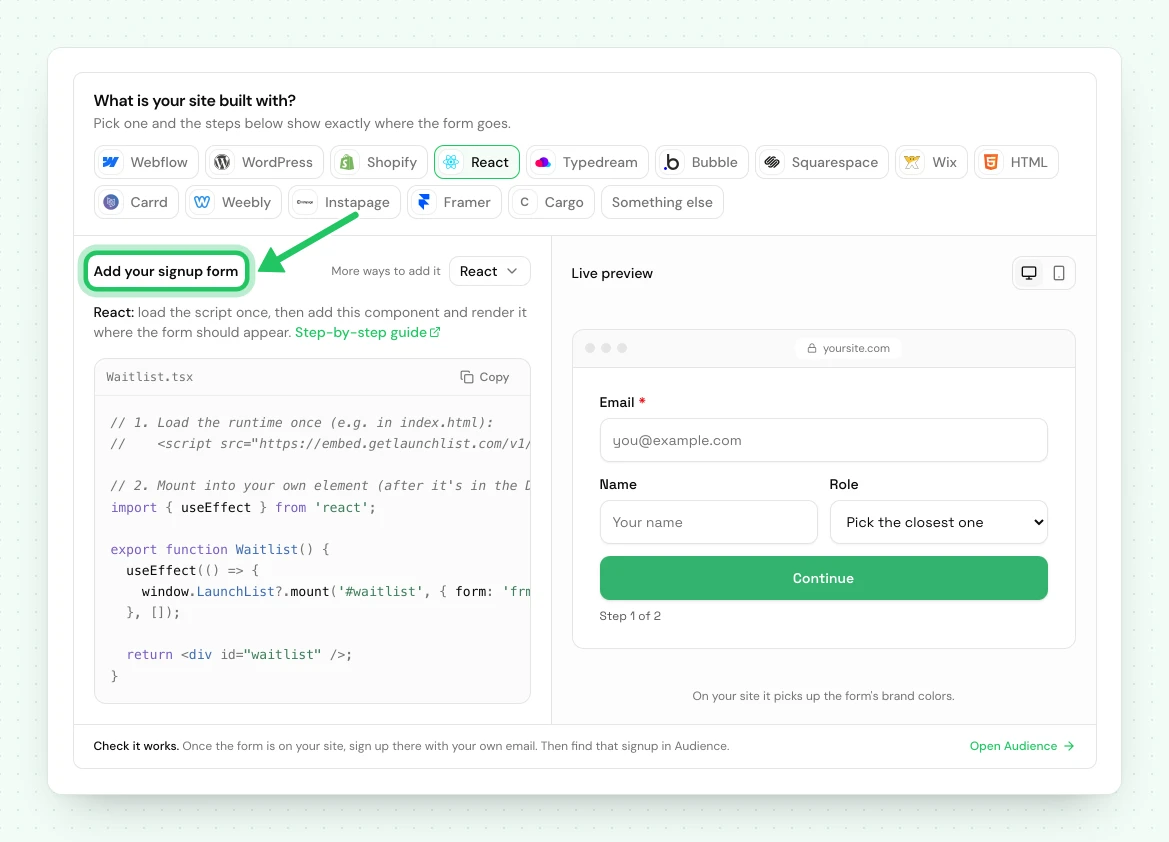
Mount a LaunchList form in React, Next.js, Vue or Svelte with one function call, or build a fully headless form against the capture endpoint.
In a single-page app the form's target element usually does not exist when the page loads, so mounting is explicit rather than automatic.
You have two paths: mount our form, or build your own and post to the endpoint.
Mount our form#
Load the runtime once in your app shell:
<script src="https://embed.getlaunchlist.com/v1/embed.js" async></script>
Then mount it from a component:
// frm_8Kd2Qm4Rp9 is an example ID; use your own from Embed & API → Your website
import { useEffect } from 'react';

export function Waitlist() {
    useEffect(() => {
        window.LaunchList?.mount('#waitlist', { form: 'frm_8Kd2Qm4Rp9' });
    }, []);

    return <div id="waitlist" />;
}
The form renders inside a shadow root, so it cannot collide with your app's CSS in either direction, and it takes the design you pick in the form editor, under Design.
Next.js#
Load the runtime with next/script and mount in a client component:
// app/layout.tsx
import Script from 'next/script';

export default function RootLayout({ children }) {
    return (
        <html lang="en">
            <body>
                {children}
                <Script
                    src="https://embed.getlaunchlist.com/v1/embed.js"
                    strategy="afterInteractive"
                />
            </body>
        </html>
    );
}
// components/waitlist.tsx
'use client';

import { useEffect } from 'react';

export function Waitlist() {
    useEffect(() => {
        window.LaunchList?.mount('#waitlist', { form: 'frm_8Kd2Qm4Rp9' });
    }, []);

    return <div id="waitlist" />;
}
Several forms, or forms added after navigation#
refresh() rescans the document, but it only finds targets that carry the
data-launchlist-form attribute. A bare <div id="waitlist" /> like the one above is invisible to
it, because the form id lives in your mount() call rather than in the markup.
So pick one of the two:
Keep mounting explicitly. Every component that renders a target calls mount() in its own
effect. mount() is idempotent per element, so a remount after a route change is safe and a double
render costs nothing.
useEffect(() => {
    window.LaunchList?.mount('#waitlist', { form: 'frm_8Kd2Qm4Rp9' });
}, []);
Or put the id in the markup, and let the runtime find it:
<div data-launchlist-form="frm_8Kd2Qm4Rp9" />
// After inserting new targets, or after a route change.
window.LaunchList?.refresh();
With the attribute present, refresh() mounts anything new and leaves already-mounted targets
alone, so it is safe to call as often as you like. It is also what picks up dynamically added
popups, widgets and enhanced forms.
Vue and Svelte#
The same two steps, in each framework's post-mount hook:
// Vue
onMounted(() =>
    window.LaunchList?.mount('#waitlist', { form: 'frm_8Kd2Qm4Rp9' }),
);

// Svelte
onMount(() =>
    window.LaunchList?.mount('#waitlist', { form: 'frm_8Kd2Qm4Rp9' }),
);
Build your own form#
When the signup is part of your product's design system and an embedded form would look transplanted, post directly instead. You keep the markup and the state; the pipeline stays ours.
import { useState } from 'react';

const ENDPOINT = 'https://embed.getlaunchlist.com/f/frm_8Kd2Qm4Rp9/submit';

export function Waitlist() {
    const [state, setState] = useState({ status: 'idle', result: null });

    async function onSubmit(event) {
        event.preventDefault();
        setState({ status: 'sending', result: null });

        const response = await fetch(ENDPOINT, {
            method: 'POST',
            headers: {
                Accept: 'application/json',
                'Content-Type': 'application/json',
            },
            body: JSON.stringify({
                email: event.target.email.value,
                _channel: 'api',
            }),
        });

        const result = await response.json();
        setState({ status: response.ok ? 'done' : 'error', result });
    }

    if (state.status === 'done') {
        return <p>You are number {state.result.contact.position} in line.</p>;
    }

    return (
        <form onSubmit={onSubmit}>
            <input name="email" type="email" required />
            <button disabled={state.status === 'sending'}>Join</button>
        </form>
    );
}
A successful capture returns the contact's position and referral code, so you can show someone their place in line immediately:
{
    "accepted": true,
    "held": false,
    "contact": {
        "status": "pending",
        "verification_required": true,
        "referral_code": "AB12CD34",
        "referral_count": 0,
        "position": 42
    }
}
Server-side capture#
If the signup happens on your server rather than in the browser, use the REST API instead. It is authenticated, idempotent, and returns the full contact object including the trust verdict.
If something is not working#
| What you see | What to do |
|---|---|
LaunchList is undefined |
The runtime has not loaded yet. Use optional chaining as shown, or mount on the script's load event. |
| The form disappears after a route change | Your framework unmounted the target. Call mount() again in the new component's effect. refresh() alone will not bring it back unless the target carries data-launchlist-form. |
| Two forms render | mount() ran twice, usually React 18 StrictMode in development. It is idempotent per target, so this is safe; if you see doubles in production, check for a duplicate effect. |
| Referrals never credit on a hand-built form | Read ?ref= yourself and send it in the body. |
Using the classic LaunchList dashboard#
A waitlist made in the classic LaunchList dashboard has its own snippet: a <div className="launchlist-widget"> in a component, with widget.js loaded in the document head, or a form posting to getlaunchlist.com/s/ with its form key. That snippet
keeps working for now and sends signups to the classic dashboard's waitlist, not to a project here.
A classic form key does not work with the snippet on this page.
To bring that waitlist here, import it into a project, then replace the classic snippet on your React site with the one from Embed & API → Your website. Your signups are copied, and the classic waitlist is not changed.
Next: every way to integrate · the REST API
Common questions
How do I add a waitlist form to a React app?
Load the embed runtime once in your app shell, render an empty div, and call window.LaunchList.mount() in a useEffect once that div is in the DOM. The form renders in a shadow root, so it cannot collide with your app's CSS.
Does the LaunchList embed work with Next.js?
Yes. Load the runtime with next/script using the afterInteractive strategy, then mount in a client component. Mounting must happen client-side, since it needs a real DOM node.
Can I build my own form UI instead of embedding yours?
Yes. Post directly to the form's capture endpoint from your own components. You keep full control of markup and state, and still get deduplication, referral credit and trust scoring.
