

How to add a waitlist to Squarespace
Put a LaunchList signup form on Squarespace with a Code block, or site-wide via Code Injection. Both need a Core, Plus or Advanced plan to run JavaScript.
Squarespace takes LaunchList in a Code block. JavaScript in a Code block, and in Code Injection, needs a Core, Plus or Advanced plan. On Basic, a Code block takes HTML and CSS only.
Add the form with a Code block#
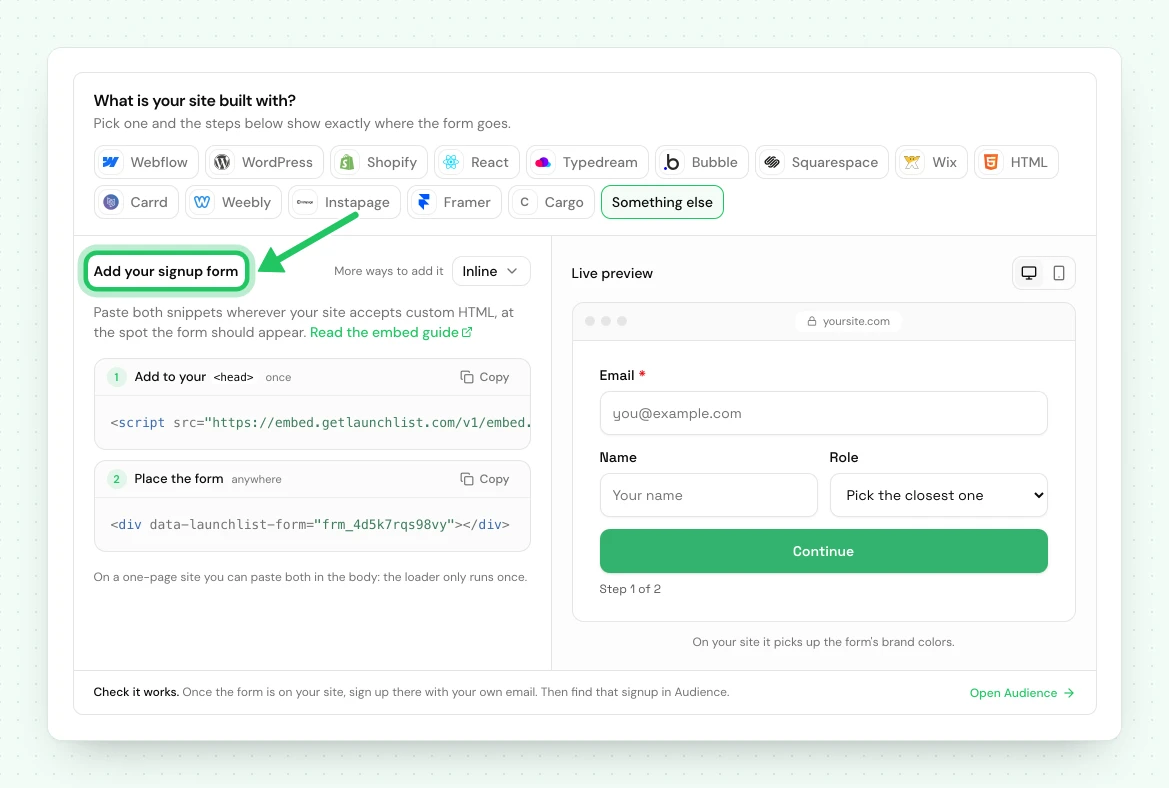
- In LaunchList, open Embed & API → Your website, choose Squarespace under What is your site built with?, pick your form if you have more than one, and copy the Inline snippet it shows.
- In the Squarespace editor, click + to add a block and choose Code.
- Set the block's mode to HTML and leave "Display Source" unchecked.
- Paste the snippet.
<!-- frm_8Kd2Qm4Rp9 is an example ID; use your own from Embed & API → Your website -->
<div data-launchlist-form="frm_8Kd2Qm4Rp9"></div>
<script src="https://embed.getlaunchlist.com/v1/embed.js" async></script>
- Click Apply, then Save.
Site-wide, for more than one form#
If you want forms, popups or widgets on several pages, load the runtime once rather than repeating it in every Code block.
Go to Settings → Advanced → Code Injection and paste into Header:
<script src="https://embed.getlaunchlist.com/v1/embed.js" async></script>
Every Code block after that only needs the target:
<div data-launchlist-form="frm_8Kd2Qm4Rp9"></div>
Adding a live signup counter#
To show your live signup total beside the form, add this in a Code block:
<div
    data-launchlist-widget="counter"
    data-project="acme"
    data-label="founders already in"
></div>
The counter reads your real signup total and styles itself from your Branding settings. It shows aggregate numbers only, never anybody's details.
If something is not working#
| What you see | What to do |
|---|---|
| "This code block will not execute" in the editor | Expected. Squarespace never runs embeds in the editor; check the live site. |
| Nothing renders on the live site | Check the site is on Core, Plus or Advanced. On Basic, a Code block runs no JavaScript: link a button to your hosted page instead. |
| The form is cramped inside a narrow column | Squarespace Code blocks inherit column width. Move it to a wider section or a full-width block. |
| The form shows twice | The form block is on the page twice; each renders its own form. Remove the duplicate. A script in both Code Injection and the block is harmless. |
Using the classic LaunchList dashboard#
A waitlist made in the classic LaunchList dashboard has its own snippet: a <div class="launchlist-widget"> in a Code block, with widget.js in Code Injection. That snippet
keeps working for now and sends signups to the classic dashboard's waitlist, not to a project here.
A classic form key does not work with the snippet on this page.
To bring that waitlist here, import it into a project, then replace the classic snippet on your Squarespace site with the one from Embed & API → Your website. Your signups are copied, and the classic waitlist is not changed.
Next: every way to integrate · How to install LaunchList on WordPress
Common questions
Which Squarespace plan do I need to add a waitlist?
Core, Plus or Advanced. Those plans run JavaScript in a Code block and in Code Injection. On the Basic plan a Code block takes HTML and CSS but no JavaScript, so link a button to your LaunchList hosted page instead, which needs no code. Personal, Business and Commerce are Squarespace's older plans, closed to new sites since February 2026.
Why does my Squarespace Code block show a placeholder?
Squarespace does not execute embedded scripts inside the editor. Save and view the live site, or open the preview, and the form renders.
Can I add a signup counter to Squarespace?
Yes. The counter widget is one div in a Code block and shows your live signup total, styled from your brand settings.
