

How to add a waitlist to Webflow
Put a LaunchList signup form on a Webflow site with a Code Embed element. Copy the snippet, paste it where the form should go, and publish.
This guide adds your LaunchList signup form to a Webflow site with a Code Embed element. Every signup lands in your LaunchList audience.
Add the form with a Code Embed element#
- In LaunchList, open Embed & API → Your website, choose Webflow under What is your site built with?, pick your form if you have more than one, and copy the snippet it shows.
- In the Webflow Designer, open the Add panel and drag a Code Embed element where the form should go.
- Paste the snippet into it and click Save & Close.
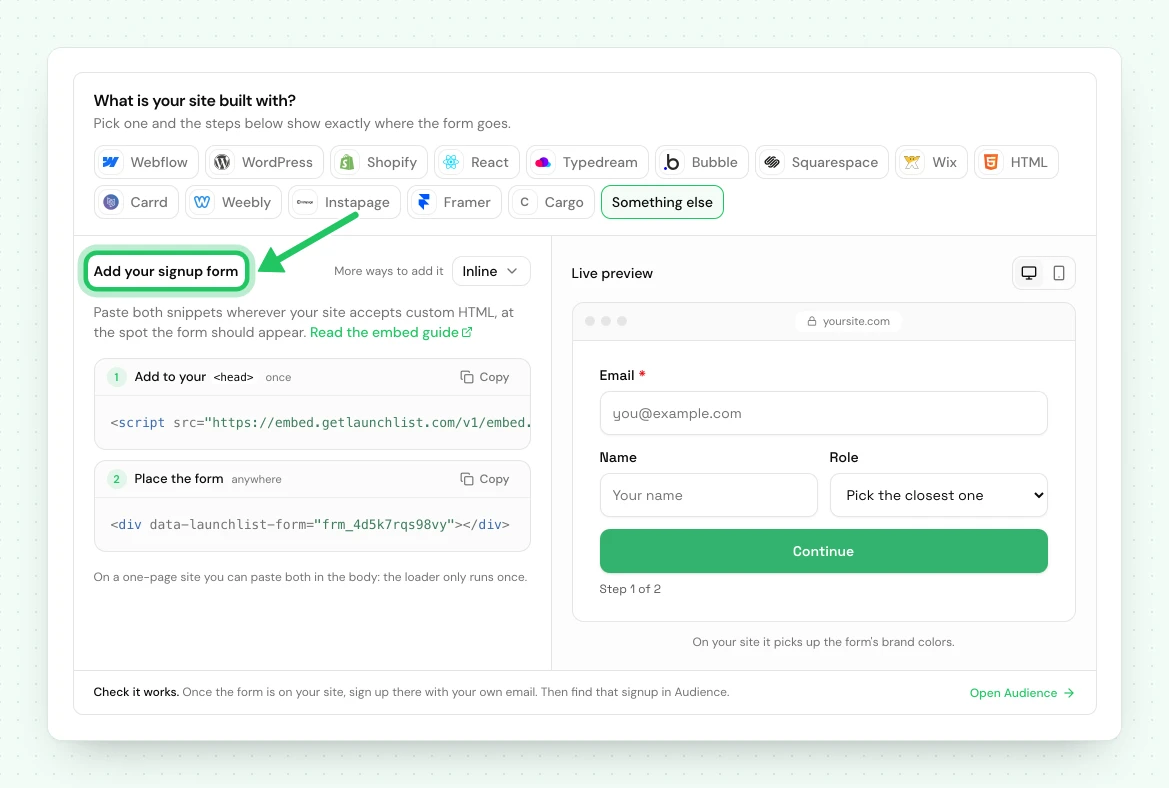
<!-- frm_8Kd2Qm4Rp9 is an example ID; use your own from Embed & API → Your website -->
<div data-launchlist-form="frm_8Kd2Qm4Rp9"></div>
<script src="https://embed.getlaunchlist.com/v1/embed.js" async></script>
- Publish the site. The Designer shows a placeholder; the published site shows the form.
- Open the published page and sign up with your own email, then find that signup in Audience.
If the form does not appear#
| What you see | What to do |
|---|---|
| A placeholder in the Designer | Webflow does not run custom code on the canvas. Publish the site, or open its webflow.io address. |
| Nothing renders on the published site | Check the Code Embed saved, and that you published after adding it. |
| The Code Embed element is locked | Webflow limits it to a site with a Site plan or a paid Workspace. Check your plan in Webflow. |
| The form shows twice | The Code Embed is on the page twice, and each renders its own form. Remove the duplicate. |
Using the classic LaunchList dashboard#
A waitlist made in the classic LaunchList dashboard has its own snippet: a <div class="launchlist-widget"> in an Embed element with widget.js in the site's head code, or a Webflow form whose action is getlaunchlist.com/s/ with its form key. That snippet
keeps working for now and sends signups to the classic dashboard's waitlist, not to a project here.
A classic form key does not work with the snippet on this page.
To bring that waitlist here, import it into a project, then replace the classic snippet on your Webflow site with the one from Embed & API → Your website. Your signups are copied, and the classic waitlist is not changed.
Next: every way to integrate.
Common questions
Does LaunchList work on Webflow?
Yes. Add a Code Embed element where the form should go and paste your form's two-line snippet into it. The form loads from LaunchList with the design you pick in the LaunchList form editor. Publish the site to see it.
Why is the form not showing in the Webflow Designer?
Webflow does not run custom code on the Designer canvas, so the Code Embed shows a placeholder there. Publish the site, or open its webflow.io address, and the form appears.
Do I need a paid Webflow plan?
Webflow limits the Code Embed element to a site with a Site plan or a paid Webflow Workspace (Core, Growth, Agency or Freelancer). If the element is locked, check your plan in Webflow.
