Search the Community
Showing results for tags 'commands'.
-
Version 1.0.1
61 downloads
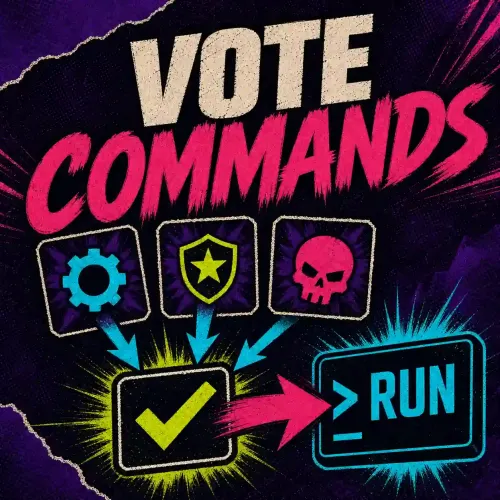
Let players vote in Rust Should blueprints reset next wipe? Which event should run next? Give players a ballot they can open with /vote. Use the result to make a decision, or have the winning choice run a server command. Oxide & Carbon · PimpMyCUI included Example poll · Should we reset blueprints at the next wipe? Run a poll or let the winner trigger an action For a community decision, leave the actions empty and check the result. For a vote to skip the night, assign the server command env.time 8 to the daylight choice. If it wins, the server switches to morning. You can also call a hook that takes no arguments in another installed plugin. Start a vote yourself or run it on a schedule. Set who can vote, the time limit, the minimum vote count and what happens in a tie. Choose whether players see the totals before the vote closes. Six layouts for the ballot Choose a layout for each vote. Civic Ballot, Relay Grid and Arctic Council are shown below. Operations Console, Field Terminal and Broadcast Panel are also included. Set up a vote in PimpMyRust Write the question, add choices and preview the menu in your browser. Download the JSON or send it to a connected server. You can also edit the JSON directly. Each vote has its own file. Open the Vote Commands configurator → Manual installation The paths below are relative to your server’s oxide/ or carbon/ folder. Install the included PimpMyCUI.cs in your server’s plugins/ folder, or keep your compatible version. Copy the supplied lang/en/VoteCommands.json and install plugins/VoteCommands.cs. If you already customized the language file, merge the missing keys. On a fresh install, run /vote_start as an admin, then open /vote. Grant VoteCommands.Example.Vote to players who should take part in the example. The example lives in config/VoteCommands/Example.json and starts with winner actions disabled. Edit that file or add another vote in the same folder. Codefling support$6.99 -
Version 1.0.1
30 downloads
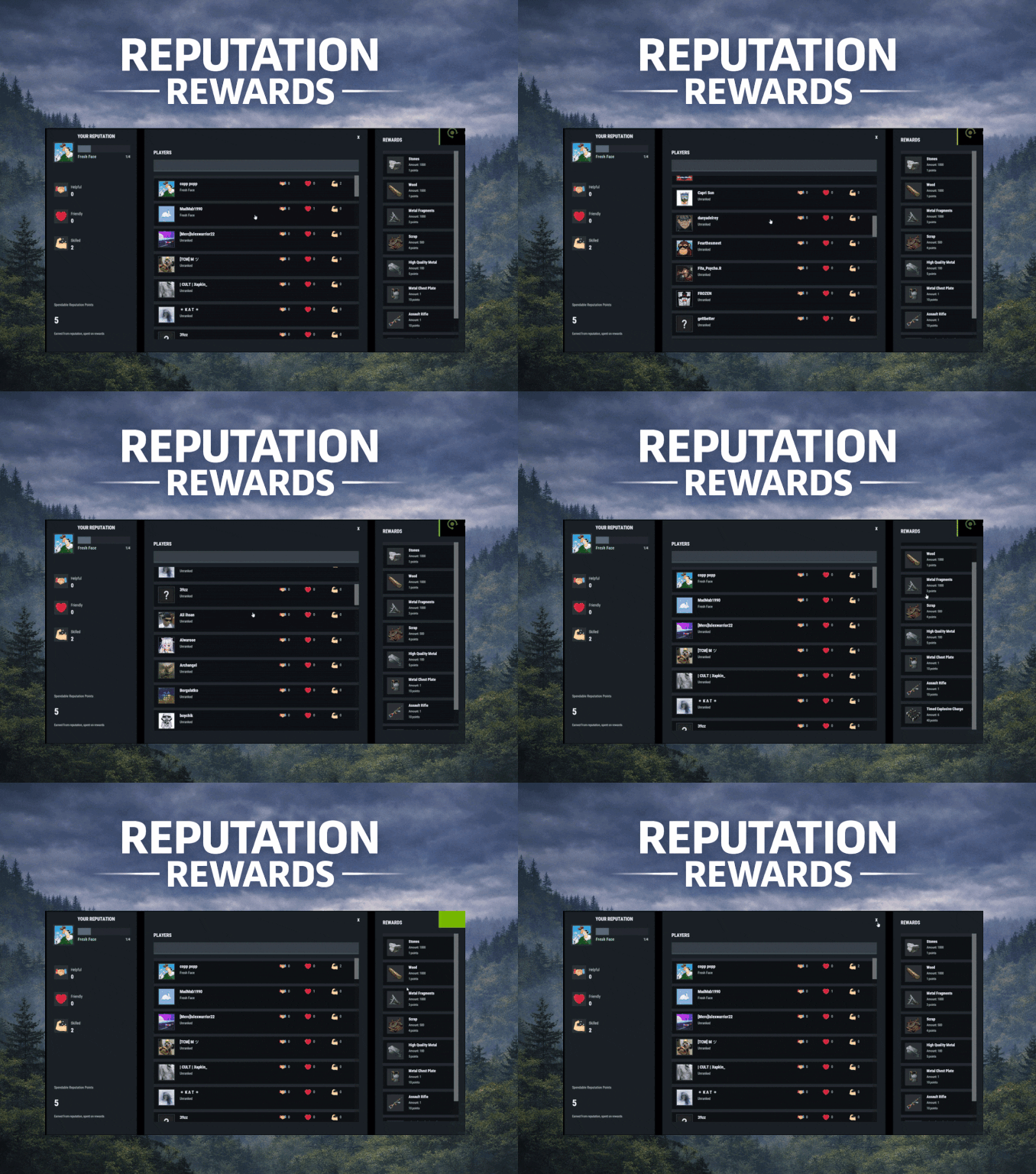
ReputationRewards is built to encourage positive community behaviors by adding an in-game reputation system to your Rust server with a clean 3-column UI, built-in reward shop, and rank progression. Players can reward each other for being Helpful, Friendly, or Skilled, earning spendable reputation points that can be redeemed instantly for configured items. As players gain reputation, they climb ranks and can trigger configurable server commands on rank-up for additional rewards or other triggers (kits, mail, permissions, VIP perks, etc.). Key features In-game UI One command opens a polished reputation interface. Three-column layout: Your Reputation (rep totals, rank, progress bar, spendable points) Players List (searchable, sorted by total rep) Built in Rewards Shop Three reputation categories Helpful Friendly Skilled These can easily be renamed to something else via the Lang files. Anti-abuse limits (configurable) Per-target cooldown: limit how often someone can rep the same player. Total giving limit per window: cap how many reps a player can give during a configurable time window (default 24h). Spendable reputation points Configurable points awarded to: The target (for receiving rep) The giver (for giving rep) Points are spent in the built in reward shop. Built-in reward shop Configure any Rust item shortname + amount + optional skin + optional custom display name. Players select quantity and see the total cost before purchase. Rank system with automatic rewards Define unlimited ranks with a required total reputation threshold. Run server commands on rank-up (supports placeholders like %steamid%). Compatible with all plugins that can trigger a console command against a player, such as my Mail System Visual feedback FX plays when rep is received. FX plays on rank-up to make progression feel rewarding. Integrations BetterChat: If you wish to display player's reputation rank next to their chat name ImageLibrary (recommended): for image loading reliability. Configuration highlights Set cooldown time per target player Set total give limit window (seconds) + max reps per window Configure how many spendable points are earned per rep (giver and target) Configure wipe behavior on new save (rep/rank and/or spendable points) Define ranks and rank-up commands Define reward shop items and pricing Customize UI colors + icon URLs __________________________________ Commands (configurable): /rep or /reputation - Opens the reputation UI __________________________________ Sample/Default Config: { "Commands to open UI": [ "rep", "reputation" ], "How often can a player give rep to the same player": 86400, "How often to reset player's total rep give limit": 86400, "Max reputation gives per total window (per player)": 5, "Spendable points awarded to TARGET per rep received": 2, "Spendable points awarded to GIVER per rep given": 1, "Wipe reputation + rank on new save?": false, "Wipe spendable points on new save?": false, "Ranks / Levels": [ { "Rank Name": "Fresh Face", "Points Required (total rep)": 1, "Commands On Reach (optional)": [ "mail.send %steamid% \"Rank Up: Fresh Face!\" \"Welcome to the community! Here are some starting supplies to help you settle in.\" -img 0 -item wood 1000 0 -item stones 1000 0" ] }, { "Rank Name": "Promising Sapling", "Points Required (total rep)": 5, "Commands On Reach (optional)": [ "mail.send %steamid% \"Rank Up: Promising Sapling!\" \"You're showing great potential! Here are some resources to help you grow.\" -img 0 -item sulfur.ore 1000 0 -item metal.ore 1000 0" ] }, { "Rank Name": "Positive Force", "Points Required (total rep)": 10, "Commands On Reach (optional)": [ "mail.send %steamid% \"Rank Up: Positive Force!\" \"Your positive impact is being felt! Here are some refined materials for your efforts.\" -img 0 -item sulfur 1000 0 -item metal.fragments 1000 0" ] }, { "Rank Name": "Reliable Member", "Points Required (total rep)": 20, "Commands On Reach (optional)": [ "mail.send %steamid% \"Rank Up: Reliable Member!\" \"Your reliability has been noticed! Here are some higher quality materials for your continued contributions.\" -img 0 -item hq.metal.ore 1000 0 -item lowgradefuel 1000 0" ] }, { "Rank Name": "Community Pillar", "Points Required (total rep)": 35, "Commands On Reach (optional)": [ "mail.send %steamid% \"Rank Up: Community Pillar!\" \"You've become a pillar of our community! Here are some valuable processed materials.\" -img 0 -item metal.refined 1000 0 -item charcoal 1000 0" ] }, { "Rank Name": "Guiding Presence", "Points Required (total rep)": 55, "Commands On Reach (optional)": [ "mail.send %steamid% \"Rank Up: Guiding Presence!\" \"Your guidance helps others find their way! Here are materials for advanced crafting.\" -img 0 -item scrap 1000 0 -item gunpowder 1000 0" ] }, { "Rank Name": "Foundation Stone", "Points Required (total rep)": 80, "Commands On Reach (optional)": [ "mail.send %steamid% \"Rank Up: Foundation Stone!\" \"You are a foundational part of our community! Here are some advanced munitions for your dedication.\" -img 0 -item ammo.rifle.hv 500 0 -item ammo.rifle.explosive 500 0" ] }, { "Rank Name": "The Beloved", "Points Required (total rep)": 110, "Commands On Reach (optional)": [ "mail.send %steamid% \"Rank Up: The Beloved!\" \"You are the heart and soul of our community! Here are powerful munitions for a true leader.\" -img 0 -item ammo.rocket.basic 12 0 -item ammo.rocket.hv 12 0" ] } ], "Enable Title In BetterChat (optional, requires BetterChat)": false, "BetterChat Title Format ({0} will place the rank name)": "<color=yellow>{0}</color>", "Rewards": [ { "Shortname": "wood", "Amount": 1000, "SkinId": 0, "DisplayName (blank = default)": "", "Cost (points)": 1 }, { "Shortname": "stones", "Amount": 1000, "SkinId": 0, "DisplayName (blank = default)": "", "Cost (points)": 1 }, { "Shortname": "metal.fragments", "Amount": 1000, "SkinId": 0, "DisplayName (blank = default)": "", "Cost (points)": 3 }, { "Shortname": "metal.refined", "Amount": 100, "SkinId": 0, "DisplayName (blank = default)": "", "Cost (points)": 5 }, { "Shortname": "scrap", "Amount": 500, "SkinId": 0, "DisplayName (blank = default)": "", "Cost (points)": 4 }, { "Shortname": "rifle.ak", "Amount": 1, "SkinId": 0, "DisplayName (blank = default)": "", "Cost (points)": 10 }, { "Shortname": "metal.plate.torso", "Amount": 1, "SkinId": 0, "DisplayName (blank = default)": "", "Cost (points)": 10 }, { "Shortname": "explosive.timed", "Amount": 6, "SkinId": 0, "DisplayName (blank = default)": "", "Cost (points)": 40 } ], "Colors": { "Overlay Background (dim)": "0 0 0 0.35", "Main Panel Background": "0.12 0.14 0.16 0.95", "Inner Panel Background": "0.15 0.17 0.20 0.96", "Modal Frame (border)": "0.06 0.07 0.08 0.98", "Modal Background": "0.10 0.12 0.14 0.995", "Row Background": "0.10 0.12 0.14 0.92", "Row Hover Background": "0.16 0.18 0.21 0.95", "Row Pressed Background": "0.14 0.16 0.19 0.95", "Row Border": "0.06 0.07 0.08 0.98", "Text - Title": "0.95 0.96 0.97 1", "Text - Main": "0.88 0.90 0.92 1", "Text - Sub": "0.72 0.76 0.80 1", "Text - Dark": "0.10 0.10 0.10 1", "Button Background": "0.28 0.32 0.36 1", "Button Hover Background": "0.34 0.39 0.44 1", "Button Pressed Background": "0.31 0.35 0.40 1", "Accent Button Background": "0.36 0.40 0.46 1", "Input Field Background": "0.22 0.25 0.29 1", "Input Field Border Strip": "0.55 0.58 0.62 0.25", "Avatar Backing Plate/Border": "0.18 0.20 0.22 0.98", "Rank Progress Fill Color": "0.36 0.40 0.46 1", "Rank Title Text Color": "0.55 0.90 0.70 1", "Scrollbar Handle": "0.45 0.46 0.47 0.95", "Scrollbar Track": "0.10 0.10 0.10 0.35", "Scrollbar Highlight": "0.55 0.56 0.57 0.98", "Scrollbar Pressed": "0.62 0.63 0.64 0.98", "Positive Text Accent": "0.55 0.90 0.70 1", "Negative Text Accent": "0.90 0.55 0.55 1" }, "Images": { "Helpful Icon URL": "https://i.ibb.co/Y7CFpTLV/handshake.png", "Friendly Icon URL": "https://i.ibb.co/7dsJFVN5/heart-1.png", "Skilled Icon URL": "https://i.ibb.co/3QTJJgt/muscle.png" }, "Use ImageLibrary (recommended)": true }$5.00 -

Version 1.0.0
6 downloads
This plugin gives ability to your players to post in better way than just on default chat. With that plugin players can post whatever they want as anonymous and with share location option that sends grid in their ad. For you as a server owner there are many configuration & monetization options. You can set rank-specific ad color, cooldown, time on screen, cost, max characters! Plugin is fully written by me- this is plugin is made with heart of rust player and server owner that knows what can cause lag, and what is important for server owners. Plugin is also very good optimised and using only 7 imports from other libraries without heavy ones - systems from heavy libraries has been replaced by my own to avoid using them. playersads.use - gives player ability to show ad form Other permissions are made rank specific, and you can create your own perms by rank name - you can see how it is set in default config /ad - opens an advertisement creation form (click to see)$4.99 -

Version 1.4.5
1,439 downloads
Get your Entire Server to Grind towards a Common Goal. With The Offering, Set Item Requirement amounts, either custom or vanilla. REQUIRED FOR UI - IMAGELIBRARY REQUIRED FOR MAPMARKER - MARKERMANAGER Top Contributors can now be rewarded via Commands in Config. What will you reward your Players with? Skill Points? Unload TruePVE and let a purge play out? Or just run a command for Economics deposit and fill everyone's account to congratulate everyone's hard work. At Offering Fulfilled you can run as many commands as you like to reward your Players. You can also Utilize The Offering to get rid of excess items. Maybe Players have too much scrap at the end of the wipe, add scrap as a requirement and let the excess scrap serve a purpose. Upon Valid Item Deposit, The Box shoots a flame and accepts The Offering, Invalid Items get tossed back out of the Box for the player to recollect. Players can utilize an optional UI to track resources that are needed towards completion. It can be toggled on via /OUI or disabled by clicking the x on the UI Tab. UI position can be easily set via UI Location Config Option. Update interval for multiple item requirements can be set, to update the UI to show the other unfulfilled items. If there is a placeholder image and it doesn't retrieve, you can use the custom URL for a PNG as well. This is also useful for custom items. Skin for the box can be set in config. Discord Tracking of the Offering Box Status can be set in config. If an Offering is complete, you have the option to respawn the box at a certain time frame, or disable the respawn completely and have it a one off event, or an event whenever you feel like holding it. MULTIPLIER INFORMATION Default Multiplier in config can be used to quick modify your requirement amounts. You can have this dynamically increase on Offering Completions by enabling this option. Default Multiplier of 1 is a 1:1 of your current requirements. If you increment by .5, Your multiplier becomes 1.5 on the next offering. Keep in mind giving items with 1 value, you can't issue half of an AK. Requirements will round up or down depending on the amount when the math is done. Max Multiplier will never be passed, and will always reset to this value upon it being hit. A multiplier can dynamically effect your Global Commands and Top Contributor Rewards. Use {x} to modify the amount, for example - a command for economics. "deposit * 1000{x}" Use {x}{d} or {x}{u} to round a decimal value if needed. Some commands will not parse a float. This will multiply that integer value by your current multiplier, More info can be seen in default config below. This can also be used in your Rewards Description field, if you want to say, Everyone will get 100{x} SP. Multiplier does not apply towards Rush Mode. Multiplier Demonstration Rush Mode Info Rush is an optional mode, it uses separate reward methods and requirements for a condensed version of The Offering for small events. The player with the highest score (If point mode is on) Or Deposits. Will win x Commands you issue. If the plugin unloads an early end will trigger and issue commands to the winners you specify in config. If the plugin is unloading during a server reboot, the plugin will save those commands to run on next boot due to some plugins being unloaded, by the time The Offering is unloaded. The Item Amount in the Rush Requirement is a field you can ignore. Since highest deposits are what counts, item deposits are unlimited. If discord logging is enabled, it will log your top contributors, and will also notify if an event ended during a shutdown. NEW COMMANDS FOR RUSH MODE ARE FOUND BELOW IN THE COMMANDS SECTION Video Demos clip_1,739,245,073,739.mp4 https://youtube.com/clip/Ugkxz8_UG6AqGRZSrwF5JVippAvCPIgWfIHs?si=IKL6D46gwn5MHDrw COMMANDS CONSOLE COMMAND - RESETMULTIPLIER - RESETS YOUR MULTIPLIER TO YOUR DEFAULT VALUE /OUI - Toggles the UI on or off /beginoffering - console or chat, To start an offering if one isnt pending respawn, or if one isnt ongoing in the world, only Works with Dynamic Spawn. /ConvertToOffering - Allows you to convert an already placed Large Wooden Box, To an Offering Box - THEOFFERING.ADMIN - PERMISSION REQUIRED /RemoveOffering - Removes The Offering Box you are looking at - THEOFFERING.ADMIN - PERMISSION REQUIRED /givebox - Gives the player a placeable box that will convert to an offering box on placement - THEOFFERING.ADMIN - PERMISSION REQUIRED /offeringstatus - Will print the offering status to the executing player /offeringtop - Will print the top offering contributors to the executing player /giveofferingitems - Will Send all your offering items to your inventory - admin /myofferingstats - Will show the players current standings if any. /offeringleaderboard - Will show the top standings via UI,, with different banner text depending on point mode or regular mode. /rush on - Will reload the plugin with rush enabled, use beginoffering or place a box if you don't have a dynamic pos enabled. /rush off- Will reload with regular offering mode enabled NOTE - IF RUSH ON / OFF IS RAN WHILE IT IS IN THAT MODE, IT WONT SWAP MODES /offeringwhere - If an offering is active, it will ping the location to the player. HOOKS OnOfferingActive - Void OnOfferingInactive - Void OnOfferingSatisfied - Returns a StorageContainer to run custom code at container at end. OnOfferingRushModeStarted - Void OnOfferingRushModeEnded - Void Support for ServerPanel by Mevent - To Set up - Type - "Plugin" - Hook - "OpenOfferingLeaderboard" CONFIG { "Box Options": { "Enable Incrementing Requirements on Regular Offering Completions?": true, "Starting Multiplier - Default 1 - This Value is used even if Increment Requirements is Disabled, it can be used to Quick Increase each needed Item totals": 1.0, "Increase Multiplier by This Value on Completion, A Starting Multiplier of 1 Incremented by 0.5 will be a 1.5 multiplier resulting in a 50% Requirement Increase": 0.5, "Maximum Offering Multiplier to Reach by Incrementing": 5.5, "Allow Multiplier to Multiply Global Commands? (Int Value must be followed with {x} - Ex:10{x})": true, "Allow Multiplier to Multiply Top Contributor Commands? (Int Value must be followed with {x} - Ex:10{x})": true, "Enable UI on Offering Box Open?": true, "Path for Image on Offering Box Opened": "https://www.dropbox.com/scl/fi/2zkykpsa05q2nn9xfhxlg/OfferingBox.png?rlkey=dmmropc8u5x2wqo1ot7ad00l1&st=qldojnor&dl=1", "Enable Effect on Box Open?": true, "Path for Effect on Offering Box Opened": "assets/content/vehicles/attackhelicopter/effects/pfx_flares_attackhelicopter.prefab", "Enable Point Mode for Leaderboard?": false, "Enable The Offering Rush Mode? (This mode does not Data Track, Is meant for quick, Contribution Competitions)": false, "Rush Mode Duration?": 600, "Dynamic Spawn Of The Box Enabled?": false, "Dynamic Spawn at this Monument (Requires your Position Input to be set to match Monument if Changing from Default.)": "assets/bundled/prefabs/autospawn/monument/medium/compound.prefab", "Dynamic Spawn Point (Relative to Monument)": { "x": -18.17, "y": 0.42, "z": 20.64 }, "Dynamic Spawn Rotation Correction": 90.0, "Offering Box Skin Id": 1900496901, "Placeholder SkinID for /givebox Command, Box Reverts to the above skin on placement.": 3174587477, "Respawn Offering Box a Few Seconds after Previous Box Completion?": true, "Respawn Delay in Seconds": 10, "Clear Data on Wipe?": false }, "Rush Mode Options": { "Item Requirements": [ { "Item Shortname": "blood", "Amount Of This Item Required": 0, "Point Value": 1, "Custom SkinID": 0, "Item Custom Name": "", "Item Image URL (For UI)": "" }, { "Item Shortname": "sticks", "Amount Of This Item Required": 0, "Point Value": 1, "Custom SkinID": 0, "Item Custom Name": "", "Item Image URL (For UI)": "" } ], "Contributor Rewards": [ { "Rank Rewards (1 for 1st place, 2 for 2nd, etc.)": 1, "Commands to Run for this Contributor": [ "inventory.giveto {id} rifle.ak 1" ] }, { "Rank Rewards (1 for 1st place, 2 for 2nd, etc.)": 2, "Commands to Run for this Contributor": [ "inventory.giveto {id} rifle.ak 1" ] }, { "Rank Rewards (1 for 1st place, 2 for 2nd, etc.)": 3, "Commands to Run for this Contributor": [ "inventory.giveto {id} rifle.ak 1" ] } ], "Rush Mode Rewards Description": "Top Players Will Receive x Commands Upon Offering Rush Win" }, "Items Needed For Fulfillment Message Cooldown Time in Seconds?": 30, "Items Added to Box Message Cooldown Time in Seconds?": 5, "Item Fulfilled Message Cooldown Time in Seconds?": 30, "Enable UI?": true, "UI Location (top right, lower top right, bottom right, top left, lower top left, bottom left": "lower top right", "UI Update Interval In Seconds": 30, "Announcement Interval In Seconds": 600, "Use Announcement FX?": false, "Broadcast Updates on Status To Discord?": false, "Broadcast Top Contributors To Chat?": false, "Amount of Players to Announce on Top Contributors?": 5, "Discord Webhook URL?": "", "Item Requirements": [ { "Item Shortname": "blood", "Amount Of This Item Required": 100, "Point Value": 1, "Custom SkinID": 0, "Item Custom Name": "", "Item Image URL (For UI)": "" }, { "Item Shortname": "sticks", "Amount Of This Item Required": 100, "Point Value": 1, "Custom SkinID": 0, "Item Custom Name": "", "Item Image URL (For UI)": "" } ], "Commands To Run On Offering Satisfied": { "Commands List": [ "say The offering has been satisfied!", "say Another command goes here", "say Yet another command", "here you can unload TruePve", "say The Current Offering Multiplier is 1{x}", "say depositing 1000{x} to all", "deposit * 1000{x}" ] }, "Rewards Description": "The server will award 1000{x} XP Upon Offering Satisfied", "Enable Top Contributor Rewards?": true, "Top Contributor Rewards": [ { "Rank Rewards (1 for 1st place, 2 for 2nd, etc.)": 1, "Commands to Run for this Contributor": [ "inventory.giveto {id} sulfur 10{x}" ] }, { "Rank Rewards (1 for 1st place, 2 for 2nd, etc.)": 2, "Commands to Run for this Contributor": [ "inventory.giveto {id} rifle.ak 1{x}" ] }, { "Rank Rewards (1 for 1st place, 2 for 2nd, etc.)": 3, "Commands to Run for this Contributor": [ "inventory.giveto {id} rifle.ak 1{x}" ] }, { "Rank Rewards (1 for 1st place, 2 for 2nd, etc.)": 4, "Commands to Run for this Contributor": [ "say Add More Like Me!", "say You can Run Multiple Commands!", "say Target players id with {id}", "say you can use 1{x} to multiply your reward by your multiplier" ] } ] } Thank you to @Chill Roleplay for the help testing. ATTRIBUTION FOR GIF - https://www.vecteezy.com/free-videos/money-on-fire$29.99- 37 comments
- 6 reviews
-
- 6
-

-

-
- #community goal
- #commands
- (and 2 more)
-
Version 1.0.1
33 downloads
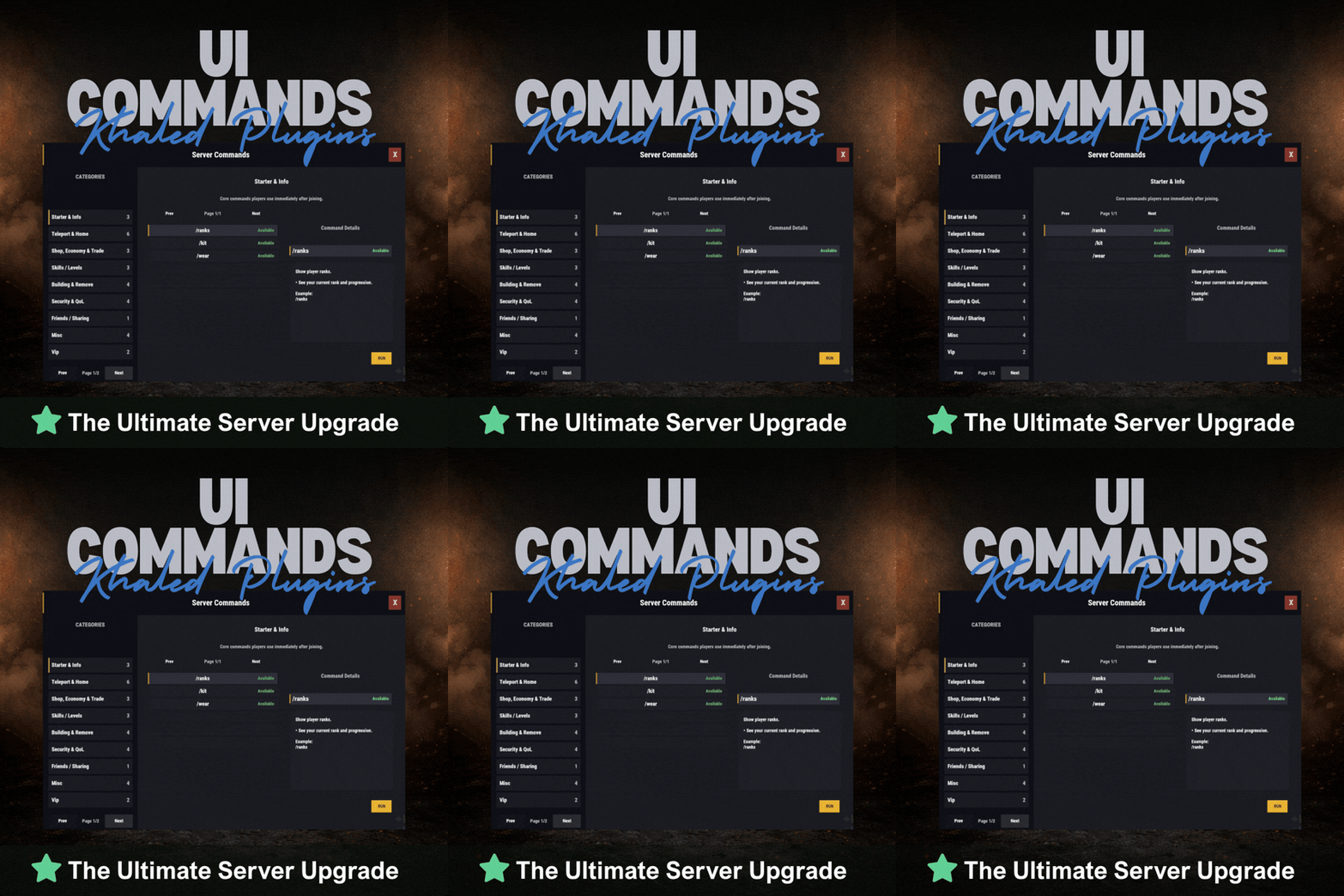
UICommands – In-Game Command Browser for Rust Servers UICommands makes it easy for players to find and use server commands without memorizing anything or spamming chat. All commands are displayed in a clean, in-game interface, neatly organized into categories with clear explanations. Players can quickly see what each command does, whether it’s available to them, and how to use it — all in one place. Take Your Rust Server to the Next Level Premium performance, lightning-fast support, and an exclusive 30% OFF using code KHALED Features - Clean and modern in-game UI - Commands neatly organized by category - Shows whether commands are available or locked - Detailed command info panel with usage examples - RUN button for supported commands - Simple, smooth, and easy to use Why Players Like It - No need to remember commands - Quick access to everything the server offers - Easy to understand, even for new players - Less confusion, more gameplay Why Server Owners Use It - Fewer repeated questions in chat - Better presentation of server features - Helps new players get started faster - Clean and professional look Permissions UICommands is a great fit for any Rust server that wants a simple, organized, and player-friendly way to show commands in-game. Config: { "General": { "Open Commands": [ "cmds", "commands" ], "Rows Per Page": 6, "Close UI when prompting for input": true }, "Categories": [ { "Id": "starter", "Title": "Starter & Info", "Description": "Core commands players use immediately after joining.", "Sort Order": 0, "Required Permission (optional)": null, "Commands": [ { "Command": "/ranks", "Description": "Show player ranks.", "Benefit / Why Use It": "See your current rank and progression.", "Usage Example (optional)": "/ranks", "Required Permission (optional)": null, "Admin Only (optional)": false, "VIP Only (optional)": false, "Allow RUN (optional, override)": true, "Tags (optional)": [] }, { "Command": "/kit", "Description": "Starter kit.", "Benefit / Why Use It": "Get essential items to start playing.", "Usage Example (optional)": "/kit", "Required Permission (optional)": null, "Admin Only (optional)": false, "VIP Only (optional)": false, "Allow RUN (optional, override)": true, "Tags (optional)": [] }, { "Command": "/wear", "Description": "Change your underwear.", "Benefit / Why Use It": "Quickly change your character underwear.", "Usage Example (optional)": "/wear", "Required Permission (optional)": null, "Admin Only (optional)": false, "VIP Only (optional)": false, "Allow RUN (optional, override)": true, "Tags (optional)": [] } ] }, { "Id": "teleport", "Title": "Teleport & Home", "Description": "Teleport requests, homes, towns and utilities.", "Sort Order": 10, "Required Permission (optional)": null, "Commands": [ { "Command": "/sethome <name>", "Description": "Set home at your base.", "Benefit / Why Use It": "Save a home location for quick teleport.", "Usage Example (optional)": "/sethome main", "Required Permission (optional)": null, "Admin Only (optional)": false, "VIP Only (optional)": false, "Allow RUN (optional, override)": false, "Tags (optional)": [] }, { "Command": "tphelp", "Description": "Teleport help.", "Benefit / Why Use It": "View teleport commands and usage.", "Usage Example (optional)": "tphelp", "Required Permission (optional)": null, "Admin Only (optional)": false, "VIP Only (optional)": false, "Allow RUN (optional, override)": true, "Tags (optional)": [] }, { "Command": "/town", "Description": "Teleport to Bandit Town.", "Benefit / Why Use It": "Quick access to Bandit Town.", "Usage Example (optional)": "/town", "Required Permission (optional)": null, "Admin Only (optional)": false, "VIP Only (optional)": false, "Allow RUN (optional, override)": true, "Tags (optional)": [] }, { "Command": "/outpost", "Description": "Teleport to Outpost.", "Benefit / Why Use It": "Quick access to Outpost.", "Usage Example (optional)": "/outpost", "Required Permission (optional)": null, "Admin Only (optional)": false, "VIP Only (optional)": false, "Allow RUN (optional, override)": true, "Tags (optional)": [] }, { "Command": "/where", "Description": "Teleport to your death location.", "Benefit / Why Use It": "Return to your death spot quickly.", "Usage Example (optional)": "/where", "Required Permission (optional)": null, "Admin Only (optional)": false, "VIP Only (optional)": false, "Allow RUN (optional, override)": true, "Tags (optional)": [] }, { "Command": "/tpr <PlayerName>", "Description": "Request teleport to a player.", "Benefit / Why Use It": "Send a teleport request to another player.", "Usage Example (optional)": "/tpr Khaled", "Required Permission (optional)": null, "Admin Only (optional)": false, "VIP Only (optional)": false, "Allow RUN (optional, override)": false, "Tags (optional)": [] } ] }, { "Id": "shop", "Title": "Shop, Economy & Trade", "Description": "Server shop and purchases.", "Sort Order": 20, "Required Permission (optional)": null, "Commands": [ { "Command": "/s", "Description": "Shop.", "Benefit / Why Use It": "Open the server shop.", "Usage Example (optional)": "/s", "Required Permission (optional)": null, "Admin Only (optional)": false, "VIP Only (optional)": false, "Allow RUN (optional, override)": true, "Tags (optional)": [] }, { "Command": "/buy", "Description": "Transport license.", "Benefit / Why Use It": "Purchase transport license.", "Usage Example (optional)": "/buy", "Required Permission (optional)": null, "Admin Only (optional)": false, "VIP Only (optional)": false, "Allow RUN (optional, override)": true, "Tags (optional)": [] }, { "Command": "/buyraid", "Description": "Buy a Raidable Base.", "Benefit / Why Use It": "Purchase a raidable base event.", "Usage Example (optional)": "/buyraid", "Required Permission (optional)": null, "Admin Only (optional)": false, "VIP Only (optional)": false, "Allow RUN (optional, override)": true, "Tags (optional)": [] } ] }, { "Id": "skills", "Title": "Skills / Levels", "Description": "Leveling and skills commands (server dependent).", "Sort Order": 30, "Required Permission (optional)": null, "Commands": [ { "Command": "/st", "Description": "Open skill tree (shortcut).", "Benefit / Why Use It": "Quick access to the skill tree.", "Usage Example (optional)": "/st", "Required Permission (optional)": null, "Admin Only (optional)": false, "VIP Only (optional)": false, "Allow RUN (optional, override)": true, "Tags (optional)": [] }, { "Command": "/skills", "Description": "Open skills UI.", "Benefit / Why Use It": "View and manage your skills.", "Usage Example (optional)": "/skills", "Required Permission (optional)": null, "Admin Only (optional)": false, "VIP Only (optional)": false, "Allow RUN (optional, override)": true, "Tags (optional)": [] }, { "Command": "/skill", "Description": "Open crafting menu.", "Benefit / Why Use It": "Access crafting skill menu (if supported).", "Usage Example (optional)": "/skill", "Required Permission (optional)": null, "Admin Only (optional)": false, "VIP Only (optional)": false, "Allow RUN (optional, override)": true, "Tags (optional)": [] } ] }, { "Id": "building", "Title": "Building & Remove", "Description": "Upgrade, remove and building utilities.", "Sort Order": 40, "Required Permission (optional)": null, "Commands": [ { "Command": "/up <1-4>", "Description": "Upgrade building tier.", "Benefit / Why Use It": "Upgrade building parts quickly.", "Usage Example (optional)": "/up 4", "Required Permission (optional)": null, "Admin Only (optional)": false, "VIP Only (optional)": false, "Allow RUN (optional, override)": false, "Tags (optional)": [] }, { "Command": "/down <1-4>", "Description": "Downgrade building tier.", "Benefit / Why Use It": "Downgrade building parts quickly.", "Usage Example (optional)": "/down 2", "Required Permission (optional)": null, "Admin Only (optional)": false, "VIP Only (optional)": false, "Allow RUN (optional, override)": false, "Tags (optional)": [] }, { "Command": "/remove", "Description": "Remove buildings.", "Benefit / Why Use It": "Remove building parts if enabled.", "Usage Example (optional)": "/remove", "Required Permission (optional)": null, "Admin Only (optional)": false, "VIP Only (optional)": false, "Allow RUN (optional, override)": true, "Tags (optional)": [] }, { "Command": "/bskin", "Description": "Building skins.", "Benefit / Why Use It": "Change building skins (if enabled).", "Usage Example (optional)": "/bskin", "Required Permission (optional)": null, "Admin Only (optional)": false, "VIP Only (optional)": false, "Allow RUN (optional, override)": true, "Tags (optional)": [] } ] }, { "Id": "security", "Title": "Security & QoL", "Description": "Locking, turrets and helpful quality-of-life commands.", "Sort Order": 50, "Required Permission (optional)": null, "Commands": [ { "Command": "/autolock", "Description": "Auto lock boxes & doors.", "Benefit / Why Use It": "Automatically apply locks to your base items.", "Usage Example (optional)": "/autolock", "Required Permission (optional)": null, "Admin Only (optional)": false, "VIP Only (optional)": false, "Allow RUN (optional, override)": true, "Tags (optional)": [] }, { "Command": "/lockturret", "Description": "Lock turret (requires codelock).", "Benefit / Why Use It": "Protect your turret from unauthorized access.", "Usage Example (optional)": "/lockturret", "Required Permission (optional)": null, "Admin Only (optional)": false, "VIP Only (optional)": false, "Allow RUN (optional, override)": true, "Tags (optional)": [] }, { "Command": "/carturret", "Description": "Spawn your car.", "Benefit / Why Use It": "Quickly spawn your vehicle (server dependent).", "Usage Example (optional)": "/carturret", "Required Permission (optional)": null, "Admin Only (optional)": false, "VIP Only (optional)": false, "Allow RUN (optional, override)": true, "Tags (optional)": [] }, { "Command": "Quarry lock", "Description": "Locking a quarry engine.", "Benefit / Why Use It": "Protect the quarry engine with a code lock.", "Usage Example (optional)": "Craft a codelock, go to the quarry engine and press E.", "Required Permission (optional)": null, "Admin Only (optional)": false, "VIP Only (optional)": false, "Allow RUN (optional, override)": false, "Tags (optional)": [] } ] }, { "Id": "social", "Title": "Friends / Sharing", "Description": "Friends and access control.", "Sort Order": 60, "Required Permission (optional)": null, "Commands": [ { "Command": "/friend <add/remove playername>", "Description": "Add or remove a friend from your base.", "Benefit / Why Use It": "Control who can interact with your base features.", "Usage Example (optional)": "/friend add Khaled", "Required Permission (optional)": null, "Admin Only (optional)": false, "VIP Only (optional)": false, "Allow RUN (optional, override)": false, "Tags (optional)": [] } ] }, { "Id": "misc", "Title": "Misc", "Description": "Skins, signs and other utilities.", "Sort Order": 70, "Required Permission (optional)": null, "Commands": [ { "Command": "/skin", "Description": "Skins.", "Benefit / Why Use It": "Open skins menu (if enabled).", "Usage Example (optional)": "/skin", "Required Permission (optional)": null, "Admin Only (optional)": false, "VIP Only (optional)": false, "Allow RUN (optional, override)": true, "Tags (optional)": [] }, { "Command": "/sili", "Description": "Sign image URL.", "Benefit / Why Use It": "Paste an image URL into a sign (if enabled).", "Usage Example (optional)": "/sili <url>", "Required Permission (optional)": null, "Admin Only (optional)": false, "VIP Only (optional)": false, "Allow RUN (optional, override)": false, "Tags (optional)": [] }, { "Command": "/sil", "Description": "Sign image URL (shortcut).", "Benefit / Why Use It": "Paste an image URL into a sign (if enabled).", "Usage Example (optional)": "/sil <url>", "Required Permission (optional)": null, "Admin Only (optional)": false, "VIP Only (optional)": false, "Allow RUN (optional, override)": false, "Tags (optional)": [] }, { "Command": "/recycler.craft", "Description": "Craft your recycler.", "Benefit / Why Use It": "Craft and place a recycler (if enabled).", "Usage Example (optional)": "/recycler.craft", "Required Permission (optional)": null, "Admin Only (optional)": false, "VIP Only (optional)": false, "Allow RUN (optional, override)": true, "Tags (optional)": [] } ] } ], "Debug: Print Config Summary On Load": false }$13.99 -
RCONtrol is a powerful web-based command center for Rust server owners. Monitor server performance, manage players, execute RCON commands, control groups & permissions, track plugins and much more. Sorry, im shitty with video editing.
-

Version 2.1.1
115 downloads
Zen Mail is an in-game mail and notification system for Rust servers, allowing players to send “emails” to online and offline players. Admins will also benefit from being able to include attachments such as items, commands, and economy rewards. With permission, players can also attach images via URL. Designed for wipes, announcements, rewards, crash compensation, support, and direct communication, Zen Mail ensures both online and sleeping players receive admin messages, while also providing threaded conversations—replies are appended to the original message, so players can follow the full back-and-forth via a simple UI they can access at any time. Perfect For Admin announcements Server rules and new player welcome messages Compensations Reward delivery Event prizes Player to Player communication Core Features Persistent inbox per player Messages are delivered even when players are currently offline Configurable inbox limits per player - oldest message deleted if limit exceeded. Optional wipe-based inbox clearing Simple message creation Ability to input subject and message content Recipient can be easily selected via a player picker UI, with unique colors and tags for Online/Sleeper/Staff Images can be attached to messages through either image URLs pre-configured, or by supplying an image URL (permission required) Clean scrollable UI and configurable max length for long messages. Admins can easily include a combination of items, economies, or commands ran against the recipient. Messages and attachments can also be created via console commands, perfect for use in other plugins. Unread notifications Notification delivery and visual/audible cue driven by Zen Panel Attachments & Rewards Each message can include any combination of: Item rewards Multiple items per message Custom display names Optional skin IDs Inventory-safe claiming Image from a pre-configured list or directly via an image URL Command rewards Ability to run server commands on claim Supports placeholders to ensure command is run against the recipient (%steamid%) Repeatable command execution via amount entry Economy rewards Economics ServerRewards TCBank each handled independently, with clear failure feedback if unavailable or failed Players claim attachments directly from the inbox with a single click Admin & Console Tools Send messages with attachments: Using In-game UI Using Console commands Attach items and pre-configured images using simple flag-based commands Ability to include item/command/economy attachments is admin permission based Target: Individual players All players (Online and Sleepers) Online players only Customization/Config Customize HUD icon and unread indicators via Zen Panel Configure which user groups are displayed as Staff Add pre-configured images (samples included) Configure max subject/message lengths Configure maximum amount of threads for a player inbox to hold Configure if messages are cleared on server wipe. Chat Commands: /inbox - Opens the Inbox UI where players can view and send/reply messages /sendmail "PlayerName" - optional chat command to send message to specific player without going through inbox/player picker /inbox_top - Admin command to view players with largest inbox sizes /inbox_clear "PlayerName" - Admin command to clear a specific player's inbox Permissions: zenmail.send - required to be able to send messages zenmail.admin - required to add attachments via UI and run admin commands zenmail.imageurl - required to attach images through a URL Console command functionality Console commands can be used for both messaging and attachment delivery using flags, with included option to select which image will appear in the message Basic command structure is as follows: mail.send <playername OR SteamID> "<subject>" "<content>" [flags] mail.sendall "<subject>" "<content>" [flags] Available flags are desribed below and may be used multiple times and in any order: Image Flag: -img <number> Sets the message image. Uses the image list from the config Index starts at 0 0 = first image, 1 = second, etc. _______________________________ Item Flag: -item <shortname> <amount> <skinId> optional:"displayName" Adds an item attachment. skinId may be 0 Custom name is optional If omitted, the item’s default name is used _______________________________ Commands Flag: -cmd "<name>" "<command>" <amount> Runs a server command when claimed. amount specified how many time to run the command. It defaults to 1 Supports %steamid% and %name% wildcards - useful when sending to all players or via other plugins. "name" is what the player will see as the attachment name (instead of seeing the command itself) _______________________________ Economy Flag: -eco <type> <amount> Adds a currency attachment. Supported types: Economics ServerRewards TCBank _______________________________ Example Console Commands: Below are some example console commands. Note you can use \n\n for following text to start as a new paragraph Simple message only to single player(with image) mail.send PlayerName "Welcome!" "Welcome to the server. Enjoy your stay!" -img 0 Simple message only to all players (with image) mail.sendall "Server Notice" "Welcome to the server everyone!" -img 0 Single item attachment (with image) mail.send PlayerName "Resource Gift" "Here are some materials to get you started." -img 1 -item wood 2000 0 Item attachment with custom display name and specific skinID (with image) mail.send PlayerName "Special AK" "You have received skinned HV pistol ammo." -img 2 -item rifle.ak 1 987654321 "Very Cool AK" Multiple items (with image) mail.send PlayerName "Supply Drop" "A mix of useful resources." -img 0 -item wood 3000 0 -item stones 2000 0 -item metal.fragments 500 0 Command attachment (with image) mail.send PlayerName "Starter Kit" "Claim this message to receive your starter kit." -img 1 -cmd "Starter Kit" "kit give %steamid% starter" Economy reward (Economics) (with image) mail.send PlayerName "Welcome Bonus" "You have received a currency reward." -img 0 -eco Economics 1000 Mix of Items + Economics (with image) mail.send PlayerName "Builder Pack" "Resources and money to help you build." -img 2 -item wood 4000 0 -item stones 4000 0 -eco Economics 2500 Mix of Items and Command (TWO vip kits) (with image) mail.send PlayerName "VIP Trial" "Enjoy a one time VIP kit." -img 1 -item scrap 250 0 -cmd "VIP Kit" "kit give %steamid% VIP" 2 Full mixed attachments (items + command + economy) (with image) mail.send PlayerName "Welcome Package" "Everything you need to get started." -img 0 -item wood 3000 0 -item ammo.pistol.hv 100 0 -cmd "Starter Kit" "kit give %steamid% starter" -eco Economics 1500 Full mixed attachments to all players (note using \n\n to create a new paragraph within message content) (with image) mail.sendall "Attention Citizens!" "Thank you for being awesome.\n\nAttached some gifts." -img 0 -item wood 3000 0 -item ammo.pistol.hv 100 0 -cmd "Starter Kit" "kit give %steamid% starter" -eco Economics 1500 If using the commands within a JSON (config) file, you will need to ensure you escape the quotes with a backslash (place a backslash before any quote sign), for example: mail.send %SteamID% \"Welcome!\" \"Welcome to the server!\n\n This is a mail system used to message online and offline players and for admins to share important information, changes or updates during the wipe\n\nWe hope you have a great time\" -item ammo.pistol.hv 100 0 \"\" -img 1 If you’re looking for a modern replacement for chat spam, manual kit commands, or unreliable reward delivery, Mail System provides a polished, user-friendly solution that players will instantly understand and appreciate. I have done my best to document the full functionality, but if any doubt do not hesitate to open a support request.$17.99 -

Version 1.0.7
40 downloads
Command Limiter Info Command Limiter allows you to limit the use of commands that players can use. For each command you can set the cooldown, minute, hourly, daily and wipe usage limits. It also allows you to apply limits in case of Building Blocks, Safe Zones, block the command permanently, etc... Command Limiter is useful for limiting the use of commands from plugins that do not implement a blocking system or implement an inflexible blocking system. Commands Commands can be typed in chat (by putting the / character in front of the command), or from console. /cl reset <steamID> -- This command allows you to reset usage limits for a specific player. To use this command you must have permission: commandlimiter.admin /cl wipe -- This command allows reset all usage limits for all players. To use this command you must have permission: commandlimiter.admin Commands can be added or modified in the configuration file: /oxide/config/CommandLimiter.json Permissions commandlimiter.admin -- Allows the use of commands reserved for administrators commandlimiter.bypass -- Allows you to bypass the command usage limit, but only for commands that have the CanBeBypassed field set to TRUE commandlimiter.bypass.force -- Allows you to easily bypass the command usage limit, regardless of the CanBeBypassed field Default Configuration { "TimeZone": "Europe/London", "Clear data on map wipe": true, "Print usage limits when command is blocked": true, "Chat Command": [ "cl", "commandlimiter" ], "Command Setting": [ { "Enabled": true, "Command": "cmd", "Commands alias": [], "BlockCommand (If set to TRUE players will no longer be able to use this command. Default FALSE)": false, "SafeZone. Value [AllowOnly | Allow | Block] (Default Allow)": "Allow", "BuildingBlocked. Value [AllowOnly | Allow | Block] (Default Allow)": "Allow", "CanBeBypassed (If set to TRUE the command block can be bypassed. It depends on the user permissions)": false, "CooldownSeconds (-1 infinite)": 30, "MaxUsagePerMinute (-1 infinite)": -1, "MaxUsagePerHour (-1 infinite)": -1, "MaxUsagePerDay (-1 infinite)": -1, "MaxUsagePerWipe (-1 infinite)": -1, "BypassPermission (Permissions to bypass the block even if [CanBeBypassed] is set to false)": [] }, { "Enabled": true, "Command": "cmd_2", "Commands alias": [ "alias 1", "alias 2" ], "BlockCommand (If set to TRUE players will no longer be able to use this command. Default FALSE)": false, "SafeZone. Value [AllowOnly | Allow | Block] (Default Allow)": "Allow", "BuildingBlocked. Value [AllowOnly | Allow | Block] (Default Allow)": "Allow", "CanBeBypassed (If set to TRUE the command block can be bypassed. It depends on the user permissions)": false, "CooldownSeconds (-1 infinite)": 30, "MaxUsagePerMinute (-1 infinite)": -1, "MaxUsagePerHour (-1 infinite)": -1, "MaxUsagePerDay (-1 infinite)": -1, "MaxUsagePerWipe (-1 infinite)": -1, "BypassPermission (Permissions to bypass the block even if [CanBeBypassed] is set to false)": [] } ], "VersionNumber": { "Major": 1, "Minor": 0, "Patch": 7 } } TimeZone -- Set the time zone with which the dates will be saved: Default: Europe/London. Clear data on map wipe -- Clear command usage data after a wipe. Default TRUE. Print usage limits when command is blocked -- Prints the command usage limits when a player uses one of the configured commands. Default TRUE. Chat Command -- Here you can add, edit or delete commands can be typed in chat (by putting the / character in front of the command), or from console. Command Setting -- The list of commands on which to apply the usage and cooldown limits must be inserted here. Enabled -- If set to TRUE, limits and cooldowns for this command will be enabled. Command -- The command on which to apply limits and cooldowns. Commands alias -- Here you can specify other commands to block with the same configurations. Useful to block a command, which has several similar or differently named commands, to do the same thing. Or alternatively to block multiple commands without creating different configurations. BlockCommand -- If set to TRUE, the command cannot be used by any player, except for players with the permissions: commandlimiter.admin or commandlimiter.bypass.force. SafeZone. Value [AllowOnly | Allow | Block] (Default Allow) -- Sets whether the command can be used in safe zones: AllowOnly: The command can only be used in safe zones. Block: The command cannot be used in safe zones. Allow: No restrictions for safe zones. BuildingBlocked. Value [AllowOnly | Allow | Block] (Default Allow) -- Sets whether the command can be used in areas where you have building permissions: AllowOnly: The command can only be used where you do not have building permissions. Block: The command can only be used where you have building permissions. Allow: No restrictions for building zones. CanBeBypassed -- If set to TRUE the command can be bypassed by players with permission: commandlimiter.bypass. CooldownSeconds -- Cooldown for command reuse. MaxUsagePerMinute -- Limit the use of the command for each minute. MaxUsagePerHour -- Limit the use of the command for each hour. MaxUsagePerDay -- Limit the use of the command for each day. MaxUsagePerWipe -- Limit the use of the command for wipe. BypassPermission (Permissions to bypass the block even if [CanBeBypassed] is set to false) -- Here you can specify one or more names, to create permissions to bypass the limit. If the player has at least 1 of these permissions, he can bypass the limit even if the CanBeBypassed property is set to false. Example: if you enter "vip1” as permission, a command called commandlimiter.bypass.vip1 will be created that you can assign to players. Order Application Limits The usage and cooldown limits of the various commands are applied in the following order: Wipe limits -- If the wipe limits have not been exceeded, proceed to the next check, otherwise the command will be blocked. Daily limits -- If the daily limits have not been exceeded, proceed to the next check, otherwise the command will be blocked. Hourly limits -- If the time limits have not been exceeded, proceed to the next check, otherwise the command will be blocked. Limits per minute -- If the minute limits have not been exceeded, proceed to the next check, otherwise the command will be blocked. CooldownSeconds -- The command will be executed if the cooldown has expired, otherwise you will have to wait for the cooldown to reset. LOCALIZATION The plugin are translated into the following languages: English Italian Translation files are located in the /oxide/lang folder, here is an example of a /oxide/lang/en/CommandLimiter.json translation file. You can add translations for other languages by adding them to the folder: /oxide/lang$4.99 -

Version 1.0.3
1,109 downloads
PhoneCore is a Grand Theft Auto Style GUI that is easy to setup and customise. UPDATE? Go To Bottom PhoneCore is a zip file with 4 variations to the code, images and psd/afphoto allowing you all the options you could think of. Code included is a 2x3 Phone, 3x4 phone and now 2x3 with 4 pages and 3x4 with 4 pages! Fire off any command that would usually be used with a "/" via this tasty little ui (e.g. /kits /backpack /dis) Configuration Configuration is simple, Drop in the urls for the image you want (list in image folder of default URLS) and add a command,Save, Reload and enjoy. Both the configs follow the same setup, just one is longer than the other. The use of a JSON editor or validation site such as jsonlint.com is recommended to avoid formatting issues and syntax errors. { "Use Permission phonecore2x4.show": false, "Background Image Url": "https://i.imgur.com/GY90fRP.png", "Image Url in place One": "https://i.imgur.com/bQGcmWL.png", "Command For Place One": "", "Image Url in place Two": "https://i.imgur.com/WAY6j4A.png", "Command For Place Two": "", "Image Url in place Three": "https://i.imgur.com/rOLnNiY.png", "Command For Place Three": "", "Image Url in place Four": "https://i.imgur.com/EbBRqT5.png", "Command For Place Four": "", "Image Url in place Five": "https://i.imgur.com/3mLH0mP.png", "Command For Place Five": "", "Image Url in place Six": "https://i.imgur.com/6RjWdNd.png", "Command For Place Six": "" } Command /Phone << opens the phone GUI Permission Each of the codes has an option to use permissions in the config.. the permission is pluginname.show and is required to open the PhoneUI is the config value is set to true e.g. PhoneCore3x4.show Update Version 1.0.1... Added 2 Extra codes to the zip, These "multi" versions have 4 pages.. Watch the video Below. Version 1.0.1... Code 2x3 had an error that prevented compiling.. this has been rectified. Version 1.0.2... Added Rules so that blank unused buttons are no longer clickable. Version 1.0.3... Added option in config to require a permission to open the UI Images These are images that are included & random things I've added to hosting that you can use on with PhoneCore Icons: https://i.imgur.com/6RjWdNd.png Blank https://i.imgur.com/EbBRqT5.png Backpack https://i.imgur.com/0o3q7BC.png Close https://i.imgur.com/3mLH0mP.png Discord https://i.imgur.com/Vz4vVaw.png Hammer https://i.imgur.com/rOLnNiY.png Info https://i.imgur.com/bQGcmWL.png Facemask/Kits https://i.imgur.com/mnBkYwB.png Message https://i.imgur.com/WAY6j4A.png Minicopter https://i.imgur.com/cMjS34N.png WorkBench https://i.imgur.com/eRN5lCU.png Door https://i.imgur.com/uKCyxev.png House/Teleport https://i.imgur.com/cclUBi3.png Kit/Present https://i.imgur.com/62Tu4HV.png Lift/Elevator https://i.imgur.com/ldwvf7L.png Wolf/Pet https://i.imgur.com/IqvuMKd.png Stats https://i.imgur.com/1Of9ltc.png Skin/Hoodie https://i.imgur.com/8DJoUQT.png Rocket Turret https://i.imgur.com/9Yom8S9.png Brush https://i.imgur.com/rUlh3Qk.png Portal Backgrounds: https://i.imgur.com/GY90fRP.png Default/Phone GUI https://i.imgur.com/MCjSq33.png Tower https://i.imgur.com/rYwQO6C.png Furnace https://i.imgur.com/J4rvbCJ.png Wolf https://i.imgur.com/d7b2LmJ.png SatAirDrop https://i.imgur.com/1NZyPXl.png Night https://i.imgur.com/UqdQAWL.png RustPoster https://i.imgur.com/m48YGmJ.png Waving https://i.imgur.com/WJ5Qr6w.png Face https://i.imgur.com/XHLySft.png Hemp https://i.imgur.com/AweYNbi.png MikeHawke https://i.imgur.com/vVye6Wu.png Cobalt Rewards https://i.imgur.com/htVCYhH.png Cobalt Regen$2.00 -

Version 2.8.0
129 downloads
Personal Heli Give your players the power to summon their own personal patrol helicopter! This plugin lets players call in a customizable helicopter with tiered permissions, configurable costs (Scrap, Economics, ServerRewards), and advanced privacy controls (Owner, Team, Friends, Clan, PVE, Public). Features include: Multiple helicopter tiers with unique cooldowns, health, speed, and costs In-game UI for easy heli requests and status Announcements in chat and Discord (optional) Full support for Economics, ServerRewards, Friends, and Clans plugins Advanced privacy: restrict who your heli can attack or protect Admin override and full configuration support Perfect for VIP perks, events, or just adding a new layer of fun and strategy to your Rust server! personalheli.use.default personalheli.use.vip personalheli.admin$9.99 -
Version 5.2.0
62 downloads
MyCommands Description The MyCommands plugin displays a modern, scrollable user interface (UI) that provides players with categorized commands and real-time search functionality. Who doesn't know that feeling - you have a lot of possibilities on your server, but players can't remember all the commands. With this plugin, it becomes easy to navigate and use commands via a visual interface. Administrators can define categories, commands, and descriptions. Features: Categorized commands: Commands are grouped into collapsible categories to make navigation easier for players. Example categories include House, Bells, Tools, Admin, and Economy. Real-time search functionality: Players can search for specific commands using the integrated search bar with instant results. Modern scrollable UI: Clean, modern interface with smooth scrolling for better user experience. Command descriptions: Each command includes a helpful description that appears in an information tooltip. Info tooltips: Click the blue "i" button next to any command to see its description in a modern popup. User-friendly interface: The UI provides a clear presentation of commands with options to expand or collapse categories. Customizable commands: Administrators can add new commands, categories, or descriptions, or edit existing ones in the configuration. Close button: The UI can be closed with a simple click on the close button. Direct command execution: Players can execute commands directly from the UI without entering them manually in the chat. Automatic UI closing: When a command is executed, the UI automatically closes. Search window: Separate search results window that appears alongside the main interface. Permission-based access: Only players with the correct permission can access the command interface. as off (v.4.4.0) Customizable colors: Adjust your colors in the config. Command: Set your own command Commands: /mycommands - Opens the main command interface Permissions: mycommands.use - Players need this permission to open the UI, search commands, and execute commands. This permission can be assigned to special user groups. Config: The configuration uses a comprehensive JSON system that is automatically created on first load if no configuration exists. You can edit it to adapt it to your server needs. The config includes both command categories and detailed descriptions. { "Command": "mycommands", "Categories": { "House": [ "/myhouse", "/rename", "/removehouse", "/findhouse" ], "Bells": [ "/addbell", "/setbell" ], "Tools": [ "/skinbox", "/cupboard", "/test1", "/test2", "/test3", "/teller" ], "Admin": [ "/god", "/vanish", "/fly", "/noclip", "/teleport" ], "Economy": [ "/shop", "/sell", "/buy", "/balance", "/pay" ] }, "CommandDescriptions": { "/myhouse": "Teleport to your house location", "/rename": "Rename your house or building", "/removehouse": "Remove your house from the system", "/findhouse": "Find the location of your house", "/addbell": "Add a bell to your building", "/setbell": "Configure bell settings", "/skinbox": "Open the skin selection interface", "/cupboard": "Manage your tool cupboard", "/test1": "Test command #1 for debugging", "/test2": "Test command #2 for debugging", "/test3": "Test command #3 for debugging", "/teller": "Access bank teller functions", "/god": "Toggle god mode (admin only)", "/vanish": "Become invisible to other players", "/fly": "Toggle fly mode for admins", "/noclip": "Toggle noclip through walls", "/teleport": "Teleport to coordinates or player", "/shop": "Open the main shop interface", "/sell": "Sell items from your inventory", "/buy": "Purchase items from the shop", "/balance": "Check your current balance", "/pay": "Send money to another player" }, "CategoryPermissions": { "House": "public", "Bells": "public", "Tools": "public", "Admin": "admin", "Economy": "public" }, "Colors": { "MainPanel": "#1A1A1AF2", "HeaderPanel": "#333333FF", "CloseButton": "#CC3333FF", "SearchPanel": "#1F1F1FFF", "SearchLabel": "#CCE6FFFF", "InputField": "#050505FF", "InputText": "#FFFFFFFF", "InputPlaceholder": "#808099FF", "ClearButton": "#B33333FF", "CategoryButton": "#4D9933FF", "CategoryButtonText": "#FFFFFFFF", "CommandButton": "#666666FF", "CommandButtonText": "#E6E6E6FF", "InfoButton": "#3380CCFF", "InfoButtonText": "#FFFFFFFF", "TooltipPanel": "#1A1A1AF2", "TooltipHeader": "#3380CCFF", "TooltipContent": "#0D0D0DE6", "TooltipText": "#E6E6E6FF", "NoResultsText": "#B3B3B3FF", "SearchResultsText": "#80E680FF", "ScrollbarHandle": "#808080FF", "ScrollbarTrack": "#333333FF" } } load, run, enjoy$16.99 -
Version 1.0.1
210 downloads
PlayerDuel.cs Description : - This plugin allows players to duel 1v1 in a dedicated arena. After the fight, you respawn with your original inventory and stats; the arena automatically regenerates between each duel. Settings : - HUD colors - Warmup Time - Fight Time - Request Time F1 Commands (ADMIN) : - pd.spawn1 (To set spawn player 1) - pd.spawn2 (To set spawn player 2) - pd.zone <radius> (To define the zone, arena's auto-clear. - pd.kit <name> (To crate kit) - pd.kits (To see kits list) - pd.deletekit <name> (To remove kit) - pd.test (To test the duel) - pd.stop (To stop a duel) Chat Commands : - /duel <name> <kit> - /duel accept - /duel refuse - /duel (To see kits and commands) Permissions : - ownerid <steamID/user> WuyZar's Discord : https://discord.gg/NVwRcQwGwh Test video : Rust 2026-03-28 18-03-26 - Trim.mp4 Game interface :$11.50 -

Version 2.0.0
725 downloads
The "PlaytimeCommands" plugin for Rust allows server administrators to automate the execution of commands when players achieve specific playtime milestones. Upon initialization, it checks players' playtime at regular intervals and triggers configured commands when certain hour goals are reached. NEW! Version 2.0.0 Doesn't requires any support plugin like PlaytimeTracker plugin and now stores playtime natively with most efficient methods. Features Easy config, add unlimited playtime goals and their rewards Light plugin, no performance issues Saved playtime for each player natively using efficient methods Saved PlayerData to ensure they don't get repeat rewards Reset PlayerData when editing config values NEW! Send customized Broadcast message or personal messages NEW! Send discord webhook notification Commands /playtime - View your playtime /playtime top - View the top playtimes /prc resetrewards [name|id] - Reset rewards (all or one player) Requires (PlaytimeCommands.admin) /prc resetplaytime [name|id] - reset playtime (all or one player) Requires (PlaytimeCommands.admin) /prc import - Imports playtime from PlaytimeTracker plugin data Requires (PlaytimeCommands.admin) /prc help - Shows all available admin commands Requires (PlaytimeCommands.admin) Config { "Check how often it checks for playtime and execute commands?(In Seconds)": 600, "Number of players to show in the /playtime top list": 10, "Discord Webhook Settings": { "Enable discord notify": false, "Webhook URL": "", "Message": [ "PlaytimeCommands", "Excuted commands for {PLAYERNAME} - {PLAYERID}", "Executed Playtime ID {PLAYTIME}" ] }, "Reset data on new wipe": false, "Execute command upon playtime Minutes completation": { "60": [ "oxide.usergroup add {UserID} chads", "chat user add {UserID} chads", "msg: You have recevied chads role for playtime.", "broadcast: {Name} has recevied chad role for playtime" ], "120": [ "sr add {Name} 1000", "sr take {UserID} 100", "oxide.usergroup add {UserID} veteran", "msg: You have recevied veteran role for playtime.", "broadcast: {Name} has recevied veteran role for playtime" ] }, "Version": { "Major": 2, "Minor": 0, "Patch": 0 } } Lang { "Prefix": "<color=#45b6fe>[PlayTime]</color> ", "NoPermission": "<color=#ff6b6b>You don't have permission to use this command.</color>", "Help": "<color=#45b6fe>Playtime Commands:</color>\n<color=#ffd479>/playtime</color> - view your playtime\n<color=#ffd479>/playtime top</color> - view the top playtimes\n<color=#ffd479>/prc resetrewards [name|id]</color> - reset rewards (all or one player)\n<color=#ffd479>/prc resetplaytime [name|id]</color> - reset playtime (all or one player)\n<color=#ffd479>/prc import</color> - import playtime from PlaytimeTracker", "Playtime.Self": "Your playtime: <color=#ffd479>{0}</color>", "Playtime.Other": "<color=#a1ff46>{0}</color> playtime: <color=#ffd479>{1}</color>", "Playtime.None": "No playtime has been stored for you yet.", "Playtime.Help": "See the top playtimes with <color=#a1ff46>/playtime top</color>", "Top.Title": "<color=#45b6fe>Top Playtimes:</color>", "Top.Format": "\n<color=#ffd479>#{0}</color> <color=#a1ff46>{1}</color> - <color=#ffd479>{2}</color>", "Top.Empty": "No playtime has been recorded yet.", "NoPlayerFound": "No player found matching <color=#a1ff46>{0}</color>.", "Reset.Rewards.All": "Cleared <color=#ffd479>all</color> players' rewards data.", "Reset.Rewards.Player": "Cleared rewards data for <color=#a1ff46>{0}</color>.", "Reset.Playtime.All": "Cleared <color=#ffd479>all</color> players' playtime.", "Reset.Playtime.Player": "Cleared playtime for <color=#a1ff46>{0}</color>." } Found this useful? Leave a review and help others find it too!Free -
Version 1.0.4
75 downloads
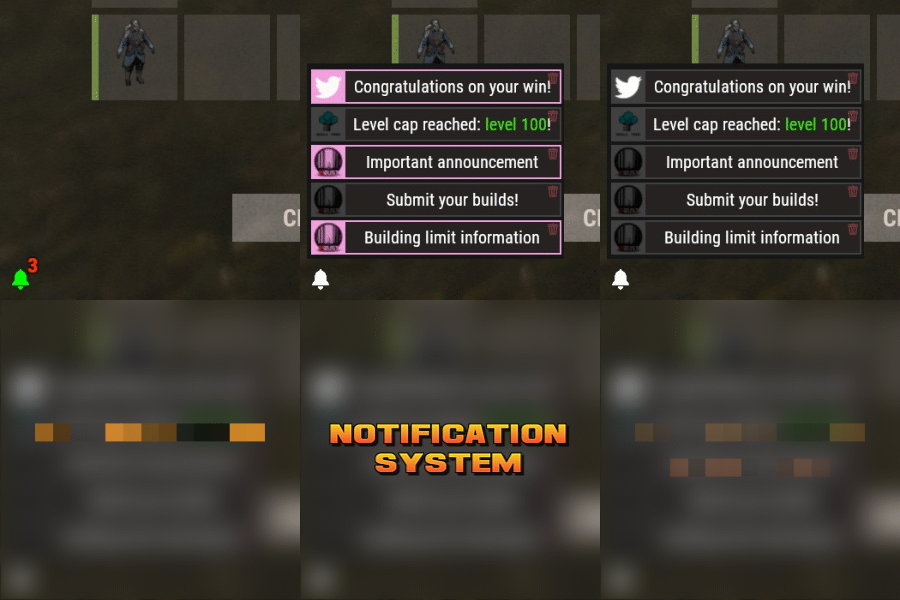
Notification Systems is a versatile plugin designed to deliver messages directly to players on your server — even when they’re offline. Seamlessly integrate it into other plugins, such as Skill Tree, or trigger notifications manually through commands for complete flexibility. Each notification can include a custom title, message, and an optional redemption button, giving you the power to reward players with items, currency, points, or trigger client-side commands — all tailored to your server’s needs. The idea behind the plugin is to allow server owners to send critical information to players, with the option to run commands that target said players. For example, you can send a notification to all players that have joined your server (regardless of their online status), with a redemption button that will give each of them 500 scrap. The following commands can be run in your server console, or player console (with the notificationsystem.admin permission). The commands are broken up in 3 sections: Title, body, redemptions, each of which is differentiated using "[]". Parameters: Userid: target player's Steam64 id. Message icon id: the skin id that you want to appear on the notification list. Setting to 0 will default to the message item id icon. Message item id: the item image you want to appear on the notification list (-769647921 = skull.trophy). Setting to 0 will default o the config icon. Title: Must be formatted with square brackets and surrounded by quotation marks like so: "[Title here]" Body: Must be formatted the same way as the title, with square brackets and quotation marks, like so: "[description here]" Redemptions: Must also have the square brackets and quotation marks, but also allow for an optional parameter of running it as a server command or client command. Here is the formatting for running a server command: "[(inventory.giveto {id} scrap 500, true)]" Here is the formatting for running a client command: "[(chat.say "/sprize", false)]" Here is the formatting for running both: "[(inventory.giveto {id} scrap 500, true),(chat.say "/sprize", false)]" Command: notification.add <userid> <message icon id> <message item id> "[Title]" "[Description]" "[(command1,bool:isServer)(command2,bool:isServer)]" Command: notification.all <message icon id> <message item id> "[Title]" "[Description]" "[(command1,bool:isServer)(command2,bool:isServer)]" Example of a full command: notification.add 123445667878213 "[Title goes here]" "[Here is my message, there are many others like it, but this is mine]" "[(inventory.giveto {id} scrap 500. true)]" notification.all "[Title goes here]" "[Here is my message, there are many others like it, but this is mine]" "[(inventory.giveto {id} scrap 500. true)]" void AddAll(string title, string body, int itemID, ulong picID = 0, string sprite = null, List<(string, bool)> commands = null) void Add(ulong id, string title, string body, int itemID, ulong picID = 0, string sprite = null, List<(string, bool)> commands = null)$11.99- 8 comments
-
- 1
-
-
- #notify
- #notification
- (and 7 more)
-

Version 1.2.2
1,544 downloads
Shop Controller is an advanced shop UI system. Offers selling of items and commands as well as an in-game item editor. FEATURES • UI Cart system (Optional) • In-game item editor • In-game command editor • Item cooldowns • Command cooldowns • Custom item skins • Custom items • Custom categories • Sell back to shop (Optional) • Easy color editing of the UI • Multi currency support (RP, Economics, any item) • Custom shop commands PERMISSIONS shopcontroller.use shopcontroller.admin SETUP The setup is very easy! - Set the commands you want the shop to be opened with - Set your currency. It supports RP, Economics, or any item (use the shortname)! - Set if you want to use the cart system or not - Plugin images, change if you want to use images other than the default ones. - UI Elements, all of these are color, "Rust Format" > https://tools.rustplugins.io/colors Support? Questions? Comments? Concerns? Message me in my Discord! https://discord.gg/ZsRgCUNv2x$29.99 -

Version 1.0.4
13 downloads
xQRCommands lets you automatically create and use custom QR code image links that can be mapped to custom chat commands, which players can use. With the /xqrcreate command, users with permission can generate a QR code image from any link (Discord, store, vote page, etc.), have it downloaded automatically, and register a new chat command right away. Players can then use that command to open a clean in-game QR code image UI. It also includes permission-based control for management commands and force-showing QR codes to players when needed. » Supports PNG, JPG, and JPEG formats » For QR code image generation, the GoQR API is being used. Features Automatic QR code image creation from links Automatic image download and local caching Custom command-to-QR mapping (e.g., /discord, /store, /vote) Automatic chat command registration after image is ready Force-Show QR UI to specific online player(s) Use config for custom image urls or ingame command to auto. generate simple QR Code Images. For fancy QR Codes as in the Video shown, i can recommend "QRCode Monkey" Plugin Preview Video Permissions / Commands xqrcommands.create Allows use of: /xqrcreate <COMMANDNAME> <LINK> » Example: /xqrcreate discord https://discord.gg/rGm7VS5ERc xqrcommands.forceshow Allows use of: /xqr <PLAYERNAME/STEAMID64> <imagename> » Example: /xqr Player123 discord Config { "CommandMappings": [ { "Command": "discord", "ImageUrl": "https://example.com/discord.png" }, { "Command": "store", "ImageUrl": "https://example.com/store.png" } ] }$14.99 -
Version 1.0.1
20 downloads
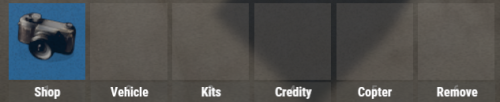
UIButtons is a Rust plugin that adds customizable UI buttons to your server. Players can click these buttons to execute commands like /shop, /kit, and more. The buttons are fully configurable through the UIButtons.json file, where you can set button text, commands, and button colors. Features: * Custom Buttons: Easily add buttons with text and commands. * Color Customization: Set button color using RGBA format. * Automatic UI: UI displays automatically when players join. * Configurable: Modify button settings via a simple config file. Example Configuration: { "IsUIVisible": true, "ButtonColor": "0.3568628 0.3568628 0.345098 0.4705882", "Buttons": [ { "Text": "Shop", "Command": "chat.say /shop" }, { "Text": "Vehicle", "Command": "chat.say /menu_vehicle" }, { "Text": "Kits", "Command": "chat.say /kit" }, { "Text": "Credits", "Command": "chat.say /credits" }, { "Text": "Copter", "Command": "chat.say /cb copter" }, { "Text": "Remove", "Command": "chat.say /remove" } ] }$3.49 -

Version 1.0.7
32 downloads
Custom Healing A fully customizable healing system for Rust. Custom Healing is a powerful and flexible plugin that lets you create custom medical items, each with unique healing effects, buffs, permissions, commands, usage limits, and more. Perfect for PVE, PVP, progression servers, RP servers, and any server that wants to introduce unique medical gameplay. This plugin has been tested on multiple servers every wipe and is proven stable, optimized, and ready. What This Plugin Does 🛠 Custom Healing allows server owners to: Create unlimited custom healing items Each item is defined by its skin ID, and you can give it: Custom display name Custom base item (syringe.medical or bandage or largemedkit) Custom healing values Custom buffs (max health, hydration, food, comfort, etc.) Instant healing and overtime healing Bleeding/radiation removal Command execution on use Permission based usage Usage counters Infinite use mode Disable vanilla healing Custom chat message Everything is optional — configure only what you want. Main Features 🛠 Custom Buff Each item can heal or affect metabolism values: Add HP Add HP over time Increase max health (temporary) Add food/water Add or remove bleeding Add or remove radiation Add comfort Full temporary buffs with duration 🛠 Custom Commands on Use You can trigger commands when a player uses the healing item: Give VIP Grant temporary permissions Run ANY console command Run commands as server or as player Run all commands or a random one Example: Give temporary VIP for using a special syringe or spawn a Raidable Base just for using a custom bandage. Permission-Based Items 🛠 Each custom healing item can require its own permission. If the player does not have permission: Item won’t activate Uses won’t decrease (if configured) Infinite or Limited Uses 🛠 Items can support: Infinite usage (PlusOne = true) Remaining uses counter: Example: Custom Syringe [5] Disable Vanilla Healing Use custom logic only, disable the default Rust healing effect. Safe Item Stacking Prevents stacking or combining if the items are not identical: Same skin Same custom name Prevents exploits when using limited-use syringes. Custom Chat Messages Send private messages when used: Success messages Reward messages Tips Prefix configurable in config. Configuration 🛠 The config is automatically generated and supports unlimited custom items. Two main sections: Plugin Setting Chat prefix Healing Items Setting Each item entry is based on a skin ID. Each entry includes: Display name Base item (syringe or bandage or largemedkit) Permission Disable vanilla healing Infinite usage Usage counter Custom buffs Command settings Custom chat messages The default config includes example items: Custom Syringe Legendary Syringe Both come preconfigured as examples. Commands & Permissions Permissions Each custom item can have its own permission (optional) (example: customhealing.use.vip). If set empty, everyone can use it. Commands on give in console - customhealing.give <steamid/name> <SkinID> for admins - /customhealing.give <steamid/name> <SkinID>$12.00 -
Version 0.1.0
24 downloads
What is it? Zone Command Blocker is a tool which prevents using specific commands (in data folder) in specific zones Permissions: zonecommandblocker.bypass - None of your command will be blocked in any zone zonecommandblocker.clear - Access for the /zcb.clear command Commands: /zcb.clear - Clears/wipes the data folder which contains zones with saved permissions etc.. Features: Zone Command Blocker will make your life easy and will on load take all zones and add them into it's data file where you can just add blocked commands Multiple blocked commands - Supports multiple blocked commands for specific zone Data file: Data of all reports and staff's statistics are being saved into a data file. Path: Your_Server\oxide\data\ZoneCommandBlocker\ZoneCommandBlocker.json Localization: { "CommandBlocked": "This command cannot be used in zones!", "DataFileClear": "Cleared data folder" }$4.99 -
Version 2.00
61 downloads
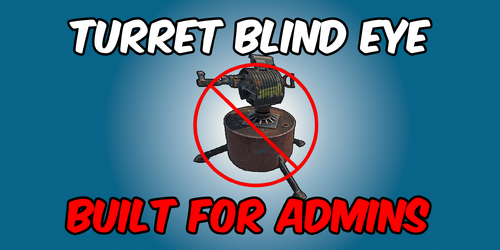
A Rust plugin that prevent all entities from targeting Admins, even when they are not in vanish mode. Permission: TurretBlindEye.Use: Enables Admins to use Entity immunity TurretBlindEye.Toggle: Allows Admins to toggle entity immunity on or off (Requires TurretBlindEye.Use) Default Command: /tt Config: { "Enable UI?": true, "Log To Console?": true, "Enable for Admins by Default?": true } Demonstration Video:$4.99 -
Commands /dice - Opens the Dice Game GUI. Requires permission dicegame.use.
-
Chat Commands /control <monument name> Start Monument Control event. Requires permission monumentcontrol.admin Console Commands control <monument name> Start Monument Control event.
-
Commands /toprisk Display GUI showing top 10 highest risking players online.
-
Chat Commands Tip: Grant players the tcbank.bankgui permission so they can use the /bank command. The rest is optional since they will already be able to access the banking GUI. Commands that require permission tcbank.admin are intended for admins only. /bank Display TC Bank GUI. Requires permission tcbank.bankgui. /bal Sends the player a chat message displaying their current wallet and bank balance. Requires permission tcbank.balancecommand. /depo <amount> Deposit currency to bank. Requires permission tcbank.depositcommand. /take <amount> Withdraw currency from bank. Requires permission tcbank.withdrawcommand. /send <amount> <player name> Send currency from one players bank account to another player's bank account. Requires permission tcbank.transfercommand. /addbal <amount> <player name> Add currency to a player's wallet balance. Requires permission tcbank.admin. /addbank <amount> <player name> Add currency to a player's bank balance. Unavailable when UseToolCupboardRaidFeature = true, use /addbal instead. Requires permission tcbank.admin. /removebal <amount> <player name> Remove currency from a player's wallet balance. Requires permission tcbank.admin. /removebank <amount> <player name> Unavailable when UseToolCupboardRaidFeature = true. Remove currency from a player's bank balance. Requires permission tcbank.admin. /savebank Force save data file. Requires permission tcbank.admin. Console Commands resetbank Backup and reset data file.
-

Version 1.0.0
99 downloads
This plugin allows you to trigger commands based on the server entity count. Usage Check interval In Seconds - The amount of seconds the plugin check the server entities count. Execute One Trigger Per Check - Executes only one trigger every entities count check. Triggers [Count] - The server entities count for the trigger. Triggers [Enabled] - The trigger state. Triggers [Priority] - The trigger priority the lower the number is the higher the priority is, meaning it will run first if the conditions are met. Triggers [Type] - The type of the trigger "Equal" to the set entities count or "Equal Or Greater" than the set entities count. Triggers [Run Once] - Runs the trigger only one time if the conditions are met, meaning it will not run again even if the conditions are met. Triggers [Commands] - The commands that will be executed when the trigger conditions are met. Configuration { "Check Interval In Seconds": 60, "Execute One Trigger Per Check": true, "Triggers": { "100000": { "Enabled": true, "Priority (The lower the higher)": 1, "Type (0 = Equal, 1 = Equal Or Greater)": 1, "Run Once": false, "Commands": [ "say Server has reached 100,000 entities!" ] }, "120000": { "Enabled": true, "Priority (The lower the higher)": 2, "Type (0 = Equal, 1 = Equal Or Greater)": 1, "Run Once": false, "Commands": [ "say Server has reached 120,000 entities!" ] }, "135000": { "Enabled": true, "Priority (The lower the higher)": 3, "Type (0 = Equal, 1 = Equal Or Greater)": 0, "Run Once": false, "Commands": [ "say Server has reached 135,000 entities!" ] } } }Free