Search the Community
Showing results for tags 'controller'.
Found 17 results
-

Version 5.0.2
306 downloads
[ ✓ ] Works on any host. [ ✓ ] The plugin needs the free CrashExtensions library. Can't upload DLLs on your host? No problem: the zip includes a small installer plugin. Drop it in your plugins folder, run crashext.install, restart once, and you're done. Ore Spawn Controller replaces Rust's own ore spawning with a grid you control. Stone, metal, sulfur and high quality metal each get their own spacing and their own odds in every biome, so every wipe has the same balanced spread of ore instead of whatever the vanilla populations happen to roll. Nodes keep away from players, bases, water and steep slopes. The grid gets denser as your server fills up, mined nodes come back after the interval you pick, and a new node can turn into a rich vein. Each ore can also drop bonus loot. The nodes are saved with every server save, so a restart keeps the same ones, and a new wipe gets a fresh grid. You set all of it in game from one admin window: click an ore, drag its grid spacing, set its odds per biome with one click, watch the live node counts, respawn the whole grid, and ping every node on your map. Works on Oxide and Carbon Needs CrashExtensions (included) Stone, metal, sulfur and HQ metal 5 biomes, population scaling, rich veins Jump to: Features · Screenshots · Commands · Permissions · Install · Configuration · FAQ Features A grid per ore. Stone, metal, sulfur and HQ metal each have their own spacing (150, 200, 180 and 300 m by default). Smaller spacing means more nodes. Odds per biome. Arid, temperate, arctic, tundra and jungle each get their own chance for every ore, set in steps of 0.05. Clean placement. Nodes keep a distance from players and bases, stay above the water line and skip slopes steeper than your limit. Population scaling. The grid is sparse at low population and dense when the server is full, and the window shows the live factor. Respawns that hold. A mined node comes back in its own grid cell after the interval you set, and pending respawns survive restarts and reloads. Rich veins. A chance for a new node to give more ore per hit, with a small effect when it is gathered. Bonus loot. Any item, with its own chance and amount, for each ore. Vanilla ore off. The native ore populations stop spawning and the ones already on the map are cleared. Map pings. One click shows every spawned node on your map for 30 seconds. Light on the server. Nodes spawn in small batches spread over frames, and the admin pictures only go to admins. Safe config. A config file that is not valid JSON is set aside, never overwritten. Screenshots Every screen below is Ore Spawn Controller running in Rust. ORES: the ore list, the grid, biome odds and live counts High quality metal with its own grid and odds An ore switched off keeps its values Type an exact value SETTINGS: placement, population, rich veins and system Commands /oregen - open the admin window. /oreshow - show every spawned node on your map for 30 seconds. /orehide - clear the node markers. /orehelp - list the commands. Permissions orespawncontroller.use - the admin window and every button in it. orespawncontroller.show - /oreshow and /orehide. oxide.grant user YOUR_STEAM_ID orespawncontroller.use oxide.grant user YOUR_STEAM_ID orespawncontroller.show Install Install the extension, once per server. Stop the server, copy Oxide.Ext.CrashExtensions.dll into RustDedicated_Data/Managed (Carbon: carbon/extensions) and start it again. The console prints Loaded extension CrashExtensions with its version. An older copy of the DLL is simply overwritten: it is one shared file for all our plugins. Install the plugin. Copy OreSpawnController.cs into oxide/plugins (Carbon: carbon/plugins). It compiles on its own and creates its config. Grant the permissions above and type /oregen. Updating from 4.x? Drop the new file over the old one. Your config, your spawned nodes and the permission names stay the same, and the new settings are added with their defaults. Configuration Everything lives in oxide/config/OreSpawnController.json, and the admin window sets almost all of it in game. The spawned nodes are saved in oxide/data/OreSpawnController. Config sections (click to expand) FAQ Q: What happens to the vanilla ore? A: With "Disable Native Ore Spawning" on (the default), the vanilla ore populations stop spawning and the ones already on the map are cleared, then the grid is laid. Q: I run 4.x. What changes when I update? A: The admin window is new, HQ metal joins the other ores, respawns and population scaling were rebuilt, and the admin pictures only go to admins. Your config, nodes and permissions carry over; press RESPAWN ALL once to lay the new grid. Q: Can I get more nodes when the server is full? A: Yes, that is population scaling: the grid factor moves from sparse at the minimum player count to dense at the maximum. Q: Does it work on Carbon? A: Yes. The extension goes into carbon/extensions instead of RustDedicated_Data/Managed, and the plugin into carbon/plugins. Q: How do I translate it? A: English is built in. Edit oxide/lang/en/OreSpawnController.json, or copy it into another language folder and translate its values: each player reads their own game language. Q: Does it contact any outside service? A: Only to download its pictures (32 small images) once from the Venux CDN, cdn.crashplugins.space, and only admins receive them. Nothing about your server or your players is sent. You do not need ImageLibrary. Questions, ideas or bug reports? Use the Support tab of this file or join our Discord.$9.99 -

Version 1.0.2
40 downloads
Stack Size Controller – Balanced Configuration Packs Includes 4 different configs. Pick one to use, or use different configs on multiple servers. Some stack values are based on the gather rate; however, overall, resources and similar items are set higher based on player experience and community feedback. Server Compatibility - Suitable for 3x, 5x, 10x and PvE servers - If higher stack sizes are desired, the 3x preset can safely be used on 2x servers without causing major balance issues or technical problems Professionally Designed & Tested All configurations are manually created from scratch and are not auto-generated or simple default edits. Each configuration has been: - Actively tested on live servers for over 2 years - Used on long-running, active servers - Adjusted based on real player behavior and feedback - Balanced with economic flow and recycler outputs in mind The goal is to improve quality of life without breaking progression or server economy. Balanced Design Philosophy Not every item is meant to be stacked. Below are the core principles behind how these configurations are designed. Durability & Skin Safety Weapons, clothing, doors, and certain electrical items are intentionally excluded from stacking. These items rely on durability (condition) mechanics and often support skins. Stacking them may cause condition conflicts, incorrect durability behavior, skin desynchronization, and inventory-related bugs. To maintain server stability and predictable gameplay, these item types are deliberately kept unstacked. Explosives & Economy Control F1 Grenades, Smoke Grenades, and similar explosive items are intentionally excluded from stacking or only increased by reasonable amounts. This approach helps prevent gunpowder inflation, balance abuse, and uncontrolled progression. Stackable Item Categories - Resources (Some resources have been stacked above the normal limits in line with strong player demand, especially wood and stone, among others.) - Components (Excessive stacking has not been applied in order to maintain recycling balance; it has been kept at a controlled and balanced level.) - Food items - Medical items - Ammunition Easy Installation Choose one of the 4 configuration presets Copy StackSizeController.json into your config folder Oxide.reload StackSizeController OR c.reload StackSizeController Required Plugin This configuration pack requires the Stack Size Controller plugin. You can download it for free from uMod: https://umod.org/plugins/stack-size-controller$11.99-
- 1
-

-
- #stack size controller
- #stacks
- (and 25 more)
-

Version 1.3.2
393 downloads
Crafting rules Every craftable item, on your terms One crafting speed for everyone, a workbench ladder you can't touch, and a tech tree that hands out everything eventually. Servers that want tiered craft speed, a banned weapon, or an item nobody is allowed to research end up stacking three plugins to get there. This is one file that owns crafting from end to end — speed by permission group, and seven switches on every item in the game. 7 Switches on every craftable item 3 Routes to a blueprint, each closable 2 Speed tiers shipped, add as many as you like 0 Dependencies ✓Craft speed per permission group — name the permission, name the multiplier, it is registered for you ✓Workbench tier per item — raise it, lower it, or take the bench requirement off entirely ✓Research table, blueprint paper and tech tree — three separate switches, because players will try all three ✓A blocked tech tree node doesn't have to wall off the branch — the plugin unlocks around it and charges the right scrap ✓Every craftable item is listed for you — an icon grid with search, no shortname hunting 01 — Speed Faster crafting as something you sell Craft speed is one of the few perks players will actually pay for, and the only one that costs a server nothing to give. Here it is a two-column list: permission on the left, multiplier on the right. As many tiers as your shop has Two come configured — 1.5× for everyone and 3× for VIP — but the list is yours. Write craftcontroller.bronze, .silver, .gold with the numbers you want and the plugin registers every one of them on load. Nothing to declare anywhere else. Worked out per craft, not per session The multiplier is resolved the moment a craft starts, from the item's own base time. Grant a permission mid-wipe and the next thing that player queues is already faster — no relog, no reload. 02 — Items Seven switches on anything with a recipe On first load every craftable item in the game is written into the config with its vanilla values, so there is no list to build and no shortname to look up. Open the menu, click the icon, change what you need. Move an item up or down the bench ladder The plugin takes the workbench requirement off the engine and enforces its own, which is what lets you go both ways: put an AK behind tier 3, or let players craft a tier-2 item with no bench at all by setting it to zero. A player who tries too early gets a game tip naming the tier they need. Block an item outright One toggle and the recipe is closed — caught on both the inventory craft and the crafter itself, so there is no second path in. The player gets a message instead of a silent failure, and it is in the language file like everything else. A default skin, applied on the way out Give an item a skin ID and everything crafted comes out wearing it, held entity included, so it looks right in hand and not just in the inventory. A player who deliberately picked a skin keeps theirs — the default only fills the gap. 03 — Research Closing a door means closing all three There are three ways to learn something in Rust, and blocking one is worth nothing on its own. Each gets its own switch, so you can leave a route open on purpose — researchable from a found blueprint, but never from the tech tree. The table and the paper One switch covers both the research table and studying a blueprint that dropped in loot — the two routes players reach for first, and the pair that plugins usually forget to close together. The tech tree, node by node Mark a node blocked and it cannot be unlocked at the workbench, with a notice on screen and in chat rather than a dead button. And what happens to everything behind it This is the part most plugins get wrong. Block a node in the middle of a branch and you have accidentally banned the whole branch. A second switch decides which you meant: seal the path, or let players through it. Let them through and the plugin rebuilds the unlock itself — it works out which nodes are still needed, prices them in scrap at the correct tier including tax, takes the payment, unlocks them, and tells other plugins it happened through the standard hook so your logging and reward plugins still see it. Reliability Puts the game back ✓Vanilla values are saved before anything is touched — every recipe's original time and bench level go into a data file on first load, and that file is the reference point from then on ✓Unload restores every recipe — times and bench levels are written back from that file and the client is told to go back to normal crafting, so removing the plugin is not a wipe-day job ✓Joining players are handled properly — if someone is still loading their snapshot the plugin waits and retries instead of firing into the void and leaving them with the wrong crafting rules ✓Edits apply live — change a bench level or a block in the menu and it is in force before you close it, on a server full of people ✓Four messages, all translatable — and no dependencies to install alongside it Commands One command, and the tiers you invent Players never type anything — the rules apply to them through the vanilla crafting menu. /craftcontroleOpen the item grid — search, pick an icon, edit its seven settings craftcontroller.useOpen the editor. Server admins have it without being granted anything craftcontroller.default1.5× craft speed as shipped — rename it or change the number craftcontroller.vip3× as shipped, and the template for every extra tier you add Questions Before you buy The workbench labels disappear from the crafting menu. Is that expected?Yes, and it is the trade for being able to move items between tiers at all. Those coloured “requires workbench X” lines are drawn by the client straight from the recipe, so the requirement has to come off the recipe before the plugin can enforce a different one. The rule itself still holds — a player crafting too early is stopped and told which tier they need — but the label is gone until they try. If untouched tier labels matter more to you than per-item tiers, this plugin is the wrong trade. A player is in two speed groups. Which multiplier applies?The last one they match in the config file, not the largest. Write the list slowest first and fastest last and the answer is always the one you want. Do I have to know item shortnames?No. Every craftable item writes itself into the config on the first load with its vanilla values, and the in-game grid shows real item icons with a search box above them. Shortnames are there if you prefer editing the file, but nothing requires it. Can players still find a banned item as a blueprint in loot?The blueprint can still drop, but studying it is refused if you closed that route, and blocking the craft closes it even for a player who learned the item before you installed the plugin. If I block one tech tree node, do I lose everything past it?Only if you want to. That is a separate switch on the same item — leave it off and players unlock straight through the blocked node to what is behind it, paying the correct scrap for the nodes they actually get. Can I let players craft without standing at a workbench?Set an item's bench level to 0 and it crafts anywhere. Do it for everything and you have a no-workbench server without a second plugin. What happens if I remove the plugin later?Every recipe is written back to the values captured before it ever changed anything, and connected players are switched back to normal crafting on the spot. Blueprints players unlocked while it was running stay unlocked — those live in the game's own save, not in the plugin.$8.49 -

Version 1.1.8
69 downloads
xStackSize xStackSize gives you full control over item stack sizes on your Rust server. Globally and permission-based. Fine-tune your economy, balance progression, or create VIP advantages with flexible and performance-friendly stack management. Whether you want larger stacksize for QoL, custom stacksizes for specific groups/permission, or complete control over your servers stacking system. INFO: xStackSize supports multiple permissions at the same time. If a player has more than one stack permission, the plugin automatically applies the highest stack size based on your configuration. The highest value always wins - whether it's global or permission-based. Example: If global is set to x3 and a permission gives x1, the player will use x3 since it’s higher. (If he has that permission) Features Global stack size control Permission-based StackSizes (VIP / ranks / groups) Custom StackSize per item Custom StackSize for CUSTOM ITEMS Force Split/Merge changed StackSize INSTANT instead of waiting for players to move items manually Blacklist items Easy to configure Performance friendly designed Additionally supports Quarries, Excavator, Furnaces and Conveyors Permission-based StackSizes: You can use any permission name in the config, as long as it starts with xstacksize. Examples: xstacksize.pro, xstacksize.vip, xstacksize.premium etc.. You can create multiple stack-size permissions. Simply copy and paste a new permission block in the config and give it a different permission name. Various Constellations (Examples, for better understanding) Console Command xstacksize.refresh (Useful if you have AutoApplyStackSizeChange set to 'false') Force-applies current stack rules to existing items immediately. It recalculates limits and retroactively normalizes/merges stacks in player inventories and storage containers without requiring item movement. Config (Use value '0' for UNLIMITED) { /* AutoApplyStackSizeChange force splits/merge items instantly instead of waiting for players to move items manually. */ "AutoApplyStackSizeChange": true, "AllowUnstackableItemsToStack": false, "StackSizeMultipliers": { "Weapon": 1.0, "Construction": 1.0, "Items": 1.0, "Resources": 1.0, "Attire": 1.0, "Tool": 1.0, "Medical": 1.0, "Food": 1.0, "Ammunition": 1.0, "Traps": 1.0, "Misc": 1.0, "Component": 1.0, "Electrical": 1.0, "Fun": 1.0, "CustomItems": 1.0 }, "FixedItemStackSizes": { "wood": 0, "stones": 0 }, "PermissionFixedItemStackSizes": { "xstacksize.vip": { "wood": 5000, "wood:123456789": 100, "-2099697608:123456789": 200 } }, "PermissionStackSizeMultipliers": { "xstacksize.vip": { "Weapon": 1.0, "Construction": 1.0, "Items": 1.0, "Resources": 1.0, "Attire": 1.0, "Tool": 1.0, "Medical": 1.0, "Food": 1.0, "Ammunition": 1.0, "Traps": 1.0, "Misc": 1.0, "Component": 1.0, "Electrical": 1.0, "Fun": 1.0, "CustomItems": 1.0 } }, "BlacklistedItems": [ "pumpkin" ] }$15.99 -

Version 1.2.5
1,648 downloads
Rust / Server Plugins BoatControl Modular Boat ManagementRust Plugin Take the helm. Control the ship. Command the cannons. Bring navigation, cannons, lighting and boat management together in a clear interface at the helm. Manage sails and engines, upgrade performance, repair the boat and customize its setup with permission-controlled features. Helm controls Navigation, anchors and lighting Cannon crew Aim, reload and fire from the helm Boat progression Upgrades, repairs and customization 01 / Video demos See BoatControl in action Video demo Watch on YouTube Video Update 1.0.0 Watch on YouTube 02 / Helm & navigation One interface for the whole boat The control interface appears when a player with boatcontrol.use mounts a modular boat’s steering wheel. BoatControl helm control bar Raise or lower the sails and anchors. Start or stop the engines. Switch between forward and reverse navigation; engines and sails adjust accordingly. Use W and S to change direction when keyboard direction control is enabled. Hold R to open the boat’s radial menu when enabled, and release it to close the menu. Live boat information Display boat health, mass, power, power-to-mass ratio and speed in knots. Players can unlock and move the information window; its saved position is retained. Administrators can configure window colors, dimensions and placement, or disable the information window. Boat information and controls while steering 03 / Cannons & crew Coordinate your fire from the helm Reload cannons using cannon ammunition from the player’s inventory. A separate permission bypasses ammunition costs. Fire through the interface or left mouse click when enabled. Configure the firing cooldown, or bypass it through a permission. Aim cannons in configurable angle steps and select numbered crew groups to control which crew-operated cannons are targeted. Assign or remove NPC cannon crew through the interface. Configure crew names, health, outfits and skins, maximum crewed cannons, toggle cooldown and whether corpses are created. Configure whether cannons need a mounted operator before remote aiming and firing. Cannon control and crew interface boatcontrol.cannonuse controls access to BoatControl’s cannon interface. It does not disable manual, vanilla cannon use. Assign ammunition and cooldown bypasses carefully. 04 / Lighting Switch the boat’s lights together Toggle configured torches, lanterns, candle sets, jack-o’-lanterns and Chinese lanterns together from the boat controls. Configure supported item shortnames, the toggle cooldown and whether lights require fuel. Boat lighting controlled from the helm Optional fuel-free lighting applies to supported lights. It does not make boat engines operate without fuel. 05 / Boat editing Edit away from a fixed boat-building area Grant boatcontrol.edit to access boat editing from the controls. Configure a damage cooldown before editing and block editing inside safe zones when desired. Editing also requires a Boat Building Station item in the player inventory, a boat moving at no more than 2 m/s, and no other active station owned by that player. Boat editing through BoatControl Safe-zone restriction for boat editing Larger building stations Major update — new features in 1.2.0, with station resizing available from 1.2.3. Scale the boat-building station created by the edit option with Building Station Scale. This supports a larger construction area for custom boat builds. Expanded boat-building station For larger ships, adjust the game block-count limit separately if needed. Set a limit of 500 blocks with the following server variable: playerboat.maxblockcount 500 Safe-zone anchor protection Optionally prevent anchor activation inside safe zones. Anchor restriction inside safe zones Safe-zone anchor protection example 06 / Authorization See who can access the boat Open the list of authorized players from the helm. Grant the separate deleteauth permission to allow authorized users to revoke individual authorizations. Boat authorized-player list 07 / Sail configuration Upgrade thrust and customize sail size View all sails installed on the boat, including their health. Use configurable upgrade levels to change thrust. Starting with version 1.2.3, sail upgrades can also increase or decrease sail size according to your configured scale multiplier. Sail configuration and health Sail upgrade levels and costs Additional sail upgrade interface example Sails with different configured size multipliers Define the number of upgrade levels, display names and costs. Select resources, ServerRewards points or Economics money as the upgrade currency. 08 / Engine configuration Manage fuel, health and engine upgrades View installed engines with their health and current fuel. Refuel them from the player’s inventory through the refueling menu. Configure upgrade levels that improve engine power and reduce fuel consumption through an efficiency multiplier. Engine configuration and refueling Engine upgrade levels and costs Choose resources, ServerRewards points or Economics money for upgrade costs. Engine and sail upgrade levels are saved in the plugin’s data, and boatcontrol.upgrade.nocost can waive upgrade charges. Upgrades modify power and thrust, and the plugin adjusts boat drag for upgraded propulsion. Final speed still depends on the game’s boat physics; power multipliers do not guarantee an equal multiplier to maximum speed. 09 / Automatic repairs Repair using materials from the player’s inventory Configure repair costs per block/component and a cooldown after recent damage. Set repair frequency through permission profiles; a larger interval repairs more slowly. Repairs stop if new damage is received, the player runs out of materials or the player disconnects. Grant boatcontrol.repair.nocost to waive repair materials. Automatic boat repair system Boat health differs from ordinary building health. The repair system simulates repair points according to lost health, so the repair sound may come from a different point than the damaged component. 10 / Wallpaper & impact physics Customize the interior and naval combat BetterTC wallpapers With BetterTC 1.6.2 or later installed, BoatControl provides access to its automatic boat wallpaper placement interface. Grant boatcontrol.wallpaper to make this feature available. Automatic boat wallpaper placement through BetterTC Cannon impact physics Enable configurable force on boats hit by cannon damage. Adjust the impact force and enable diagnostic logging when needed. 11 / Permissions & access Choose what each player can control Permission Purpose boatcontrol.use Enable BoatControl when mounting the helm. boatcontrol.edit Access boat editing away from a fixed building area, subject to configured restrictions. boatcontrol.bypassAmmo Bypass cannon ammunition consumption. boatcontrol.bypasscannoncooldown Fire cannons without the configured cooldown. boatcontrol.cannonuse Access the cannon control interface; manual vanilla use remains available. boatcontrol.authlist View authorized players. boatcontrol.deleteauth Revoke individual boat authorizations. boatcontrol.sailconfig Open the sail configuration menu. boatcontrol.sailupgrade Upgrade sails using the configured levels. boatcontrol.engineconfig Open the engine configuration and refueling menus. boatcontrol.engineupgrade Upgrade engines using the configured levels. boatcontrol.upgrade.nocost Waive engine and sail upgrade costs. boatcontrol.wallpaper Access boat wallpapers through BetterTC 1.6.2 or later. boatcontrol.repair Access automatic boat repairs. boatcontrol.repair.nocost Repair without consuming materials. boatcontrol.vip Example profile in the repair-frequency configuration; configurable, not a boat speed-limit permission. Additional repair-frequency profile names are registered from the configuration. They adjust repair intervals, not the boat’s maximum speed. Normal use is through the CUI and keyboard controls; no chat command is required. The plugin also registers console actions used by its interface. Utility console action Purpose boatcontrol.resetuiposition Player console: reset your saved information-window position. boatcontrol.clearorphancrew Console: remove orphaned cannon crew. 12 / Requirements & configuration Configure the controls for your server Rust server using Oxide or Carbon. On Oxide, install ImageLibrary; Carbon uses its built-in Image Module. Install BetterTC 1.6.2 or later for automatic wallpapers. Install ServerRewards or Economics only when using their upgrade currencies. Optional Notify or UINotify integration supplies configured notifications; chat alerts are also configurable. Configure keyboard controls, cannon aiming and cooldowns, crew behavior, supported lights, impact physics, GUI, safe-zone restrictions, repairs, station scale and upgrade levels. The example below uses the supplied costs and profiles, with current keys and sail-scale options from BoatControl 1.2.5. It is an example, not a replacement for the configuration generated by your installed version. 13 / Configuration example Controls, costs and upgrade profiles { "Enable WASD Direction": true, "Enable Cannon Fire Key (Left Mouse Button)": true, "Cannon Aim Step (degrees per click)": 5.0, "Cannon Fire Cooldown": 5.0, "Cannon Crew": { "Enable": true, "Names": [ "Seaman", "Deckhand", "Bosun", "Gunner", "Quartermaster", "Navigator", "Sailor", "Crewman", "Mate", "Boatswain", "Cannoneer", "Buccaneer", "Mariner", "Sea Dog", "Old Salt" ], "Health": 100.0, "MaxCannons": 0, "Wear": { "burlap.shirt": 1380044819, "burlap.trousers": 1380047706, "burlap.shoes": 2215057317, "hat.boonie": 965553937 }, "RequireOperate": true, "ToggleCrewCooldown": 30.0, "NoCorpse": true }, "Lights": { "Light Toggle Cooldown": 1.0, "Require Fuel For Lights": false, "Light Items (shortnames)": [ "tunalight", "lantern", "torchholder", "largecandles", "smallcandles", "jackolantern.angry", "jackolantern.happy", "chineselantern", "chineselanternwhite" ] }, "Impact Force Physics": { "Enable Impact Physics": true, "Impact Force (default: 100, range: 50-500)": 100.0, "Enable Debug Logging": false }, "Alert Chat": true, "Alert Notify Plugin": false, "Notify: select what notification type to be used": { "error": 0, "info": 0 }, "Color Prefix Chat": "#f74d31", "GUI": { "GUI Windows Belt": { "BG Color Primary": "0.10 0.15 0.10 1", "BG Color Secundary": "0.2 0.30 0.2 0.80", "Button Active Color": "0.2 0.6 0.2 0.80", "Button Inactive Color": "0.2 0.30 0.2 0.80", "OffsetMin": "-200 15", "OffsetMax": "181 79", "AnchorMin": "0.5 0", "AnchorMax": "0.5 0" }, "GUI Windows Info": { "BG Color Primary": "0.10 0.10 0.10 0.8", "BG Color Secundary": "0.2 0.30 0.2 0.80", "Button Active Color": "0.2 0.6 0.2 0.80", "Button Inactive Color": "0.2 0.30 0.2 0.80", "OffsetMin": "-115 -100", "OffsetMax": "115 100", "AnchorMin": "0.902 0.8104", "AnchorMax": "0.902 0.8104" }, "GUI Windows Cannons Menu": { "BG Color Primary": "0.10 0.15 0.10 1", "BG Color Secundary": "0.2 0.30 0.2 0.80", "Button Active Color": "0.2 0.6 0.2 0.80", "Button Inactive Color": "0.2 0.30 0.2 0.80", "OffsetMin": "-140 85", "OffsetMax": "140 185", "AnchorMin": "0.5 0", "AnchorMax": "0.5 0" } }, "Show Info Window": true, "Boat Edit Damage Cooldown (seconds)": 30.0, "Block Anchor in Safe Zone": true, "Block Boat Edit in Safe Zone": true, "Config Version": "1.2.5", "Repair Cooldown After Recent Damage (seconds)": 30.0, "Cooldown Frequency Repair (larger number is slower)": { "boatcontrol.use": 2.0, "boatcontrol.vip": 1.0 }, "Repair Costs (ItemShortName: Amount per block/component)": { "lowgradefuel": 4, "wood": 75 }, "Engine Upgrades": { "Enable Engine Upgrades": true, "Upgrade Levels": [ { "Level": 1, "Display Name": "Tier 1", "Fuel Efficiency Multiplier (1.0 = normal, 0.5 = half fuel consumption)": 0.9, "Power Multiplier (1.0 = normal, 2.0 = double power)": 2.0, "Upgrade Cost": { "Resource Costs (ItemShortName: Amount)": { "scrap": 100, "lowgradefuel": 50 }, "ServerRewards Points": 0, "Economics Money": 0.0 } }, { "Level": 2, "Display Name": "Tier 2", "Fuel Efficiency Multiplier (1.0 = normal, 0.5 = half fuel consumption)": 0.8, "Power Multiplier (1.0 = normal, 2.0 = double power)": 4.0, "Upgrade Cost": { "Resource Costs (ItemShortName: Amount)": { "scrap": 250, "lowgradefuel": 100, "metal.fragments": 300 }, "ServerRewards Points": 0, "Economics Money": 0.0 } }, { "Level": 3, "Display Name": "Tier 3", "Fuel Efficiency Multiplier (1.0 = normal, 0.5 = half fuel consumption)": 0.65, "Power Multiplier (1.0 = normal, 2.0 = double power)": 8.0, "Upgrade Cost": { "Resource Costs (ItemShortName: Amount)": { "scrap": 500, "lowgradefuel": 200, "metal.fragments": 500, "metal.refined": 25 }, "ServerRewards Points": 0, "Economics Money": 0.0 } }, { "Level": 4, "Display Name": "Tier 4", "Fuel Efficiency Multiplier (1.0 = normal, 0.5 = half fuel consumption)": 0.65, "Power Multiplier (1.0 = normal, 2.0 = double power)": 16.0, "Upgrade Cost": { "Resource Costs (ItemShortName: Amount)": { "scrap": 1000, "lowgradefuel": 300, "metal.fragments": 1500, "metal.refined": 100 }, "ServerRewards Points": 0, "Economics Money": 0.0 } } ], "Currency Type (Resources, ServerRewards, Economics)": "Resources" }, "Sail Upgrades": { "Enable Sail Upgrades": true, "Upgrade Levels": [ { "Level": 1, "Display Name": "Tier 1", "Thrust Multiplier (1.0 = normal, 2.0 = double thrust)": 1.5, "Upgrade Cost": { "Resource Costs (ItemShortName: Amount)": { "scrap": 75, "cloth": 100 }, "ServerRewards Points": 10, "Economics Money": 0.0 }, "Scale Multiplier (1.0 = normal size, 1.5 = 50% bigger)": 1.2 }, { "Level": 2, "Display Name": "Tier 2", "Thrust Multiplier (1.0 = normal, 2.0 = double thrust)": 2.0, "Upgrade Cost": { "Resource Costs (ItemShortName: Amount)": { "scrap": 150, "cloth": 200, "leather": 50 }, "ServerRewards Points": 15, "Economics Money": 0.0 }, "Scale Multiplier (1.0 = normal size, 1.5 = 50% bigger)": 1.4 }, { "Level": 3, "Display Name": "Tier 3", "Thrust Multiplier (1.0 = normal, 2.0 = double thrust)": 2.5, "Upgrade Cost": { "Resource Costs (ItemShortName: Amount)": { "scrap": 300, "cloth": 300, "leather": 100, "metal.fragments": 200 }, "ServerRewards Points": 20, "Economics Money": 0.0 }, "Scale Multiplier (1.0 = normal size, 1.5 = 50% bigger)": 1.6 }, { "Level": 4, "Display Name": "Tier 4", "Thrust Multiplier (1.0 = normal, 2.0 = double thrust)": 3.0, "Upgrade Cost": { "Resource Costs (ItemShortName: Amount)": { "scrap": 600, "cloth": 500, "leather": 200, "metal.fragments": 500 }, "ServerRewards Points": 30, "Economics Money": 0.0 }, "Scale Multiplier (1.0 = normal size, 1.5 = 50% bigger)": 1.8 } ], "Currency Type (Resources, ServerRewards, Economics)": "ServerRewards" }, "Enable Boat Pie Menu Key (R)": true, "Building Station Scale (1.0 = normal, 2.0 = double size)": 1.0 } 14 / Current limitations Plan your boat setup around the game Engine efficiency is configurable; engines still require fuel. The plugin does not provide a supported increase to the maximum number of engines or sails. Larger construction stations are supported; the game’s separate block-count setting still applies. Final speed depends on boat physics and the installed game version. 15 / Try it & support Try the setup and share your ideas You can try the plugin on the RustSpain Staging test server when it is online. It is a test server, so availability is not guaranteed. connect staging.rustspain.com For questions, suggestions or assistance, contact ninco90 on Discord. Feature suggestions are also welcome in the product discussion.$15.00- 59 comments
- 6 reviews
-
- 11
-

-

-
- #boat
- #controller
- (and 8 more)
-

Version 0.1.8.1
1,892 downloads
Useful plugin for managing temporary permissions, temporary groups and temporary permissions for groups. This is done through chat commands, built-in Oxide commands, and API methods. Note: The dates is in UTC format. The ability to grant players temporary permissions by specifying either the number of seconds, an exact expiration date or until the wipe occurs; The ability to add players to temporary groups by specifying either the number of seconds, an exact expiration date or until the wipe occurs; The ability to grant groups temporary permissions by specifying either the number of seconds, an exact expiration date or until the wipe occurs; The ability to revoke temporary permissions from players and groups prematurely; The ability to remove players from groups prematurely; The ability to perform all the above actions using existing and familiar console commands(e.g., o.grant), simply by adding the number of seconds, the expiration date or the word "wipe" at the end; The ability to perform all the above actions using a chat command (by default /tperm); The ability to perform all the above actions using API methods; The ability to remove all temporary permissions and groups upon wipe detection. temporarypermissions.admin - Grants access to the admin command(by default /tperm). { "Chat command": "myperm", "Chat admin command": "tperm", "Is it worth enabling GameTips for messages?": true, "List of language keys for creating language files": [ "en" ], "Is it worth saving logs to a file?": true, "Is it worth using console logging?": true, "Interval in seconds for expiration check": 1.0, "Interval in seconds for checking the presence of temporary permissions and temporary groups. A value of 0 disables the check": 600.0, "Is it worth restoring removed temporary permissions and temporary groups if the timer hasn't expired? There are cases where removal cannot be tracked in the usual way": true, "Is it worth revoking temporary permissions and temporary groups when unloading the plugin, without removing them from the data file?": true, "Is it worth revoking temporary permissions and temporary groups that haven't expired yet upon detecting a wipe?": false, "Custom wipe date(detected only during initialization). Only required if you're experiencing issues with the Wipe ID. Leave empty to use the Wipe ID. Example: 2025-06-25 13:00": "", "Wipe ID": null, "Version": { "Major": 0, "Minor": 1, "Patch": 8 } } EN: { "CmdAdmin": "Available admin commands:\n\n<color=#D1CBCB>/tperm</color> <color=#D1AB9A>grant user *nameOrId* realpve.vip wipe</color> - Grants or extends the specified permission for the specified player until the end of the current wipe\n<color=#D1CBCB>/tperm</color> <color=#D1AB9A>grant user *nameOrId* realpve.vip *intValue* *boolValue*(optional)</color> - Grants or extends the specified permission for the specified player for the given number of seconds\n<color=#D1CBCB>/tperm</color> <color=#D1AB9A>grant user *nameOrId* realpve.vip *expirationDate* *assignmentDate*(optional)</color> - Grants or extends the specified permission for the specified player until the given date\n<color=#D1CBCB>/tperm</color> <color=#D1AB9A>grant group *groupName* realpve.vip wipe</color> - Grants or extends the specified permission for the specified group until the end of the current wipe\n<color=#D1CBCB>/tperm</color> <color=#D1AB9A>grant group *groupName* realpve.vip *intValue* *boolValue*(optional)</color> - Grants or extends the specified permission for the specified group for the given number of seconds\n<color=#D1CBCB>/tperm</color> <color=#D1AB9A>grant group *groupName* realpve.vip *expirationDate* *assignmentDate*(optional)</color> - Grants or extends the specified permission for the specified group until the given date\n<color=#D1CBCB>/tperm</color> <color=#D1AB9A>revoke user *nameOrId* realpve.vip</color> - Revokes the specified permission from the specified player\n<color=#D1CBCB>/tperm</color> <color=#D1AB9A>revoke group *groupName* realpve.vip</color> - Revokes the specified permission from the specified group\n<color=#D1CBCB>/tperm</color> <color=#D1AB9A>add *nameOrId* *groupName* wipe</color> - Adds or extends the specified player's membership in the specified group until the end of the current wipe\n<color=#D1CBCB>/tperm</color> <color=#D1AB9A>add *nameOrId* *groupName* *intValue* *boolValue*(optional)</color> - Adds or extends the specified player's membership in the specified group for the given number of seconds\n<color=#D1CBCB>/tperm</color> <color=#D1AB9A>add *nameOrId* *groupName* *expirationDate* *assignmentDate*(optional)</color> - Adds or extends the specified player's membership in the specified group until the given date\n<color=#D1CBCB>/tperm</color> <color=#D1AB9A>remove *nameOrId* *groupName*</color> - Removes the specified player from the specified group\n<color=#D1CBCB>/tperm</color> <color=#D1AB9A>wipe *wipeDate*</color> - Set a custom wipe date. Used in case of issues with the Wipe ID. Format: yyyy-MM-dd HH:mm\n<color=#D1CBCB>/tperm</color> <color=#D1AB9A>wipe reset</color> - Reset the custom wipe date\n\n<color=#D1CBCB>Optional values:</color>\n*boolValue* - If false(default) and an existing permission or group membership has not expired, the specified time will be added to the existing time. Otherwise, including when true, the specified time will be counted from the current time\n*assignmentDate* - If the assignment date is not specified and there is no existing permission or group membership, the assignment date will be set to the current time. If the assignment date is specified, it will be applied regardless of existing permissions or group memberships\n\n--------------------------------------------------", "CmdPermissionNotFound": "Permission '{0}' not found!", "CmdPlayerNotFound": "Player '{0}' not found! You must provide the player's name or ID.", "CmdMultiplePlayers": "Multiple players found for '{0}': {1}", "CmdGroupNotFound": "Group '{0}' not found!", "CmdGrantWrongFormat": "Incorrect command format! Example: /tperm grant user/group *nameOrId* realpve.vip *secondsOrDateTime*", "CmdRevokeWrongFormat": "Incorrect command format! Example: /tperm revoke user/group *nameOrId* realpve.vip", "CmdUserGroupWrongFormat": "Incorrect command format! Example: /tperm group add/remove *nameOrId* *groupName*", "CmdUserGranted": "Permission '{0}' granted to player '{1}'.", "CmdGroupGranted": "Permission '{0}' granted to group '{1}'.", "CmdUserGroupAdded": "Player '{0}' has been added to group '{1}'.", "CmdUserRevoked": "Permission '{0}' has been revoked for player '{1}'.", "CmdGroupRevoked": "Permission '{0}' has been revoked for group '{1}'.", "CmdUserGroupRemoved": "Player '{0}' has been removed from group '{1}'.", "CmdWipeNew": "New wipe date successfully set to '{0}'. The wipe will take effect only after the plugin is loaded following this date.", "CmdWipeReset": "The custom wipe date has been reset. The wipe is now determined by the Wipe ID.", "CmdWipeFailed": "The specified date '{0}' has an invalid format(yyyy-MM-dd HH:mm) or has already passed. Example: '{1}'.", "CmdCheckNoActive": "You have no active temporary permissions or temporary groups!", "CmdCheckTargetNoActive": "Player '{0}' has no active temporary permissions or temporary groups!", "CmdCheckPermissions": "<color=#D1AB9A>You have {0} temporary permissions(time in UTC):</color>\n{1}", "CmdCheckGroups": "<color=#D1AB9A>You have {0} temporary groups(time in UTC):</color>\n{1}", "CmdCheckTargetPermissions": "<color=#D1AB9A>Player '{2}' has {0} temporary permissions(time in UTC):</color>\n{1}", "CmdCheckTargetGroups": "<color=#D1AB9A>Player '{2}' has {0} temporary groups(time in UTC):</color>\n{1}", "CmdCheckFormatPermissions": "'{0}' - {1}({2})", "CmdCheckFormatGroups": "'{0}' - {1}({2})", "CmdUntilWipe": "Until Wipe" } RU: { "CmdAdmin": "Доступные админ команды:\n\n<color=#D1CBCB>/tperm</color> <color=#D1AB9A>grant user *имяИлиАйди* realpve.vip wipe</color> - Выдать или продлить указанный пермишен указанному игроку до конца текущего вайпа\n<color=#D1CBCB>/tperm</color> <color=#D1AB9A>grant user *имяИлиАйди* realpve.vip *числовоеЗначение* *булевоеЗначение*(опционально)</color> - Выдать или продлить указанный пермишен указанному игроку на указанное количество секунд\n<color=#D1CBCB>/tperm</color> <color=#D1AB9A>grant user *имяИлиАйди* realpve.vip *датаИстечения* *датаНазначения*(опционально)</color> - Выдать или продлить указанный пермишен указанному игроку до указанной даты\n<color=#D1CBCB>/tperm</color> <color=#D1AB9A>grant group *имяГруппы* realpve.vip wipe</color> - Выдать или продлить указанный пермишен указанной группе до конца текущего вайпа\n<color=#D1CBCB>/tperm</color> <color=#D1AB9A>grant group *имяГруппы* realpve.vip *числовоеЗначение* *булевоеЗначение*(опционально)</color> - Выдать или продлить указанный пермишен указанной группе на указанное количество секунд\n<color=#D1CBCB>/tperm</color> <color=#D1AB9A>grant group *имяГруппы* realpve.vip *датаИстечения* *датаНазначения*(опционально)</color> - Выдать или продлить указанный пермишен указанной группе до указанной даты\n<color=#D1CBCB>/tperm</color> <color=#D1AB9A>revoke user *имяИлиАйди* realpve.vip</color> - Снять указанный пермишен у указанного игрока\n<color=#D1CBCB>/tperm</color> <color=#D1AB9A>revoke group *имяГруппы* realpve.vip</color> - Снять указанный пермишен у указанной группы\n<color=#D1CBCB>/tperm</color> <color=#D1AB9A>add *имяИлиАйди* *имяГруппы* wipe</color> - Добавить или продлить пребывание в указанной группе указанному игроку до конца текущего вайпа\n<color=#D1CBCB>/tperm</color> <color=#D1AB9A>add *имяИлиАйди* *имяГруппы* *числовоеЗначение* *булевоеЗначение*(опционально)</color> - Добавить или продлить пребывание в указанной группе указанному игроку на указанное количество секунд\n<color=#D1CBCB>/tperm</color> <color=#D1AB9A>add *имяИлиАйди* *имяГруппы* *датаИстечения* *датаНазначения*(опционально)</color> - Добавить или продлить пребывание в указанной группе указанному игроку до указанной даты\n<color=#D1CBCB>/tperm</color> <color=#D1AB9A>remove *имяИлиАйди* *имяГруппы*</color> - Отменить пребывание в указанной группе указанному игроку\n<color=#D1CBCB>/tperm</color> <color=#D1AB9A>wipe *датаВайпа*</color> - Установка кастомной даты вайпа. Используется при проблемах с Wipe ID. Формат: yyyy-MM-dd HH:mm\n<color=#D1CBCB>/tperm</color> <color=#D1AB9A>wipe reset</color> - Сброс кастомной даты вайпа\n\n<color=#D1CBCB>Опциональные значения:</color>\n*булевоеЗначение* - Если false(по умолчанию) и существующий пермишен или группа не истекли, указанное время будет добавлено к существующему времени. В противном случае, в т.ч. при true, указанное время будет отсчитываться от текущего времени\n*датаНазначения* - Если дата назначения не указана и нет существующего пермишена или группы, дата назначения будет равна текущей. Если дата назначения указана, то вне зависимости от существования пермишенов или групп, присвоится указанная дата\n\n--------------------------------------------------", "CmdPermissionNotFound": "Пермишен '{0}' не найден!", "CmdPlayerNotFound": "Игрок '{0}' не найден! Вы должны указать имя или ID игрока.", "CmdMultiplePlayers": "По значению '{0}' найдено несколько игроков: {1}", "CmdGroupNotFound": "Группа '{0}' не найдена!", "CmdGrantWrongFormat": "Не верный формат команды! Пример: /tperm grant user/group *имяИлиАйди* realpve.vip *секундыИлиДата*", "CmdRevokeWrongFormat": "Не верный формат команды! Пример: /tperm revoke user/group *имяИлиАйди* realpve.vip", "CmdUserGroupWrongFormat": "Не верный формат команды! Пример: /tperm group add/remove *имяИлиАйди* *имяГруппы*", "CmdUserGranted": "Пермишен '{0}' выдан игроку '{1}'.", "CmdGroupGranted": "Пермишен '{0}' выдан группе '{1}'.", "CmdUserGroupAdded": "Игрок '{0}' был добавлен в группу '{1}'.", "CmdUserRevoked": "Пермишен '{0}' был удален для игрока '{1}'.", "CmdGroupRevoked": "Пермишен '{0}' был удален для группы '{1}'.", "CmdUserGroupRemoved": "Игрок '{0}' был удален из группы '{1}'.", "CmdWipeNew": "Новая дата вайпа успешно установлена на '{0}'. Вайп вступит в силу только при загрузке плагина после этой даты.", "CmdWipeReset": "Кастомная дата вайпа была сброшена. Вайп снова определяется по Wipe ID.", "CmdWipeFailed": "Указанная дата '{0}' имеет неверный формат(yyyy-MM-dd HH:mm) или уже прошла. Пример: '{1}'.", "CmdCheckFormatGroups": "'{0}' - {1}({2})", "CmdCheckNoActive": "У вас нет активных временных пермишенов или временных групп!", "CmdCheckTargetNoActive": "У игрока '{0}' нет активных временных пермишенов или временных групп!", "CmdCheckPermissions": "<color=#D1AB9A>У вас есть {0} временных пермишенов(время по UTC):</color>\n{1}", "CmdCheckGroups": "<color=#D1AB9A>У вас есть {0} временных групп(время по UTC):</color>\n{1}", "CmdCheckTargetPermissions": "<color=#D1AB9A>У игрока '{2}' есть {0} временных пермишенов(время по UTC):</color>\n{1}", "CmdCheckTargetGroups": "<color=#D1AB9A>У игрока '{2}' есть {0} временных групп(время по UTC):</color>\n{1}", "CmdCheckFormatPermissions": "'{0}' - {1}({2})", "CmdUntilWipe": "До вайпа" } /myperm - Displays a list of all your temporary permissions and temporary groups; /myperm *NameOrId* - Displays a list of all temporary permissions and temporary groups of the specified player. Permission "temporarypermissions.admin" required. Admin commands(/tperm). Permission "temporarypermissions.admin" required: grant - Grants a temporary permission to a player or group. user *NameOrId* realpve.vip wipe - Grants a temporary permission to a player until the next wipe by specifying the player's name or Id, the permission name and the word "wipe"; *NameOrId* realpve.vip 3600 true/false - Grants a temporary permission to a player by specifying the player's name or Id, the permission name, the number of seconds and true/false(optional). If false(default) and an existing permission has not expired, the specified time will be added to the existing time. Otherwise, including when true, the specified time will be counted from the current time; *NameOrId* realpve.vip "2024-08-19 17:57" "2024-08-19 16:57" - Grants a temporary permission to a player by specifying the player's name or Id, the permission name, the expiration date and the assigned date(optional). If the assignment date is not specified and there is no existing permission, the assignment date will be set to the current time. If the assignment date is specified, it will be applied regardless of existing permissions. group *GroupName* realpve.vip wipe - Grants a temporary permission to a group until the next wipe by specifying the group's name, the permission name and the word "wipe"; *GroupName* realpve.vip 3600 true/false - Grants a temporary permission to a group by specifying the group's name, the permission name, the number of seconds, and true/false(optional). If false(default) and an existing group membership has not expired, the specified time will be added to the existing time. Otherwise, including when true, the specified time will be counted from the current time; *GroupName* realpve.vip "2024-08-19 17:57" "2024-08-19 16:57" - Grants a temporary permission to a group by specifying the group's name, the permission name, the expiration date and the assigned date(optional). If the assignment date is not specified and there is no existing group membership, the assignment date will be set to the current time. If the assignment date is specified, it will be applied regardless of existing group memberships. revoke - Revokes a temporary permission from a player or group. user *NameOrId* realpve.vip - Revokes a temporary permission from a player by specifying the player's name or Id and the permission name; group *GroupName* realpve.vip - Revokes a temporary permission from a group by specifying the group's name and the permission name. add - Temporary addition of a player to a group. *NameOrId* *GroupName* wipe - Temporary addition of a player to a group until the next wipe by specifying the player's name or Id, the group name and the word "wipe"; *NameOrId* *GroupName* 3600 true/false - Temporary addition of a player to a group by specifying the player's name or Id, the group name, the number of seconds, and true/false(optional). If true, the specified seconds will count from the current moment, otherwise(default), they will be added to the existing time; *NameOrId* *GroupName* "2024-08-19 17:57" "2024-08-19 16:57" - Temporary addition of a player to a group by specifying the player's name or Id, the group name, the expiration date and the assigned date(optional). If not specified, the assigned date will default to the current date, otherwise, it will be set to the provided date. remove *NameOrId* *GroupName* - Removal of a player from a temporary group by specifying the player's name or Id and the group name. wipe - Setting a custom wipe date. Used if you're experiencing issues with using the Wipe ID. *wipeDate* - Set a custom wipe date(yyyy-MM-dd HH:mm). Used in case of issues with the Wipe ID; reset - Reset the custom wipe date. Example: /tperm grant user iiiaka realpve.vip wipe /tperm grant user iiiaka realpve.vip 3600 true /tperm grant user iiiaka realpve.vip "2024-08-19 17:57" "2024-08-19 16:57" /tperm wipe "2025-06-25 13:00" Note: To access the commands, the player must be an admin(console or owner) or have the temporarypermissions.admin permission. P.S. Templates for the commands above can also be used with existing console commands. For example: o.grant user iiiaka realpve.vip 3600 true All developer documentation can be found in the GitHub repository.Free -

Version 1.0.4
177 downloads
Change the speed, fuel time and resource gained from all quarries and the giant excavator with a simple config. Works with GatherManager. Console commands (admin only): qc.data - Displays in chat the values for each of the quarries qc.reload - Reloads all quarries Config: You can easily configure each quarry type separately: Fuel time - How long does a diesel last (in seconds) Resource tickrate - How often resources are added to the output container (in seconds) Amount of resources - Total amount of resources from each diesel. A value of 1000 means it makes the same amount as vanilla. Changing this value to 2000 means it makes 2 times as much as vanilla, or 500 means half as much as vanilla. (example: in vanilla 1 diesel = 50 hqm at the HQM quarry. Setting the value to 2000 gives you 100 hqm for each diesel, and a value of 500 gives 25 hqm for each diesel. Note: Any GatherManager multipliers are multiplied on top of this setting Excavator fuel time - How long a diesel last for the giant excavator (in seconds) Excavator resource tickrate - How often resources are added to the output container for the giant excavator (in seconds) Excavator resource multiplier - Multiplies the output resource with this value. Note: This multiplier and GatherManager multiplier will stack (if "Use excavator settings if GatherManager exists" is set to true) Use excavator settings if GatherManager exists - If GatherManager is loaded (or reloaded) and this setting is true, it will override GatherManager excavator settings. Note: GatherManager still modifies the output as normal Default config (vanilla values): { "Config version": "1.0.4", "Stone Quarry": { "Fuel time per diesel (seconds)": 120.0, "Resource tickrate (seconds)": 5.0, "Amount of resources per diesel (1000 = vanilla)": 1000.0 }, "Sulfur Quarry": { "Fuel time per diesel (seconds)": 120.0, "Resource tickrate (seconds)": 5.0, "Amount of resources per diesel (1000 = vanilla)": 1000.0 }, "High quality metal Quarry": { "Fuel time per diesel (seconds)": 120.0, "Resource tickrate (seconds)": 5.0, "Amount of resources per diesel (1000 = vanilla)": 1000.0 }, "Pumpjack": { "Fuel time per diesel (seconds)": 120.0, "Resource tickrate (seconds)": 5.0, "Amount of resources per diesel (1000 = vanilla)": 1000.0 }, "Excavator": { "Excavator fuel time per diesel (seconds)": 120.0, "Excavator resource tickrate": 3.0, "Excavator resource multiplier": { "Stone": 1.0, "Sulfur": 1.0, "Metal fragments": 1.0, "High quality metal": 1.0 } }, "Personal Quarry": { "Enabled": false, "Fuel time per diesel (seconds)": 120.0, "Resource tickrate (seconds)": 5.0 }, "Use excavator settings if GatherManager exists": true } Useful convar: excavatorsignalcomputer.chargeneededforsupplies - Time until it's possible to call a supplydrop at the excavator. Default value 600 (seconds)$7.99- 14 comments
- 2 reviews
-
- 1
-
-
- #quarry
- #controller
- (and 7 more)
-

Version 2.0.7
784 downloads
Admin Tools is an all-in-one plugin designed to make your job as a server owner/admin easier. This plugin has a wide range of features and commands that allow you to control your server easily, both in-game and via Discord. It also adds custom quality of life features exclusive to this plugin! ★ Inventory Viewing System - View an NPC or player's inventory in Discord and in-game ★ Multi-Server Support - Allows you to manage multiple Rust servers from a single bot ★ Custom Combatlog System - View a player's combatlog in Discord and in-game ★ Backpack Viewing System - View a player's backpack (uMod plugin) in Discord ★ Custom ID System - Get the ID of players on your server quick and easy, copy directly from chat ★ Warn System - Inform players of their wrongdoings and keep track of them (Warn Visuals: UI, Chat, Chat + Toast/Gametip) ★ Watchlist System - Lets you put suspicious players on a list for you to monitor, logs in-game and to discord ★ Server Command System - Reload/load/unload plugins and other console commands in Discord and in-game ★ F7 Report Logging System - Log F7 reports to discord with their combat log attached (if enabled) ★ and more! (Rest of features below) Please note, the Permissions UI Shown on screen towards the start of this video is FROM CARBON, NOT THE PLUGIN Please note, the Permissions UI Shown on screen towards the start of this video is FROM CARBON, NOT THE PLUGIN (Changed/Exclusive): * Timestamps for video in video's description - Make sure to up video quality if watching from this site. * Timestamps for video in video's description - Make sure to up video quality if watching from this site. ★ Permission System - Grant/revoke permissions to groups and players from Discord and in-game ★ Minecraft Creative System - While enabled, hold middle click to get the item you're looking at ★ Rename System - Rename the players who think they are funny (toggle in config) ★ Tempban System - Tempban players with no database required ★ Unique ID System - Find players even when they have the same or similar names -- Thanks to nivex ★ Kill, Wound, Revive & Respawn System - Kill, wound (down), revive and respawn players from Discord and in-game ★ Team Viewing System - View a player's team members from Discord and in-game Q: Does this plugin have a GUI or do its commands use GUI? A: No. The only UI in-game for this plugin is the warning screens. Please do not purchase this plugin thinking it has GUI for its commands, they are ALL commands entered into chat, Discord, or RCON. There are however, 'modals' for Discord, but nothing GUI based for within the game other than the warning screens displayed when '/warn'ing a user (which can be configured by the user). Q: How do I set up the bot? A: Set Up Instructions - If you miss any permissions, can always add them to the Admin Tools role in discord after you invite the bot. Q: Does this plugin link players to Rust? A: No. You can use the free plugin DiscordCore by MJSU if you would like to link your players. Q: Does this plugin log kills/PMs/F1 Spawn/chat? A: No. Admin Tools only logs the following if enabled: F7 Reports, Bans, commands from this plugin, and players who are watchlisted. You can always view a player's combatlog from discord though. You can use the free logging plugins DiscordLogger by MONoH or DiscordChat by MJSU depending on your goal. However, personally, I recommend against using logging functionality that would be occurring very frequently due to Discord's rate limiting. Though, DIscordLogger is made in a way that combines messages if possible to prevent limiting. Q: Can this log to multiple Discord servers? A: YES. All you need to put for logging to multiple servers is the channel ID you want to log to in the list of channel IDs in the config. Q: Does this plugin ONLY work with Discord Extension 3.0.0+? A: YES. You need to download the 3.0.0+ version from GitHub, it is linked at the top (and right here) as a required dependency. Any version prior to 3.0.0 will not work with this plugin, but any version 3.0.0 and later will. Q: Will this work on a shared hosting server? A: Yes, BUT you will not be able to take advantage of the threading done within the plugin. It should still work fine, but when you're on a shared host, you may only have access to a single core/thread (not positive on which) and as a result the threading I am doing in the plugin will just be ran on the main thread. As a result some of the discord functionality (ie: image generation) may affect the server as its now running on the main thread (what the server uses to run the game on) instead of a separate thread which would normally not affect the server. The image generation stuff (backpack and inventory) is normally pretty quick depending on number of items and pictures being used/sent, and can be between 100-250ms to generate on my server, however that was while no players were on. Q: How do I fix this error Response Code: Forbidden Discord Error Code: 50001 Discord Error: Missing Access ? A: All you need to fix this issue is MFA/2FA on the account used to create the bot. This issue is caused by Discord requiring your account to have either MFA or 2FA due to the bot being in a Community Discord server. After you add 2FA/MFA this error will go away. Q: Renaming isn't working, how do I fix this? A: The issue is likely that you don't have it enabled in the config, make sure to enable it in the config, its above the warning options and the discord API options. Q: My commands aren't appearing, how do I fix this? A: You can do the following in an attempt to try and force the bot to update its commands: Discord > Server Settings > Integrations > Admin Tools Bot > Toggle one of the checkboxes it shows in either Roles & Members or Channels > Save > Undo toggle > Save again. Q: Does this work with Rustcord? A: Yes, however you need this version here by MJSU as it has been updated to work with DiscordExtension 3.0.0+ versions. Q: How do I set up Multi-Server Support? A: Do as follows: Enable the bool (true/false) config option for multi-server system. Fill and keep the list of servers order the same if possible between configs (not required, but recommended). Use the /server command in discord to swap to the server you want to start listening to/sending commands to. On first use of command, it will error in all but one server console (tries to reply to a message more than once), that is expected and doesn't do that after that first command. It is used to set it up. If you want the activity information to change when swapping servers, make sure to enable that functionality in the config. Special thanks to Nivex for both creating and allowing me to use the method used to generate unique IDs for players. For support, please make a support ticket or join the Cobalt Studios Discord.$29.99 -
Version 4.0.8
652 downloads
The plugin allows to define opening and closing times for raids for each day of the week, with the ability to block damage outside of those hours. The configuration is customizable with many options, #FEATURES Defined schedules raids are allowed during the day. Blocks damage or execute console command outside the allowed period. Displaying an UI or use CustomStatusFramework. Everything is customizable, configurable with many options. Protects the player if he has recently joined the server Prevents raids if not enough time to play #INFO Bypass allows you to destroy if is not the raid time (only if block damage is enabled). All options are optional and can be configured The plugin is compatible with players languages The times displayed can be configured for the players, in order to adapt to the format of their country /craid (for open panel) #API private bool API_IsRaidTime() => _mainController.currentSchedule.isRaidTime; private List<int> API_StartSchedule() { return new List<int> { (int)_mainController.currentSchedule.start.day, _mainController.currentSchedule.start.hour, _mainController.currentSchedule.start.minute }; } private List<int> API_EndSchedule() { return new List<int> { (int)_mainController.currentSchedule.end.day, _mainController.currentSchedule.end.hour, _mainController.currentSchedule.end.minute }; }$23.00 -

Version 2.2.6
2,495 downloads
Kit Controller is a simple, amazing kit system! Easily create kits, redeem kits, and edit kits all within the amazing UI! FEATURES - Instantly import your old kits data from the UMod Rust Kits plugin with the /convertkits command! - Effortlessly design kits directly within the user interface, streamlining the creation process. - Experience convenience with automatic kit allocation upon player spawn, ensuring immediate readiness. - Organize kits into distinct categories for easy navigation and selection. - Change the quantity of an item in a kit right from the kit edit page - Put a price on kits to allow them to be purchased (Supports RP, Economics, and Items for currency) - Kit admin commands for giving kits, deleting kits, and clearing user data. - Edit kits without the hassle of keybind adjustments or movement interruptions. - Automatically purge player data with each server wipe, maintaining optimal performance. - Customize kit accessibility with cooldowns, maximum redemption limits, and permission-based controls. - Choose to display kits universally or exclusively to players with specific permissions. - Utilize the Kit Viewer for comprehensive insights into each kit's contents. - Easily identify weapon attachments included in each kit. - Personalize the kits panel with an image slot at the bottom, perfect for promotional material like VIP kit discounts. COMMANDS AND PERMISSIONS /kit or /kits - Configurable in the config /kitadmin /kitadmin give /kitadmin delete /kitadmin reset - kitcontroller.admin - kitcontroller.<> - You can set permissions for auto kits and normal kits, these permissions will be what you set them to Need support or want updates about what is coming to the plugin? Join the support discord here https://discord.gg/RVePam7pd7$19.99 -

Version 1.0.7
1,181 downloads
Welcome Controller Additions is exactly what it sounds like. Some QOL addons for Welcome Controller! MORE FEATURES COMING VERY SOON! FEATURES - Q&A Dropdowns - VIP Rank display - Social links How to add into Welcome Controller... To add in one of the add-ons you need to do the following Firstly, if you want to use the social links, there is a toggle for it in Welcome Controllers config, enable that and fill out the info in the additions plugin and that's good to go. Second, vip ranks. Go to the addons section in the Welcome Controller config, where it says "Plugin Addon Name" You'll need to add "WUIAttachments_VipRanks" Third, Q&A's. Go to the addons section in the Welcome Controller config, where it says "Plugin Addon Name" You'll need to add "WUIAttachments_IdentiferYouSetForTheQ&A" of course replacing "IdentiferYouSetForTheQ&A" with the actual identifier you set in the additions plugin. Need support or want updates about what is coming to the plugin? Join the support discord here https://discord.gg/RVePam7pd7$9.99- 18 comments
- 1 review
-
- 4
-
-
-
-
- #welcome
- #controller
- (and 9 more)
-

Version 1.2.2
1,544 downloads
Shop Controller is an advanced shop UI system. Offers selling of items and commands as well as an in-game item editor. FEATURES • UI Cart system (Optional) • In-game item editor • In-game command editor • Item cooldowns • Command cooldowns • Custom item skins • Custom items • Custom categories • Sell back to shop (Optional) • Easy color editing of the UI • Multi currency support (RP, Economics, any item) • Custom shop commands PERMISSIONS shopcontroller.use shopcontroller.admin SETUP The setup is very easy! - Set the commands you want the shop to be opened with - Set your currency. It supports RP, Economics, or any item (use the shortname)! - Set if you want to use the cart system or not - Plugin images, change if you want to use images other than the default ones. - UI Elements, all of these are color, "Rust Format" > https://tools.rustplugins.io/colors Support? Questions? Comments? Concerns? Message me in my Discord! https://discord.gg/ZsRgCUNv2x$29.99 -

Version 1.0.1
20 downloads
xFuelGenerator xFuelGenerator lets server owners easily customize Fuel Generator (Small Generator) behavior by adjusting its power output, fuel consumption, fuel tick rate, and whether generators should automatically turn on when they receive fuel - all via a simple config. Settings can be applied automatically to newly spawned generators and, optionally, to all existing generators. Features Customize generator power output Adjust fuel consumption amount Change fuel consumption tick rate Option to run generators without fuel Auto-turn on generators when fuel is added Automatically apply settings to newly spawned generators Optionally update all existing generators on the map Reload command to reapply settings instantly Console Command xfuelgenerator.reload - Reload config and update generators Config { "ApplyToExistingGenerators": true, "AutoTurnOnGenerator": false, "UseFuel": true, "FuelConsumption": 1.0, "FuelTickRateSeconds": 3.0, "OutputEnergy": 35 } ApplyToExistingGenerators - Apply settings to generators that already exist on the map. AutoTurnOnGenerator - Generator turns on automatically when fuel is added. UseFuel - If false, generators run without consuming fuel. (If false the config 'FuelConsumption' gets ignored) FuelConsumption - How much fuel is used per tick. FuelTickRateSeconds - How often fuel is consumed. OutputEnergy - How much power the generator produces.$8.99 -

Version 1.0.6
283 downloads
Extremely easy and dynamic Calendar system for your server! In just a few seconds you could inform players about the next few months of wipes, events, etc! FEATURES - Built in editor - Auto schedule events and wipe info - Click one button to add the next needed month - Auto generates the new month if you forget to - Page with all months listed - Schedule based on week day - Schedule based on x amount of days - Built in legend editor to alter your legends - Built in day editor if you just want to edit one day at a time - Support for Welcome Controller - Add images on specific days - Add larger images within the info of that day - Editable commands - All UI colors are easily editable - Full lang file - ETC!!**** EXTRA INFO ADMIN PERMISSION: calendarcontroller.admin Default commands: /calendar & /wipe Support? Questions? Comments? Concerns? Message me in my Discord! https://discord.gg/RVePam7pd7$19.99 -
Version 3.0.7
555 downloads
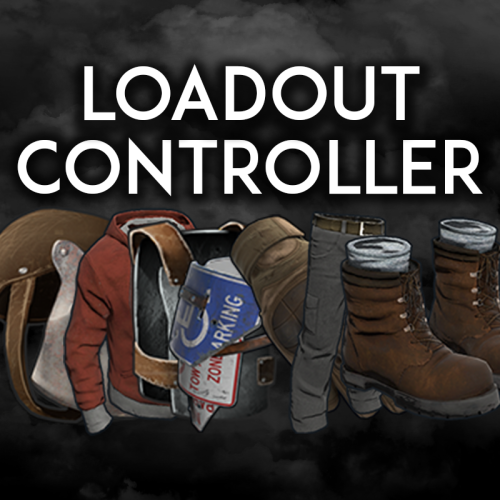
Loadout controller is made to assist in allowing your Battlefield or even PVE community to thrive with customizable loadouts. FEATURES - Supports infinite permission groups - Easy UI system to modify permission groups - PERMISSION GROUP OPTIONS: - Item saving amount per item - Item saving amount per category (Weapons, attire, etc*) - Blacklisted ammo types loaded in weapons - Blacklied skin ID's - Priority settings - Max saves per permission - ETC* - Plyers can easily save their loadouts through the UI or chat commands. - The UI shows players exactly what items they can save, can't save, or can only save part of. - You can easily delete, override, select, or save new loadouts through the UI. - You can see what items are in your currently selected loadout in the UI - Loadouts automatically apply when a player respawns - Extremely performant UI system$19.99 -
Version 1.0.3
252 downloads
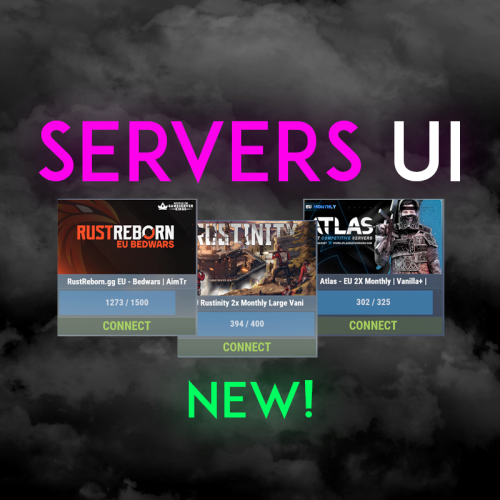
Easily display all your servers within a very clean a simple UI. Even put a quick connect button for people to instantly connect to the server! FEATURES - Simple setup - Very clean UI - Auto receives server info to display to your players - Instant connect buttons - Little to no performance impact - Easy integration with Welcome Controller To get your battlemetrics server ID, all you need to do is view your server on Battlemetrics, and it's the little number at the end of the URL. https://www.battlemetrics.com/servers/rust/6803740 Support? Questions? Comments? Concerns? Message me in my Discord! https://discord.gg/RVePam7pd7 { "Servers Commands": [ "servers", "sv" ], "Servers": [ { "Server ID's (BattleMetrics Id's)": "6803740", "PlaceholderBanner": "https://i.ibb.co/c6Y58gQ/Placeholder-Banner.png" }, { "Server ID's (BattleMetrics Id's)": "12747928", "PlaceholderBanner": "https://i.ibb.co/c6Y58gQ/Placeholder-Banner.png" }, { "Server ID's (BattleMetrics Id's)": "7482472", "PlaceholderBanner": "https://i.ibb.co/c6Y58gQ/Placeholder-Banner.png" }, { "Server ID's (BattleMetrics Id's)": "10519728", "PlaceholderBanner": "https://i.ibb.co/c6Y58gQ/Placeholder-Banner.png" }, { "Server ID's (BattleMetrics Id's)": "16741517", "PlaceholderBanner": "https://i.ibb.co/c6Y58gQ/Placeholder-Banner.png" }, { "Server ID's (BattleMetrics Id's)": "15532055", "PlaceholderBanner": "https://i.ibb.co/c6Y58gQ/Placeholder-Banner.png" }, { "Server ID's (BattleMetrics Id's)": "8113880", "PlaceholderBanner": "https://i.ibb.co/c6Y58gQ/Placeholder-Banner.png" }, { "Server ID's (BattleMetrics Id's)": "9929204", "PlaceholderBanner": "https://i.ibb.co/c6Y58gQ/Placeholder-Banner.png" } ], "UI Colors": { "BlurBackgroundColor": "0 0 0 .4", "MainUIColor": "0 0 0 .4", "MultiMainPanelColor": "0 0 0 .5", "MultiServerTitlePanelColor": "0 0 0 .4", "MultiServerTitleTextColor": "1 1 1 1", "MultiPlayerPanelColor": "0 0 0 .5", "MultiPlayerPanelFillColor": "0.17 0.68 1 .5", "MultiPlayerPanelTextColor": "1 1 1 .6", "MultiPlayerConnectPanelColor": ".25 .31 .16 .8", "MultiPlayerConnectTextColor": ".66 .86 .30 .8", "SingleMainBlurColor": "0 0 0 .4", "SingleMainPanelColor": ".17 .17 .17 1", "SingleServerTitlePanelColor": "1 1 1 .1", "SingleServerTitleTextColor": "1 1 1 1", "SinglePlayerPanelColor": "1 1 1 .1", "SinglePlayerPanelFillColor": "0.17 0.68 1 .7", "SinglePlayerPanelTextColor": "1 1 1 .7", "SinglePlayerConfirmPanelColor": ".25 .31 .16 1", "SinglePlayerConfirmTextColor": ".66 .86 .30 1", "SinglePlayerCancelPanelColor": "0.76 0.14 0.14 .4", "SinglePlayerCancelTextColor": "0.93 0.18 0.18 .75", "SingleDescPanelColor": "1 1 1 .1", "SingleDescTextColor": "1 1 1 .7" } }$14.99 -
Version 1.0.2
785 downloads
Allows you to control the spawns of entities on your server. Features Spawn Control: Define spawn chances for entities to control their frequency. Configurable: Easily customize the configuration to fit your server's needs. Automatic Cleanup: Remove entities with a spawn chance of 0. Configuration { "Enabled": false, "Spawns": [] } Enabled: if set to true it enables the plugin. Spawns: list of entities's prefabs and it's spawn chances (auto generated when you first load the plugin).Free