The in-game Camera boasts a small selection of modes. The exact selection varies between major revisions of the game.
In WolfQuest: Anniversary Edition, the camera system was overhauled and works somewhat differently in comparison to its predecessors; steering controls remain relatively unchanged in allowing the player to move their physical mouse left or right to steer their wolf in the respective direction, and the direction the camera faces is always the direction the player-wolf will advance towards with  or
or  forward input. (Left analog stick of any modern controller.)
In WolfQuest: Classic, the camera system is rigid. The direction it faces is always the direction the player-wolf will move towards when forward input is given.
Orbit Mode[]
In the Anniversary Edition, Orbit Mode requires the player to press and hold the  right mouse button. On controllers, it is bound to the right analog stick by pressing R3. (Pressing in or putting pressure down on the stick.)
While in orbit mode, the player can move their camera freely around their wolf without impacting the direction it is traveling towards. For example, a wolf running north will continue to move north if the camera is orbited to face behind them. If the player is being chased by rival wolves and they would like to observe their pursuers, this is the optimal strategy for doing so. When the right mouse button is released or R3 is pressed again, the camera will snap back to its "follow" position behind the wolf, and the wolf will revert to moving towards the direction the camera is facing.
This camera mode benefits realtime screenshot and video opportunities, with which it can be combined with head movement and emotes.In Classic, pressing O enters Orbit Mode and permits the player to use 9 to rotate left and 0 to rotate right around the player's wolf for screenshot and video opportunities.
In Legacy versions, pressing O enters Orbit Mode and permits the player to use [ to rotate left and ] to rotate right around the player's wolf for screenshot and video opportunities.
Head Cam[]
In the Anniversary Edition, headcam can be toggled by pressing the  key. On controllers, it is toggled with a quick double-tap of: Xbox
  or PlayStation
  .
.
In this mode, the player sees in full color and is unrestricted in what viewing angles are available to them. It is not a 1:1 view from their avatar's eyes because their wolf's model is culled out while this mode is active. It serves little functional purpose beyond the perspective change as a player-wolf in headcam can perform fewer interactions with their environment; they cannot attack prey or predators, but they can still be attacked themselves. At best, it is ideal for screenshots and surveying the environment.
From Early Access version 1.0.6 onwards, headcam serves as the recommended way for the player-wolf to watch the skies and monitor inbound golden eagles when they conduct a predation attempt against their young 1-month-old pups.
In Classic, headcam can be toggled by pressing the T key.
In this mode, the player does not see a complete 1:1 view from their avatar's eyes, such as being able to see their wolf's snout. It is fully functional, as a player can attack prey and predators while in headcam mode as well as interact with pups.
In Legacy versions, headcam can be toggled by pressing the 9 key on the NumPad. For laptops without a NumPad, use either NumLock or the virtual on-screen keyboard utility.
In this mode, the player does not see a complete 1:1 view from their avatar's eyes, such as being able to see their wolf's snout. This aside, the viewpoint does sway and bob according to the avatar's animations, making it a somewhat true-to-the-experience viewpoint.
Scent View[]
The game's rendition of scent view is quite literally "sight through smell" or "smell through sight".
- Main article: Scent View#Anniversary Edition
In the Anniversary Edition, scent view is toggled by pressing the  key. On controllers, it is toggled with a single tap of: Xbox or PlayStation .
In this mode, the player-wolf sees a grayscale world where scents and tracks become visible and are superimposed in colored and shaped spores. The game will also partially de-load scenery objects such as grasses and shrubbery for improved visibility during fall, spring and summer. This effect is less noticeable during winter. It otherwise shares the same perspective and base controls including unrestricted viewing angles and inability to interact with the environment as headcam.
Unique to the Anniversary Edition is the addition of glowing auras on the bodies of animals and in the openings of den sites, available as a toggleable Game Setting under the Graphics tab.
- Main article: Scent View#Classic
In Classic, scent view can be toggled by pressing the V key.
In this mode, the player sees a grayscale world where scent trails are superimposed in colored orbs. The player's viewpoint is not a 1:1 view from their avatar's eyes based on their wolf's model begin hidden.
- Main article: Scent View#Legacy
In Legacy versions, headcam can be toggled by pressing the V key.
In this mode, the player sees a grayscale world (if their device and hardware supports rendering the effect; lower-end unsupported hardware will skip it and the player will see in full color) where scent trails are superimposed in colored orbs. The player's viewpoint is not a 1:1 view from their avatar's eyes, but the camera is clearly positioned overhead based on their wolf's snout being in-frame while enabled.
Photo Mode[]
- Main article: Photo Mode#Anniversary Edition

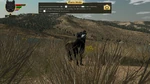
Photo Mode

 key advances the simulation by one frame, enabling the potential for frame-perfect screenshots. Pressing
  will save a screenshot in the
 User Files\Screenshots directory.In Classic, Photo Mode does not exist.
In Legacy versions, Photo Mode does not exist.
Pup Cam[]
- Main article: Photo Mode#PupCam
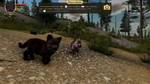
PupCam

In Classic, Pup Cam does not exist.
In Legacy versions, Pup Cam does not exist.
Patrol Wolf Cam[]
In the Anniversary Edition, the patrol wolf and its associated camera remain absent.
In Classic, the patrol wolf and its associated camera was removed and no longer makes an appearance during the second episode. In its place is a roaming group of stranger wolves lurking behind a barrier; they cannot be reached nor interacted with, and serve no functional purpose other than to act intimidating.


Patrol wolf cam in 2.5.1
In Legacy versions, Patrol Wolf Cam is the unofficial Wikian-given name referring to the episode 2-exclusive video feed and HUD element displayed in the bottom-left corner of the game when entering the southern wolf territory in Slough Creek, aptly named after the passive stranger wolf it is bound to. This wolf only spawns upon trespassing; it is non-aggressive and will steer the player-wolf out of their territory, teleporting their wolf and its family to the outskirts near the Sandbar Crossing.
This wolf is unique in that its movement speed always exceeds that of the player's. It cannot be outrun or avoided and it will always catch their wolf even if the player manages to leave the territory. Its AI is a relatively simple lock-on-and-follow. Should the player trespass again it will respawn and repeat its objective.
Predator Cam[]


In the Anniversary Edition, Predator Cam was removed. In its place is the Predator Alert system which displays an icon representative of predator species. It appears in the space below the compass when hostile NPCs are in the player's vicinity and they are either alerted (by the player-wolf performing emotes) or close proximity to their home site or pack to launch their predation raid attempts against the player-wolf's pups of the year.
A maximum of two icons may appear in this space as influenced by the active difficulty setting.In Classic, Predator Cam refers to the brief camera pan that always occurs when pup predators appear for a predation encounter. It adds a delay to the attack, giving the player a chance to prepare to confront the animal head-on before it can reach their pups.
In Legacy versions, Predator Cam refers to the brief camera pan that always occurs when pup predators appear for a predation encounter. It adds a delay to the attack, giving the player a chance to prepare to confront the animal head-on before it can reach their pups.
Trivia[]
Anniversary Edition Trivia
- Common enhancement requests include freecam with extended zoom options and no tethering to the player-wolf or target wolf, and a reasonable selection of filters befitting the game.
- It remains unknown whether the developer will improve upon the camera system.
Classic Trivia
Legacy Trivia
References & External Links[]


.png)
