
- For mobile add-on content, see In-App Purchases.
- For avatar customization options, see Player and Customization.
Downloadable Content (commonly shortened to and abbreviated as DLC) refers to optional add-on content that grants additional options either for gameplay or whose purpose is aesthetic and/or cosmetic. In most games, some are free, while others will have an imposed price tag. In WolfQuest, DLC is not always free; the few that are are included with the price of the game and may have been distributed as paid content in past incarnations.
All sales generate revenue which is put back into game development efforts among other things. Regardless of the game version or operating system, the base game is always tied to the player's Steam or Humble Bundle account. Itch.io purchases are tied either to an account associated with the respective service, or through a receipt issued for the transaction ID.
Looking to buy the game? See Storefronts. Looking for the old free game? See Download.
The team have confirmed that some content will be separate purchases.[1]
Instructions
In WolfQuest: Anniversary Edition, purchased downloadable content is partly tied to the player's premium WolfQuest game account. If the purchase was made through Steam, the player is required to run the game through Steam to access the add-on content. If the purchase was made through Itch.io, the player is required to run the Itch.io game and be logged into the same account that was used to purchase the add-on content to use it. Buying through one does not grant full access through the other due to licensing limitations.
All add-ons are optional extras. The player is not required to purchase anything, and their progression through the game will be in no way affected.
All DLC can be previewed as a try-before-you-buy incentive before purchasing. It is recommended to do so before buying to ensure compatibility and confirm playability! Game maps have a ten (10) minute free trial period limiting the player to a small preview area which they cannot leave and will be forcibly turned around and sent back into the preview area should they attempt to stray outside of it. If the player-wolf starts near a migration zone, they will be allowed to leave the game map.
Itch.io
To purchase DLC via Itch.io has more steps, but is otherwise a fairly straightforward process to complete. Links to product sub-pages for WolfQuest: Anniversary Edition are provided wherever possible on this article, though we'll go through the standard process of accessing them for the convenience of our readers.
If the add-on content is a game map:
- From the Main Menu, press the New Game button.
- Open the dropdown menu next to "Map" and select the add-on you'd like to buy.
- In the message box that opens, select "Purchase". It is recommended to preview the map first to ensure compatibility and check playability.
If the add-on content is a customization (coat or modifier):
- From the Main Menu, press the My Wolves button.
- Create a new wolf or modify an existing wolf to enter Customize Wolf mode.
- Select any coat or modifier associated with the DLC you wish to buy. (See Bundles for pack contents.) A small notification box will appear under the wolf preview when a paid add-on is selected. Press the "Buy The DLC!" button inside this notification box.
Whether game map or customization, the next steps are the same:
- 4. In the next message box, your account credentials will be made available to you. You will need these after completing your transaction! Press "Buy <NAME> DLC" to continue.
- 5. If it wasn't already open, your internet browser will open to a new tab on an Itch.io webpage. Complete the checkout process.
- 6. After completing your transaction, you will be redirected to your receipt. Press the red "Redeem <NAME>" button. This redirects you to https://www.wolfquest.org/jwt4/?jwt=<keystring> where you will need to re-enter and confirm your WolfQuest game account credentials to register the purchase.
If all went well, your DLC should now be unlocked and playable/usable. The game may need a minute to catch up, so DLC won't immediately register as owned until you navigate away and return to try again. If it isn't, verify that the transaction went through successfully and is neither pending nor failed, and try either exiting and relaunching the game OR logging out of and then logging back into your WolfQuest game account. Any of these actions should refresh your account data. If you did not complete the process to register your DLC to your game account, you may need to contact Itch.io support for assistance.
Note: DLC purchased via Itch.io will work in both the Itch.io version and in the Steam version provided the player uses the same account the DLC purchases are registered to.[2]
Steam
To purchase DLC via Steam, the player need only visit the Downloadable Content page, choose the appropriate DLC(s) they wish to purchase, add them to their cart, and then complete checkout. Steam should automatically install and enable the purchased add-on content on the player's behalf provided the Steam client is open and not in Offline Mode. If it did not self-install, right-click WolfQuest: Anniversary Edition in the Steam Library → Properties → DLC. Uncheck to uninstall and disable, check to (re)install and enable.
If all went well, your DLC should now be unlocked and playable/usable. The game may need a minute to catch up, so DLC won't immediately register as owned until you navigate away and return to try again. If it isn't, verify that the transaction went through successfully and is neither pending nor failed, and try exiting and relaunching the game. Either action should refresh your account data. If problems persist, you may need to contact Steam support for assistance.
Note: DLC purchased via Steam will only work while running the Steam version. It will not work in the Itch.io version.[2]In WolfQuest: Classic, there is no true DLC for this game; the only differentiation between revisions is whether the player is running the Free Trial (most content is locked and inaccessible) or the Full Game (everything is accessible). Only in the Full Game can the player register and log-in to their premium WolfQuest game account.
Game Modes
In the Anniversary Edition, there are currently no separate game mode purchases. It is unknown if any are planned.
| Title | Status | Price | Description | Link(s) |
|---|---|---|---|---|
Multiplayer |
Premium | Included in/with base game price | Unlocks access to online multiplayer. WolfQuest game account required. |
N/A |
In Classic, multiplayer is the only game mode purchase.
| Name | Status | Price | Description | Link(s) |
|---|---|---|---|---|
Multiplayer
|
Premium | Included in/with Full Game price | Unlocks multiplayer access. WolfQuest game account required. |
N/A |
Expansions
- Main article: Expansions#Anniversary Edition
- Main article: Expansions#Classic
Game Maps
These locations provide extra settings in which to play in single-player or multiplayer.
In the Anniversary Edition, the following maps are upcoming releases.
Note: Some achievements will be locked behind paid content. When the Saga is fully implemented, the full game will be playable in all non-DLC maps, thus these are not required to progress in the story campaign. They serve simply as alternate locations in which to play.
| Title | Status | Price | Description | Link(s) |
|---|---|---|---|---|
Amethyst Mountain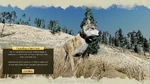 |
Base game content (as of 1.0b) |
Free | Modern recreation of Amethyst Mountain exclusive to WQ:AE. | |
Slough Creek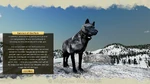 |
Base game content (as of 1.0.6) |
Modern recreation of Slough Creek exclusive to WQ:AE. | ||
Lost River (Classic)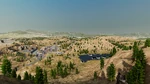 |
Base game content (as of 1.0.3) |
The original fictional mountain west[3] map ported to WQ:AE. | Developer's Blog: | |
Lost River (Anniversary Edition) |
Premium add-on (as of 1.0.9) |
$12.00 USD | An expanded reimagining of the fictional mountain west[3] location. | DLC Pages: Steam, Itch.io
Knowledge Base: Search query |
Hellroaring Mountain |
Premium add-on (as of 1.1.2) |
$10.00 USD | An additional location within Yellowstone National Park. | DLC Pages: Steam, Itch.io
Knowledge Base: Search query |
Tower Fall |
Premium add-on (as of 3.0.0) |
$10.00 USD | DLC Pages: Steam, Itch.io
Knowledge Base: Search query |
In Classic, only the following maps were ever released during its development cycle. No more will be released for this version of the game.
Episodes
No new episodes were released for Classic, though Tower Fall was initially planned for it during its early stages of development. Progress was put on hold while eduweb reworked and overhauled the game into what is now known as the WolfQuest: Anniversary Edition. It has since continued development, but it is no longer planned for Classic and will instead release as a map for its modernised successor.
As of 2017 onwards, no new episodes or maps are planned for WolfQuest: Classic.
Non-Episodic
| Name | Status | Price | Description |
|---|---|---|---|
Original Lost River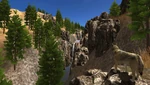
|
Premium | Included in/with Full Game price | A map set in the mountain west.[3] |
Customization
Add-ons specializing in customization.
- Main article: Customization#Anniversary Edition
- Main article: Customization#Classic
- Main article: Customization#Legacy
Bundles
Content that is sold in a bundle, or otherwise not sold separately.
Anniversary Edition Bundles
| Title | Status | Price | Contents | Link(s) |
|---|---|---|---|---|
Building Character Pack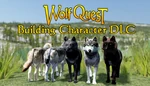 |
Premium add-on (as of 1.0.8l) |
$6.00 USD | 2 texture packs each containing 5 coats for as total of 10 coats, plus a selection of Body, Tail and Eye modifiers. |
DLC Pages: Steam, Itch.io Knowledge Base: Building Character DLC Developer's Blog: |
Yellowstone Wolf Coat Pack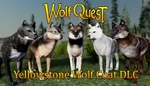 |
Premium add-on (as of 1.0.6n) |
$6.00 USD | 3 texture packs each containing 5 coats for a total of 15 coats. | DLC Pages: Steam, Itch.io Knowledge Base: Yellowstone Wolf Coat DLC Developer's Blog: |
In Classic, the Life is Rough coats are the only coats to be considered a bundle. It is unclear whether the same applies to the Lamar Canyon and Blacktail Deer Plateau Packs.
Coats
Anniversary Edition Coats
- Main article: Customization/Coats#Anniversary Edition
| Title | Bundle? | Price | Description | Link(s) |
|---|---|---|---|---|
Founders 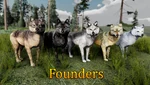  |
Yes | Yellowstone Wolf Coat Pack | Unlocks 5 coat textures based on real Yellowstone wolves. Coats: 7F, 9F, 10M, 21M, 42F (Cinderella) |
See "Bundles" |
Hall of Fame 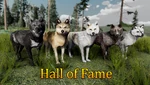  |
Unlocks 5 coat textures based on real Yellowstone wolves. Coats: 755M, 832F ('06), 302M (Casanova), 926F (Spitfire), White Lady | |||
Cool Coats 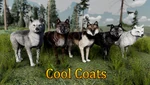  |
Unlocks 5 coat textures based on real Yellowstone wolves. Coats: 192M (The White Wolf), 931F, 838M (Big Blaze), Half Black, Small Dot | |||
Beauteous Blacks 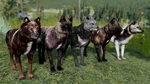  |
Building Character Pack | Unlocks 5 coat textures based on real Yellowstone wolves. Coats: 350M, 992M (Twin), 1276F (Third Mother), Little T, 427F (U-Black) | ||
Gorgeous Grays 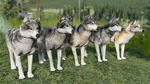  |
Unlocks 5 coat textures based on real Yellowstone wolves. Coats: 965M (Brad Pitt), 925M (Big Gray), 715F, 1091F (Mouse), 870F |
Classic Coats
- Main article: Customization/Coats#Classic
In Classic, these customizations are unavailable in the Free Trial. All will be unlocked upon purchasing the Full Game.
| Name(s) | Status | Price | Description |
|---|---|---|---|
Lamar Canyon Pack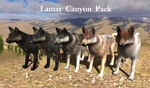 
|
Premium | Included in/with Full Game price | Adds five new coat textures. Modelled after wolves of the real Lamar Canyon pack.[4] |
Blacktail Deer Plateau Pack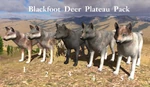 
|
Premium | Included in/with Full Game price | Adds five new coat textures. Modelled after wolves of the Blacktail Deer Plateau pack. |
Life is Rough Packs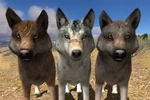 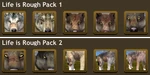
|
Premium | Included in/with Full Game price | A two-pack bundle totalling ten coat textures. Reuses existing coats, adding various injuries/afflictions. |
- Main article: Customization/Coats#Legacy
Modifiers
Additional modifiers to further customize the playable avatar.
Anniversary Edition Modifiers
In the Anniversary Edition, modifiers are split into their own separate tabbers.
Eyes
- Main article: Customization/Eyes#Anniversary Edition
In the Anniversary Edition, color is a base game feature. The modifiers listed here are new and locked behind DLC.
| Title | Bundle? | Price | Description | Link(s) |
|---|---|---|---|---|
Missing / Blind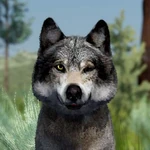 |
Yes | Building Character Pack | One closed, blinded or missing eye. Two options. |
See "Bundles" |
Corneal Edema |
One bulbous, clouded-over eye. Two options. |
Ears
- Main article: Customization/Ears#Anniversary Edition
Body
- Main article: Customization/Body#Anniversary Edition
| Title | Bundle? | Price | Description | Link(s) |
|---|---|---|---|---|
Short Tail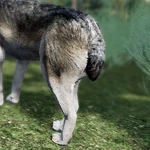 |
Yes | Building Character Pack | A genetically short tail. | See "Bundles" |
Cut Off Tail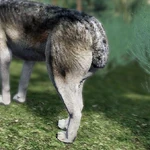 |
A cut tail missing its tip. | |||
Crooked Tail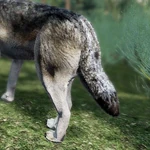 |
A deformed, curved or crooked tail. | |||
Snaggletooth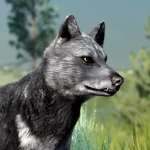 |
A deformed or past injury overriding one lower canine tooth. |
Classic Modifiers
In Classic, modifiers are a single toggle. They can't be combined.
Body
- See also: Customization/Body#Classic or Customization/Ears#Classic.
| Name | Status | Price | Description |
|---|---|---|---|
Notched Ear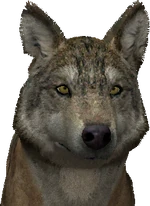
|
Premium | Included in/with Full Game price | Right ear displays a small notch. |
Bent Ear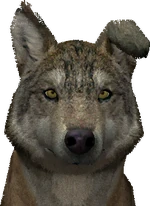
|
Premium | Included in/with Full Game price | Left ear is visibly bent. |
Flat Ear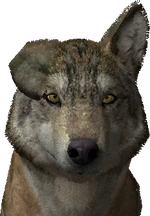
|
Premium | Included in/with Full Game price | Right ear is doubled over. |
Torn Ear
|
Premium | Included in/with Full Game price | Left ear is torn at the tip. |
Radio Collar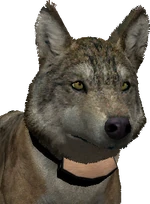
|
Premium | Included in/with Full Game price | A collar with affixed GPS tracker securely fitted around the avatar's neck. |
Limpy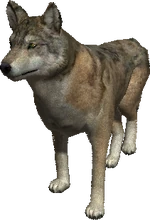
|
Premium | Included in/with Full Game price | Overrides all animations with a limp. The avatar's left rear leg is lame/injured. |
Miscellaneous
Other extra content not tethered to one particular version of the game made available to either purchase or download for free.
| Title | Status | Price | Description | Link(s) |
|---|---|---|---|---|
Music Extras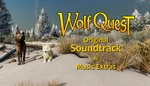 |
Free (interview) Premium (OST) |
$10.00 USD (without game) $27.00 USD (with game) |
Packed full of WQ musical goodness. Contents:
Bonus Extras:
|
Information: wolfquest.org Purchase: |
Dream Wallpapers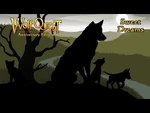 |
Free | $0.00 USD | WQ3 dream images to use as desktop, tablet, or mobile wallpapers. Contents:
|
Download: |
Gallery
Anniversary Edition Gallery
Contributions for Downloadable Content in the Anniversary Edition are welcome in this gallery!


Classic Gallery
Contributions for Downloadable Content in Classic are welcome in this gallery!

Trivia
- Most of the DLC in WolfQuest: Anniversary Edition was distributed throughout its Early Access period of development. This is commonly seen as a controversial subject and a negative for buyers, especially for games that already require purchase to buy the base game, and it is one that even WolfQuest was consistently embroiled in.[5]
Anniversary Edition Trivia
- It is unknown whether Anniversary purchases will be cross-platform compatible.
- This seems unlikely due to licensing restrictions between mobile storefronts and computer storefronts, as was partly the case for its Classic predecessor, but ultimately remains to be confirmed.
- DLC in the Anniversary Edition is confirmed to be tethered to the owner's game account.[6] Players who have previously purchased and own DLC add-ons can see this for themselves in their Account interface.
Classic Trivia
- Classic transactions are not cross-platform compatible due to licensing.
- Content purchased from the in-game mobile Shop are tied to the user's mobile device account relative to the service that was used. (Google Play for most Android devices, Amazon for other Android devices and most Kindle devices, and the iTunes/App Store for IOS devices.)
- Classic game accounts do not store or otherwise remember purchases.
References & External Links
- Some image thumbnails were retrieved through SteamDB.
- ↑ http://wolfquest.org/bb/viewtopic.php?p=2434053#p2434053
- ↑ 2.0 2.1 Confirmed in all DLC knowledge base articles.
- ↑ 3.0 3.1 3.2 http://www.wolfquest.org/bb/viewtopic.php?p=2359748#p2359748 , http://www.wolfquest.org/wolfopedia/quests
- ↑ Cited from wolfquest.org as clarified by Dave.
- ↑ Steam Community :: WolfQuest: Anniversary Edition (search results), Should Paid DLC Be allowed on Early Access games? : r/Steam
- ↑ wolfquest.org • Yellowstone Wolf Coat DLC now available in v1.0.6n!


