Contact Sales & After-Sales Service

Contact & Quotation

  • Inquire: Call 0086-755-23203480, or reach out via the form below/your sales contact to discuss our design, manufacturing, and assembly capabilities.
  • Quote: Email your PCB files to [email protected] (Preferred for large files) or submit online. We will contact you promptly. Please ensure your email is correct.
Drag & Drop Files, Choose Files to Upload You can upload up to 3 files.

Notes:
For PCB fabrication, we require PCB design file in Gerber RS-274X format (most preferred), *.PCB/DDB (Protel, inform your program version) format or *.BRD (Eagle) format. For PCB assembly, we require PCB design file in above mentioned format, drilling file and BOM. Click to download BOM template To avoid file missing, please include all files into one folder and compress it into .zip or .rar format.

PCBSync · Assembly engineering & project planning

Xilinx Programmers: Choose by Device, Workflow and Production Access

Compare the requirements for a Xilinx/AMD programming cable, off-board programmer or production fixture. Build a compatibility checklist before purchasing hardware or releasing a programming job.

Prototype through production · scope and schedule confirmed after file review

Automated device-handling and programming equipment with component trays and tape feeders.
At a glance: A programming cable is an interface to a supported tool and target. It does not by itself establish support for every Xilinx device, memory part, software release or production operation.
Prepare a clearer project request

Xilinx Programmers tools

Xilinx Programmers workbench

PCBSync Engineering Tools · no account required · calculations run in your browser

Mark what you have prepared

Match the scope to the decision

Xilinx Programmers: requirements that change the build

Decision / stageWhat to defineEvidence or next action
WorkflowFPGA, flash, CPLD or debugCorrect programming operation
CompatibilityDevice, tools, cable and interfaceSupported combination
ProductionCycle, access and job controlRepeatable setup and records
Practical engineering and purchasing guidance

Plan the work before releasing the files

Define what the equipment must do

Distinguish FPGA configuration, flash programming, legacy CPLD programming and internal debug. Identify the exact device families and host tools used by your released design before comparing connector appearance or advertised speed.

The suitable equipment may differ between development and production. A lab cable can support bring-up while a production route needs repeatable access, operator controls and records that are part of the overall fixture and software setup.

Check the supported combination

Review device, tool version, host operating system, driver and cable compatibility as one combination. Confirm the target connector pinout and electrical reference requirements rather than assuming any similar header is interchangeable.

For off-board work, include package and socket support. For PCB assembly, review programming access after components, coating or enclosure parts are fitted. A programmer that supports the silicon can still be unsuitable for the physical production arrangement.

Compare throughput on the real job

Measure setup, programming, verification and handling using a representative image and target. Parallel sites only improve the modeled throughput when the actual hardware and job can operate that way.

Use the time scenario to expose assumptions, including a partially filled final cycle. Do not compare a headline interface speed with a complete production cycle; erase operations, verification and manual handling can materially change the result.

Plan support and release control

Record the approved hardware identifier, software package and job revision so the process can be reproduced. Define how updates are evaluated and how a failed cable, socket or fixture is replaced without losing the validated setup.

Ask the service quotation to identify fixture development, adapters and programming-job preparation separately where needed. The page does not sell a universal programmer or guarantee support from a product name alone; exact compatibility remains part of the review.

Keep the review concrete

Include these requirements in your enquiry

01

Required programming operation is specified

02

Exact devices and memories are listed

03

Host tools and drivers are supported

04

Connector and electrical interface are verified

05

Representative cycle timing is available

06

Replacement and software-update control are defined

Mark unresolved items explicitly. Ask the quotation to identify proposed exceptions, required customer approvals and any inspection or special-process charges that remain open.

See the physical construction

Device handling, populated boards and test setups

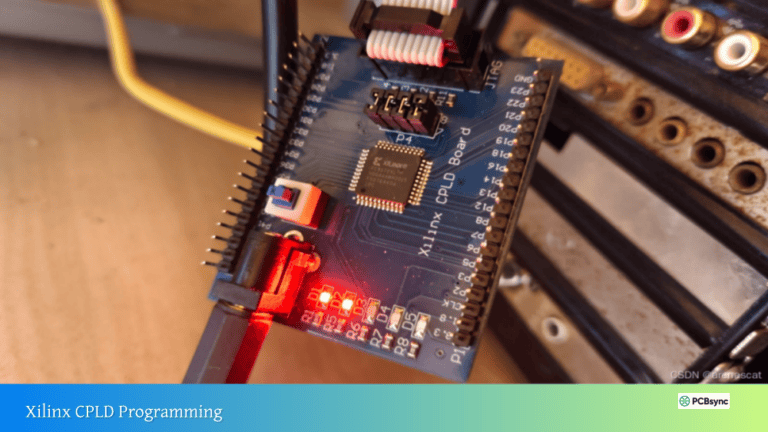
These existing media-library photographs illustrate physical handling, board access and test arrangements. They do not identify a supported chip list or prove that a particular firmware image has been verified.

Answers before requesting a quote

Xilinx Programmers FAQ

Can one cable program every Xilinx device?

Do not assume universal support. Check the exact device and software compatibility documentation.

Does more parallel capacity always reduce the quoted lead time?

No. Setup, handling, queues and job support also affect the complete schedule.

Technical links checked 2 October 2026. Apply the current documentation and project-specific acceptance requirements. Planners do not certify manufacturability or validate uploaded design files.

From planning to a reviewed quotation

Discuss your Xilinx Programmers requirements

Send the scope you want reviewed

Add a project brief or reference budget from the tools above. Include your assembly revision, requested quantity, required timing and open engineering questions.

For a programming review, identify the exact device, package, board revision, intended programming route and released firmware version. Provide the programming procedure and required verification or test records. Arrange an agreed transfer route before sharing proprietary images; do not paste private signing keys into an enquiry. Include quantity, first-article requirements and required timing.

Email: [email protected]
Phone: +86-755-23203480

Review the message and attachments before sending. An enquiry does not place an order.

Drag & Drop Files, Choose Files to Upload You can upload up to 3 files.